Embedding X-Pages in Territory Feedback
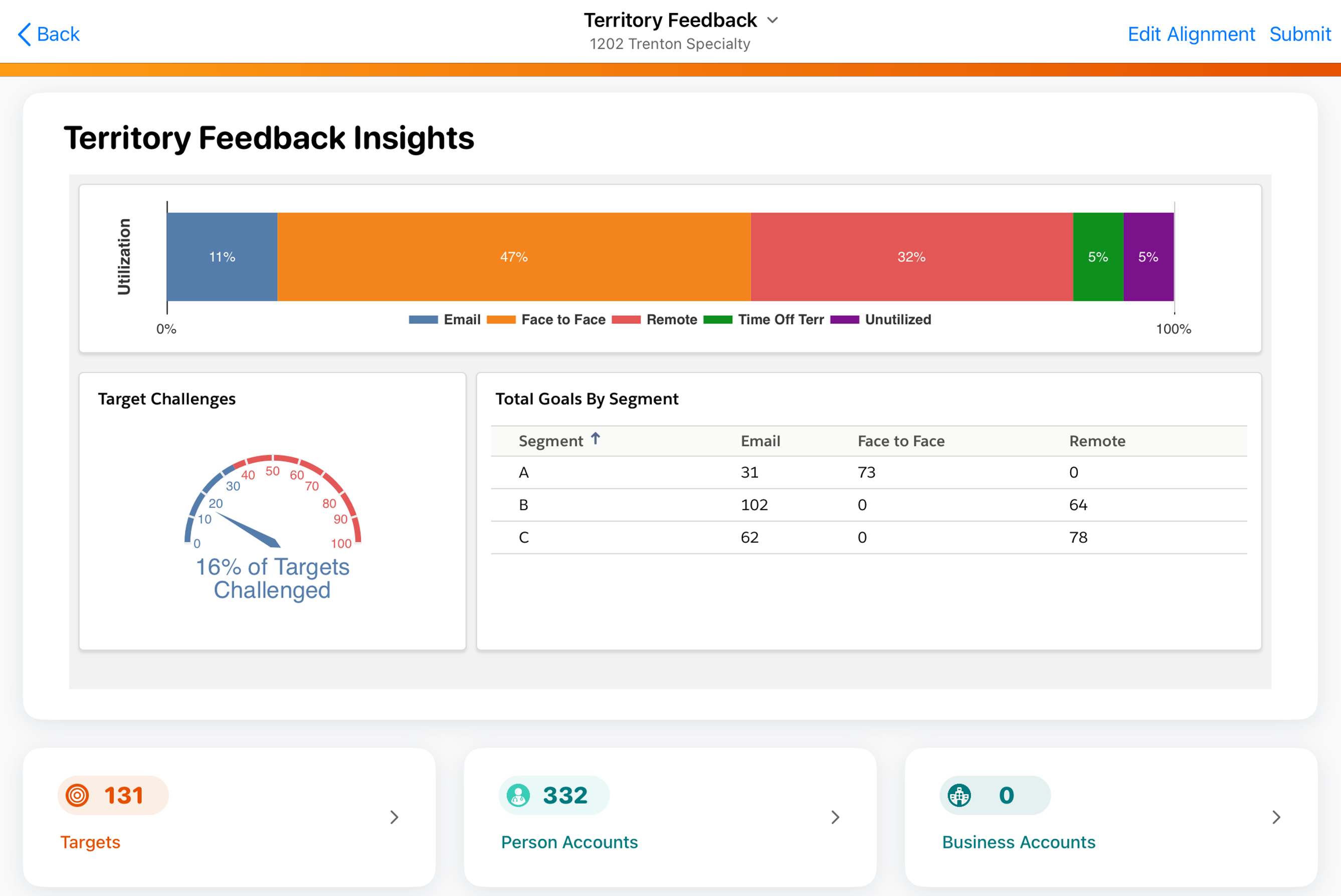
In addition to the standard widgets displayed on the feedback dashboard, admins can create and embed a custom X-Page into a widget. This enables end users to more easily adhere to guidelines that have been put in place by their leadership teams.
Who can use this feature?
- Content Creators - Browser
- Creating the Territory Feedback X-Page
- Align Operations Users - Browser
- Linking X-Pages in Align
- End Users - Browser, iPad
- Viewing X-Pages in Territory Feedback
- Users require an Align License
Configuring Embedding X-Pages in Territory Feedback for
 Align Operations Users
To configure this feature:
- Navigate to Admin > Configuration > Objects > align_settings__v > Layouts.
- Place the xpages_report__v on the appropriate layout.
- Navigate to Admin > Configuration > Objects > aln_align_settings_model__v > Layouts.
- Place the xpages_report__v on the appropriate layout.
Content Creators
To configure this feature, ensure Configuring X-Pages is complete.
Creating the Territory Feedback X-Page as
Content Creators
To create an X-Page to use in Territory Feedback:
- Create the .zip file to serve as the visualization. The file should reference the getFeedbackData() method, which enables the visualization to retrieve a variety of information about the territory.
- Create a new html_report__v record with an HTML Report Type (object_type__v ) field of territory_feedback__v. The Object Type (object_recordtype__v) field must be left blank.
Linking X-Pages in Align as
Align Operations Users
After the X-Page is created, the X-Page must be linked in Align before the visualization displays in Territory Feedback:
-
Populate the xpages_report__v field of the appropriate Align Settings record with the external_id__v field of the created html_report__v record in CRM.
This setting supports field-force specific settings, enabling different field forces to use different X-Pages.
- Specify the height of the widget in Territory Feedback, in pixels, by appending : and the desired height to the xpages_report__v setting. For example, feedback_report:500 specifies a height of 500 pixels.
- Refresh the Feedback Cache.
Viewing X-Pages in Territory Feedback as
End Users
The linked X-Page displays in Territory Feedback on the iPad as a widget. The widget’s title reflects the name of the corresponding html_report__v record.
Viewing X-Pages in Manager Feedback
Territory Feedback X-Pages that display for end users on the iPad also display in the Info panel in Manager Feedback, enabling managers to view territory guidance that has been tailored to meet the specific needs of the business.
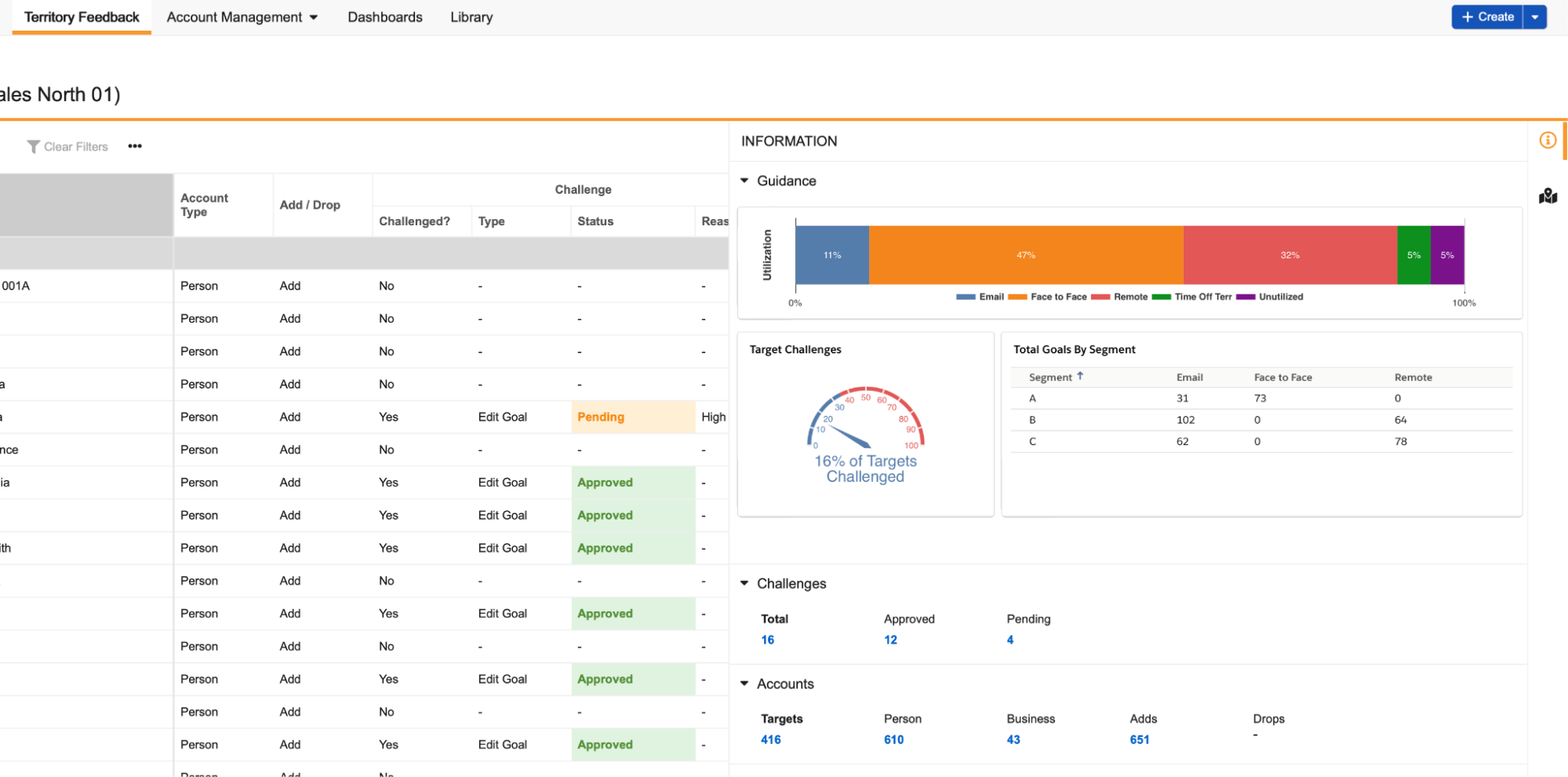
Embedded X-Pages automatically update to reflect changes to the territory made by the manager.

