Adding Targets to Journeys with APIs
To automatically route interested HCPs into journeys, marketing users can add targets from external applications using a secure REST API endpoint.
Who can use this feature?
- Marketing Users - Browser
- Generating API Tokens
- Business Admin Users - Browser
- Understanding Targets Added via API
- Users require a Campaign Manager license
Configuring Ingesting API Targets for
 All Users
To configure this feature, ensure Configuring Campaign Manager is complete.
Generating API Tokens as
Marketing Users
Users can manage API tokens to control external application access to a journey.
To generate an API token:
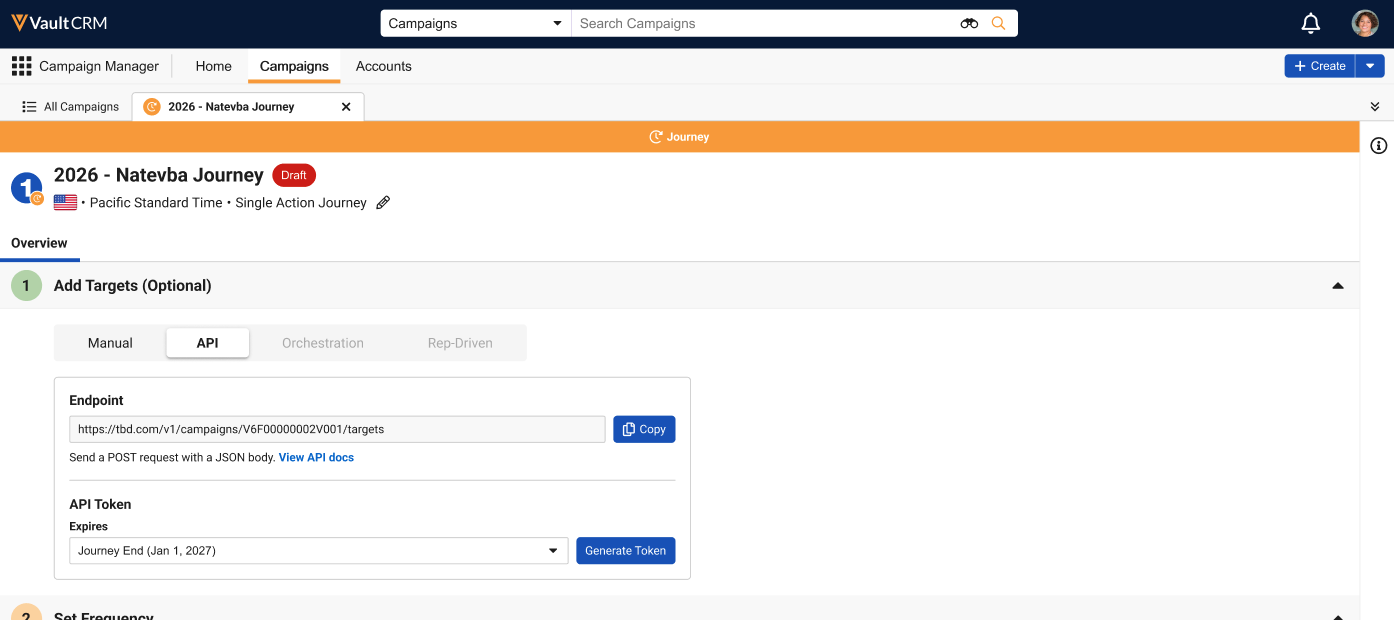
- Navigate to the Add Targets section of the appropriate journey.
-
Select the API tab.
-
Select the appropriate expiration date from the Expires drop-down list. The following values are available:
- 30 Days
- 90 Days
- 6 Months
- 1 Year
- Journey End – The end date of the journey, if defined. If the journey end date is defined, the list of available values contextually updates. For example, if the journey end date is scheduled for five months in the future, only 30 Days, 90 Days, and Journey End display as available for selection.
The maximum time a token can be valid is 1 Year. Users can also expire tokens manually once generated.
-
Select Generate Token.
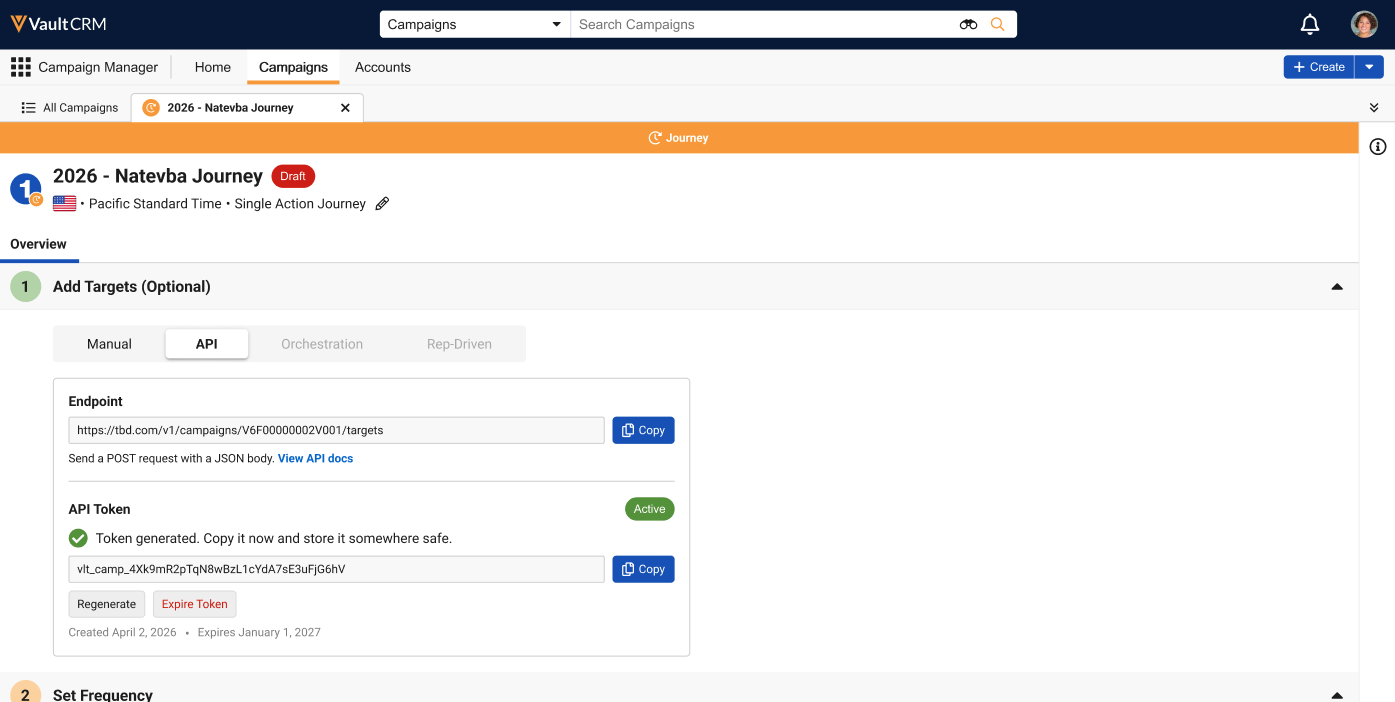
- Copy both the Endpoint and API Token to a separate, secure location for sharing and distribution. The token can only be copied immediately after generating, once it is copied or the user navigates away from this page, the token is obscured and cannot be copied.
Identifying Targets added via API
Marketing users can identify which journey’s targets were added via API using the following columns in the Target List sub-tab:
- Added via – Populates with API for targets added via API
- Source System – The identifier used by the system that submitted the target via API
Understanding Targets Added via API as
Business Admin Users
Business admin users need to understand how the API call is structured and how Target Loader records are logged.
Structuring the API Call
External systems can add targets to a campaign or journey using the appropriate endpoint and API token provided by the marketing user. The API call must have the following structure:
- Method – POST
- Path – The endpoint provided by the marketing user
- Payload – Use a JSON array of up to 500 targets. Each target object in the array must have the following fields populated:
- source_system_id – The identifier of the submitting external system
-
At least one of the following account identifier fields:
Combination Account Identifier Fields A - account_id – The ID of the account in Vault CRM
- email – The email address of the account
Example JSON Format
[
{
"source_system_id": "SRC-001",
"account_id": "V4T000000007857",
"email": "jane@example.com",
"first_name": "Jane",
"last_name": "Doe"
},
{
"source_system_id": "SRC-002",
"email": "john@example.com"
}
]The API call can also include the first_name and last_name fields, but these fields are not used for matching within Vault CRM.
Managing Target Loader Records
When targets are added to a journey via an API endpoint, the action is automatically logged by a created target_loader__v record with the following properties:
- journey__v – References the appropriate journey
- source_system_id__v — The identifier used by the system that submitted the target via API
- submitted_email__v — Email address submitted in the API payload
- submitted_account_id__v — The ID of the submitted account
- submitted_first_name__v — The first name from the API call. This field is not used for matching.
- submitted_last_name__v — The last name from the API call. This field is not used for matching.
- submitted_external_id_field__v – The API name of the account__v field submitted for external ID matching
- submitted_external_id_value__v – The external ID value to match against the field named in submitted_external_id_field__v
- account__v — References the matched account
- matching_outcome__v — Lists the outcome of the attempt to match the account from the API call with an account within Vault CRM
- processing_status__v — The current processing status of the record
- failure_reason__v — Only populates if the processing_status__v field is failed__v. Describes why processing failed.
- request_uuid__v — System generated unique identifier for each API request

