Veeva Link Medical Insights Integration
Vault CRM users can record medical insights captured from conversations with medical professionals and synchronize them directly with Veeva Link Medical Insights. This integration ensures that medical insights are accessible across platforms, eliminates the need to switch between applications, and enables tagging of Congresses, Trials, and Veeva Link Key People (Experts) directly within Vault CRM. By centralizing insight capture, organizations can maintain a consistent record of medical interactions and ensure that critical data, for example disease states and listening priorities, is accurately reflected in both Vault CRM and Link Medical Insights.
Who can use this feature?
- End Users - Browser
- Recording Medical Insights
- Tagging Entities
- Submitting Insights with Validation
- Working Offline
- Viewing Link Medical Insights as Non-Users
- Deleted Records
- Users require a license for Link Medical Insights
Configuring Link Medical Insights Integration for
 End Users
To configure this feature:
- Ensure the following are configured:
- Navigate to Admin > Users & Groups > Permission Sets.
- Select the appropriate permission set.
- Select Objects.
- Grant the following permissions:
Object
Object Permission
Object Types
Fields
Field Permission
medical_insight__v
CRE
All
- vmi_id__v
- vmi_location__v
- vmi_location_id__v
- vmi_disease__v
- vmi_disease_id__v
- vmi_listening_priorities_id__v
- description__v
- vmi_html_formatted_insight__v
- vmi_insight__v
Edit
End users not enabled for Integration but who view the medical insights created should have Read access only.
user__sys
R
user__sys
vmi_user__v
Read
- Navigate to Admin > Configuration > Objects > user__sys.
- Add the vmi_user__v field to the appropriate layout.
- Navigate to Admin > Users & Groups > Vault Users.
- Select the appropriate user.
- Ensure the vmi_user__v check box is selected.
Optional Configuration
- Ensure users have a license for Link Key People, if using Link Key People
- Ensure users have the following configured, if using as an entry point:
- Medical Interactions
- Call Report
Using Link Medical Insights Integration as
End Users
Users can capture detailed medical insights that, once submitted, are shared with Link Medical Insights.
An active internet connection is required to submit medical insights to Link Medical Insights.
Recording Medical Insights
To record a medical insight:
- Create a Medical Insight from the Medical Insights or Medical Interactions tab, an Account, a Call, or any related list. The Link Medical Insights intake page displays.
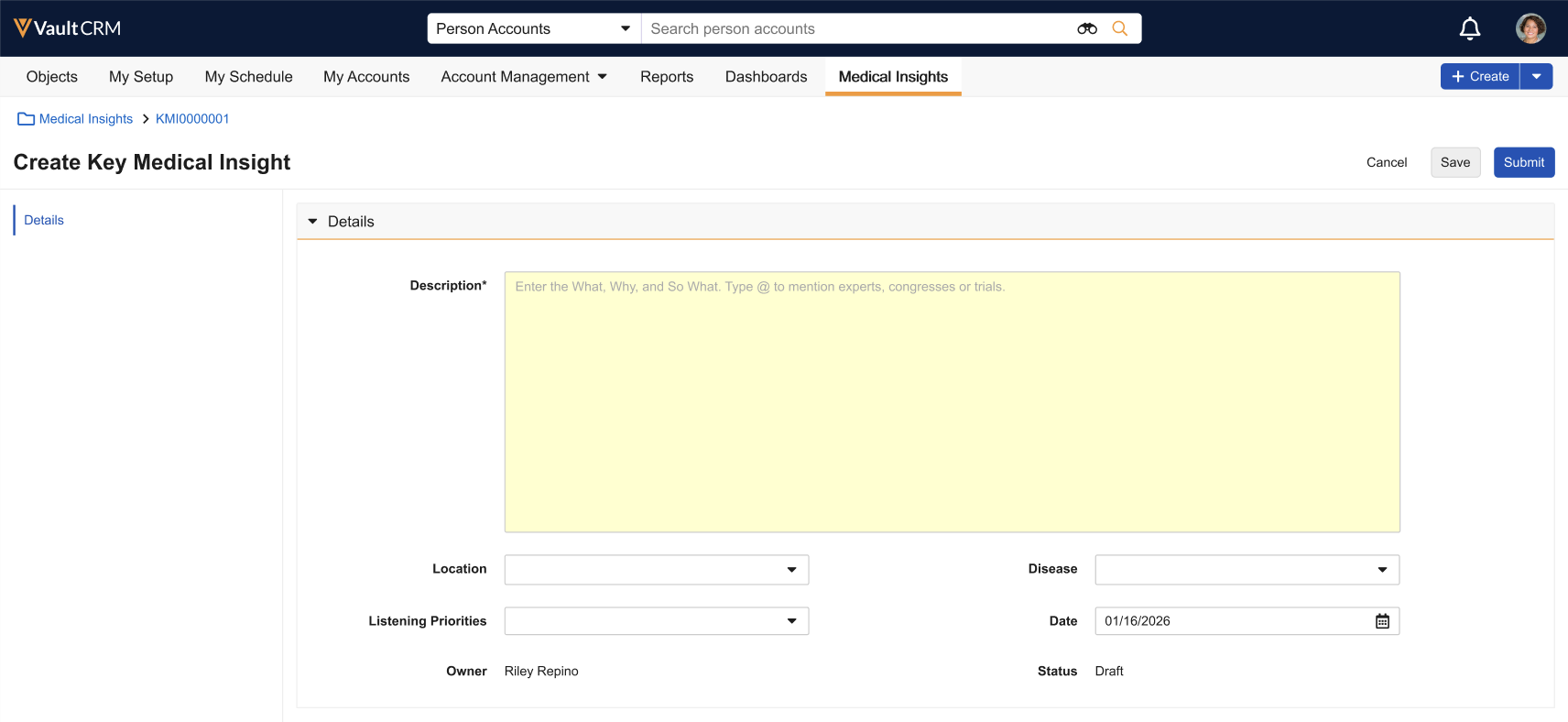
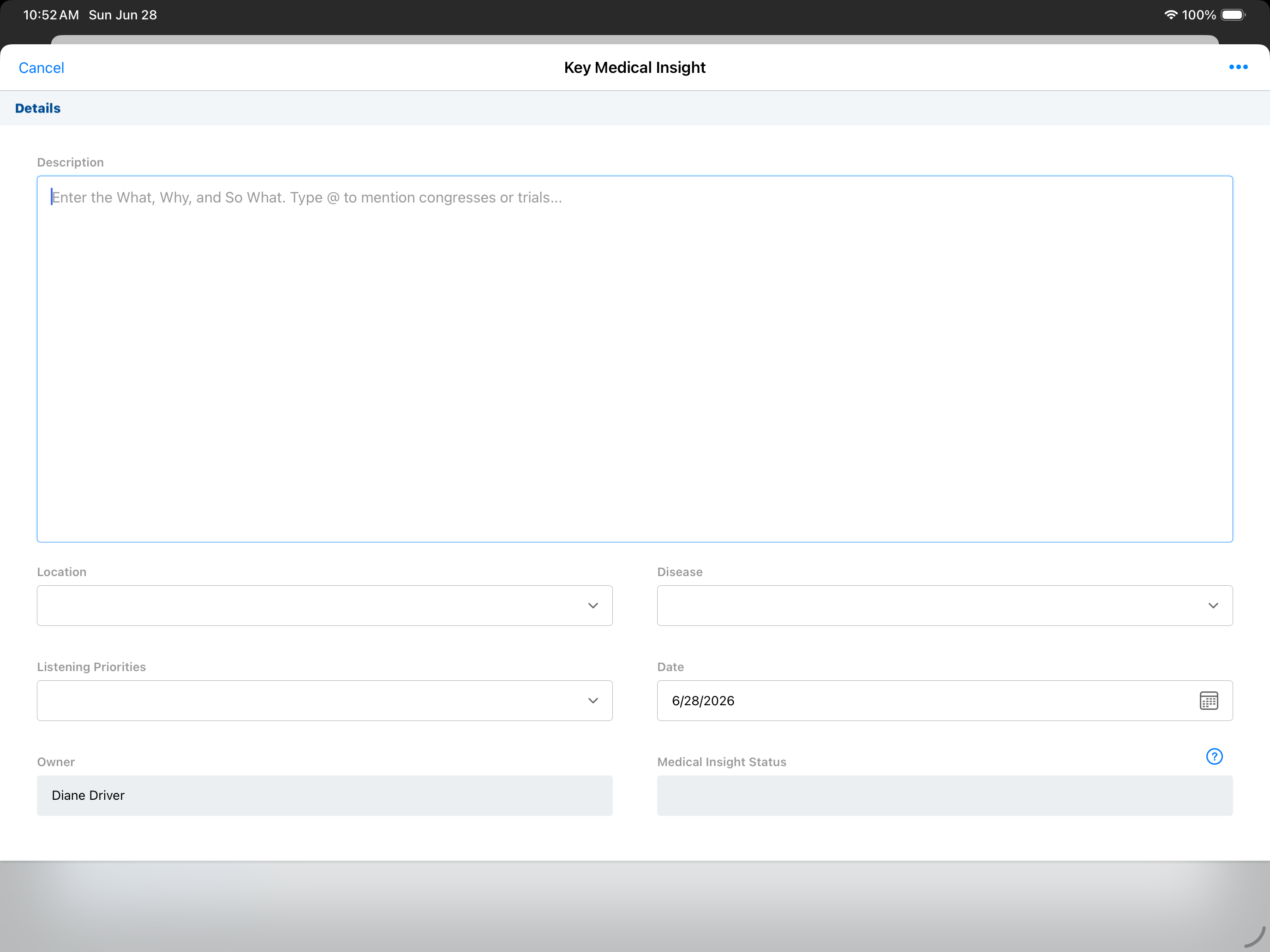
- Enter the insight details in the Description field. To tag an Expert, Congress, or Trial, type @ to view the in-line menu. See Tagging Entities for more information.
Expert (Link Key People) tagging availability is determined by the Link Medical Insights configuration and requires a Link Key People license.
- Select a Location and Disease from the picklists. These defaults are based on your last submitted insight.
- Select the applicable Listening Priorities (if configured in Link Medical Insights).
- Select Save to keep the insight as a draft or Submit to send the insight to Link Medical Insights. The insight is not sent to Link Medical Insights until it is submitted.
Once an insight is submitted, the system uses Natural Language Processing (NLP) to analyze the unstructured text of the insight for medical context, sentiment, and intent. Metadata tags are assigned based on predefined medical dictionaries and company-specific libraries, emerging themes are identified and a gap analysis is performed.
Tagging Entities
To tag Experts, Congresses, or Trials within an insight:
- Type the @ symbol in the Description field. The in-line menu displays.
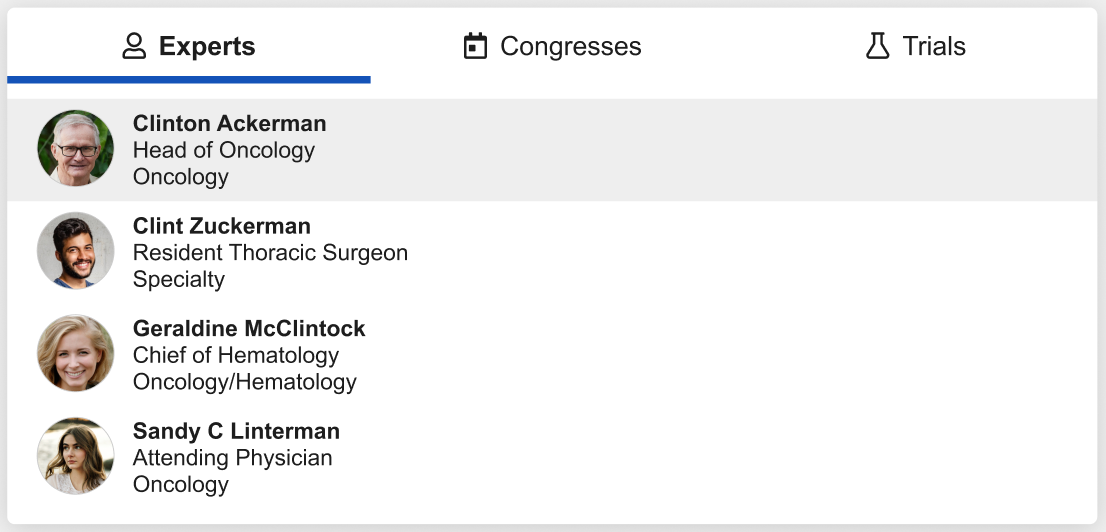
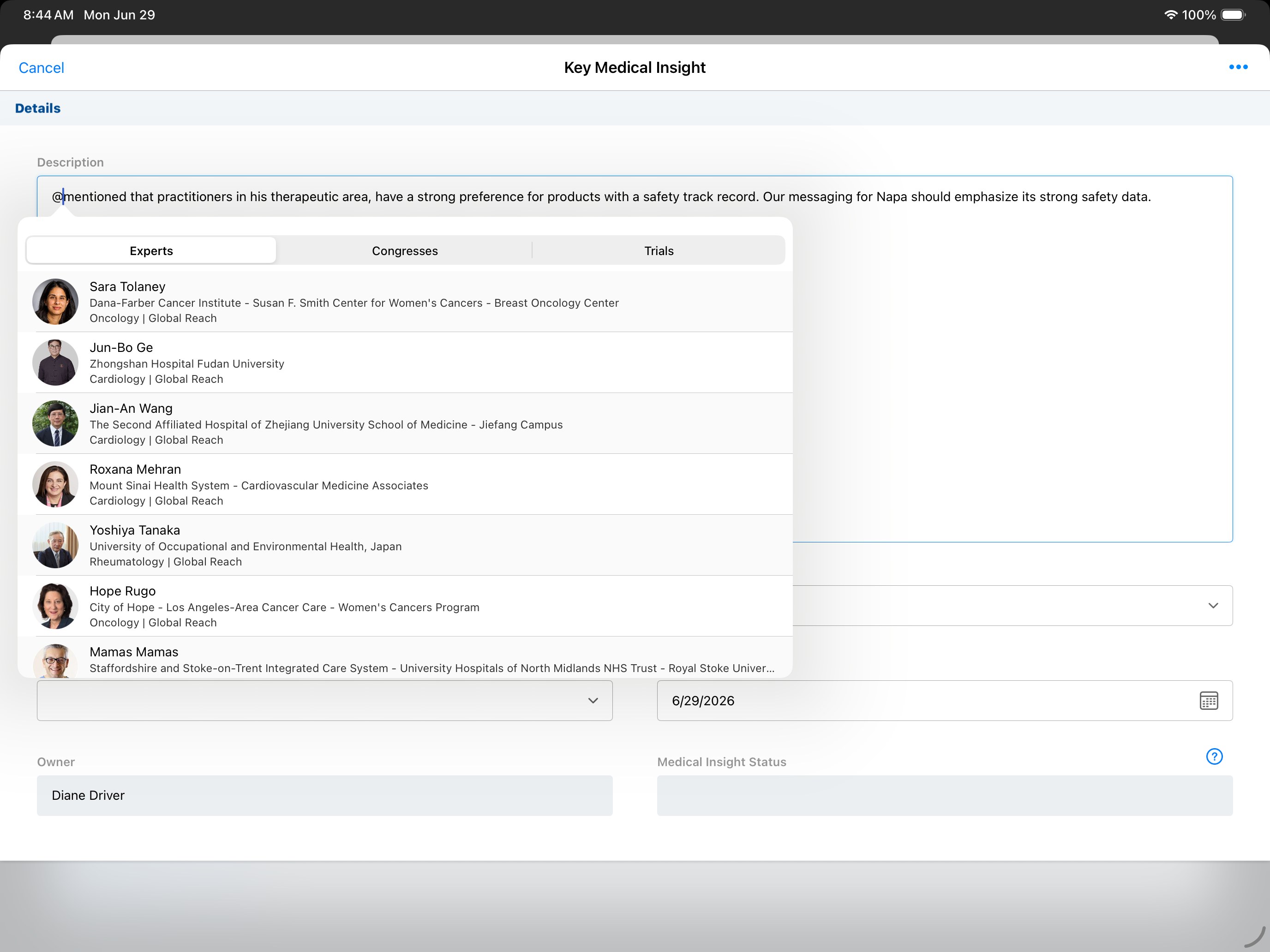
- Select the appropriate tab (Experts, Congresses, or Trials).
- Start typing to search for a specific entity.
- Select an entity to create an in-line tag.
If you created the insight from an account or call report where the Account field has a valid Link Key People URL, the expert is automatically tagged in the description.
Working Offline (iPad and iPhone only)
Users can record insights offline, with the following limitations:
- Location, Disease, and Listening Priorities cannot be edited
- New entity tags (@mentions) cannot be added
- Records can be saved as drafts but cannot be submitted until a connection is restored
Viewing Link Medical Insights as Non-Users
Users do not require Link Medical Insights integration to view insights created by Link Medical Insights users in Vault CRM. Link Medical Insights users can view insights in Link Medical Insights created by non-users.
Deleted Records
When an admin deletes an insight from Link Medical Insights, the deleted record is no longer reflected in Vault CRM once the delete job runs, normally once per day at midnight (UTC).

