Assigning Call Objectives to Account Plan Objectives
To ensure all strategic outreach is aligned with documented business goals, Key Account Managers (KAMs) can associate existing standalone call objectives with specific objectives within an account plan. The Assign Call Objective action provides a search dialog to quickly find and select unassigned and incomplete call objectives.
Who can use this feature?
- Key Account Managers — Browser
- Assigning Call Objectives to Account Plan Objectives
- Does not require an additional license
Configuring Assigning Call Objectives to Account Plan Objectives for
 Key Account Managers
To configure this feature:
- Ensure Configuring Accounts is complete.
-
Navigate to Admin > Users & Groups > Permission Sets.
-
Select the appropriate permission set.
-
Select the Objects tab.
-
Grant the following permissions to all users:
Object Object Permission Object Types Fields Field
Permission
call_objective__v RE All account_tactic__v Edit - Grant users Execute permission to the assign_call_objective__v action on the account_tactic__v object.
- Navigate to Admin > Configuration > Objects > account_tactic__v.
- Select the Object Types tab.
- Add the assign_call_objective__v action to the appropriate account_tactic__v object types.
Assigning Call Objectives to Account Plan Objectives as
Key Account Managers
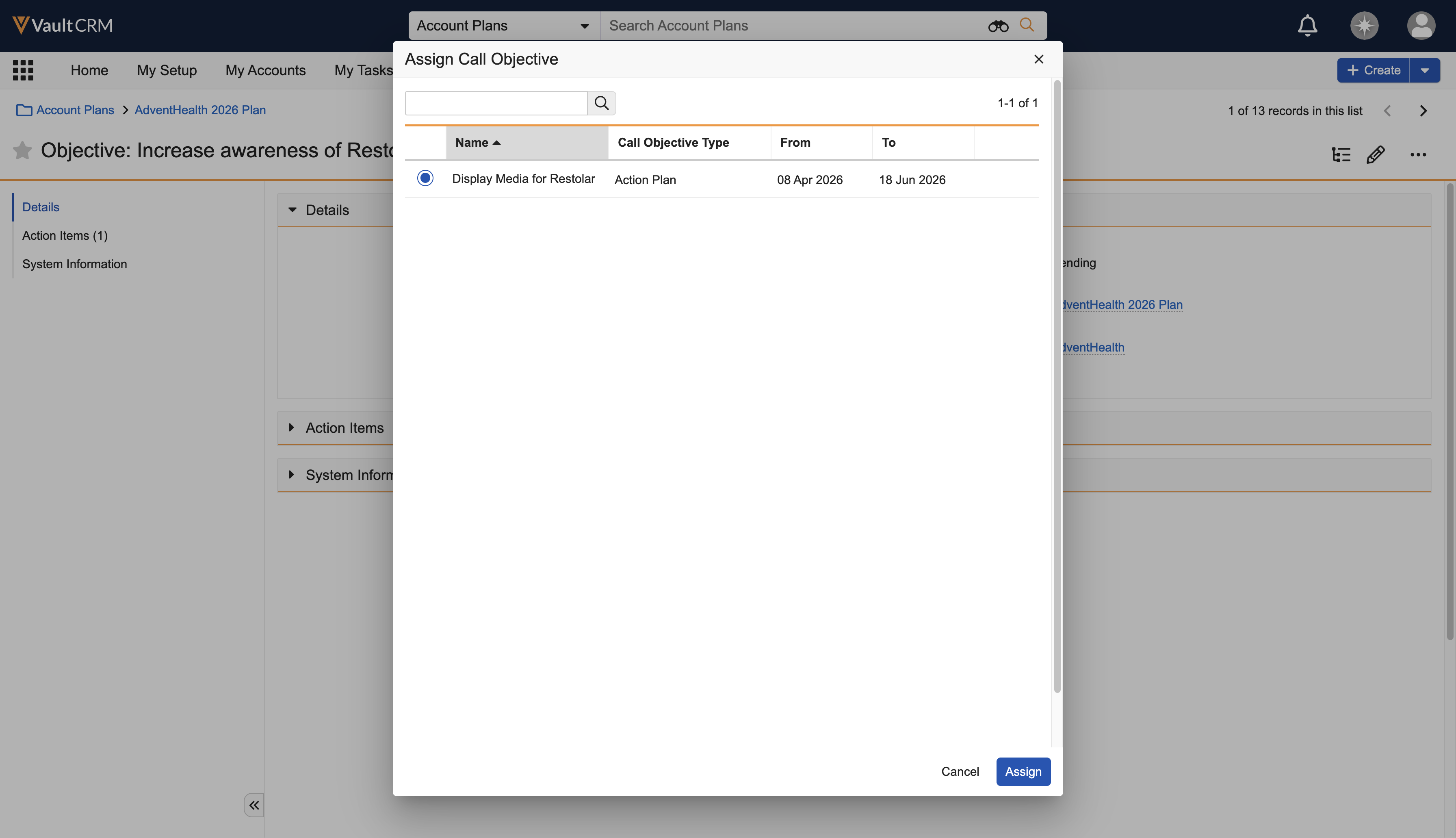
Users can select and assign a call objective to an objective using a dedicated action on the account tactic record. When users select the action, a modal containing available call objectives displays. The list of call objectives filters out completed objectives and objectives already assigned to an account tactic.
To assign a call objective:
-
Navigate to Business Admin > Objects > Objectives.
-
Select the appropriate account tactic record.
-
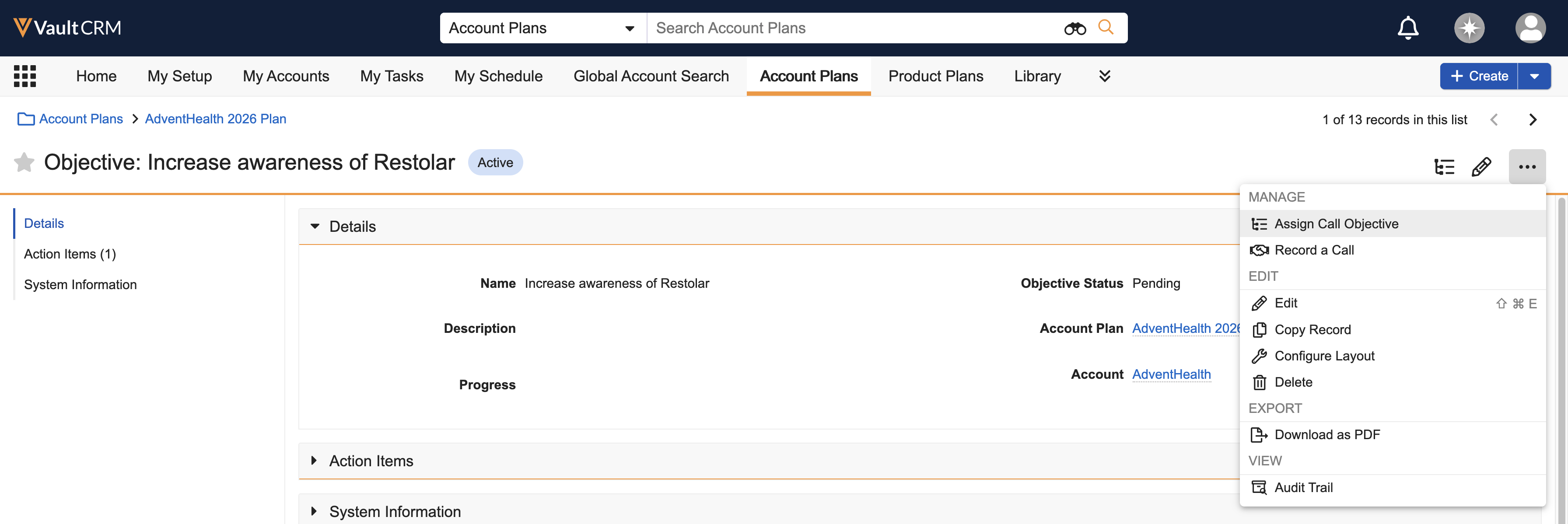
Select the Assign Call Objective action from the All Actions menu.
-
Search for the call objective using the Search field. This field performs a keyword search against the name of the call objective.
-
Select the desired call objective from the search results.
-
Select Assign.

