Managing Account Team Members
KAMs can view, add, and update collaborating team members and their roles from the Account Team Members section on the account plan layout.
Who can use this feature?
- KAM Users — Browser
- Managing Team Members
- Users do not require an additional license
Configuring the Account Team Members Section for
 KAM Users
To configure this feature:
- Navigate to Admin > Users & Groups > Permission Sets.
- Select the appropriate permission set.
- Select the Objects tab.
-
Grant the following permissions:
Object Object Permission Object Types Fields Field Permission account_plan__v R All applicable object types - ownerid__v
Read account_team_member__v
R account_team_member__v - access__v
- account_plan__v
- role__v
- team_member__v
- team_member_name__v
Read user__sys
R
n/a
- email__sys
- name__v
- title__v
Read
- Grant View access to the account_team_members_section__v section control on the account_plan__v object.
- Navigate to Admin > Configuration > Objects > account_plan__v.
- Add the account_team_members_section__v section control to the appropriate layouts.
Managing Account Team Members as
KAM Users
To access the Account Team Members section, select an account plan and select the Account Team Members section in the left navigation pane.
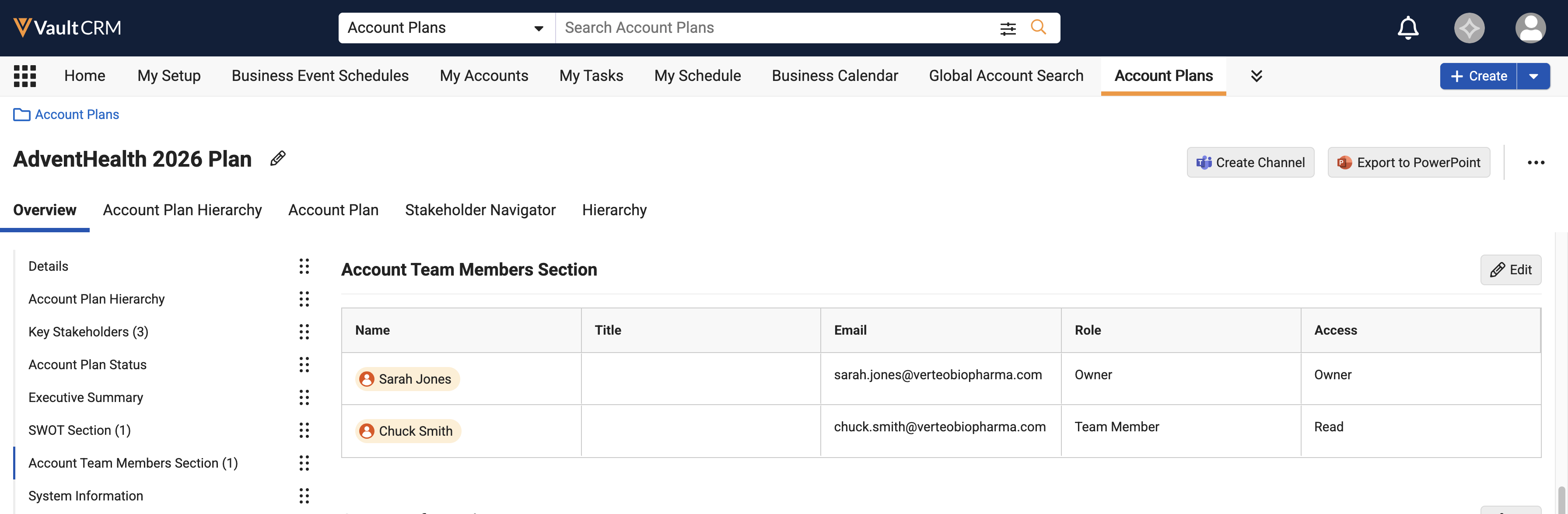
Users can select the Edit button to edit records inline from the grid layout.
To add a team member in Edit mode, users can select the Add Account Team Member button in the bottom row of the grid. When users select the Name column, a suggested list of users displays.
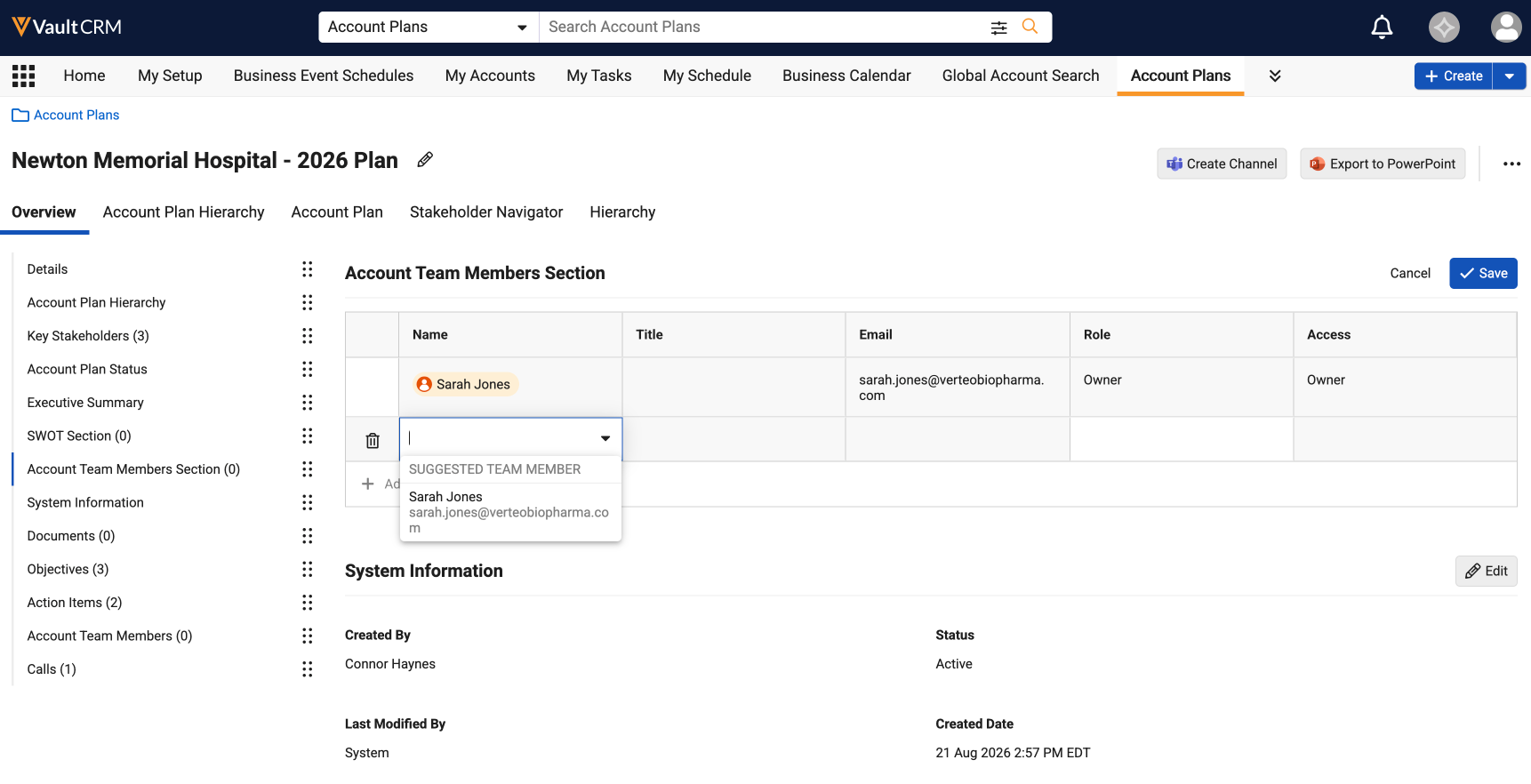
The columns and display order in the Account Team Members section cannot be customized.
The following information in the Account Team Members section is read-only:
- The top row of the Edit grid (driven by the owner)
- Title and Email (driven by values on User record)
If a user tries to delete the account team member row for their own account, a confirmation displays because the removal impacts their ability to view the plan.
The Role and Access columns allow teams to control visibility to their account plans and related information. For more information, see Account Plan Sharing.

