Designating a Primary Territory
To determine incentive compensation credit for territory assignments in downstream systems, establish clear territory responsibilities, and resolve integration conflicts that may occur when a user is assigned to multiple territories, Align admins can designate a territory as being a roster member’s primary territory. Primary territories are prioritized when Align configures a user in CRM using setup data inherited from their functional profiles, but the user is assigned to multiple territories with different functional profiles.
Who can use this feature?
- Align Operations Users - Browser
- Designating a Primary Territory
- Users require an Align License
Configuring Primary Territory for
 Align Operations Users
To configure this feature:
- Ensure Managing Users in Align is configured.
- Navigate to Admin > Users & Groups > Permission Sets.
- Select the appropriate permission set.
- Select the Objects tab.
-
Grant the following permissions:
Object
Object Permissions
Object Types
Fields
Field Permissions
align_settings__v
CRED
All
primary_assignment_handling__v
Edit
aln_roster_member_territory__v
CRED
All primary__v
Edit
aln_roster_member_territory_model__v
CRED All primary__v
Edit
aln_roster_member_territory__v
CRED All override_primary_validation__v
Edit
aln_roster_member_territory_model__v
CRED All override_primary_validation__v
Edit
-
Add the primary__v field to the following object page layouts:
- roster_member__v_territory__v
- model_aln_roster_member_territory__v
-
Add the primary__v field to the Roster Member Territory related list on the following object page layouts:
- aln_roster_member__v
- aln_territory__v
- model_aln_territory__v
- Add the primary_assignment_handling__v field to the align_setting__v object page layout.
-
Select one or both of the following values for the primary_assignment_handling__v Align Global Setting:
- validate_roster_members__v – Prevents users from assigning more than one primary territory to a roster member
- validate_territories__v – Prevents users from assigning more than one primary roster members to the same territory
Existing roster member assignments are not retroactively validated when enabling this setting. This setting can only be used in the Global Settings record and cannot be used in field-force specific settings, since end users can be assigned to multiple territories in different Field Forces.
End Users
To configure this feature:
- Ensure Managing Users in Align is configured.
- Navigate to Admin > Users & Groups > Permission Sets.
- Select the appropriate permission set.
- Select the Objects tab.
-
Grant the following permissions:
Object
Object Permission
Object Types
Fields
Field Permissions
align_settings__v
R
All
primary_assignment_handling__v
Edit
aln_roster_member_territory__v
RE
All
primary__v
Edit
aln_roster_member_territory_model__v
RE
All
primary__v
Edit
Designating a Primary Territory as
Align Operations Users
To designate a territory as being the primary territory of a roster member, select Yes for the primary__v field for the appropriate aln_roster_member_territory__v or model_aln_roster_member_territory__v records.
When the user attempts to create or save a roster_member__v_territory__v or model_aln_roster_member_territory__v record designated as a primary territory, the following validation occurs based on the selected values for the primary_assignment_handling__v Align Global Setting:
-
If validate_roster_members__v is selected, all other aln_roster_member_territory__v or model_aln_roster_member_territory__v records associated with the roster member are checked. If any other record is already designated as being a primary territory within the same date range, the user is prevented from saving the record.

-
If validate_territories__v is selected, all other aln_roster_member_territory__v or model_aln_roster_member_territory__v records associated with the territory are checked. If any other record is already designated as another roster member’s primary territory, the user is prevented from saving the record.

- If both validate_roster_members__v and validate_territories__v are selected, both steps of validation occur
Validation in model records does not apply across models, only within the same model. For example, a roster member can be primarily assigned two different territories for the same date range in different projects.
Admins can override the validation specified in the primary_assignment_handling__v Align Global Setting by selecting Yes for the override_primary_validation__v field on the appropriate aln_roster_member_territory__v or model_aln_roster_member_territory__v records. This field can only be populated via data loading and automatically resets to No as part of the dataload process to prevent future changes that override validation from occuring in the user interface.
Resolving Multiple Profiles with Primary Territories
If a user is assigned to multiple territories, with one territory designated as a primary territory, an integration conflict may occur if the different territories attempt to assign different types of the following records to the user:
- Security Profiles
- Application Profiles
- Layout Profiles
- Security Policies
This is because users can only be assigned one of each type of these records. If this occurs, a message displays in the header of the corresponding aln_roster_member__v record informing the admin that the user’s primary assignment is being used to resolve the conflict when setting these values in CRM.
See Roster Members with Multiple Inherited Functional Profiles for more information about users with multiple functional profiles.
Primary Territories and Roster Member Transfers
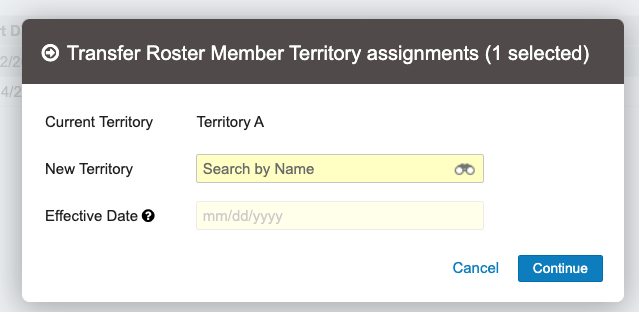
When territories are transferred between roster members, the end_date__v field of the old aln_roster_member_territory__v record automatically populates with one second prior to the selected transfer date. This ensures aln_roster_member_territory__v representing primary territory assignments do not overlap after a transfer. Additionally, the new assignment is also designated as the primary territory.
For example, if the Align admin selected April 1st as the transfer date of a territory, the end_date__v field of the corresponding aln_roster_member_territory__v record populates as March 31st at 11:59:59 PM.