Recording Call Expenses in Multiple Currencies
When multiple currencies are enabled for an organization, end users can capture call expenses in currencies other than their preferred currency. This enables users to accurately record their expenses, even if the appropriate currency is different from the default currency set for the user’s account.
Who can use this feature?
- End Users — Browser, iPad, iPhone, Windows
- Recording Call Expenses in Multiple Currencies
- Users do not require an additional license
Configuring Multi-Currency for Call Expenses for
 End Users
To configure this feature:
- Ensure the following are configured:
- Navigate to Admin > Users & Groups > Permission Sets.
- Select the appropriate permission set.
- Select Objects.
- Grant the following permissions:
Object
Object Permission
Object Types
Fields
Field Permission
call2__v
CRED
All applicable object types
- local_currency__v
- expense_amount__v
Edit
expense__v
CRE
All applicable object types
- amount__v
- description__v
- expense_type__v
- local_currency__v
- transaction_date__v
Edit
- Navigate to Admin > Configuration > Objects > call2__v > Layouts.
- Add the local_currency__v field to the appropriate call2__v layouts.
- Navigate to Business Admin > Objects > VMobile Object Configurations.
- Verify expense__v and expense_type__v VMOCs are active for the appropriate platforms.
Recording Call Expenses in Multiple Currencies as
End Users
End users can record call expenses using any active currency defined in Vault CRM.
To capture call expenses in multiple currencies:
- Navigate to the call report.
- Select a currency from the Local Currency field. Vault CRM defaults this field to the user's preferred currency, or to the Vault Corporate Currency if the user’s preferred currency is blank.
- Add a new expense line.
-
Enter the expense amount in the Amount field of the new expense line.
The Amount field displays the selected currency code and formats decimals according to user locale.
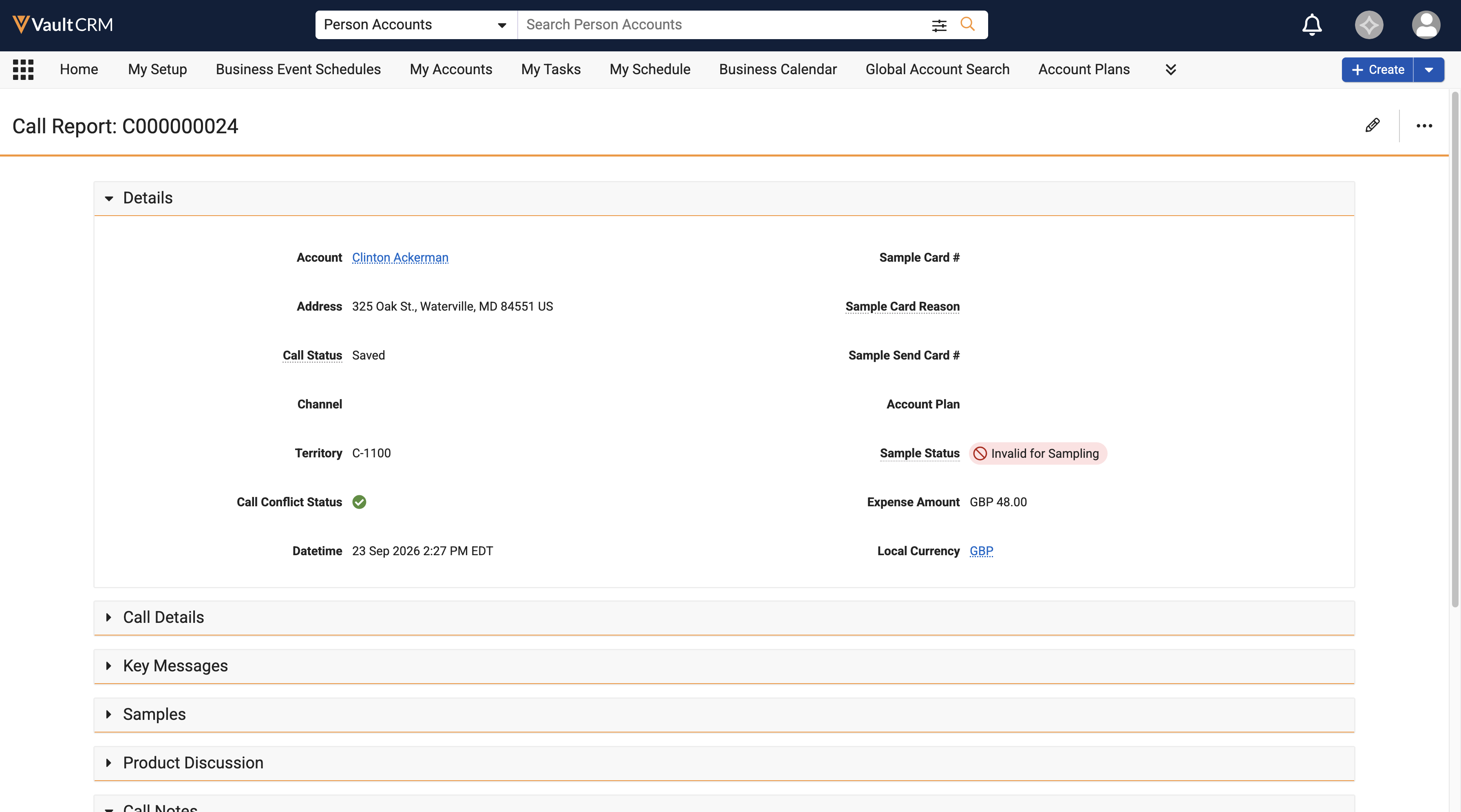
- Select Save or Submit. Vault CRM stamps the selected local currency value on the parent call report, associated child calls, and expense records.
To update or remove the selected currency on an existing call report:
- Navigate to the call report.
- Select Edit.
- Select a new currency in the Local Currency field, or delete the value. Existing expense amounts remain unchanged.
- Select Save or Submit. Vault CRM updates the currency on the parent call report, associated child calls, and expense records.

