Testing Staged Content in Campaign Manager
Marketing users can preview and send test emails within Campaign Manager for staged email templates, enabling them to validate layout, token resolution, and content in context before submitting for approval.
Who can use this feature?
- Marketing Users - Browser
- Testing Staged Content
- Users require a Campaign Manager license
Configuring Testing Staged Content in Campaign Manager for
 Marketing Users
To configure this feature, ensure Configuring Campaign Manager is complete.
Testing Staged Content as
Marketing Users
Marketing users can select, preview, and test staged email templates within Campaign Manager to check their formatting and token accuracy before formal approval.
To select and filter staged email templates:
-
Navigate to the View All or Change Template modal for the appropriate email-based action. The following action types are supported:
-
Remove the default filter on the Approved Document Status column to display both staged content and approved content.
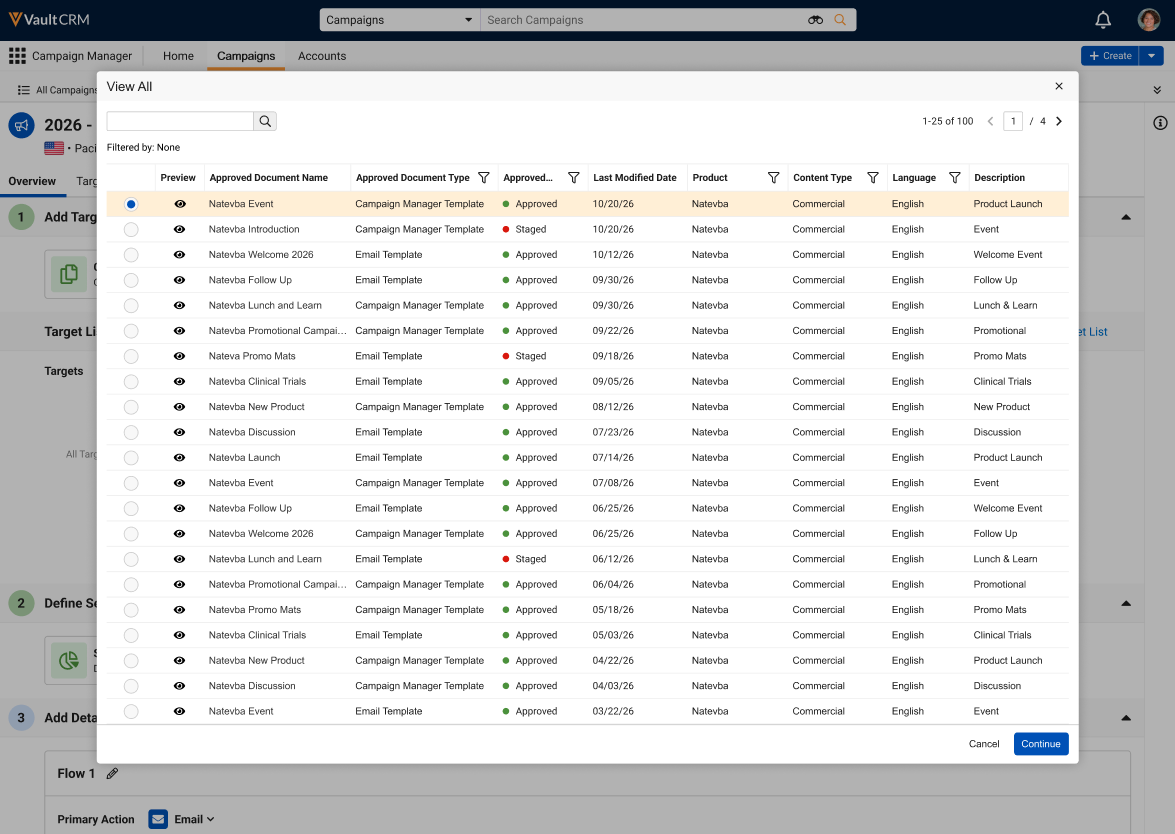
- Select the appropriate staged template.
The Add Details section warns marketing users when an email-based action in their campaign or journey is using staged content, and are prevented from activating the campaign or journey while the content is staged.
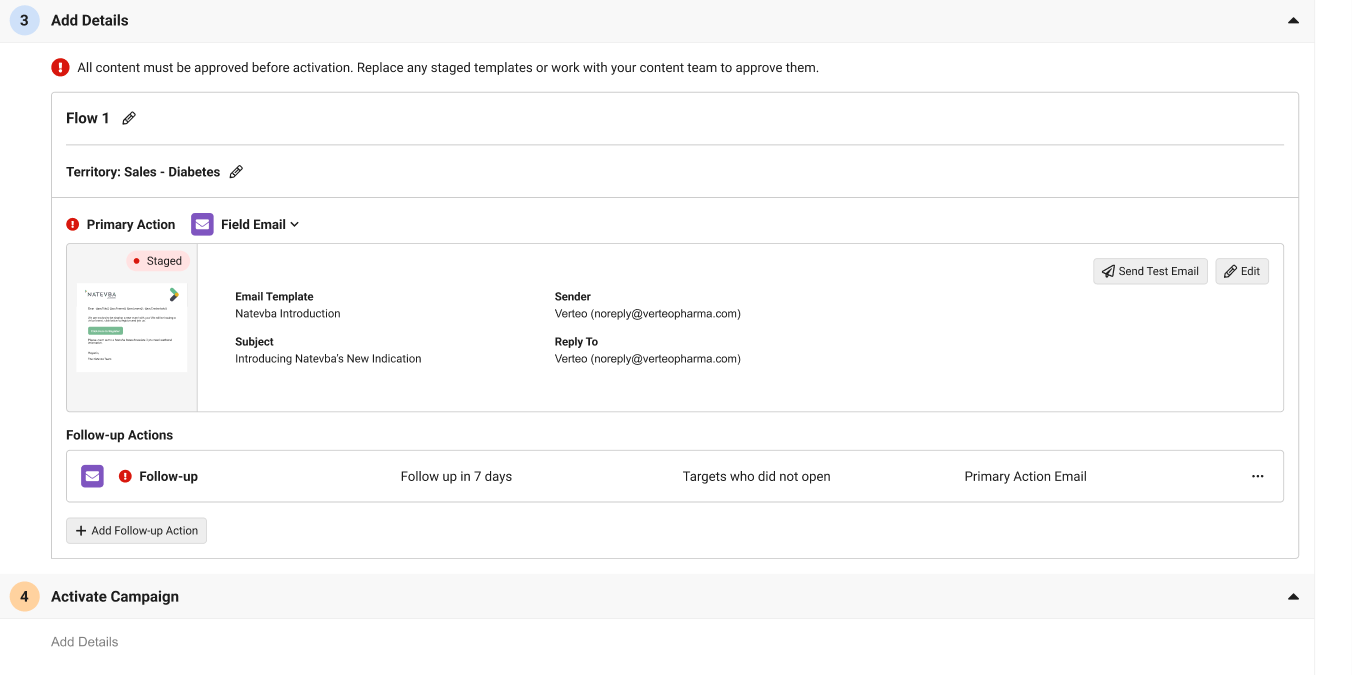
Previewing a Staged Template
When previewing a staged template, users are notified of the template's status via a banner at the top of the Preview Email Template modal, as well as a red Staged pill within the content.
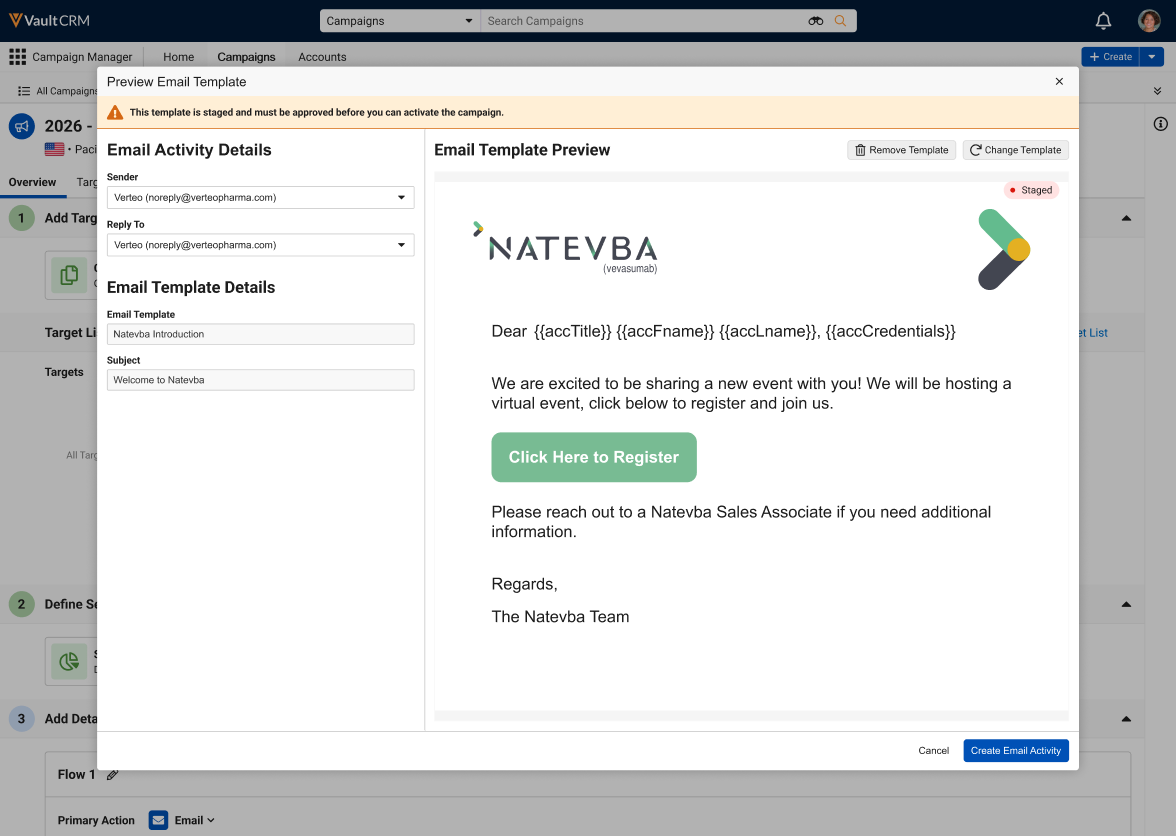
Sending Test Emails for Staged Templates
Users can send a test email for a staged template using the same functionality as approved content. See Sending Test Emails in Campaign Manager for more information.

