Capturing Speaker Contract Signatures Remotely Using Docusign
Customers can streamline and automate the execution of speaker contracts using a digital signature workflow that integrates Vault CRM Events Management with Docusign. This integration allows contract coordinators to generate speaker contracts, route them to one or more signers and carbon copy recipients for digital signature, and track signature status without leaving Events Management.
Who can use this feature?
- Contract Coordinators — Browser
- Using Speaker Contract Remote Signature
- Contract Template Administrators — Browser
- Adding Docusign Tabs to a Contract Template
- Users require an Events Management license
This feature requires configuration in both Vault CRM and Docusign. The following table illustrates at a high level what is configured in which system.
|
Configured in Docusign |
Configured in Vault CRM |
|---|---|
|
|
Connecting Vault CRM to a Docusign Account as
 Docusign Administrators
 connect Vault CRM to a Docusign account, test the connection, and review and export a log of outbound and inbound Docusign transactions. Once connected, they can monitor the integration through a dedicated admin page. See Configuring Docusign Integration for complete information.
Configuring Speaker Contract Remote Signature for
Contract Coordinators
To configure this feature:
- Ensure the following are configured:
- Navigate to Admin > Users & Groups > Permission Sets.
- Select the appropriate Permission Set.
- Select Objects.
- Grant the following permissions:
Object
Object Permission
Object Types
Fields
Field Permission
contract__v
CRED
- em_speaker_contract__v
- series_contract__v
- docusign_brand_id__v
- docusign_template_id__v
- docusign_envelope_id__v
Read
- contract_status__v
- set_signing_order__v
- void_reason__v
- send_on_behalf_of_user__v
Edit
contract_partner__v
CRED
- em_speaker_contract__v
- series_contract__v
- cp_signature_status__v
- signature_request_datetime__v
- recipient_decline_reason__v
- docusign_recipient_id__v
Read
- signer_role__v
- recipient_crm_user__v
- recipient_name__v
- recipient_email__v
- recipient_type__v
- recipient_title__v
- recipient_institution__v
- recipient_user__v
- contract_partner_status__v
- recipient_routing_order__v
Edit
user__sys
R
user
docusign_user_id__v
Read
docusign_connection__v
R
events_management__v
All Fields
Read
- Grant View object action permission for the Manage Recipients (manage_recipients__v) action for the em_speaker__v and em_event_speaker__v objects.
Contract Administrators
To configure this feature:
- Navigate to Admin > Users & Groups > Permission Sets.
- Select the appropriate Permission Set.
- Select Objects.
- Grant the following permissions:
Object
Object Permission
Object Types
Fields
Field Permission
contract__v
CRED
- em_speaker_contract__v
- series_contract__v
docusign_envelope_id__v Read
- contract_status__v
- set_signing_order__v
- void_reason__v
- send_on_behalf_of_user__v
- docusign_brand_id__v
- docusign_template_id__v
Edit
contract_partner__v
CRED
- em_speaker_contract__v
- series_contract__v
- cp_signature_status__v
- signature_request_datetime__v
- recipient_decline_reason__v
Read
- signer_role__v
- recipient_crm_user__v
- recipient_name__v
- recipient_email__v
- recipient_type__v
- recipient_title__v
- recipient_institution__v
- recipient_user__v
- contract_partner_status__v
- recipient_routing_order__v
- docusign_recipient_id__v
Edit
user__sys
CRE
user
docusign_user_id__v
Edit
em_docusign_integration_history__v
R
speaker__v
All fields
Read
docusign_connection__v
CRED
events_management__v
All fields
Edit
Adding Docusign Tabs to a Contract Template as
Contract Template Administrators
Contract Template Administrators add Docusign tabs to a contract template so that Docusign places interactive fields for signers and, where supported, writes the data signers enter back to Vault CRM. See Adding Docusign Tabs to a Contract Template.
Using Speaker Contract Remote Signature as
Contract Coordinators
Contract coordinators can perform the following:
- Add recipients to a generated contract
- Define the order in which recipients sign
- Send the contract to Docusign for signature
- Monitor signature progress
- Resend or void outstanding requests
- Duplicate a voided contract into a new draft
Viewing a Contract and Its Recipients
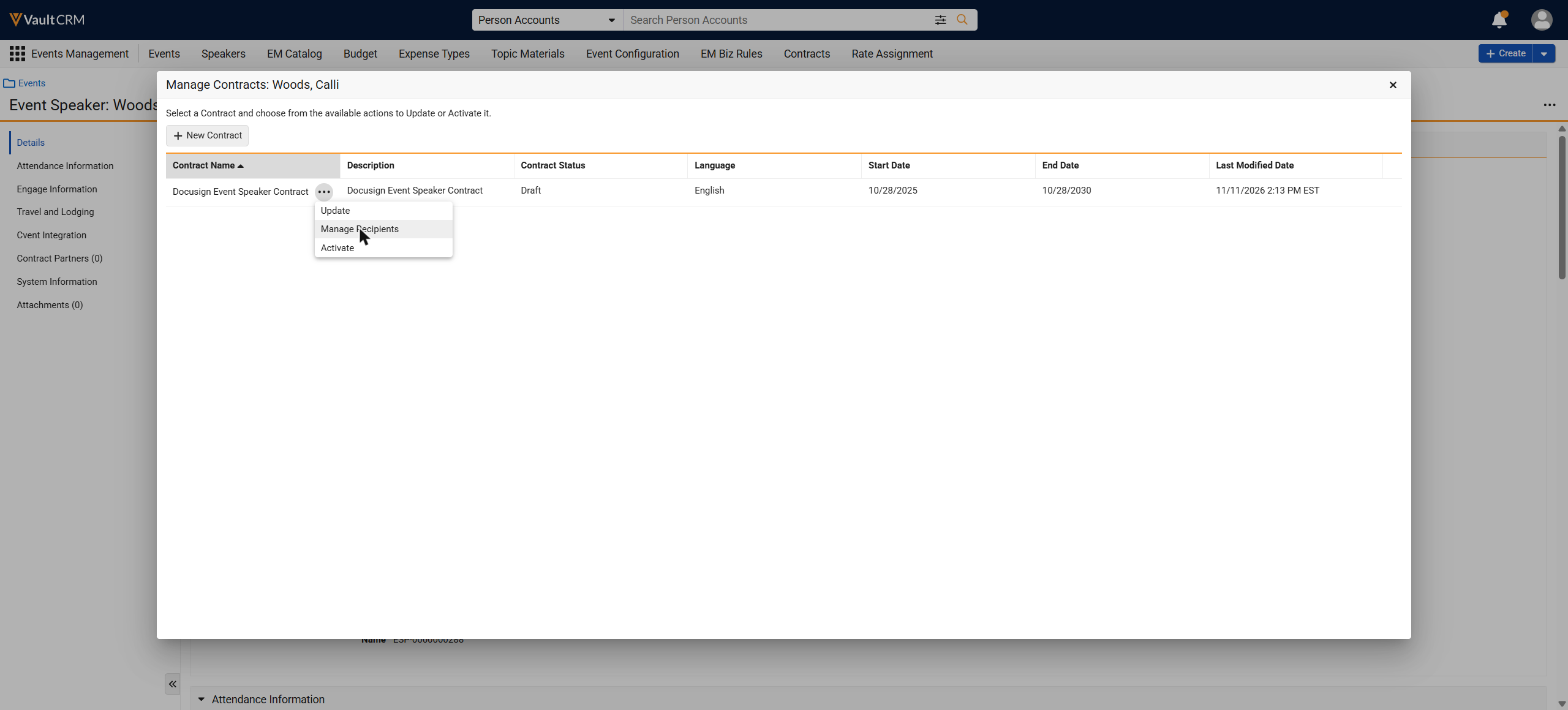
To view a contract and its recipients:
- Navigate to the Speaker or Event Speaker record.
- Select Manage Contracts.
- Review the Contract Status column for the contract record.
- Select Manage Recipients from the All Actions menu for the contract.
Adding Recipients to a Contract
Contract coordinators add the people to a draft contract who must sign or receive a copy of the contract. The Speaker or Event Speaker is added automatically as a recipient and cannot be deleted. A contract supports a maximum of 5 signers, including the Speaker, in addition to 5 carbon copy recipients.
To add a recipient:
- Select Create.
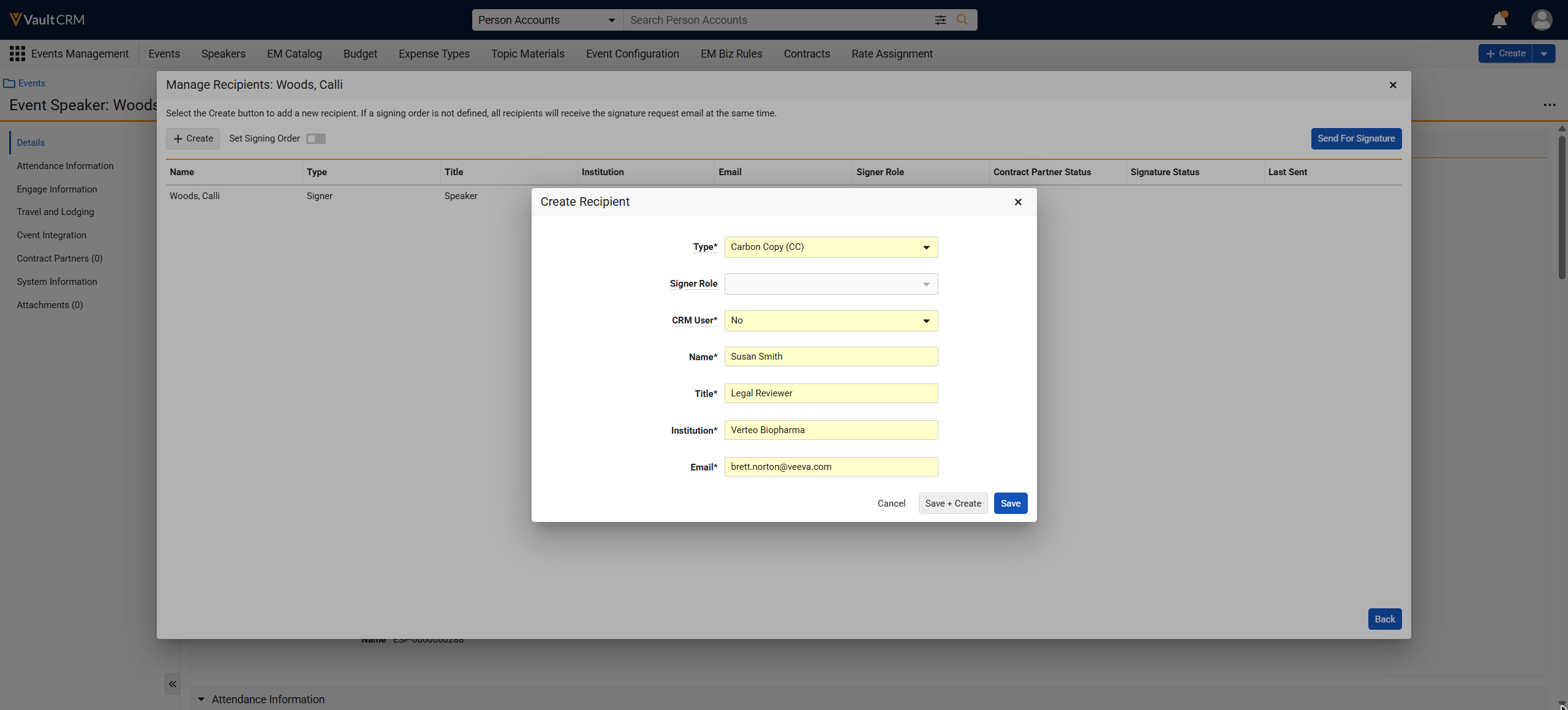
- Select the recipient Type:
- Signer
- Carbon Copy
- All Carbon copy recipients’ status changes to activated immediately after sending for signature
- If a carbon copy is last in the recipient order, the recipient only receives the contract completed email
- If Set signing order is enabled, carbon copy recipients receive an email at the same time as the signer preceding them in the signing order
- Select the Signer Role. Required for a signer and read-only for a carbon copy recipient.
- Select CRM User:
- Yes - Select the User. Name, Title, Institution, and Email populate from the user record.
- No - Enter the Name, Title, Institution, and Email
- Select Save, or select Save + Create to continue adding recipients.
The signer role can be assigned to only one recipient on a contract. An error message displays if a user selects a signer role already in use, or attempts to save recipient changes beyond the 5 signer or 5 carbon copy recipient limit.
Defining the Recipient Signing Order
After adding recipients, contract coordinators can define the order in which they receive the contract for signature. If no signing order is defined, all recipients receive the signature request at the same time.
To define a signing order:
- Navigate to the Speaker or Event Speaker record.
- Select Manage Recipients.
- Turn on the Set Signing Order toggle.
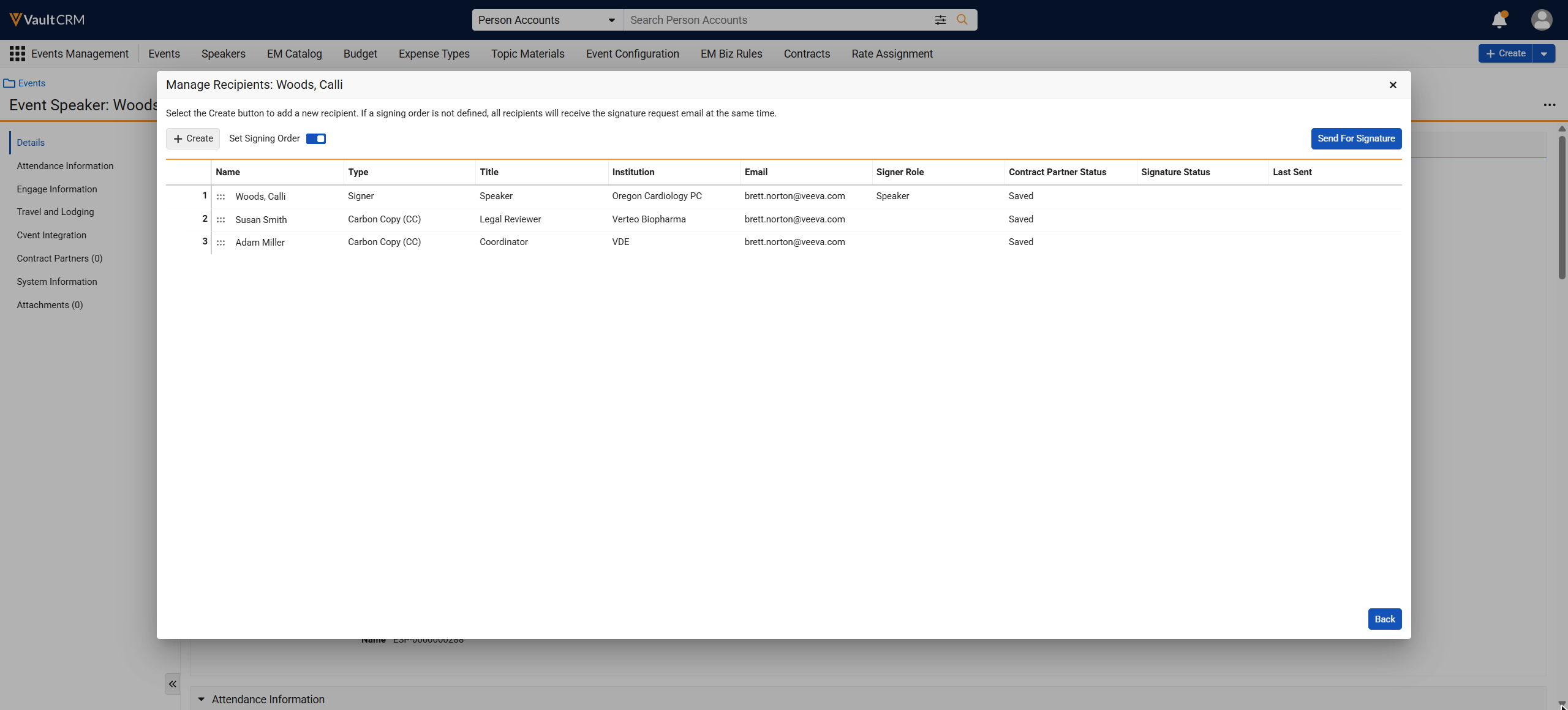
- Drag and drop recipient cards into the preferred order. The sorting number updates automatically as cards move.
- Select Send for Signatures to save the signing order and send the contract in the same action.
Editing a Recipient
Contract coordinators can edit a recipient to correct their information before or during the signature process. The fields available depend on the recipient's status.
To edit a recipient:
- Select Edit from the All Actions menu for the recipient.
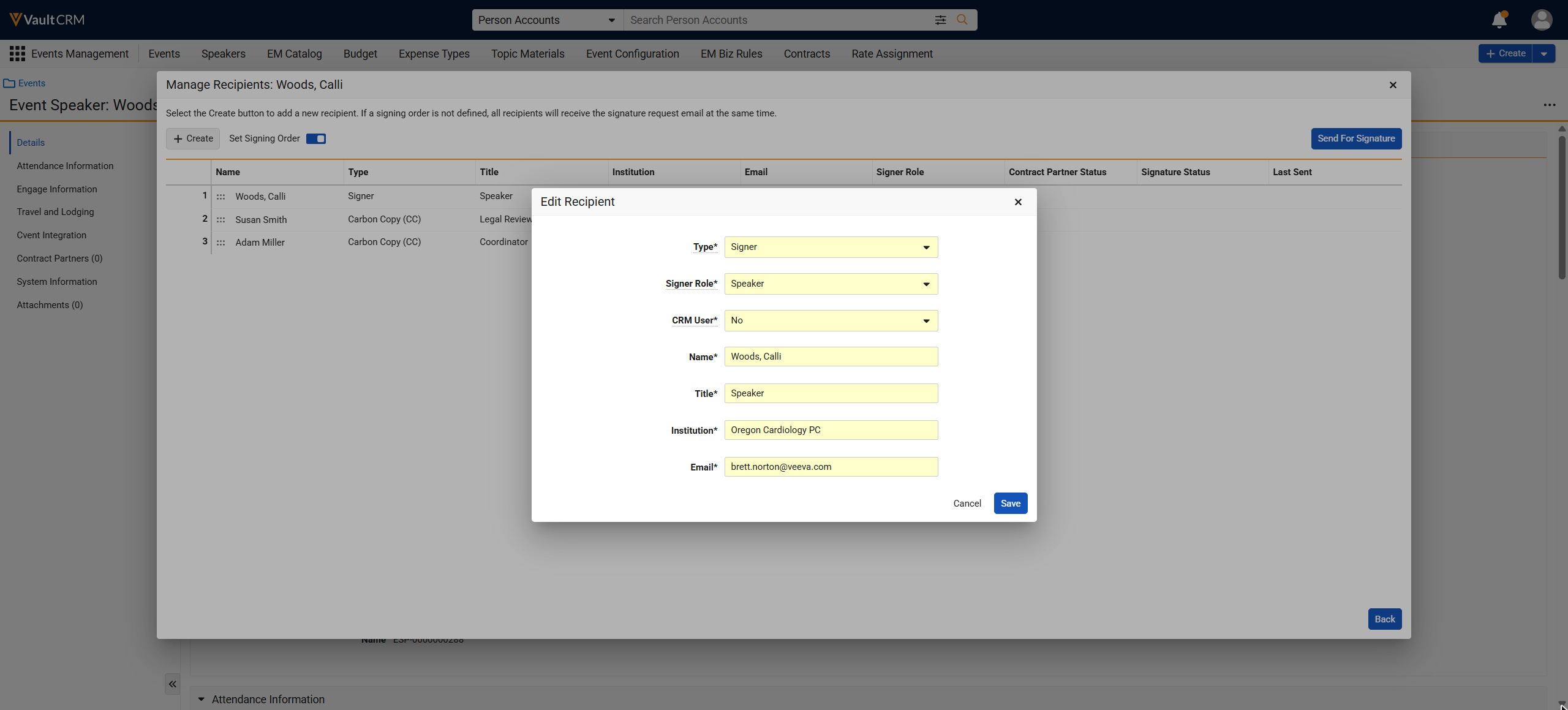
- Update the available fields. Available fields differ by Contract Partner status:
Contract Partner Status
Available Fields
Saved
All fields
- Sent Pending Signature
- Viewed
- Name (for non-system users only)
- Signed
- Declined
- Activated
- Voided
- Processing
- None
- read-only
- Delivery Failure
- Error
All fields
- Select Save. If the Speaker or Event Speaker recipient is missing a required field, Name, Email, Type, or Signer Role, the Edit Recipient pop-up for that recipient displays automatically each time Manage Recipients opens, and the Send for Signatures button remains disabled until all required fields are complete.
Removing a Recipient
Contract coordinators can remove recipients who were added inadvertently or who are no longer required. The speaker or event speaker recipient cannot be removed.
To remove a recipient:
- Select Delete for the recipient. This action is available only for non-speaker recipients with a Saved status.
- Confirm the deletion.
If a signing order is defined, the order for the remaining recipients renumbers automatically to remain sequential starting at 1.
Sending the Contract for Signature
After recipients are added and, if needed, a signing order is set, send the contract for signature.
To send the contract for signature:
- Select Send for Signatures.
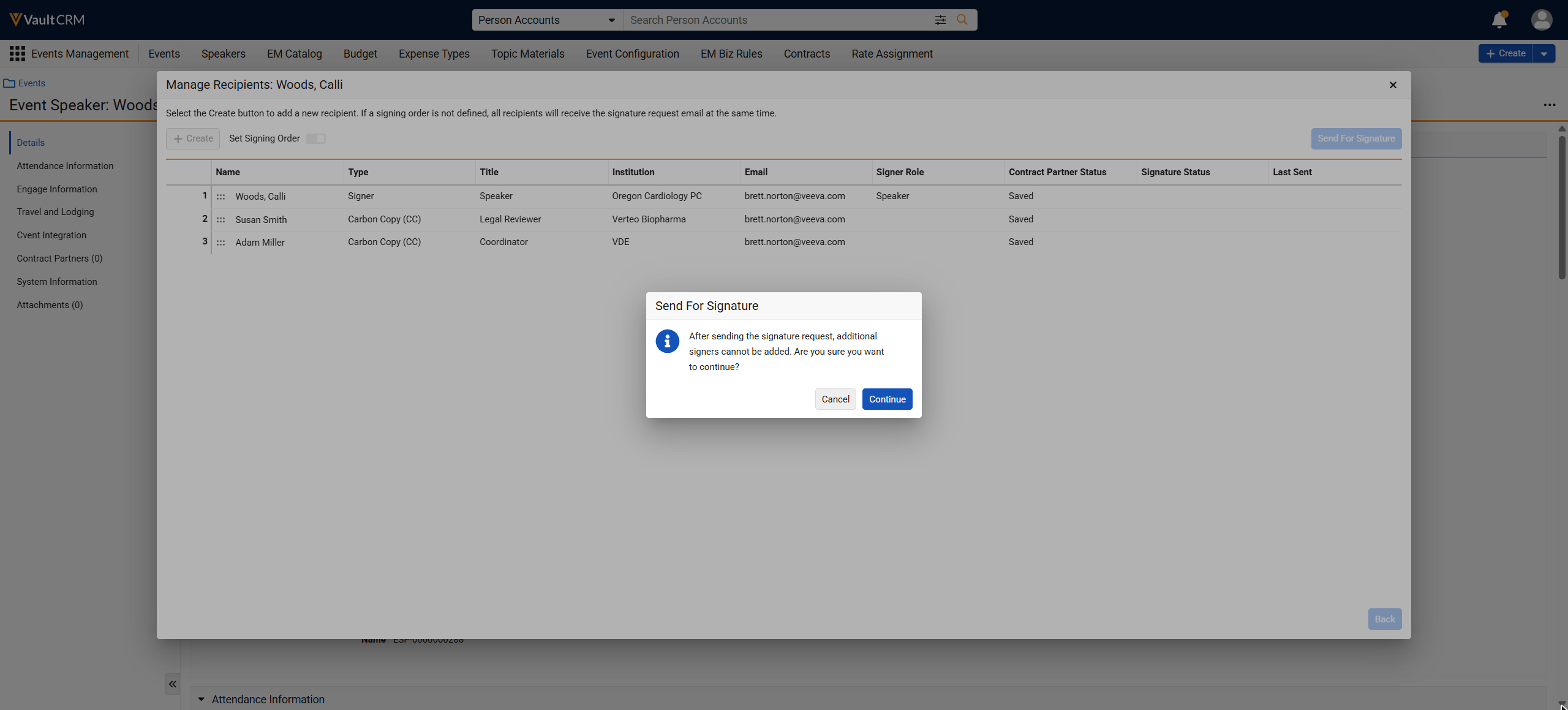
- Select Continue. Refresh the browser to see the updated status.
After sending a contract, contract coordinators can monitor its progress using the Contract Status column on the Manage Contracts screen, and the Signature Status column in Manage Recipients. Docusign updates these statuses as recipients view and sign the document.
|
Docusign Envelope Event |
Contract Status |
|---|---|
|
Sent |
Sent Pending Signature |
|
Delivered |
Viewed by all Recipients |
|
Activated |
|
Declined |
Declined by a Recipient |
|
Voided |
Voided |
|
Error |
Error or Delivery Failure |
The Unlock action is unavailable when the docusign_envelope_id__v field is populated
When all recipients complete signing, Vault CRM retrieves the final signed document from Docusign and saves it as an attachment on the speaker or event speaker record, without the Certificate of Completion.
Resending a Signature Request
Contract coordinators can resend a signature request to a recipient who has not yet signed. This action is not available for carbon copy recipients.
To resend a signature request:
- Select Resend for the recipient.
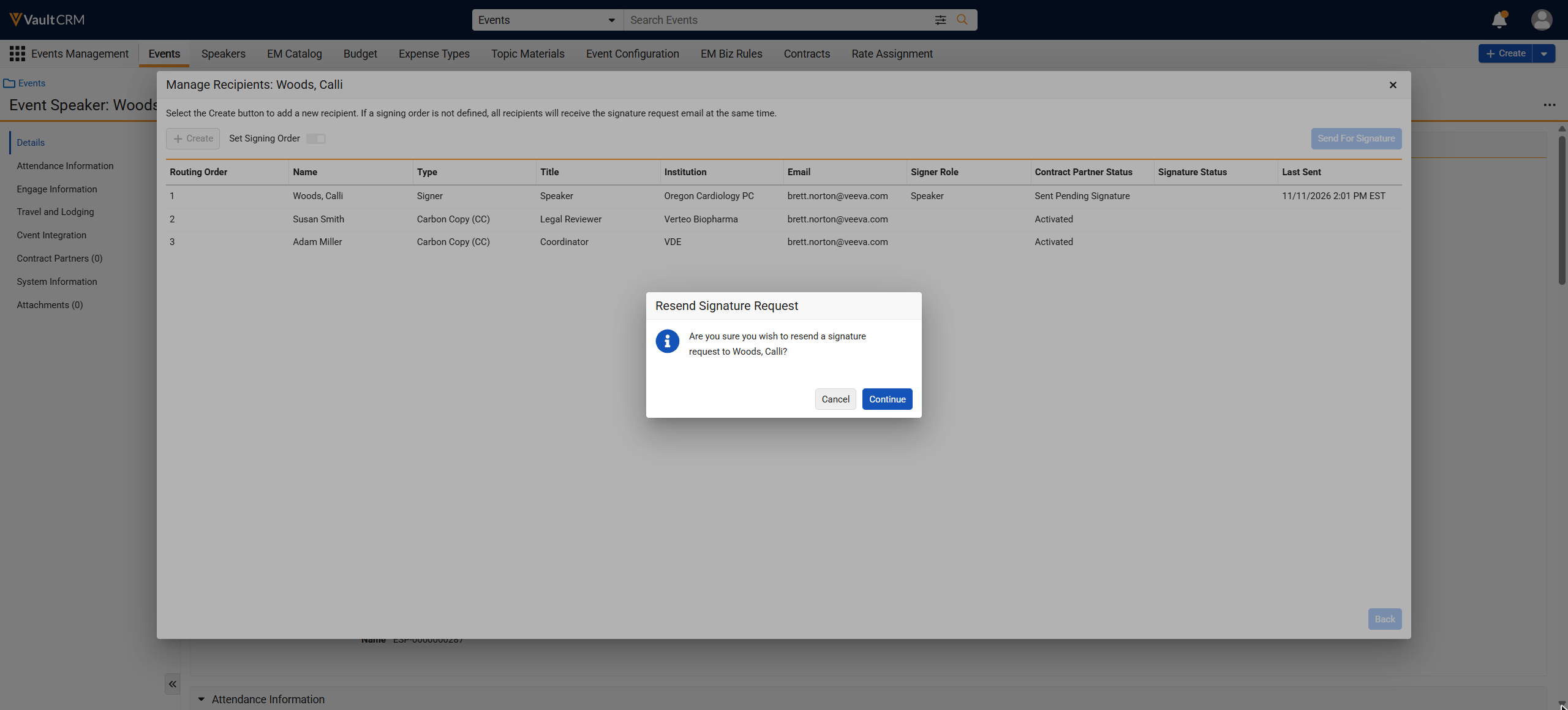
- Confirm the resend. Refresh the browser to see the updated Last Sent date and time.
Voiding a Signature Request
Contract coordinators can void a sent contract if a mistake was made or a signer requests changes. This action is available only when the contract status is Sent Pending Signature, or Viewed by all Recipients.
To void a signature request:
- Select Void.
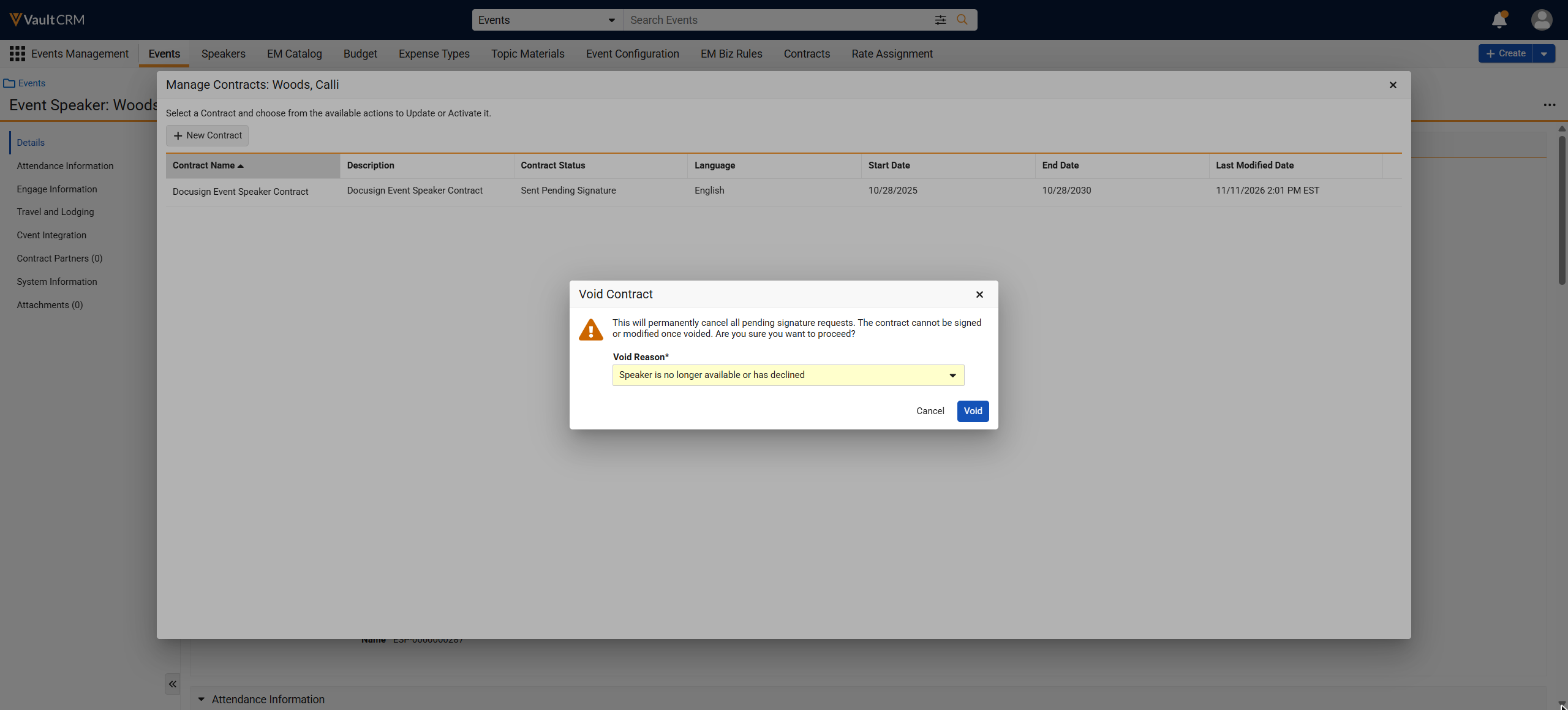
- Select a Void Reason.
- Select Void to confirm the action.
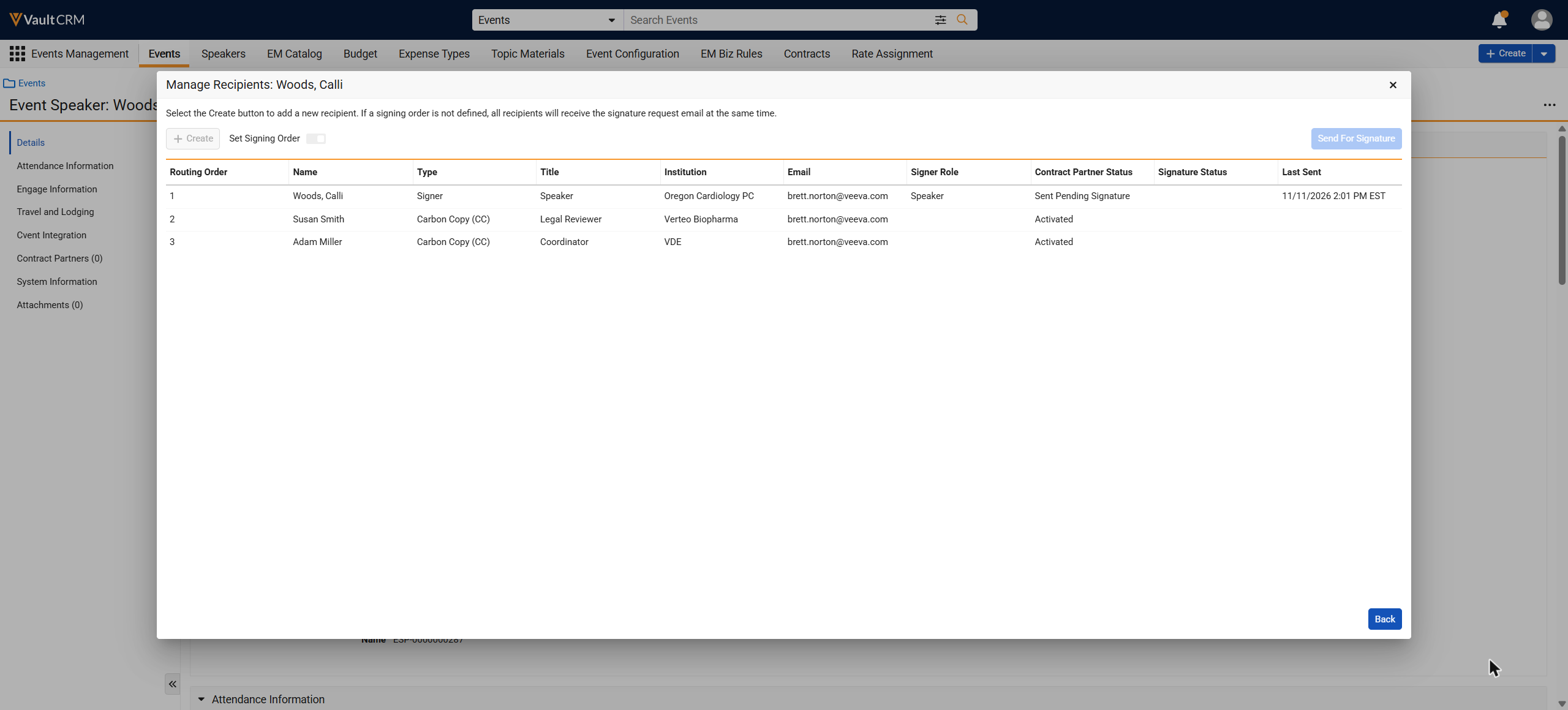
Voiding cancels all pending signature requests and sets the contract and all contract partner statuses to Processing until Docusign confirms the void. Recipients who already signed keep their Signed status so the record of who signed before the void remains intact. If the void fails, the contract and contract partner statuses revert to their previous values. Once voided, the only action available on the contract is Manage Recipients.
Creating a New Contract for a Previously Voided or Declined Contract
Contract coordinators can generate a new contract for a speaker or event speaker after a prior contract for the same template was voided or declined. When a contract is voided or declined, its template becomes available again in the New Contract template list for that speaker or event speaker, alongside any templates that have not yet been used.
To create a new contract from the template list:
- Navigate to the speaker or event speaker record.
- Select New Contract.
- Review the list of available contract templates. A template with a voided or declined contract on this record displays alongside templates that have no existing contract.
- Select the template to use.
- Enter the required contract line data.
- Generate the contract.
The new contract is created in draft status, independent of the voided or declined contract.
Voiding and Duplicating a Contract
Contract coordinators can void and duplicate a sent contract in a single action to quickly generate a revised version, without voiding the contract first as a separate step. This action is available under the same conditions as Void. See Voiding a Signature Request for more information.
To void and duplicate a contract:
- Select Void + Duplicate.
- Select a Void Reason.
- Select Void + Duplicate to confirm the action.
Vault CRM creates a new Contract, Contract Line, and Contract Partner record using the values from the voided records. Only the speaker's Contract Partner record carries over; other recipients are not created on the duplicate. The new contract is created in Draft status with the speaker's Contract Partner record in Saved status. If the void step fails, the duplicate is not created and the original statuses revert to their previous values.