System Owned Users in Vault CRM
System Owned Users are created in Vault CRM instances and managed by Veeva, eliminating the need for customers to manage dedicated integration users. By default, System Owned Users are assigned the appropriate permission sets. Customers cannot update these permission sets.
In order to grant System Owned Users permissions for custom objects, fields, or object types, create a custom permission set and assign it to the appropriate System Owned User via an Application Role. See Adding Permission Sets to Application Roles for more information.
In order to ensure the appropriate System Owned User uses a specific settings record, for example, Veeva Settings or Multichannel Settings, populate the Application Profile field on the desired settings record with the appropriate System Owned User Application Profile. See Application Profiles for more information.
When custom sharing rules are enabled for an object to which a System Owned User needs permission, perform the following steps to create a custom sharing rule and assign it to the System Owned User via MDL:
- Navigate to Admin > Configuration > Objects.
- Select the appropriate object.
- Select the Sharing Rules tab.
- Select Create.
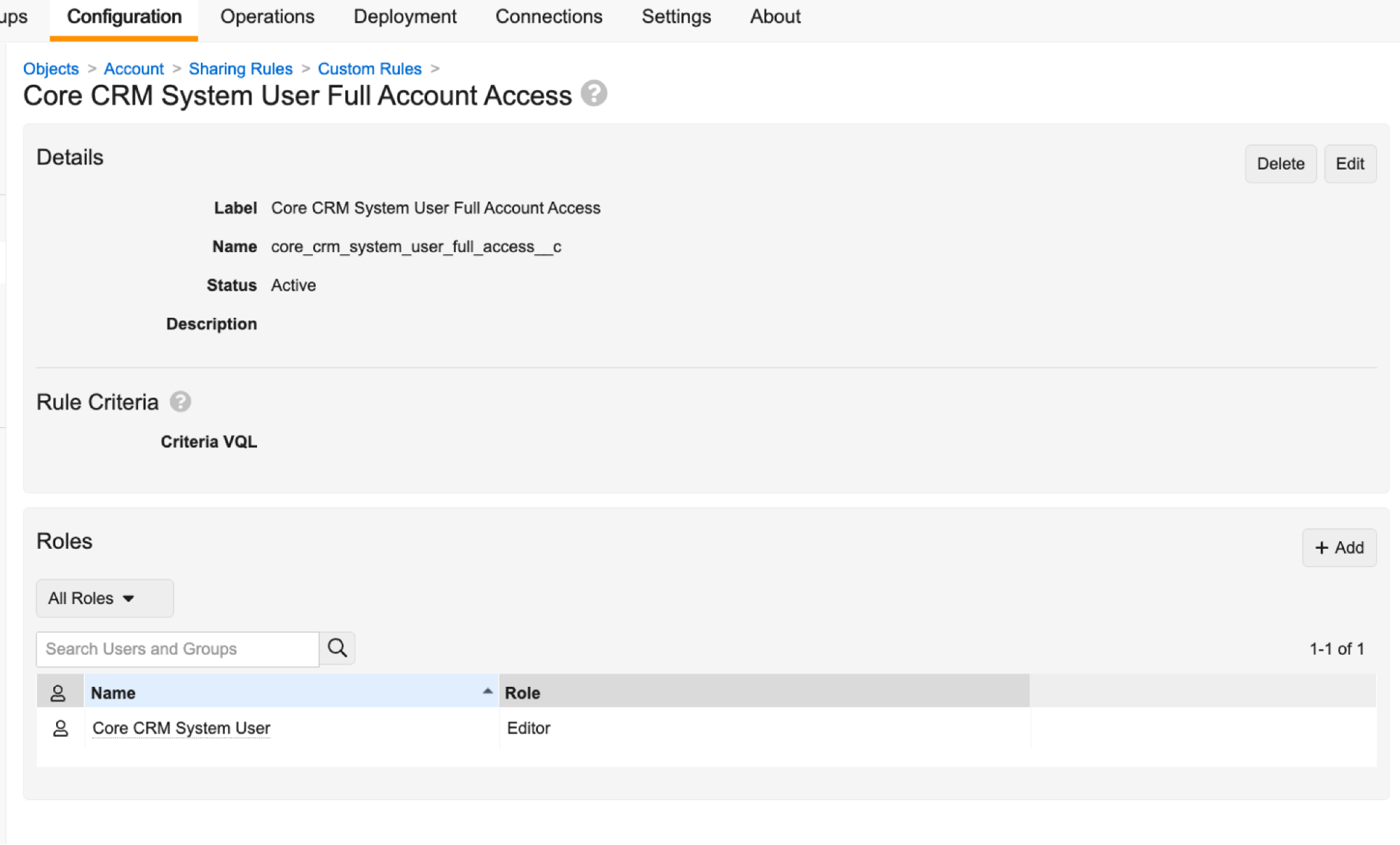
- Create the sharing rule using the information below:
Attribute
Value
Label
<name of appropriate System Owned User> Full Account Access
Name
<name_of_appropriate_System_Owned_User>_full_access__c
Active
True
Criteria
Do not populate the Criteria field.
Role
Editor
Members
User.<username of appropriate System Owned User>
- Assign the System Owned User to the newly created custom sharing rule.
System Owned Users cannot be manually assigned through the UI. Instead, admins must run MDL using the Vault Postman Collection. Using the Execute MDL Script Post action, execute the following MDL. Make sure to replace the placeholder text with the appropriate values.
Assign Sharing Rule via MDL
RECREATE Sharingrule <name_of_appropriate_System_Owned_User>_full_access__c (
    label('<name of appropriate System Owned User> Full Account Access'),
    active(true),
    object('<API name of appropriate object>'),
    criteria([]),
    Sharingrole editor__v (
        members(
            'User.<username of appropriate System Owned User>'
        )
    )
);
Admins can verify the System Owned User is assigned to the Editor Role by viewing the Roles section of the custom sharing rule: