Favorite Email Templates and Fragments
- Document Model
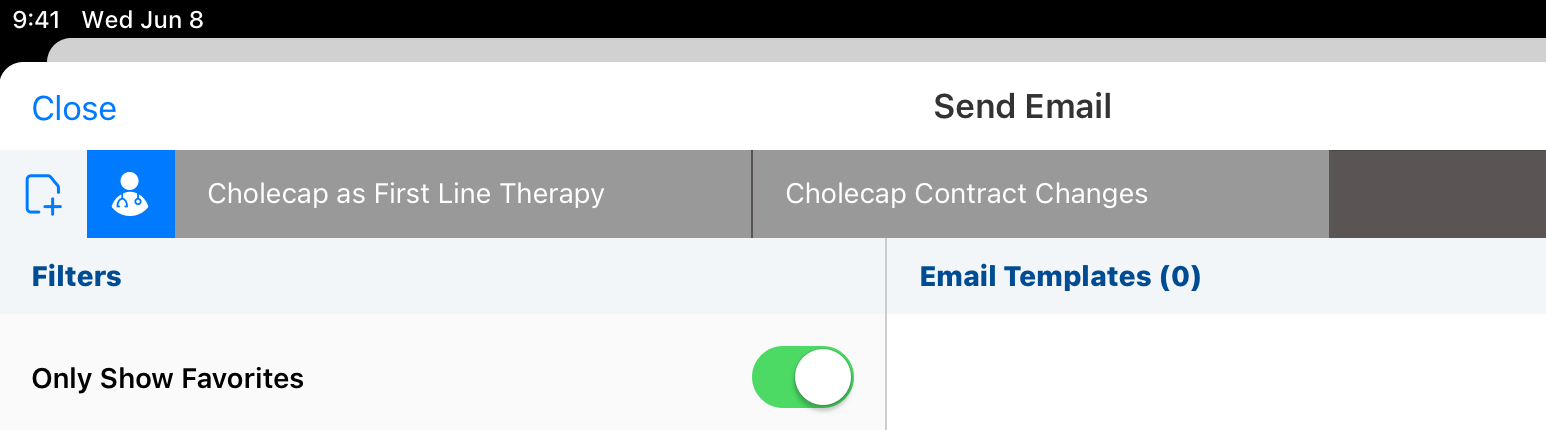
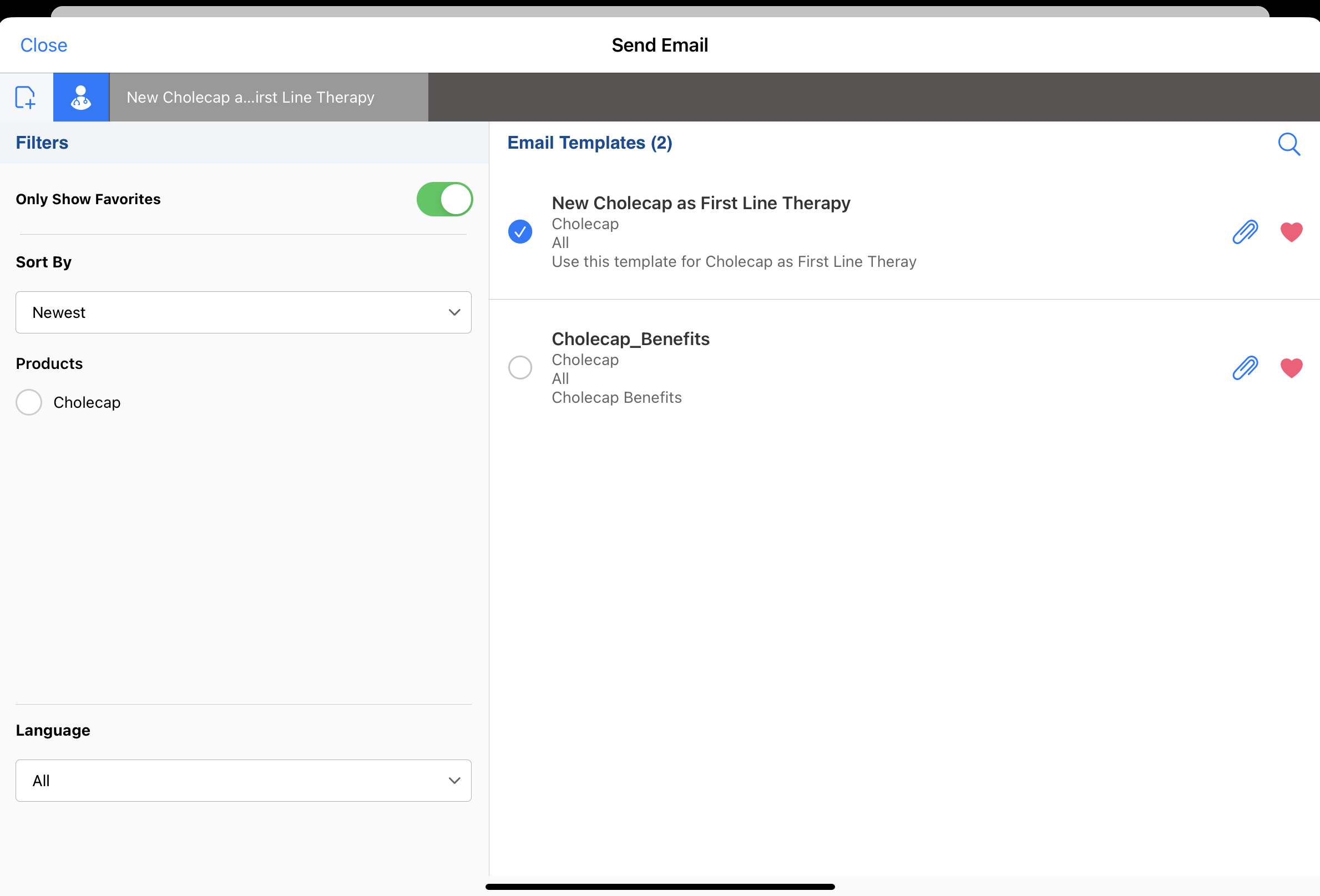
To quickly find templates and fragments used on a regular basis, users can select the heart icon to favorite these items. Users can select a filter to view only their favorites, making it easier and faster to select templates and fragments when composing emails.
Who can use this feature?
- End Users — Browser, iPad, iPhone
- Using Favorite Email Templates and Fragments
- Users require an Approved Email license
Configuring Favorite Email Templates and Fragments for
 End Users
To configure this feature:
- Ensure Configuring Approved Email as Document Model is complete.
- Navigate to Admin > Users & Groups > Permission Sets.
- Select the appropriate permission set.
- Select the Objects tab.
-
Grant end users the following permissions:
Object Object Types Object Permissions Fields Field Permissions bookmark__v
- approved_email_template_favorites__v
- approved_email_fragment_favorites__v
Access to both object types is required to enable Approved Email Favorites.
CRE
- filter_criteria__v
- mobile_id__v
- name__v
- object_type__v
- ownerid__v
Edit
created_date__v Read -
Navigate to Business Admin > Objects > vmobile_object_configuration__v.
- Activate the appropriate VMOCs for the bookmark__v object.
Using Favorite Email Templates and Fragments as
End Users
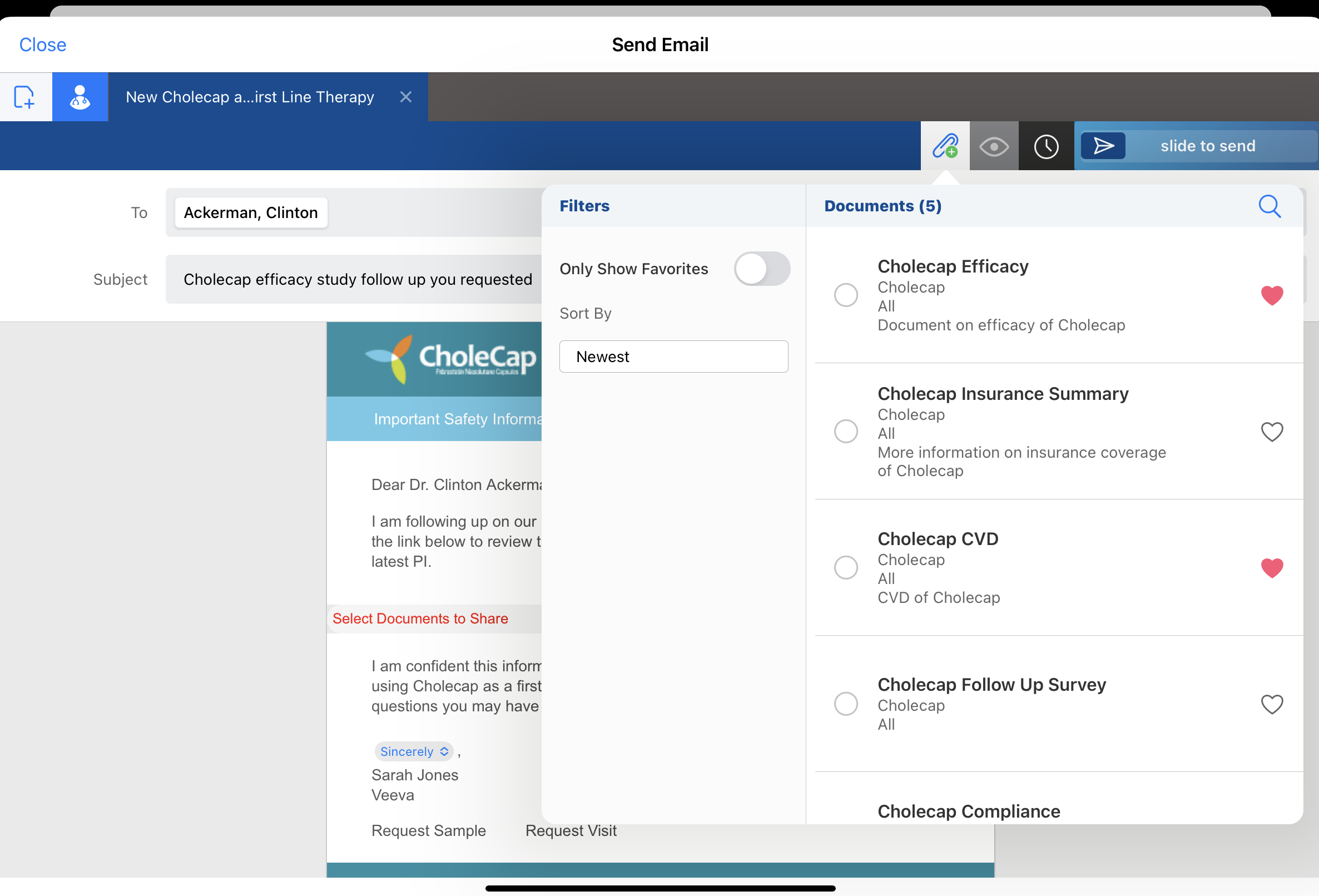
To mark an approved email template or fragment as a favorite, access the Send Email screen and select the heart icon (iPad) or star icon (Browser) next to the template or fragment.
The ability to favorite templates and fragments is not supported in Approved Email for Events Management.
Templates and fragments are limited to one hundred favorite items each. If users try to favorite an item after reaching the limit, an error message displays.
Favorite email templates and fragments are not device-specific. When you favorite items on one device, they will display as favorites on other devices.
Filtering on Favorites
Users can select the Only Show Favorites filter when creating approved email content. This reduces the list to only the templates or fragments they have selected as favorites. The filter can be applied alongside other available filters to further refine the templates or fragments displayed.