Starting Emails from Cases
To communicate with patients, caregivers, and providers directly from active Cases, users can initiate new email threads in the Case console. Case email activity displays in the My Cases view and in the Email sub-tab, allowing users to track and manage all outbound communications seamlessly.
Who can use this feature?
- End Users - Browser
- Starting Emails From Cases
- Users require a Patient CRM license
Configuring Starting Emails from Cases for
 End Users
To configure this feature:
- Ensure Configuring Patient CRM is complete.
- Ensure Configuring Approved Email is complete.
- Navigate to Business Admin > Objects > Console Application Settings.
- Populate the following settings:
- Allow Outbound Communications - Enter Email
- Allow Unverified Outbound Communications - Enter Email to allow users to send emails to addresses not associated with an account
- Preferred Email Search - Optionally, enter a semicolon-delimited list of Patient Attribute email fields to define matching fields and priority for automated field population
- Select Save.
An active Shared Mailbox is required. Ensure the applicable Patient CRM users have at least one user_to_channel__v record associated with an active channel_assignment__v record where the mailbox status is not in an error state. See Replying to Emails in Patient CRM for more information.
Starting Emails from Cases as
End Users
Users can start a new email thread from an existing Case to communicate with patients. Creating email threads is only available to the Case Owner. A Case can only have one active email thread at any time.
To start a new email thread:
- Select an active Case.
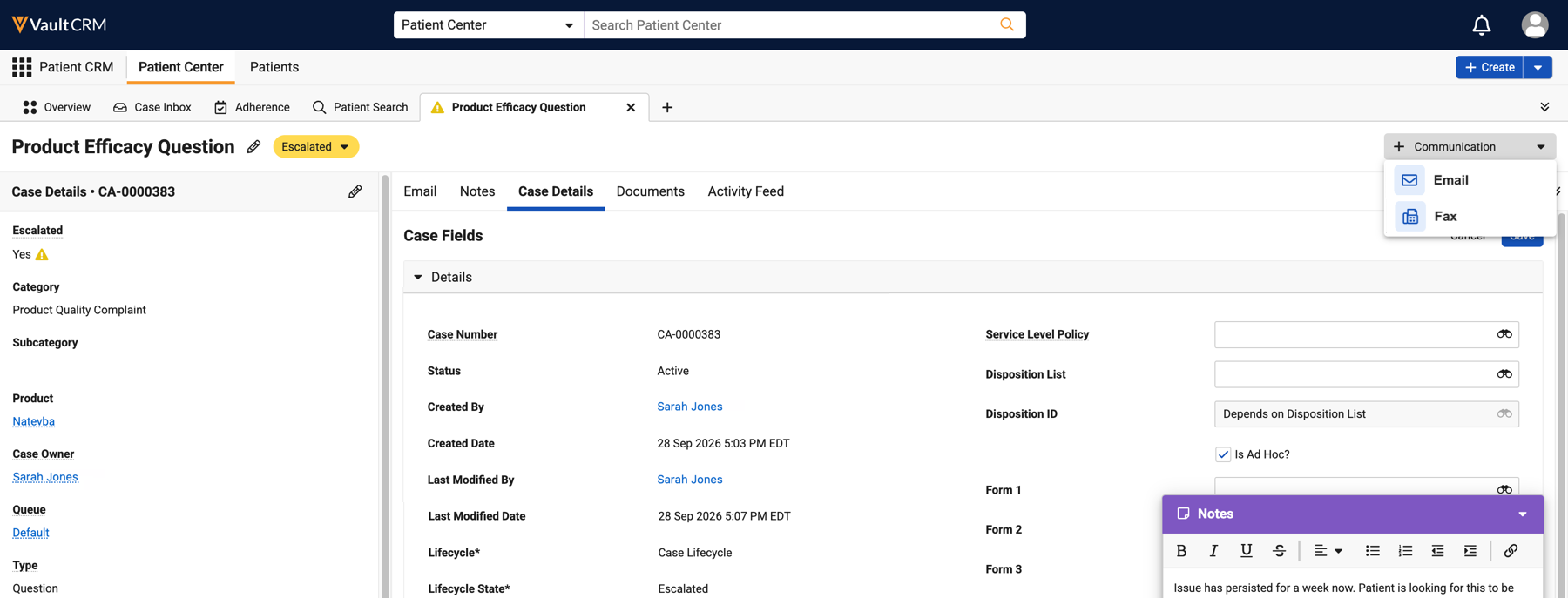
- Select the recipient’s email address or the +Communication button from the Case console header.
- Select Email.
- Select the recipient address in the To field. Email address options are based on Preferred Email Fields. If Allow Unverified Outbound Communications are enabled, users can select the Email Other option and enter any valid email address.
Only one recipient is supported. BCC and CC recipients are not currently supported.
- Select the sender address in the From field.
- Populate the Subject field and email body.
- Select Send.
Case email activity displays in the My Cases view and in the Email tab, so users can easily review and respond to replies in the email thread from within the case console.

