Using Standalone Phone with Service Center
Service Center’s standalone phone option provides the flexibility for teams to use their preferred external phone systems, while benefiting from Service Center’s structured workflow for tracking outbound contact attempts.
For example, Inside Sales Reps often reach customers using their own mobile devices, softphones, or telephony vendors not supported by Service Center’s integrated omnichannel providers. While the call takes place on an external device or softphone, the rep manages the activity status and call duration within the Service Center interface. Standalone Phone for Service Center enables these teams to capture engagement data and manage outbound target lists and activities in Vault CRM, without an integrated CCaaS service provider.
Who can use this feature?
- Inside Sales Reps - Browser
- Capturing Standalone Phone Activity
- Users do not require an additional license
Configuring Standalone Phone for
 Inside Sales Reps
To configure this feature:
-
Ensure Configuring Service Center is complete.
-
Navigate to Admin > Configuration > Application Profiles.
-
Ensure Inside Sales Reps are included in an existing application profile, or create a new application profile for Inside Sales Reps.
-
Create a Veeva Omnichannel record for standalone phone:
- Navigate to Business Admin > Objects > Veeva Omnichannel
- Select Create
- Select Standalone Phone as the Omnichannel Integration type
- Populate the Name field and ensure the Status is Active
- Select Save
-
Create a Console Application Settings record for Inside Sales Reps:
- Navigate to Business Admin > Objects > Console Application Settings
- Select Create
- Select Service Center as the Console Application Settings type
- Populate at least the following fields:
- Console Tab Access - Outbound, or both Inbound and Outbound
With Outbound access only, reps can create cases from incoming phone calls but they cannot manage the case after creation.
- Console Application Profile - Select the profile created for Inside Sales Reps
- Queue - Any value
- Select Save
-
Navigate to Business Admin > Objects > user__sys.
-
Set the Veeva Omnichannel field to Standalone Phone on the appropriate user__sys records.
For more information on creating Console Application Settings records, see Configuring Console Application Settings.
Capturing Standalone Phone Activity as
Inside Sales Reps
Standalone phone enables reps to capture and track outbound activities while using a separate, non-integrated phone system.
To capture standalone phone activity in Service Center:
-
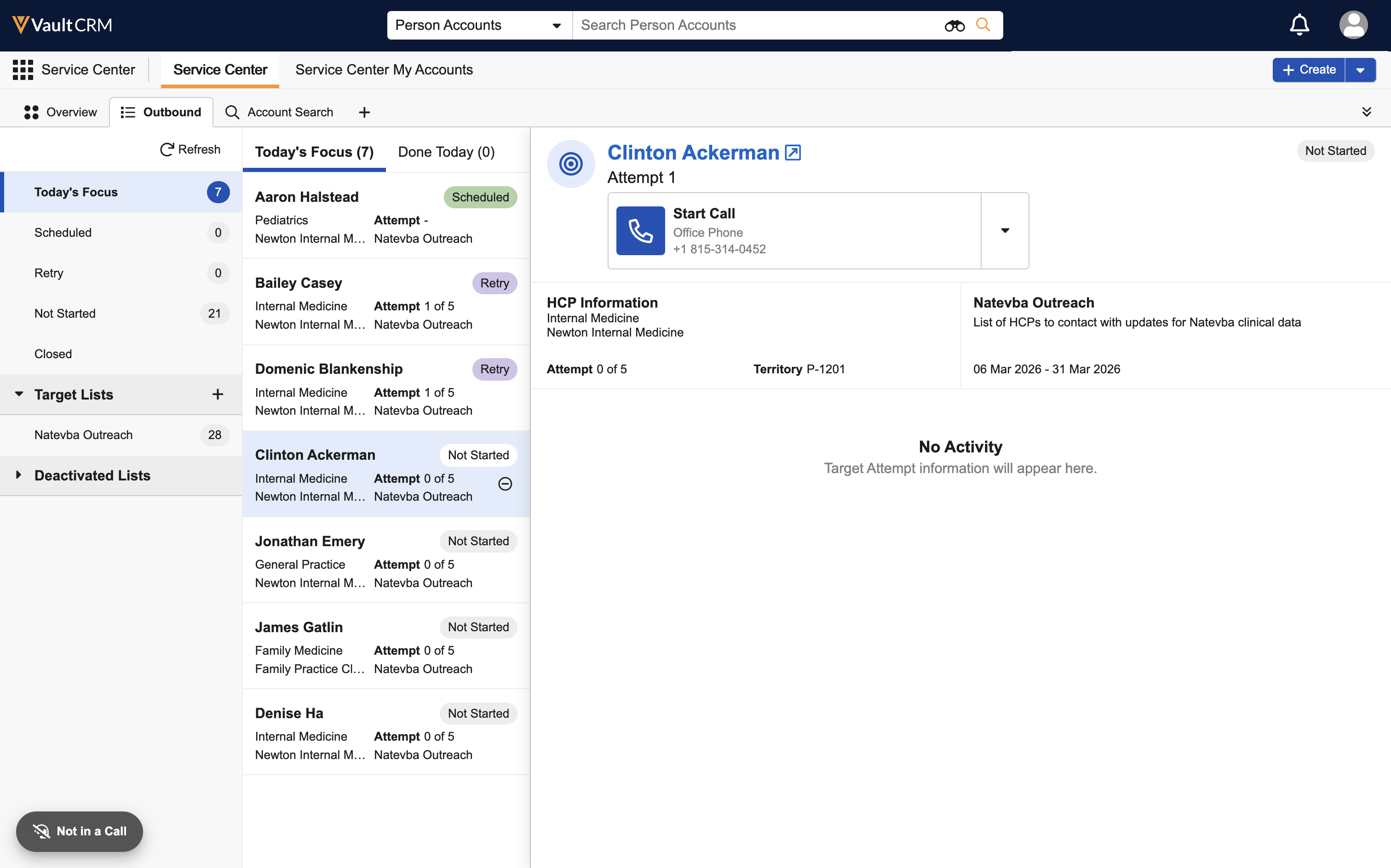
Navigate to the Outbound tab.
-
Select a target from one of the following valid target views: Today's Focus, Retry, Scheduled, or Not Started.
-
Manually dial the phone number shown in the interface on your external mobile device or softphone.
-
Select the Start Call action for the appropriate phone number.
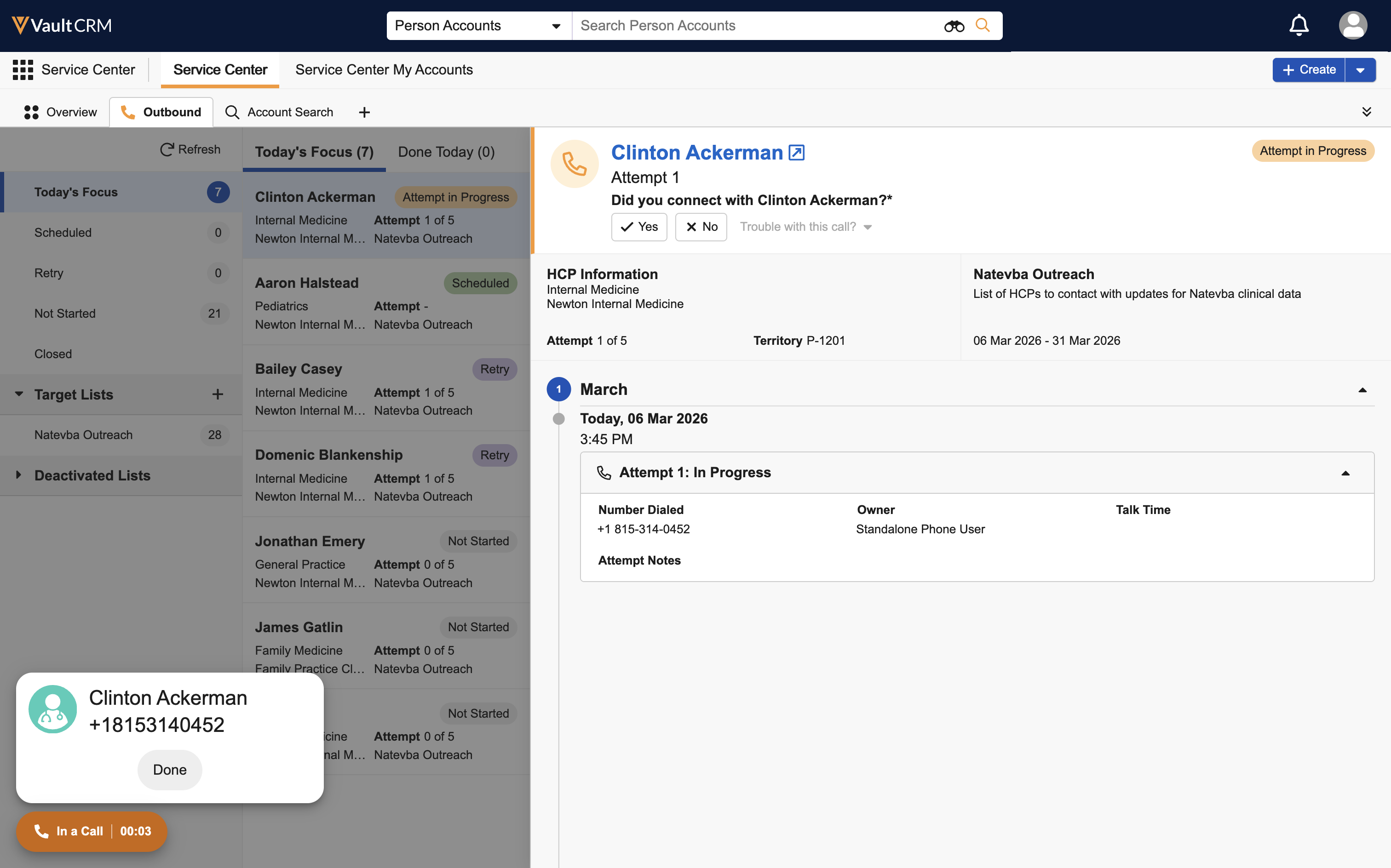
When reps select the Start Call action, activity tracking begins:
Because a telephony provider is not integrated with Service Center, users configured for standalone phone cannot use Click-to-Dial functionality in either Service Center or Patient CRM.
- An Outbound Target Activity (outbound_target_activity__v) record is generated. The current time is stamped to the Start Time (start_time__v) field on the Outbound Target Activity record.
- The rep’s status updates to In a Call status
- Service Center begins timing the duration of the attempt
- Select Done from call modal in the lower left corner, when the conversation is complete.
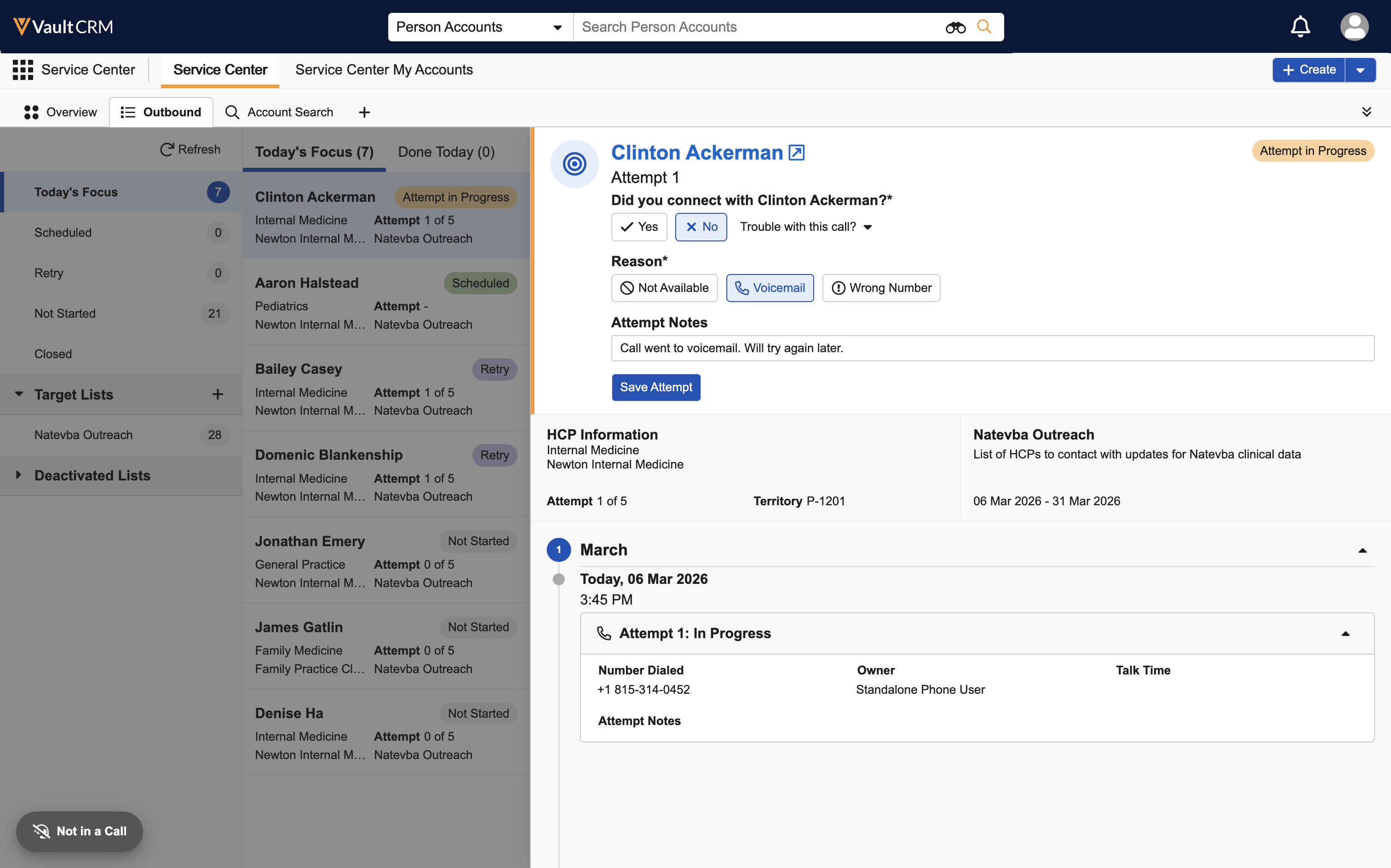
When reps select the Done action:
- The current time is stamped to the End Time (end_time__v) field on the Outbound Target Activity record
- The interface returns to Not in a Call status
- Standard options for attempt submission, retry, and cancel display
For more information on submitting attempts or marking them for retry, see Using the Service Center Outbound Tab. For more information on canceling attempts, see Canceling and Redialing Outbound Call Attempts.

