Integrating External Data with X-Pages
Content developers can create X-Pages content that integrates data and real-time services from external applications in a secure way, using Vault Session ID or SSO authentication. This allows users to view data from Vault CRM and external sources combined without navigating away from the Vault CRM app to authenticate to the external source.
For example, a content developer creates an X-Page that displays data from an internal chat bot. Since the information is from their own system, values are displayed in real-time.
Who can use this feature?
- Content Developers - Browser
- Enabling X-Pages Integration with External Applications
- End Users - Browser, iPad, iPhone
- Using X-Pages Integrated with External Applications
- Vault CRM Admins - Browser
- Viewing Activity Logs
- Users do not require an additional license
Configuring X-Pages Integration with External Applications for
 Content Developers
This configuration applies to SSO authentication only. Vault Session ID authentication does not require configuration.
To configure this feature:
- Ensure Configuring X-Pages is complete.
- Ensure your SSO provider is configured to grant the offline_access and openid scopes.
- Navigate to Business Admin > Objects > xpages_sso_configuration__v.
- Select Create.
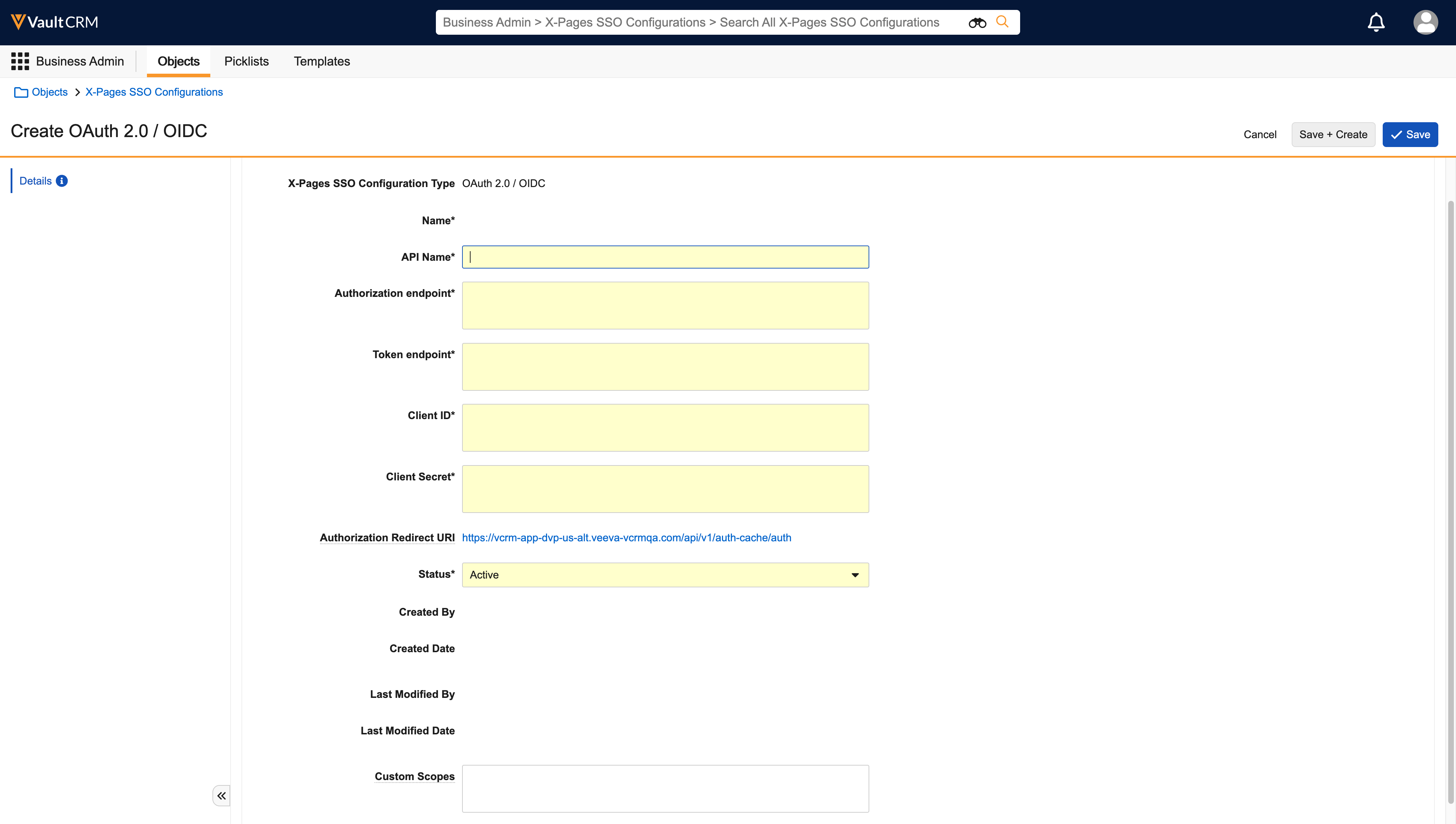
- Enter the following information as found in your SSO configuration:
- API name
- Authentication endpoint
- Token endpoint
- Client ID
- Client secret
- Copy the Authorization Redirect URI and add it to your SSO configuration.
- Add a space-delimited list of custom scopes in the Custom Scopes field. These scopes are appended to the SSO IDP access token request. Only valid OAuth scope-token characters and spaces are allowed. This step is optional.
- Vault CRM populates the Custom Scopes field with the offline_access and openid scopes as defined in the SSO configuration
- Select Save.
End Users
To configure this feature:
- Ensure Configuring X-Pages is complete.
- Navigate to Admin > Users & Groups > Permission Sets.
- Select the appropriate permission set.
- Select Objects.
- Grant the following permissions:
-
Object Object Permission Object Types Fields Field Permission xpages_sso_configuration__v R OAuth 2.0 / OIDC - API Name
- Authorization endpoint
- Client ID
- Client Secret
- Created By
- Created Date
- Custom Scopes (optional)
- Last Modified By
- Last Modified Date
- Status
- Token endpoint
Read
Enabling X-Pages Integration with External Applications as
Content Developers
External connections in Vault can be authorized using an SSO access token or a Vault Session ID. Content developers can use either of the following request methods to access data from the specified external application directly from an X-Page:
- Using SSO Authentication - If the external application uses OAuth-based SSO, content developers can use the getSSOAccessToken method to retrieve a valid access token that can be passed through a customer-defined authentication process for the external application.
- Using Vault Session ID Authentication - X-Pages content developers can use the getVaultSessionId method to retrieve a valid session ID that can be used to communicate with Vault APIs or passed through a customer-defined authentication process for the external application.
Using X-Pages Integrated with External Applications as
End Users
End users can view data from Vault CRM and external sources combined without navigating away from the Vault CRM app to authenticate to the external source.
Viewing Activity Logs as
Vault CRM Admins
Vault CRM Admins can view information about session IDs or access token requests in the Activity Log to ensure only appropriate X-Pages content is using them.

