Managing Custom Pages in X-Pages Studio
To simplify the management and deployment of custom X-Pages, content creators can import and deploy them using X-Pages Studio, regardless of where the page was created.
Who can use this feature?
- Content Creators - Browser
- Mass Importing Custom Pages in X-Pages Studio
- Deploying Custom Pages
- Users do not require an additional license
Configuring Managing Custom Pages in X-Pages Studio for
 Content Creators
To configure this feature, ensure Configuring X-Pages Studio is complete.
Mass Importing Custom Pages in X-Pages Studio as
Content Creators
All custom pages are automatically imported when a new vault is associated with a Studio domain. Custom pages from existing vaults already associated with X-Pages Studio can be manually imported. During the import process, unmanaged html_report__v records in the active vault are compared with existing content in Studio and a summary of HTML pages scanned is generated for review.
To manually import all custom pages from the current vault:
- Sign into X-Pages Studio.
- Select Pages on the home page.
- Select Import Custom Page from CRM from the New Page menu.
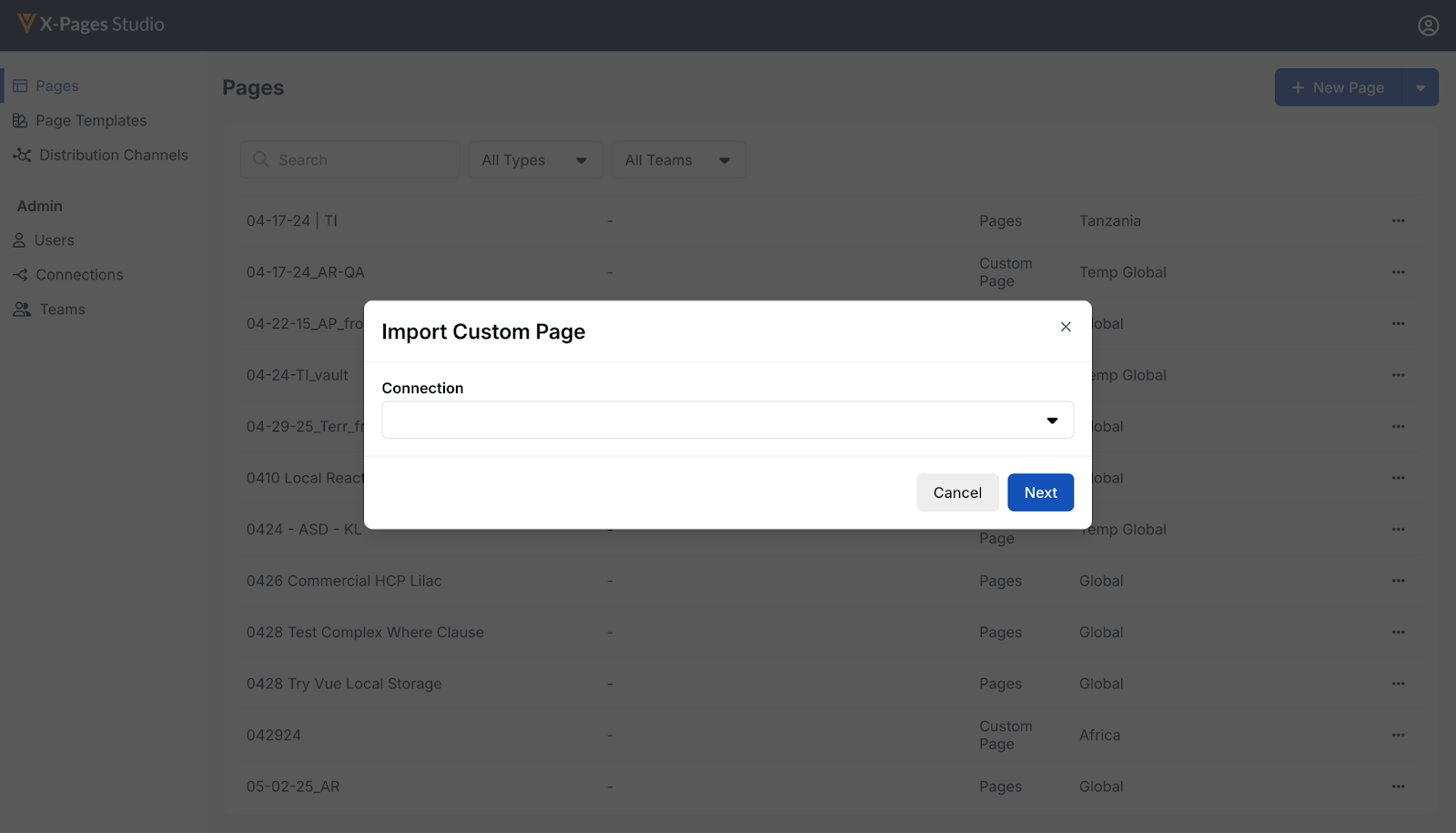
- Select a Connection to import from.
- Select Next. A summary displays detailing the custom content to be imported.
- Select OK.
To upload a new custom page to X-Pages Studio:
- Sign into X-Pages Studio.
- Select Pages on the home page.
- Select New Custom Page from File from the New Page menu.
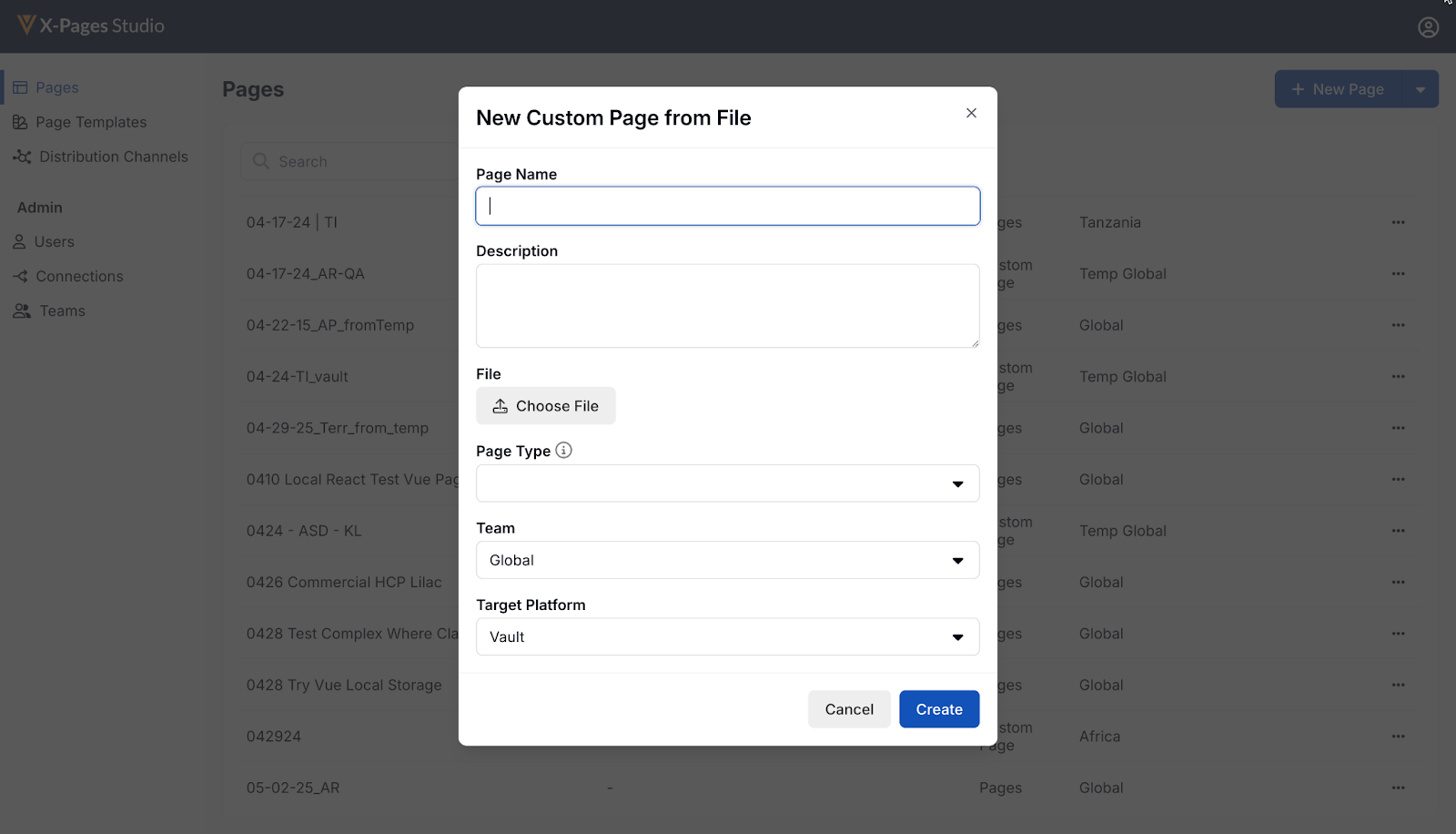
- Enter a Page Name.
- Enter a Description. This step is optional.
- Select Choose File.
- Select the compressed file to upload containing the content to be deployed. This file is set as the first version of the custom content.
- Select the Page Type.
- Select Create. The Deploy tab opens.
Deploying Custom Pages as
Studio Admins
Custom pages are deployed the same way Studio-created pages are deployed. The Studio Version field indicates the version number of the deployed page and its status:
- Green check mark - what is deployed in CRM matches the indicated Studio version
- Red X - the active CRM attachment does not match what is deployed in CRM

