Preventing Users from Adding Restricted Products
Align operations users can prevent an account’s restricted products from being assigned to them in various places throughout Align, avoiding compliance risks and eliminating the need for manual removal. For example, Align operations users are prevented from assigning a restricted product to an account when data loading, and during targeting rule execution.
Who can use this feature?
- End Users - iPad
- Preventing Adding Restricted Products in Territory Feedback
- Align Operations Users - Browser
- Preventing Adding Restricted Products
- Users require an Align License
Configuring Restricted Products for
 All Users
To configure this feature:
- Ensure Restricting Products by Account is enabled.
- Navigate to Admin > Users & Groups > Permission Sets.
- Select the appropriate permission set.
- Select the Objects tab.
-
Grant the following permissions:
Object
Object Permission
Object Types
Fields
Field Permission
align_settings__v
R
n/a
enforce_product_restrictions__v
Read
aln_align_settings_model__v
R
n/a
enforce_product_restrictions__v
Read
- Navigate to Admin > Configuration > Objects.
-
Place the enforce_product_restrictions__v field on the appropriate layouts of the following objects:
- align_settings__v
- aln_align_settings_model__v
- Navigate to Align > Align Admin > Align Settings (Modeling).
- Edit the Align Modeling Settings for the appropriate project.
- Select True for the Enforce Product Restrictions setting.
- Navigate to Align > Align Admin > Align Settings (Production).
- Edit the appropriate Align Settings record.
-
Select True for the Enforce Product Restrictions setting.
Do not enable this setting in the middle of an MCCP preview or commit. In this situation, restricted products are not deleted and an error occurs, requiring the admin to manually delete restricted products from the MCCP before proceeding.
- Select Save.
Preventing Adding Restricted Products in Territory Feedback as
End Users
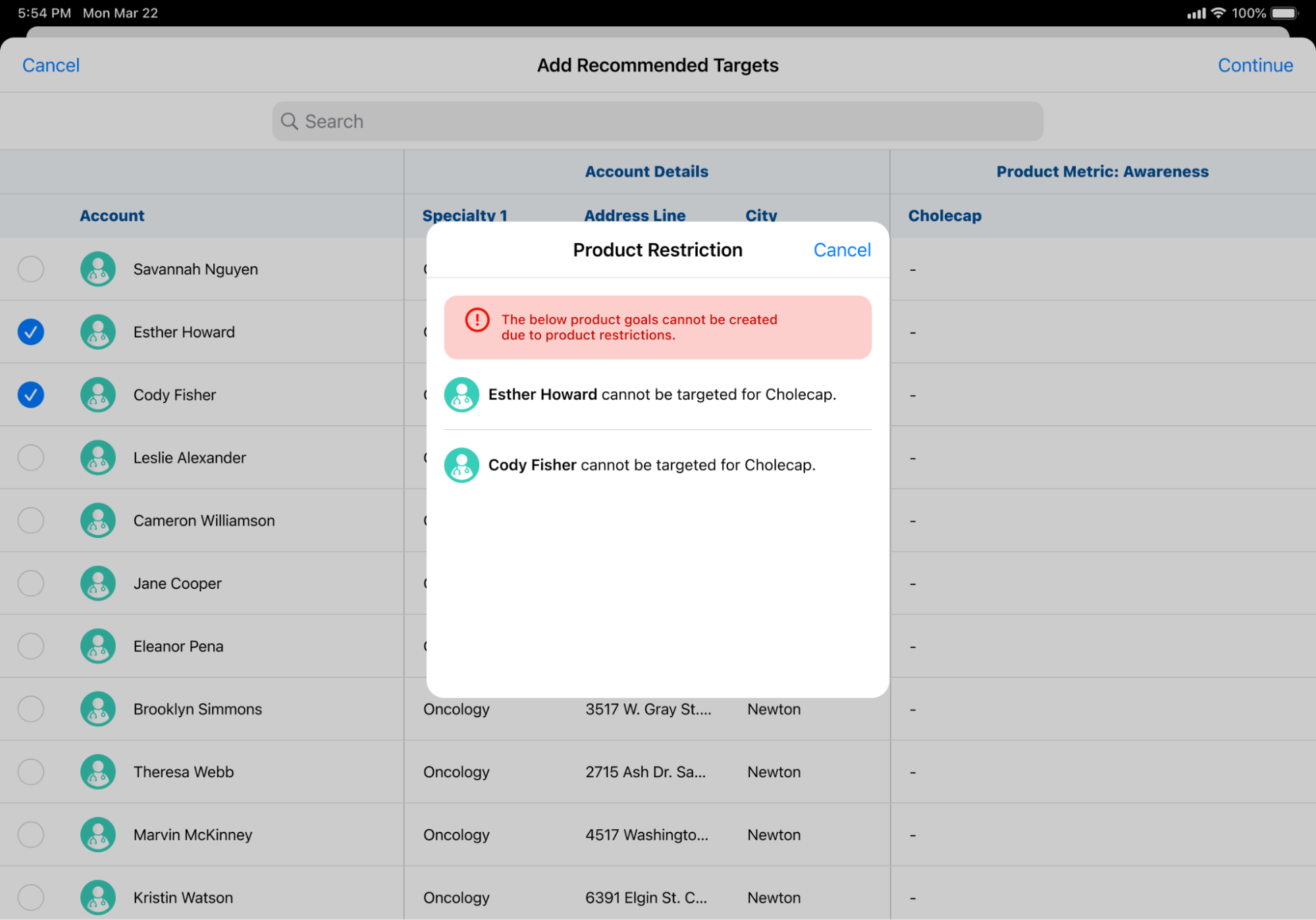
When users add an account as a target in Territory Feedback, an error occurs if the corresponding MCCP has a product defined as a restricted product for the account.
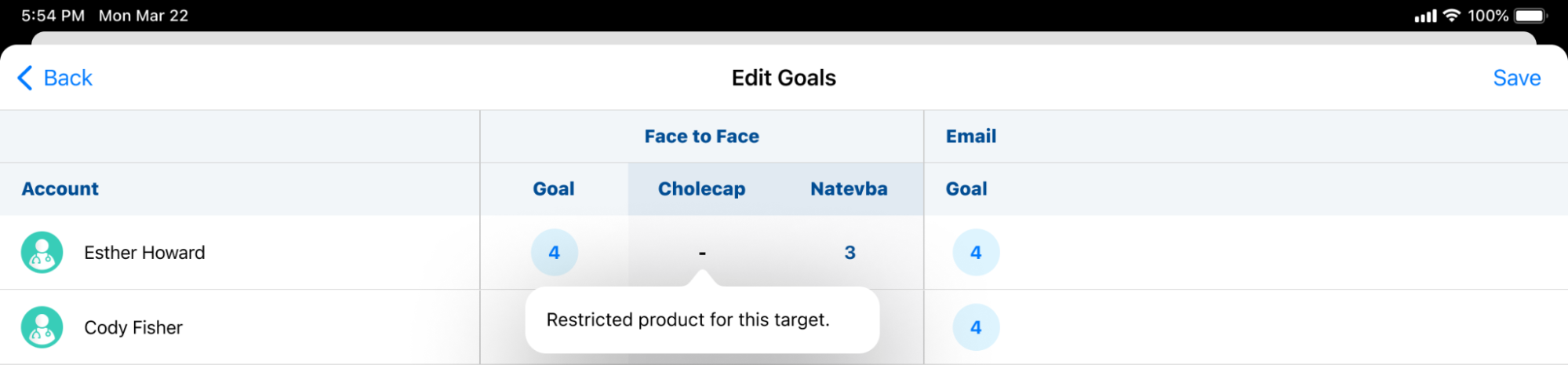
When editing the goals for the target, a - displays for goals associated with any restricted product, preventing end users from editing them.
Preventing Adding Restricted Products as
Align Operations Users
Align operations users are prevented from adding restricted products to accounts in the following entry points:
- Vault Loader – When using the Vault Loader to upload mc_cycle_plan_product__v records, an error message displays if the associated account is restricted from the associated product
- Account Assignment Previews and Commits – If an mc_cycle_plan_product__v record is created or assigned to an account due to Account Assignment Rules that associates the account with a restricted product, an error message displays during the Preview or Commit, preventing the assignment

