Profiling During Territory Feedback
End users can view and update account profiling information, for example, access level, affinity, adoption, and potential, directly within Territory Feedback. These updates provide organizations the information they need to accurately segment accounts and set targeting goals. By providing users the opportunity to update data points on Account, Address, or Product Metric objects, this feature eliminates the need for manual workarounds like custom challenge reasons or operations reviews, providing a streamlined experience and ensuring that target interaction goals reflect accurate, real-time data.
Who can use this feature?
- End Users - iPad
- Using Profiling During Feedback
- Users require an Align License
Configuring Profiling During Feedback for
 End Users
To configure this feature, ensure Configuring Territory Feedback is complete.
Using Profiling During Feedback as
End Users
End Users can view and edit profiling data for accounts, addresses, and product metrics directly within the territory feedback interface to ensure data accuracy:
- Navigate to the Edit Alignments table within Territory Feedback.
-
Select the All Actions menu for the appropriate account.

-
Select Edit Account. The account’s profile displays in Edit mode.

- Edit all appropriate fields for the account, as well as fields for associated address__v and product_metric__v records.
- Select Save.
If Using Location Based Targeting in Align is enabled, the specific location of the account displays in the modal header. Displayed Product Metrics are specific for that account and location combination, and any updates to those metrics only update for that specific combination.
Read-Only Fields for Profiling During Feedback
This feature adheres to the user’s existing object-level and field-level permissions. However, the following types of fields always display as read-only within Territory Feedback, regardless of end user permission:
- Object type fields and all related sub-type fields
- Formula fields
- Data Change Request (DCR) controlled fields
- The following specific account__v fields:
- atl_last_update_date_time__v
- customer_master_status__v
- data_source__v
- do_not_call__v
- do_not_create_child_account__v
- do_not_sync_sales_data__v
- enable_restricted_products__v
- engage_profile_status__v
- exclude_from_zip_to_terr_processing__v
- in_merge__sys
- ispersonaccount__v
- legacy_crm_id__v
- link__sys
- master_align_id__v
- matchid__v
- mobile_id__v
- vod_count_prescriber__v
- vod_count_hcp__v
- vod_data_privacy_opt_out__v
- photo__v
- restricted_products__v
- sample_default__v
- segmentations__v
- status__v
- territory_test__v
- veeva_network_id__v
- vl_url__v
DCR Controlled Fields in Profiling During Territory Feedback
If Data Change Requests are enabled, end users can edit DCR-controlled account and address fields within Territory Feedback, with their edits resulting in a formal Data Change Request being generated for review:
-
Edit the appropriate DCR-controlled field. These fields display with a key (
 ) icon next to them.
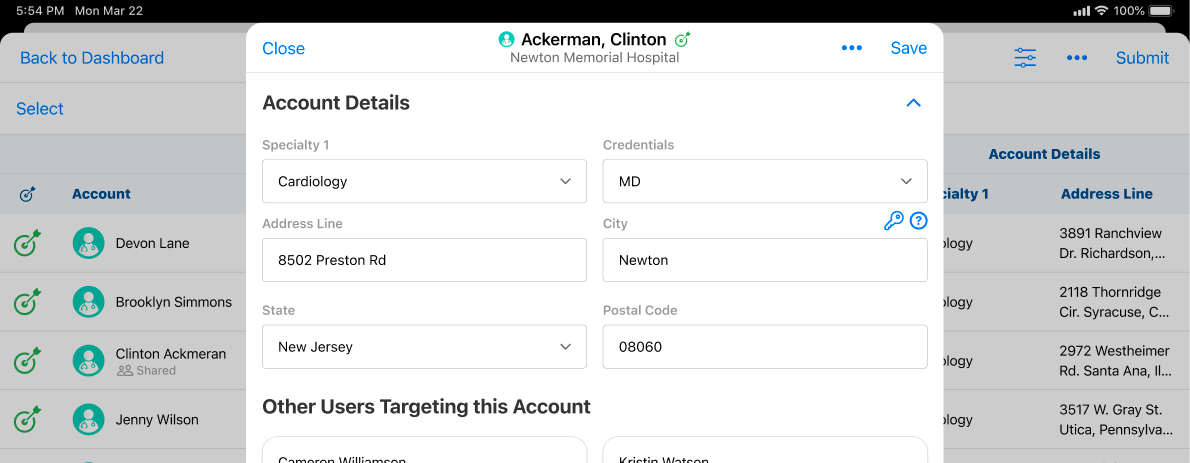
- Edit all other appropriate fields, including other DCR-controlled fields.
-
Select Save. The Data Change Request modal displays.
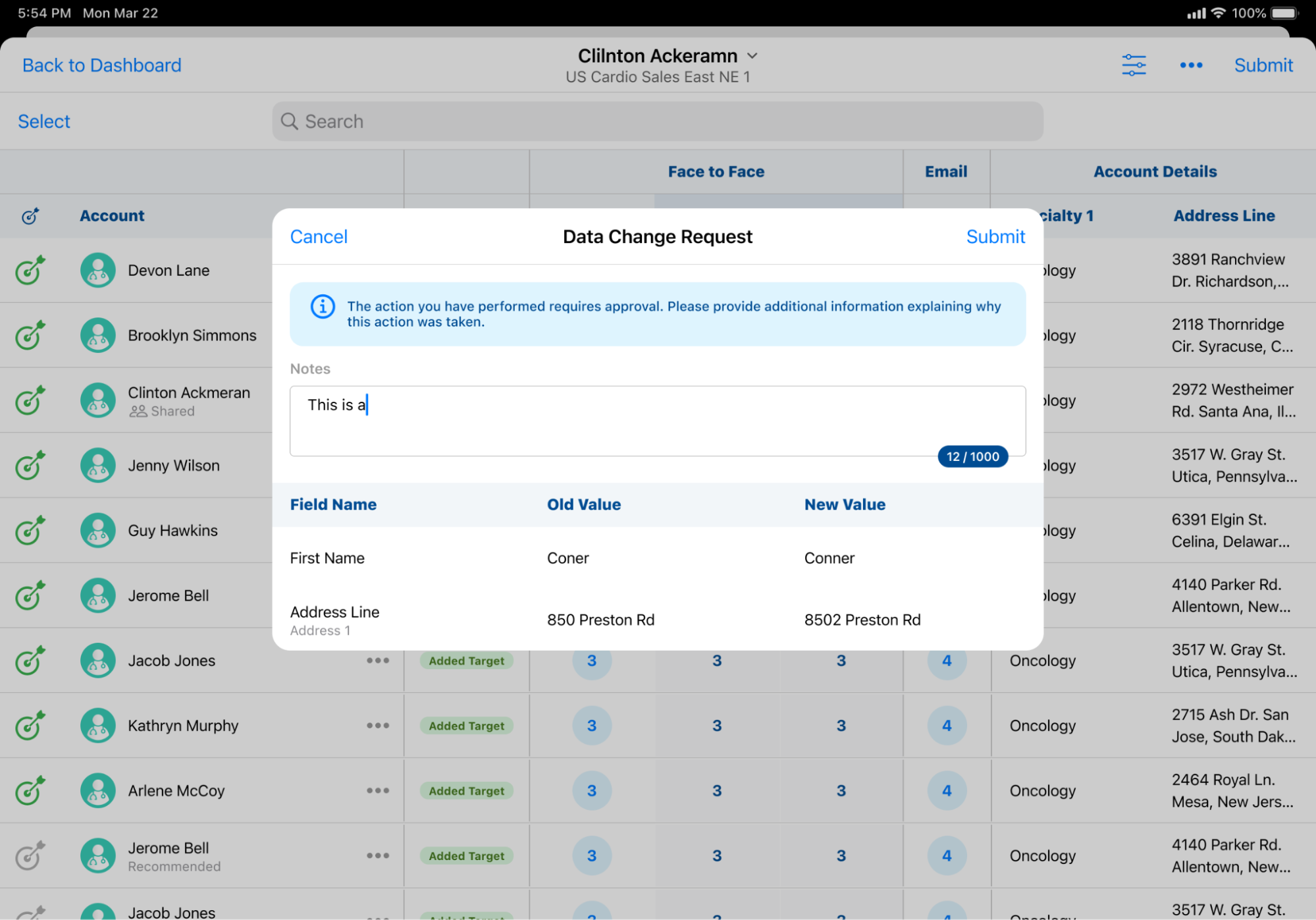
- Enter notes or comments, if applicable.
- Select Submit.
The following records are created:
- data_change_request__v
- data_change_request_line__v