Recommended Targets in Align
Align operations users can designate certain high-impact accounts as recommended targets in a model territory. These recommended targets are displayed to end users in Territory Feedback, where they can add the account as a target and define target goals, improving the efficacy of the territory during the Multichannel Cycle.
Who can use this feature?
- Align Operations Users – Browser
- Defining Recommended Targets
- End Users – iPad
- Adding Recommended Targets
- Users require an Align License
Configuring Recommended Targets for
 Align Operations Users
To configure this feature:
-
Ensure the following features are configured:
- Navigate to Admin > Users & Groups > Permission Sets.
- Select the appropriate permission set.
- Select the Objects tab.
-
Grant the following permissions:
Object Object Permission Object Types Fields Field Permission aln_recommended_target_model__v CRED recommended_target__v - account__v
- account_id__v
- location__v
- territory_model__v
- mc_cycle__v
- attempted_to_add__v
- external_id__v
Edit
End Users
To configure this feature, ensure the following features are configured:
Defining Recommended Targets as
Align Operations Users
Align operations users can define recommended targets for a particular model territory:
- Navigate to Business Admin > Objects > aln_recommended_target_model__v.
- Select Create.
-
Populate the following fields:
- account__v – Select the appropriate account
- location__v – Define the account as a target for a specific location when using location based targeting
- territory__model__v – Select the appropriate aln_territory_model__v record
- mc_cycle__v – Select the appropriate Multichannel Cycle that the recommended target applies to
- Select Save.
Align operations users can also create many recommended targets at once via data-loading.
Adding Recommended Targets as
End Users
End users can view a list of recommended targets within Territory Feedback:
-
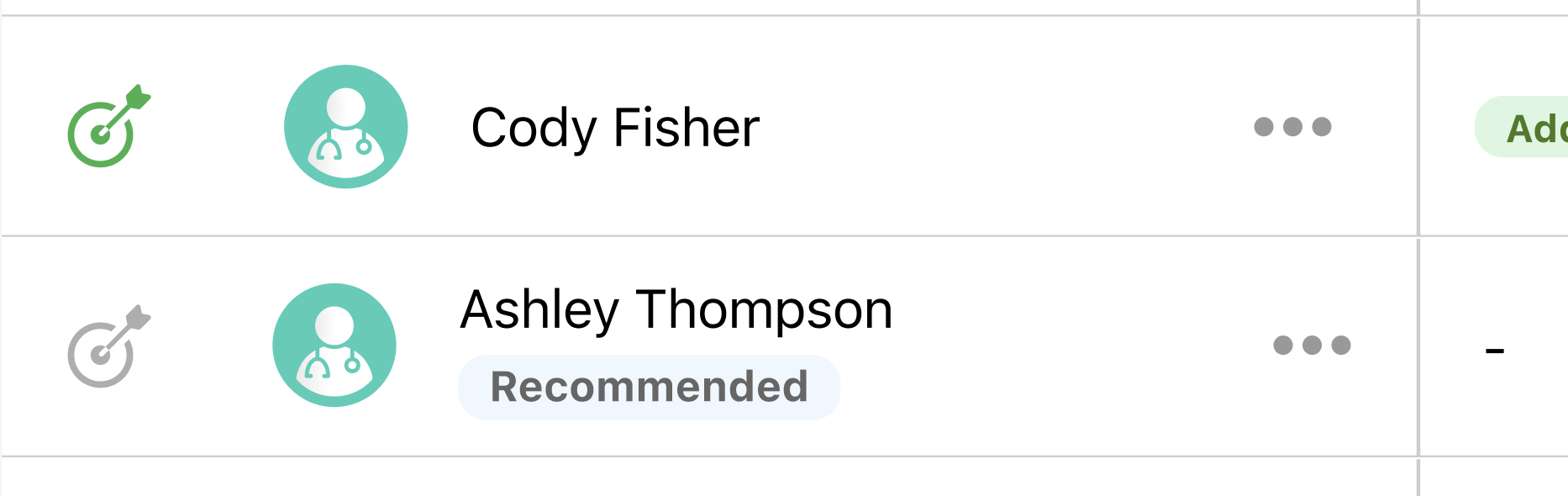
Navigate to the Edit Alignments screen in Territory Feedback. Recommended targets display in the table with a Recommended badge.
-
Select Add Recommended Targets from the All Actions menu to filter the Edit Alignments list to only display recommended targets.
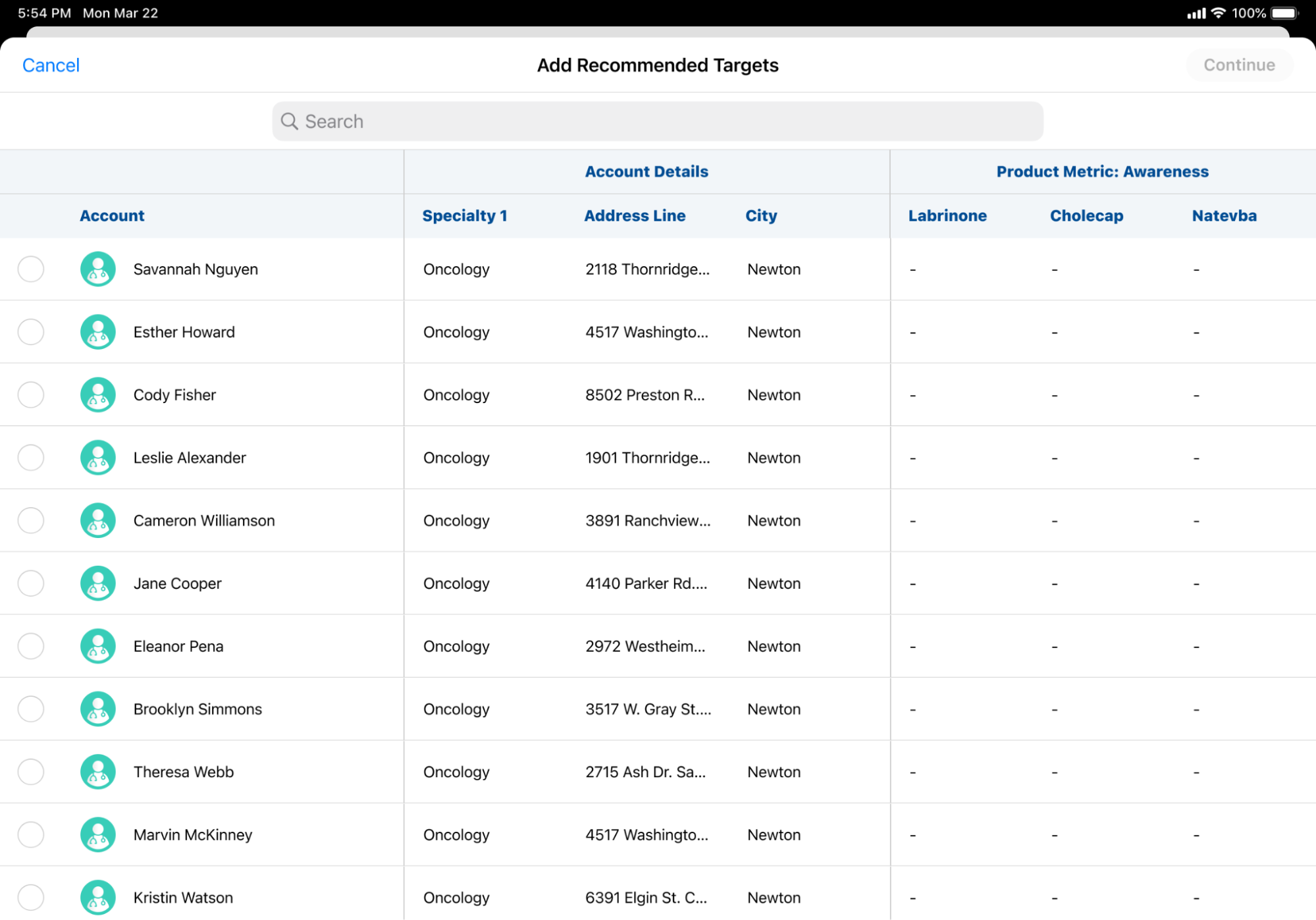
- Select the appropriate accounts.
- Select Continue.
-
Adjust the Goals for the selected targets.
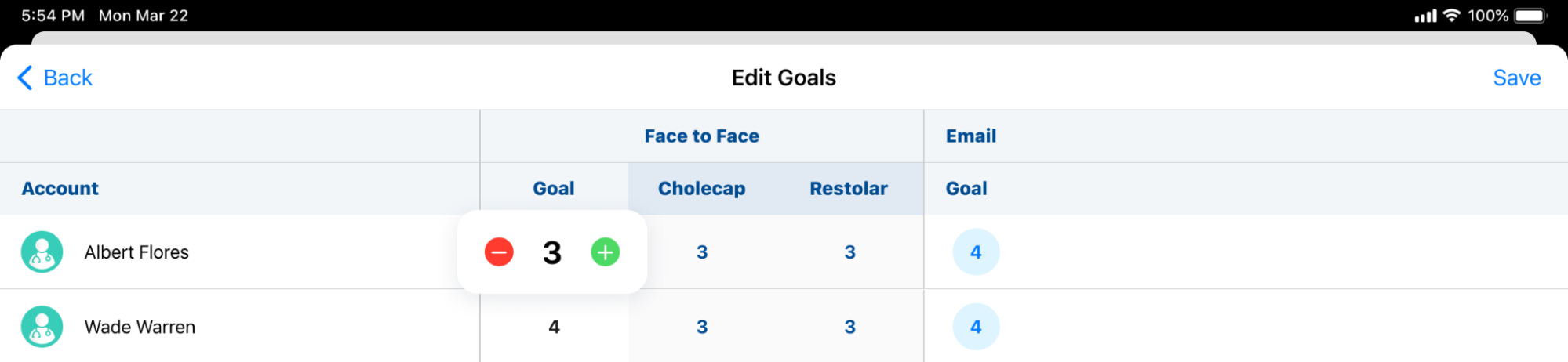
- Select Save.
- Select the applicable Reasons for adding the accounts as targets. Reasons display as available for selection if the reason is available for both Add Account and Add Target challenges. See Defining Challenge Reasons for more information.
- Select Done.

