Displaying the Audit Trail on Events
Users can view the audit history of event records to track changes made since a record was last viewed or approved. This enables approvers and coordinators to quickly identify modifications and verify details before approving an event or executing event logistics.
Who can use this feature?
- End Users - Browser
- Displaying the Audit Trail on Events
- Users require an Events Management license
Configuring Audit Trail on Events for
 End Users
To configure this feature:
- Ensure the following are complete:
- Navigate to Admin > Configuration > Objects.
- Enable the following Vault platform object settings on any supported Page Layout Engine objects::
- Audit data changes in this object
- Use Action security to control Audit Trail
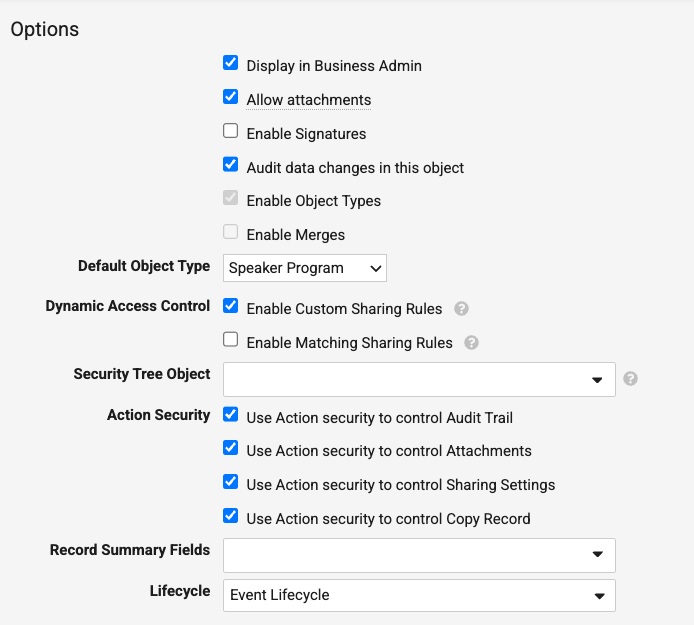
- Navigate to Admin > Users & Groups > Permission Sets.
- Select the appropriate Permission Set.
- Select Objects.
- Grant Execute permission to the Audit Trail (secure_audit_trail__sys) action on the appropriate objects. Only objects supported in Page Layout Engine display the Audit Trail action when viewing the record.
- Navigate to Admin > Configuration > Objects > Event Layouts.
- Select the appropriate layout record.
- Add Audit Trail to the Visible Buttons field.
- Select Save.
Displaying the Audit Trail on Events as
End Users
End users can view the full audit history for records to review field-level changes before approving or updating event details.
To view the Audit Trail for a record:
- Navigate to the desired record.
- Select Audit Trail from the All Actions menu.
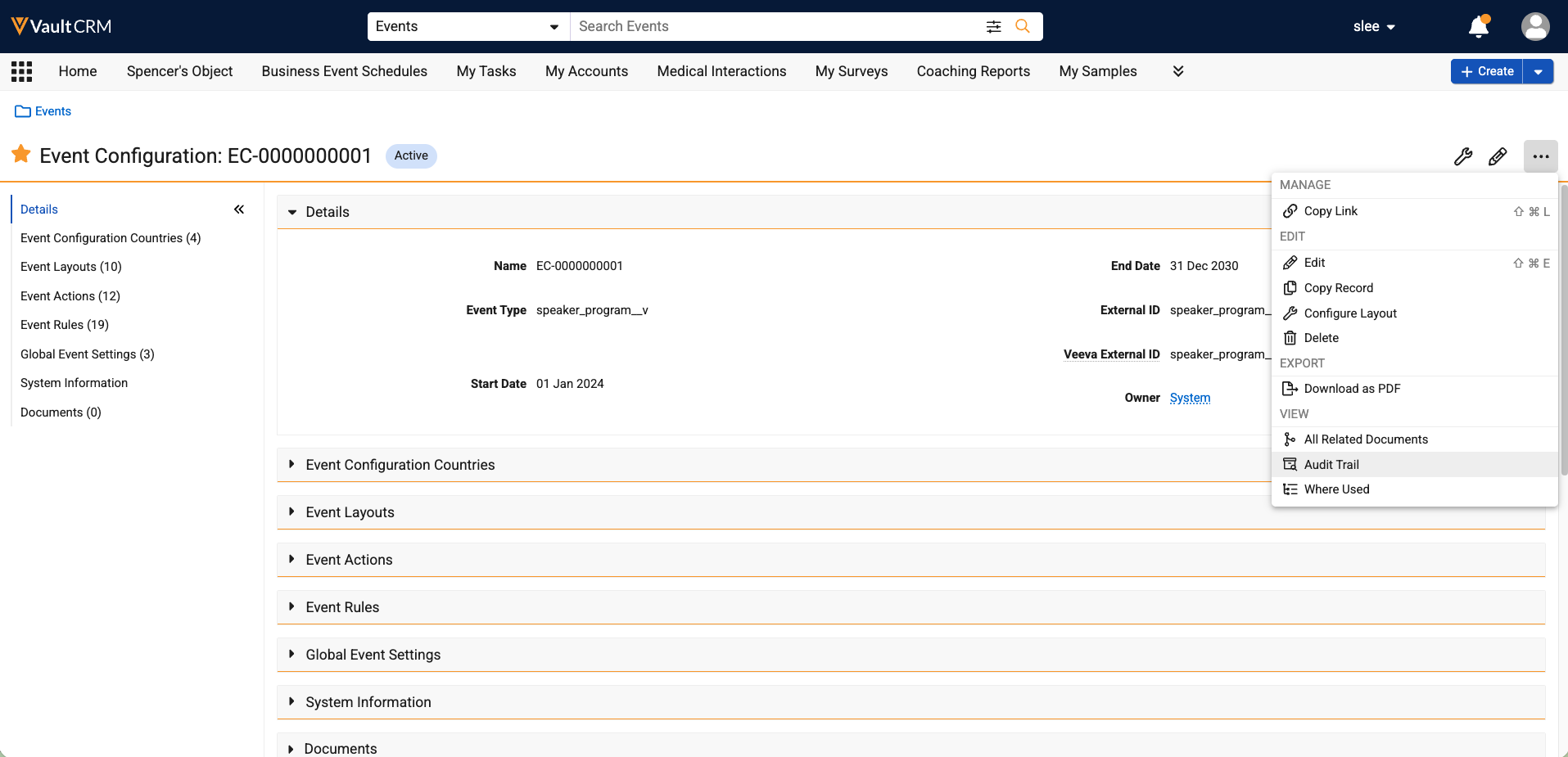 The Audit Trail dialog displays a chronological list of record changes. For more information, see Viewing Audit Trails.