Alternative Channels for Medical Interactions
To provide greater flexibility for users when recording the channel for a Medical Interaction, admins can create custom, alternative channel values and map them to standard call reporting channels. This ensures data consistency while capturing more granular detail about how Medical users engage with HCPs.
Who can use this feature?
- Medical Users - Browser, iPad, iPhone
- Using Alternative Channel Values for Medical Interactions
- Users do not require an additional license
Configuring Alternative Channel Values for Medical Interactions for
 Medical Users
To configure this feature:
- Ensure Using Medical Interactions is configured.
- Navigate to Admin > Users & Groups > Permission Sets.
- Select the appropriate permission set.
- Select Objects.
- Grant the following permissions:
Object
Object Permission
Object Types
Fields
Field Permission
medx__v
CRED
core_object_type__v
alternative_channel__v
Edit
channel_formula__v
Read
- Navigate to Admin > Configuration > Objects > medx__v.
- Select the Object Types tab.
- Ensure the alternative_channel__v and channel_formula__v fields are active for the core_object_type__v object type.
- Select the Fields tab.
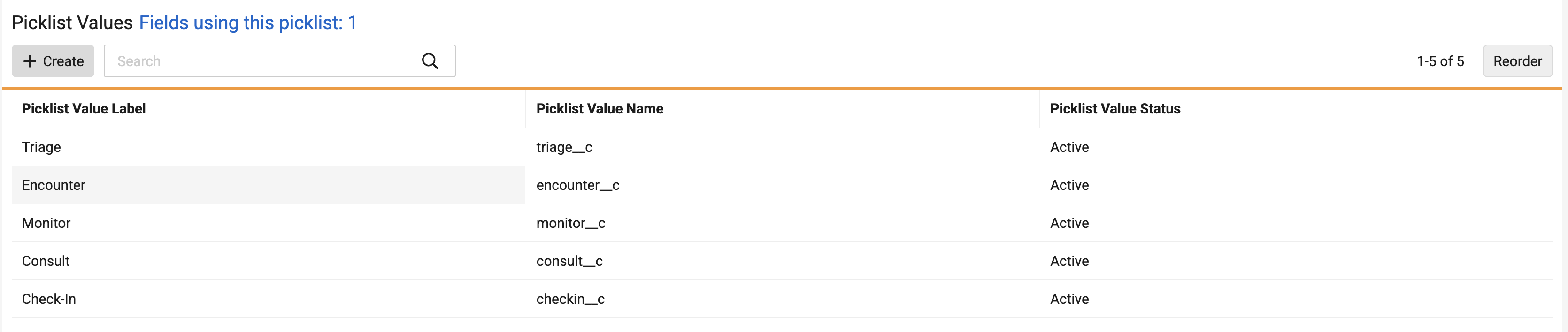
- Add the desired custom values to the alternative_channel__v picklist. For example:
- Add formula expressions to the channel_formula__v field to map Alternative Channel values to the appropriate standard Call Channel API names. For example:
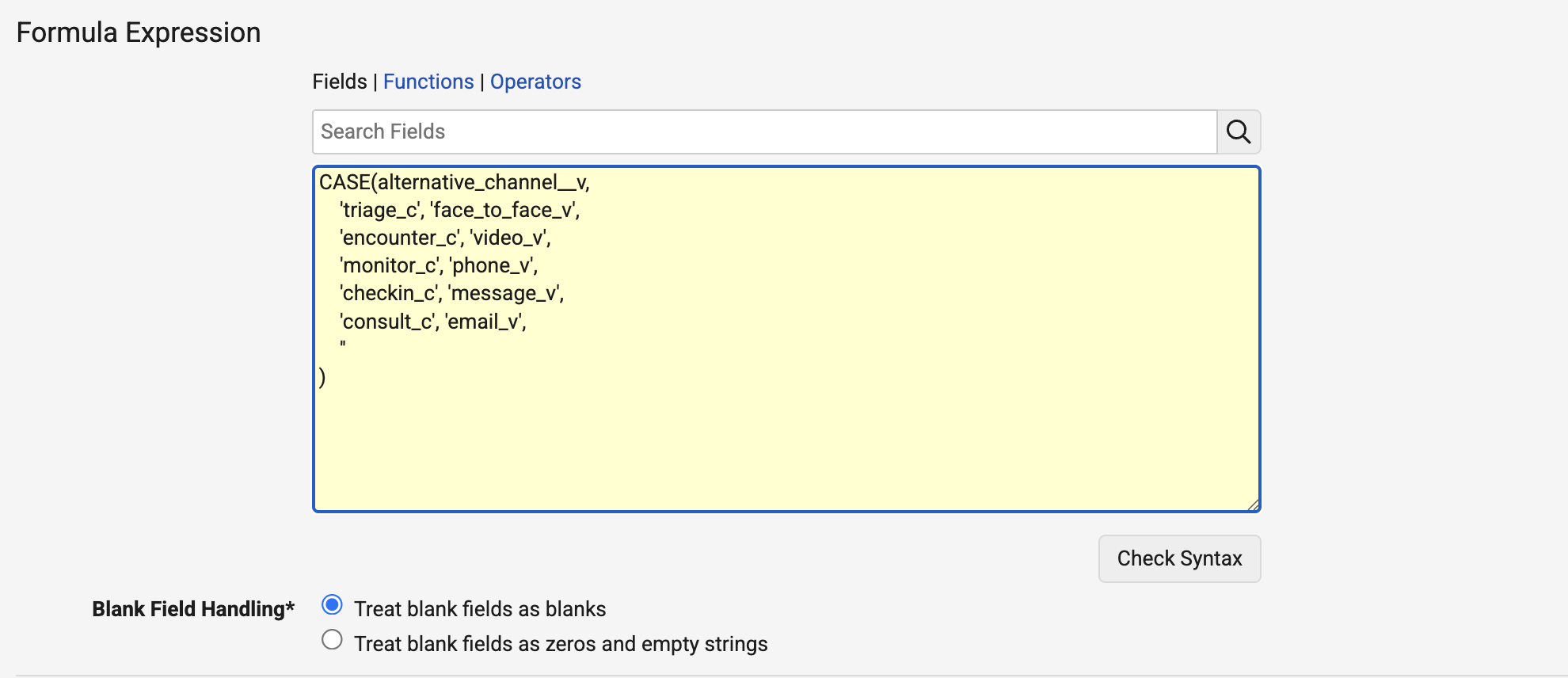
Admins must ensure the result of a channel formula is not a restricted call channel. The system does not block restricted call channel values when populated via the channel_formula__v field.
To disable Alternative Channels after it has been configured, deactivate the channel_formula__v field on the core_object_type__v object type on the medx__v object.
Using Alternative Channel Values for Medical Interactions as
Medical Users
Medical users can capture interaction details using alternative channel values tailored to the engagement.
To select an alternative channel on a Medical Interaction:
- Select Create Medical Interaction from a valid entry point.
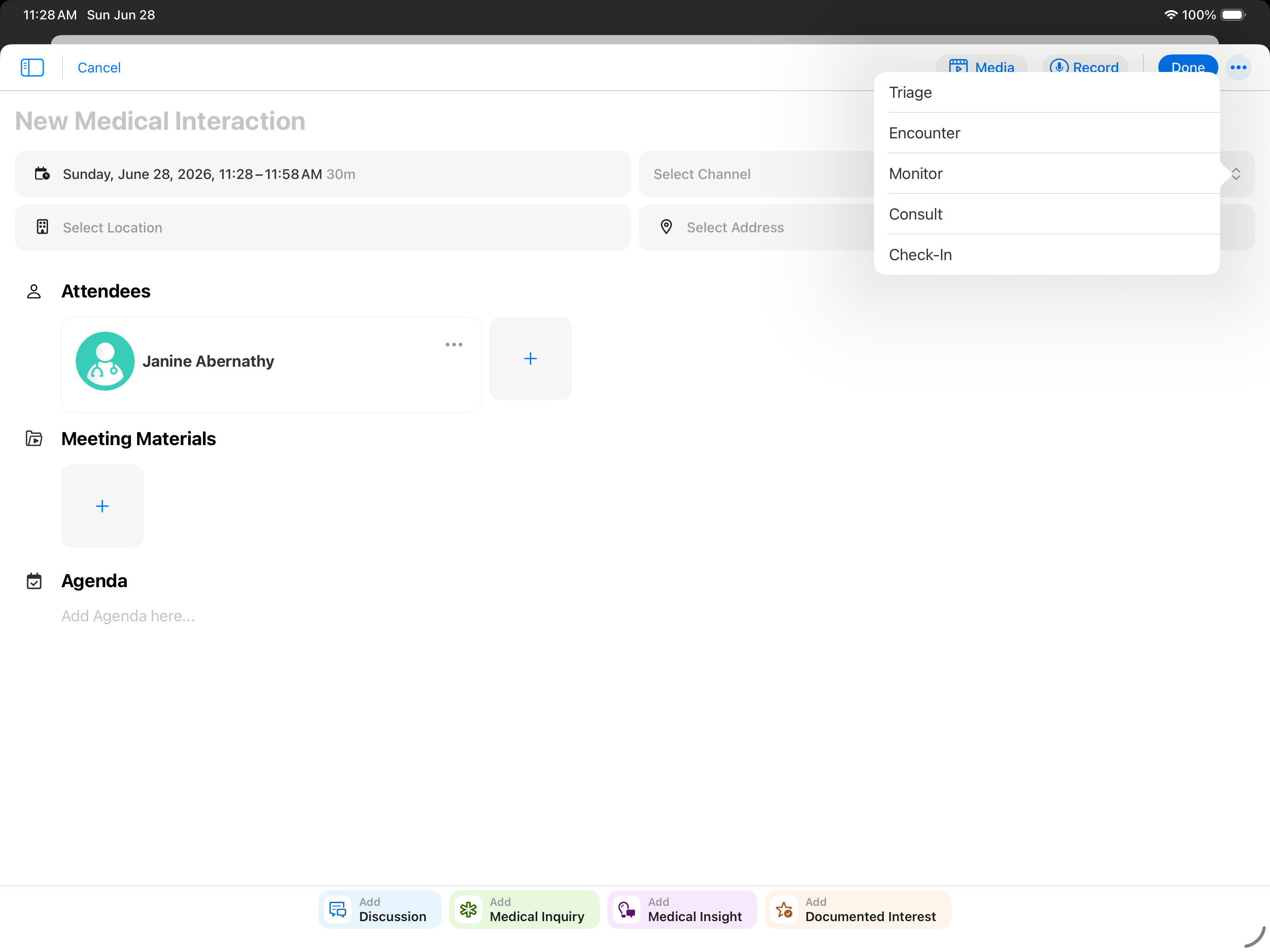
- Select the desired channel value from the Select Channel picklist.
Available channel values display based on the custom channels configured by the admin.
- Complete the rest of the interaction details.
- Select Save.

