Recording a Call from a Medical Inquiry
Medical Science Liaisons (MSLs) can record a call directly from a submitted Medical Inquiry record. This allows MSLs to quickly acknowledge or fulfill Medical Inquiries directly from Vault CRM, thereby improving communication, supporting compliant fulfillment, and enhancing the overall HCP engagement experience.
Who can use this feature?
- Medical Science Liaisons (MSLs) - Browser, iPad, Windows
- Using Record a Call from a Medical Inquiry
- Users do not require an additional license
Configuring Record a Call from a Medical Inquiry for
 MSLs
MSLs
To configure this feature:
- Ensure the following are configured:
- Navigate to Admin > Configuration > Objects > medical_inquiry__v.
- Select the Object Types tab
- Select Actions
- Select Edit Object Type Actions from the All Actions menu
- Select the record_call__v action checkbox for the appropriate object type
- Select Save
- Navigate to Admin > Users & Groups > Permission Sets.
- Select the appropriate permission set
- Select the Objects tab
- Select medical_inquiry__v
- Grant Execute permission to the record_call__v action
- Select Save
Recording a Call from a Medical Inquiry as
MSLs
MSLs can document HCP interactions by creating a call report from a submitted medical inquiry. This ensures continuity of context and saves time by pre-populating relevant fields. If there are multiple product inquiries, users can record a call from a specific inquiry.
To record a call from a medical inquiry:
- Navigate to a submitted Medical Inquiry record.
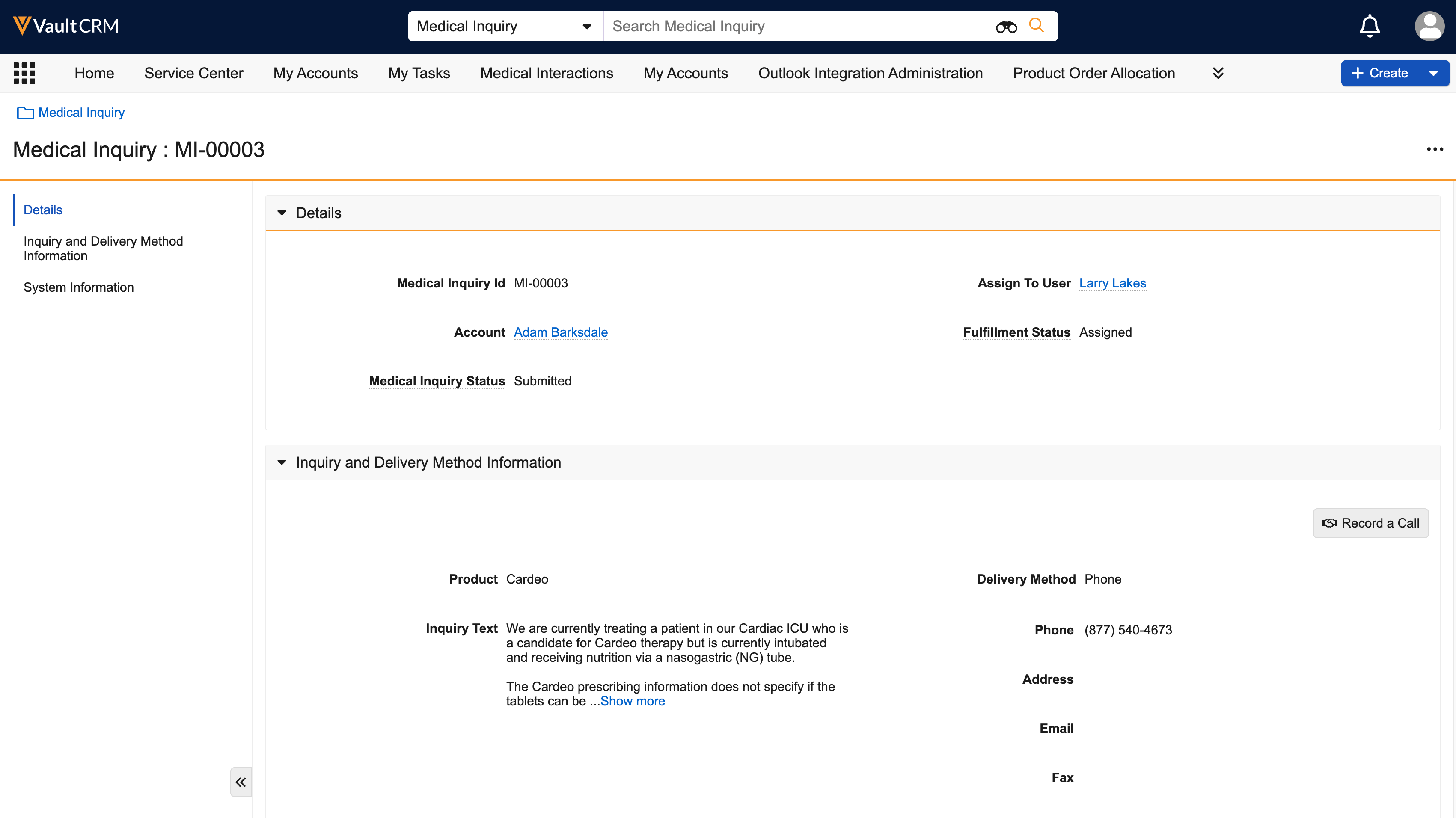
- Select Record a Call from the All Actions menu. If there are multiple product inquiries, select the Record a Call action from the specific inquiry section. The call report displays. The account__v and medical_inquiry__v fields are pre-populated based on the inquiry record, and the call_datetime__v is set to the current date and time.
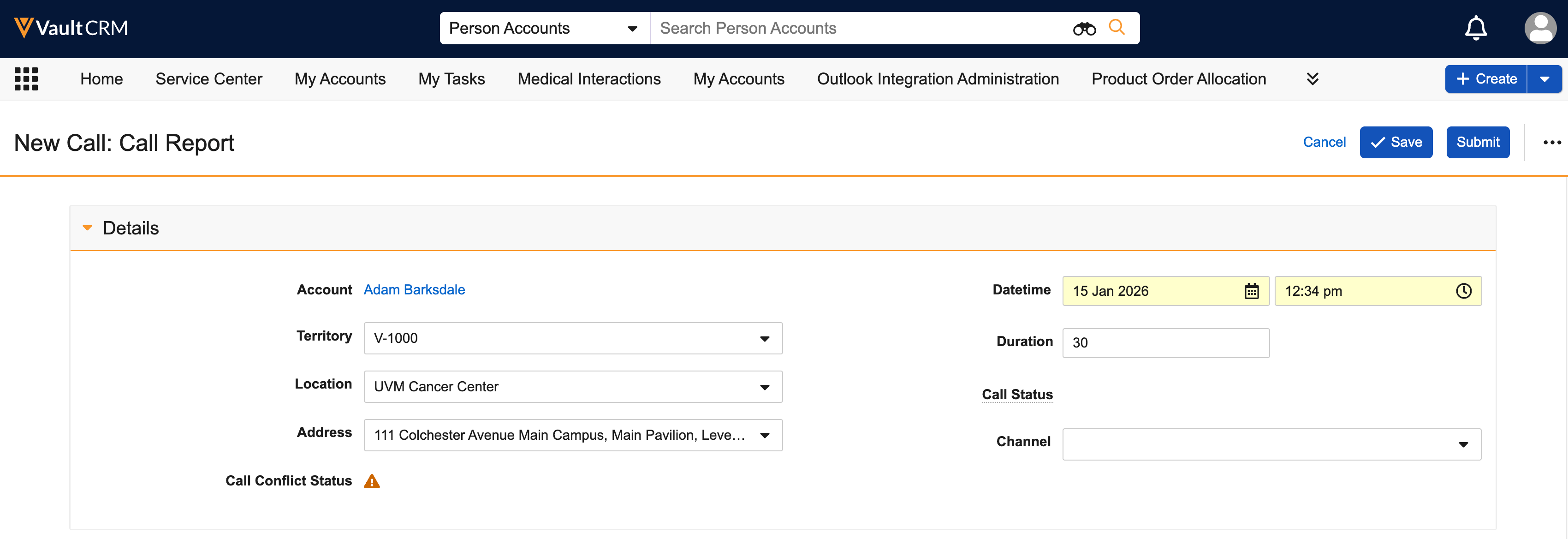
- Complete any remaining fields.
- Select Save or Submit.

