Editing Case Details in Patient CRM
Patient CRM users can view and edit Case details directly from the Case console’s Case Details tab. The Case console’s center pane surfaces case attributes to give users access to the complete case record without leaving the Case Details tab.
Who can use this feature?
- End Users - Browser
- Editing Case Details
- Users require a Patient CRM License
Configuring Editing Case Details in Patient CRM for
 All Users
To configure this feature, ensure Configuring Patient CRM is complete.
Editing Case Details as
End Users
Patient CRM users can edit Case details when the Case is in an active, non-terminal state. Cases in the Solved, Closed, or Canceled state are read-only and can not be edited.
To edit Case Details:
- Navigate to the Patient Center tab.
- Navigate to the appropriate case.
- Select the Case Details sub-tab.
- Select Edit.
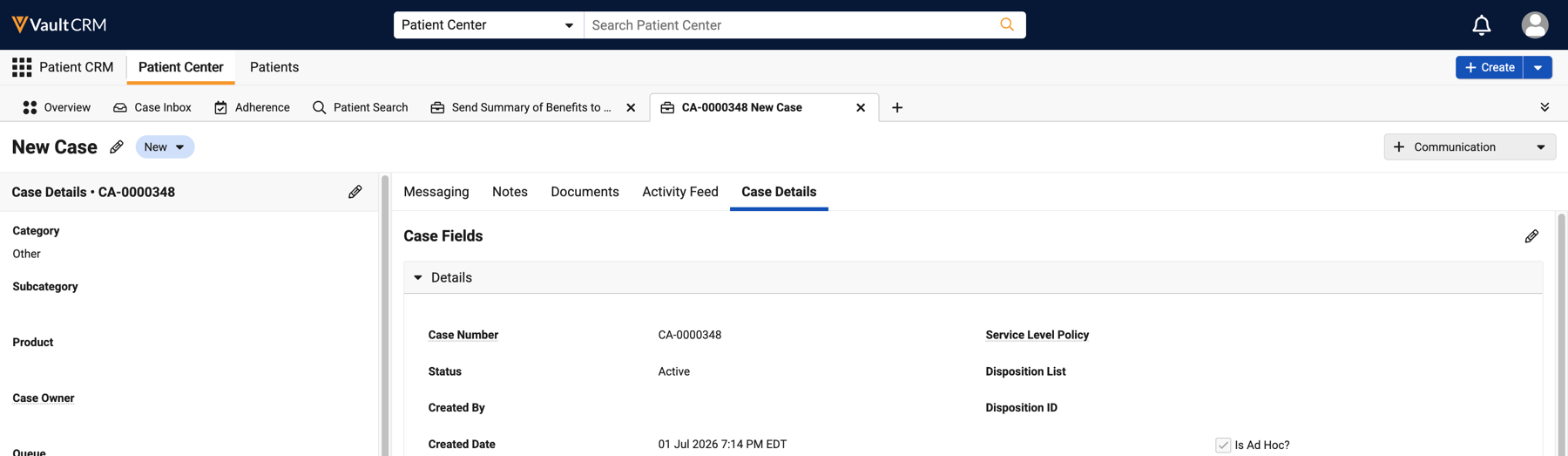
- Make the appropriate changes.
- Select Save.
Automatic Case State Transitions with Emails
A Case’s lifecycle state updates automatically based on inbound and outbound email activity. A system-generated comment is posted on the Case’s Activity Feed to reflect and log any automatic email-related Case state changes. See Replying to Emails in Patient CRM for more information.
- Inbound Emails - When a Case in the On Hold, Pending, or Solved state receives an email, the Case automatically updates to the Open state
- Outbound Emails - When an email reply is sent from a Case in the Open state, the Case automatically updates to the Pending state

