What's New in Patient CRM 26R1.2
The 26R1.2 release includes features for:
- Patient CRM
- Vault CRM
- Align
Release Dates
- Sandbox Release - May 21, 2026
- Production Release - May 28, 2026
New Fields and New Objects are also included.
Patient CRM
Five9 for Patient CRM - Available on Browser
Five9 for Patient CRM streamlines communication by providing an embedded interface to answer, disconnect, hold, and transfer calls without leaving the Vault CRM application. Users benefit from real-time access to interaction history and account data while engaging with callers, which increases efficiency and improves the accuracy of communication records.
User Visible and Behavior Changes (UVCs)
Most new functionality requires some configuration, however users are able to use the following functionality immediately. Select the thumbnail to view a larger image.
Patient CRM
|
Platform |
Description |
Before |
After |
|---|---|---|---|
|
Browser |
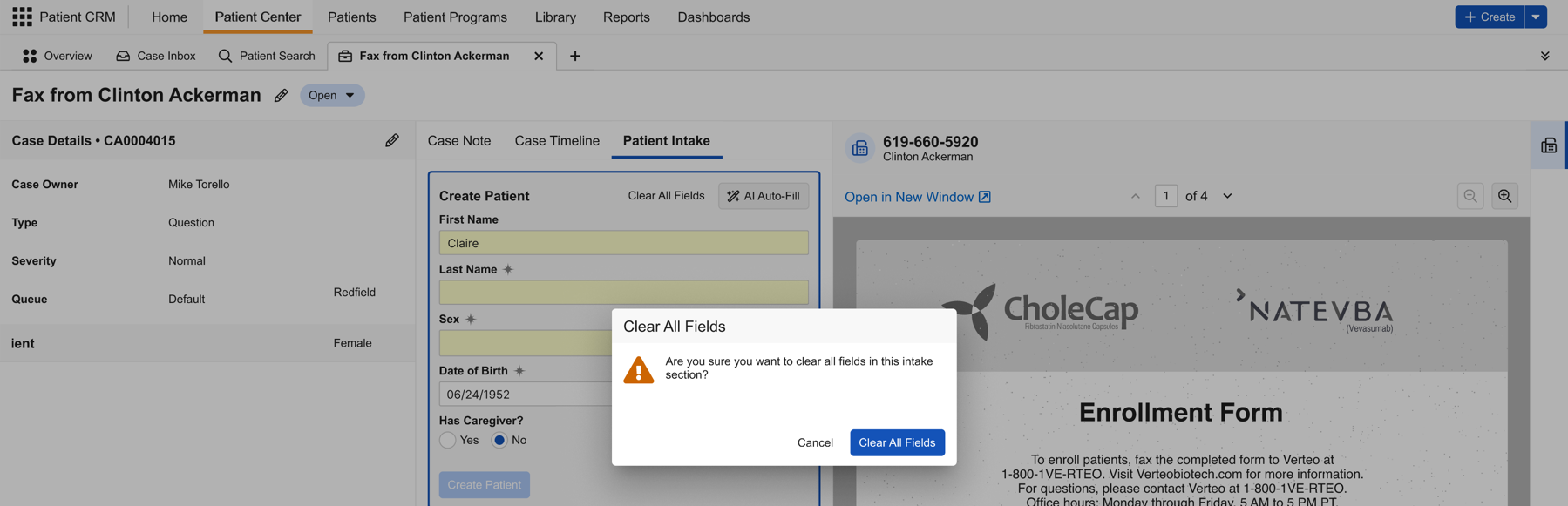
During new patient intake, the Clear button is replaced with the Clear All Fields button. Selecting this button displays a confirmation modal before deleting populated fields. |
n/a |
|
|
Browser |
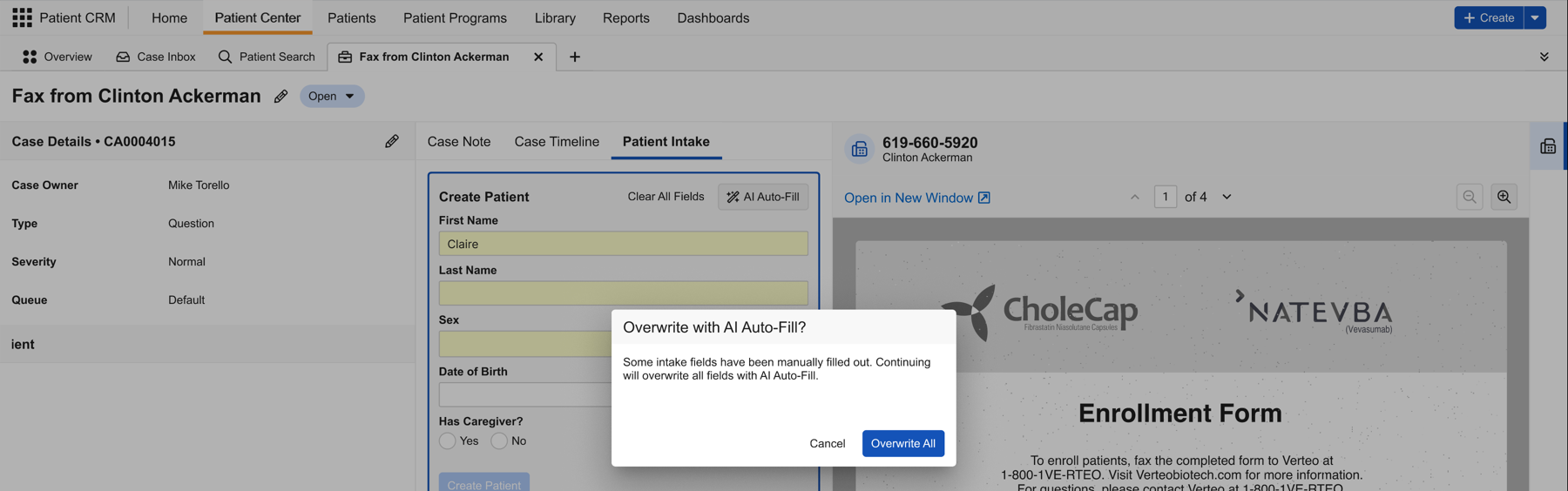
Selecting AI Auto-Fill when fields contain manually populated data now displays an Overwrite with AI Auto-Fill confirmation modal before deleting populated fields. |
n/a |
|
|
Browser |
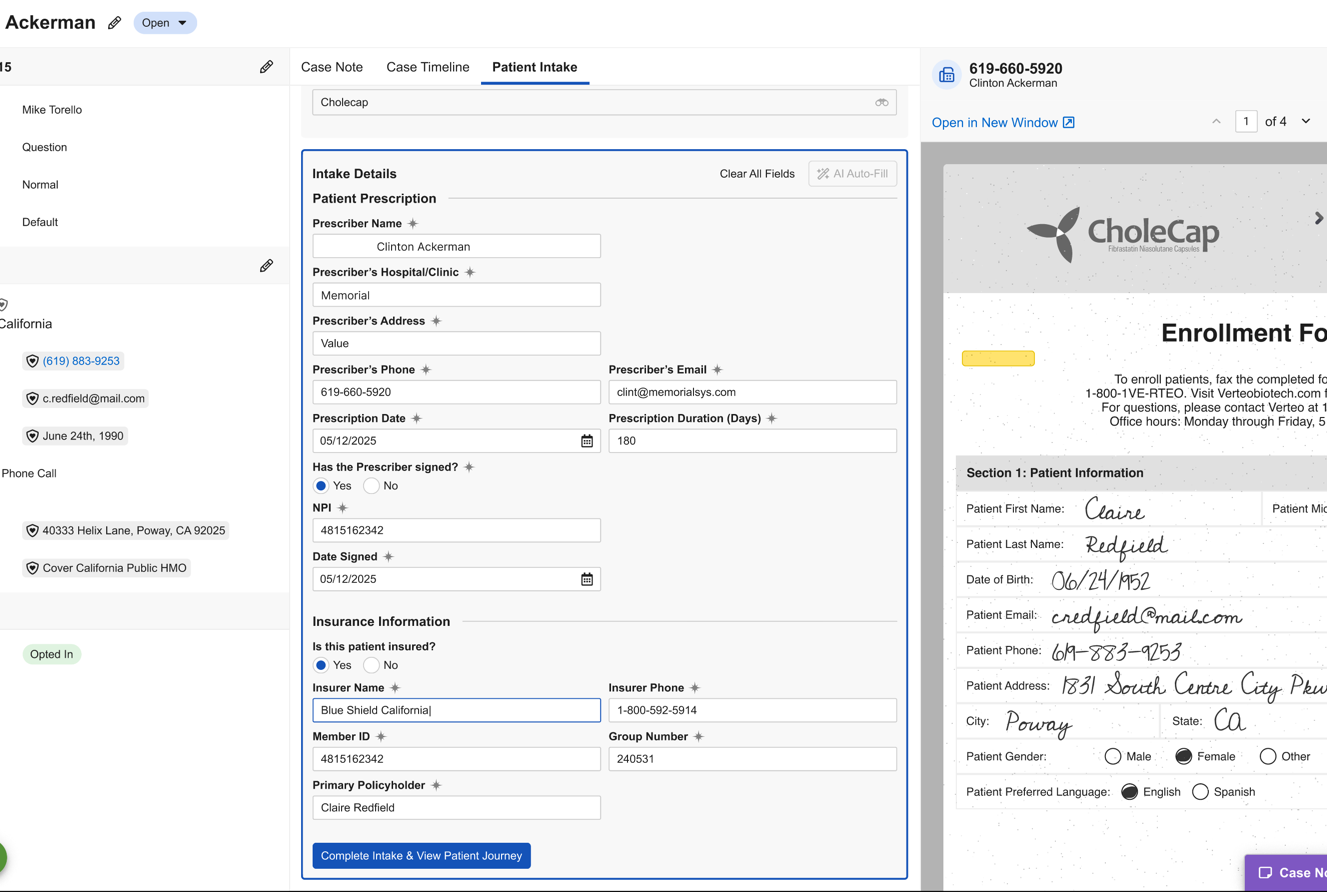
AI Auto-Fill now populates the Program Authorization and HIPAA Authorization fields during new patient intake. |
n/a |
|
|
Browser |
Refreshing the Case Inbox now loads new inbound faxes. |
n/a |
n/a |
|
Browser |
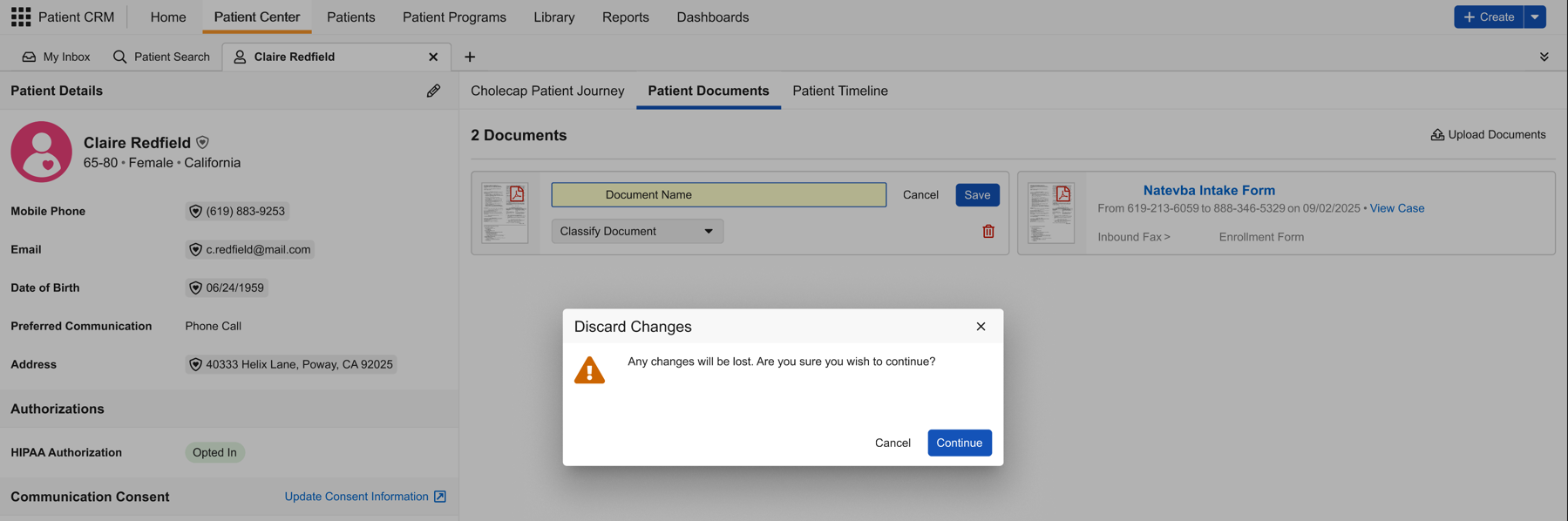
Ongoing edits to Patient Document cards and Case Document tabs are now maintained when navigating to sibling sub-tabs. A confirmation modal displays when closing the sub-tab. |
n/a |
|
|
Browser |
Inbound faxes used during patient intake now automatically classify with the Enrollment Form subtype upon completion. |
n/a |
n/a |
|
Browser |
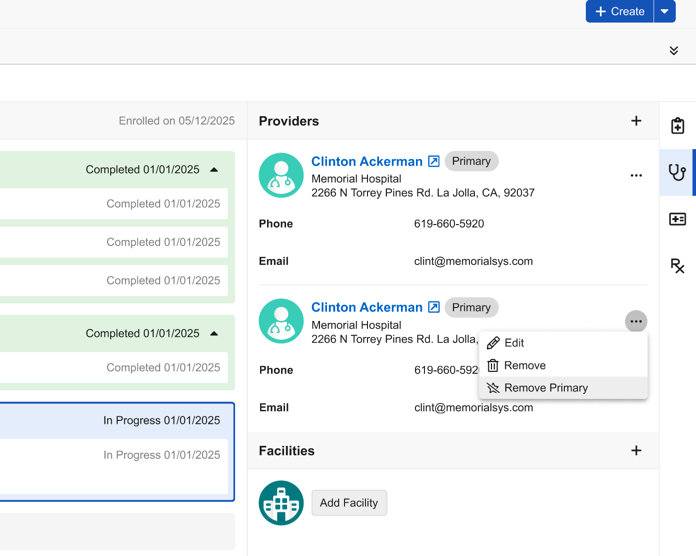
The Providers and Facilities menu now includes a Remove Primary option for providers and facilities where Primary? is set to Yes, enabling users to remove primary designation directly. |
n/a |
|