What's New in Vault CRM 26R1.2
This topic provides information about the Vault CRM 26R1.2 release, including important dates and release announcements.
All dates listed are subject to change.
Dates to Remember
- May 14, 2026 – Release Notes available
- May 21, 2026 – Sandbox Release
- May 28, 2026 – Production Release
Release Notes
The following items are now available:
- What's New in Vault CRM 26R1.2:
- Announcements
- Core
- Vault AI in CRM
- Align
- Approved Email
- Campaign Manager
- Engage
- Events Management
- Service Center
- User Visible and Behavior Changes (UVCs)
- Additional Resources
- What's New in Patient CRM 26R1.2
- 26R1.2 Maintenance Notes
This release includes features from the 261.0.30 weekly release.
Announcements
26R1.2 Release Notes Podcast
We’ve added an AI-generated podcast that walks you through the highlights of the 26R1.2 release. Give it a listen and let us know what you think using the Feedback button.
External Calendar Event Field Removals
The following unused fields on the external_calendar_event__v object will be removed from the Vault CRM data model with the 26R2.0 release:
- is_online_meeting__v
- meeting_join_url__v
- occurrence_id__v
- online_meeting_url__v
To prepare for removal, any values stored in these fields are deleted with the 26R1.4 release.
Free Text Agent Renamed to Text Monitoring Agent
The Free Text Agent is renamed to the Text Monitoring Agent. Data model elements are not affected by this change.
Microsoft Outlook Integration: Transition to Core System User by 26R2.2
All new Vault CRM instances provisioned after 26R1.0 automatically use the Core System User for Microsoft Outlook integrations. If your Vault already has a Microsoft Outlook integration enabled with a customer-managed Integration User, here’s what you need to know before switching to the Core System User:
- System users have limited field access by default. Your current configuration may need to be updated to maintain full data sync between Microsoft Outlook and My Schedule.
- Review what will be synced. Before switching, check what is synced from Microsoft Outlook to My Schedule when using the Core System User and update your configuration as needed.
Core
Account Management
Adding Accounts to Vault CRM from Link Key Accounts - Available on Browser, iPad, and iPhone (Available June 1, 2026)
Key Account Managers (KAMs) can research and add new accounts to their Vault CRM territory seamlessly, using a direct link from Link Key Accounts to a Global Account View page in Vault CRM. This eliminates manual ID copying and leverages Global Account Search (GAS) or Network Account Search (NAS) when adding the account.
Account Hot Lists - Available on Browser and iPad
Business admins define Hot Lists to communicate to users which accounts are currently the highest priority for a specific territory. End users can access these Hot Lists on a dedicated tab to focus their work on the highest-priority accounts.
The Data Source field is populated on new records added from Network Account Search and Data Change Requests to indicate the origin of HCP and HCO identities on Account, Child Account, and Address records. This helps distinguish between data associated with Veeva, IQVIA, other third-party providers, or customer-managed sources. Admins are prevented from creating a new Network Field Mapping that conflicts with the implicit mapping so that the Data Source field is populated correctly.
Business Events
EPPV and PI Business Event Tracking - Removed June 18, 2026
Call Planning
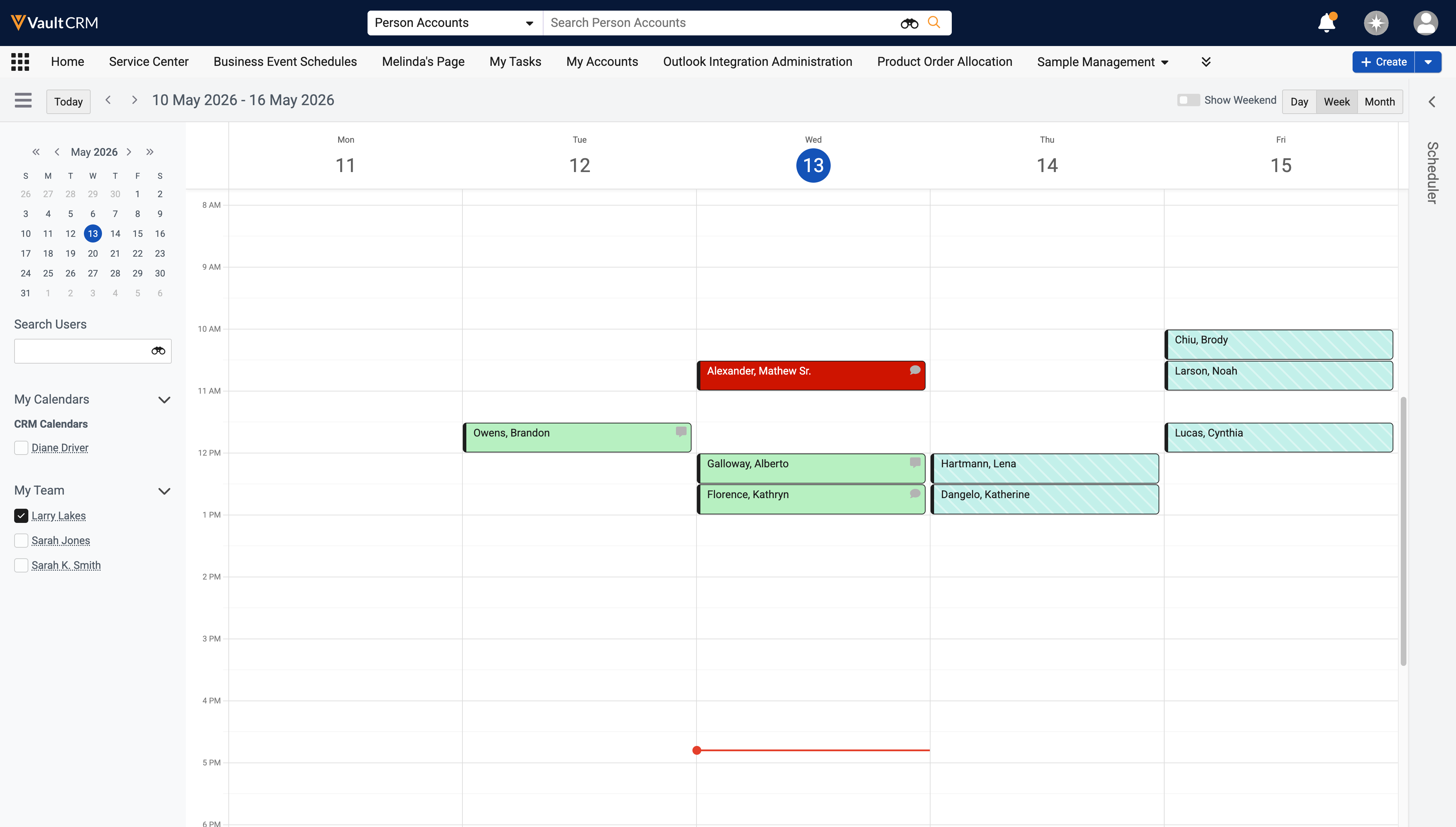
Refining Shared Calendars or Manager Views in My Schedule - Available on Browser
For clearer focus on a shared calendar or when viewing reports’ calendars in Manager View, managers and end users can deselect their own calendars in the My Calendars section of My Schedule. This enables them to only see calendar entries from the other user's calendar. To view their own entries again, the end user or manager can simply reselect their own calendar.
Call Sampling
Supporting State Distributor License Validation - Now available on Browser
To help reduce the compliance burden for users and organizations, State Distributor license information can be automatically validated for call reporting on the Browser . Some states require an additional State Distributor license for businesses that store and distribute certain pharmaceutical products.
Selecting an Address for State Distributor License Validation - Now available on Browser
Selecting an address for State Distributor license validation enables Browser users to disburse samples even if there is not an exact match between the selected HCP and Call Location addresses.
Displaying the State Distributor License Status Indicator - Now available on Browser
For efficiency in call reporting, the State Distributor license indicator enables Browser users to quickly and easily see whether an account’s State Distributor license is valid. When users record a call in a state where a State Distributor license is required, the indicator displays the status of the license on the call report.
CLM
CLM as Document Model - Now available on iPhone
CLM as Document Model leverages the built-in content capabilities of the Vault Platform for CLM content within Vault CRM. This transitions from the legacy object model to a standard Vault document and binder architecture, aligning with PromoMats and MedComms. By storing CLM presentations, slides, and shared resources as documents, customers can leverage core Vault platform capabilities, including lifecycles and robust security controls.
Integrating CLM content with Vault CRM data allows seamless information capture during customer interactions. By using specific JavaScript functions, content creators can automate record creation and updates directly from the presentation, ensuring that valuable field insights are captured without interrupting the end user's workflow.
Sharing Documents with Users via My Setup Products and Content Groups – Available on Browser
Content admin users can automatically assign document roles to end users according to My Setup Products and Content Groups using the Content Alignment Sharing Document Type Group, ensuring end users only have access to the documents associated with their aligned products and groups. This keeps libraries for end users organized and compliant while eliminating the need for manual role assignments.
Using gotoSlideV2 for Slide Navigation for CLM as Document Model - Available on iPad and iPhone
Content creator users can use the gotoSlideV2 JavaScript function to navigate to other slides within the same presentation or in other presentations, or to directly launch a specific slide. This allows content creator users to develop dynamic and interactive content for end users.
Tracking CLM Call Clickstream Activity for CLM as Document Model - Available on iPad
When displaying CLM content from a call, CLM activity is automatically tracked after users exit the media player. This allows users to analyze how content was received by viewers and provide data to content creator users to improve that content. CLM activity can include survey questions and responses, displayed key messages, HCP reactions to slides, and detailed products, as well as custom data defined by customers.
Commercial Insights
Commercial Insights - Available on Browser and iPad
Commercial Insights allows end users to gather and record valuable information on industry trends and HCP sentiments and behaviors. Commercial teams can use this information to analyze market patterns and adapt their strategies based on real-world data.
Data Lakehouse
Viewing HCP Chat Messages in the Data Lakehouse – Available on Browser
To provide customers with visibility to WhatsApp Business messages in the Data Lakehouse, chat messages are exposed in a table named chat_message_transcript__z. Each row in the table represents an individual message.
Integration
Extended Country Field for Network Mapping and DCR - Available on Browser
Extended country field support for Network Mapping and DCR field types allows system administrators to maintain a single global configuration for DCR Field Type and Network Mapping records by increasing the character limit for country fields from 255 to 1,000. This expansion supports up to 333 semicolon-delimited ISO country codes, eliminating the need for redundant regional configurations and ensuring full compatibility with global data sets like OpenData.
Network Account Search in My Accounts - Available on Browser
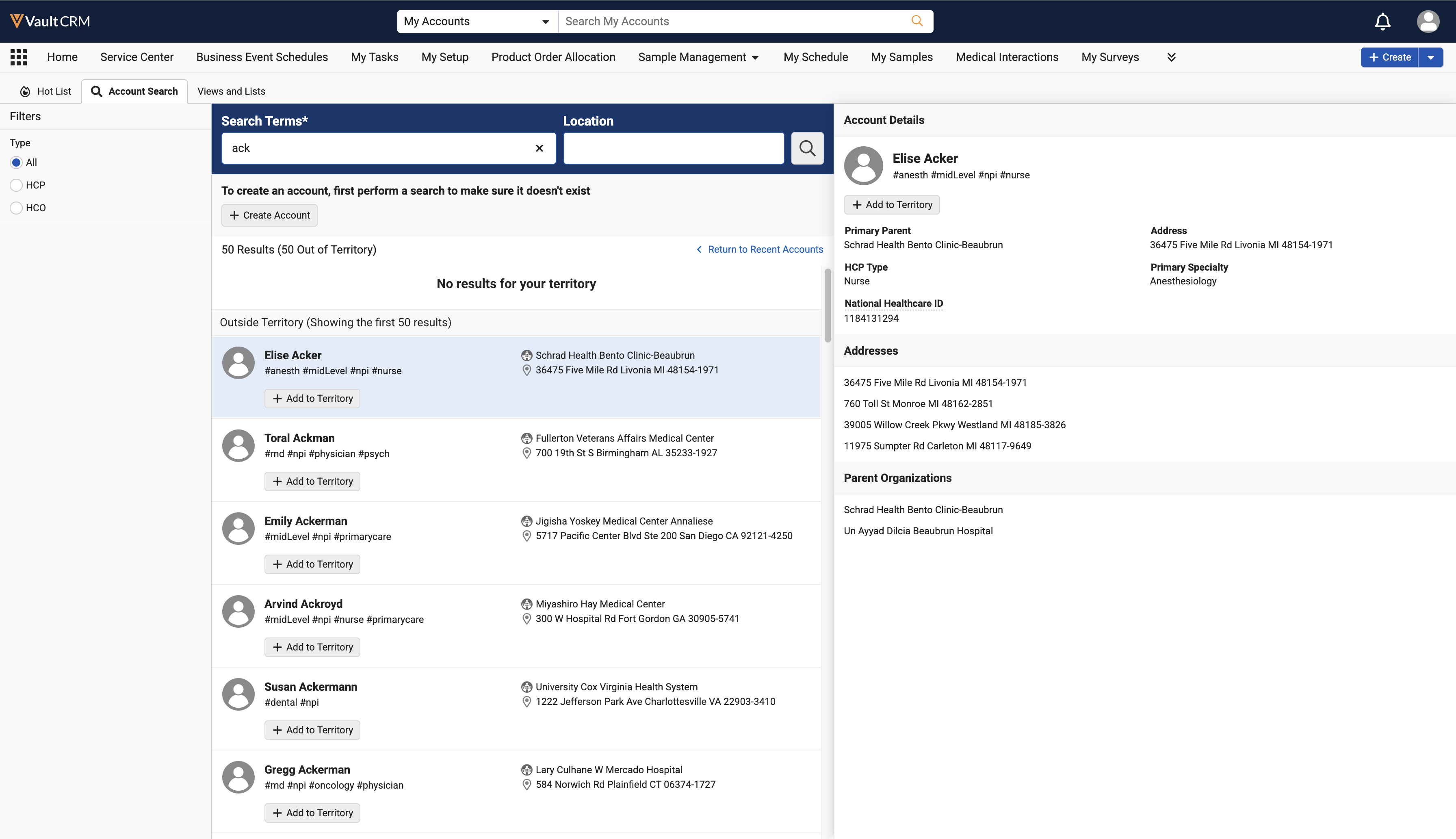
Searches in My Accounts include results from Network Account Search (NAS), if enabled, allowing users to search for in-territory and outside-territory records simultaneously. By integrating real-time results from Veeva Network MDM and OpenData directly into the account search workflow, users can quickly differentiate between local and global records, apply specific country or account-type filters, and efficiently initiate Data Change Requests (DCRs) for new accounts.
Inventory Monitoring
Inventory Monitoring Reports - Now available on Browser
Inventory Monitoring reports provide key information for users conducting store checks. Using X-Pages content, these reports include real-time information that helps users complete their store check and strategize how to gain more favorable display conditions for their products— for example, calculations of shelf share and product placement in comparison to competitor products, store check history for an account, and trends over time.
Medical
Vault Medical Insights Integration - Available on Browser
Vault CRM users can record medical insights captured from conversations with medical professionals and synchronize them directly with Veeva Medical Insights (VMI). This integration ensures that medical insights are accessible across platforms, eliminates the need to switch between applications, and enables tagging of Link Experts, Congresses, and Trials directly within Vault CRM.
Multichannel Cycle Plan
Child Account Support for Viewing Active MCCP Target Accounts - Available on Browser, iPad, and Windows
To effectively plan activities and achieve MCCP goals, users can generate Account Views of active target accounts for use in My Accounts and My Schedule, including active Child Account targets. Managing active target accounts and planning timely interactions are critical to meeting MCCP goals.
Order Management
Order Reports - Now available on Browser
Order Reports provide relevant, real-time information for users negotiating pharmacy sales. Using X-Pages content, reports can be configured to display specific product groupings, order history, and order trends over time, giving users the information they need to successfully negotiate an order.
Print Order - Available on Browser
End users can generate a printable view of an order directly from the order record. The printable view presents Order Header and Order Line information in a clean, structured layout optimized for printing and sharing, eliminating the need to manually compile order details.
Vault AI in CRM
Agentic Insight Quality - Available on iPad
Agentic Insight Quality is an AI-powered collaborator built directly into the Medical Insight workflow. It acts as a real-time coach, helping users transform raw observations into structured business intelligence. By providing immediate feedback against organizational standards, the agent ensures that every insight submitted is a valuable asset for the company.
The following Agentic Insight Quality functionality is available:
Agentic Text Monitoring for Home Office - Available on Browser
Agentic Text Monitoring for Home Office intelligently analyzes text in submitted records to identify potential compliance concerns. This agent’s powerful AI capabilities act as a force-multiplier for home office oversight by using AI to understand natural language in context, enabling fast, detailed review across Vault CRM records.
The following Agentic Text Monitoring for Home Office functionality is available:
Capturing Call Text with Agentic Text Monitoring - Now available on Browser
On the Browser platform, Agentic Text Monitoring uses AI to intelligently monitor information entered in the Call Text field. This enables end users to capture detailed, unstructured descriptions of their interactions with HCPs directly in Vault CRM, while ensuring they remain compliant with regulations and company policy.
Media AI in the CLM Media Library - Available on iPad
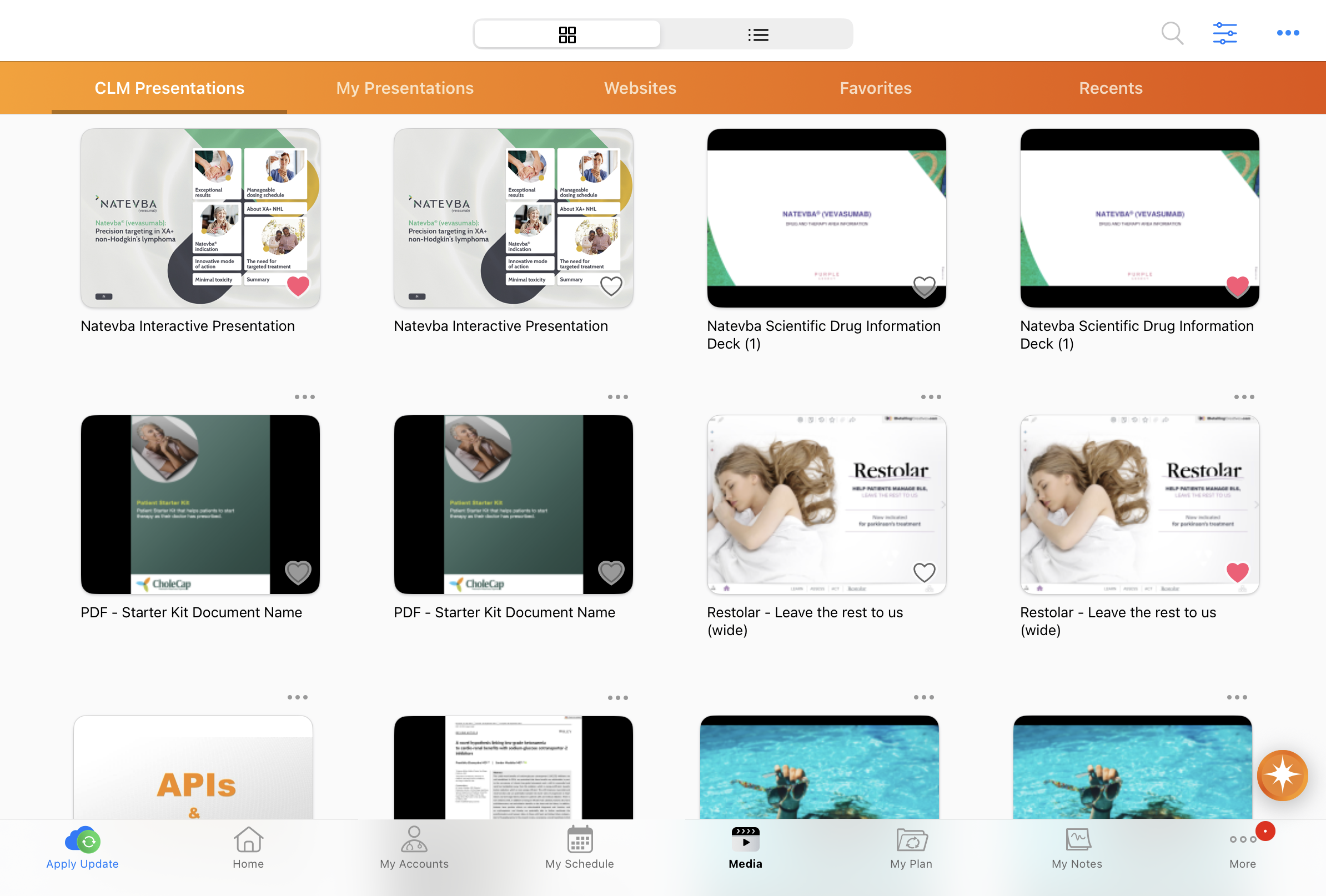
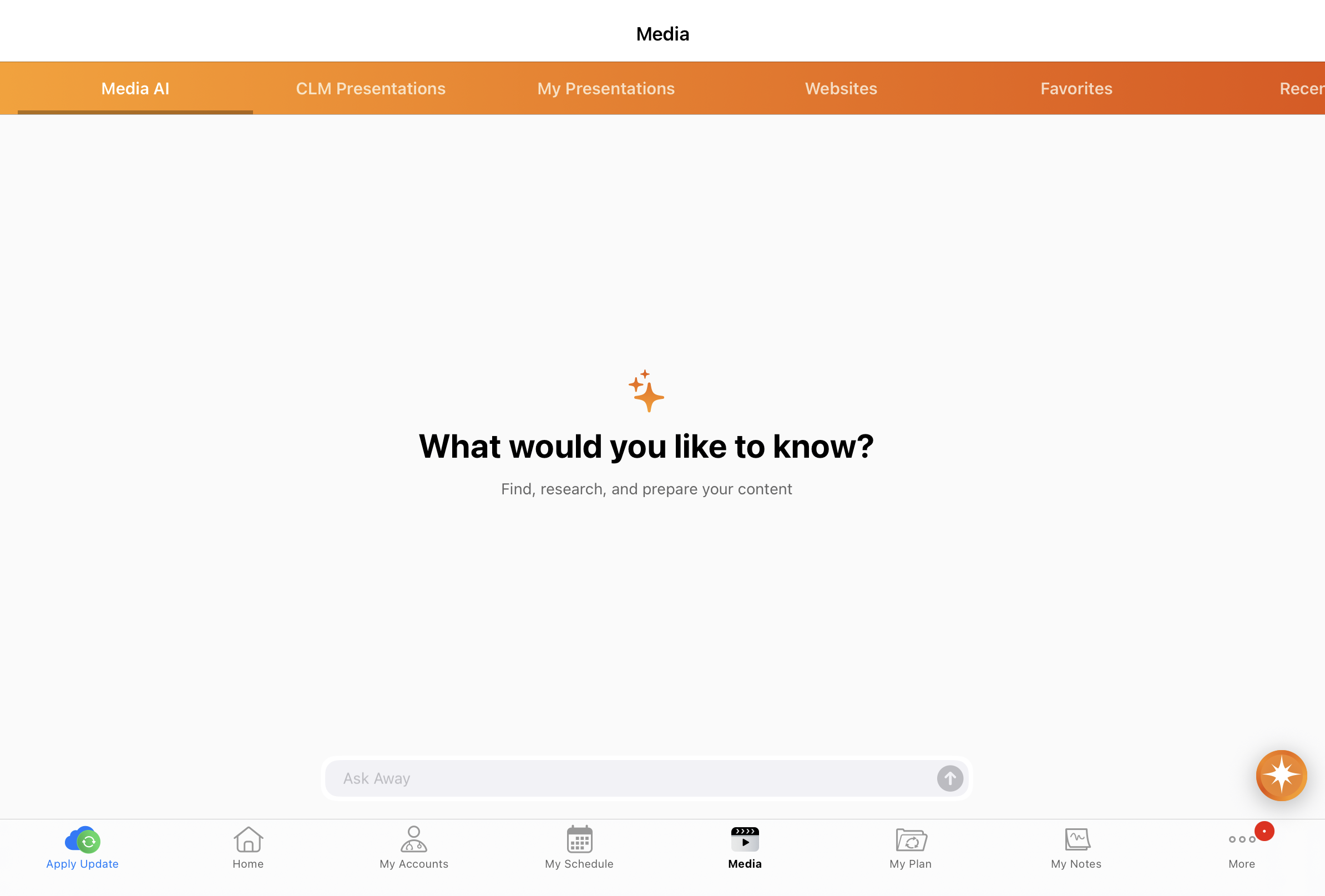
Media AI embeds an AI search interface in the CLM Media Library, allowing users to easily locate content and answer questions with Agentic Media’s powerful AI capabilities. With a simple question, users can execute AI-powered contextual searches across their available CLM content. Agentic Media intelligently analyzes the content and returns robust responses with links to the relevant slides.
Agentic Voice for Call Key Messages - Available on iPad and iPhone
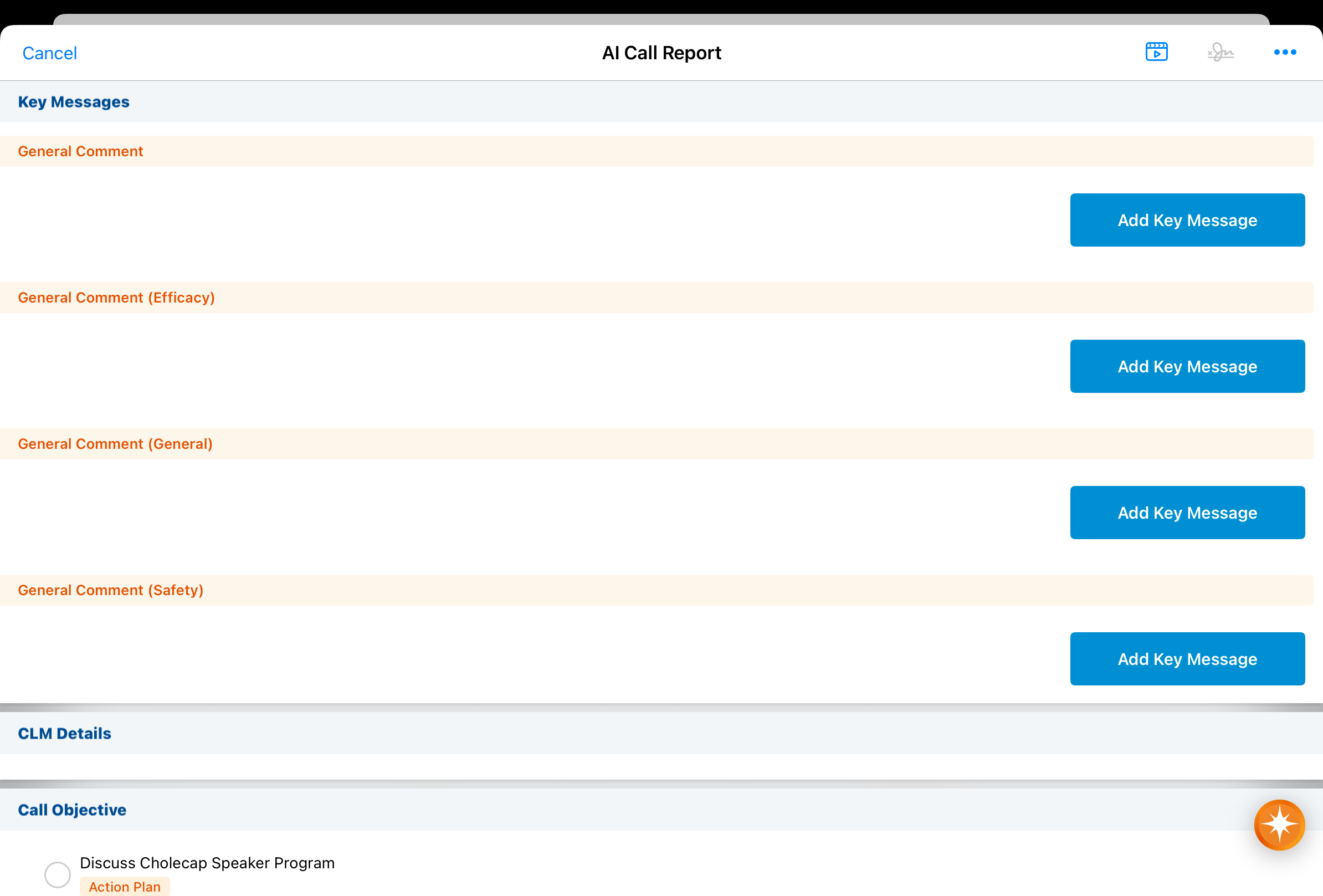
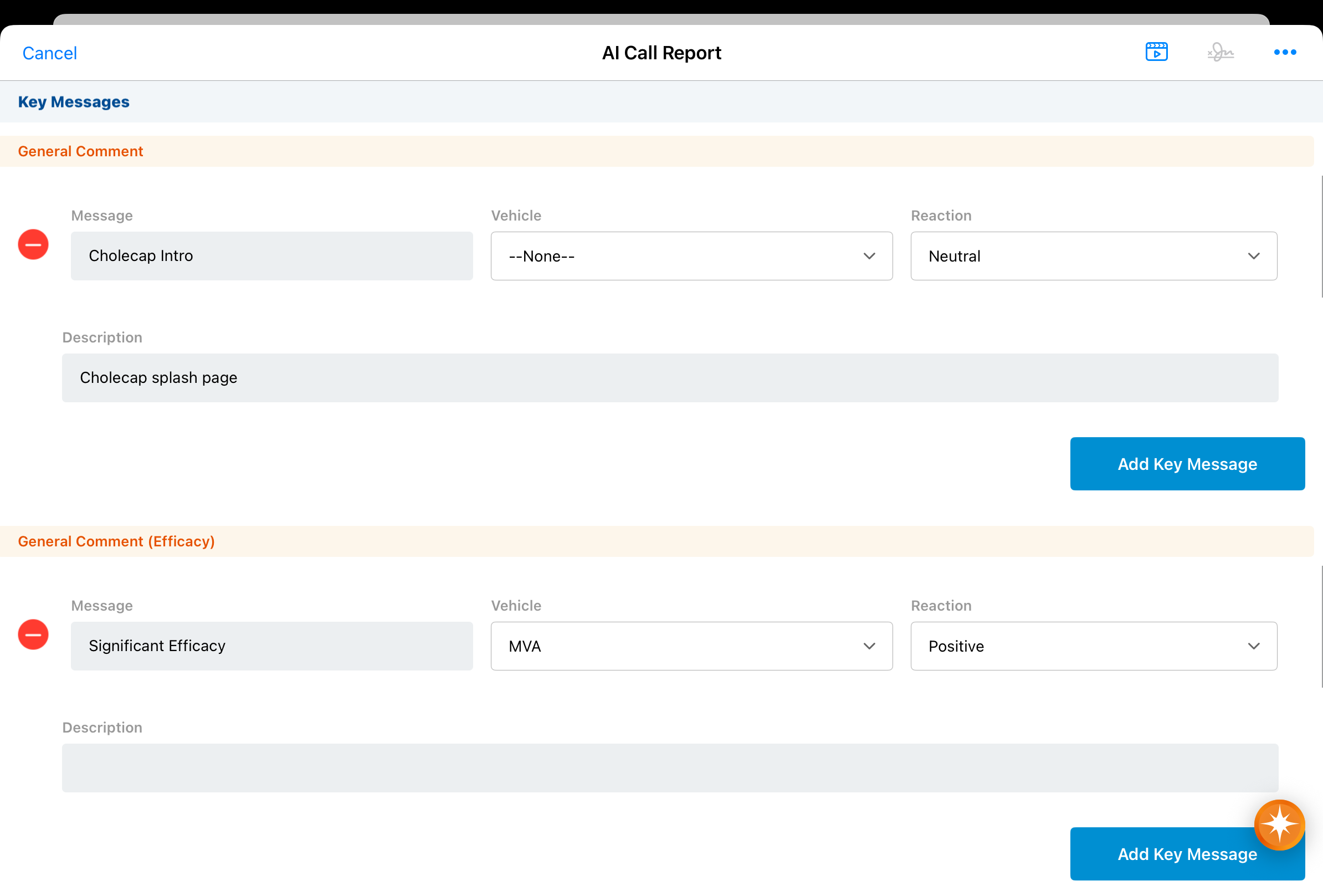
Agentic Voice now automatically selects Key Messages, reactions, and vehicles based on the user’s audio input. This helps capture the full context of the user’s interaction with an HCP, informing future visits.
Align
Preventing Users from Adding Restricted Products - Available on Browser
Align operations users can prevent an account’s restricted products from being assigned to them in various places throughout Align, avoiding compliance risks and eliminating the need for manual removal. For example, Align Operations Users are prevented from assigning a restricted product to an account when data loading, and during targeting rule execution.
Shared Targets in Territory Feedback - Available on iPad
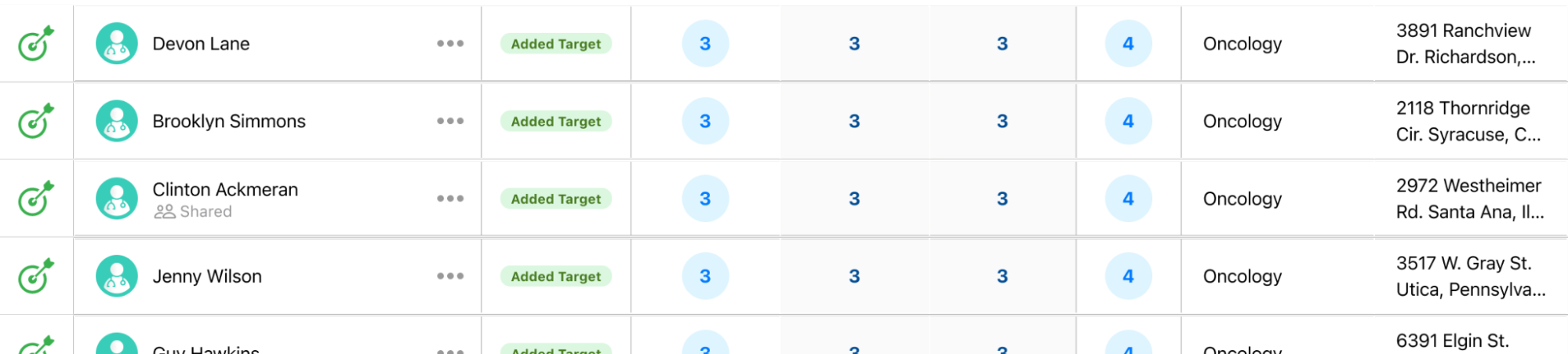
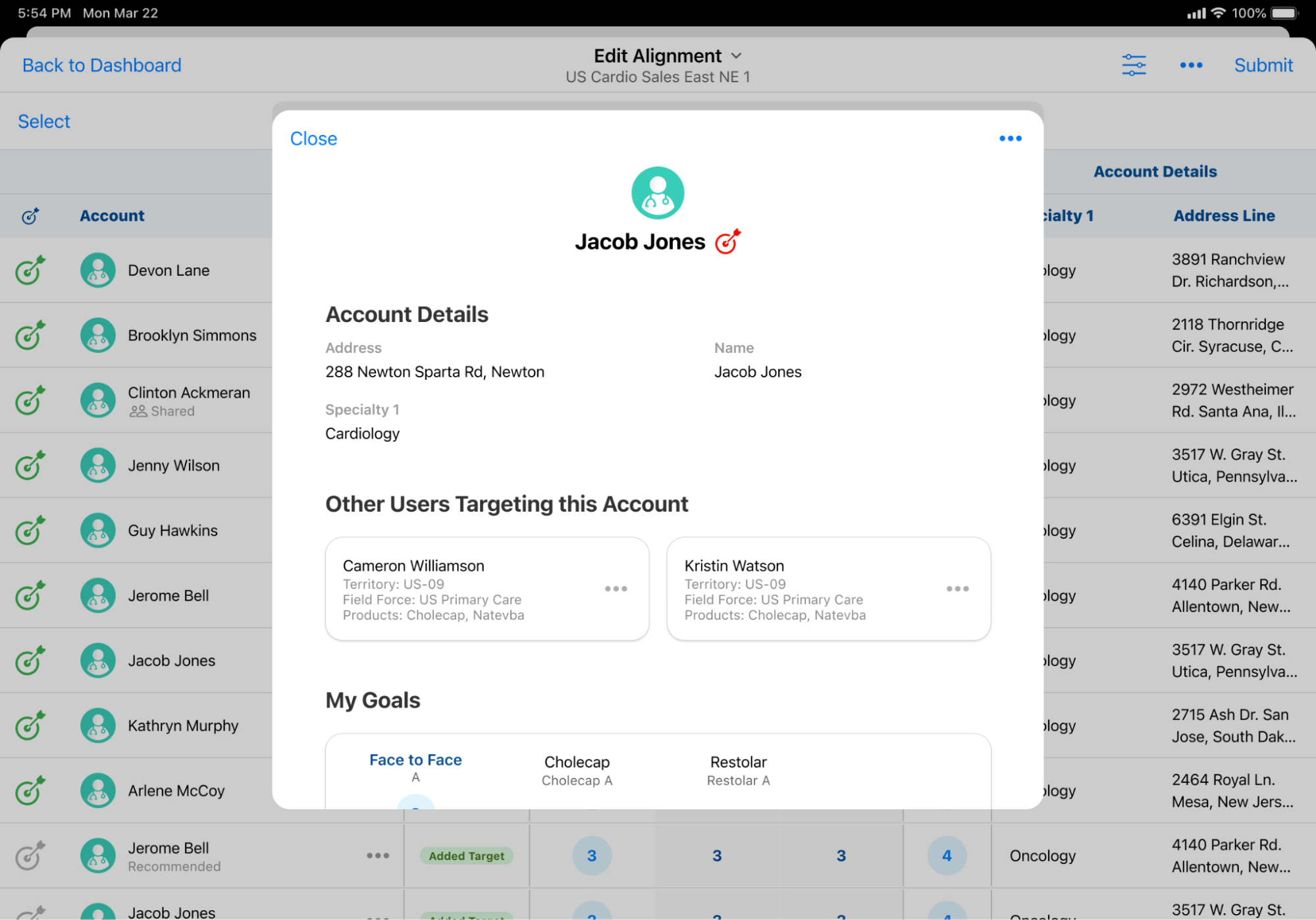
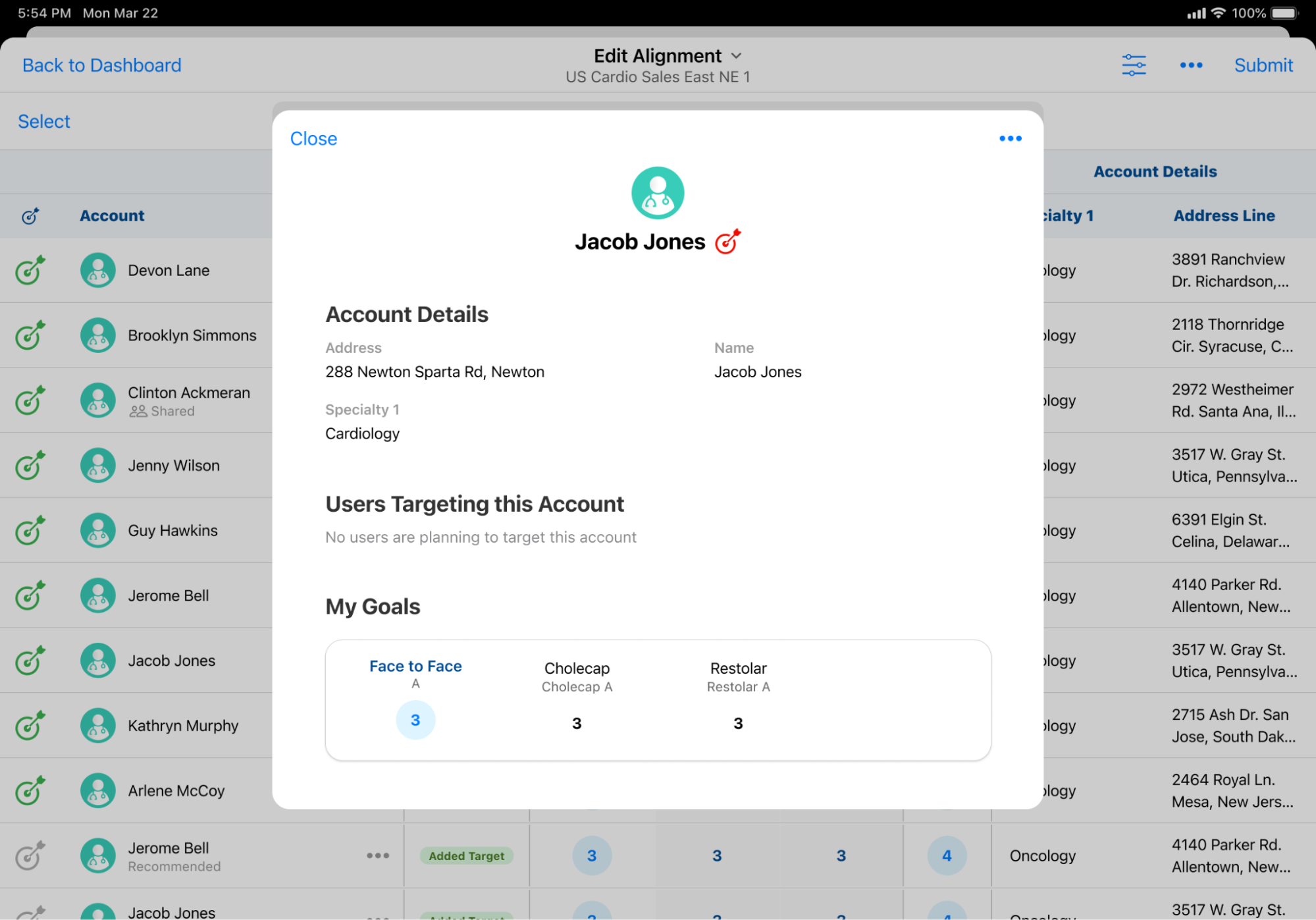
To help users make informed decisions during cycle planning, a visual indicator in the Edit Alignments table informs users when they have a target account in common with another user. They can also use the new Other Users Targeting This Account section on Account Profiles to view the list of other users targeting the account, as well as the products those users have goals for.
Approved Email
Sharing Documents with Users via My Setup Products and Content Groups – Available on Browser
Content admin users can automatically assign document roles to end users according to My Setup Products and Content Groups using the Content Alignment Sharing Document Type Group, ensuring end users only have access to the documents associated with their aligned products and groups. This keeps libraries for end users organized and compliant while eliminating the need for manual role assignments.
Campaign Manager
Managing Marketing Consent – Available on Browser, iPad, and iPhone
To accelerate customer onboarding and ensure data integrity, business admin users can create consent headers that decouple consent for marketing emails from consent for other Approved Email communications. This enables HCPs to unsubscribe from marketing emails only, and still receive other emails sent by field users.
Adding Targets to Journeys with APIs – Available on Browser (Available May 28, 2026)
To automatically route interested HCPs into journeys, marketing users can add targets from external applications using a secure REST API endpoint.
Engage
Engage System User for Asynchronous Remote Signatures - Available on Browser
To simplify configuration and eliminate the need to manage a separate integration user, Engage remote signature methods now use a single Veeva-managed Engage System User instead of customer-managed integration users. The system user requires Read permission for call2__v object types used for capturing asynchronous remote signatures.
Sharing CLM Content via Web Link - Now available on Windows
End users on Windows can use social messaging apps to share links for CLM content published in PromoMats/MedComms, including auto-published content, binders and slides, and custom presentations. Content accessed from a web link displays in the HCP Content Player. Any action the recipient takes on the link and any engagement with the content is tracked on Email Activity records, allowing admins to analyze engagement with specific presentations to improve CLM content. Sharing web links via Approved Email is not supported on Windows.
Events Management
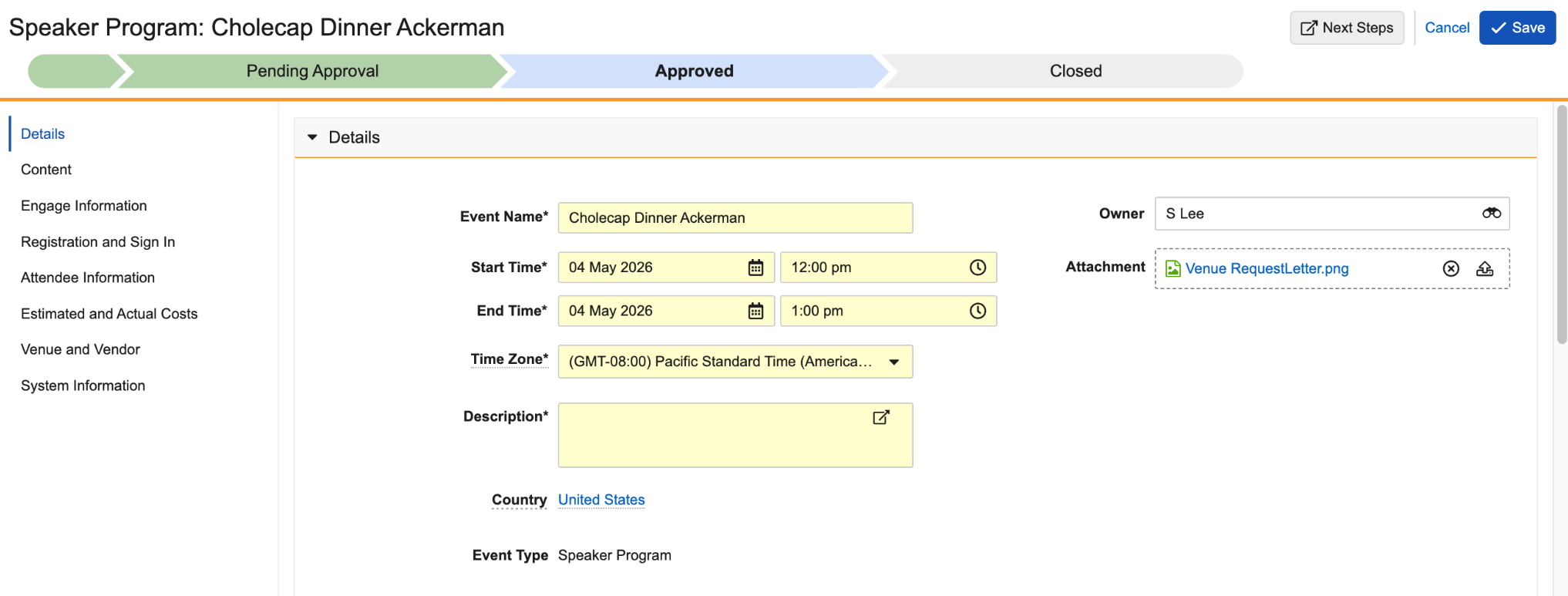
Web Actions on Events - Available on Browser
Admins can configure Vault Web Actions to execute custom business logic and integrate with external sites directly from event records.
Service Center
Five9 for Service Center - Available on Browser
Five9 for Service Center streamlines communication by providing an embedded interface to answer, disconnect, hold, and transfer calls without leaving the Vault CRM application. Service Center reps benefit from real-time access to interaction history and account data while engaging with callers, which increases efficiency and improves the accuracy of communication records.
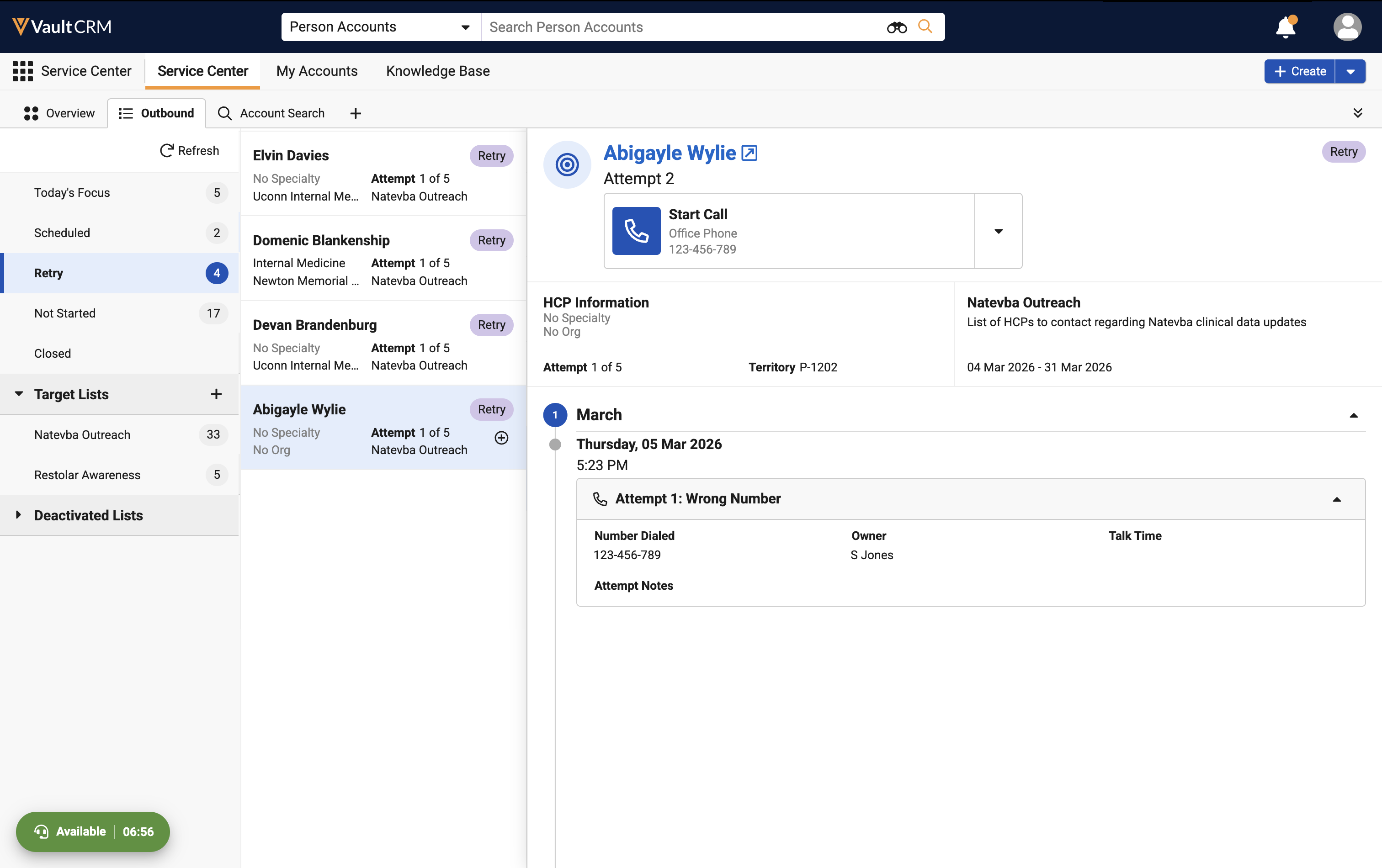
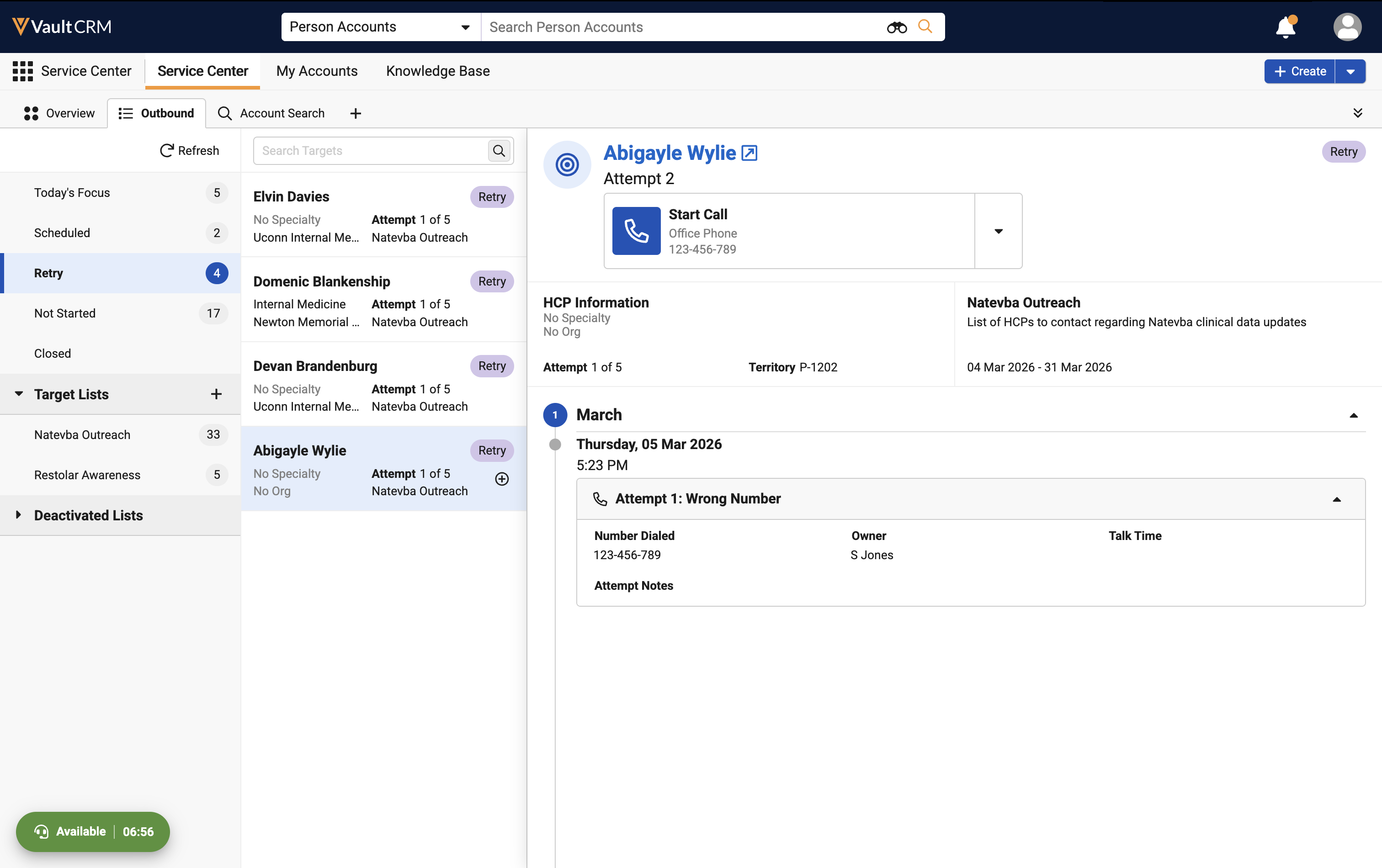
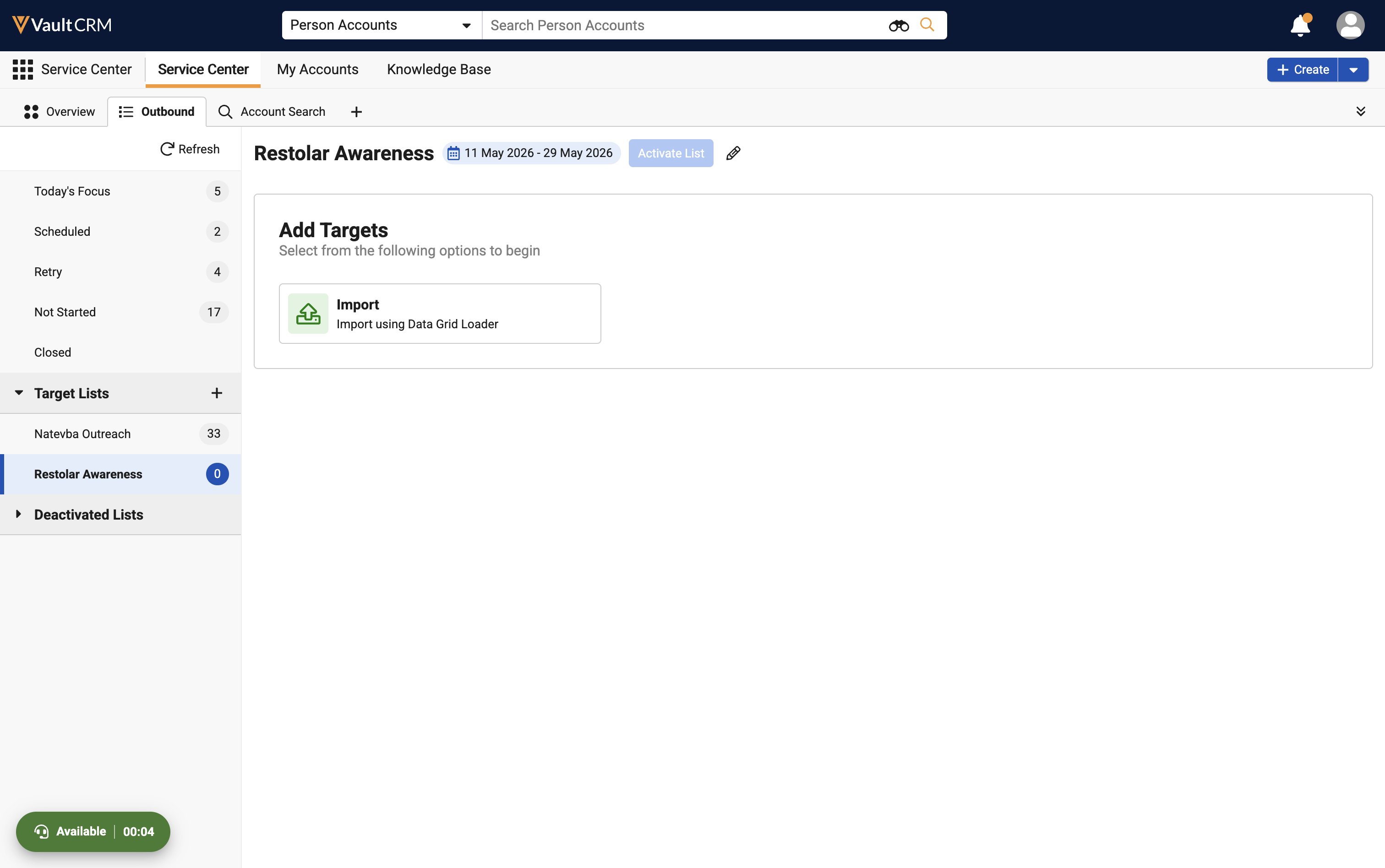
Outbound Service Center Enhancements - Available on Browser
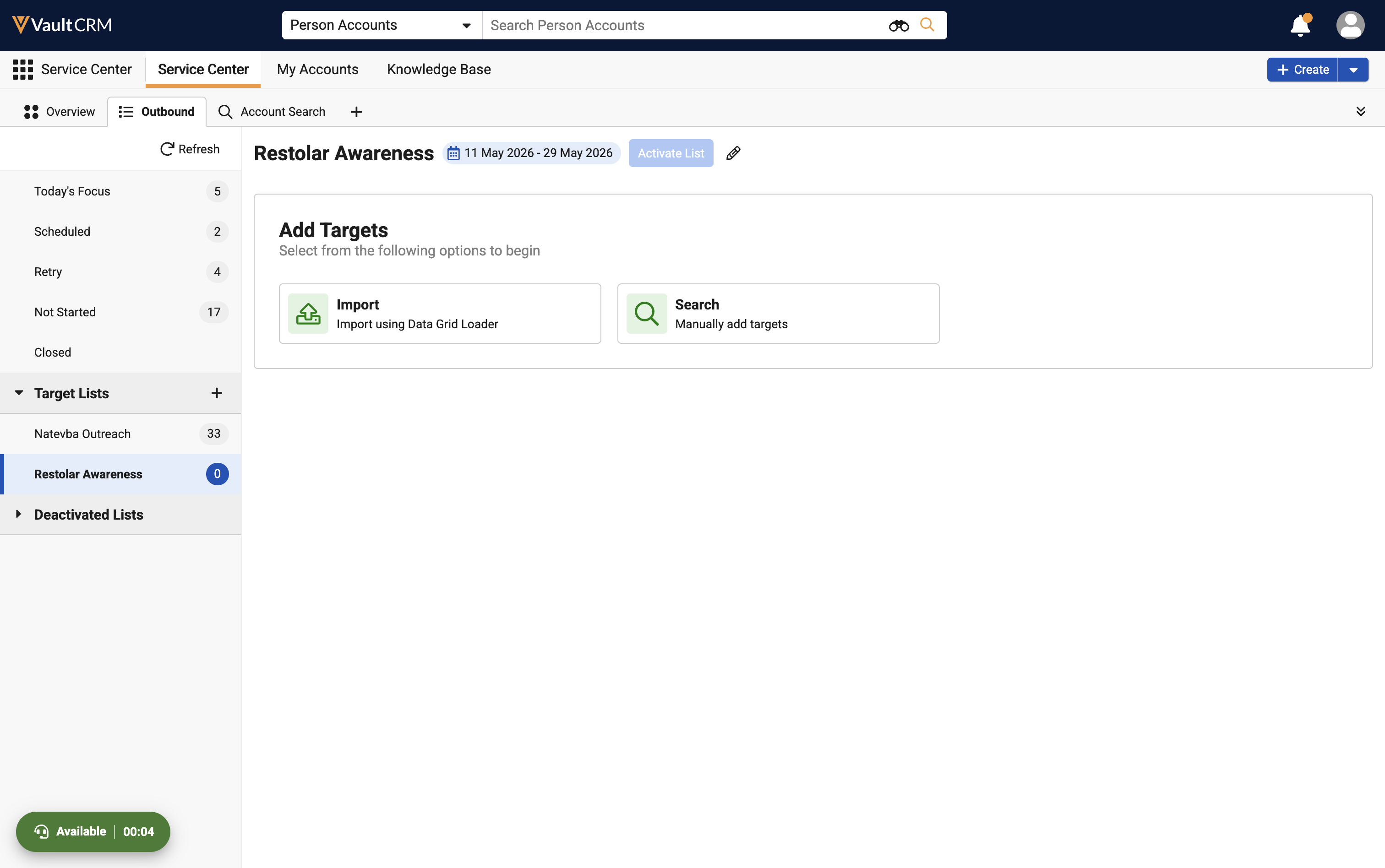
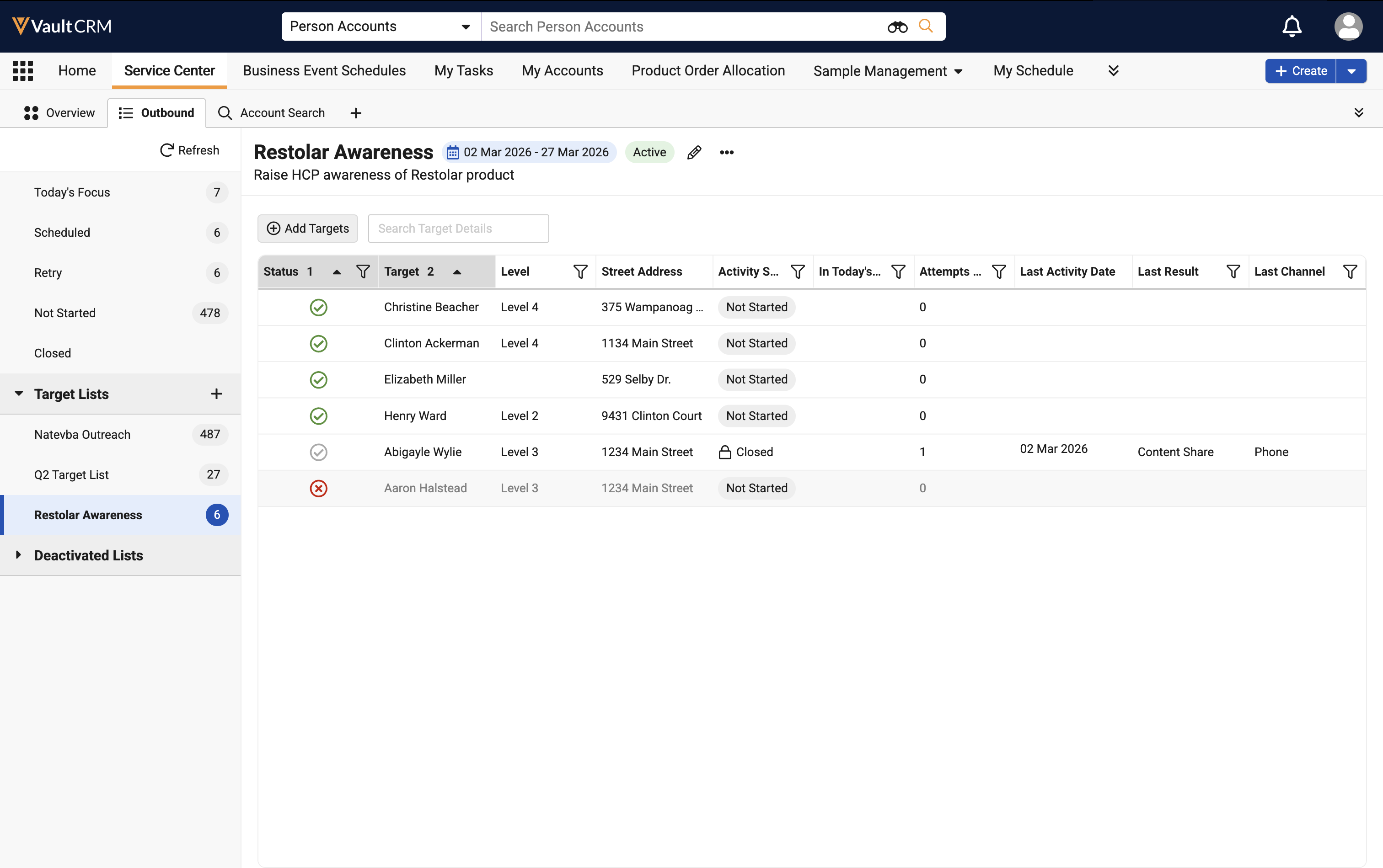
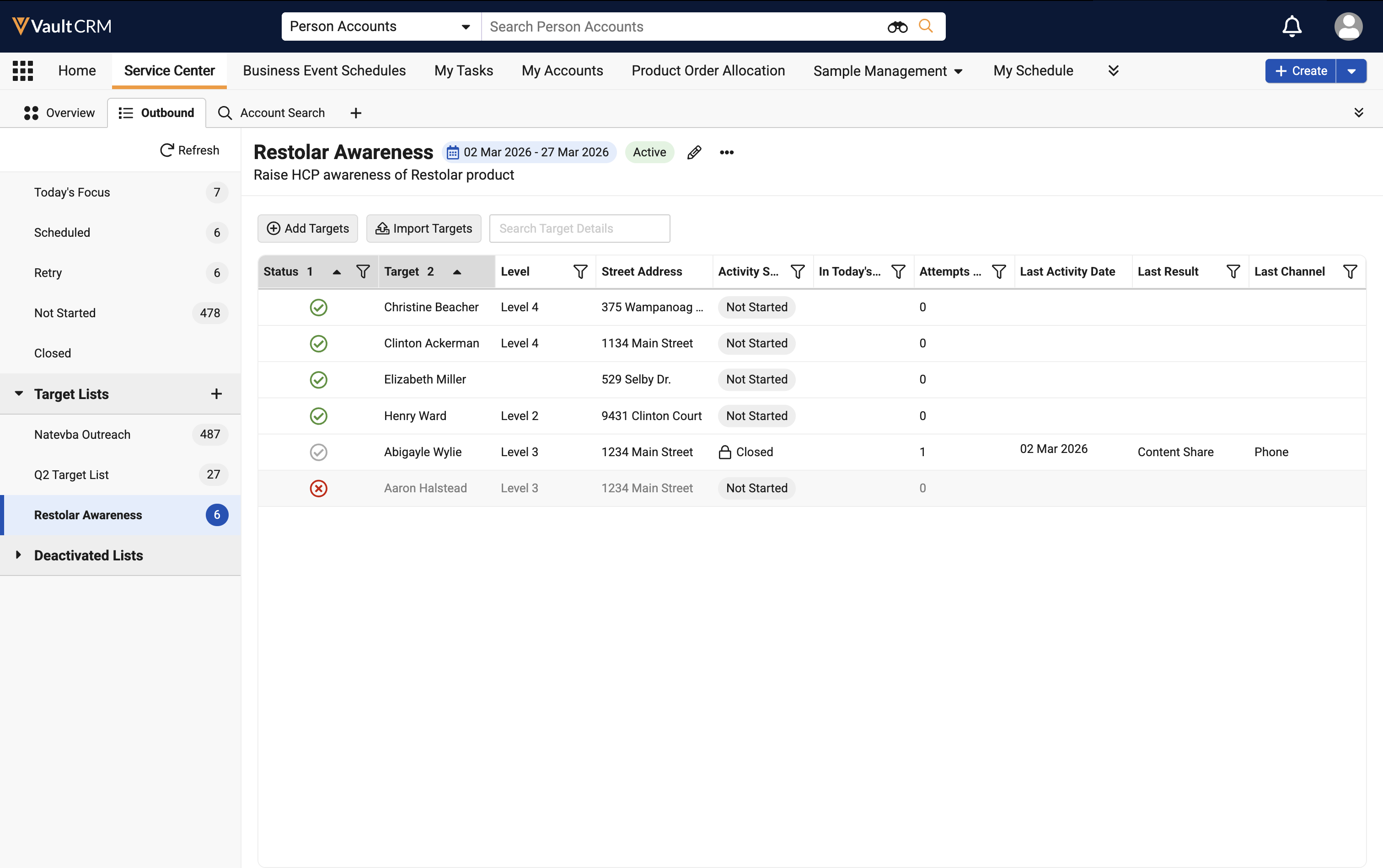
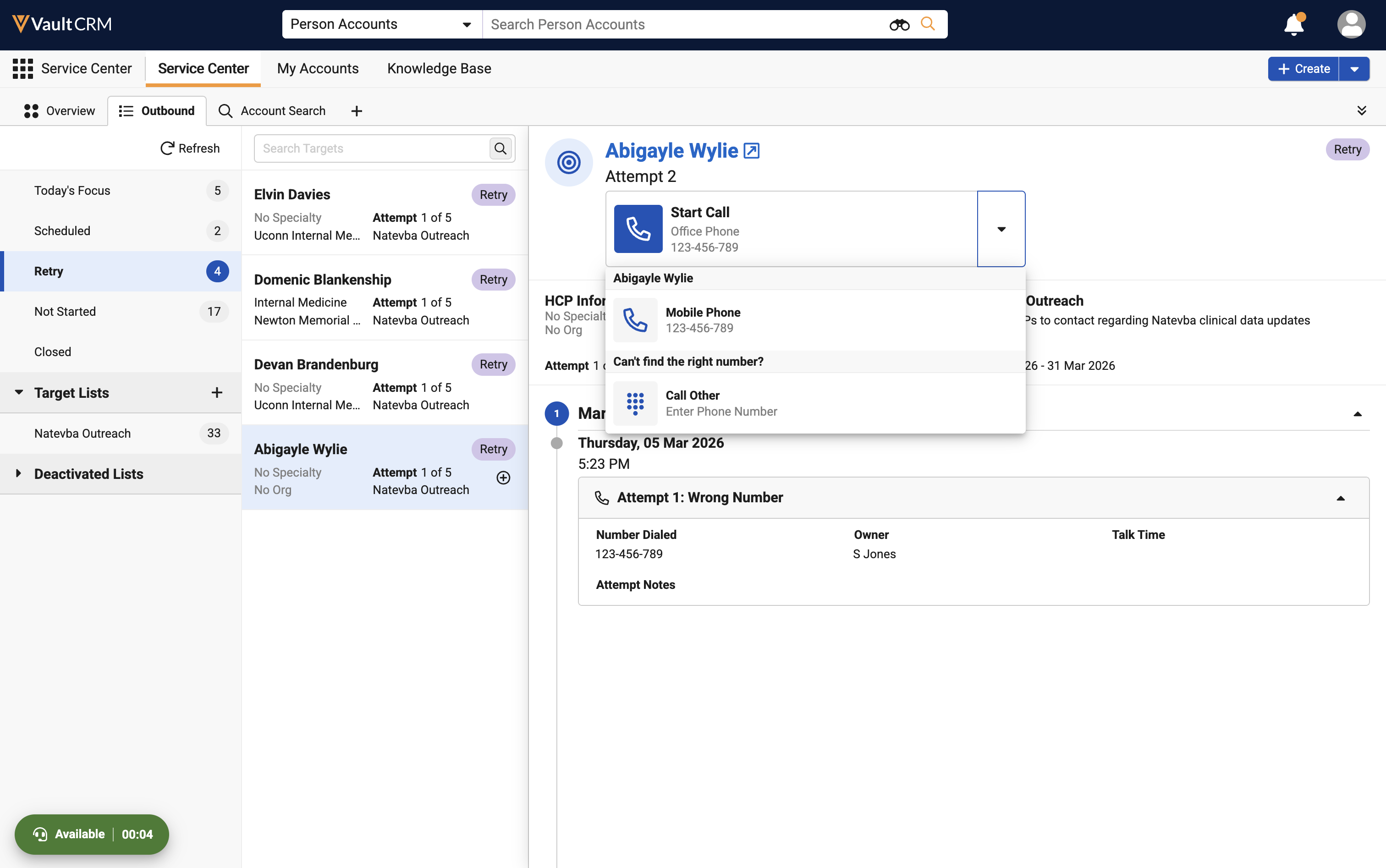
Updates to the Outbound tab provide Service Center reps with more flexibility when managing target accounts and placing calls. Reps can now use inline search within Target Views, add accounts to empty Target Lists via a Search to Add option, and bulk import targets into Draft, Active, or Scheduled lists. Additionally, the new Call Other option in the click-to-dial dropdown allows reps to dial phone numbers not currently tied to an account.
User Visible and Behavior Changes (UVCs)
Most new functionality requires some configuration, however users are able to use the following functionality immediately. Select the thumbnail to view a larger image.
Account Management
|
Platform |
Description |
Before |
After |
|---|---|---|---|
|
iPad |
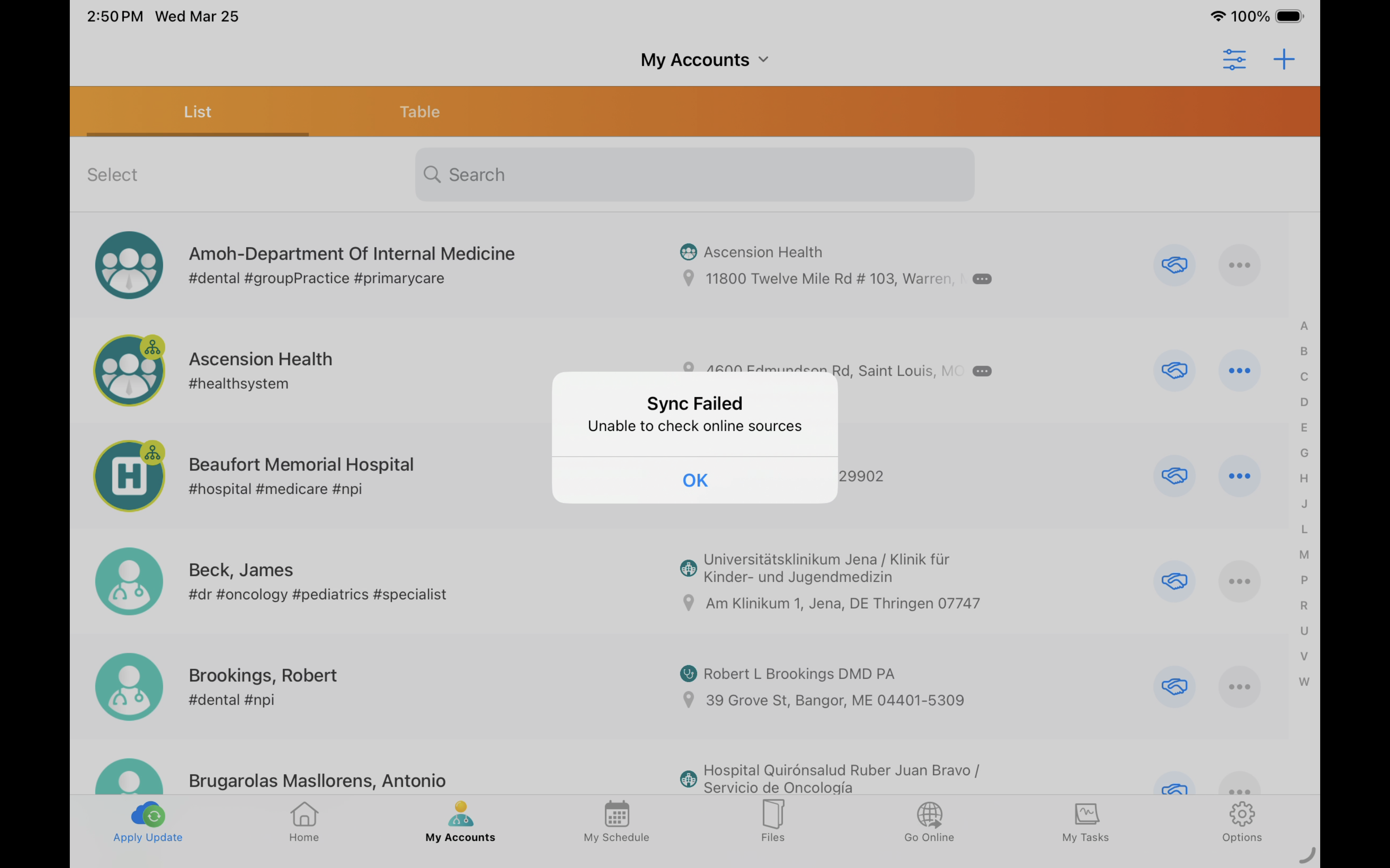
The sync process halts and a Sync Failed message displays when importing an account from Veeva Network MDM results in a 500 error response from the server. Previously the sync process continued without displaying an error. |
n/a |
|
|
Browser |
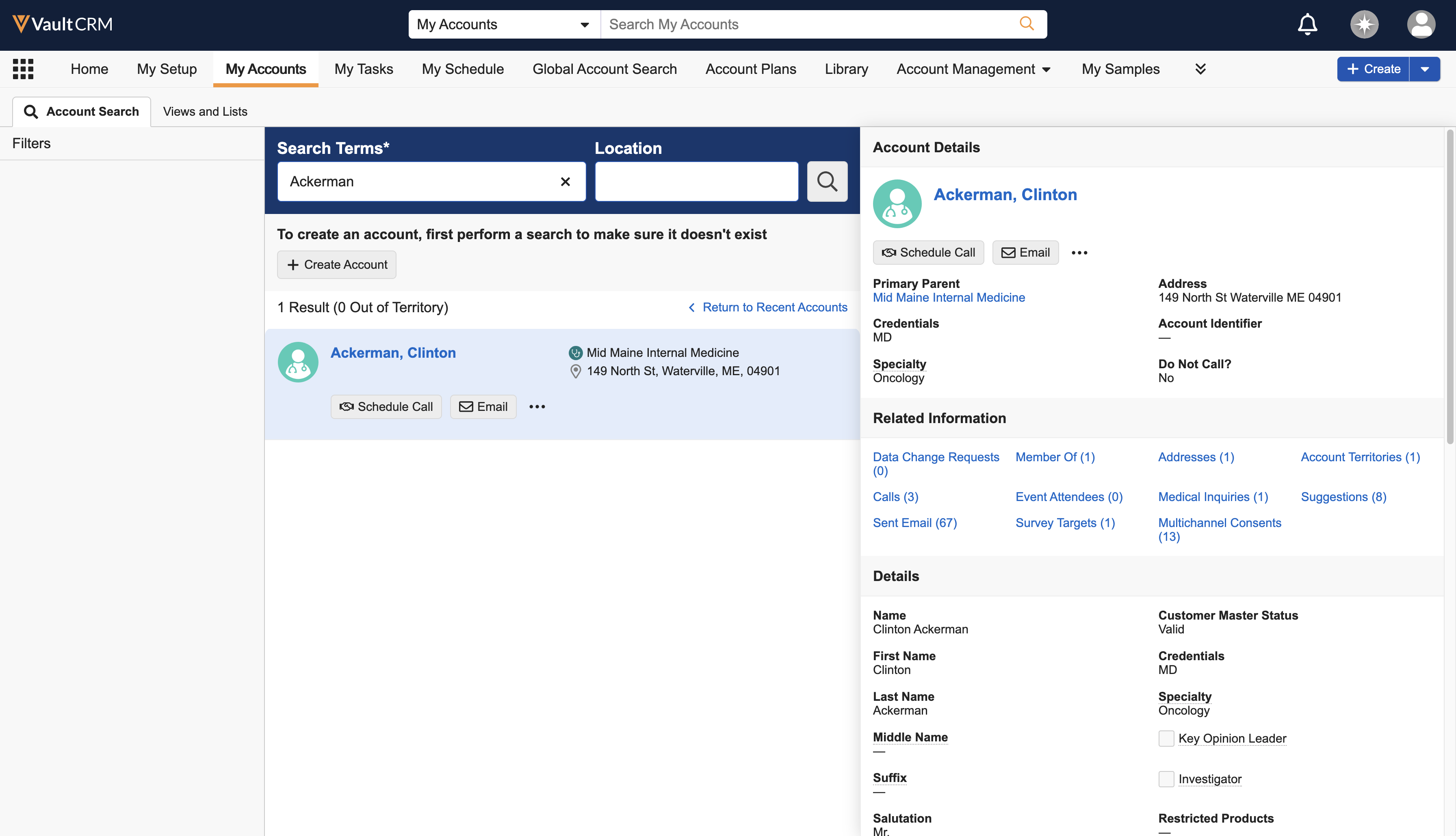
My Accounts searches include outside-territory results from Network Account Search (NAS), if enabled. |
|
|
Call Sampling
|
Platform |
Description |
Before |
After |
|---|---|---|---|
|
Browser |
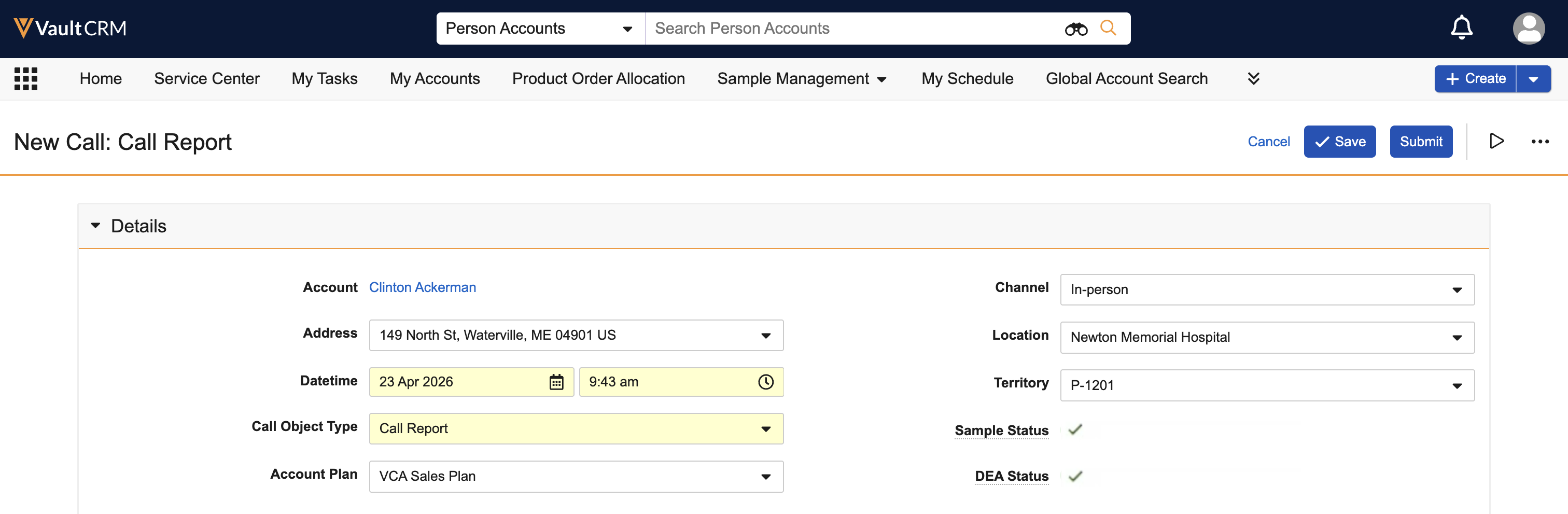
Sample status and DEA license indicator styling is updated to include text for the license status. For example, Valid for Sampling or Not Valid for Sampling. |
|
|
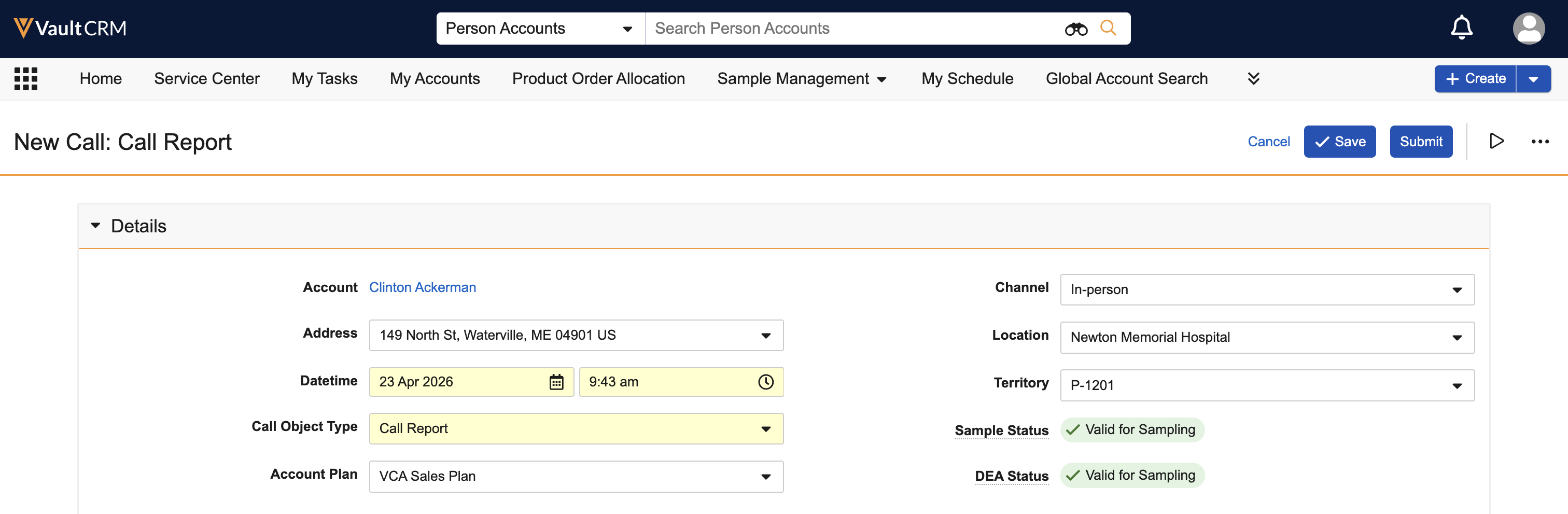
Commercial Insights
|
Platform |
Description |
Before |
After |
|---|---|---|---|
| Browser, iPad, Windows | The Medical Insights icon is updated. | 
|

|
|
iPad, Windows |
The Suggestions icon is updated. |
|
|


Multichannel Cycle Plans
|
Platform |
Description |
Before |
After |
|---|---|---|---|
|
Browser |
When users attempt to save null values for MCCP channel criteria operators that require a value (for example, <, >, <=, and >=), an error displays. Users must resolve the error before saving the record. |
n/a |
|
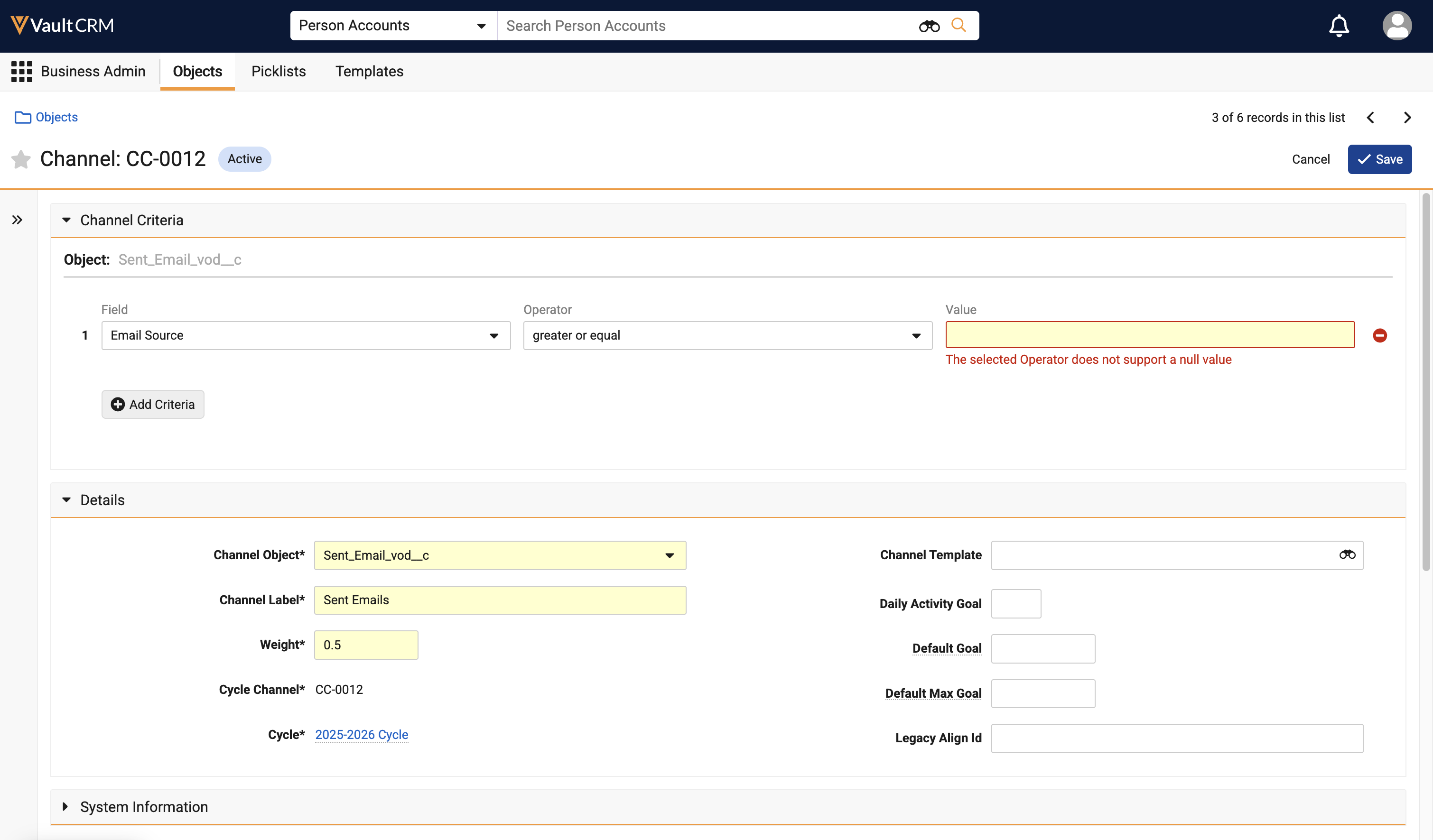
My Schedule
|
Platform |
Description |
Before |
After |
|---|---|---|---|
| Browser |
When a user has access to any calendar via Outlook, Manager View, or Shared Calendar View, the side panel displays a My Calendars section beneath the mini-calendar selector with the following options:
|
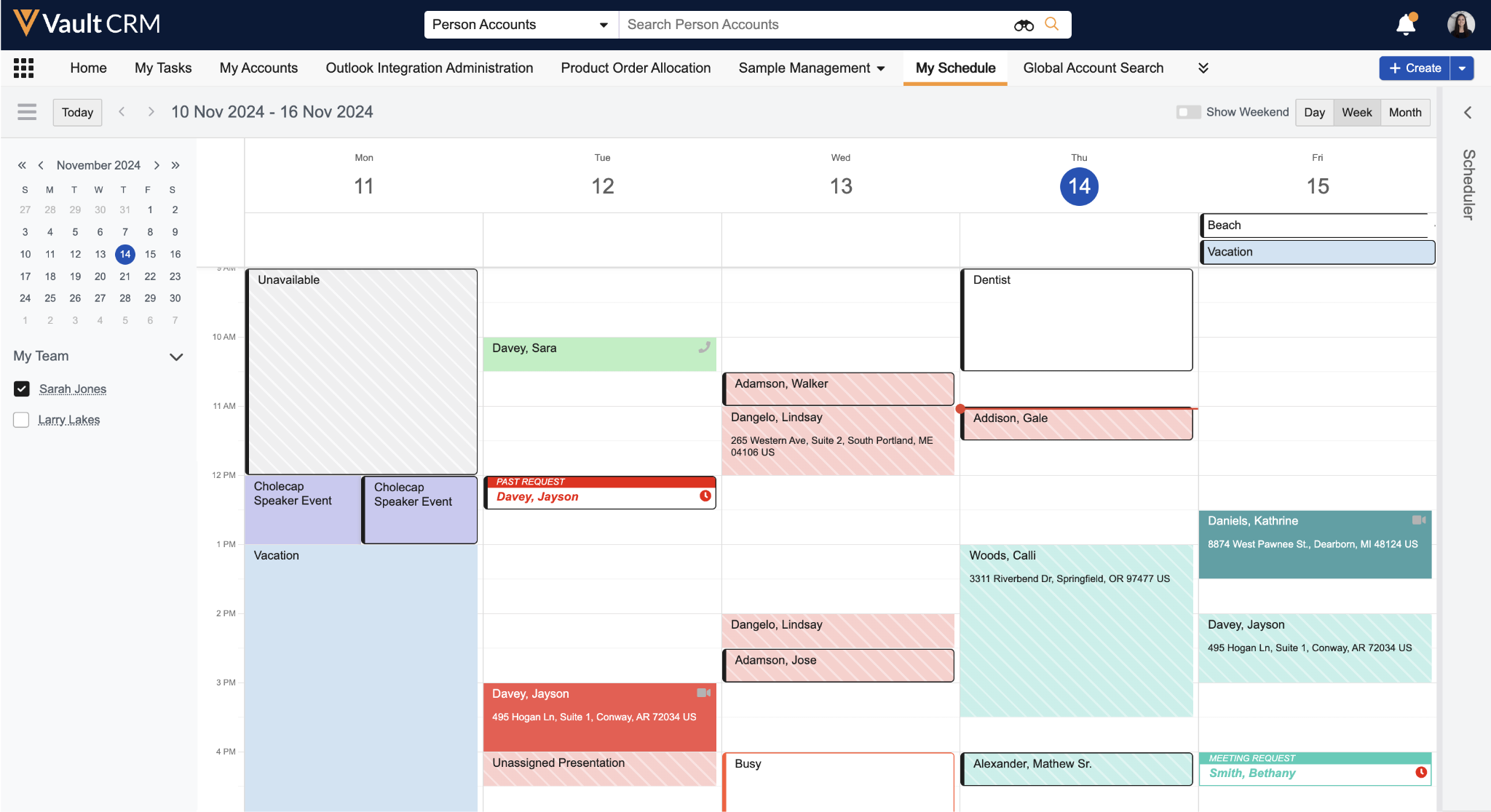
|
|
| Browser |
When using Shared Calendars, managers and end users can deselect their own calendars in the My Calendars section of My Schedule. |
n/a |
|
| Browser |
When a manager is viewing a report’s Outlook calendar in My Schedule, only entries from the report’s Vault CRM calendar and from the report’s default Outlook calendar display. |
n/a |
|
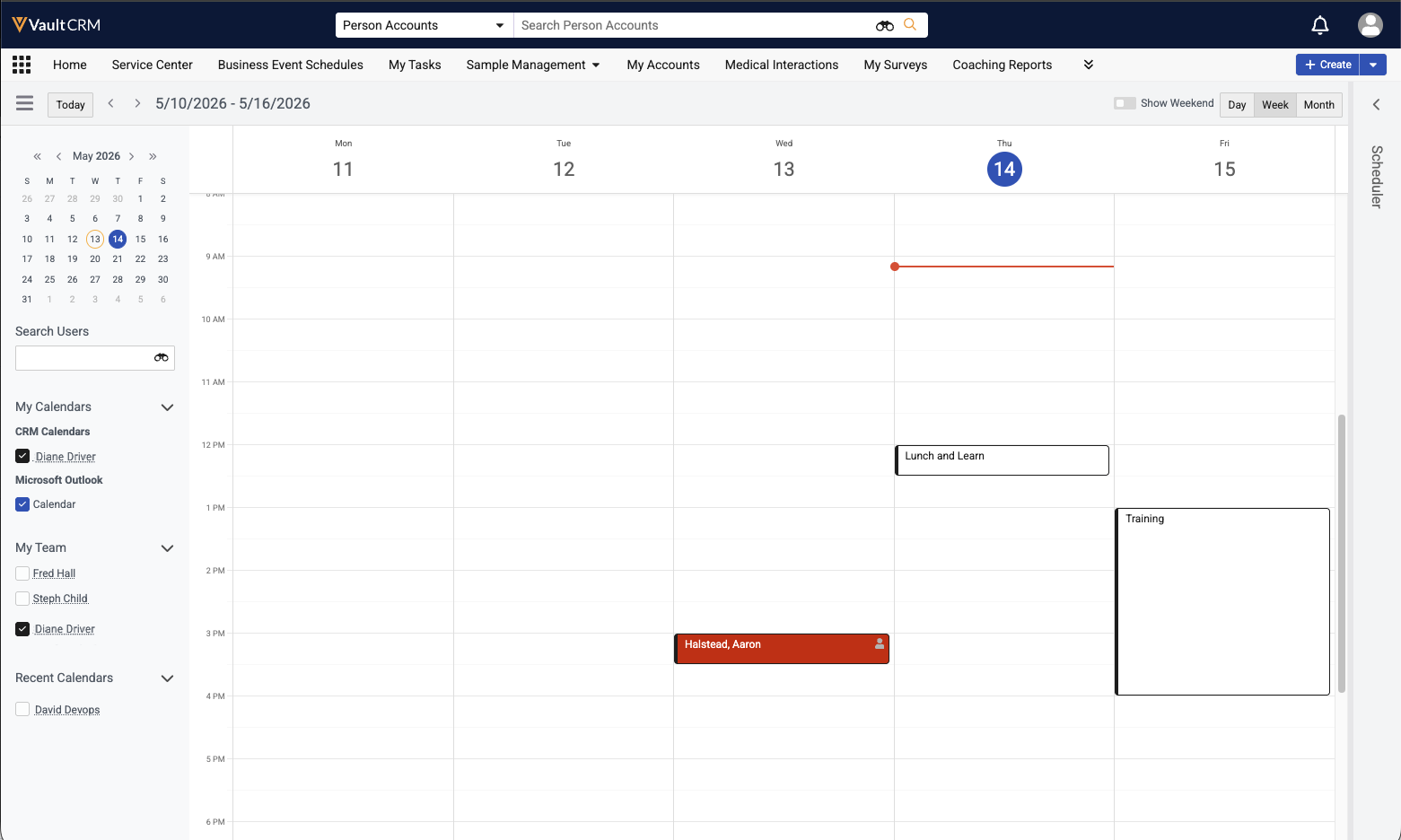
X-Pages Studio
|
Platform |
Description |
Before |
After |
|---|---|---|---|
|
Browser |
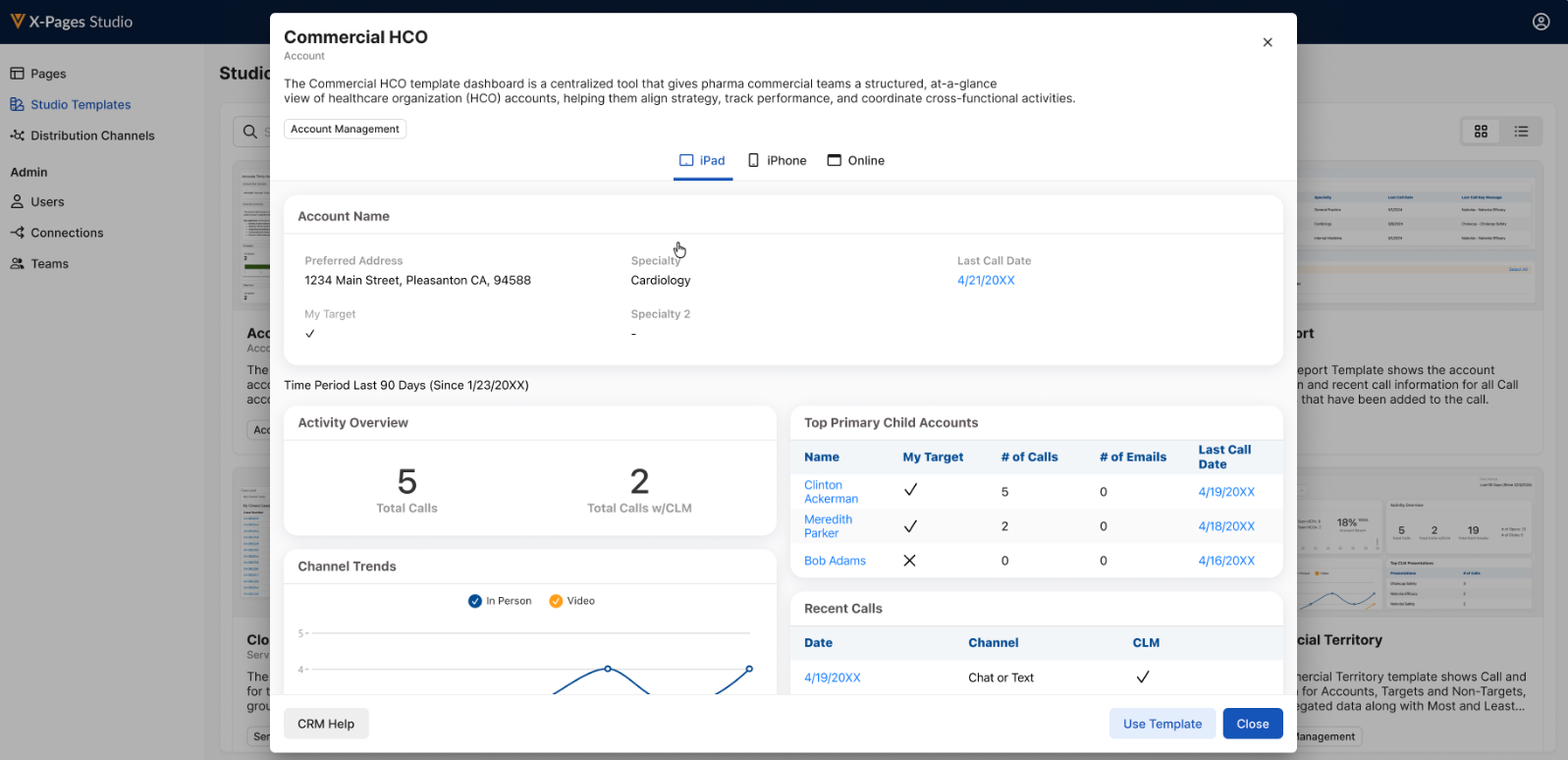
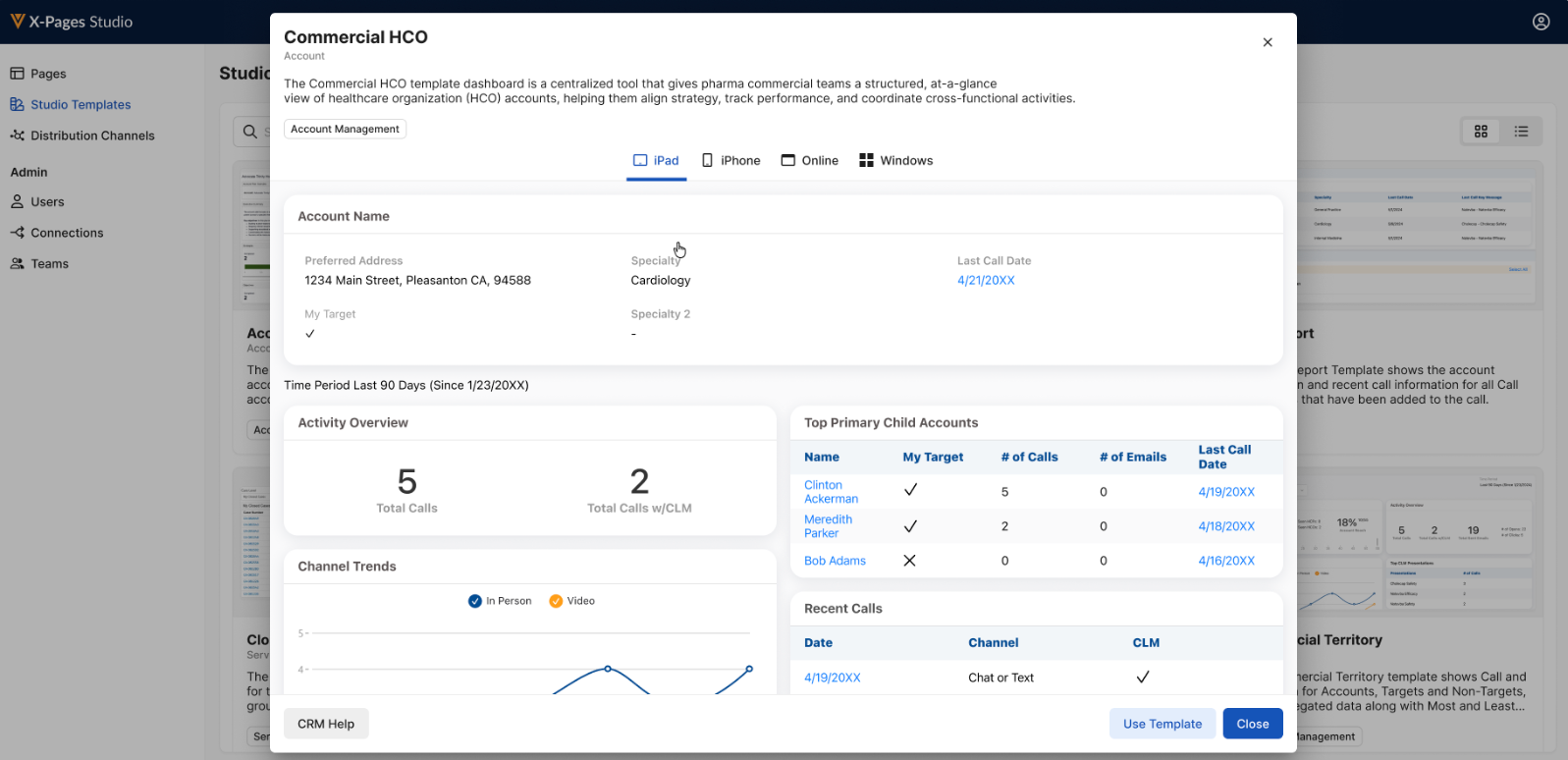
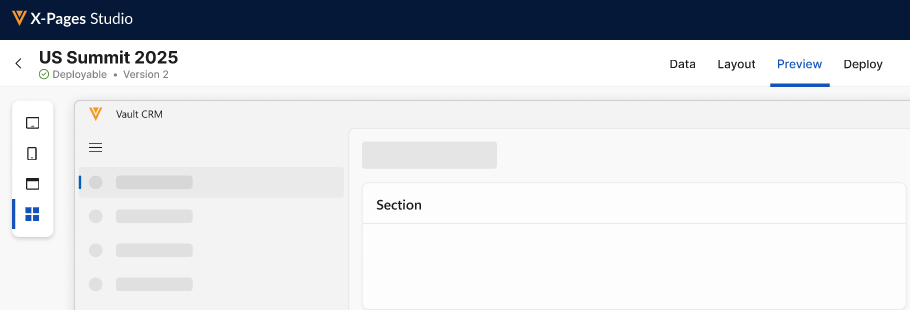
When previewing templates in the X-Pages Studio Template Library, a Windows preview tab displays if a Windows preview is available. |
|
|
|
Browser |
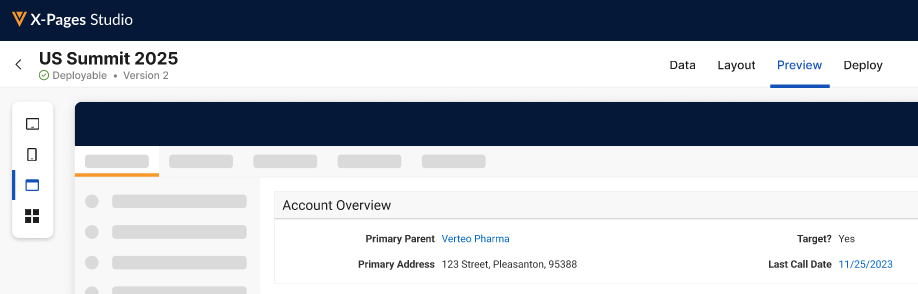
When building an X-Page in X-Pages Studio, a Windows preview tab displays. |
|
|
Vault AI in CRM
|
Platform |
Description |
Before |
After |
|---|---|---|---|
|
iPad |
For users with access to Agentic Media, the Media AI tab displays in the Media Library’s top navigation bar. |
|
|
|
iPad, iPhone |
If Agentic Voice identifies Key Messages in the Call Voice Note, they are automatically populated on the call report along with any reactions and vehicles identified. Key Message vehicles are not supported on the iPhone platform. |
|
|
Align
|
Platform |
Description |
Before |
After |
|---|---|---|---|
|
iPad |
Targets shared by other end users now display in the Edit Alignments table of Territory Feedback with a Shared ( See Viewing Shared Targets for more information. |
|
|
|
iPad |
The Other Users Targeting this Account section now displays in the Account Profile of targets in Territory Feedback, indicating if the target is shared with other end users. See Viewing Shared Targets for more information. |
n/a |
|
 ) icon.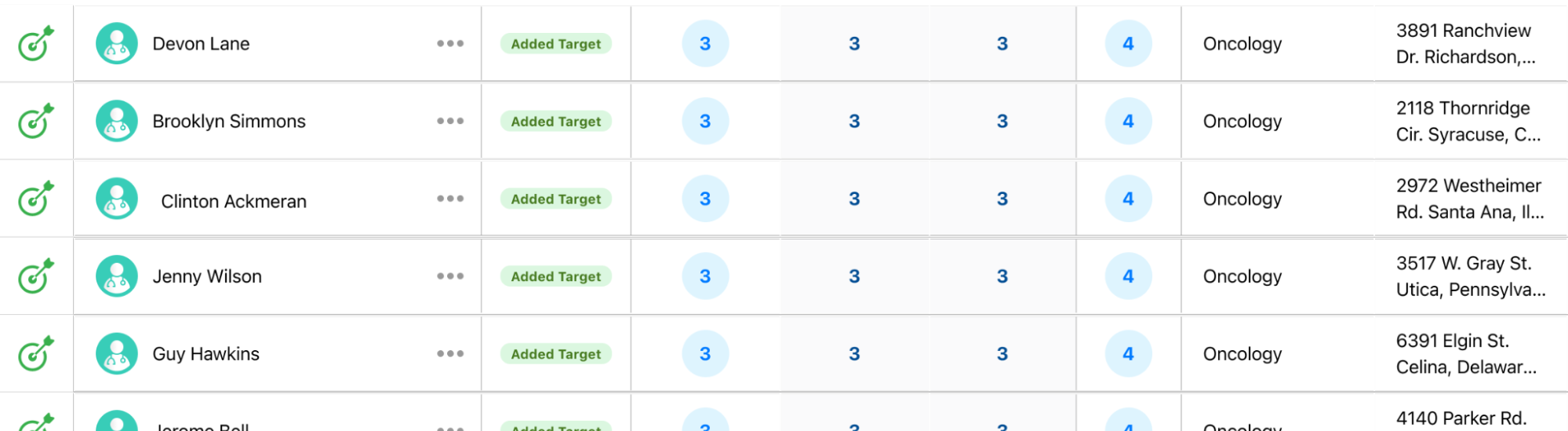
Campaign Manager
|
Platform |
Description |
Before |
After |
|---|---|---|---|
|
Browser |
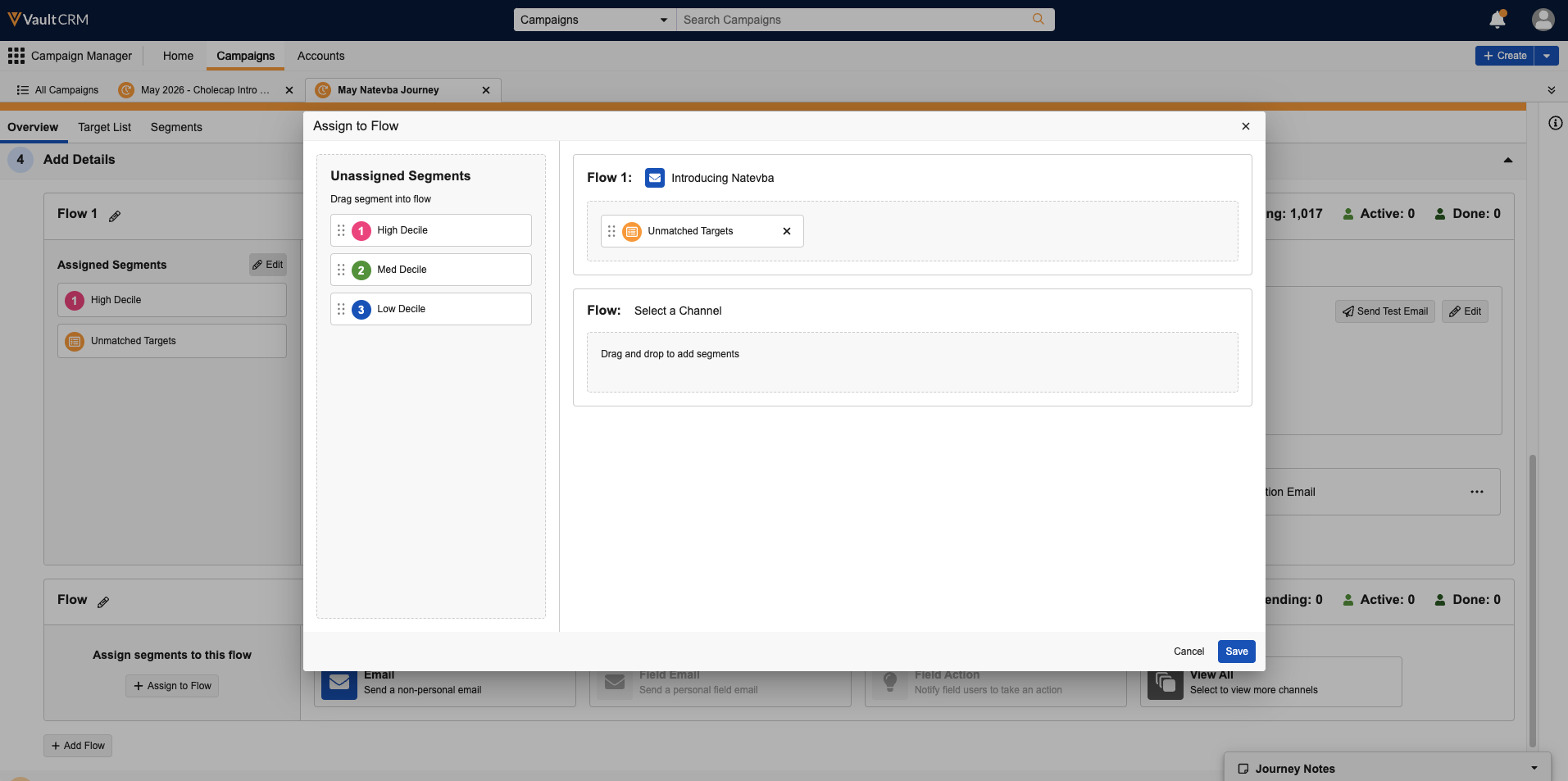
Marketing users can now assign segments to flows using the Assign to Flow modal. See Defining Flows for more information. |
n/a |
|
|
Browser |
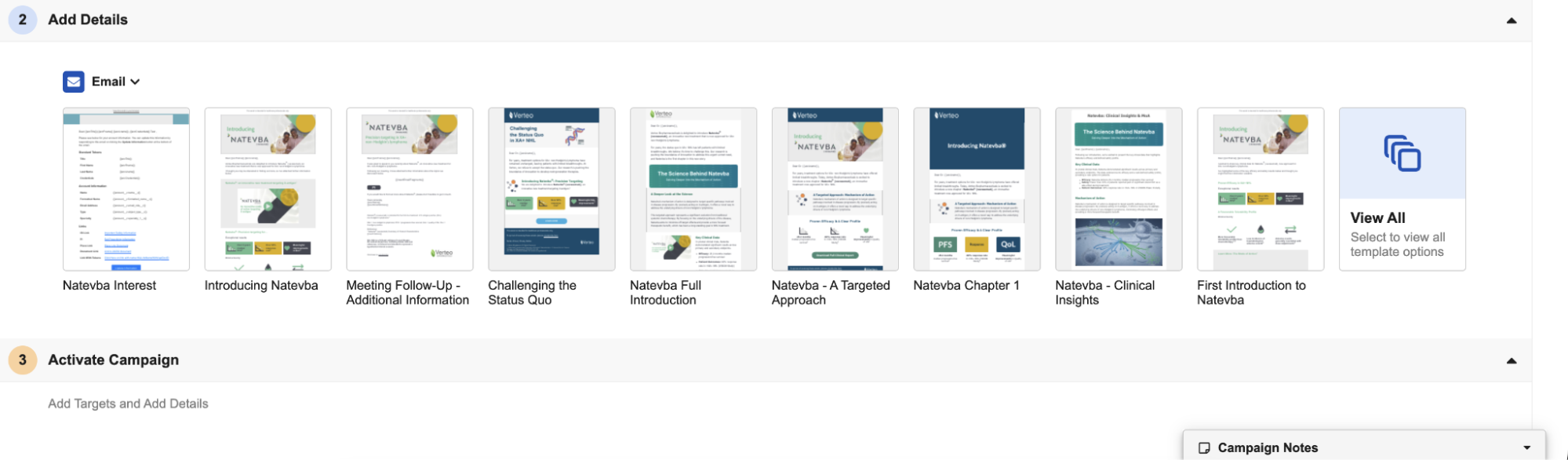
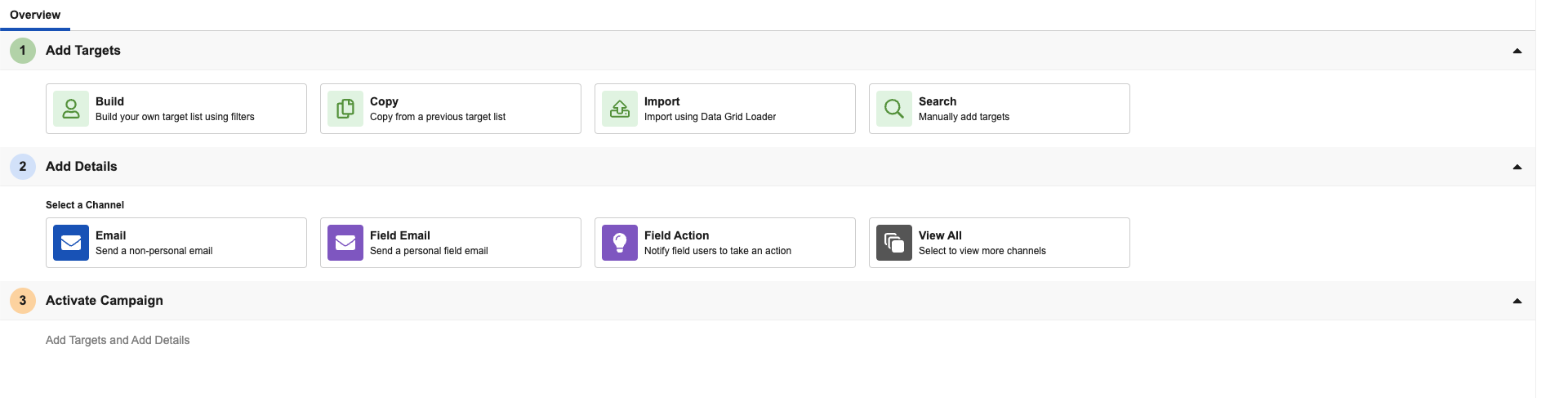
Channel actions no longer default to the Email channel on newly created campaigns, journeys, or flows, enabling marketing users to more easily select other channels. |
|
|
Events Management
|
Platform |
Description |
Before |
After |
|---|---|---|---|
|
Browser |
Attachment fields are now supported for the em_event__v object and its related objects.
|
n/a |
|
Service Center
|
Platform |
Description |
Before |
After |
|---|---|---|---|
|
Browser |
Service Center reps can easily search their target accounts via inline search in Outbound Target Views. |
|
|
|
Browser |
A Search to Add option displays for Target Lists without accounts, enabling users to easily add target accounts through account search. |
|
|
|
Browser |
An Import Targets option enables users to add targets in bulk for Draft, Active, and Scheduled lists, in addition to previously supported New lists. |
|
|
|
Browser |
A Call Other option displays in the click-to-dial dropdown, enabling users to enter a phone number not associated with the account. |
n/a |
|
|
Browser |
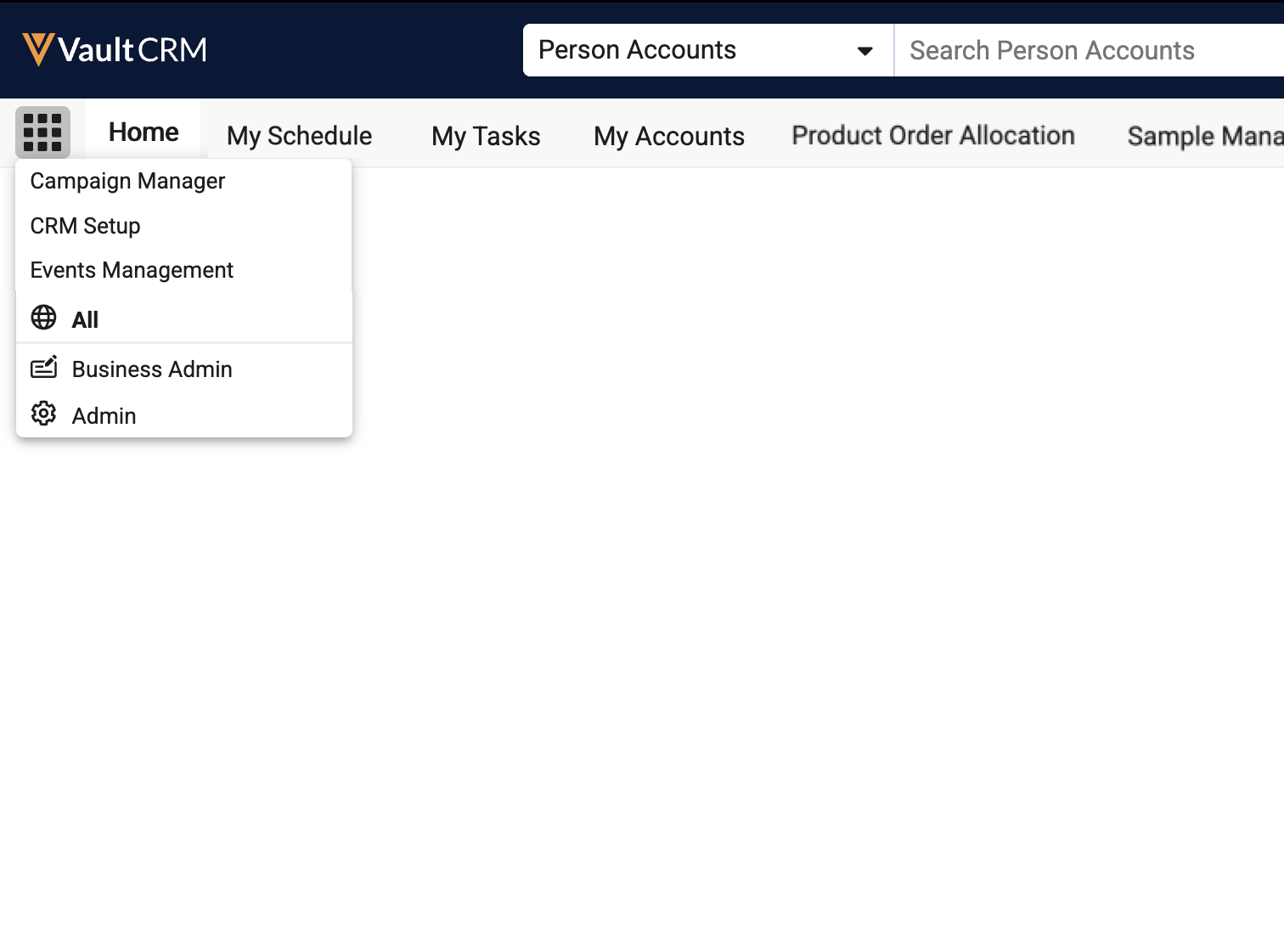
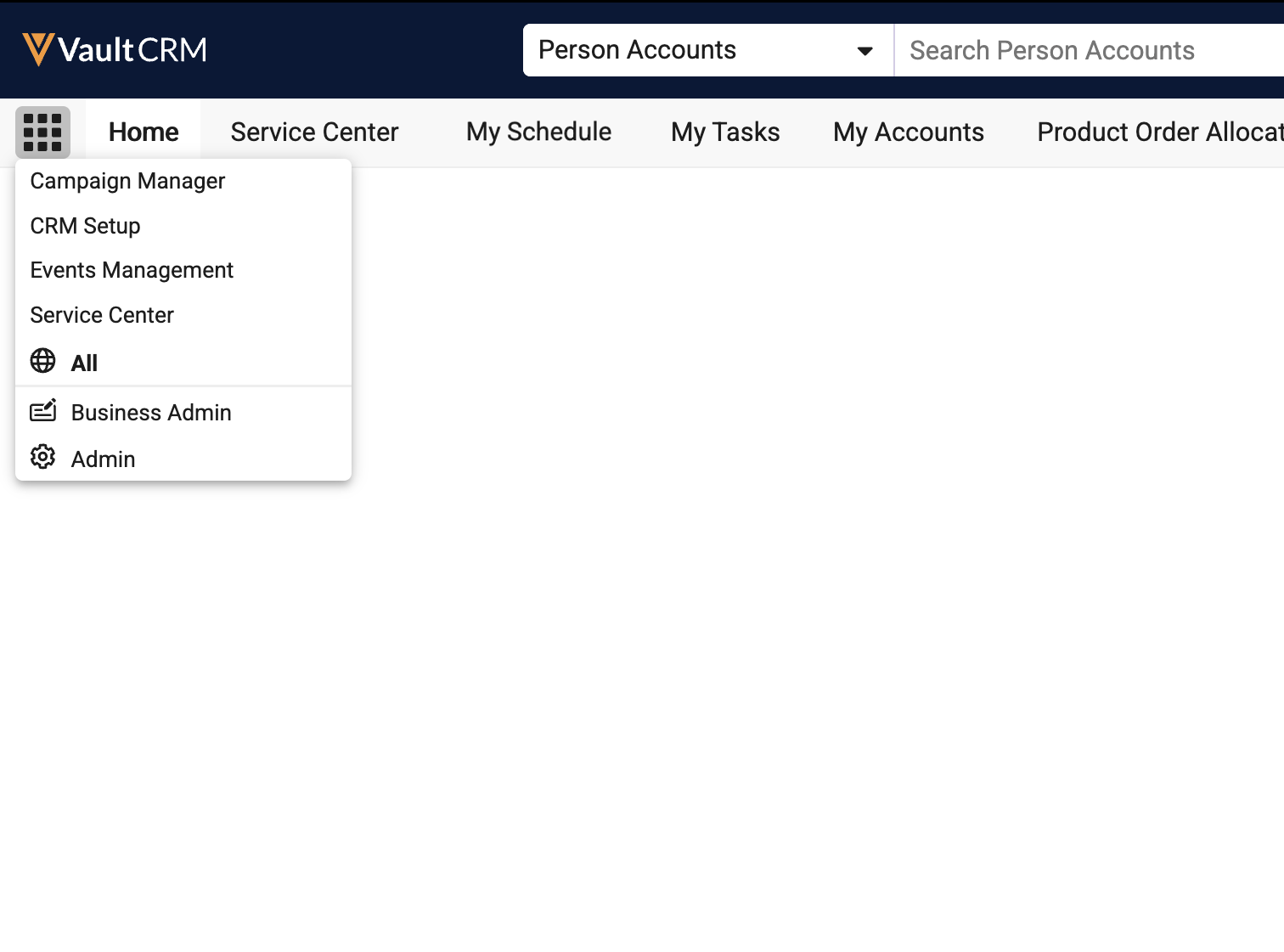
To provide visibility to Service Center as part of the Core CRM application, the Service Center tab collection displays for admin users regardless of whether Service Center is configured. |
|
|
Additional Resources
The following resources are available for the 26R1.2 release:
- Flightpath
- Videos
- Feature Enablement and Availability
- Data Model Changes:
- New Objects
- New Fields
- Removed Fields
Flightpath
Flightpath is an educational tool where you'll find overviews and examples to walk you through how to leverage Vault CRM features and functionality. Flightpaths for the following topics are available with the 26R1.2 Production Release:
- Agentic Insight Quality
- Agentic Text Monitoring for Home Office
- Consent Capture with Approved Email
- Attendees in Events Management
- Managing Event Materials
- Managing Speakers for Events
- Managing Walk-in Attendees for Events
- Patient Adherence
- Patient Intake
Videos
The following videos are available with the 26R1.2 Production Release:
- Account Hot Lists
- Commercial Insights
- Agentic Insight Quality
- Agentic Text Monitoring for Home Office
- Agentic Media (updated for 26R1.2)
- Segments and Flows in Campaign Manager (updated for 26R1.2)
- Attendance Reporting for Microsoft Teams
Feature Enablement and Availability
The following table provides an explanation of 26R1.2 feature enablement and user impact.


*Parity items do not typically require configuration if you are using this functionality on another platform. In some cases, VMOCs must be enabled for the added platform.
New Objects
The table below contains all new objects added in Vault CRM 26R1.2.
| Object Name | Object Label | Description |
|---|---|---|
| agent_rule__v | Agent Rule | Defines the rules and instructions that drive configurable, standard AI Agents in Vault CRM |
| aln_recommended_target_model__v | Model Recommended Target | Defines a recommended target in Align. |
| business_event_schedule__v | Business Event Schedule | Determines the schedule of tasks associated with Business Event Targets. |
| business_event_task__v | Business Event Task | Tasks associated with Business Event Targets. |
| target_loader__v | Target Loader | Transactional record for each API target ingestion request. |
New Fields
The table below contains all fields added in Vault CRM 26R1.2. The fields are organized by object.
| Object | Field Name | Field Label | Description | Type |
|---|---|---|---|---|
| account_list__v | end_date__v | End Date | Defines the date in which the Hot List becomes obsolete. | Date |
| account_list__v | external_id__v | External ID | Defines an external identifier for Account Lists. | Text |
| account_list__v | start_date__v | Start Date | Defines the date in which the Hot List becomes active. | Date |
| account_list__v | territory__v | Territory | Defines the territory of the Account List. Used only for certain lists. | Object |
| account_list__v | type__v | Type | Defines the type of Account List. Used only for certain lists. | Picklist |
| account_list_item__v | acknowledged__v | Acknowledged | Used only for certain Account Lists. Used by the end-user to 'check' an account off the list. | Boolean |
| account_list_item__v | actual_advocacy__v | Actual Advocacy | Used only for certain Account Lists to display the actual prescribing advocacy of the Account. | Number |
| account_list_item__v | last_touch__v | Last Touch | Used only for Hot Lists to define the Account's last touch on the list. | Date |
| account_list_item__v | potential_advocacy__v | Potential Advocacy | Used only for certain Account Lists to display the potential prescribing influence of the Account. | Number |
| account_list_item__v | rank__v | Rank | Used only for Hot Lists to define the Account's rank on the list. | Number |
| account_list_item__v | reason__v | Reason | Used only for certain Account Lists. Used by the end-user to view the reason why the account is on the list. | Text |
| agent_rule__v | acceptable_example__v | Acceptable Example | Acceptable example(s) to help the agent accurately understand the rule. | Text |
| agent_rule__v | applicable_countries__v | Applicable Countries | A picklist of all countries where the rule should be applied. | Picklist |
| agent_rule__v | applicable_fields__v | Applicable Fields | A semi-colon delimited list of API names for fields to which this rule applies using dot notation for the object and field name (ex: call2__v.call_notes__v; call2_discussion__v.objections__c). | Text |
| agent_rule__v | applicable_user_types__v | Applicable User Types | A picklist of all user types to which the rule should be applied. | Picklist |
| agent_rule__v | created_by__v | Created By | The user who created the record. | Object |
| agent_rule__v | created_date__v | Created Date | The date the record was created. | DateTime |
| agent_rule__v | display_order__v | Display Order | Used to define the order that guidelines appear for Agentic Insight Quality. | Number |
| agent_rule__v | global_id__sys | Global ID | The Global ID of the record. | Text |
| agent_rule__v | guideline__v | Guideline | Used to provide guidance for the Agentic Insight Quality. | Text |
| agent_rule__v | insight_type__v | Insight Type | Used to define which objects the Agent Rules apply to for Agentic Insight Quality. | Picklist |
| agent_rule__v | instruction__v | Instruction | Used to provide instructions to the LLM for each Agent Rule. | Text |
| agent_rule__v | link__sys | Link | The record's associated link. | Text |
| agent_rule__v | modified_by__v | Last Modified By | The user who last modified the record. | Object |
| agent_rule__v | modified_date__v | Last Modified Date | The date the record was last modified. | DateTime |
| agent_rule__v | name__v | Rule Name | The record's name. | Text |
| agent_rule__v | object_type__v | Agent Rule Type | The record's object type. | Picklist |
| agent_rule__v | status__v | Status | The record's status. | Picklist |
| agent_rule__v | translated_guideline__v | Translated Guideline | Used to drive translations for Guidelines for Agentic Insight Quality. | Text |
| agent_rule__v | translated_rule_name__v | Translated Rule Name | Used to drive translations for Rule Names. | Text |
| agent_rule__v | unacceptable_example__v | Unacceptable Example | Unacceptable example(s) to help the agent accurately understand the rule. | Text |
| agent_rule__v | vexternal_id__v | Veeva External ID | The external ID of the record. | Text |
| ai_settings__v | home_office_text_monitoring__v | Home Office Text Monitoring | When On Submit is selected, records submitted by the user with an applicable Agent Rule will be monitored. | Picklist |
| align_settings__v | enforce_product_restrictions__v | Enforce Product Restrictions | Prevents MCCP product records from being created for targets that are restricted for that product | Boolean |
| aln_align_settings_model__v | enforce_product_restrictions__v | Enforce Product Restrictions | Prevents MCCP product records from being created for targets that are restricted for that product | Boolean |
| aln_recommended_target_model__v | account__v | Account | The account recommended as a target. | Object |
| aln_recommended_target_model__v | account_id__v | Account Id | The global id of the account. Provides a persistent record of which territory model an account was a recommended target for, even if the account record is deleted. | Text |
| aln_recommended_target_model__v | attempted_to_add__v | Attempted to Add? | Indicates whether the field user attempted to add the account as a target during feedback. | Boolean |
| aln_recommended_target_model__v | created_by__v | Created By | The user who created the record. | Object |
| aln_recommended_target_model__v | created_date__v | Created Date | The date the record was created. | DateTime |
| aln_recommended_target_model__v | external_id__v | External ID | The external ID of the record. | Text |
| aln_recommended_target_model__v | global_id__sys | Global ID | The Global ID of the record. | Text |
| aln_recommended_target_model__v | link__sys | Link | The record's associated link. | Text |
| aln_recommended_target_model__v | location__v | Location | The location at which the account is recommended as a target (applicable when Location Based Targeting is in use) | Object |
| aln_recommended_target_model__v | mc_cycle__v | MC Cycle | The cycle to which the recommended target applies. | Object |
| aln_recommended_target_model__v | modified_by__v | Last Modified By | The user who last modified the record. | Object |
| aln_recommended_target_model__v | modified_date__v | Last Modified Date | The date the record was last modified. | DateTime |
| aln_recommended_target_model__v | name__v | Name | The record's name. | Text |
| aln_recommended_target_model__v | object_type__v | Model Recommended Target Type | The record's object type. | Picklist |
| aln_recommended_target_model__v | status__v | Status | The record's status. | Picklist |
| aln_recommended_target_model__v | territory_model__v | Model Territory | The model territory against which the account is recommended as a target | Object |
| business_event__v | allow_cancellation__v | Allow Cancellation | Determines whether users are allowed to cancel Business Event Targets for this Business Event | Boolean |
| business_event__v | business_event_schedule__v | Business Event Schedule | Determines the schedule for the business event. | Object |
| business_event__v | business_event_status__v | Business Event Status | Status of the Business Event | Picklist |
| business_event_schedule__v | created_by__v | Created By | The user who created the record. | Object |
| business_event_schedule__v | created_date__v | Created Date | The date the record was created. | DateTime |
| business_event_schedule__v | description__v | Description | Description of the Business Event Schedule | Text |
| business_event_schedule__v | global_id__sys | Global ID | The Global ID of the record. | Text |
| business_event_schedule__v | link__sys | Link | The record's associated link. | Text |
| business_event_schedule__v | modified_by__v | Last Modified By | The user who last modified the record. | Object |
| business_event_schedule__v | modified_date__v | Last Modified Date | The date the record was last modified. | DateTime |
| business_event_schedule__v | name__v | Name | The record's name. | Text |
| business_event_schedule__v | object_type__v | Business Event Schedule Type | The record's object type. | Picklist |
| business_event_schedule__v | phase_1_task_interval__v | Phase 1 Task Interval | Defines the number of days between the tasks in the first phase of the business event schedule | Number |
| business_event_schedule__v | phase_2_task_interval__v | Phase 2 Task Interval | Defines the number of days between the tasks in the second phase of the business event schedule | Number |
| business_event_schedule__v | pre_explanation_required__v | Pre-Explanation Required? | Defines whether a pre-explanation is required for the business events using this schedule | Boolean |
| business_event_schedule__v | status__v | Status | The record's status. | Picklist |
| business_event_schedule__v | task_duration__v | Task Duration | Defines the number of days between the start and end dates of individual tasks | Number |
| business_event_target__v | business_event_task_job__v | Business Event Task Job | Determines whether the business event target is considered for the business event task job | Picklist |
| business_event_target__v | canceled_date__v | Canceled Date | The date that the target was canceled | Date |
| business_event_target__v | cancellation_reason__v | Cancellation Reason | Reason why the business event target was canceled | Picklist |
| business_event_target__v | child_account__v | Child Account | Reference to the child account | Object |
| business_event_target__v | ownerid__v | Owner | The ID of the record's owner. | Text |
| business_event_target__v | pharmacy__v | Pharmacy | Reference to the pharmacy at which the prescription was filled | Object |
| business_event_target__v | target_status__v | Target Status | Status of the business event target | Picklist |
| business_event_task__v | account__v | Account | The account associated with the task | Object |
| business_event_task__v | adverse_event_reported__v | Adverse Event Reported | Defines whether an adverse event was reported as a result of this task | Boolean |
| business_event_task__v | business_event__v | Business Event | Links to the Business Event parent of the referenced Business Event Target | Object |
| business_event_task__v | business_event_target__v | Business Event Target | Links to the Business Event Target that the task is a result of | Object |
| business_event_task__v | call2__v | Call | If completed on a call report, this is the call from which the task was completed. | Object |
| business_event_task__v | channel__v | Channel | The channel in which the task was completed | Picklist |
| business_event_task__v | child_account__v | Child Account | The child account associated with the task | Object |
| business_event_task__v | completed_by__v | Completed By | The user by whom the task was completed | Object |
| business_event_task__v | completed_date__v | Completed Date | The date the task was completed | Date |
| business_event_task__v | created_by__v | Created By | The user who created the record. | Object |
| business_event_task__v | created_date__v | Created Date | The date the record was created. | DateTime |
| business_event_task__v | end_date__v | End Date | End date of the task | Date |
| business_event_task__v | global_id__sys | Global ID | The Global ID of the record. | Text |
| business_event_task__v | link__sys | Link | The record's associated link. | Text |
| business_event_task__v | modified_by__v | Last Modified By | The record's name. | Object |
| business_event_task__v | modified_date__v | Last Modified Date | The record's status. | DateTime |
| business_event_task__v | name__v | Name | The record's name. | Text |
| business_event_task__v | object_type__v | Business Event Task Type | The record's object type. | Picklist |
| business_event_task__v | start_date__v | Start Date | Start date of the task | Date |
| business_event_task__v | status__v | Status | The record's status. | Picklist |
| business_event_task__v | task_status__v | Task Status | The status of the task | Picklist |
| business_event_task__v | task_type__v | Task Type | The type of task | Picklist |
| call2__v | flagged_text__v | Flagged Text | If True, the agent found issues. If False Positive, the agent found issues but a human reviewer did not agree. If False Negative, the agent did not find issues but a human reviewer did not agree. | Picklist |
| call2_discussion__v | flagged_text__v | Flagged Text | If True, the agent found issues. If False Positive, the agent found issues but a human reviewer did not agree. If False Negative, the agent did not find issues but a human reviewer did not agree. | Picklist |
| call2_key_message__v | products_on_slide_document__v | Products on Slide Document | The products on the Slide Document when it was shown. These values are stored as the names of the products in a double semicolon delimited list. If detail groups are used, they are stored as a pipe delimited pair with the detail product. | Text |
| call2_key_message__v | user_products_on_slide_document__v | User Products on Slide Document | The products on the Slide Document that the user could detail when it was shown. These values are stored as the names of the products in a double semicolon delimited list. If detail groups are used, they are stored as a pipe delimited pair with the detail product. | Text |
| consent_type__v | allow_field_consent_fallback__v | Allow Field Consent Fallback | When enabled, if specific Campaign consent is unavailable, the system checks for valid Approved Email consent where 'Consent Restricted To' is either field__v or empty. | Boolean |
| consent_type__v | consent_restricted_to__v | Consent Restricted To | Specifies the operational intent and the scope to which this consent is restricted to. | Picklist |
| medical_insight__v | flagged_text__v | Flagged Text | If True, the agent found issues. If False Positive, the agent found issues but a human reviewer did not agree. If False Negative, the agent did not find issues but a human reviewer did not agree. | Picklist |
| medical_insight__v | insight_quality_agent_ran__v | Agentic Insight Quality Ran | Used to capture if the Insight Quality Agent ran on this record | Picklist |
| medical_insight__v | vmi_insight__v | VMI Insight | Indicates if the medical insight was created as part of the Veeva Medical Insights Integration | Boolean |
| monitored_text__v | agent_flagged_phrase__v | Agent Flagged Phrase | Contains a phrase that caused a Agent Rule to be violated | RichText |
| monitored_text__v | agent_reasoning__v | Agent Reasoning | Contains agent reasoning for the agent flagged phrase | Text |
| monitored_text__v | agent_rule__v | Agent Rule | Contains the Agent Rule that was violated | Object |
| monitored_text__v | agent_rule_instruction__v | Agent Rule Instruction | Contains the Agent Rule Instruction that was violated | Text |
| monitored_text__v | complete_agent_request__v | Complete Agent Request | Contains the complete agent request, including User Text | Attachment |
| monitored_text__v | complete_agent_response__v | Complete Agent Response | Contains the complete agent response, including User Text | Attachment |
| monitored_text__v | issues_found__v | Issues Found | Contains the agent or reviewer adjudication for the header record where blank means the agent found no issues, True means the agent found issues, False Positive means the reviewer overrode all of the agent's positive findings, and False Negative means the reviewer overrode the agent's negative finding. | Picklist |
| monitored_text__v | reviewer_determination__v | Reviewer Determination | Contains the agent or reviewer adjudication for the line item where the reviewer can accept the agent finding or indicate the finding was a False Positive. | Picklist |
| monitored_text__v | reviewer_notes__v | Reviewer Notes | Contains notes describing the Reviewer Determination | RichText |
| monitored_text__v | user_type__v | User Type | Contains the User Type of the Text Owner | Picklist |
| multichannel_activity_line__v | products_on_slide_document__v | Products on Slide Document | The products on the Slide Document when it was shown. These values are stored as the names of the products in a double semicolon delimited list. If detail groups are used, they are stored as a pipe delimited pair with the detail product. | Text |
| multichannel_activity_line__v | user_products_on_slide_document__v | User Products on Slide Document | The products on the Slide Document that the user could detail when it was shown. These values are stored as the names of the products in a double semicolon delimited list. If detail groups are used, they are stored as a pipe delimited pair with the detail product. | Text |
| multichannel_consent__v | consent_restricted_to__v | Consent Restricted To | Specifies the operational intent and the scope to which this consent is restricted to. | Picklist |
| sent_email__v | consent_restricted_to__v | Consent Restricted To | Specifies the operational intent and the scope to which this consent is restricted to. | Picklist |
| sent_email__v | legacy_consent_channel__v | Legacy Consent Channel | Used to reference consent collected from a legacy custom channel and reused for Veeva channel. | Text |
| target_loader__v | account__v* | Account | Matched Account; nullable; populated on successful match only. | Object |
| target_loader__v | campaign__v* | Campaign | Reference to the Campaign this ingestion request belongs to. | Object |
| target_loader__v | created_by__v* | Created By | The user who created the record. | Object |
| target_loader__v | created_date__v* | Created Date | The date the record was created. | DateTime |
| target_loader__v | global_id__sys* | Global ID | The Global ID of the record. | Text |
| target_loader__v | link__sys* | Link | The record's associated link. | Text |
| target_loader__v | modified_by__v* | Last Modified By | The record's name. | Object |
| target_loader__v | modified_date__v* | Last Modified Date | The record's status. | DateTime |
| target_loader__v | name__v* | Name | The record's name. | Text |
| target_loader__v | object_type__v* | Target Loader Type | The record's object type. | Picklist |
| target_loader__v | request_uuid__v* | Request UUID | Generated unique identifier for each API request. Will be the same UUID for every Target Loader record created from a single API call. | Text |
| target_loader__v | status__v* | Status | The record's status. | Picklist |
| target_loader__v | submitted_account_id__v* | Submitted Account ID | Vault Account ID submitted in the API payload. | Text |
| target_loader__v | submitted_campaign__v* | Submitted Campaign | Campaign ID submitted in the API payload. | Text |
| target_loader__v | submitted_email__v* | Submitted Email | Email address submitted in the API payload. | Text |
| target_loader__v | submitted_first_name__v* | Submitted First Name | First name from payload; logged only; not used for matching. | Text |
| target_loader__v | submitted_last_name__v* | Submitted Last Name | Last name from payload; logged only; not used for matching. | Text |
| target_loader__v | submitted_source_system_id__v* | Submitted Source System ID | Identifier for the submitting external system. | Text |
| target_loader__v | target_failure_reason__v* | Failure Reason | Description of why processing failed; blank when successful. | Picklist |
| target_loader__v | target_matching_outcome__v* | Matching Outcome | Result of the account matching attempt. | Picklist |
| target_loader__v | target_processing_status__v* | Processing Status | Current processing status of this ingestion record. | Picklist |
| veeva_settings__v | commercial_insights_columns__v* | Commercial Insights Columns | Comma delimited list of fields to show as columns on the Commercial Insights tab. Maximum number of fields is 15. | Text |
*Support for future functionality
Removed Fields
Fields were not removed in Vault CRM 26R1.2.

