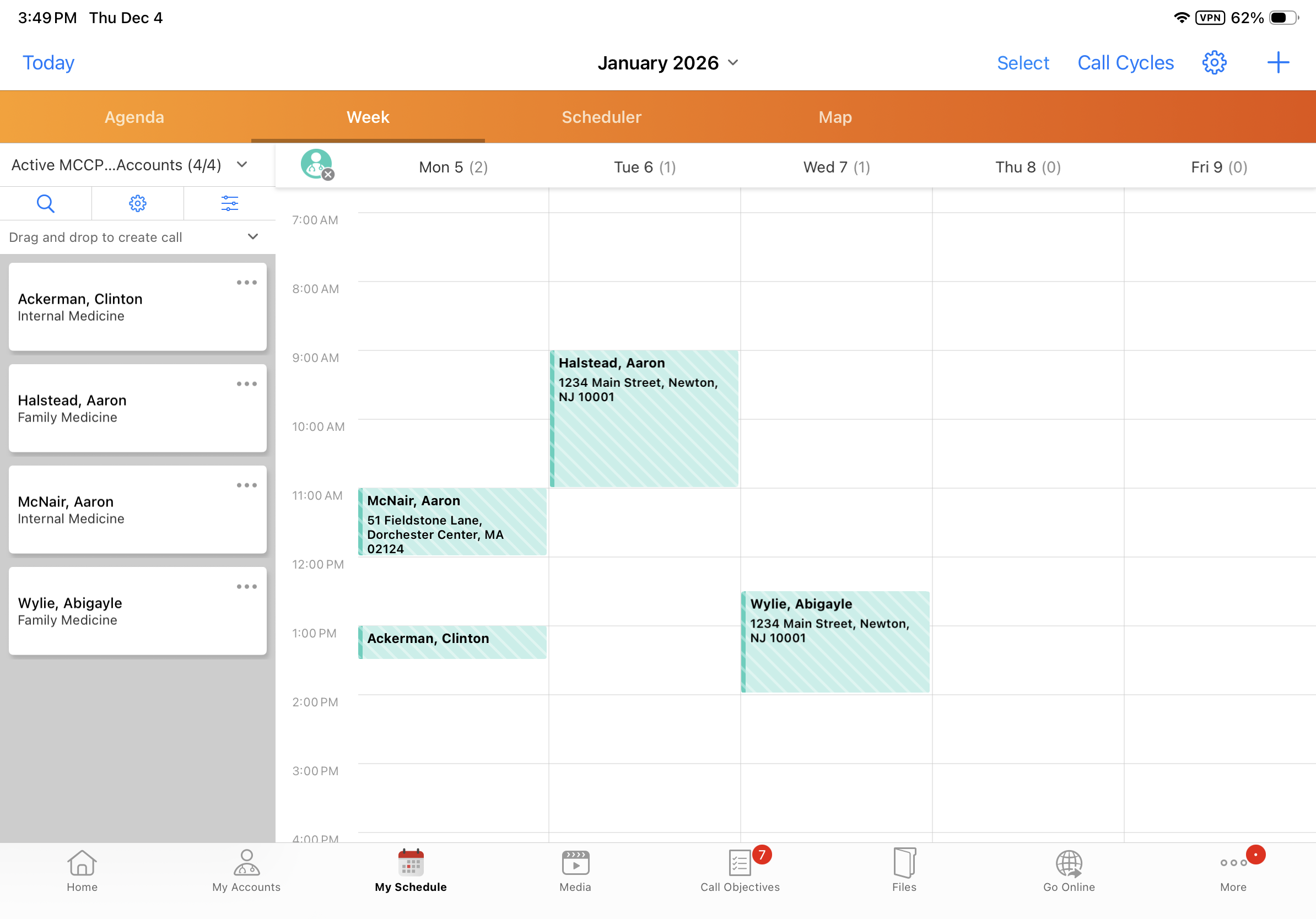
Viewing Active MCCP Target Accounts
To effectively plan activities and achieve MCCP goals, users can generate Account Views of active target accounts for use in My Accounts and My Schedule. Managing active target accounts and planning timely interactions are critical to meeting MCCP goals. By leveraging the MCCP Target field on an account’s Territory Field
Who can use this feature?
- End Users — Browser, iPad, Windows
- Viewing Active MCCP Target Accounts
- Users do not require an additional license
Configuring Viewing Active MCCP Target Accounts for
 MCCP Admin Users, Integration Users
To configure this feature:
- Ensure Configuring Multichannel Cycle Plans and Configuring Accounts are complete.
-
Navigate to Admin > Users & Groups > Permission Sets.
-
Select the appropriate permission set.
-
Select the Objects tab.
- Grant the following permissions:
Object
Object Permission
Object Type
Fields
Field Permission
tsf__v
CRE
All applicable object types
- account__v
- external_id__v
- mccp_target__v
- territory_name__v
- territory__v
Edit
territory__v
R
All applicable object types
- id
- name__v
Read
-
Navigate to Business Admin > Objects > multichannel_setting__v.
-
Select the checkbox for the update_mccp_target__v Multichannel Setting.
Child Account Support
When Child Accounts are configured, also grant the following permissions to MCCP Admins and Integration Users:
|
Object |
Object Permission |
Object Type |
Fields |
Field Permission |
|---|---|---|---|---|
|
child_account__v |
R |
All applicable object types |
|
Read |
|
childaccount_tsf__v |
CRE |
All applicable object types |
|
Edit |
End Users
To configure this feature:
- Ensure Configuring Multichannel Cycle Plans and Configuring Accounts are complete.
-
Navigate to Admin > Users & Groups > Permission Sets.
-
Select the appropriate permission set.
-
Select the Objects tab.
-
Grant Read permission to the mccp_target__v field on the tsf__v object.
Child Account Support
When Child Accounts are configured, also grant End Users Read permission to the mccp_target__v field on the childacount_tsf__v object.
Viewing Active MCCP Target Accounts as
End Users
The MCCP Target checkbox is automatically selected on all Territory Field
The following conditions must be met for an MCCP to be considered active:
- The MC Cycle Status field on the MC Cycle record must be set to In Progress
- The current date must be within the start and end dates on the MC Cycle record
Start and end dates must be populated on the MC Cycle record. Cycles without start dates or end dates are not supported.
- The Status field on the MC Cycle Plan record must be set to In Progress
- The Status field on all MC Cycle Plan Target records in the plan must be set to Active
- Channels must be defined for the MC Cycle Plan and for MC Cycle Plan Targets
By including only accounts where the MCCP Target checkbox is selected in their Account View, users can generate an up-to-date view of active MCCP targets maintained by the MCCP process. This view can then be used in My Accounts and My Schedule to effectively plan activities for MCCP target accounts.
For information on creating and using Account Views, see Account Views and Lists.