Agentic Insight Quality Overview
Agentic Insight Quality offers an AI-powered collaborator built directly into Medical Insight workflows. It acts as a real-time coach, helping users transform raw observations into structured business intelligence. By providing immediate feedback against organizational standards, Agentic Insight Quality ensures that every insight submitted is a valuable asset for the company.
To ensure high-quality data capture, the system provides a two-step process: proactive guidance and AI-powered evaluation. Before a user begins typing, a set of Guidelines displays within the interface. These guidelines serve as a roadmap, helping users understand the necessary components of a high-quality insight before they even begin drafting their text. After the user enters their text, they can run a quality check. Agentic Insight Quality runs a real-time analysis, evaluating the draft against specific instructions to ensure the insight is actionable and compliant.
Agentic Insight Quality checks insights against the following Veeva-provided rules by default:
- Identification
- Observation
- Rationale
- Business Relevance
- Observation Context
- Writing Style
Admins can activate or deactivate any of these default rules. However, the Veeva-provided default rules cannot be edited or deleted.
To provide customized guidance, Business Admins can create their own rules for use with Agentic Insight Quality. For information on creating custom rules, see Custom Insight Quality Rules.
Business admins only need to create the rules in English. By default, all rules are translated into the user's language, and responses from the AI in the quality tab are displayed in the language in which the insight was entered. This applies for all Vault CRM Supported Languages
Not all features are available on all platforms. For a list of available platforms for each feature, see Platform Functionality.
Token Estimates
Token consumption may vary based on the number and complexity of Agent Rules, as well as the length and complexity of the insight. Based on testing during the product development process and early adopter usage, a reasonable estimate may be 3,000-10,000 tokens per quality check.
Accessing Agentic Insight Quality
To access Agentic Insight Quality, select a supported text field. The following entry points are supported:
- Medical Insight - Description field
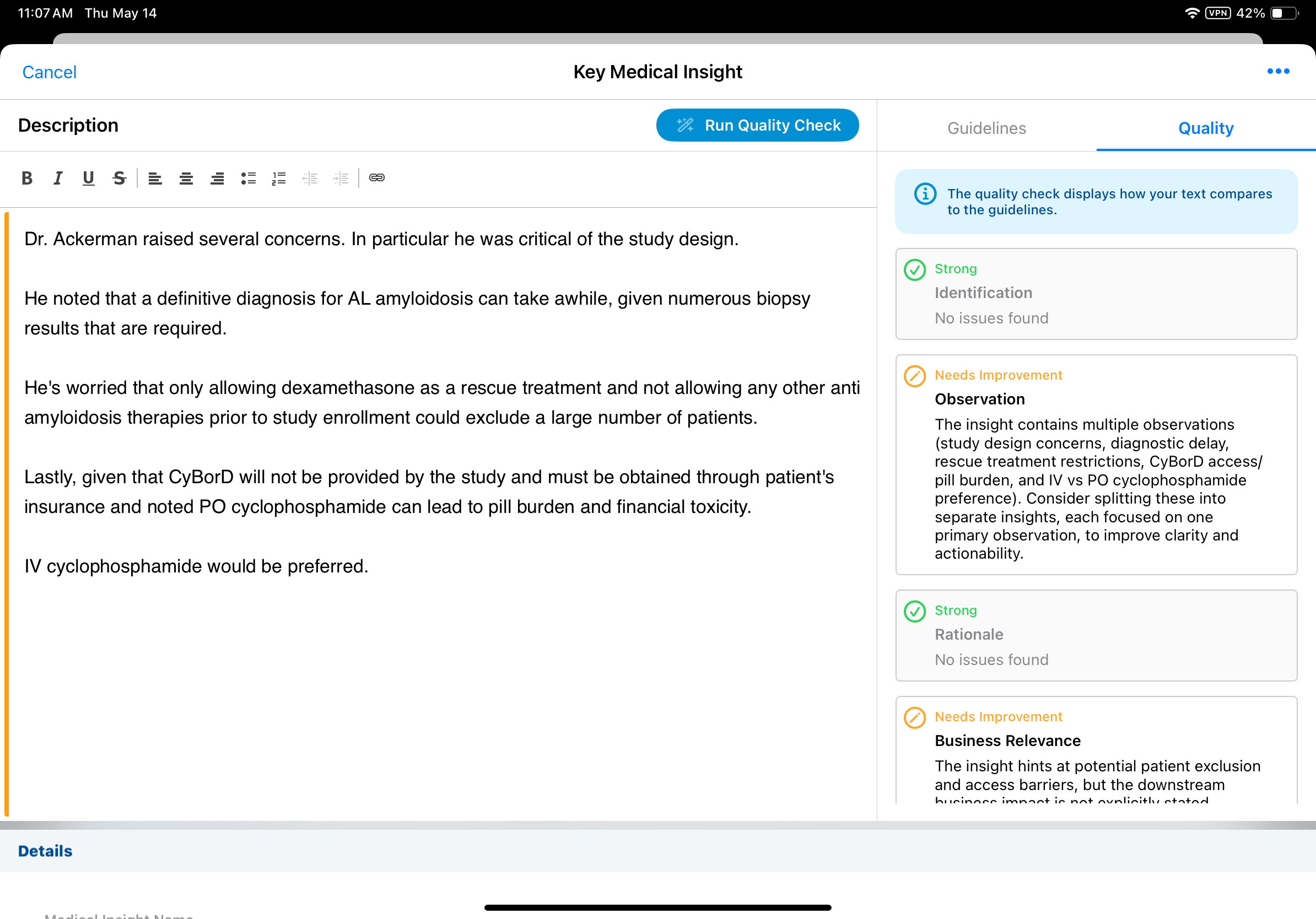
Agentic Insight Quality is only supported for standalone Medical Insight records. It is not supported for insights on a Medical Interaction.

