Record Data Sources for Account, Child Account, and Address
The Data Source field allows customers to indicate the origin of HCP and HCO identities on Account, Child Account, and Address records, distinguishing data associated with Veeva, IQVIA, other third-party providers, or customer-managed sources. As customers increasingly use multiple reference data providers, this field helps to reduce ambiguity, support data governance and stewardship workflows, and ensure consistent interpretation of master data across Vault CRM.
Who can use this feature?
- Admin Users - Browser
- Using Data Sources for Account, Child Account, and Address
- End Users - Browser, iPad, iPhone, Windows
- Using Data Sources for Account, Child Account, and Address
- Users do not require an additional license
Configuring Record Data Sources for
 All Users
To configure this feature, ensure the data_source__v object type field is enabled for all custom object types on the account__v, address__v, and child_account__v objects.
The data_source__v field is a system-managed field. Do not grant end users Edit access to the field.
Custom Object Types
The data_source__v field is already available on all standard object types (active and inactive) and cannot be removed. However, admins must configure the data_source__v field for all custom object types, so that each record can be populated with a Data Source value.
Making the Data Source a Required Field
The data_source__v field is not required by default, but admins can choose to make it a required field to ensure a value is populated for each record. To make the field required:
- Navigate to Admin > Configuration > Objects.
- Select the appropriate object (account__v, child_account__v, or address__v).
- Select the Fields tab.
- Select the data_source__v field.
- Select Edit.
- Select the User must always enter a value (required) checkbox.
- Select Save.
Using Record Data Sources for Account, Child Account, and Address as
Admin Users
The data_source__v field is a system-managed field. Customers cannot add new picklist values or inactivate existing picklist values. The picklist labels and names cannot be changed or re-ordered.
Admins can view and update the data_source__v field. This field is typically populated automatically by system integrations (for example Network MDM).
Admins who are granted Edit permission to the data_source__v field may update the value using the following methods:
-
API
-
The Vault CRM interface
Using Record Data Sources for Account, Child Account, and Address as
End Users
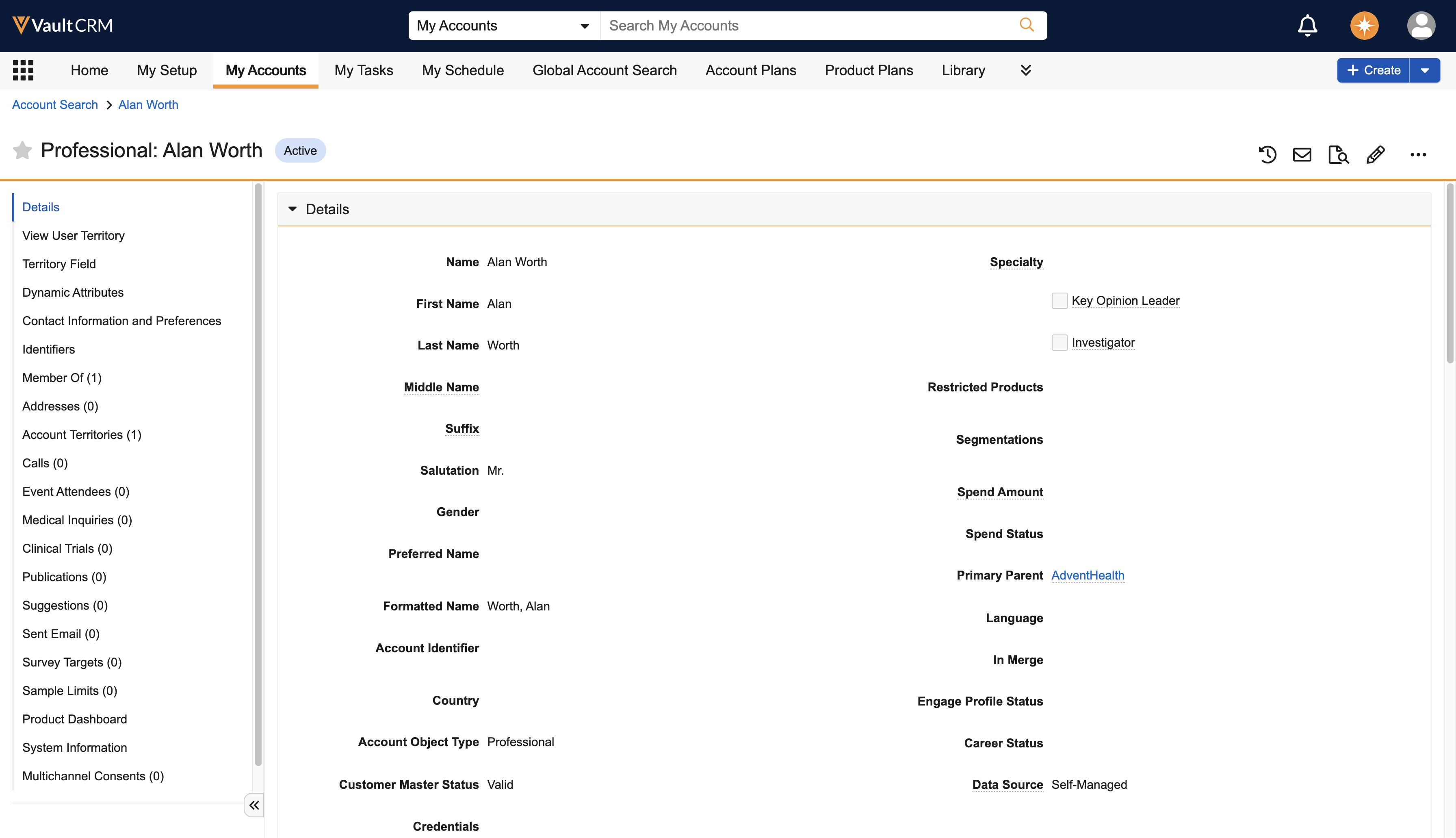
When users create a new record in Vault CRM, the application automatically populates the data_source__v field with Self-Managed.

