What's New in Patient CRM 26R1.4
This topic provides information about the Patient CRM 26R1.4 release, including important dates and release announcements.
All dates listed are subject to change.
Dates to Remember
- July 2, 2026 – Release Notes available
- July 9, 2026 – Sandbox Release
- July 16, 2026 – Production Release
Release Notes
The following items are now available:
- What's New in Vault CRM 26R1.4
- Announcements
- Core
- Vault AI in CRM
- Align
- Campaign Manager
- Engage
- Events Management
- Service Center
- User Visible and Behavior Changes (UVCs)
- Additional Resources
- What's New in Patient CRM 26R1.4
- Patient CRM
- User Visible and Behavior Changes (UVCs)
- Additional Resources
- 26R1.4 Maintenance Notes
Patient CRM
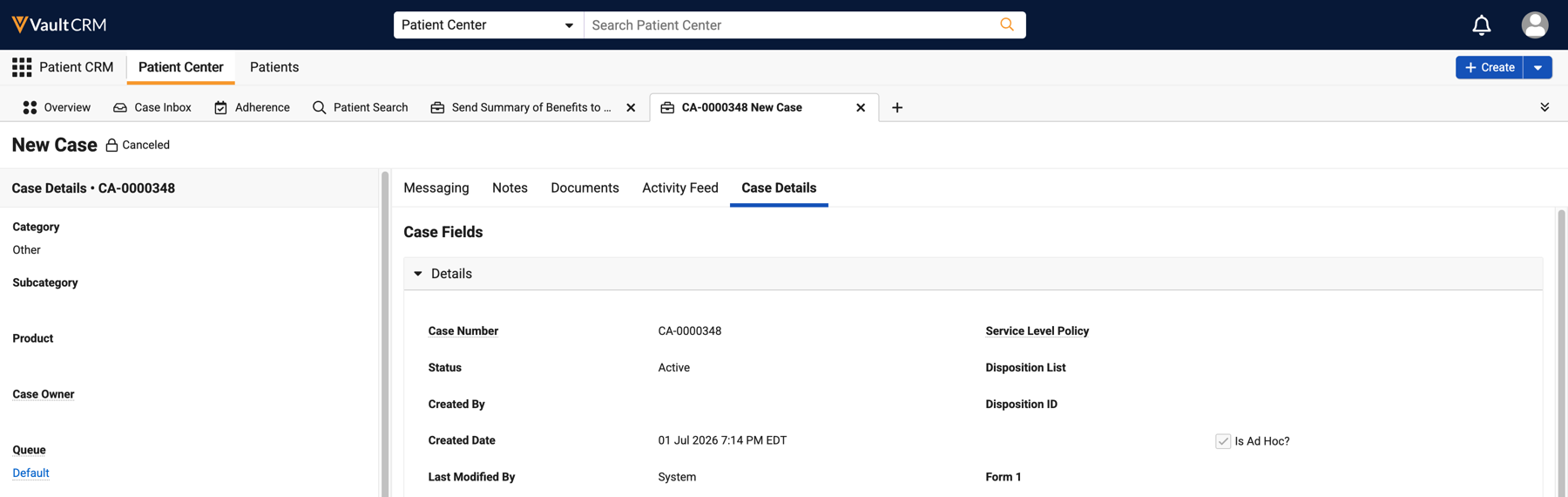
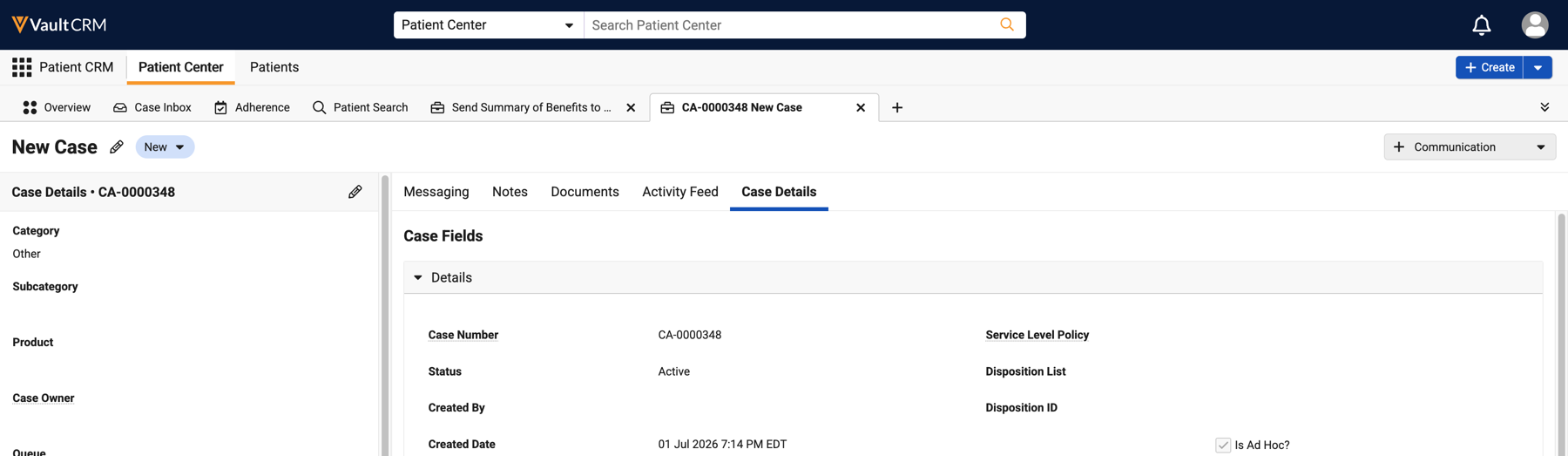
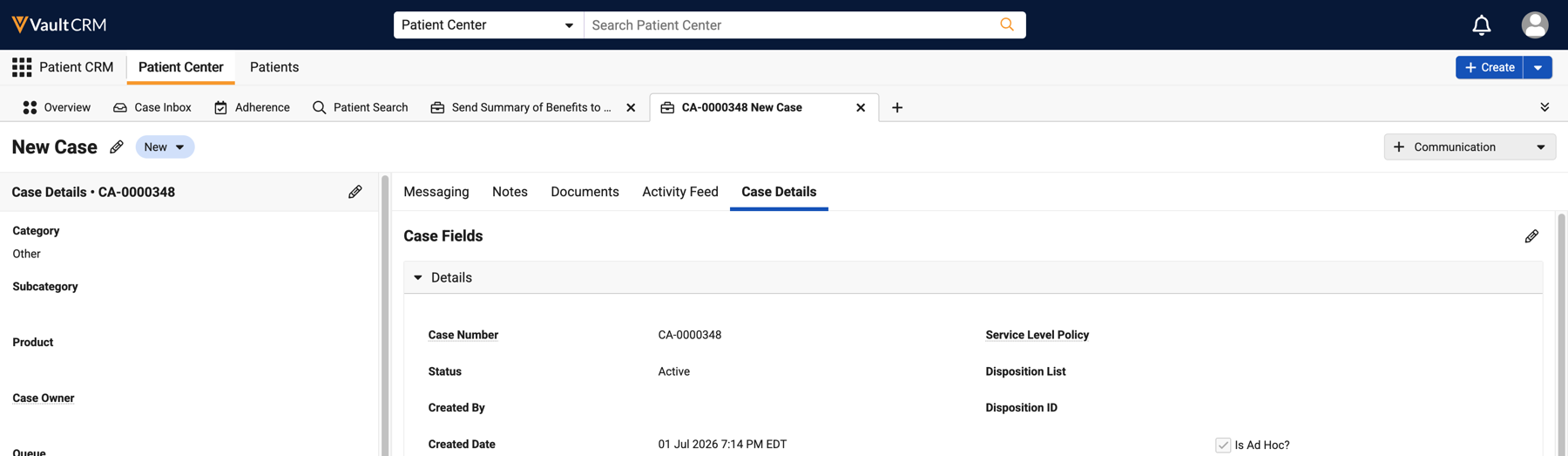
Case management gets more streamlined with this release. From the Case Details tab, Patient CRM users can view and edit a case without leaving the console. The center pane brings the full layout into focus for quick review and editing.
Editing Case Details in Patient CRM - Available on Browser
Patient CRM users can view and edit Case details directly from the Case Details tab. The center pane surfaces case attributes to give users access to the complete case record without leaving Case Details.
User Visible and Behavior Changes (UVCs)
Most new functionality requires some configuration, however users are able to use the following functionality immediately. Select the thumbnail to view a larger image.
|
Platform |
Description |
Before |
After |
|---|---|---|---|
|
Browser |
Case fields are read-only when canceled. |
n/a |
|
|
Browser |
Users can edit Case details directly in the Case Details tab. |
|
|
Additional Resources
The following resources are available for the 26R1.4 release:
- Feature Enablement and Availability
- Data Model Changes:
- New Objects
- New Fields
- Removed Fields
26R1.4 Feature Enablement and Availability
The following table provides an explanation of feature enablement and user impact.
|
Patient CRM Feature Availability and Enablement |
|||||||
|---|---|---|---|---|---|---|---|
|
Feature |
User |
Configuration |
Browser |
CRM Desktop |
iPad |
iPhone |
Windows |
| Edit Case Details - Available on Browser | Yes | No |

|

|
|
|
|

