What's New in Patient CRM 26R3.0
This topic provides information about the Patient CRM 26R3.0 release, including important dates and release announcements.
All dates listed are subject to change.
Release Dates
- November 12, 2026 – Release Notes available
- November 19, 2026 – Sandbox Release
- December 3, 2026 – Production Release
New Fields and New Objects are also included.
Patient CRM
This release gives Patient CRM users more control over the lifecycle of a patient journey itself. Users can now restart a completed, canceled, or discontinued patient journey from the beginning, as long as the patient does not already have an active enrollment in that same journey. That same flexibility extends down to the phase and step level, so a single step can be restarted without having to reset the entire journey. Alongside this, cases tied to patient journey steps can now be canceled while keeping their data intact, with canceled cases displaying alongside any related step restarts so users can see the full picture of what happened and when.
Restarting Patient Journeys - Available on Browser
Patient CRM users can restart any completed, canceled, or discontinued patient journey for a patient as long as there is not already an active enrollment for the same patient journey. When a patient journey is restarted, it opens with the first configured phase and step. Users can also view the history of all patient journey restarts.
Restarting Phases and Steps - Available on Browser
Patient CRM users can restart specific phases and steps within a patient journey as well as view the history of all patient journey step restarts. Patient journey phases are automatically restarted if a step within the phase is restarted.
Viewing Canceled Cases for Patient Journey Steps - Available on Browser
Patient CRM users can cancel cases related to patient journey steps while retaining Case data and view the list of canceled cases alongside any patient journey step restarts.
User Visible and Behavior Changes (UVCs)
Most new functionality requires some configuration, however users are able to use the following functionality immediately. Select the thumbnail to view a larger image.
|
Platform |
Description |
Before |
After |
|---|---|---|---|
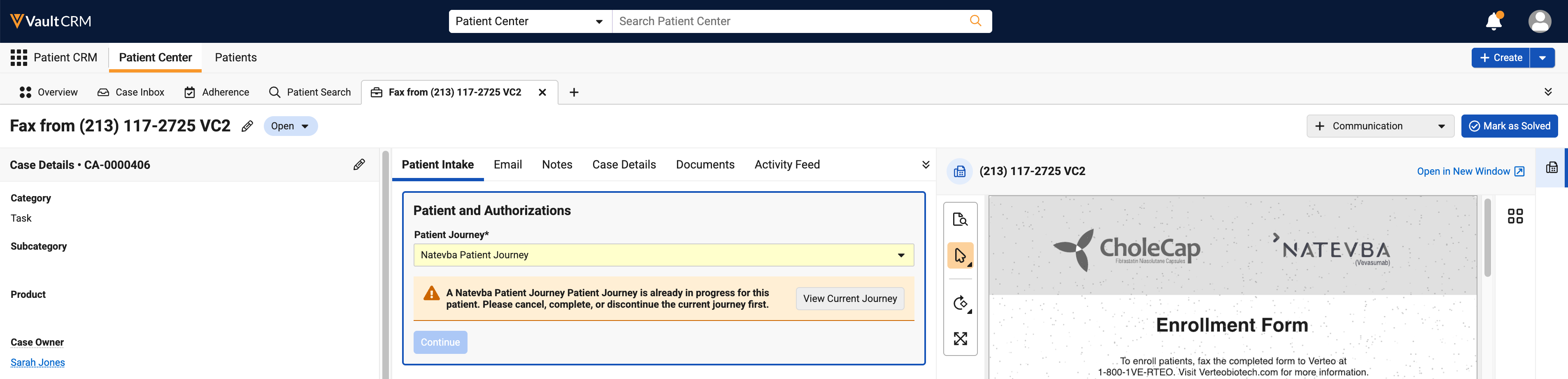
| Browser | The warning message that displays when an active enrollment in a patient journey already exists for a patient is updated to include a link to the active patient journey. | 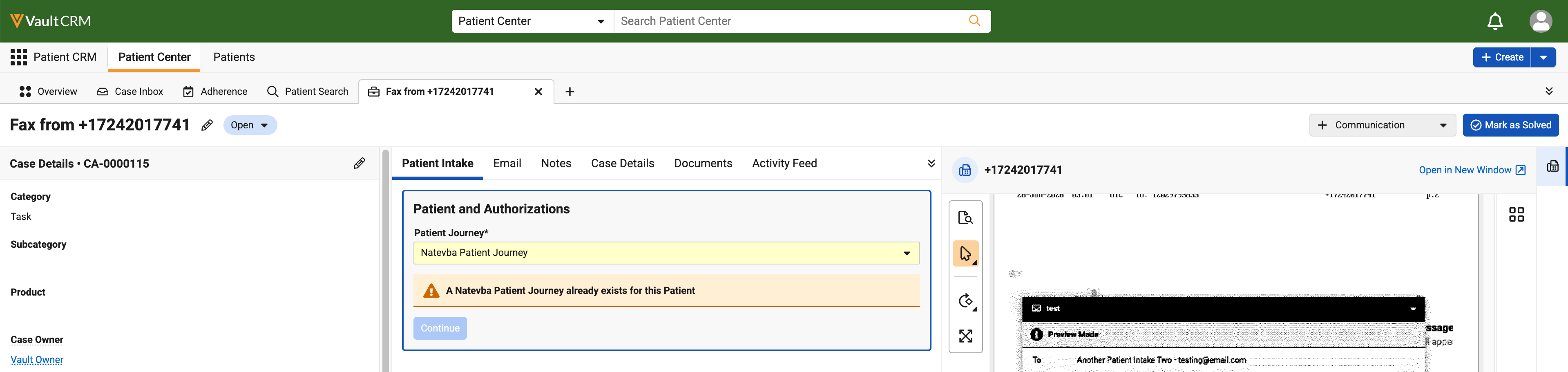
|
|
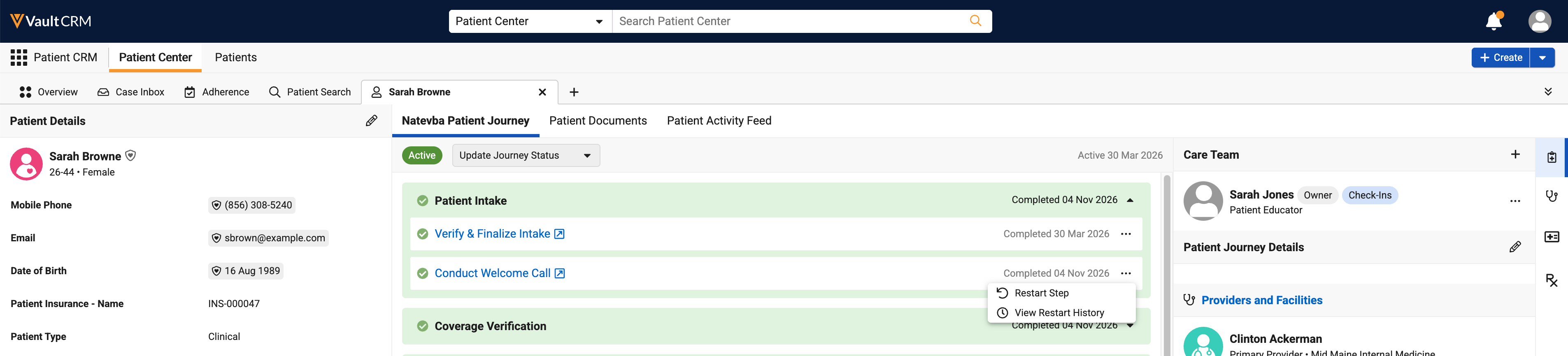
| Browser | For every patient journey step in the Patient Journey subtab, an All Actions menu displays on the far right side of the step card. The All Actions menu contains a Restart Step option and a View Restart History option. | 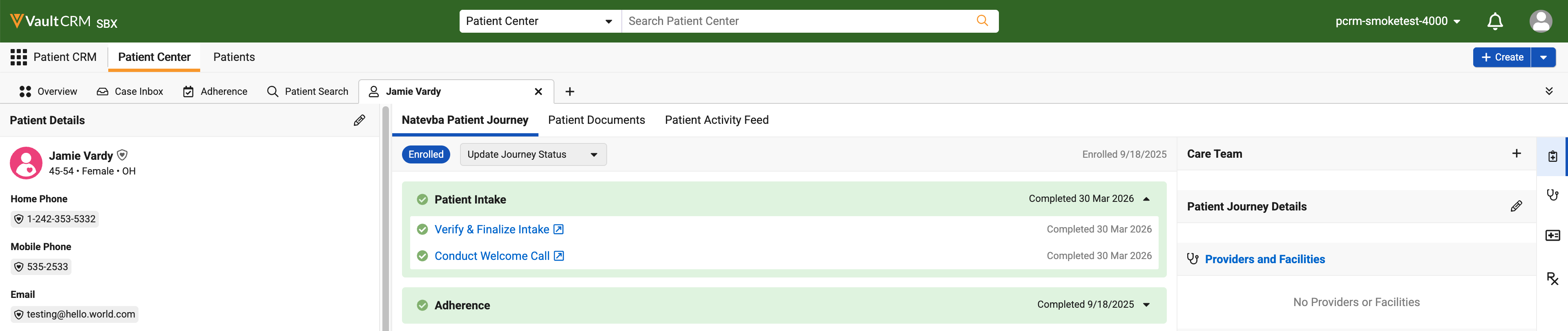
|
|
26R3.0 Feature Enablement and Availability
The following table provides an explanation of feature enablement and user impact.
|
Patient CRM Feature Availability and Enablement |
|||||||
|---|---|---|---|---|---|---|---|
|
Feature |
User |
Configuration |
Browser |
CRM Desktop |
iPad |
iPhone |
Windows |
| Restarting Patient Journeys - Available on Browser | Yes | No |

|

|
|
|
|
| Restarting Phases and Steps - Available on Browser | Yes | Yes |
|
|
|
|
|
| Viewing Canceled Cases for Patient Journey Steps - Available on Browser | No | No |
|
|
|
|
|
New Fields
The table below contains all fields added in Patient CRM 26R3.0. The fields are organized by object.
| Object | Field | Field Label | Description | Type |
|---|---|---|---|---|
| patient_journey_association__v | journey_restarted_date__v | Journey Restarted Date | Indicates the date on which the new journey has been started | Datetime |
|
patient_journey_step_detail__v |
step_restarted_date__v |
Step Restarted Date |
Indicates the date on which the step has been started |
Datetime |
|
patient_journey_step__v |
allow_restarts__v |
Allow Restarts |
Indicates whether the step can be restarted |
Yes/No |