AI Coaching Reports
Agentic Coaching evaluates submitted call recordings against Coaching Rules, empowering users to receive consistent, timely feedback on their performance. This feedback is provided in the form of AI Coaching Reports, which includes a summary of the call, a written evaluation and score for each Coaching Rule, and up to three recommendations per rule.
AI Coaching Reports are generated from the call transcript only; the audio recording itself is not evaluated. For more on call recordings, see Recording Audio and Generating Transcripts for Calls.
Who can use this feature?
- End Users — Browser
- Using AI Coaching Reports
- A Vault AI license is required
Configuring AI Coaching Reports for
 End Users
To configure this feature, ensure Configuring Agentic Coaching is complete.
Using AI Coaching Reports as
End Users
When users submit a call report with a transcript captured by Recording Audio and Generating Transcripts for Calls, Agentic Coaching evaluates the call transcript against active Coaching Rules and generates an AI Coaching Report. Users can review the resulting AI Coaching Report, review the summary and evaluations for each Coaching Rule, and mark the report as complete.
A call report must have a single call audio recording in order to generate an AI Coaching Report. For unique activity group calls, each child call recording is evaluated independently.
For compliance and data privacy, the call audio recording and its transcript are permanently deleted when the AI Coaching Report is generated.
AI Coaching Reports are generated in the language set on the user__sys record for the call report's owner. This means the language used for the AI Coaching Report can differ from the transcript language, in cases where the language spoken on the call recording is different from the user language set in Vault CRM.
Viewing an AI Coaching Report
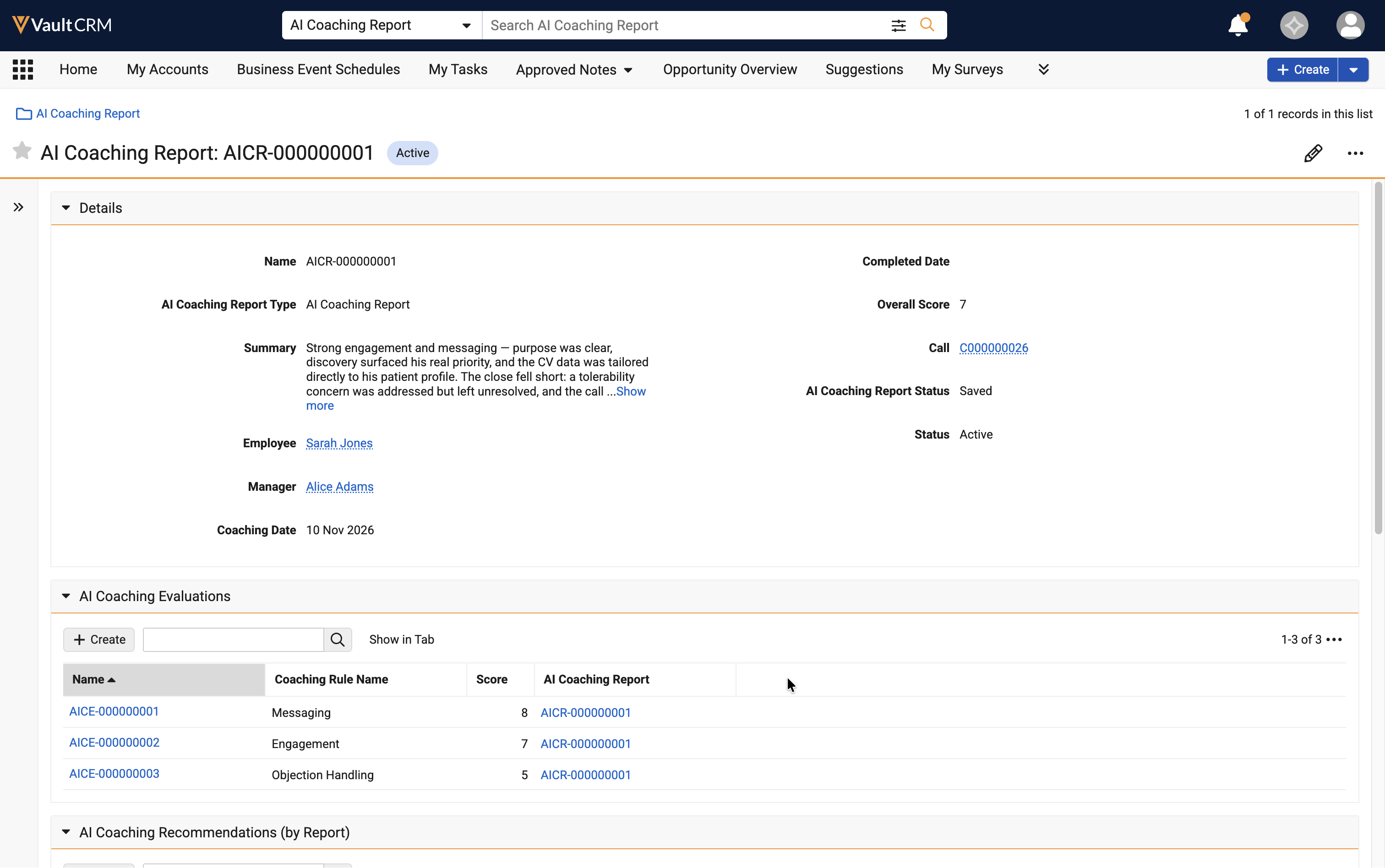
To view an AI Coaching Report, navigate to the AI Coaching Reports tab and select the AI Coaching Report associated with the call report.
Reviewing the Coaching Summary
After opening an AI Coaching Report, review the Summary field for a brief overview of the interaction, including the primary strength and shortfall of the call.
Reviewing Evaluations and Recommendations
Below the summary, review the evaluation for each Coaching Rule. Each evaluation includes a written description of what happened during the call for that category, grounded in specific moments from the transcript, and up to three recommendations for improvement.
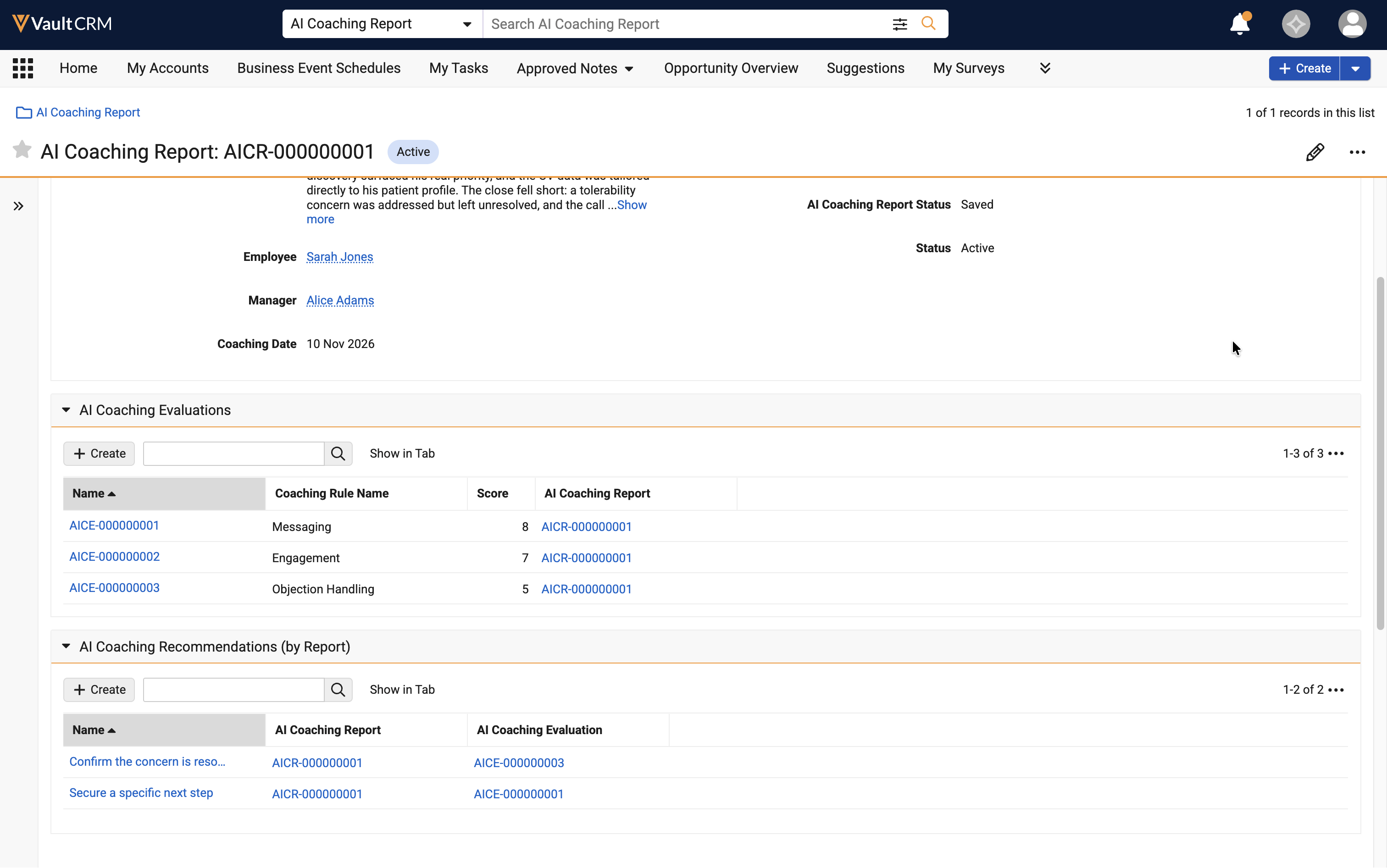
If a Coaching Rule had no opportunity to occur during the call, for example, Objection Handling when the HCP raised no objection, an evaluation is not produced.
Completing an AI Coaching Report
After reviewing the summary, evaluations, and recommendations, select the Complete Review action on an AI Coaching Report to mark it as complete.
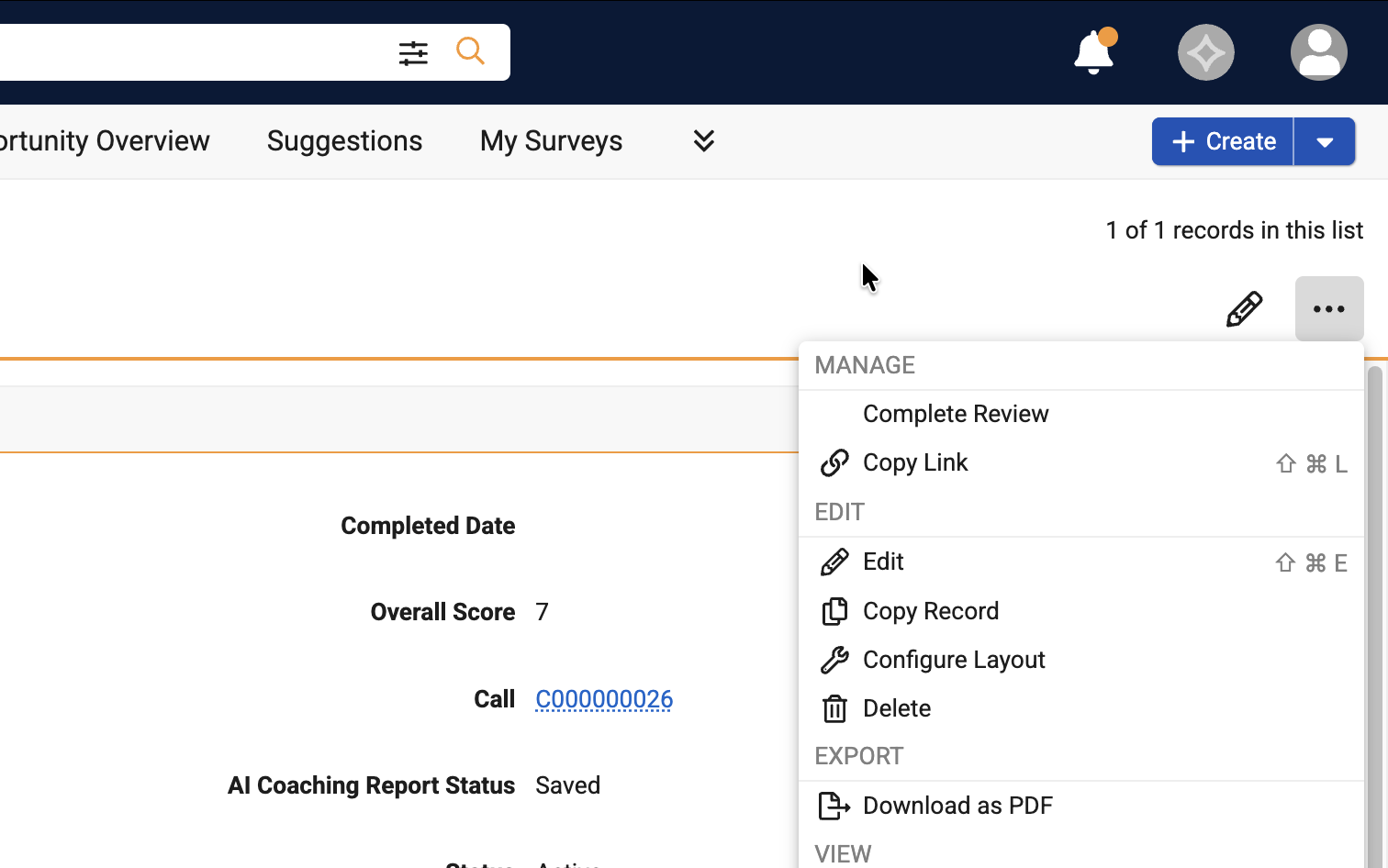
When users mark the report complete, the following fields on the ai_coaching_report__v record are updated:
- ai_coaching_report_status__v - Set to completed__v
- completed_date__v - Set to the current date