What's New in Patient CRM 26R1.3
This topic provides information about the Patient CRM 26R1.3 release, including important dates and release announcements.
All dates listed are subject to change.
Dates to Remember
- June 11, 2026 – Release Notes available
- June 18, 2026 – Sandbox Release
- June 25, 2026 – Production Release
Release Notes
The following items are now available:
- What's New in Vault CRM 26R1.3
- Announcements
- Core
- Vault AI in CRM
- Align
- Campaign Manager
- Engage
- Events Management
- Service Center
- User Visible and Behavior Changes (UVCs)
- Additional Resources
- What's New in Patient CRM 26R1.3
- Patient CRM
- User Visible and Behavior Changes (UVCs)
- Additional Resources
- 26R1.3 Maintenance Notes
Patient CRM
This release extends Patient CRM with tools that improve both communication and case management efficiency. A new Outbound Fax capability lets Patient Support Specialists send HIPAA-compliant faxes directly to HCPs and HCOs associated with a Patient Journey, with support for approved templates and patient document attachments. On the case management side, users can now cancel cases directly from Case Details and admins can configure the fields displayed in the My Cases preview pane, ensuring the most relevant case information is always front and center.
Outbound Fax - Available on Browser
Outbound Fax enables Patient Support Specialists and other users in patient-related roles to send HIPAA-compliant faxes to HCPs and HCOs associated with a Patient Journey. Users can select custom approved fax templates, attach patient documents, and send documents directly to account fax numbers.
Canceling Cases in Patient CRM - Available on Browser
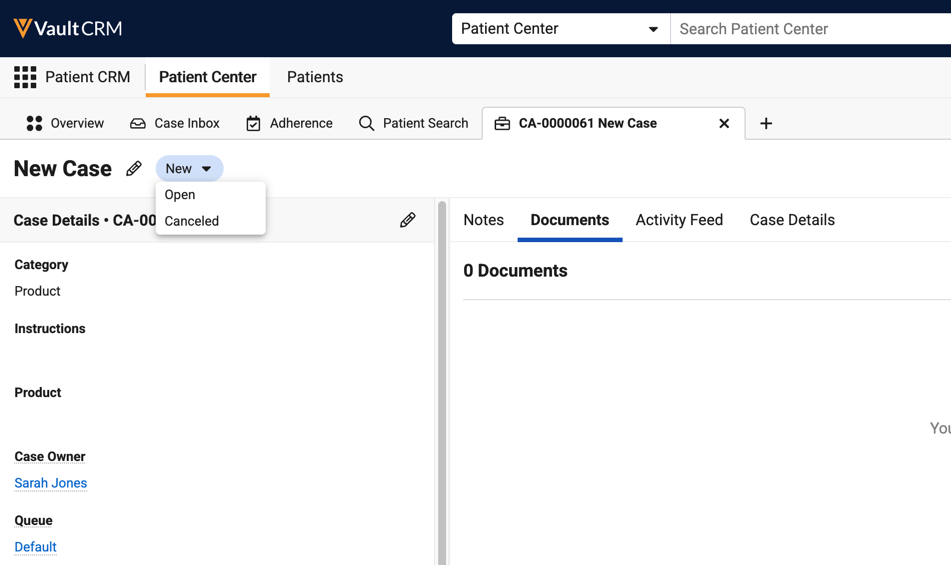
Patient CRM users can cancel a case directly from Case Details. This is useful when a case is duplicated or created inadvertently.
Preferred Case Details in Patient CRM - Available on Browser
Business admins can now configure the Case Detail fields that display in the My Cases preview pane. Up to six fields can be defined in addition to four default, always-on fields: Category, Product, Case Owner, and Queue.
User Visible and Behavior Changes (UVCs)
Most new functionality requires some configuration, however users are able to use the following functionality immediately. Select the thumbnail to view a larger image.
|
Platform |
Description |
Before |
After |
|---|---|---|---|
|
Browser |
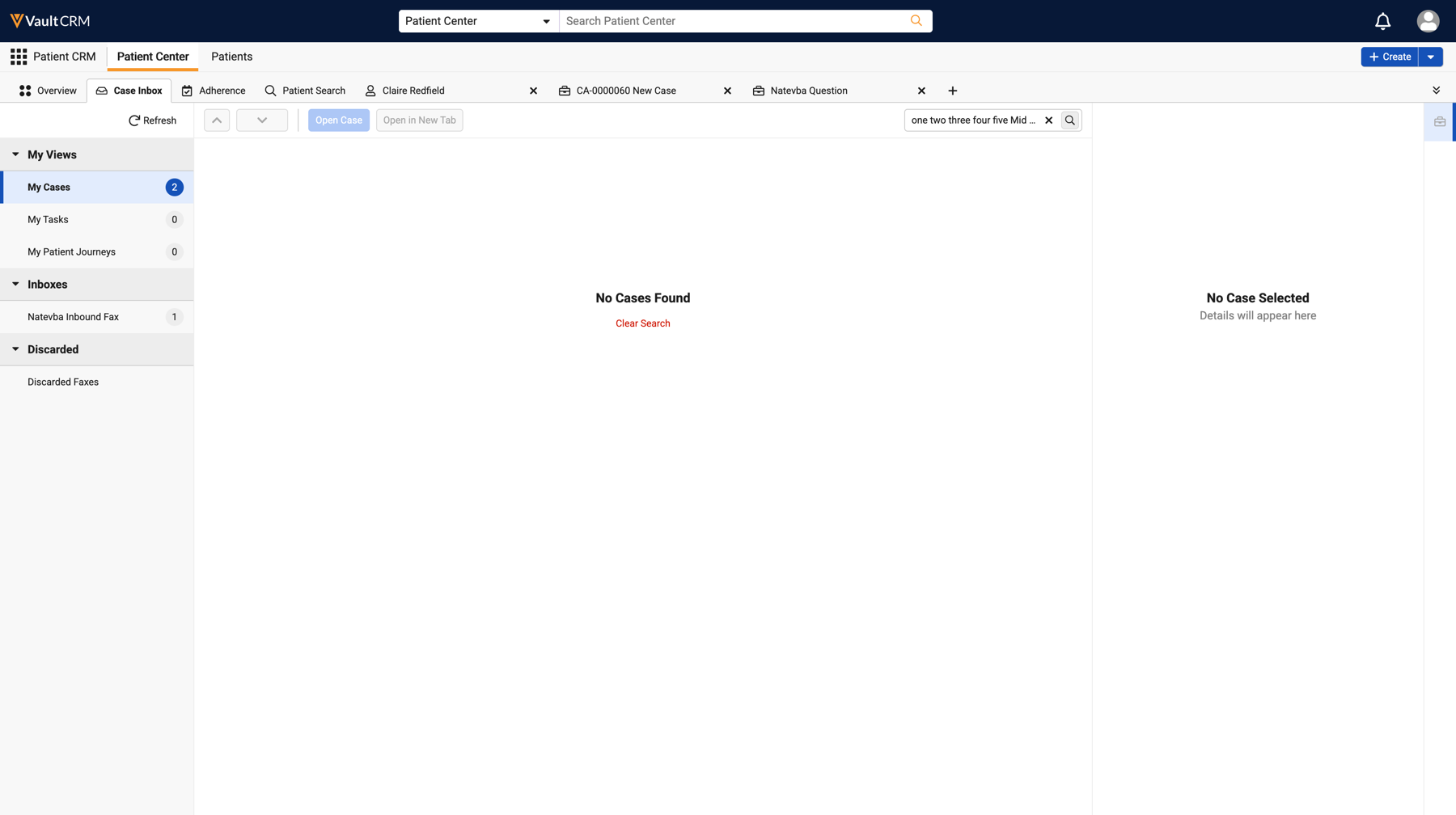
Inbound case search behavior is updated for consistency across the application. |
n/a |
n/a |
|
Browser |
Inline search supports a maximum of 10 search terms. Users are prompted to clear their search terms if they attempt to search with greater than 10. |
n/a |
|
|
Browser |
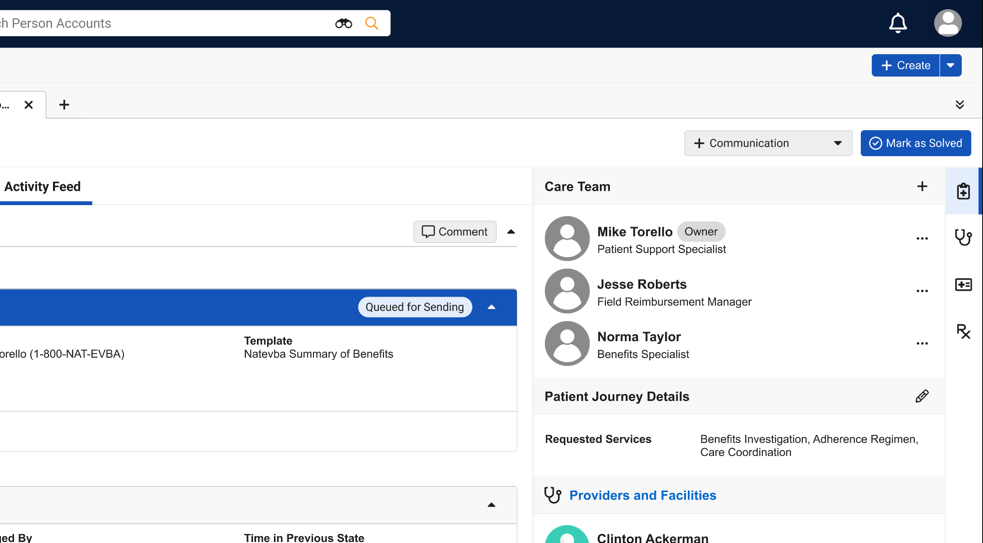
The Mark as Solved button now displays to the right of the Communication drop-down on Case tabs. |
n/a |
|
|
Browser |
The Timeline sub-tab for Patient Journey Overviews and Cases is renamed to Activity Feed. |
n/a |
|
|
Browser |
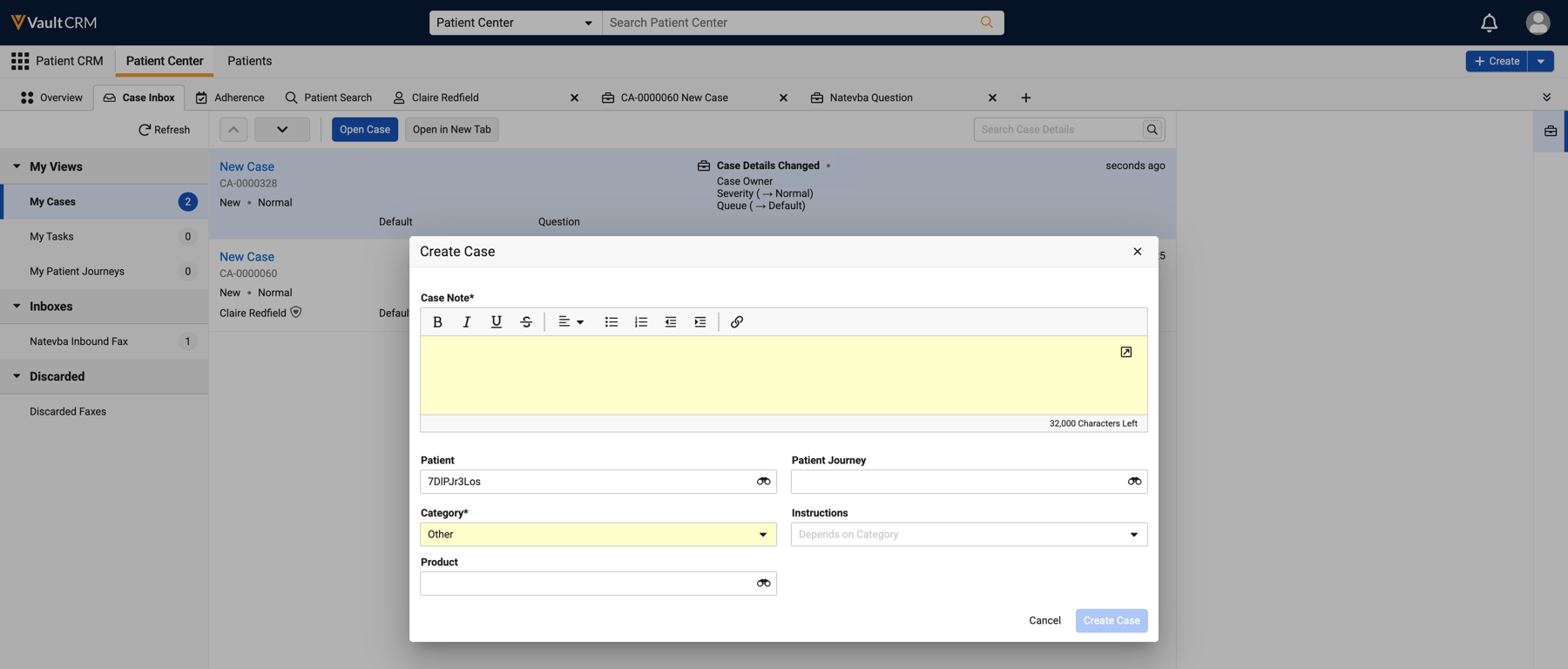
Cases created adhoc can be linked to a Patient Journey Association record to ensure the appropriate Provider and Facility fax recipients are available. |
n/a |
|
| Browser |
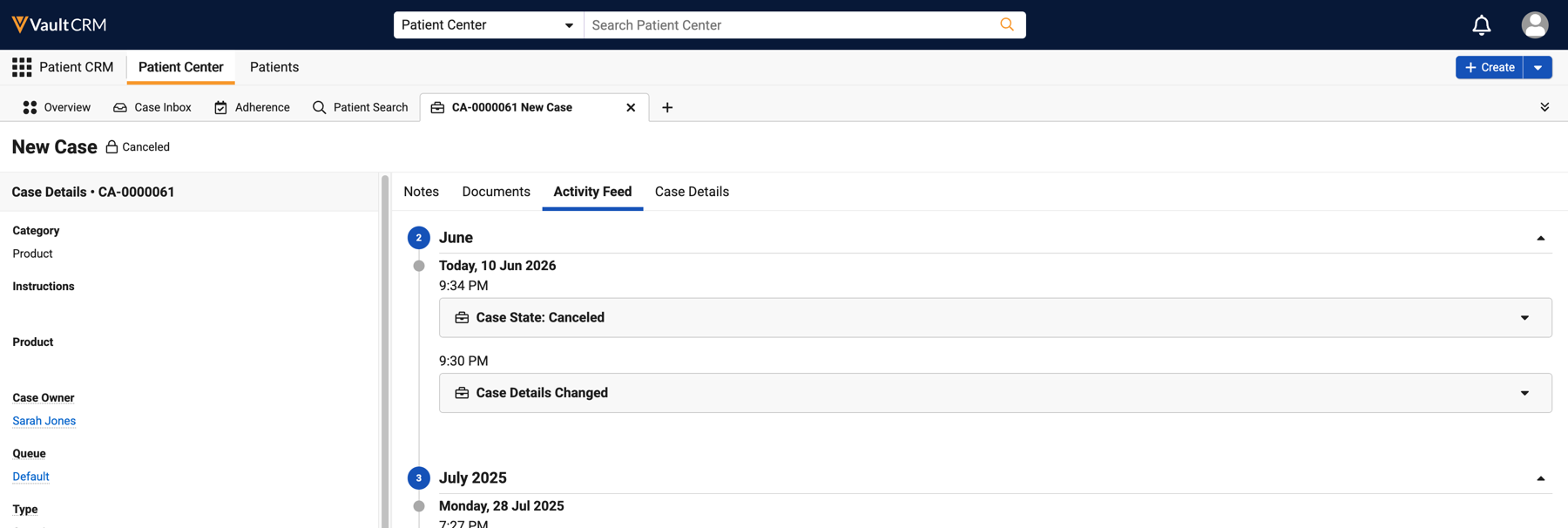
The Canceled case state is now available for selection when updating case states. |
n/a |
|
| Browser |
When a case is canceled, the Case Timeline entry reflects the canceled status and associated public comments. |
n/a |
|
Additional Resources
The following resources are available for the 26R1.3 release:
- Videos
- Feature Enablement and Availability
- Data Model Changes:
- New Objects
- New Fields
- Removed Fields
Feature Enablement and Availability
The following table provides an explanation of 26R1.3 feature enablement and user impact.
|
Patient CRM Feature Availability and Enablement |
|||||||
|---|---|---|---|---|---|---|---|
|
Feature |
User |
Configuration |
Browser |
CRM Desktop |
iPad |
iPhone |
Windows |
|
No |
Yes |
|
|

|
|
|
|
|
Yes |
No |
|
|
|
|
|
|
|
Preferred Case Details in Patient CRM - Available on Browser |
No |
Yes |
|
|
|
|
|

New Objects
The table below contains all new objects added in Patient CRM 26R1.3.
| Object | Label | Description |
|---|---|---|
| case_call__v | Case Call | Join object linking Cases to Call records for FRM workflow integration. |
New Fields
The table below contains all fields added in Patient CRM 26R1.3. The fields are organized by object.
| Object | Field Name | Field Label | Description | Type |
|---|---|---|---|---|
| case__v | mobile_id__v | Mobile ID | The mobile ID of the record. | String |
| case__v | patient_journey_association__v | Patient Journey Association | The patient journey associated with the case. | Object |
| case__v | payer_name__v | Payer Name | Name of the insurance payer for this case. | String |
| case__v | primary_insurance__v | Primary Insurance | Primary insurance plan information. | String |
| case__v | secondary_insurance__v | Secondary Insurance | Secondary insurance plan information. | String |
| case__v | specialty_pharmacy_name__v | Specialty Pharmacy Name | Name of the specialty pharmacy involved in this case. | String |
| case_call__v | call__v | Call | Links call activity to case management | Object |
| case_call__v | case__v | Case | Links case management to call activity | Object |
| case_call__v | created_by__v | Created By | The user who created the record. | Object |
| case_call__v | created_date__v | Created Date | The date the record was created. | DateTime |
| case_call__v | global_id__sys | Global ID | The global ID of the record. | String |
| case_call__v | link__sys | Link | The record's link. | String |
| case_call__v | mobile_id__v | Mobile ID | The mobile ID of the record. | String |
| case_call__v | modified_by__v | Last Modified By | The user who last modified the record. | Object |
| case_call__v | modified_date__v | Last Modified Date | The date the record was last modified. | DateTime |
| case_call__v | name__v | Name | The record's name. | String |
| case_call__v | object_type__v | Case Call Type | The object type of the record. | Picklist |
| case_call__v | status__v | Status | The record's status. | Picklist |
| case_comment__v | mobile_id__v | Mobile ID | The mobile ID of the record. | String |
| case_conversation__v | sent_fax__v | Sent Fax | The sent fax record affiliated with the conversation. | Object |
| case_note__v | mobile_id__v | Mobile ID | The mobile ID of the record. | String |
| case_timeline__v | event_datetime__v | Event Datetime | The date and time of the associated event. | DateTime |
| case_timeline__v | mobile_id__v | Mobile ID | The mobile ID of the record. | String |
| console_application_settings__v | allow_outbound_communications__v | Allow Outbound Communications | Indicates if users are allowed to send outbound communications to fax numbers and/or email addresses from a case. | Picklist |
| console_application_settings__v | allow_unverified_outbound_communications__v | Allow Unverified Outbound Communications | Indicates if users are allowed to send outbound communications to manually entered, unverified fax numbers and/or email addresses. | Picklist |
| sent_fax__v | case__v | Case | The associated case. | Object |
| sent_fax__v | delivered_date__v | Delivered Date | The date the fax was delivered. | DateTime |
| sent_fax__v | patient__v | Patient | The associated patient. | Object |
| sent_fax__v | patient_account__v | Patient Account | The associated patient account. | Object |
| sent_fax__v | secure_fax_template_data__v | Secure Fax Template Data | Secure values from the fax template at the time of sending, to preserve context even if the template is later updated. | Text |
| sent_fax__v | secure_user_input_values__v | Secure User Input Values | Secure values for user input tokens, such as Picklist selections and free text entries. | Text |
| sent_fax__v | sent_fax_document__v | Sent Fax Document | The document associated with the sent fax. | Object |
| sent_fax__v | sent_fax_document_unbound__v | Sent Fax Document (unbound) | The unbound fax document. | Number |
Removed Fields
No fields were removed in Patient CRM 26R1.3.

