What's New in Vault CRM 26R1.3
This topic provides information about the Vault CRM 26R1.3 release, including important dates and release announcements.
All dates listed are subject to change.
Dates to Remember
- June 11, 2026 – Release Notes available
- June 18, 2026 – Sandbox Release
- June 25, 2026 – Production Release
Release Notes
The following items are now available:
- What's New in Vault CRM 26R1.3
- Announcements
- Core
- Vault AI in CRM
- Align
- Campaign Manager
- Engage
- Events Management
- Service Center
- User Visible and Behavior Changes (UVCs)
- Additional Resources
- What's New in Patient CRM 26R1.3
- Patient CRM
- User Visible and Behavior Changes (UVCs)
- Additional Resources
- 26R1.3 Maintenance Notes
This release includes features from the 261.2.30 weekly release.
Announcements
26R1.3 Release Notes Podcast
We’ve added an AI-generated podcast that walks you through the highlights of the 26R1.3 release. Give it a listen and let us know what you think using the Feedback button.
External Calendar Event Field Removals
The following unused fields on the external_calendar_event__v object will be removed from the Vault CRM data model with the 26R2.0 release:
- is_online_meeting__v
- meeting_join_url__v
- occurrence_id__v
- online_meeting_url__v
To prepare for removal, any values stored in these fields are deleted with the 26R1.4 release.
Microsoft Outlook Integration: Transition to Core System User by 26R2.2
All new Vault CRM instances provisioned after 26R1.0 automatically use the Core System User for Microsoft Outlook integrations. If your Vault already has a Microsoft Outlook integration enabled with a customer-managed Integration User, here’s what you need to know before switching to the Core System User:
- System users have limited field access by default. Your current configuration may need to be updated to maintain full data sync between Microsoft Outlook and My Schedule.
- Review what will be synced. Before switching, check what is synced from Microsoft Outlook to My Schedule when using the Core System User and update your configuration as needed.
Core
Two themes run through Core CRM in this release: broader platform availability and tighter field workflows. Stakeholder Navigator and Action Items come to Windows, while Commercial Insights and CLM gain broader platform support; functionality that was previously limited to certain devices is now more consistently available across the team.
Alongside those expansions, several workflow refinements make common tasks more efficient: a collapsible details pane maximizes screen space when reviewing Accounts, an updated Account Plan picklist on the call report ties field interactions more directly to strategic objectives, and surveys can now be assigned by Detail Group. Content developers also gain more flexibility in X-Pages, where new tools make it easy to build experiences that keep users in context.
Account Management
Collapsible Details Pane in My Accounts - Available on Browser
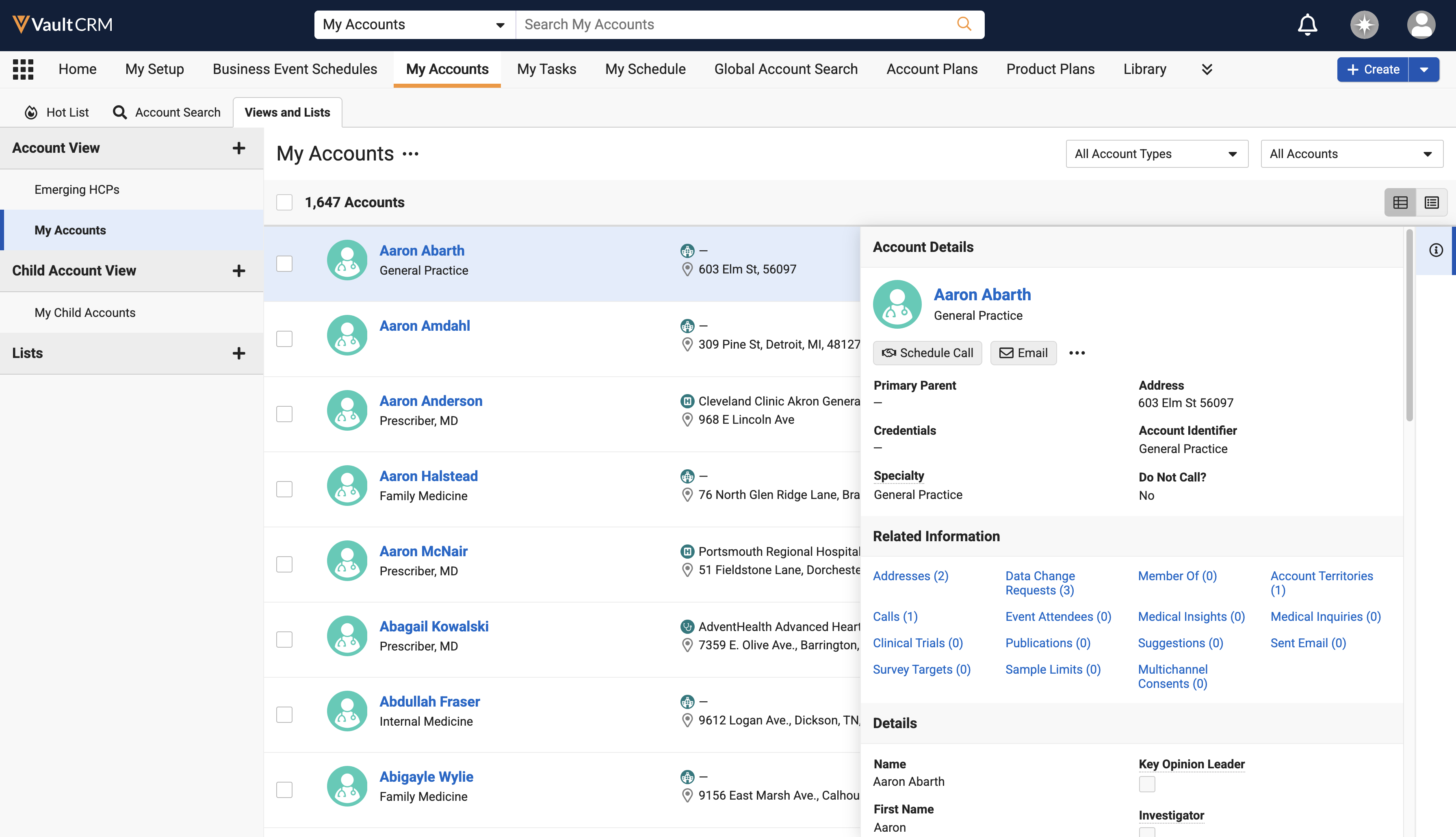
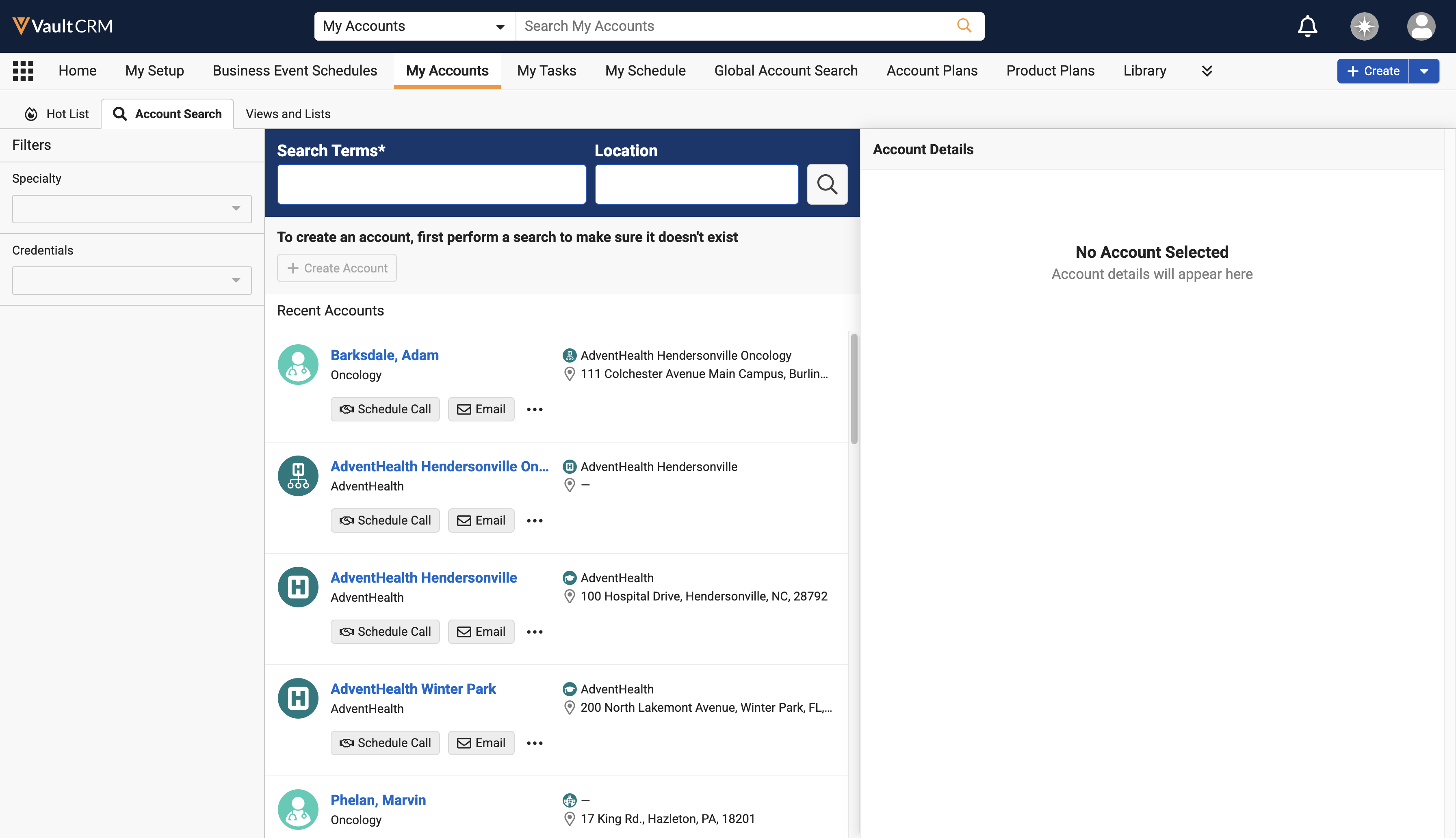
Users can now view account lists and search results with the Account Details pane collapsed by default, resulting in maximized screen real estate for data columns and a more efficient workflow when managing account data.
Stakeholder Navigator - Now available on Windows
Stakeholder Navigator enables users to quickly learn about an account's key stakeholders, for example, business accounts, KOLs, or influential HCPs. Users can select the Stakeholder Navigator action on an account or account plan to illustrate both the account's formal organizational structure, for example, the business account representing their employer, as well as their informal network of other accounts they know or work with.
Account Planning
Updated Account Plan Picklist on Call Report - Available on Browser, iPad, iPhone
Users can associate an account plan with a call when the call account is a key stakeholder or has an assigned action item on that plan, resulting in more accurate contextual data and tighter alignment between field interactions and strategic account objectives.
Call Reporting
Action Items on the Call Report - Now available on Windows
Action items on the call report help users streamline account planning and maximize visit impact by providing a clear overview of tasks and enabling on-the-spot completion. This functionality provides a flexible way to manage tasks for account plans and offers a less-formal alternative to Call Objectives when defining to-do lists for Key Account Managers (KAM) and account plan team members.
CLM
Displaying PowerPoint Presentations in CLM as Object Model - Now available on Windows
CLM presentations containing PowerPoint content launch in PowerPoint outside the CLM media player, while still using the media library. This allows Windows users to maintain the animations and transitions of their PowerPoint presentations, while still ensuring the latest approved version of the presentation is available.
Vault CRM supports displaying website content in the media library on CRM Desktop (Windows) and Windows. Content creators can create websites with approved content which users can share with HCPs during calls and Engage meetings, while ensuring the content is compliant.
Multi-Product CLM Presentations for CLM as Document Model - Available on iPad
Content creator users can assign multiple detail products and groups to Presentation Binders and Slide Documents, allowing end users to detail multiple products using a single slide. This protects end user media libraries from overcrowding and makes it easier for content creator users to manage and maintain content in Vault CRM.
Commercial Insights
Commercial Insights - Now available on Windows
Windows users can now use Commercial Insights to gather and record valuable information on industry trends and HCP sentiments and behaviors. Commercial teams can use this information to analyze market patterns and adapt their strategies based on real-world data.
Product-Dependent Picklists for Commercial Insights - Available on iPad and Windows
End users can dynamically filter picklist options on Commercial Insights based on the selected product or product-detail group, ensuring they only select picklist options relevant to the designated product line. This streamlines data entry, increases reporting accuracy during customer interactions, and ensures cleaner data for downstream analytics.
Call Reporting Entry Point for Commercial Insights - Available on iPad and Windows
End users can now record, modify, and manage important market insights discovered during key account or healthcare professional (HCP) interactions directly within the Call Report, providing organizations with a centralized repository of actionable market data. This streamlines field data entry, removes the need to switch modules, and ensures critical market trends remain contextually linked to historical account engagements.
Data Lakehouse
Viewing Data Freshness in the Data Lakehouse – Available on Browser
Customers can verify the freshness of the data within the Data Lakehouse by querying the z_data_freshness metadata table. This table provides the latest successfully published dataset across all objects, ensuring downstream analytics and integrations operate on accurate, up-to-date information.
Field Reimbursement Management
Field Reimbursement Management - Available on iPad
Field Reimbursement Management enables users to track, create, and update reimbursement cases from their iPad. This feature provides end users with a centralized, focused view of their active caseload, for example, prior authorizations, benefit verifications, and copay assistance requests. Field Reimbursement Management is available from the My Cases tab, the call report, or a custom X-Pages entry point if configured.
Medical
Create a Medical Interaction from My Accounts - Available on Browser
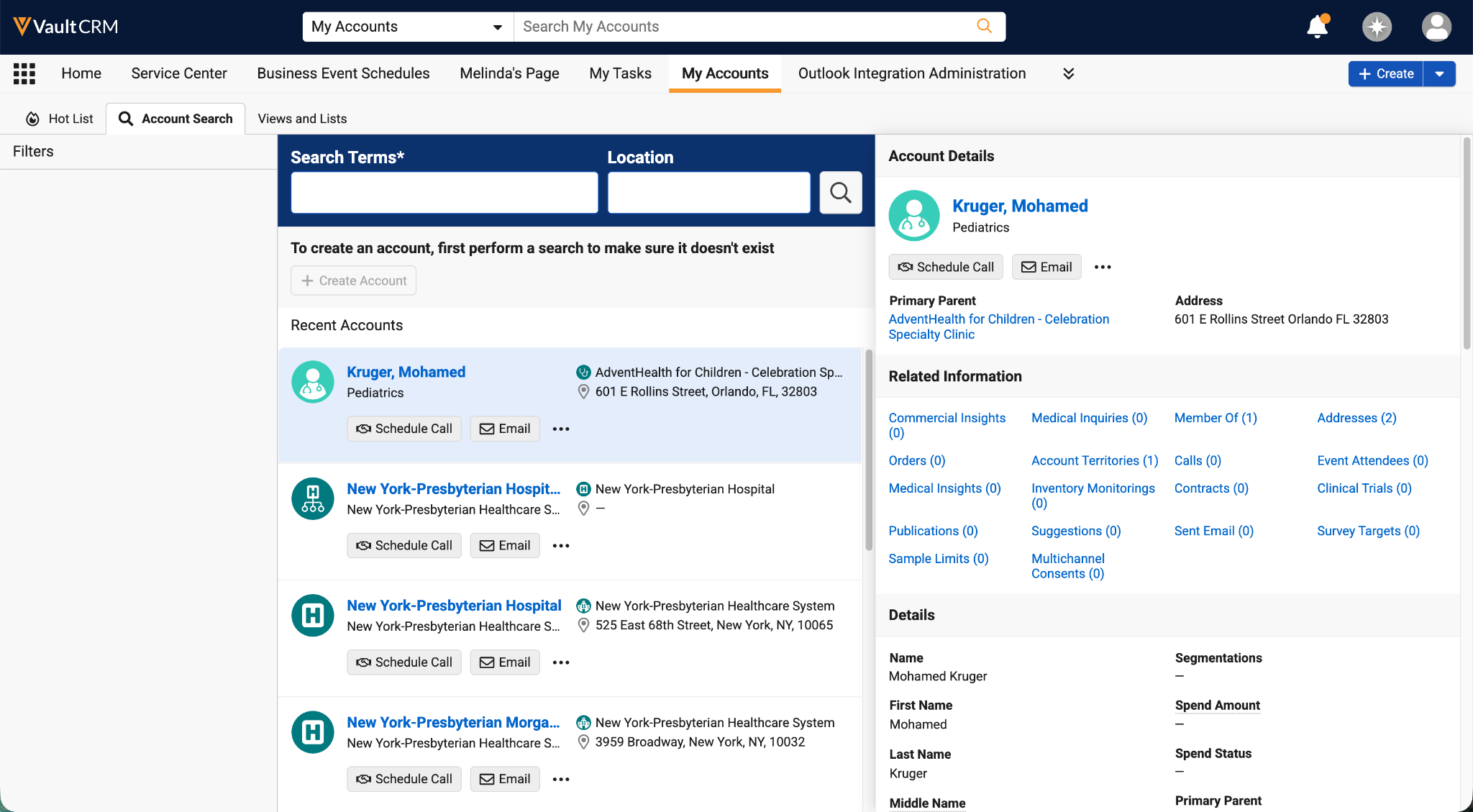
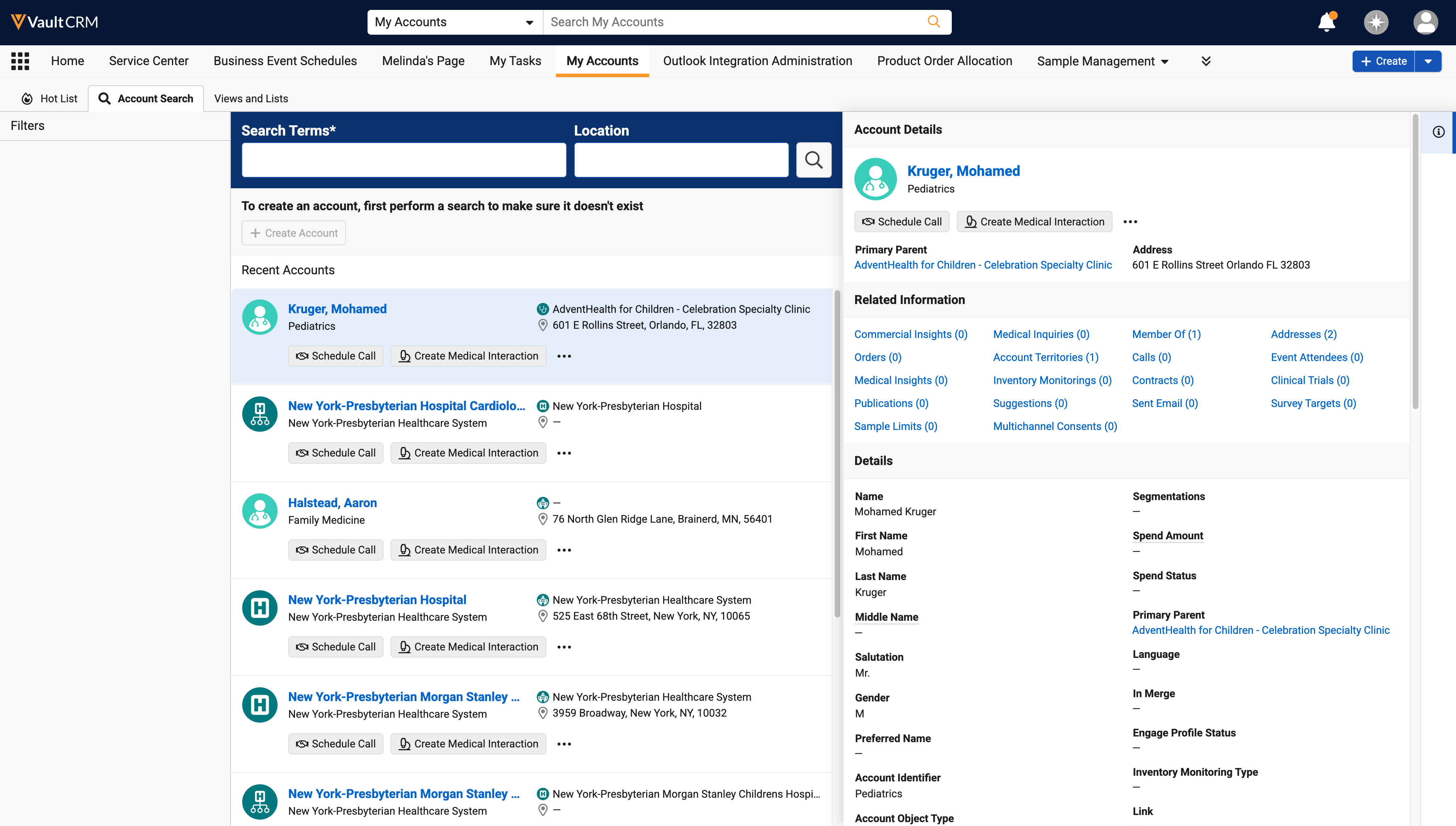
Browser users can now create a Medical Interaction directly from the My Accounts page by selecting the Create Medical Interaction action, streamlining their workflow and reducing navigation time.
Integrations
System User for Network Integration - Removed July 2, 2026
Order Management
Case Calculator and Fixed Units of Measure - Now available on Browser
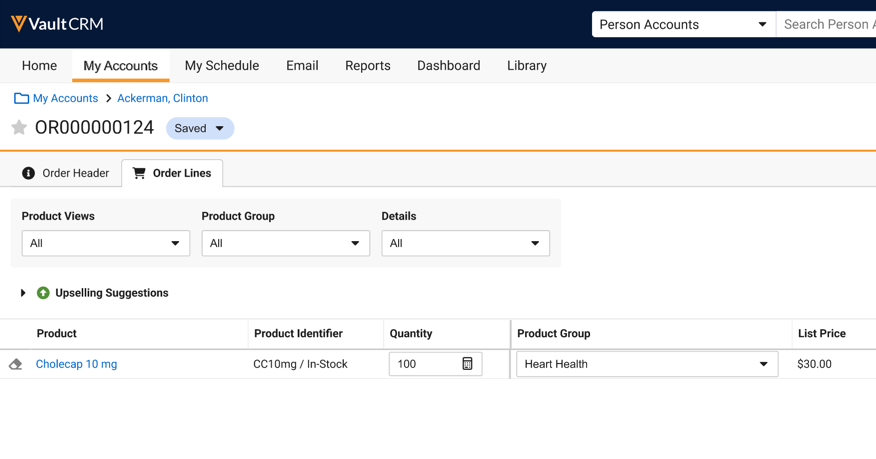
The Case Calculator allows users to quickly add order products that are sold and shipped in pre-defined multiples, called cases. When a product is configured with a quantity per case, users can enter the number of cases, and optionally, individual units. The Case Calculator automatically calculates the total quantity of the order line. If Fixed Units of Measure is enabled, the product can only be ordered in the defined multiples and individual units cannot be added on.
Setting Payment Terms via Free Text or Picklist - Available on Browser, iPad, and Windows
Admins can now define whether users enter Payment Terms on orders and order lines as free text or by selecting picklist values. When using picklist values, admins define the options available.
Surveys
Surveys by Detail Group - Available on Browser
During the survey creation process, a survey can now be associated with a Detail Group, in addition to a Detail Product, to ensure only users who have matching My Setup products are assigned to the survey targets.
Managing Survey Visibility - Available on Browser
Visibility into open surveys can be toggled to specify whether users require a matching My Setup product assignment to view product-associated surveys.
X-Pages
Editing Records from X-Pages - Available on Browser
Content developers can use a new editRecord method to allow users to navigate directly from an X-Page to the record’s standard edit screen. If the user does not have the required edit permissions, they are taken to the record’s view screen instead. X-Pages using the Patient CRM and Service Center entry points to navigate to a Call record open the record in a new window, consistent with standard Patient CRM and Service Center behavior.
Adding Related Data to X-Pages in X-Pages Studio - Available on Browser
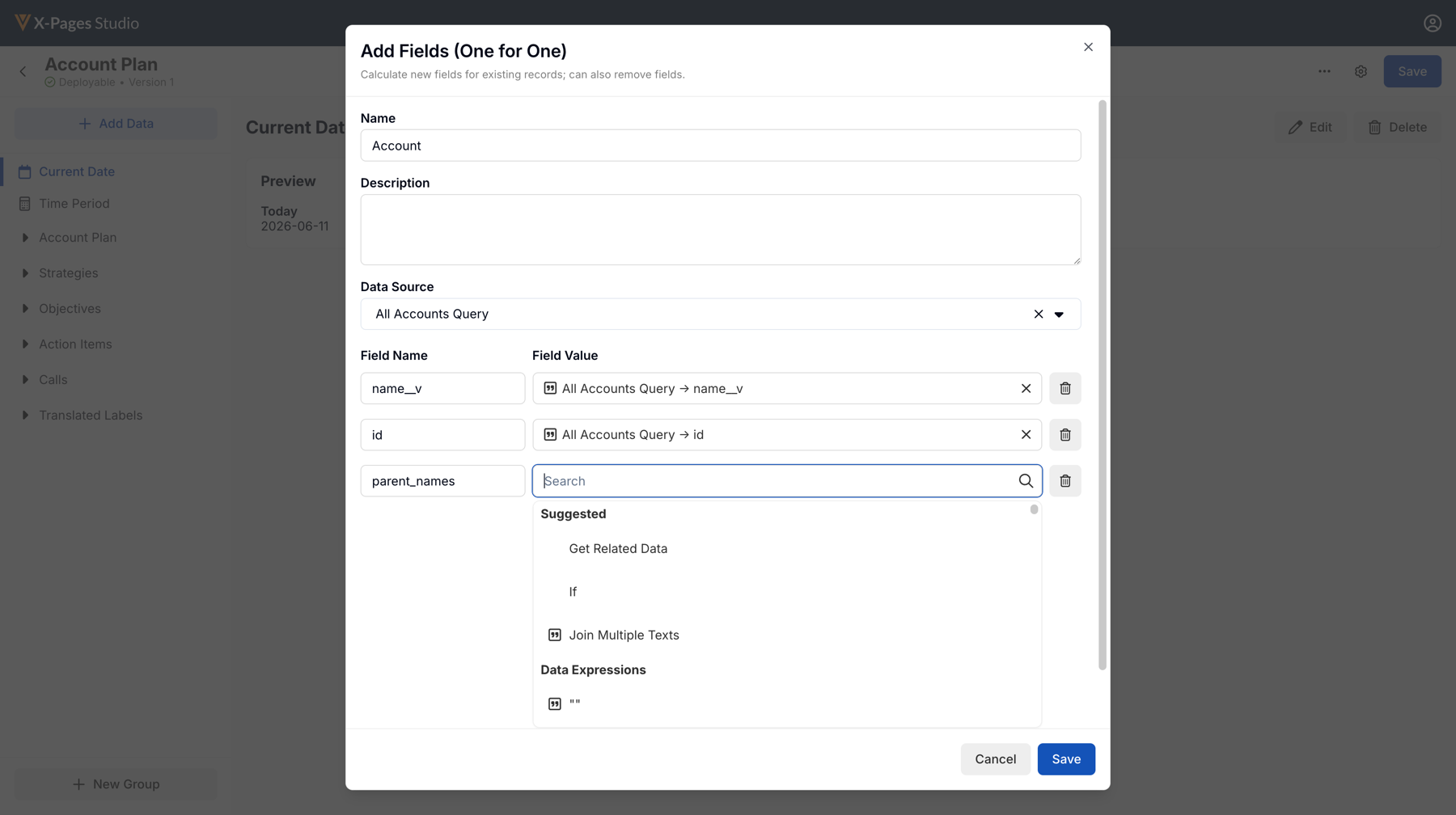
Content creators can use the new Get Related Data expression to easily bring related list data into an existing X-Page query. This dynamic expression walks creators through the process of selecting a calculation type, for example, counting records or retrieving a specific field, and a related list data element to streamline surfacing related data on an X-Page.
Loading X-Page Content from External Servers - Now available on iPad and iPhone
iPad and iPhone users can now view custom interfaces, for example external chat systems or data visualizations, directly within their Vault CRM workflow.
Vault AI in CRM
AI capabilities expand meaningfully in this release, with broader reach across field workflows and stronger tools for compliance and administration. Agentic Email comes to iPad, enabling users to generate style variations on designated text in Approved Emails without modifying the core, MLR-approved template content. Agentic Voice now supports Unique Activity Group Calls, extending dictation-driven call reporting to a wider range of interaction types.
On the compliance side, Text Monitoring for Home Office expands to Commercial Insights records and Text Monitoring for end users now captures which call reports are submitted with unresolved issues, helping compliance teams easily identify which records to take through the review process. Administrators gain improved visibility into the Vector Database through job status monitoring, downloadable CSV logs, and retry support for failed documents, making the underlying AI infrastructure easier to maintain.
Agentic Email - Available on iPad
Agentic Email uses AI to instantly generate stylistic variations—for example, Direct or Warm—for specific blocks of text within Approved Email templates. Instead of having to manually create static custom picklists, Agentic Email can be used to dynamically tailor the style of each message to best suit the recipient. Agentic Email only modifies the writing style of the text within the template while preserving its MLR-approved core message.
The following Agentic Email functionality is available:
- Agentic Email - AI Rewrite Token for Approved Email - Available on iPad
Unique Activity Group Calls with Agentic Voice - Available on iPad and iPhone
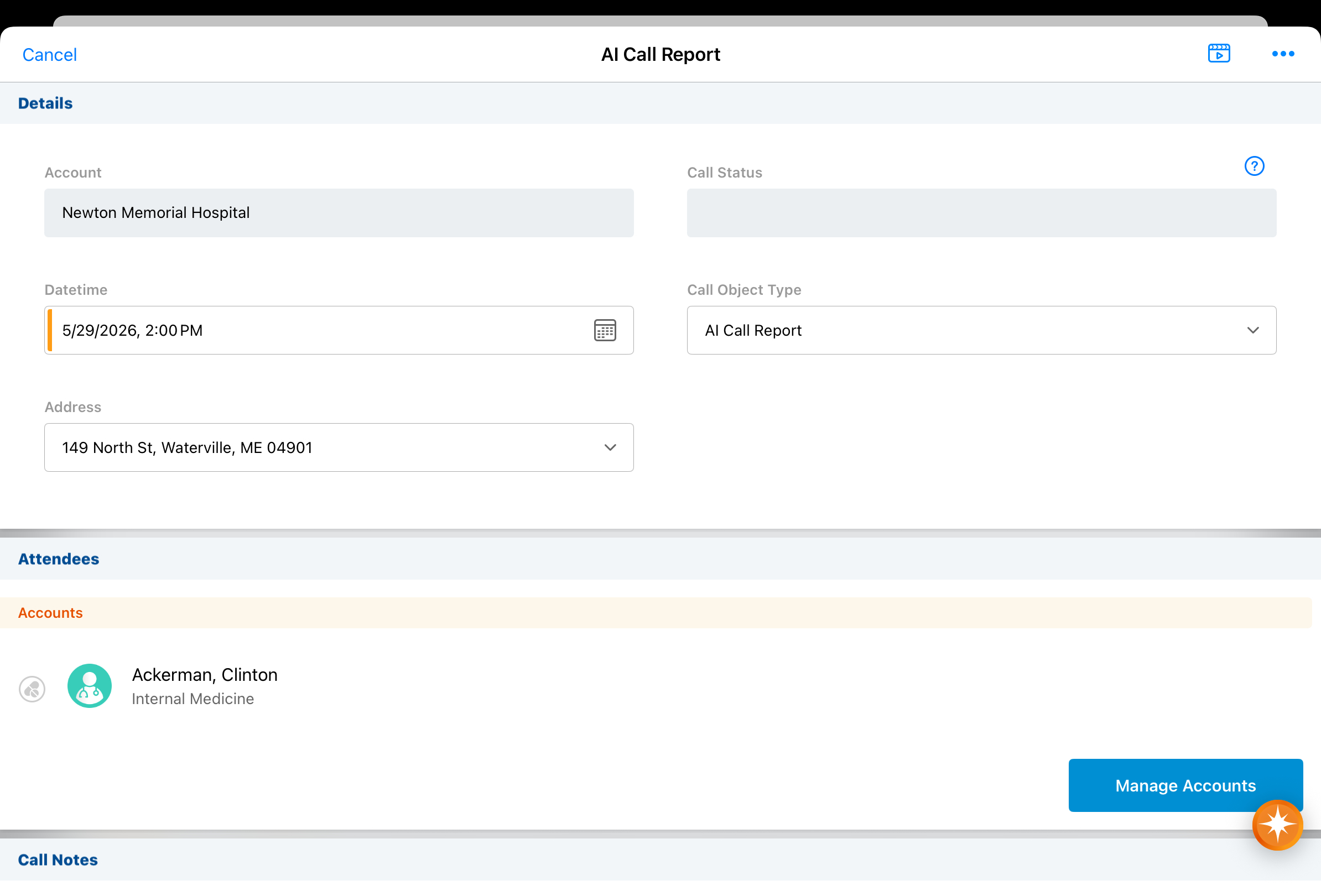
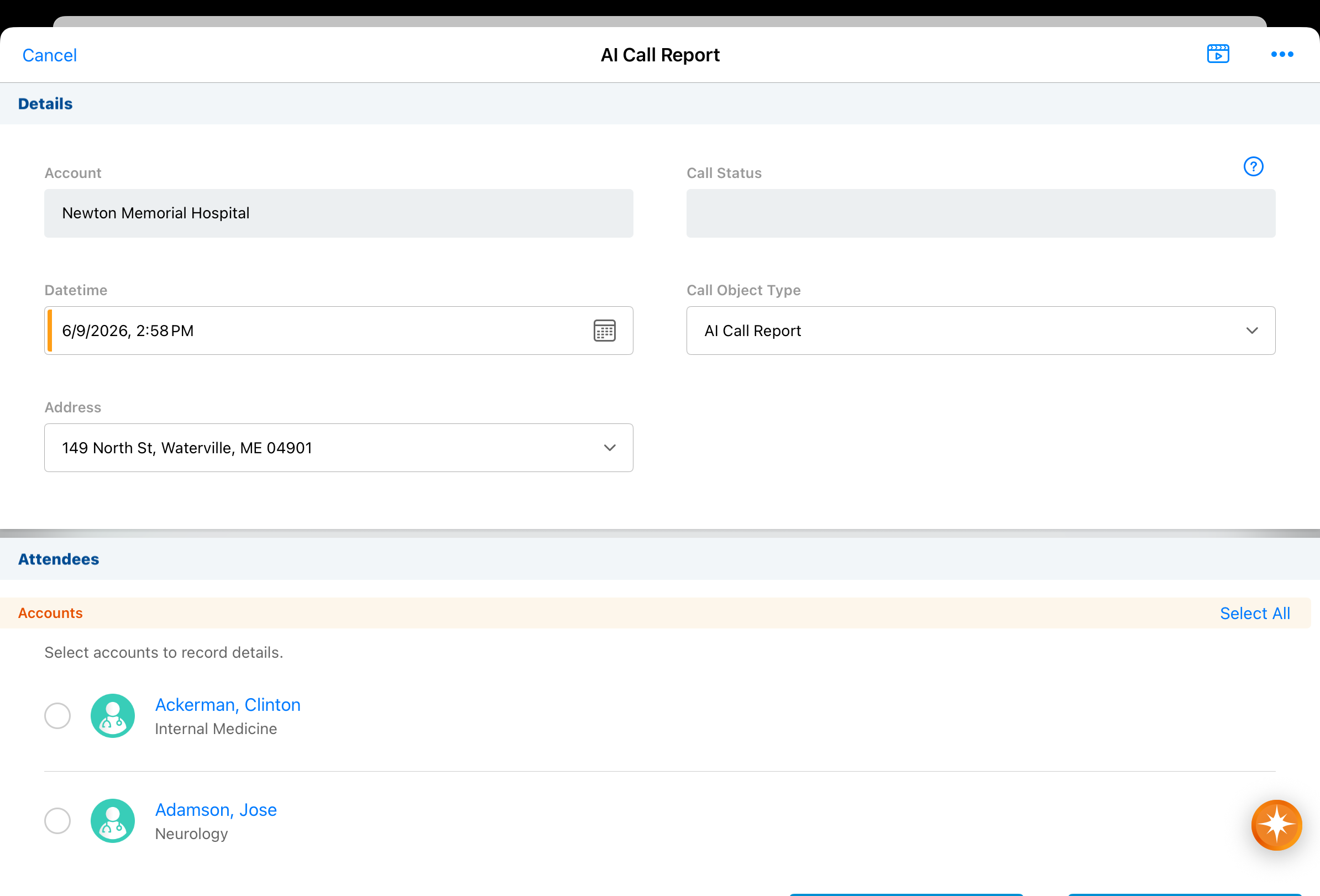
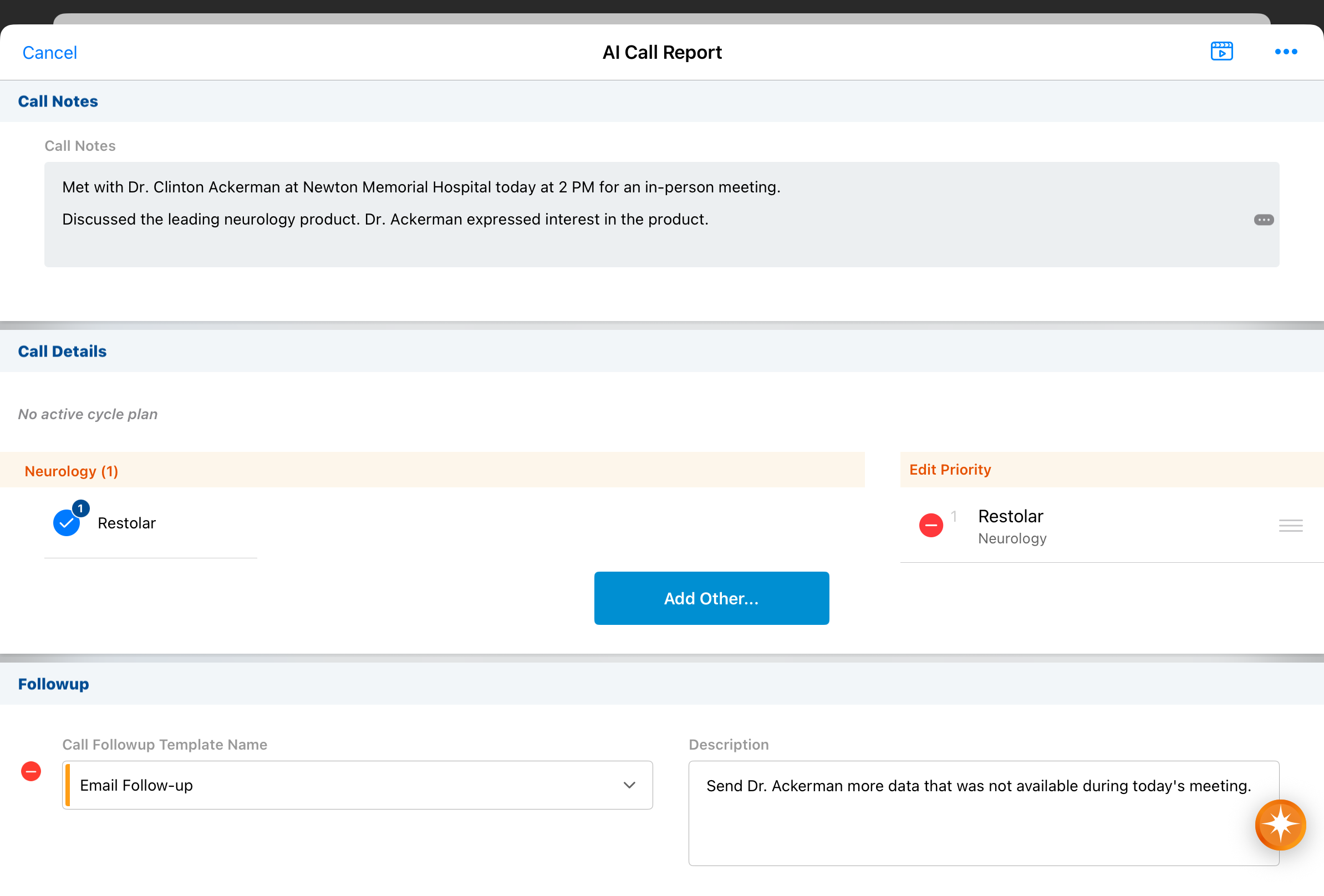
Users can now create unique activity group calls with Agentic Voice. Agentic Voice uses AI to convert a user’s dictated notes into call reports, intelligently pre-populated with the information the user provided. The agent ensures detail products and key messages are attributed to individual attendees, if specified.
Commercial Insights with Agentic Text Monitoring for Home Office - Available on Browser
Agentic Text Monitoring for Home Office can now be used to review text fields on Commercial Insights records. Using AI to understand natural language in context, this agent intelligently analyzes submitted records and flags potential compliance issues for review by home office compliance monitoring teams. This agent’s powerful AI capabilities act as a force-multiplier for home office oversight, enabling fast, detailed review across Vault CRM records.
Submitted with Issues for Agentic Text Monitoring - Available on Browser, iPad, and iPhone
When users submit call reports without resolving all potential issues identified with Agentic Text Monitoring, the datetime they submitted the call is stamped to the Submitted with Text Monitoring Issues field on the call report. This enables admins and compliance teams to easily identify calls submitted with potential issues.
Vector Database Enhancements - Available on Browser
The Vector Database now supports partial successes for vectorization jobs and provides administrators with greater control over content updates. From the AI Configuration page, administrators can monitor job statuses, download CSV logs, and retry processing for failed documents.
Align
This release reduces both compliance risk and manual overhead across Align workflows. Operations users are prevented from assigning restricted products to accounts during data loading and targeting rule execution, and end users cannot add targets in Territory Feedback when a restricted product is present in the associated MCCP. To supplement this capability, Align operations users can create product specialty records to store promotion eligibility, centralizing the data and making it easier than ever to build review and approval processes around product specialty matrices. Together, these updates provide a reliable foundation for maintaining clean, compliant data.
Preventing Users from Adding Restricted Products - Available on Browser and iPad
Align operations users can prevent an account’s restricted products from being assigned to them in various places throughout Align, avoiding compliance risks and eliminating the need for manual removal. For example, Align operations users are prevented from assigning a restricted product to an account when data loading, and during targeting rule execution. Additionally, end users are prevented from adding targets in Territory Feedback if the account has a restricted product present in the associated MCCP.
Creating Product Specialties - Available on Browser (Available on June 25, 2026)
Align operations users can now create product specialty records to store promotion eligibility. Centralizing this data in Vault means teams can take advantage of Vault's native lifecycle and workflow tools to build review and approval processes around product specialty matrices.
Campaign Manager
With this release, marketing teams gain more control over how HCPs enter journeys and how consent is managed. A new API endpoint enables external systems to route HCPs into journeys automatically, allowing marketing teams to act on intent signals without manual intervention. On Windows, consent management gets more granular: marketing email consent can now be separated from other Approved Email communications, ensuring HCPs can opt out of marketing messages without losing access to critical field communications. The result is more flexibility at both ends of the journey.
Adding Targets to Journeys with APIs – Available on Browser
To automatically route interested HCPs into journeys, marketing users can add targets from external applications using a secure REST API endpoint.
Managing Marketing Consent – Now available on Windows
To accelerate customer onboarding and ensure data integrity, business admin users can create consent headers that decouple consent for marketing emails from consent for other Approved Email communications. This enables HCPs to unsubscribe from marketing emails only, and still receive other emails sent by field users.
Engage
Two updates in this release strengthen the remote engagement tracking capabilities in CRM, keeping digital interactions visible alongside other account activity. After a Microsoft Teams meeting ends, Vault CRM now automatically attempts to match the remote attendees to the accounts and users on the call. On CRM Desktop (Windows) and Windows, users can share website content via web link through communication channels like messaging and Approved Email, with the recipient’s engagement tracked back in CRM.
To ensure Microsoft Teams meeting data is accurate for reporting, Vault CRM automatically attempts to reconcile Microsoft Teams attendees with the correct accounts and users after a meeting ends, allowing users to quickly review and manually update any attendees without an automatic match. This process saves end users time by matching data received from Microsoft Teams directly to records in Vault CRM.
Sharing Website Content via Web Link - Now available on CRM Desktop (Windows) and Windows
CRM Desktop (Windows) and Windows users can use social messaging apps to share links for website content. Content accessed from a web link displays in the HCP Content Player. Any action the recipient takes on the link and any engagement with the content is tracked on Email Activity records, allowing admins to analyze engagement with specific presentations to improve website content.
Events Management
Coordinating a single event across multiple teams just got simpler. Users can now define a percentage split across event budgets and expenses are automatically distributed based on those allocations, so every team's budget is accurately reflected without manual calculation or extensive post-event reconciliation.
Allocating Event Expenses Across Multiple Budgets - Available on Browser and iPad
To support collaboration between multiple event organizers on a single event, users can now define budget allocation percentages between multiple event budgets, automatically associating expenses to each budget based on the allocation percentage.
Service Center
Service Center updates in this release improve data accuracy and productivity. By allowing reps to cancel cases, Service Center streamlines queue management while ensuring cleaner reporting and a more accurate view of active support requests.
Canceling Cases in Service Center- Available on Browser
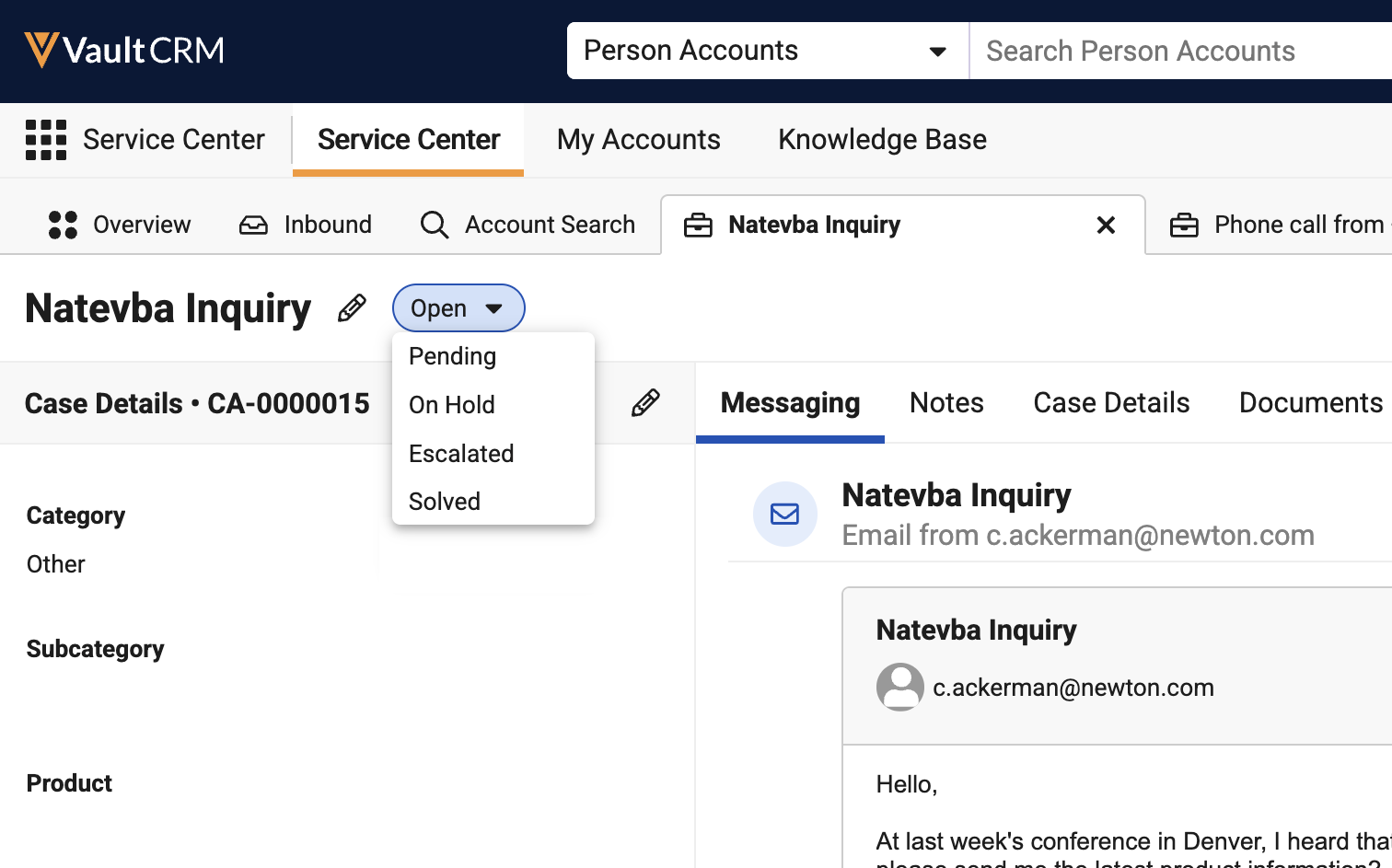
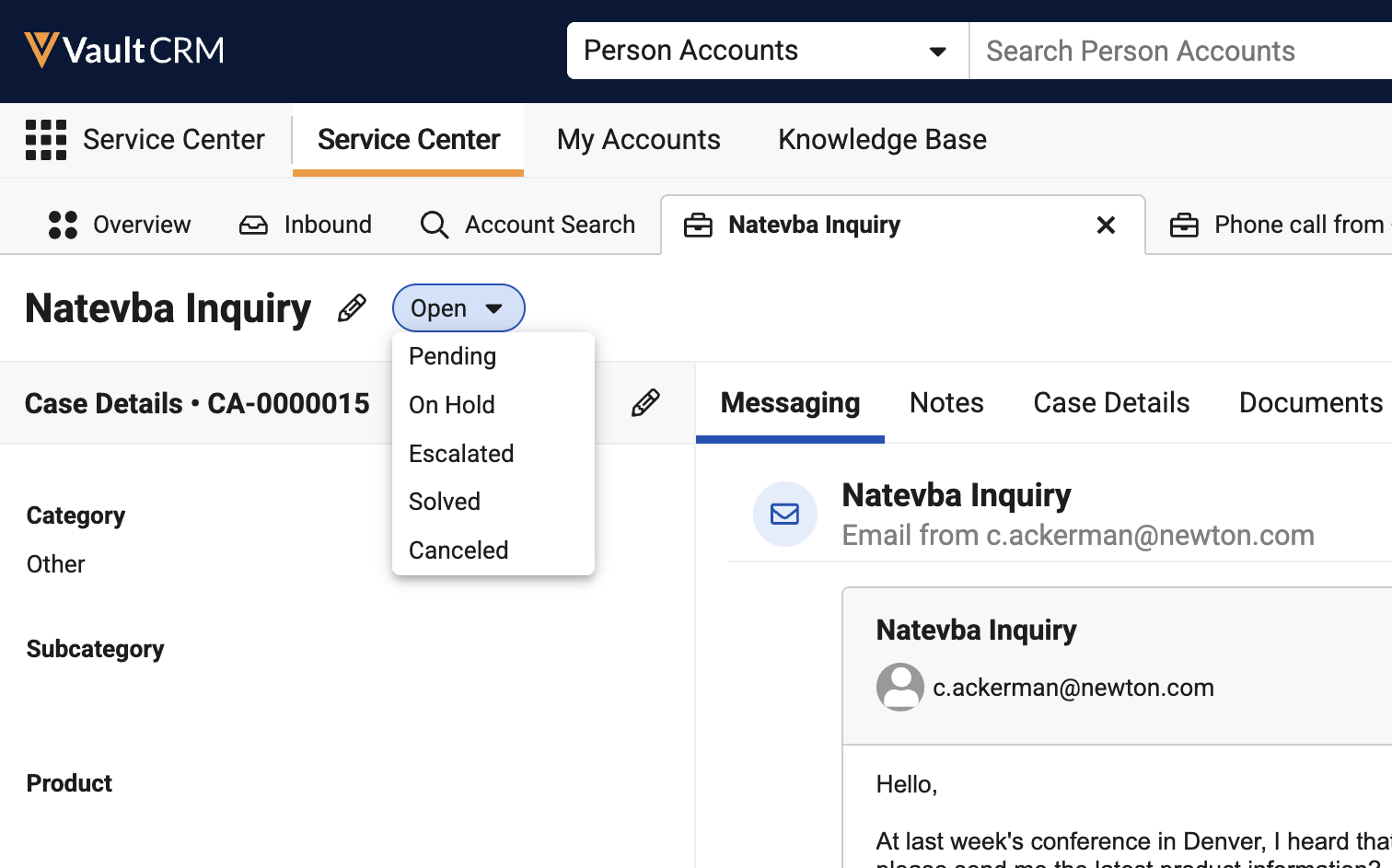
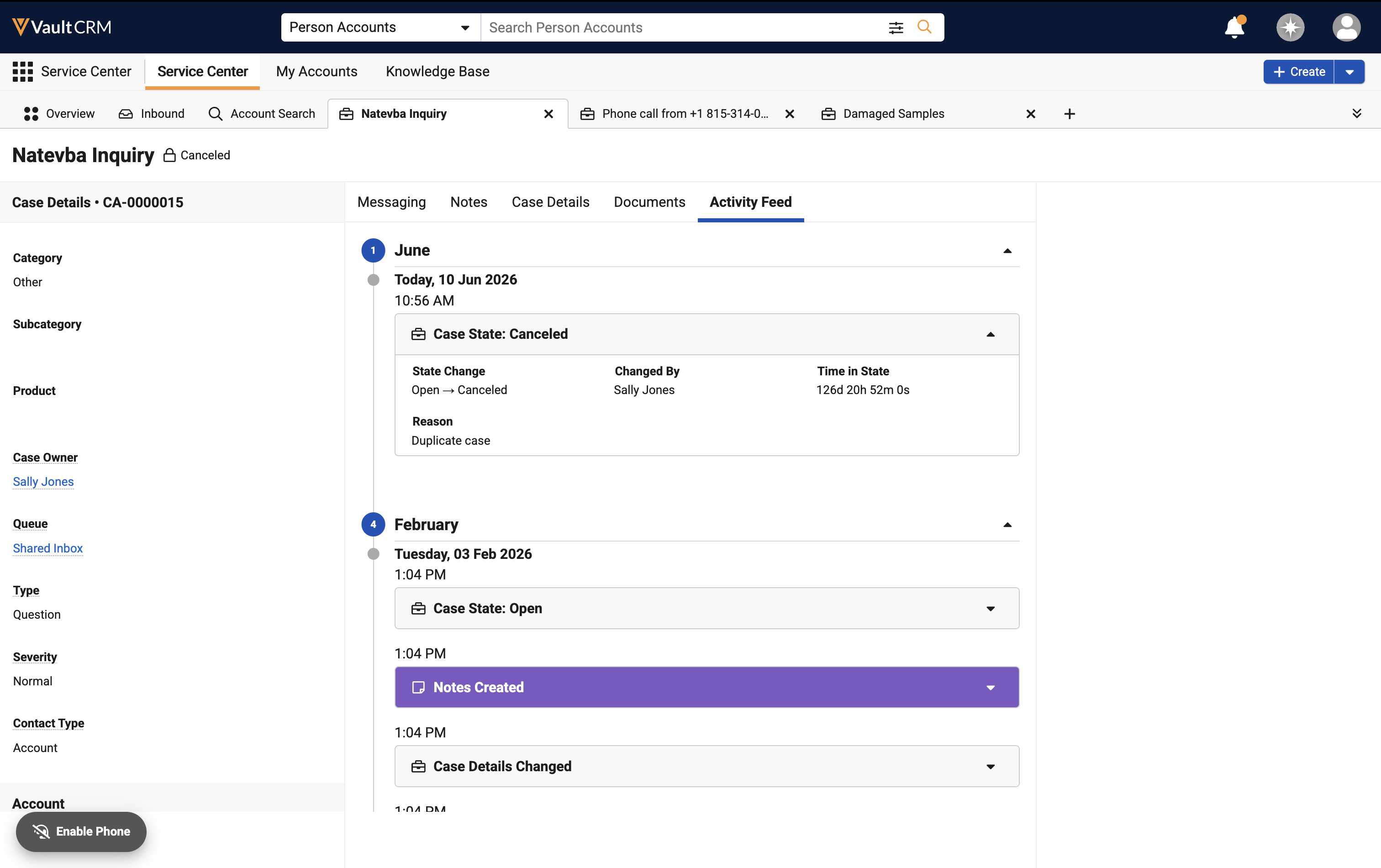
Service Center Reps can cancel a case directly from Case Details. This is useful when a case is duplicated or created inadvertently.
User Visible and Behavior Changes (UVCs)
Most new functionality requires some configuration, however users are able to use the following functionality immediately. Select the thumbnail to view a larger image.
Account Management
|
Platform |
Description |
Before |
After |
|---|---|---|---|
|
Browser |
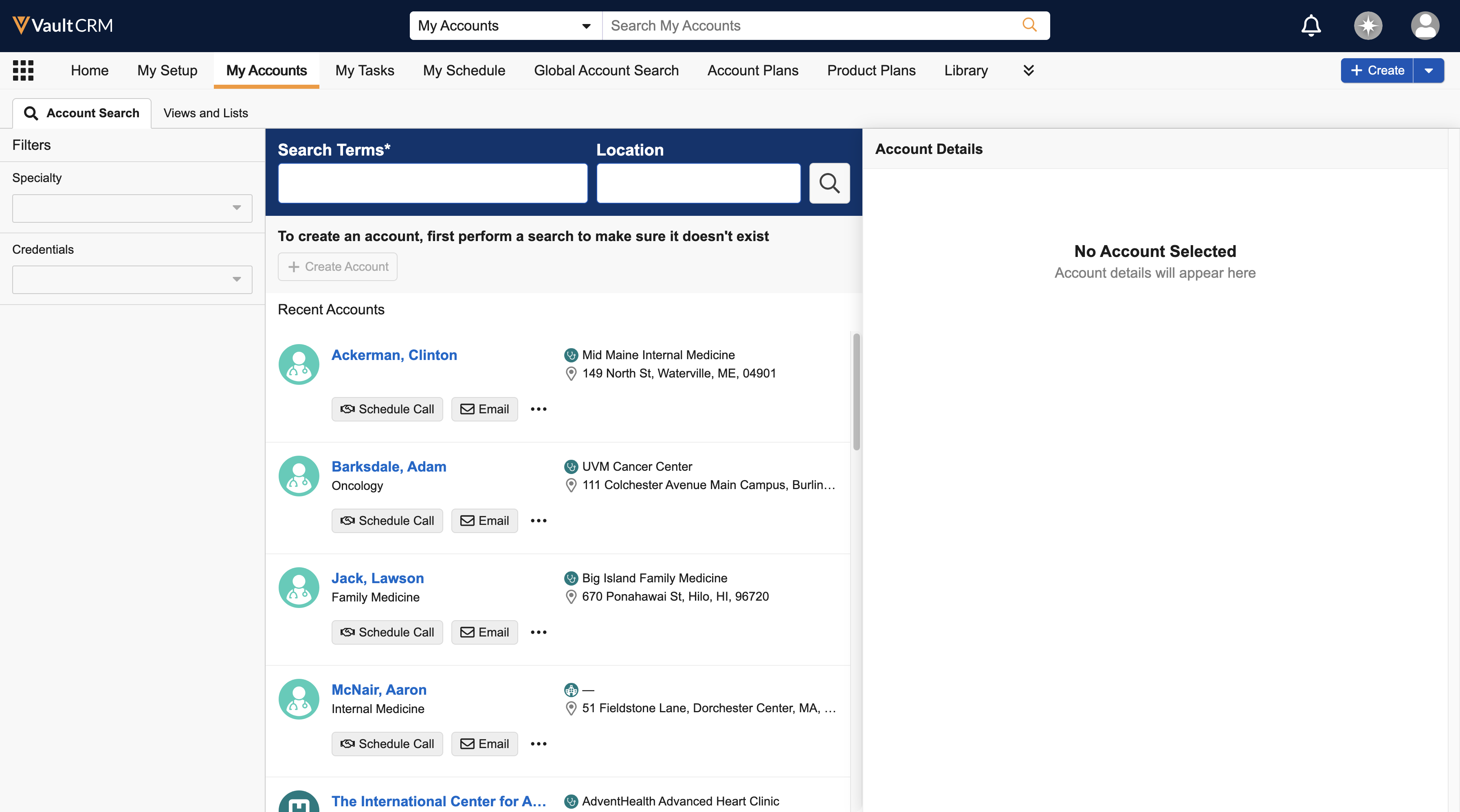
The Account Details pane in My Accounts is collapsed by default when the user navigates to the My Accounts Views and Lists subtab or performs a new search from the Account Search subtab. It remains collapsed until the user selects an account row. Users can collapse the Account Details pane by selecting the “i” icon. |
|
|
|
Browser, iPhone, iPad |
Formatting account names by country (for example, surname first) is now based on the enable_country_state_language_cda__v Veeva Setting. Depending on the setting, the country value is determined from either the country_code__v or country_cda__v picklists on the account__v object. Previously, the country was determined from the country__v field on the account__v object. |
n/a |
n/a |
|
Browser |
Country code stamping is now based on the enable_country_state_language_cda__v Veeva Setting. Depending on the setting, transactional records are now stamped with values from either country_code__v or country_cda__v on the account__v object. Previously, records were stamped from the country_cda__v field on the account__v object. The application uses the ownerid__v field on the following types of records to determine if a profile-specific enable_country_state_language_cda_enablement__v Veeva Setting is present. If no profile-specific setting is present, the global Veeva Setting is used.
For additional details and examples of stamping logic, see Stamping Country Information for Account and User. (Available June 25, 2026) |
n/a |
n/a |
|
Browser |
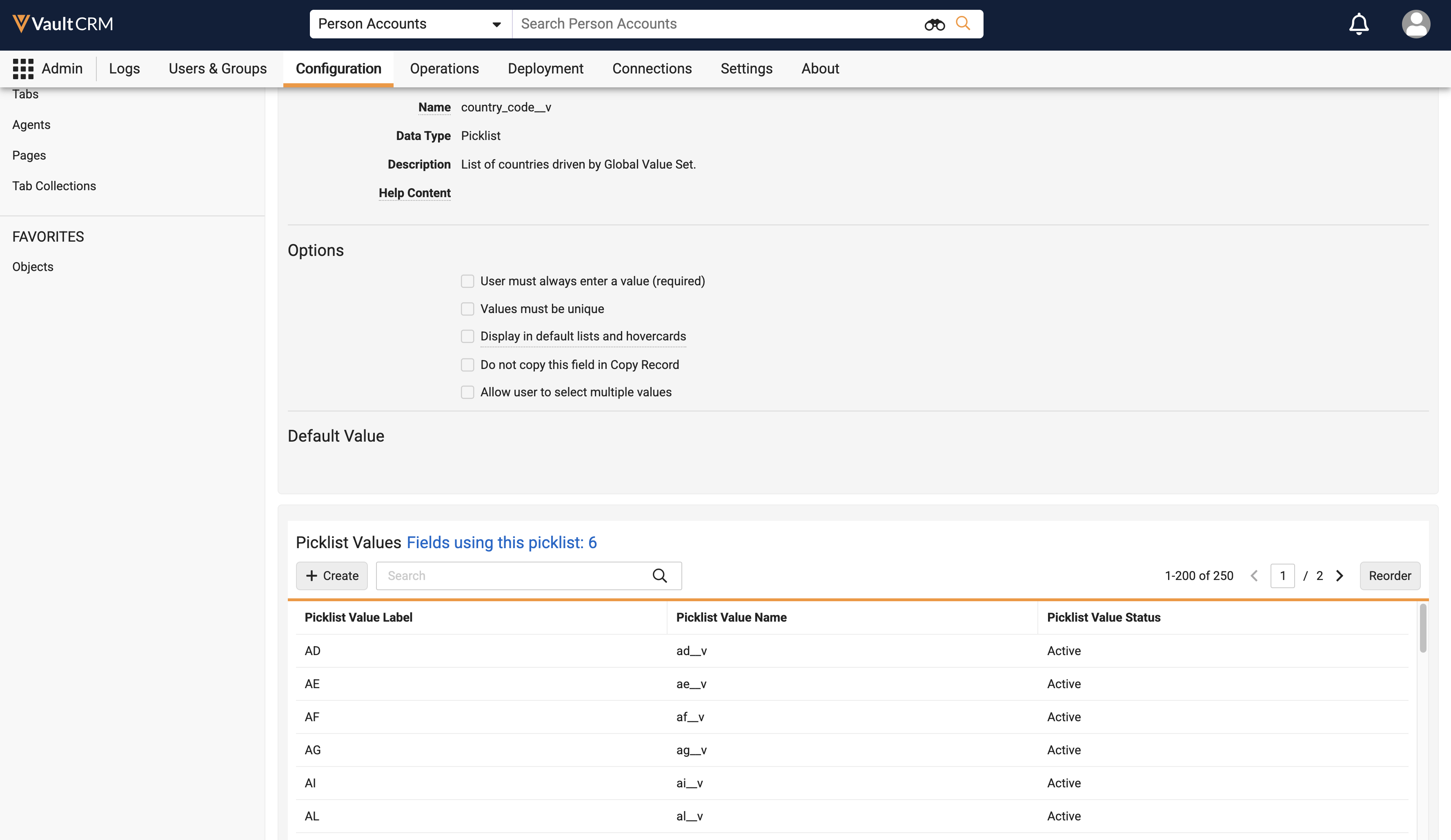
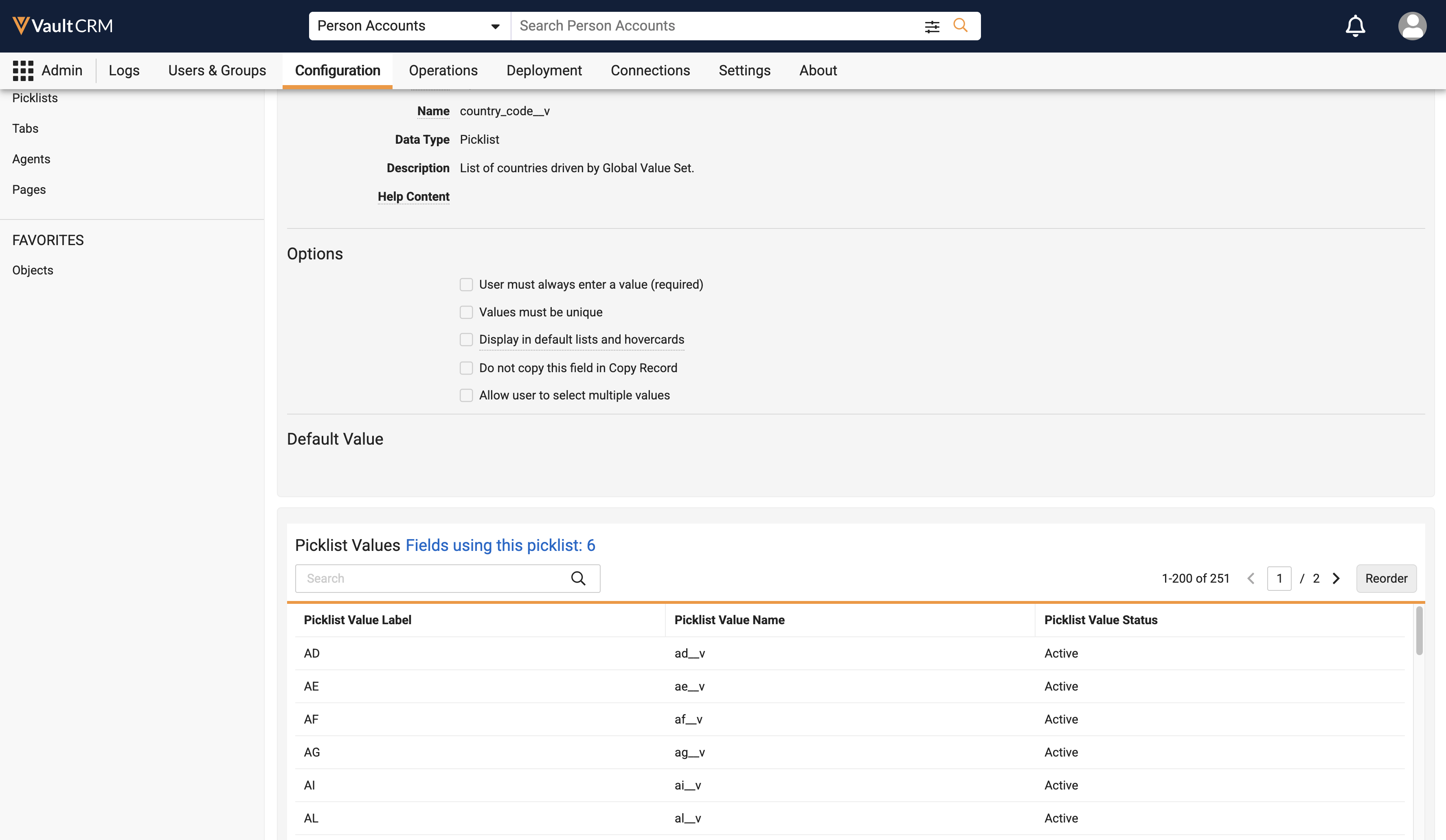
The country_code__v picklist on the account__v object is locked, preventing the addition of custom values. To control picklist values, customers can activate or inactivate existing custom values. |
|
|
Account Planning
|
Platform |
Description |
Before |
After |
|---|---|---|---|
|
Browser, iPad, iPhone |
Users can select an account plan on a call when the call account is a key stakeholder on the plan or the call account has an action item on the plan. |
n/a |
n/a |
Business Events
|
Platforms |
Description |
Before |
After |
|---|---|---|---|
|
Browser, iPad |
When users reschedule a call with Business Event Tasks to a date outside of the date range of the selected tasks, an alert displays in My Schedule. |
n/a | 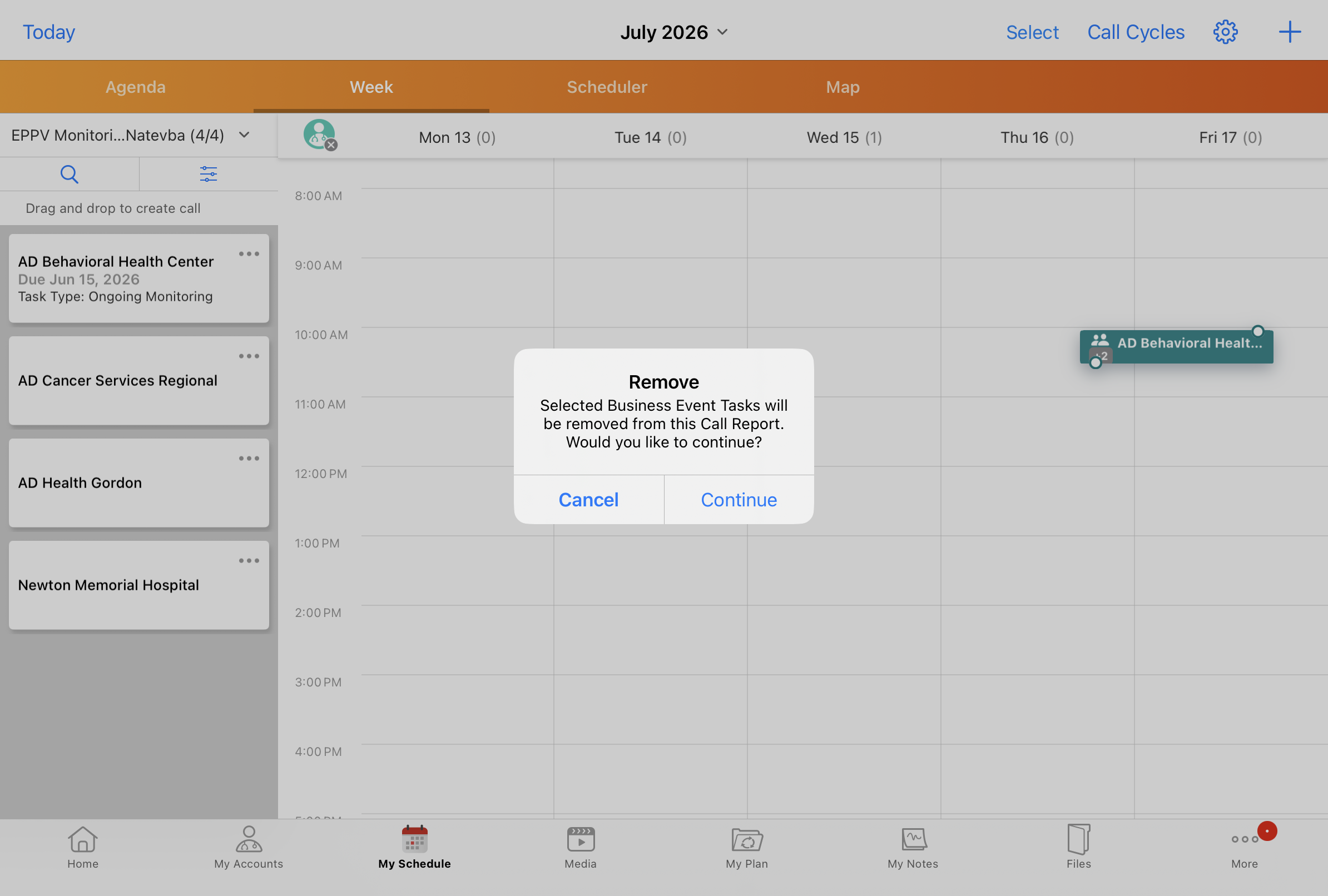
|
|
iPad, iPhone |
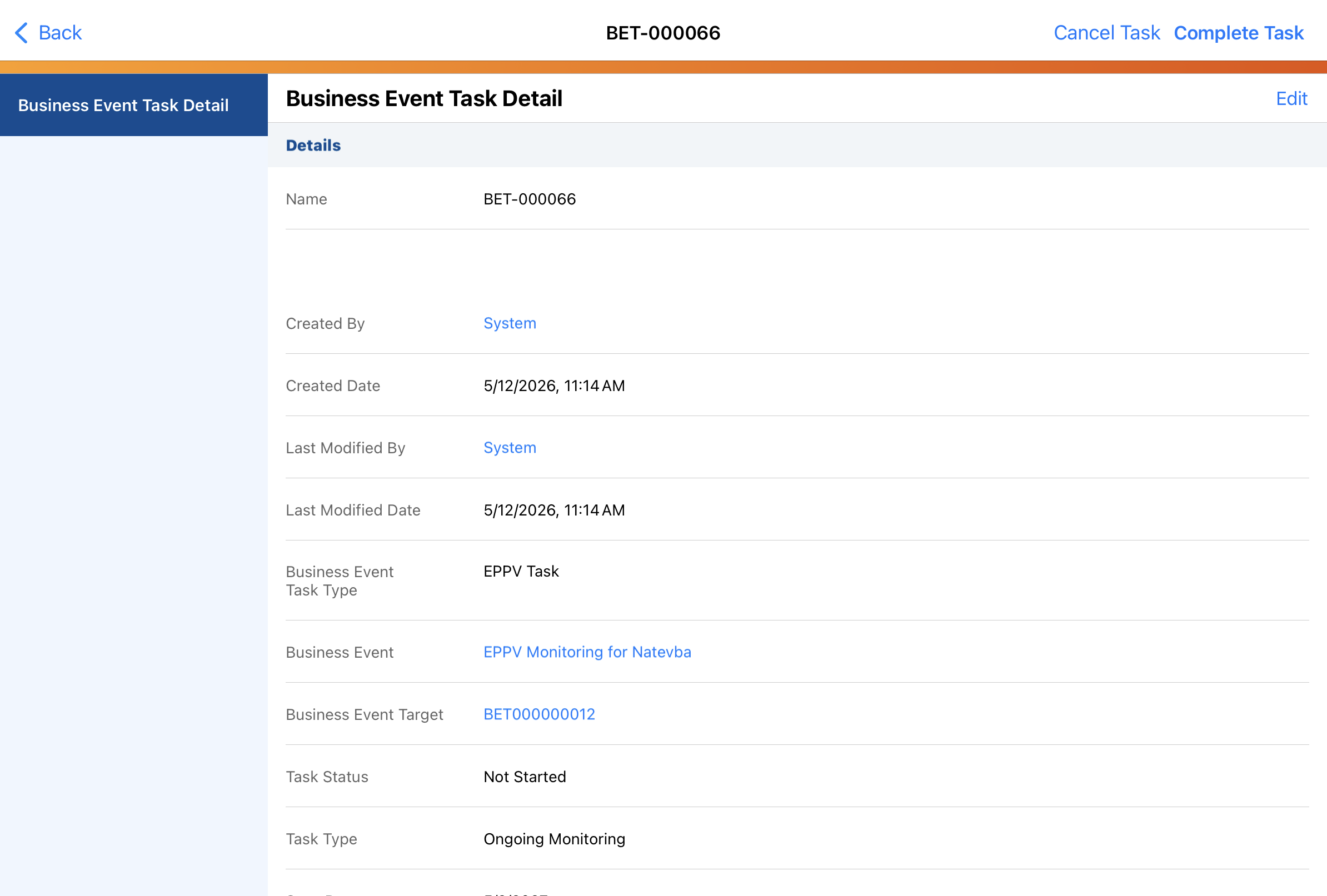
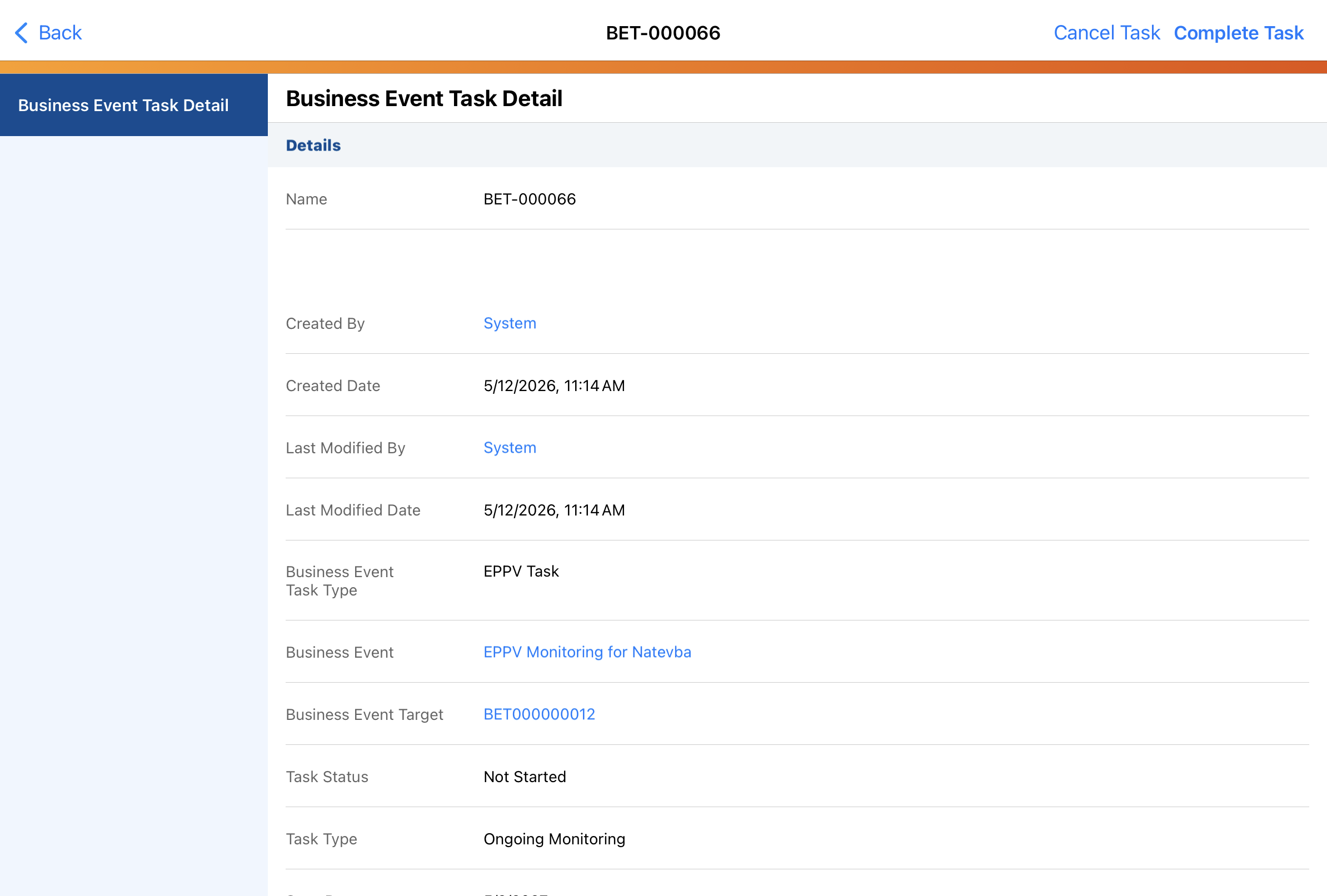
The Edit button does not display on Business Event Target or Business Event Task records. |
|
|
Commercial Insights
|
Platform |
Description |
Before |
After |
|---|---|---|---|
|
Browser, iPad, Windows |
The maximum length of the Summary (summary__v) field on Commercial Insights is increased from 100 characters to 255 characters. (Available June 25, 2026) |
n/a |
n/a |
Call Reporting
|
Platform |
Description |
Before |
After |
|---|---|---|---|
|
iPad |
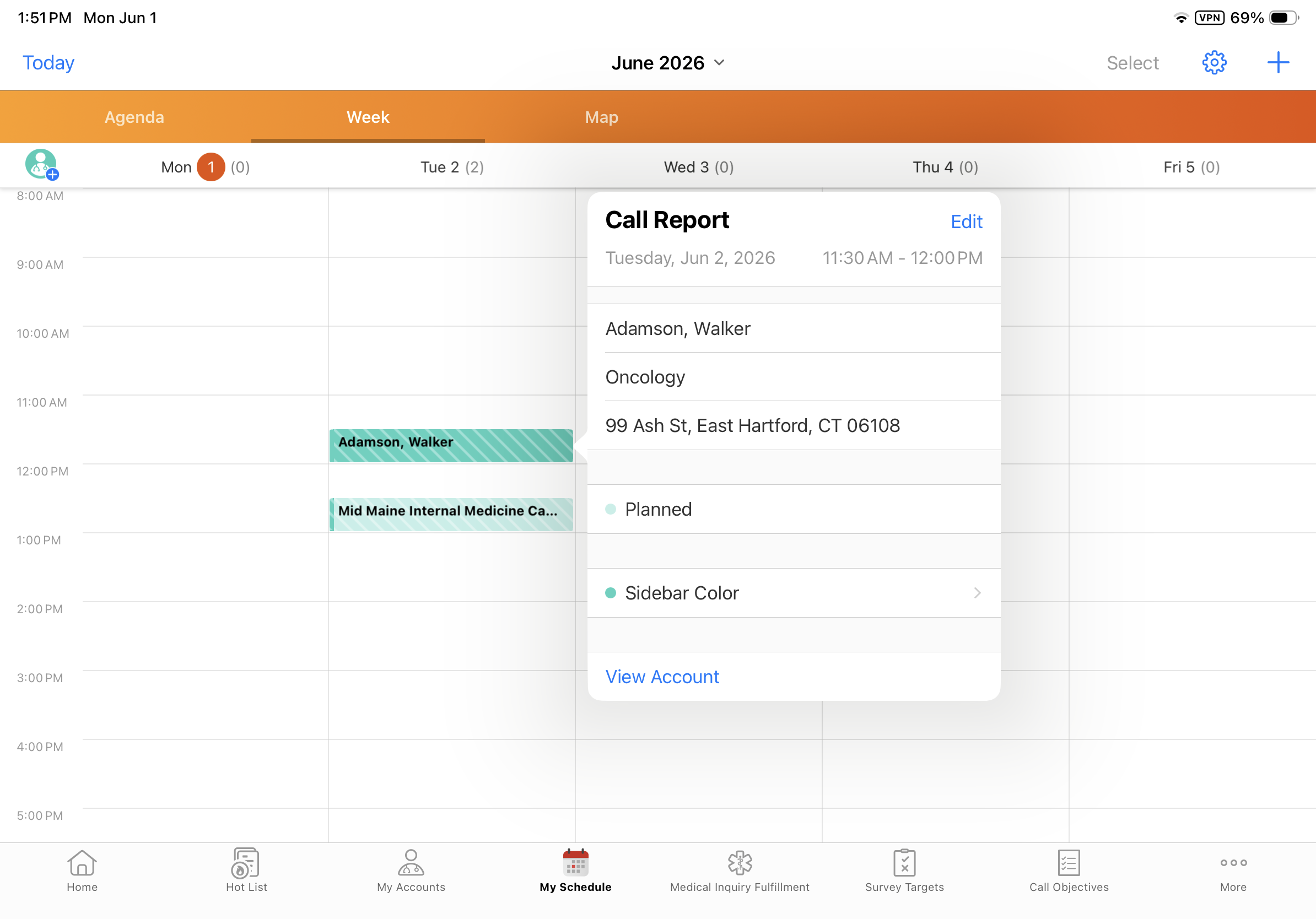
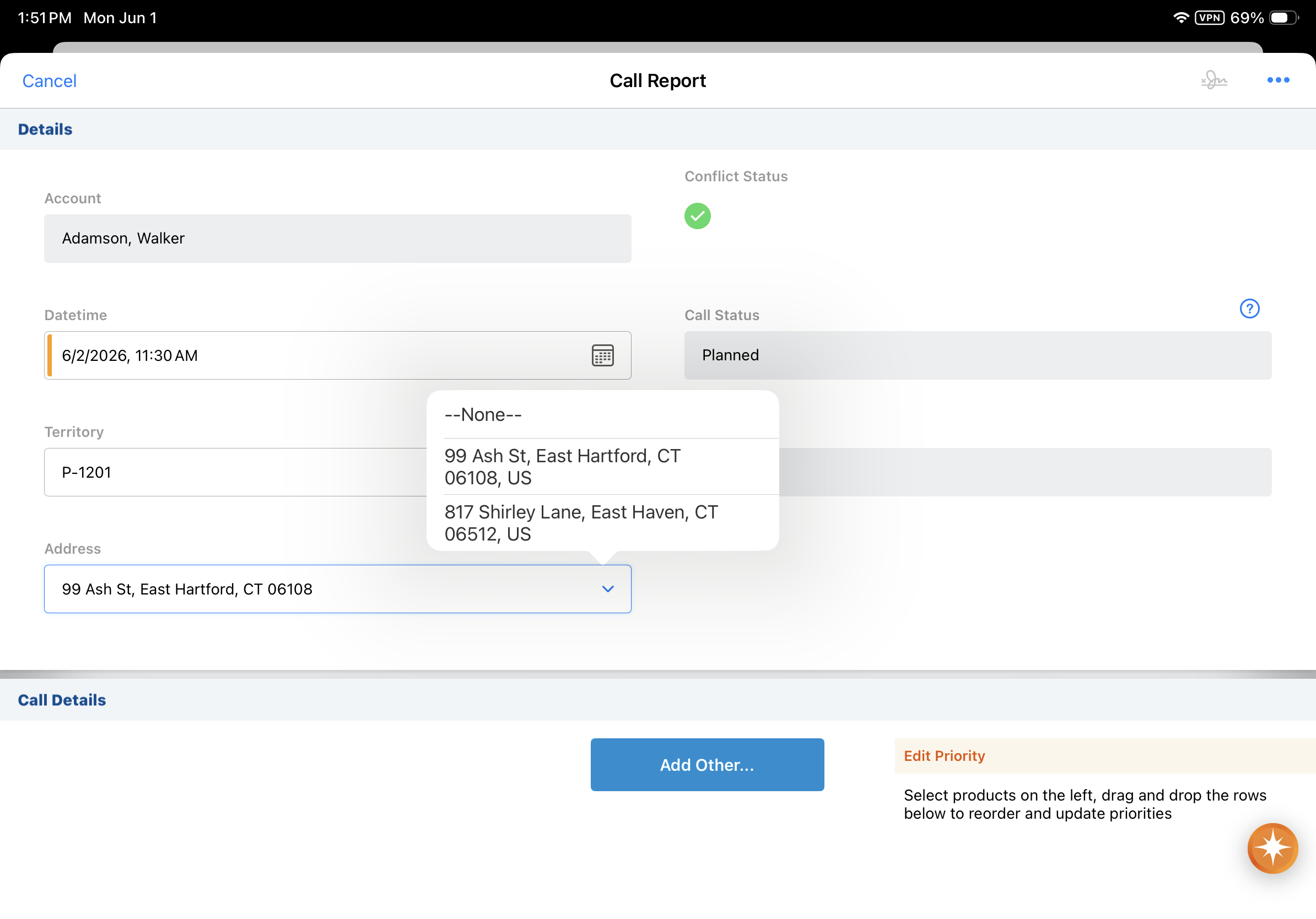
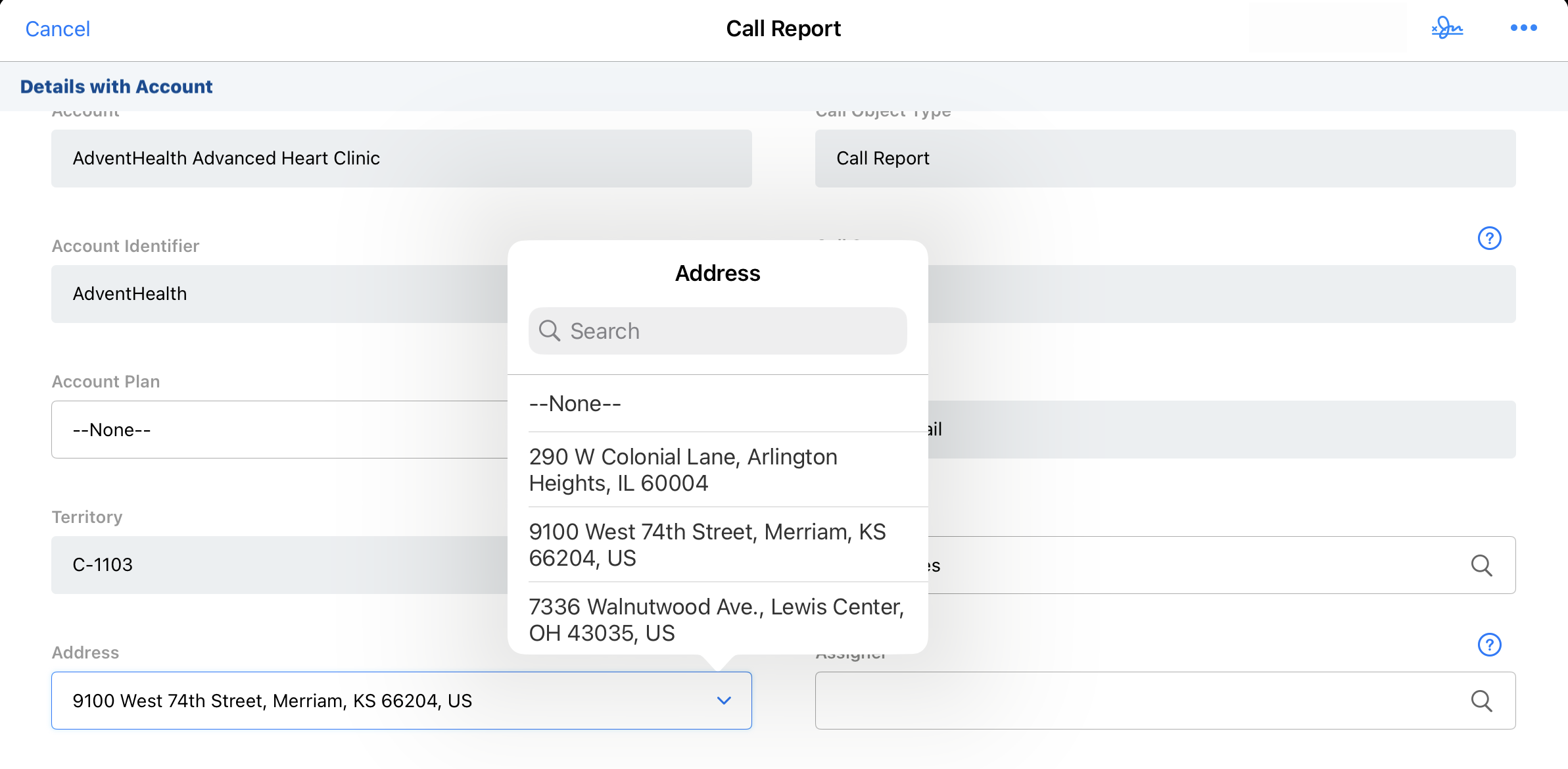
The Country displays with the Address in View and Edit modes for calls created from My Schedule. |
|
|
Call Sampling
|
Platform |
Description |
Before |
After |
|---|---|---|---|
|
Browser |
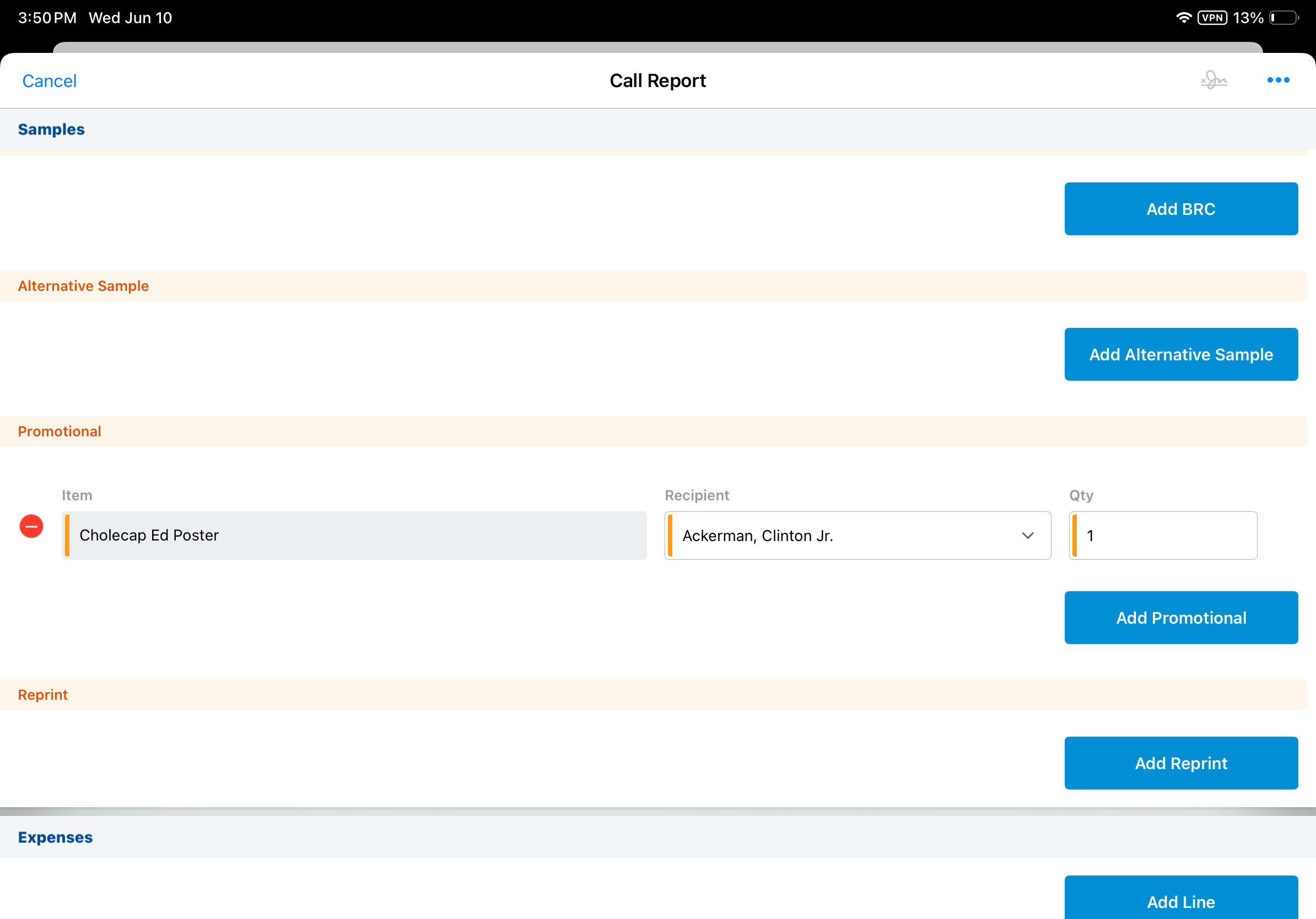
When adding a product type of Promotional, Reprint or Custom as a sample to the call, the Qty field defaults to 1. |
n/a |
|
CLM
|
Platform |
Description |
Before |
After |
|---|---|---|---|
|
iPad |
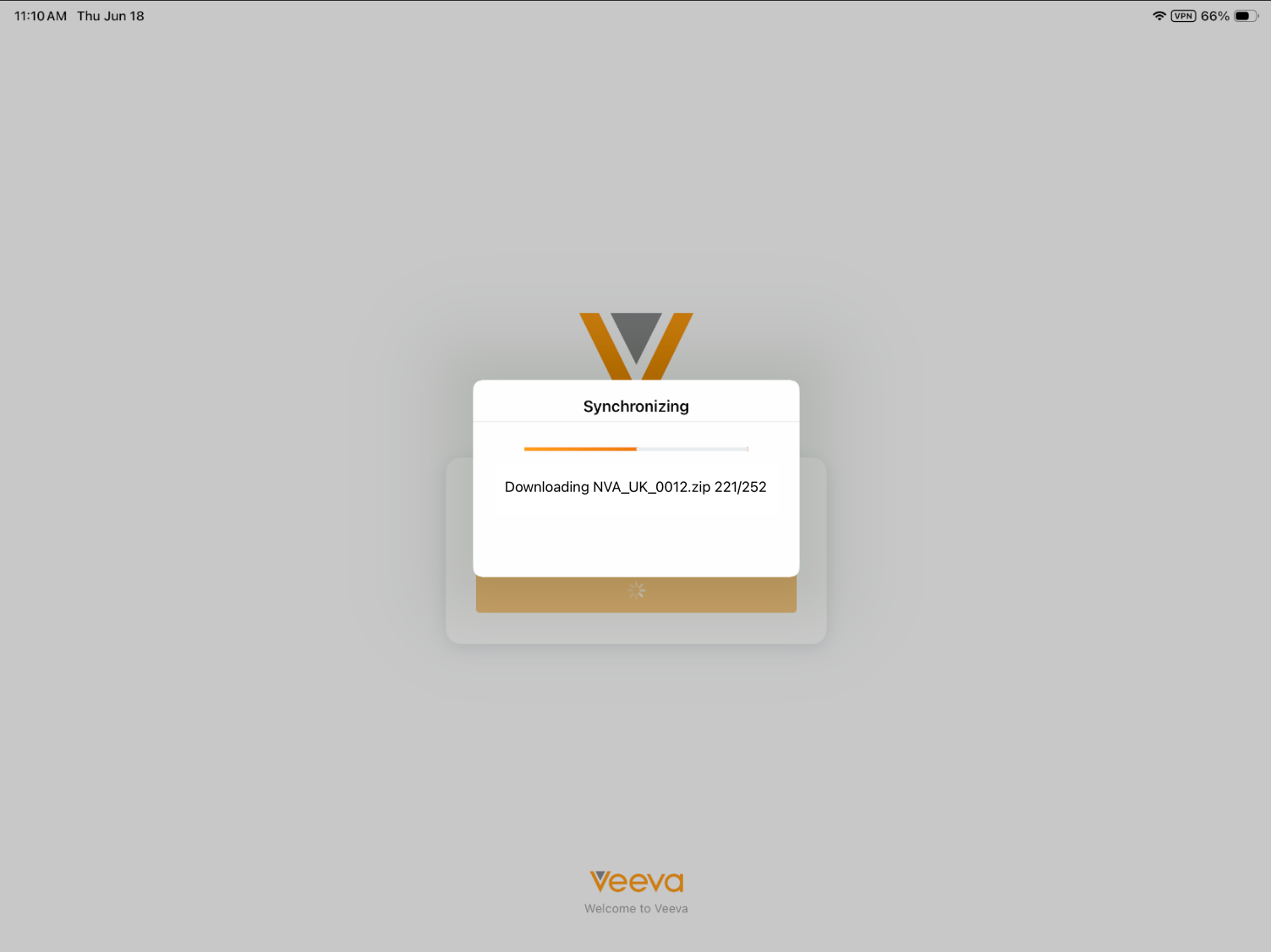
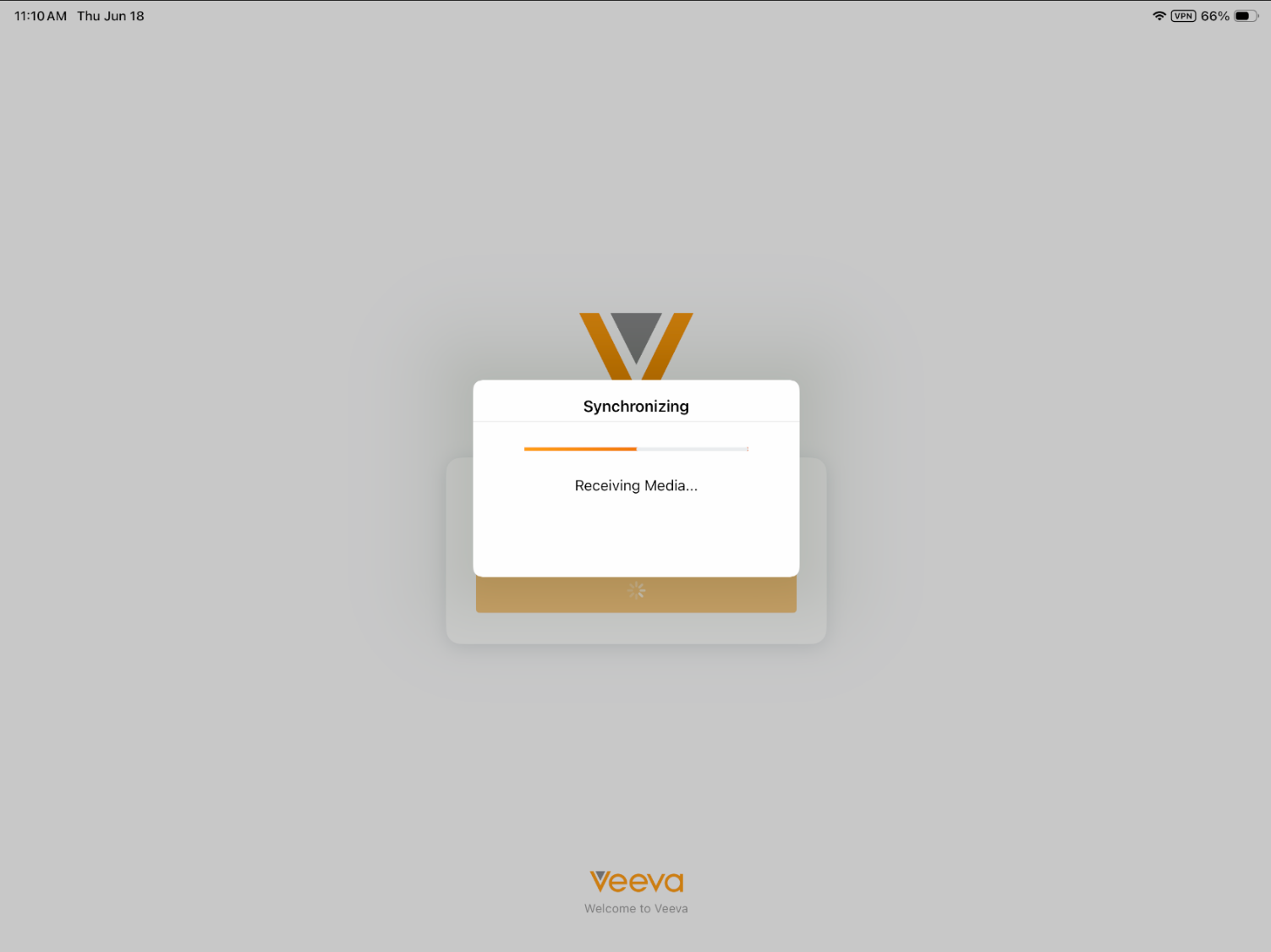
To improve sync performance for CLM, individual file names and media counts no longer display on the synchronization modal. (Available June 25, 2026) |
|
|
General
|
Platform |
Description |
Before |
After |
|---|---|---|---|
|
iPad, iPhone |
Picklists in Edit layouts include Type Ahead Search, allowing users to find values by typing instead of scrolling through lists. Results update dynamically as search criteria are entered. Some specialized picklist fields do not support this feature yet. |
|
|
|
iPad, iPhone |
Inactive picklist values do not display for selection in picklist fields. |
n/a |
n/a |
|
Browser |
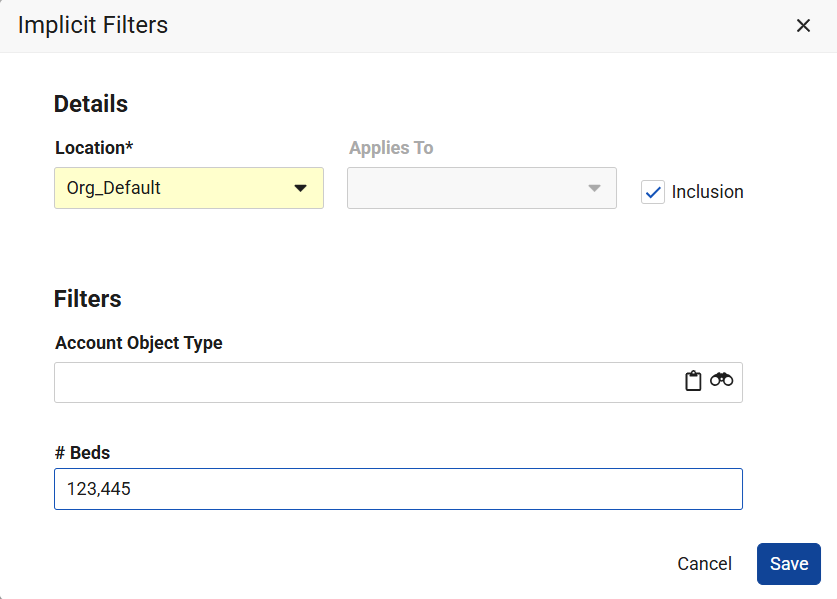
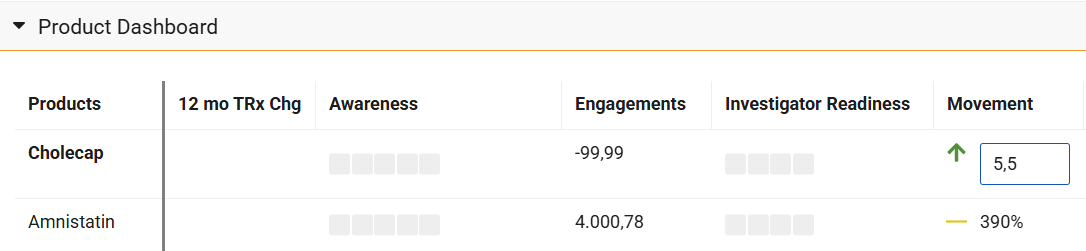
Vault Platform is releasing changes to localization of numbers to adhere to ICU standards. Vault CRM users can input and view numerical data according to their local regional settings, including decimal separators and unit symbols. |
n/a |
|
|
Browser |
Vault CRM is updated to reflect Vault Platform changes for Responsive UI. The interface automatically scales to the user’s browser width and allows users to collapse and expand sidebars on certain pages. This Vault CRM release does not support browser font size settings other than medium (the recommended setting). |
n/a |
|


Medical
|
Platform |
Description |
Before |
After |
|---|---|---|---|
|
Browser |
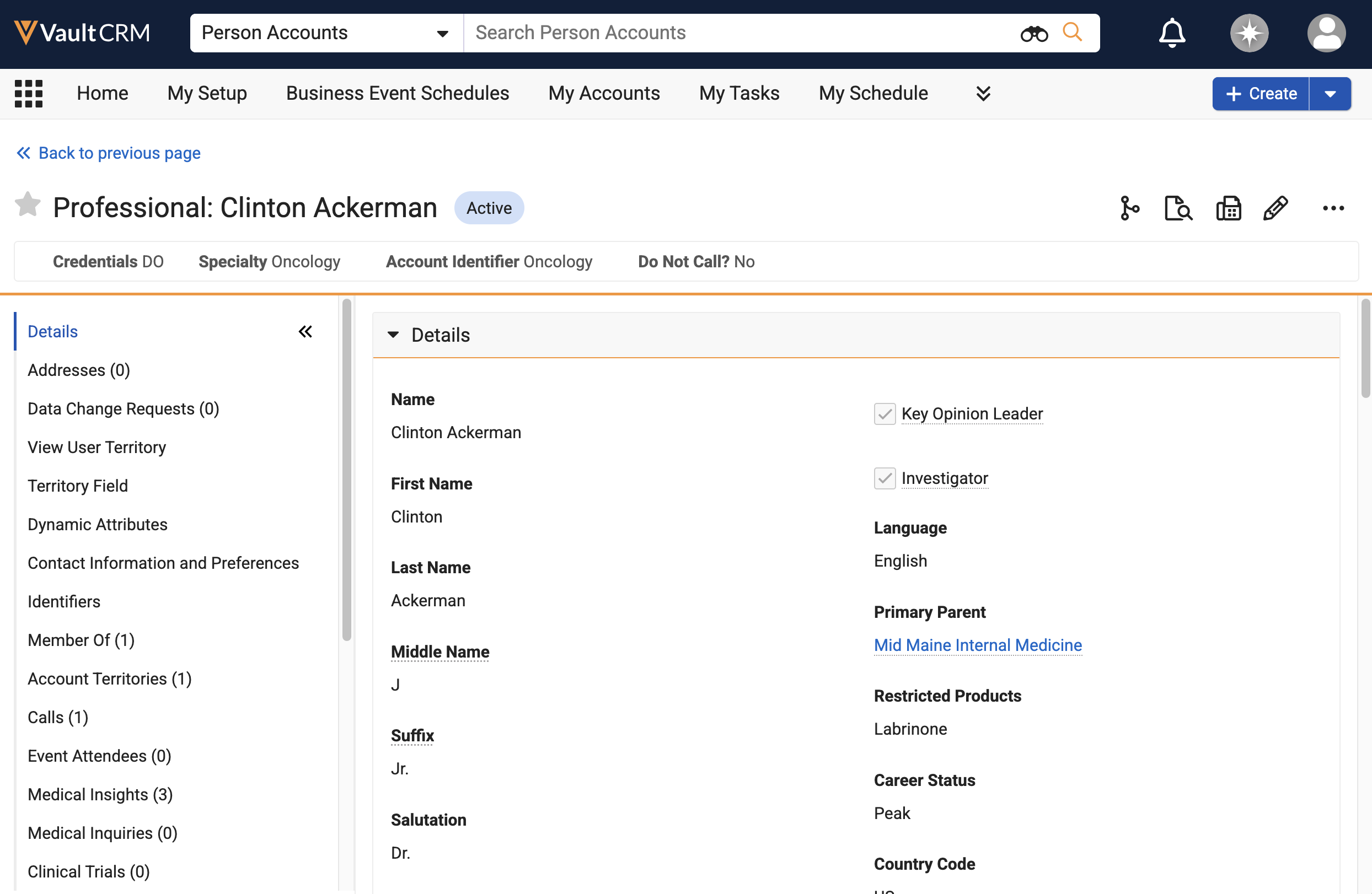
A Create Medical Interaction action now displays on the My Accounts page. When selected, the action opens the Create Medical Interaction page in a new tab. |
|
|
Order Management
|
Platform |
Description |
Before |
After |
|---|---|---|---|
|
Browser |
When a product is configured with a Quantity per Case value, the Case Calculator can set the Quantity values. |
n/a |
|
|
Browser |
Picklists are available as an option when populating the Payment Term field on orders and order lines. |
n/a |
n/a |
Service Center
|
Platform |
Description |
Before |
After |
|---|---|---|---|
|
Browser |
When an outbound target list is deactivated or completed, removed targets are automatically updated to the Closed state. |
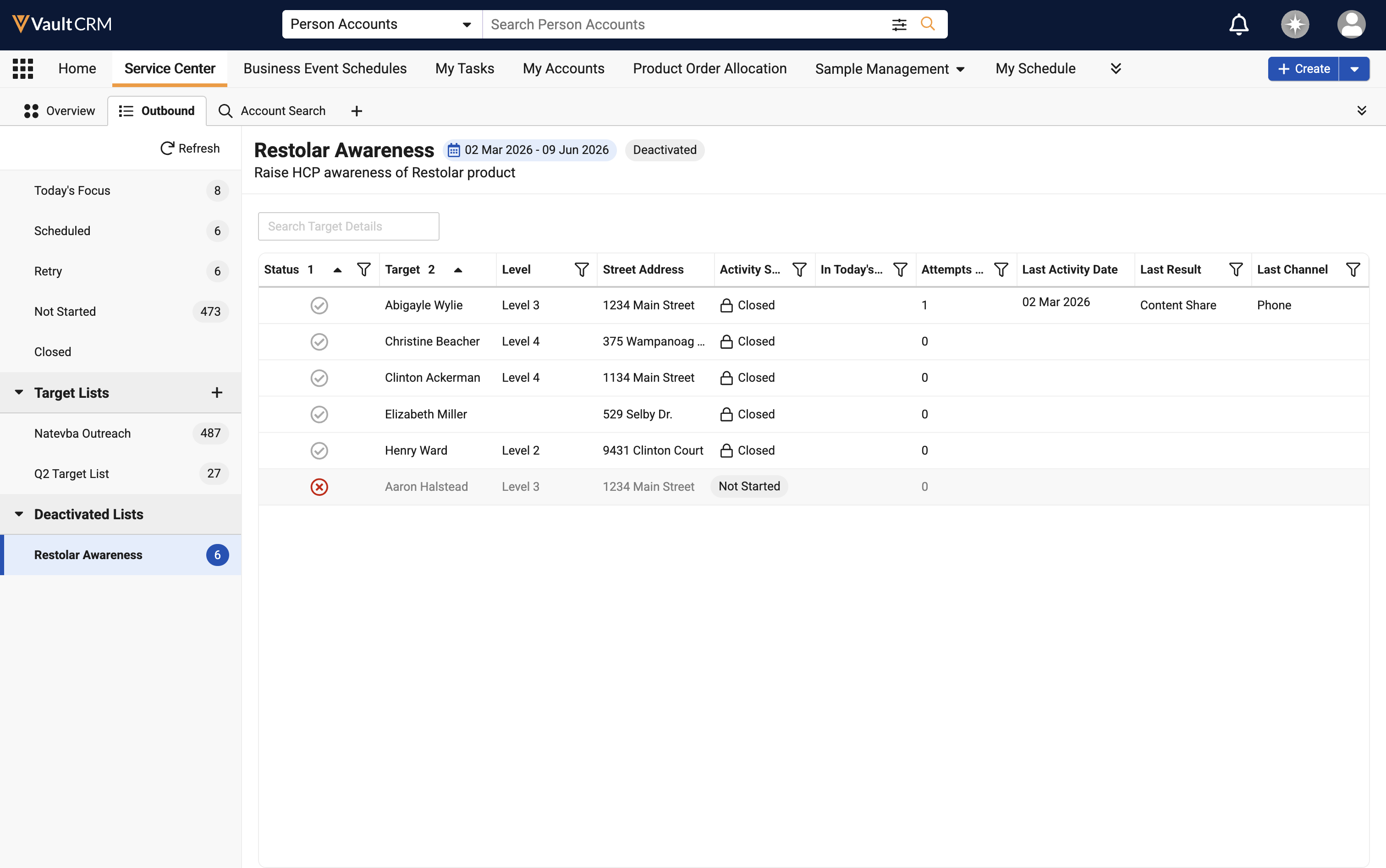
|
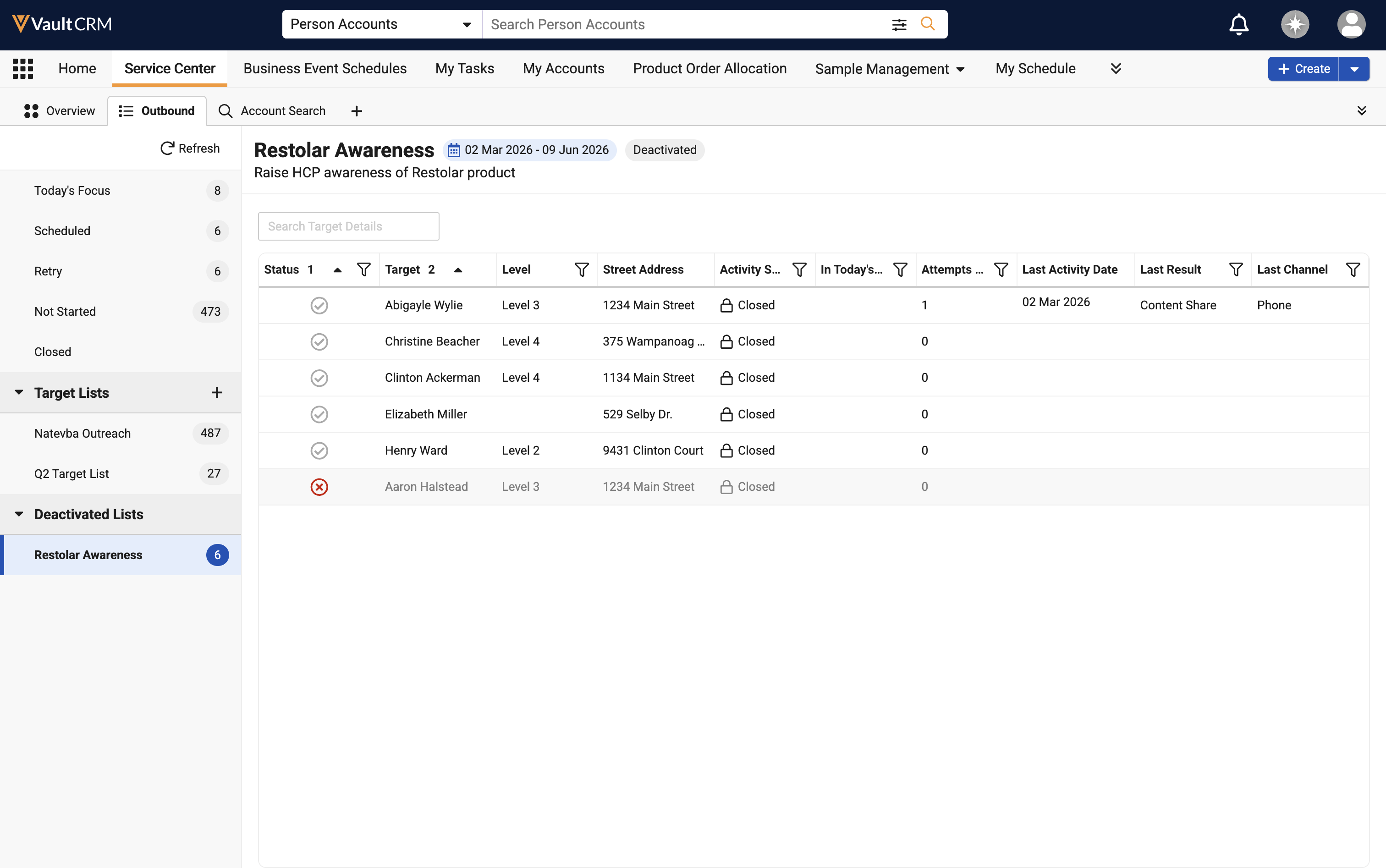
|
|
Browser |
Today’s Focus labels do not display for removed targets in outbound target lists. |
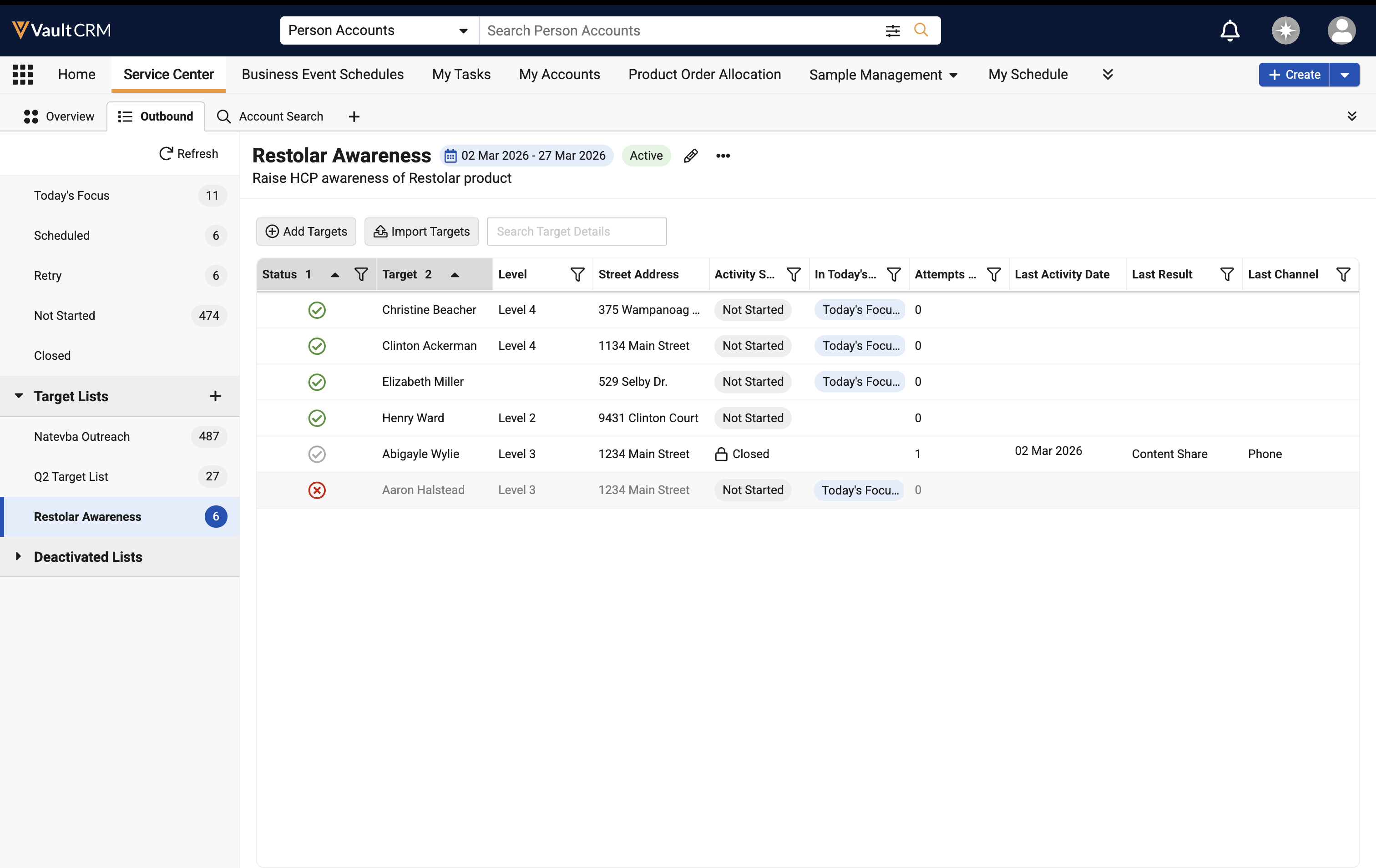
|
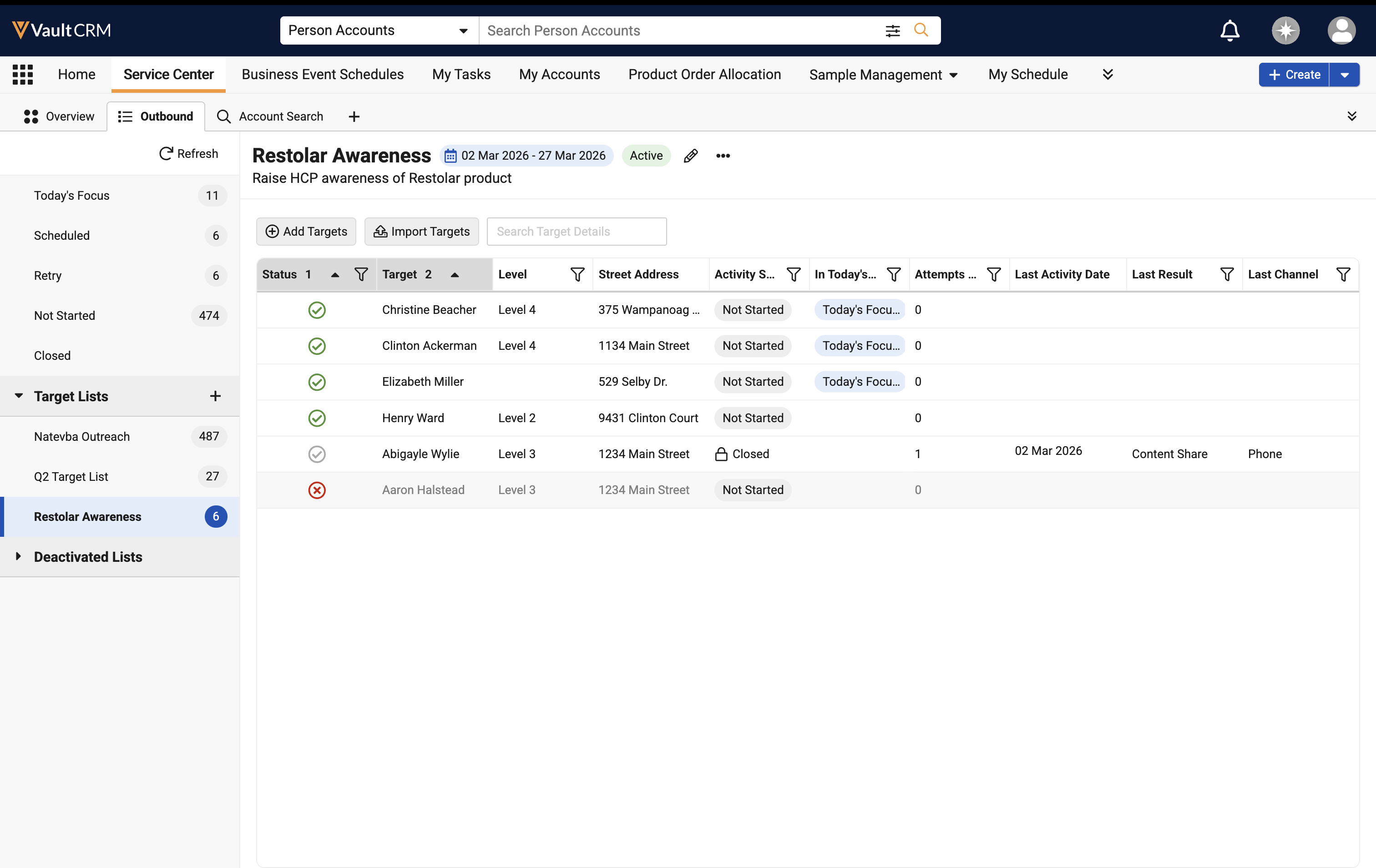
|
|
Browser |
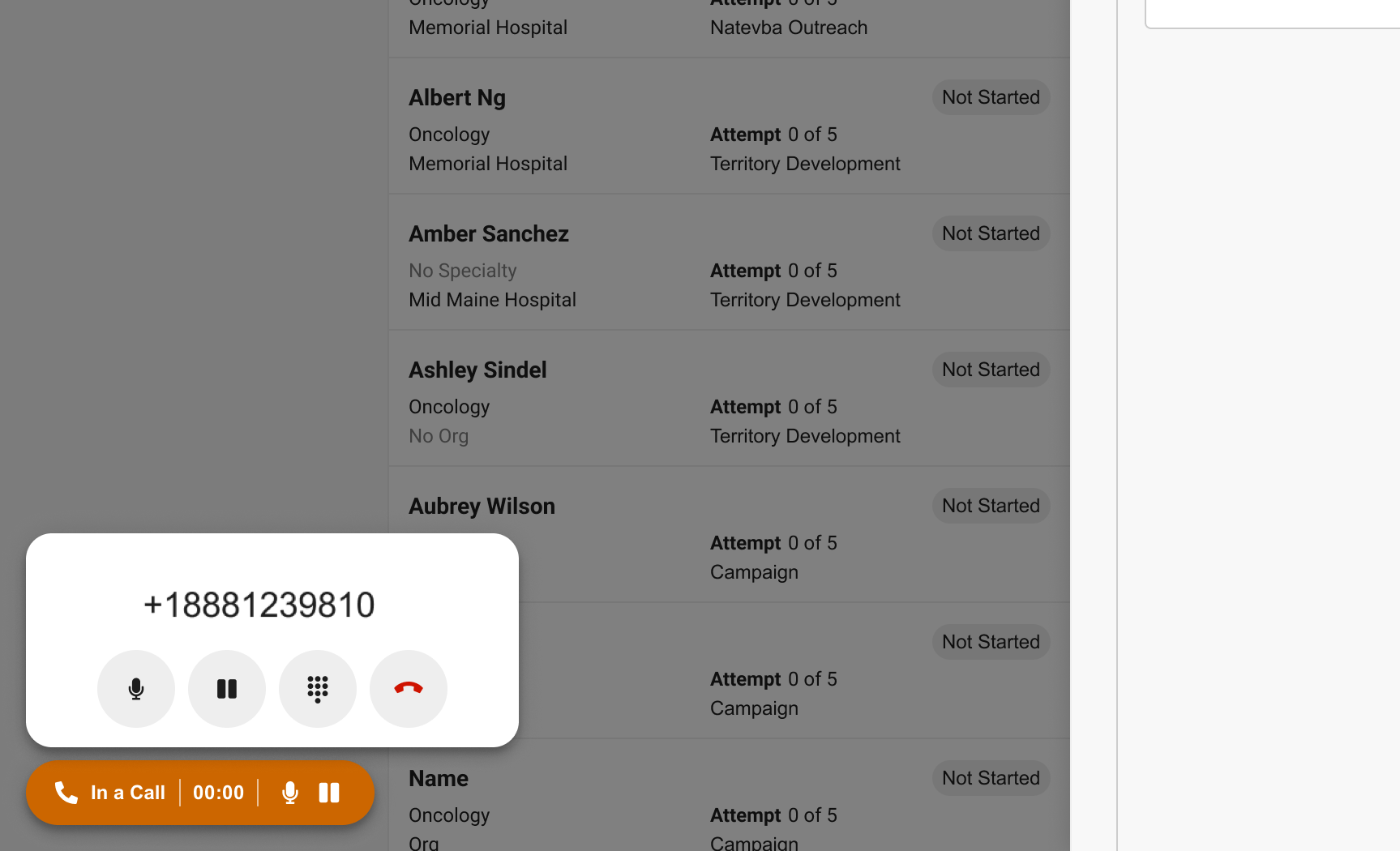
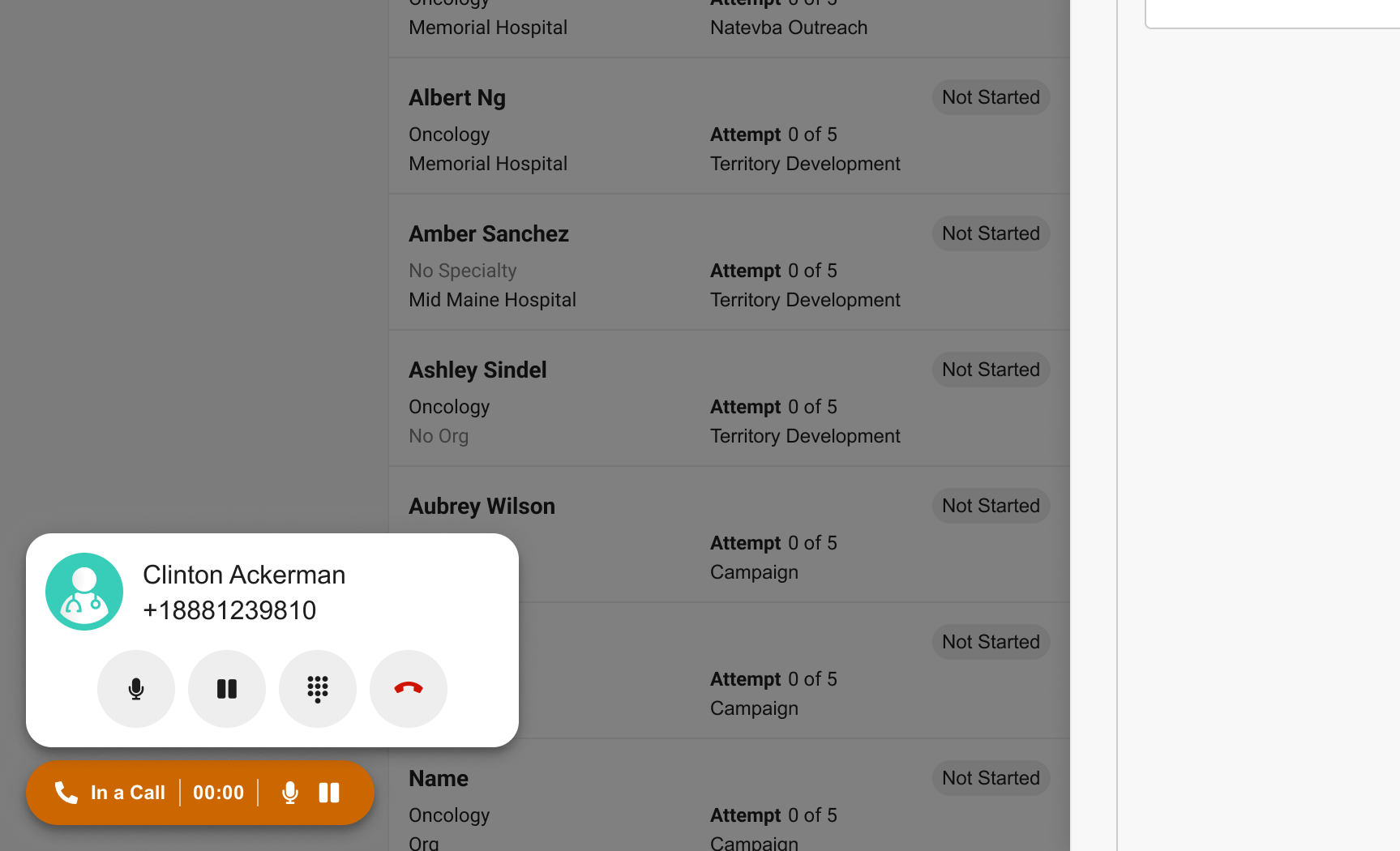
When using the Call Other option to contact an outbound target, the account name and account icon display in the dialing interface to provide a visual confirmation for users. |
|
|
|
Browser |
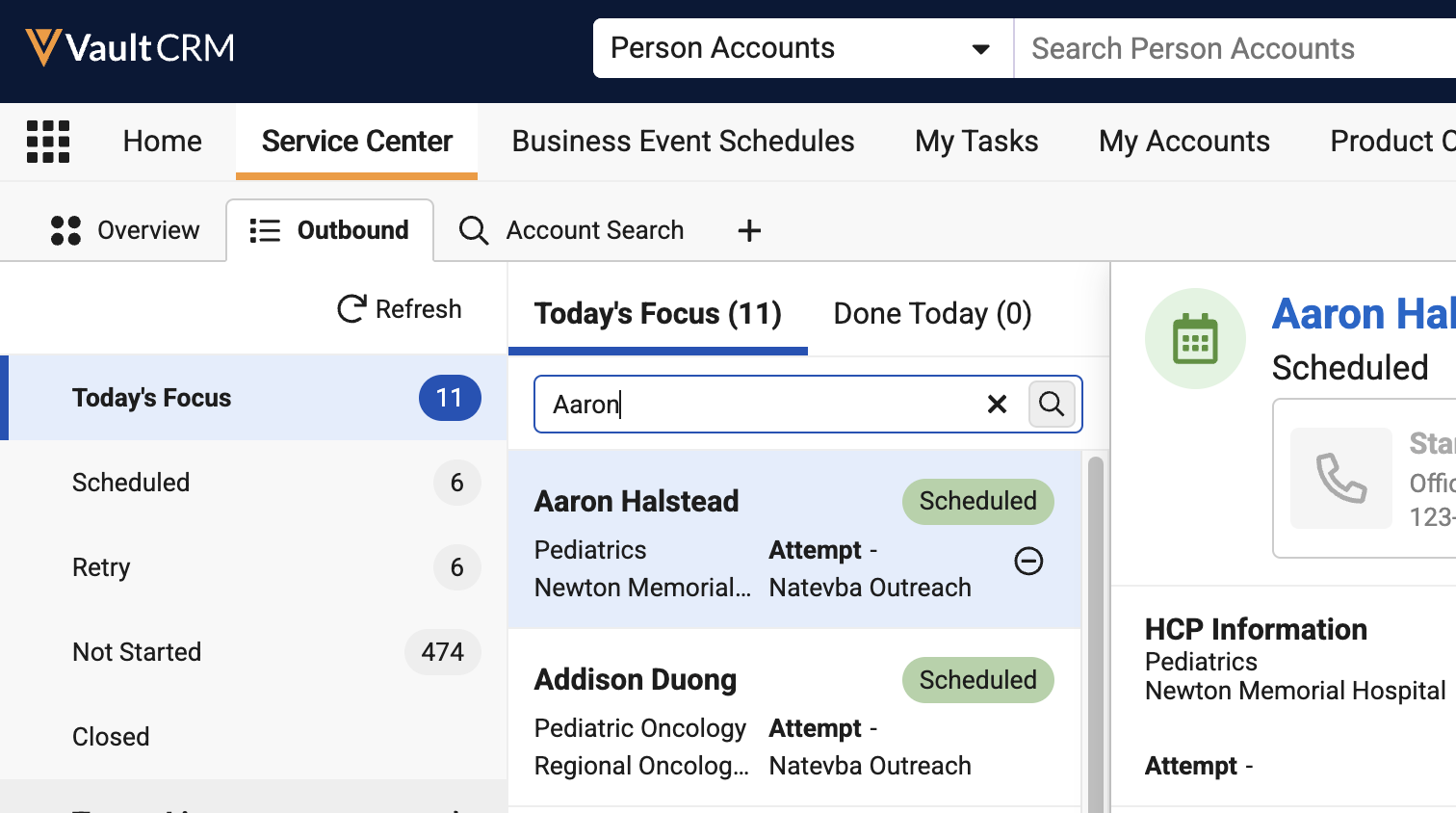
In the inline search bar for outbound target views, selecting the X icon clears search criteria and resets the search results. |
n/a |
|
|
Browser |
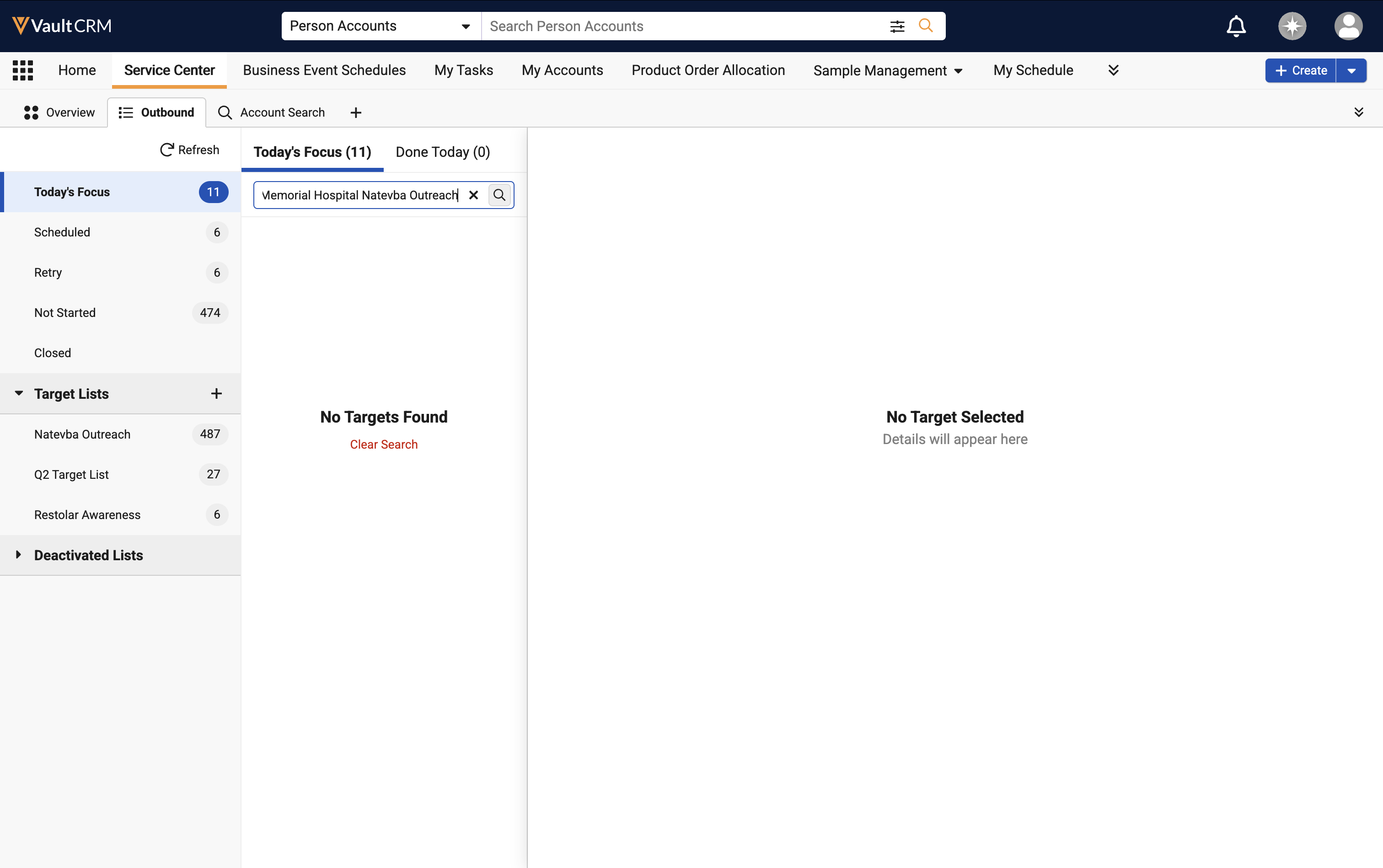
Inline search supports a maximum of 10 search terms. Users are prompted to clear their search terms if they attempt to search with greater than 10. |
n/a |
|
|
Browser |
Inbound case search behavior is updated for consistency across the application. |
n/a |
n/a |
|
Browser |
The Canceled case state is now available for selection when updating case states. |
|
|
|
Browser |
When a case is canceled, the Case Timeline entry reflects the canceled status and associated public comments. |
n/a |
|
X-Pages
|
Platform |
Description |
Before |
After |
|---|---|---|---|
|
Browser |
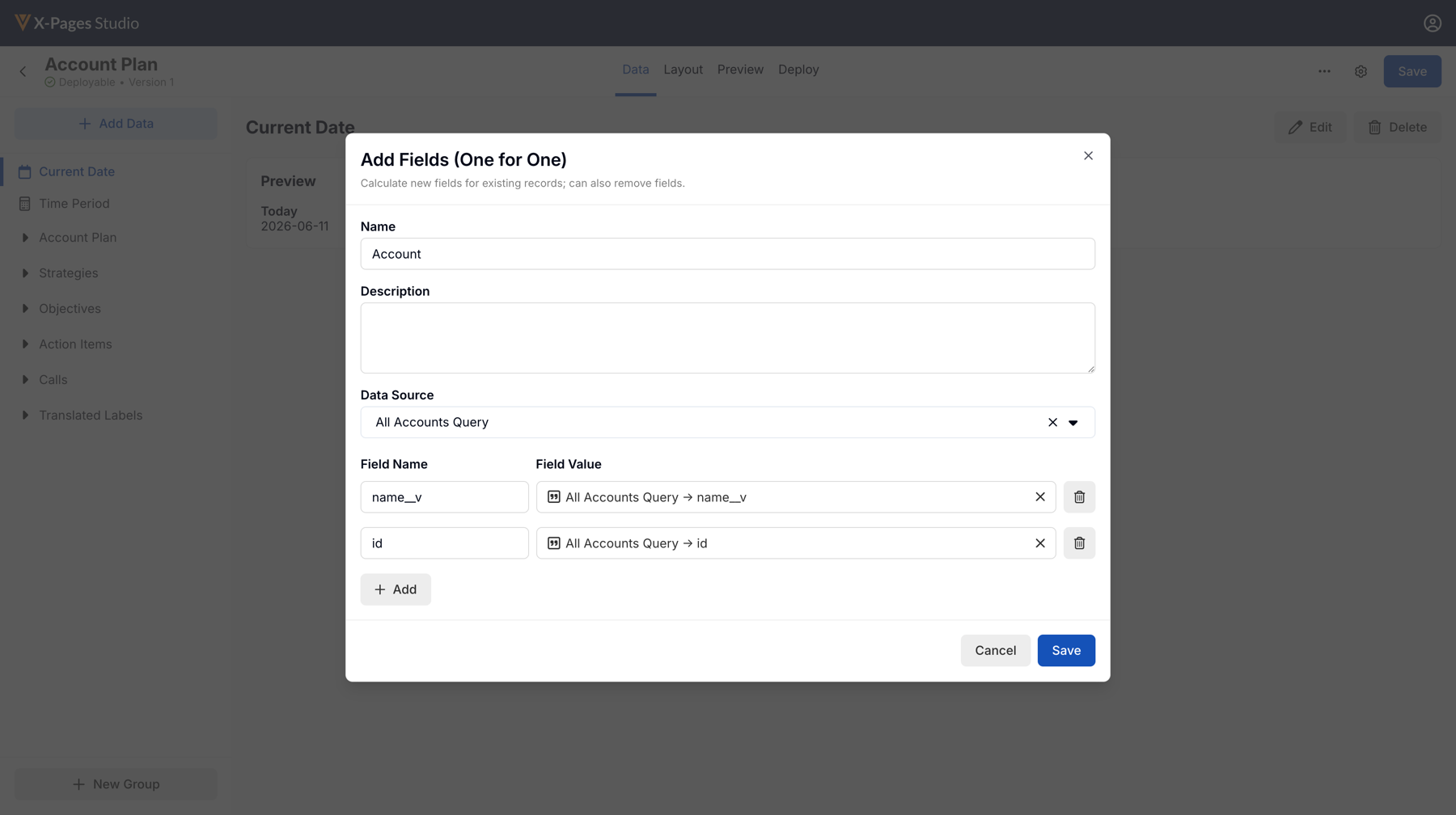
The Add Fields (One for One) and Summarize data element tables now display Field Name and Field Value headers. |
n/a |
|
|
Browser |
The expression selector in data element modals now organizes available expressions into groups. |
n/a |
|
Vault AI in CRM
|
Platform |
Description |
Before |
After |
|---|---|---|---|
|
iPad, iPhone |
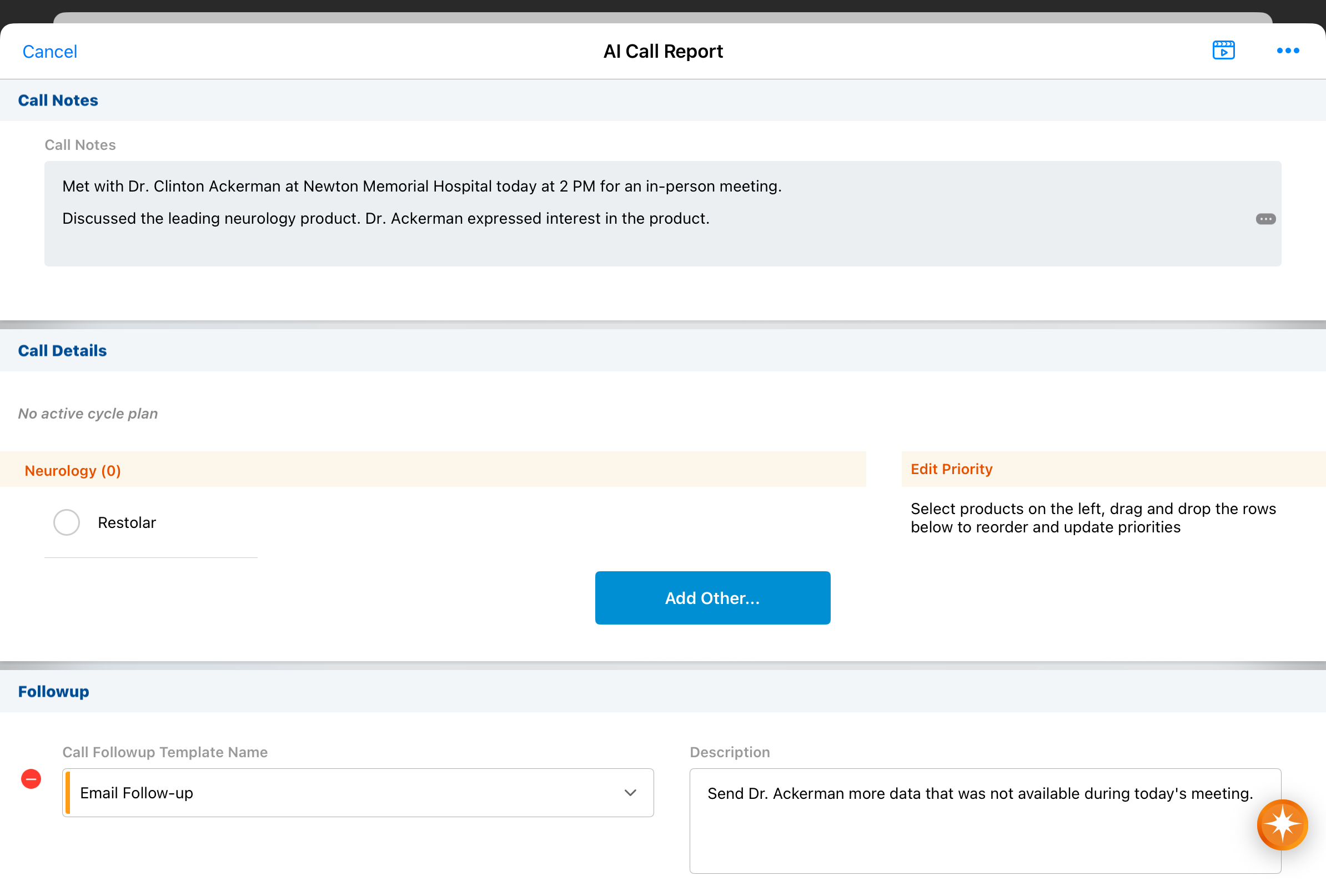
When Unique Activity group calls are enabled, Agentic Voice processes calls against a business account as Unique Activity group calls. |
|
|
|
iPad, iPhone |
To improve accuracy, Agentic Voice now relies on explicit product names rather than inferring them from context. |
|
|
|
iPad, iPhone |
When applicable, the Potential Attendees modal displays before Agentic Voice begins transposing Voice Notes into a call report instead of after. |
n/a |
n/a |
|
iPad, iPhone |
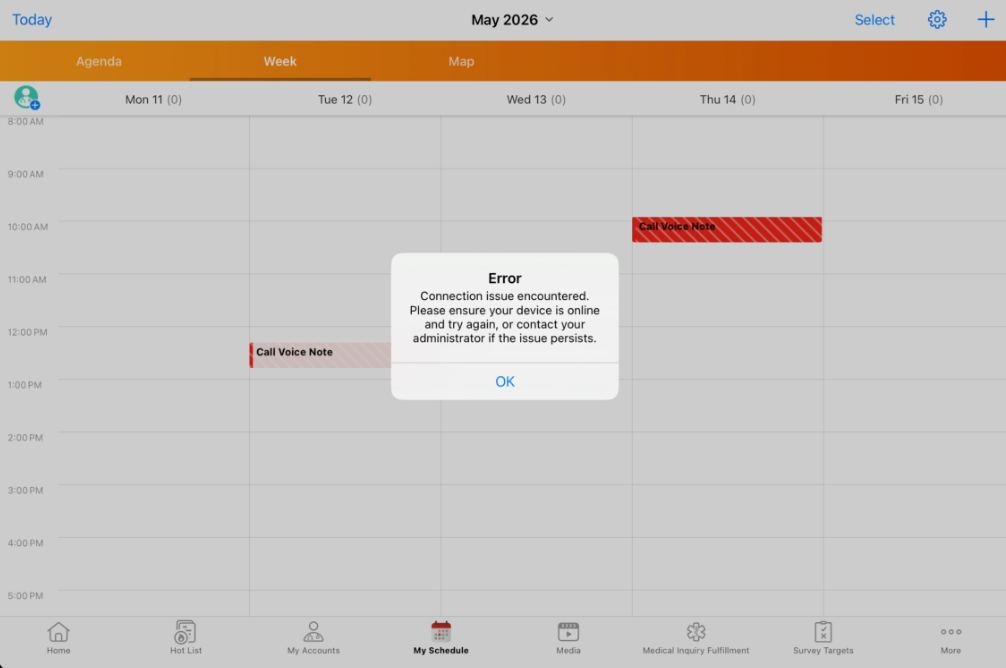
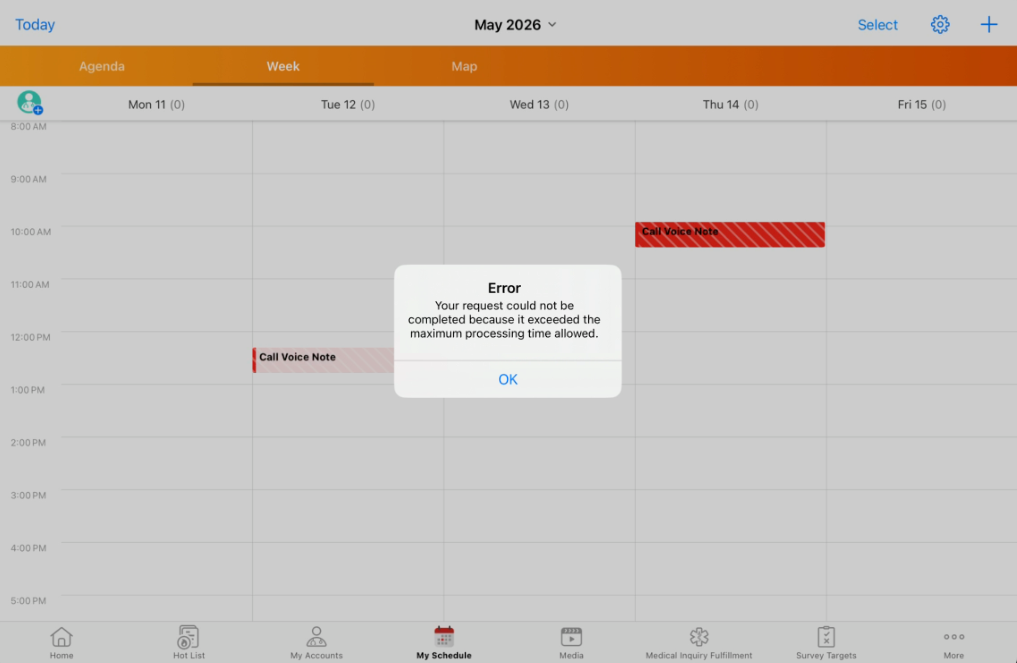
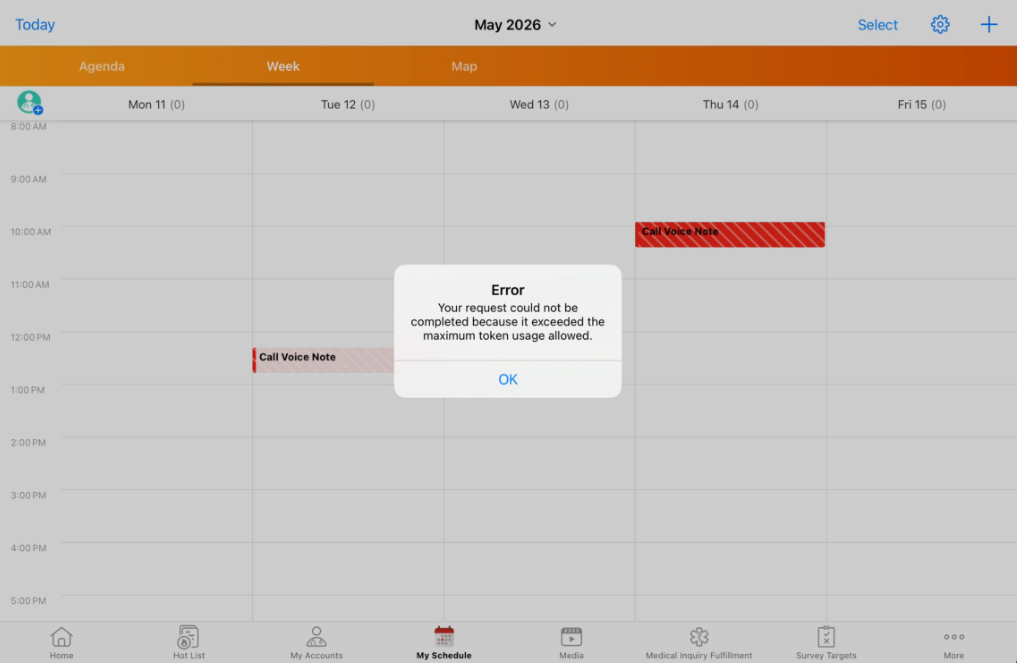
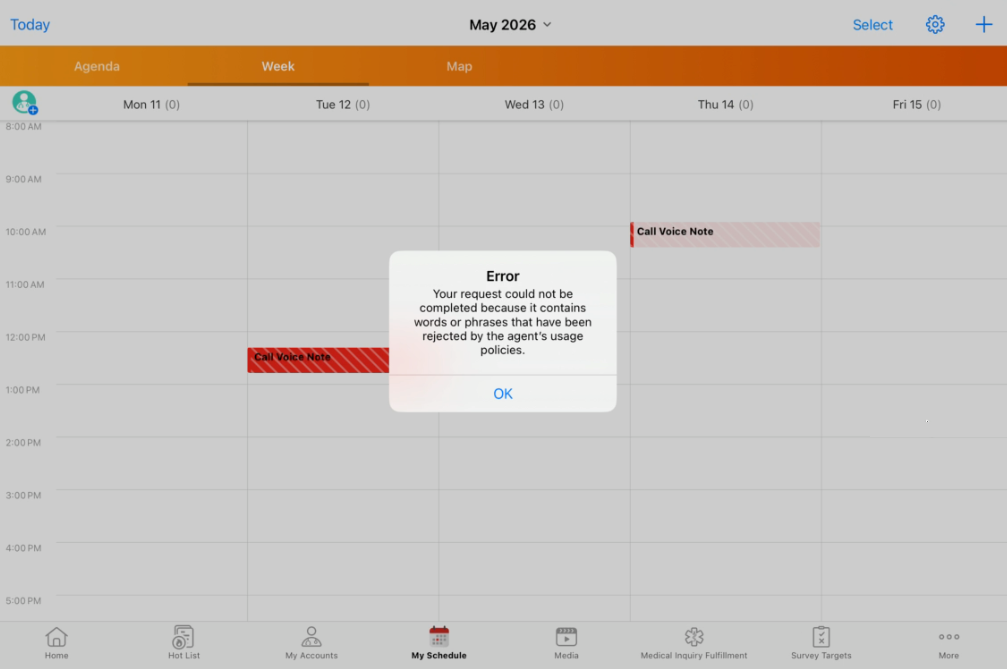
Unique error messages display when Agentic Voice users encounter the following issues:
|
|
|
|
Browser |
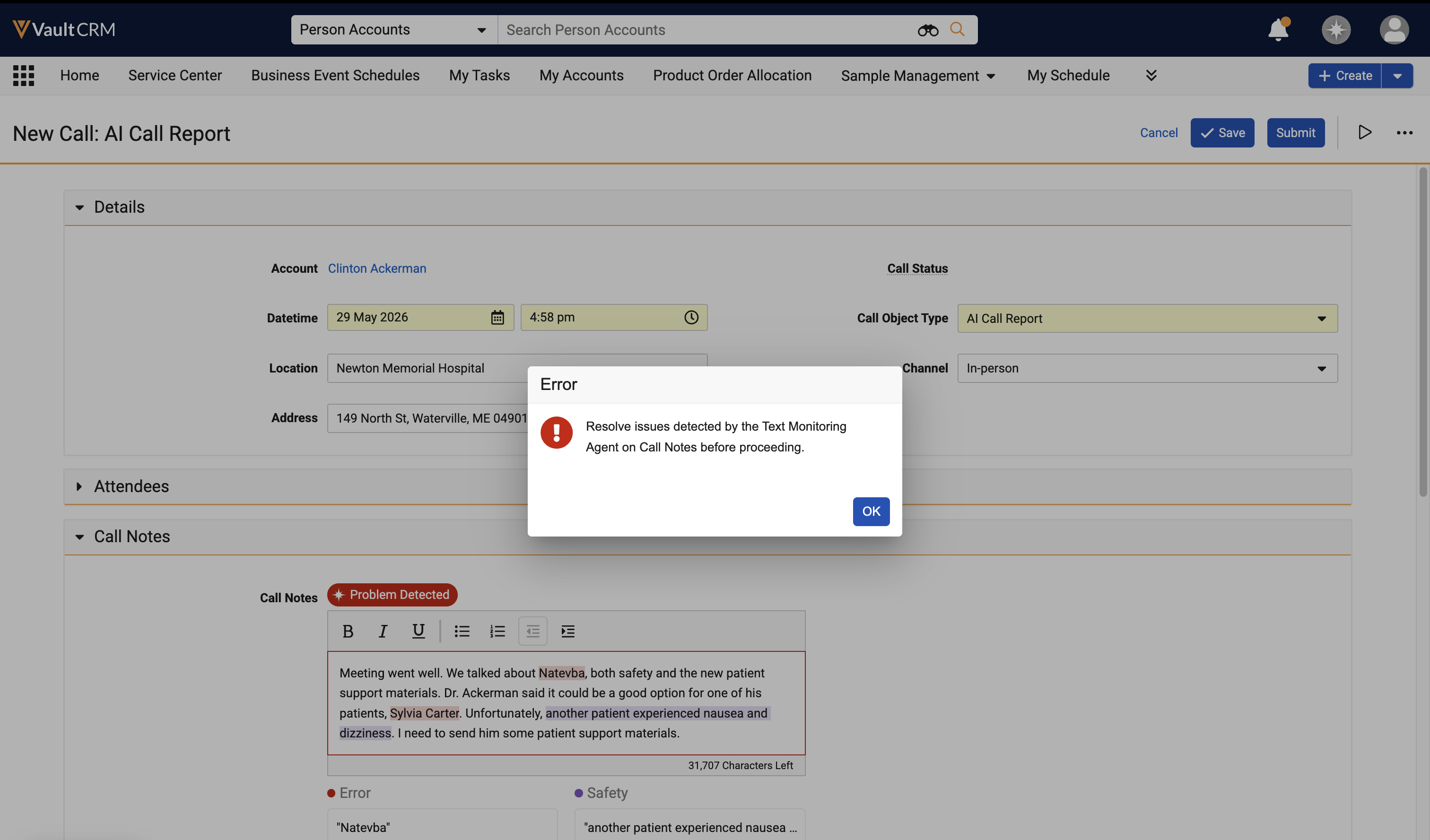
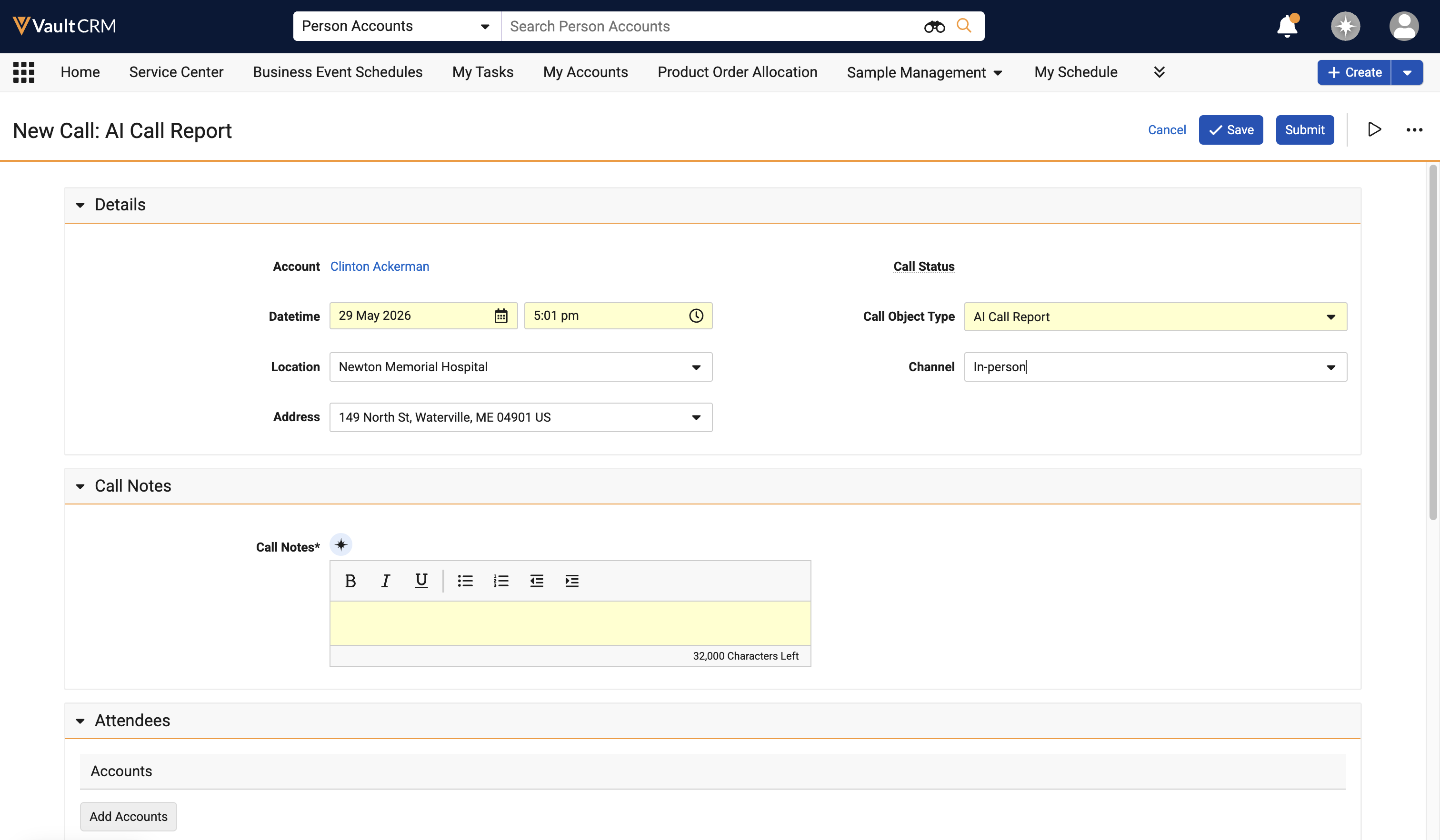
When the text_monitoring_block_save__v AI setting is enabled, users are prevented from saving or submitting Call Text not verified by Agentic Text Monitoring. |
n/a |
|
|
Browser |
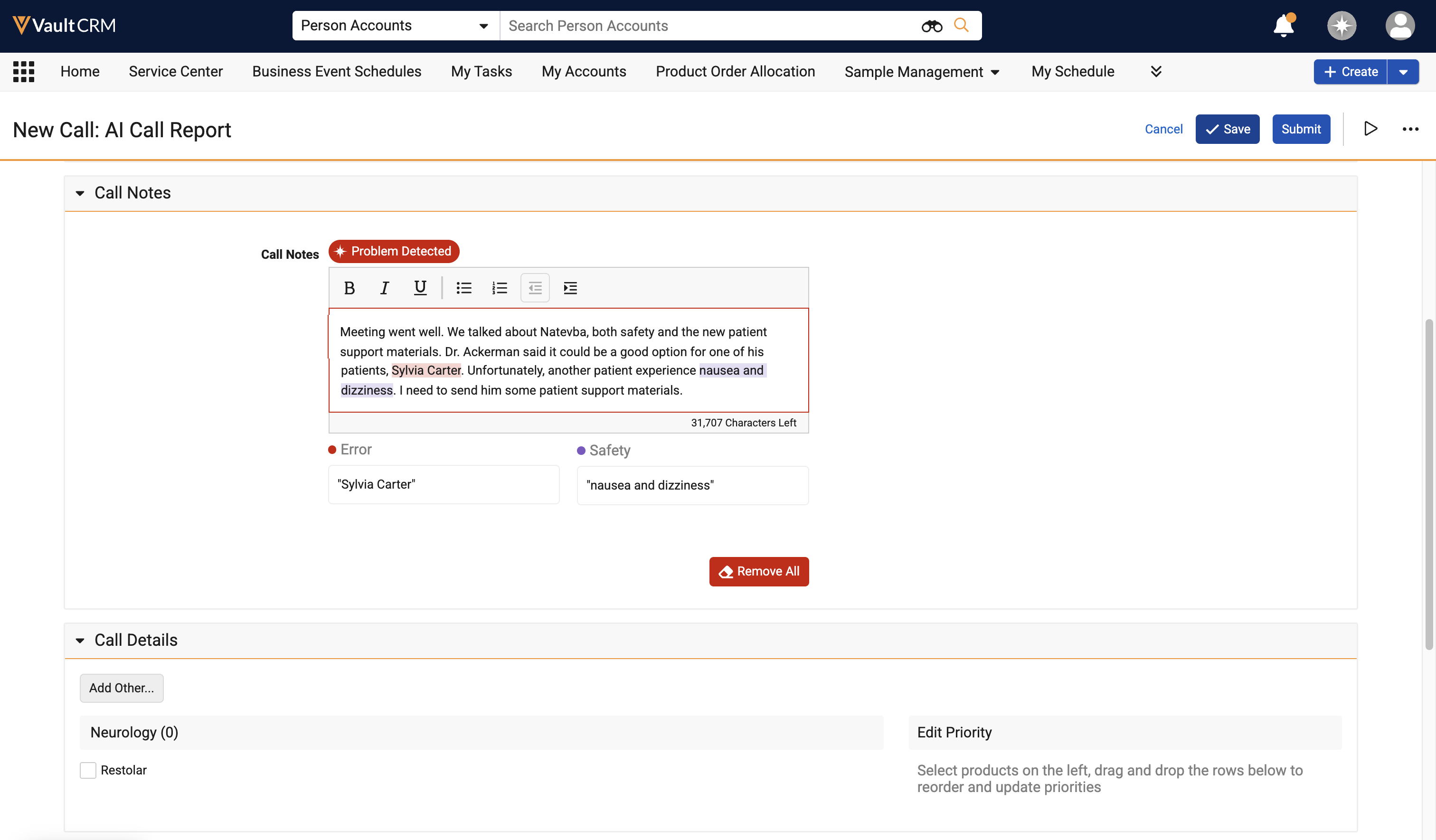
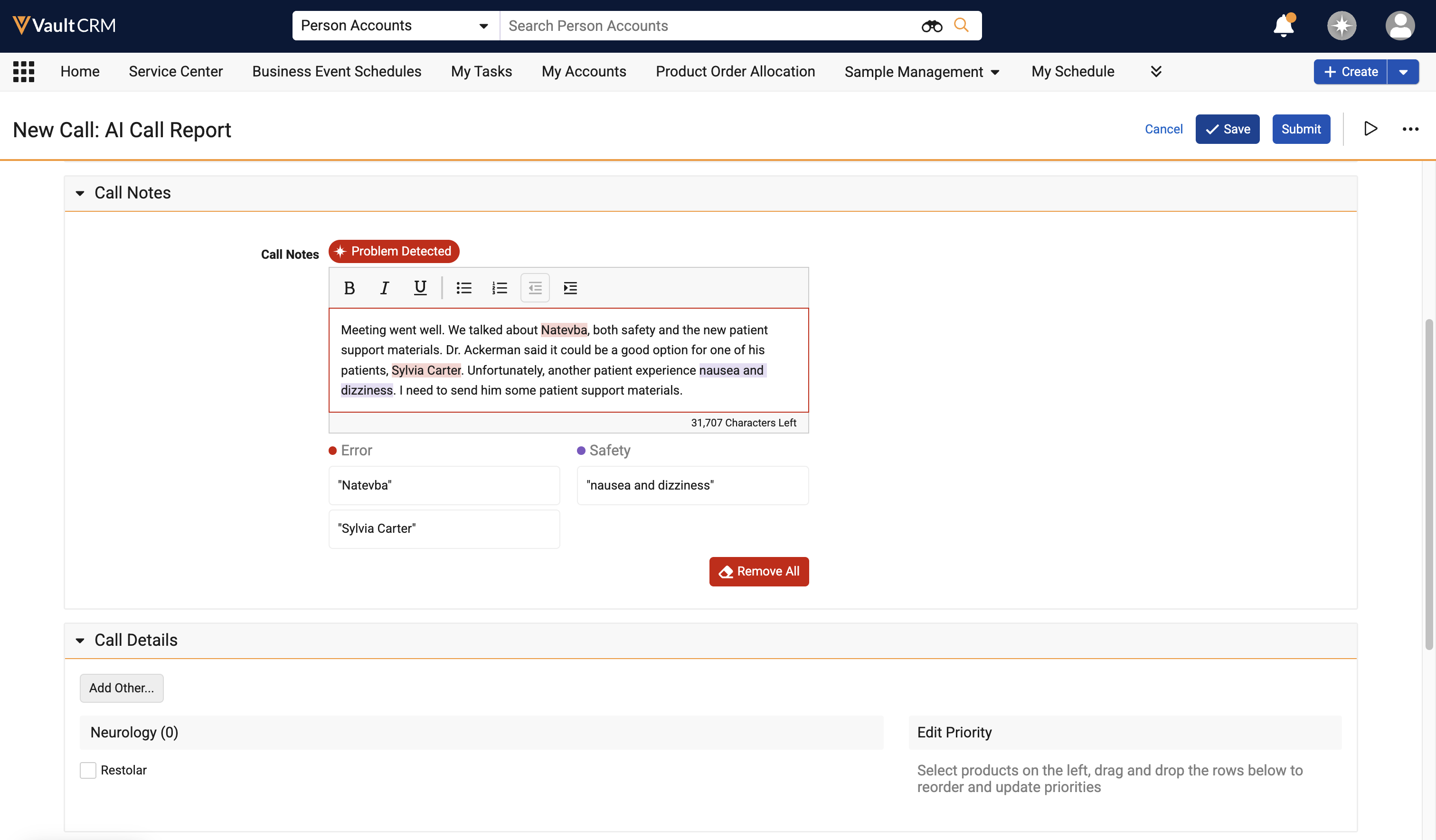
Agentic Text Monitoring checks for mentions of products that are either restricted or not allowed for the selected account, location, and/or attendee accounts on the call report. |
|
|
|
Browser |
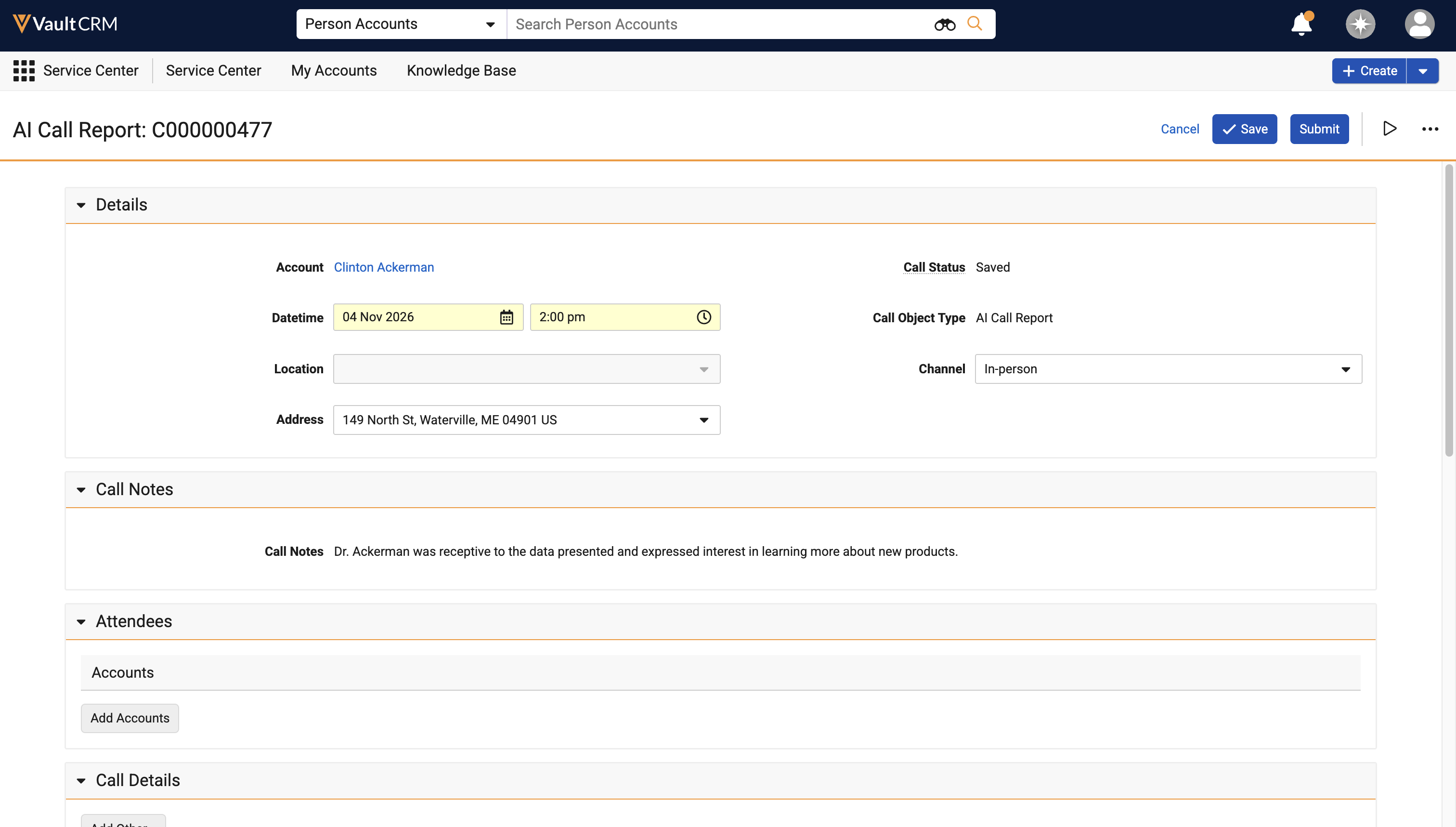
The call_notes__v field can be set as read-only or required at the field level on call2__v layouts. |
n/a |
|
Align
|
Platform |
Description |
Before |
After |
|---|---|---|---|
|
Browser |
When the end_date__v field on objects of the following records are edited via the Vault Loader, Business Admin or via the Vault API, the end_date__v field of the following associated child records now also automatically update:
|
n/a |
n/a |
Campaign Manager
|
Platform |
Description |
Before |
After |
|---|---|---|---|
|
Browser |
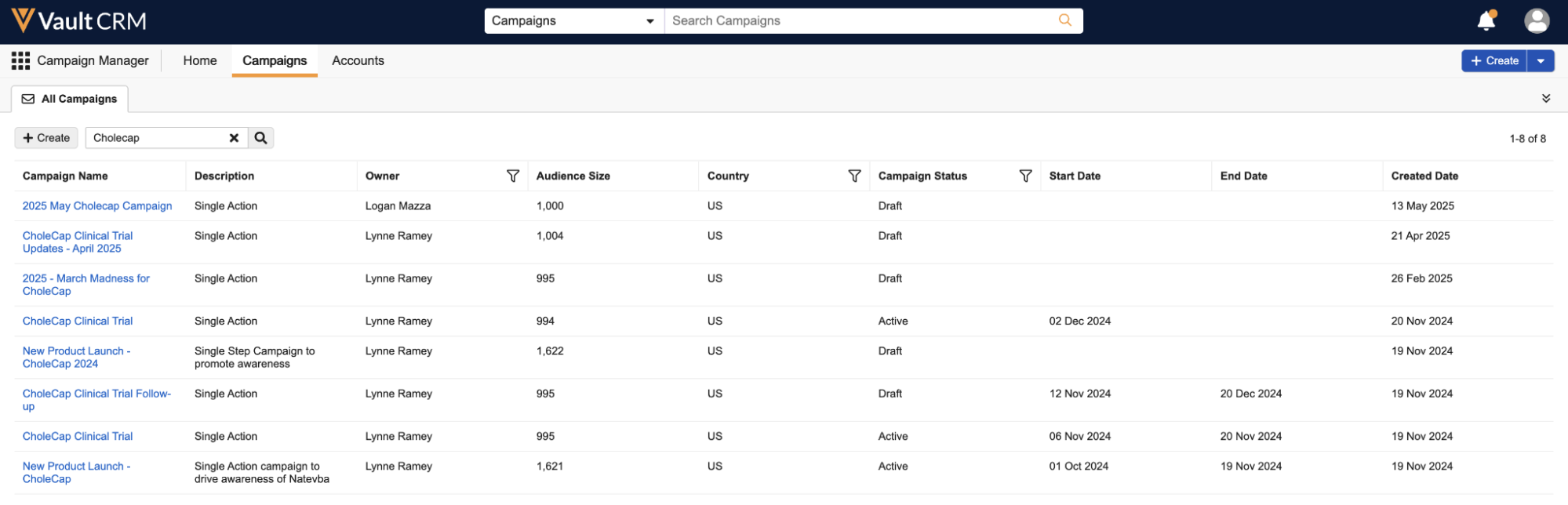
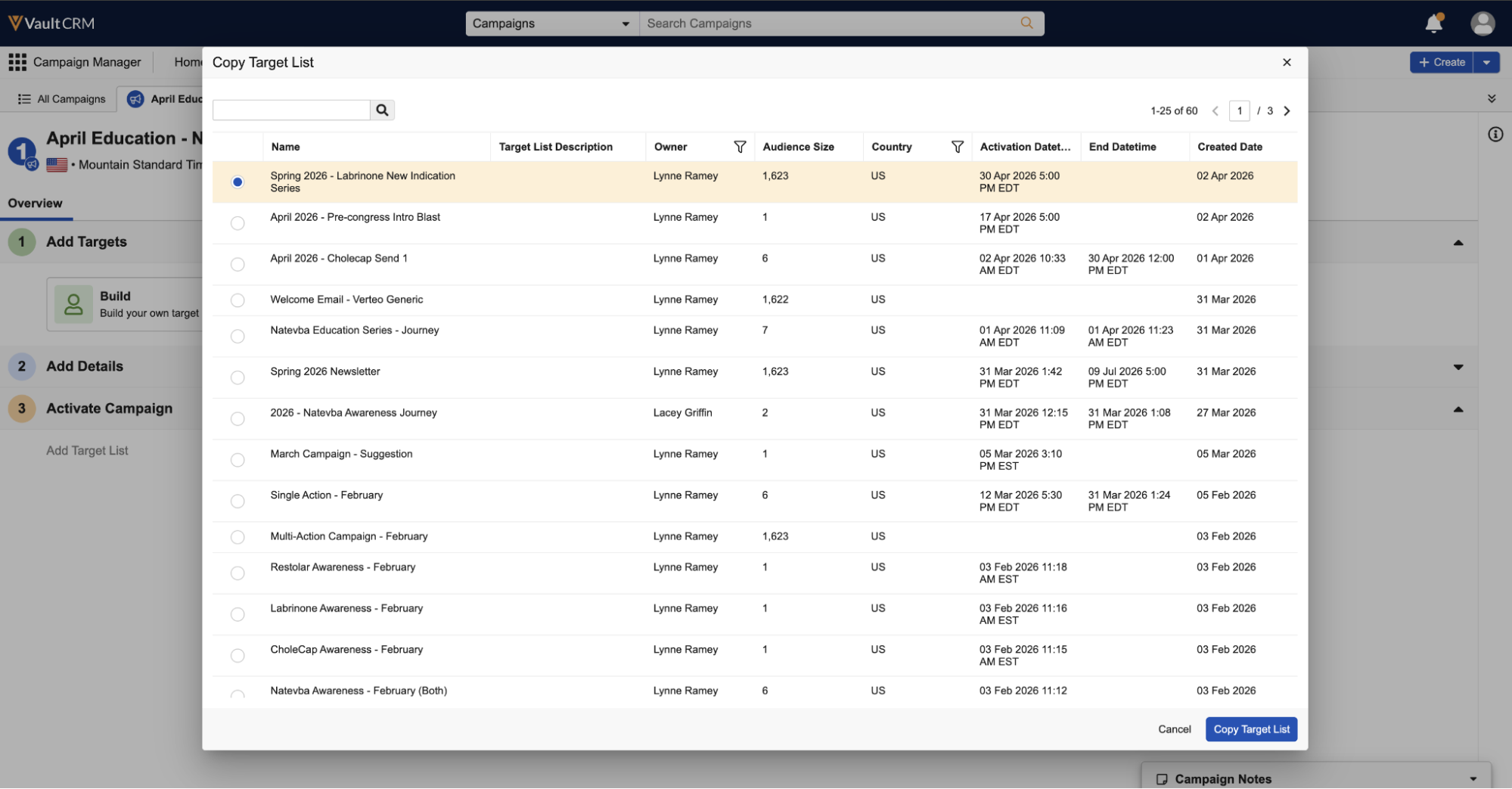
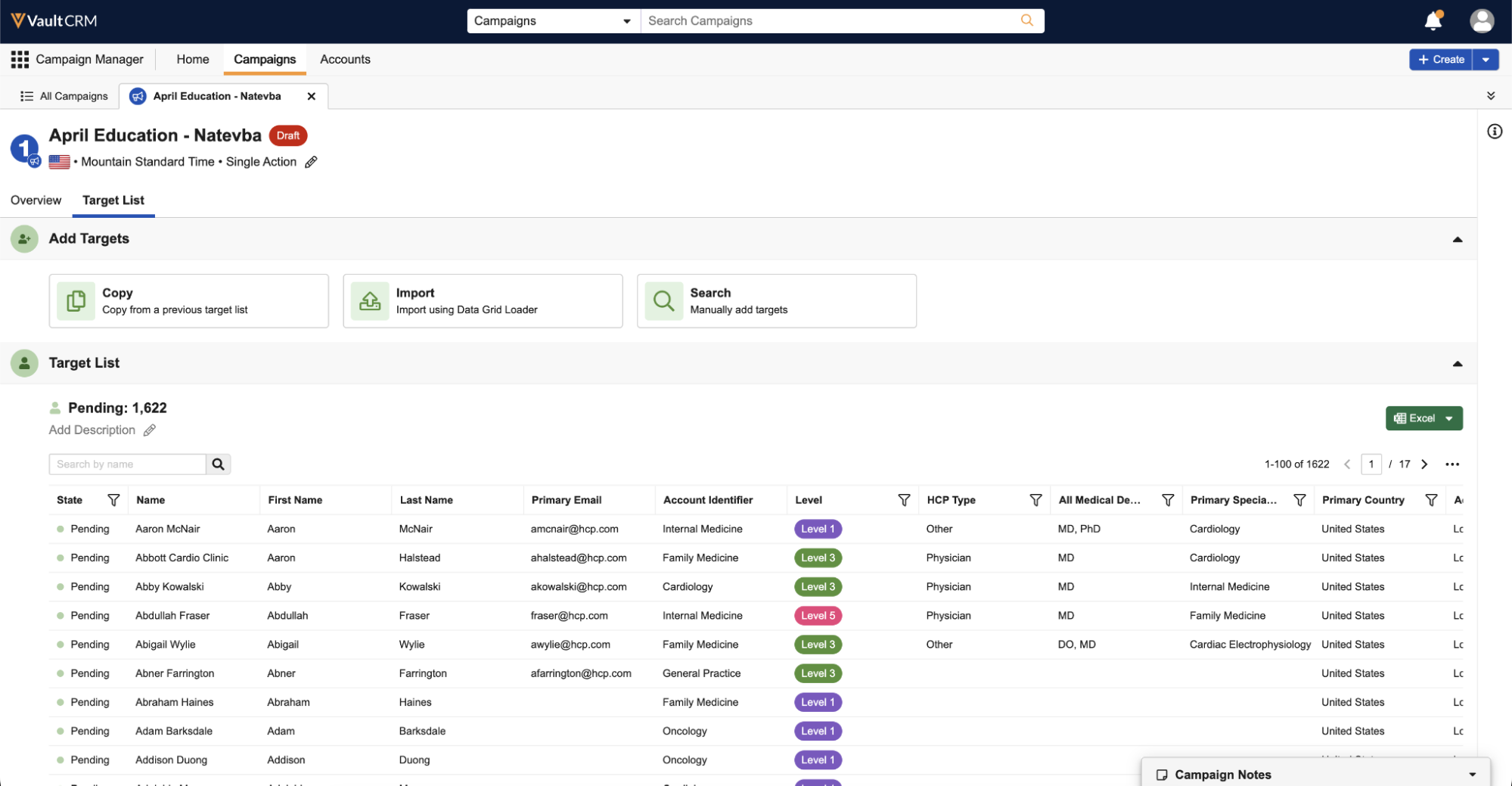
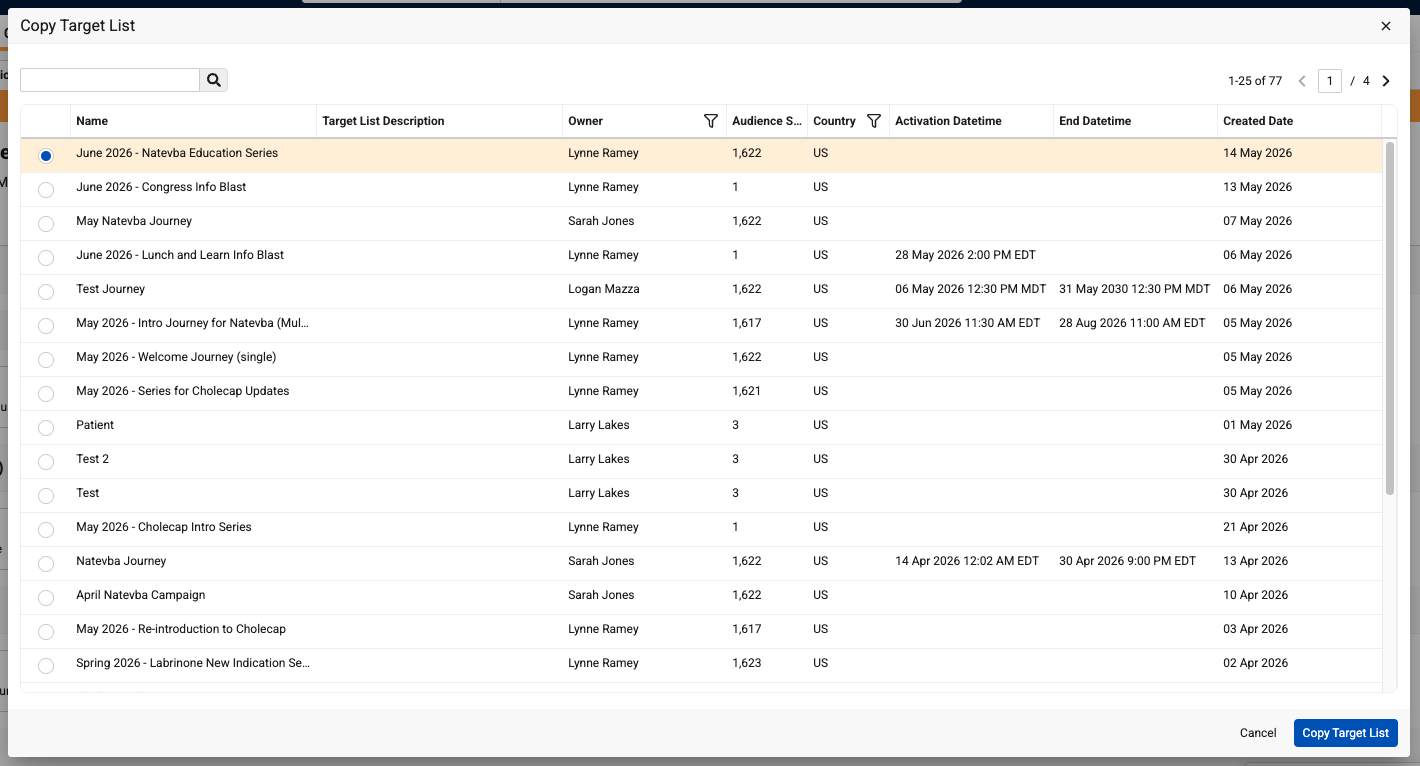
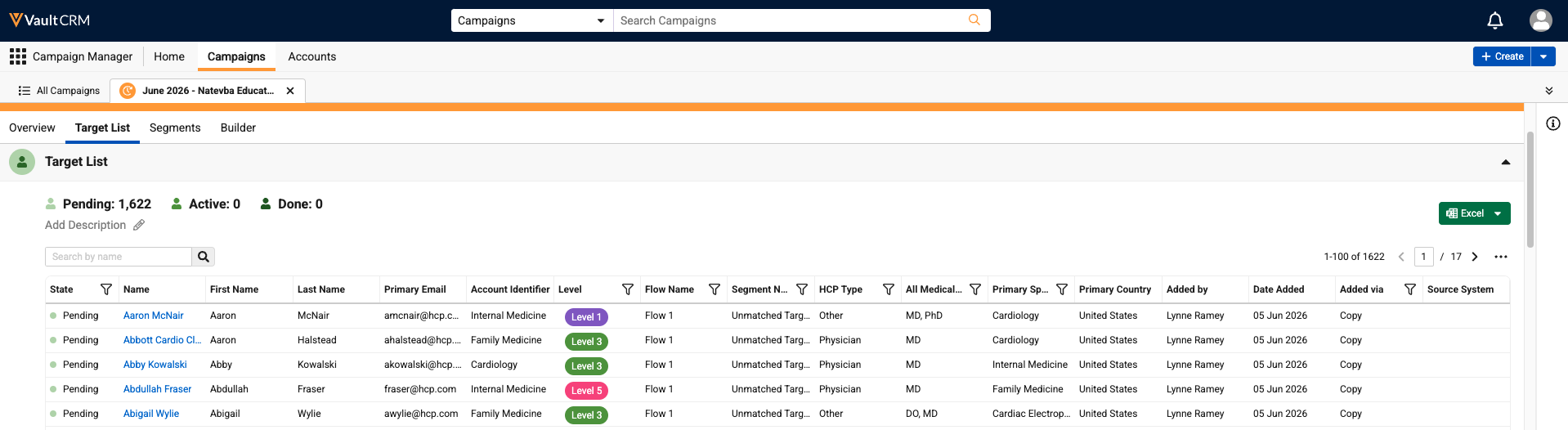
The following tables were updated to enable column resizing, sorting, filtering, and horizontal scrolling, making it easier for marketing users to quickly organize and identify relevant information:
|
|
|

Additional Resources
The following resources are available for the 26R1.3 release:
- Flightpath
- Videos
- Feature Enablement and Availability
- Data Model Changes:
- New Objects
- New Fields
- Removed Fields
Flightpath
Flightpath is an educational tool where you'll find overviews and examples to walk you through how to leverage Vault CRM features and functionality. Flightpaths for the following topics will be available with the 26R1.3 Production Release:
- Account Hot Lists
- Introduction to Field Reimbursement Manager
- Introduction to Campaign Manager
- Engage Digital Business Card
- Adding Attendees to an Event (Updated for attendee registration and reconciliation)
Videos
The following videos will be available with the 26R1.3 Production Release:
- Agentic Email
- Commercial Insights (Updated for 26R1.3)
- Multi-Product Presentations for CLM as Document Model
- Reconciling Microsoft Teams Meeting Attendees
- Account Details Pane in My Accounts (Updated for 26R1.3)
Feature Enablement and Availability
The following table provides an explanation of 26R1.3 feature enablement and user impact.


*Parity items do not typically require configuration if you are using this functionality on another platform. In some cases, VMOCs must be enabled for the added platform.
New Objects
The table below contains all new objects added in Vault CRM 26R1.3.
| Object | Label | Description |
|---|---|---|
| api_access_token__sys | API Access Token | Enables adding targets to journeys via API calls. |
| report_usage__sys | Report Usage | Records of this object are created for each report execution. |
|
aln_product_specialty__v |
Product Specialty |
Stores the promotion eligibility for each product and specialty. |
| aln_transfer_request__v* | Transfer Request | Stores a record of transfer requests made during feedback. |
|
vault_clinical_study_person__v* |
Study Person |
Tracks a person account and his/her study role in a specific Study. |
*Support for future functionality
New Fields
The table below contains all fields added in Vault CRM 26R1.3. The fields are organized by object.
| Object | Field Name | Field Label | Description | Type |
|---|---|---|---|---|
| align_settings__v | enable_target_transfers__v* | Enable Target Transfers | Enables users to transfer targets between themselves during feedback | Yes/No |
| align_settings__v | transfer_reasons_transfer_from__v* | Transfer Reasons (Transfer From) | The reasons available for selection when the user makes a Transfer Target From request | Picklist |
| align_settings__v | transfer_reasons_transfer_to__v* | Transfer Reasons (Transfer To) | The reasons available for selection when the user makes a Transfer Target To request | Picklist |
| aln_account_territory_model__v | aln_accepted_transfer_request__v* | Accepted Transfer Request | Indicates whether a Transfer Request impacts a target associated to this assignment. | Yes/No |
| aln_align_settings_model__v | enable_target_transfers__v* | Enable Target Transfers | Enables users to transfer targets between themselves during feedback | Yes/No |
| aln_align_settings_model__v | transfer_reasons_transfer_from__v* | Transfer Reasons (Transfer From) | The reasons available for selection when the user makes a Transfer Target From request | Picklist |
| aln_align_settings_model__v | transfer_reasons_transfer_to__v* | Transfer Reasons (Transfer To) | The reasons available for selection when the user makes a Transfer Target To request | Picklist |
| aln_product_specialty__v | eligibility_reason__v | Eligibility Reason | None | Picklist |
| aln_product_specialty__v | external_id__v | External Id | None | Text |
| aln_product_specialty__v | product__v | Product | None | Reference |
| aln_product_specialty__v | promotion_eligibility__v | Promotion Eligibility | None | Picklist |
| aln_product_specialty__v | requested_promotion_eligibility__v | Requested Promotion Eligibility | None | Picklist |
| aln_product_specialty__v | specialty__v | Specialty | None | Picklist |
| aln_transfer_request__v | account__v* | Account | The account that is the subject of the transfer request | Object |
| aln_transfer_request__v | created_by__v* | Created By | The user who created the record. | Object |
| aln_transfer_request__v | created_date__v* | Created Date | The date the record was created. | DateTime |
| aln_transfer_request__v | global_id__sys* | Global ID | The global ID of the record. | String |
| aln_transfer_request__v | link__sys* | Link | The record's link. | String |
| aln_transfer_request__v | modified_by__v* | Last Modified By | The user who last modified the record. | Object |
| aln_transfer_request__v | modified_date__v* | Last Modified Date | The date the record was last modified. | DateTime |
| aln_transfer_request__v | name__v* | Name | The record's name. | String |
| aln_transfer_request__v | object_type__v* | Transfer Request Type | The object type of the record. | Object |
| aln_transfer_request__v | product__v* | Product | The product to transfer | Object |
| aln_transfer_request__v | request_initiator_model_territory__v* | Request Initiator (Model Territory) | The Model Territory that initiated the request | Object |
| aln_transfer_request__v | request_initiator_user__v* | Request Initiator (User) | The User that initiated the request | Object |
| aln_transfer_request__v | request_reason__v* | Request Reason | The reason for the transfer request | Picklist |
| aln_transfer_request__v | request_status__v* | Request Status | The status of the transfer request | Picklist |
| aln_transfer_request__v | status__v* | Status | The record's status. | Picklist |
| aln_transfer_request__v | transfer_from_mc_cycle__v* | Transfer From (MC Cycle) | The cycle from which the target will be transferred | Object |
| aln_transfer_request__v | transfer_from_model_territory__v* | Transfer From (Model Territory) | The model territory from which the target will be transferred | Object |
| aln_transfer_request__v | transfer_to_mc_cycle__v* | Transfer To (MC Cycle) | The cycle to which the target will be transferred | Object |
| aln_transfer_request__v | transfer_to_model_territory__v* | Transfer To (Model Territory) | The model territory to which the target will be transferred | Object |
| api_access_token__sys | created_by__v | Created By | The user who created the record. | Object |
| api_access_token__sys | created_date__v | Created Date | The date the record was created. | DateTime |
| api_access_token__sys | expiry_date__sys | Expiry Date | The expiration date of the access token. | DateTime |
| api_access_token__sys | global_id__sys | Global ID | The global ID of the record. | String |
| api_access_token__sys | last_used_date__sys | Last Used Date | The date and time the token was last used. | DateTime |
| api_access_token__sys | link__sys | Link | The record's link. | Text |
| api_access_token__sys | modified_by__v | Last Modified By | The user who last modified the record. | Object |
| api_access_token__sys | modified_date__v | Last Modified Date | The date the record was last modified. | DateTime |
| api_access_token__sys | name__v | Name | The record's name. | String |
| api_access_token__sys | status__v | Status | The record's status. | Picklist |
| api_access_token__sys | user__sys | User | The user who created the record. | Object |
| approved_document__v | ai_enabled_template__v | AI Enabled Template | Indicates if a sent email used an AI enabled template. | Yes/No |
| call2__v | submitted_with_text_monitor_issues__v | Submitted with Text Monitoring Issues | Stamps with the current datetime when a user submits a call without resolving all issues that were detected by Agentic Text Monitoring. | DateTime |
| commercial_insight__v | flagged_text__v | Flagged Text | Indicates when Agentic Text Monitoring for Home Office found issues. | Picklist |
| em_event__v | budget_allocation_enabled__v | Budget Allocation Enabled | Indicates if budget splitting is enabled for the event. | Yes/No |
| em_event_budget__v | budget_allocation_denominator__v | Budget Allocation Denominator | Represents the total allocation basis used in the budget allocation calculation. | Number |
| em_event_budget__v | budget_allocation_numerator__v | Budget Allocation Numerator | Represents the Event Budget’s allocation value used in the budget allocation calculation. | Number |
| em_event_budget__v | budget_allocation_percent__v | Budget Allocation Percentage | Budget Allocation Percentage rounded to the nearest hundredth. | Number |
| em_event_budget__v | budget_allocation_split_equal__v | Allocate Budgets Equally | Select to automatically split expenses evenly across all active Event Budgets. | Yes/No |
| em_event_rule__v | enable_budget_allocation__v | Enable Budget Allocation | Enables budget splitting for events covered by the event rule. | Yes/No |
| em_expense_estimate__v | group_id__v | Group ID | ID used to group Budget Allocation records. | Text |
| engage_link_settings__v | enable_ms_teams_attendee_reconciliation__v | Enable MS teams Attendee Reconciliation | Enables MS teams attendee reconciliation. | Yes/No |
| engage_link_settings__v | remote_meeting_attendee_reconciliation__v | Remote Meeting Attendee Reconciliation | Enables the remote meeting attendee reconciliation feature. | Yes/No |
| expense_line__v | group_id__v | Group ID | ID used to group Budget Allocation records. | Text |
| mc_cycle_plan_product__v | aln_transfer_request__v | Transfer Request | Populated if the product goal was impacted by a transfer request. Provides context to the goal value. | Object |
| mc_cycle_plan_product__v | controlling_model_territory__v | Controlling Model Territory | References the appropriate model territory. | Object |
| mc_cycle_plan_target__v | aln_accepted_transfer_request__v | Accepted Transfer Request | Indicates whether a Transfer Request impacts this target. | Yes/No |
|
medical_discussion__v |
vault_clinical_study_person__v* |
Study Person |
None |
|
| remote_meeting__v | attendee_reconciliation_status__v | Attendee Reconciliation Status | Used to identify if all child remote meeting attendee records have been reconciled against an account or user. | Picklist |
| remote_meeting_attendee__v | attendee_email__v | Attendee Email | Stores the email address provided by MS Graph. | Text |
| remote_meeting_attendee__v | attendee_not_on_call_report__v | Attendee not on call report | If Yes, this fields indicates the call owner selected Attendee not on call report when reconciling this remote meeting attendee. | Yes/No |
| remote_meeting_attendee__v | external_user_id__v | External User ID | Stores the User Id provided by MS Graph. | Text |
| remote_meeting_attendee__v | ms_graph_tenant_id__v | MS Graph Tenant Id | Stores the Tenant Id provided by MS Graph. | Text |
| remote_meeting_attendee__v | system_reconciled_account_id__v | System Reconciled Account Id | The datetime the system attempted to reconcile this remote meeting attendee with an attendee on the call report. | Record ID |
| remote_meeting_attendee__v | system_reconciled_rule__v | System Reconciled Rule | When the system reconciles a remote meeting attendee with an account or user on the call report, this field identifies the matching rule. If the field is empty, the system was not able to reconcile the record. | Picklist |
| remote_meeting_attendee__v | system_reconciled_user_id__v | System Reconciled User Id | When the system reconciles a remote meeting attendee with a user, the user Id is stamped here for future reference. | Text |
| remote_meeting_attendee__v | system_reconciliation_processed_datetime__v | System Reconciliation Processed Datetime | The datetime the system attempted to reconcile this remote meeting attendee with an attendee on the call report. | DateTime |
| remote_meeting_attendee__v | user_reconciled_datetime__v | User Reconciled Datetime | The datetime the call owner reconciles this remote meeting attendee. If empty, the call owner never made a selection. | DateTime |
| report_usage__sys | api_name__v | Report API Name | The API name of the report. | Text |
| report_usage__sys | created_by__v | Created By | The user who created the record. | Object |
| report_usage__sys | created_date__v | Run Date | The date the record was created. | DateTime |
| report_usage__sys | global_id__sys | Global ID | The global ID of the record. | String |
| report_usage__sys | link__sys | Link | The record's link. | String |
| report_usage__sys | modified_by__v | Last Modified By | The user who last modified the record. | Object |
| report_usage__sys | modified_date__v | Last Modified Date | The date the record was last modified. | DateTime |
| report_usage__sys | name__v | Name | The record's name. | String |
| report_usage__sys | report_id__sys | Report ID | The ID of the report. | Text |
| report_usage__sys | report_name__sys | Report Name | The name of the report. | Object |
| report_usage__sys | report_run_type__sys | Report Run Type | The run type of the report. | Picklist |
| report_usage__sys | report_type__sys | Report Type | The report type. | Picklist |
| report_usage__sys | rows_returned__sys | Rows Returned | The number of rows returned by the report. | Number |
| report_usage__sys | run_by__sys | Run By | The user who initiated the report. | Object |
| report_usage__sys | status__v | Status | The record's status. | Picklist |
| report_usage__sys | view_count__sys | View Count | The view count of the report. | Number |
| sent_email__v | ai_assisted_email__v | AI Assisted Email | Indicates if a sent email used AI assistance. | Yes/No |
| vault_clinical_study_person__v |
study__v* |
Study |
None |
|
| vault_clinical_study_person__v |
study_country__v* |
Study Country |
None |
|
| vault_clinical_study_person__v |
study_site__v* |
Study Site |
None |
|
| vault_clinical_study_person__v |
study_team_role__v* |
Study Team Role |
None |
|
| vault_clinical_study_person__v |
account__v* |
Person |
None |
|
| vault_clinical_study_person__v |
account_text__v* |
Person |
None |
|
| vault_clinical_study_person__v |
start_date__v* |
Start Date |
The date upon which this study role was effective for the study person. |
|
| vault_clinical_study_person__v |
end_date__v* |
End Date |
Last day this role was effective for the study person. |
|
| vault_clinical_study_person__v |
created_by__v* |
Created By |
None |
|
| vault_clinical_study_person__v |
created_date__v* |
Created Date |
None |
|
| vault_clinical_study_person__v |
global_id__sys* |
Global ID |
None |
|
| vault_clinical_study_person__v |
id* |
ID |
None |
|
| vault_clinical_study_person__v |
modified_by__v* |
Last Modified By |
None |
|
| vault_clinical_study_person__v |
modified_date__v* |
Last Modified Date |
None |
|
| vault_clinical_study_person__v |
link__sys* |
Link |
None |
|
| vault_clinical_study_person__v |
name__v* |
Name |
None |
|
| vault_clinical_study_person__v |
status__v* |
Status |
None |
|
| vault_clinical_study_person__v |
external_id__v* |
External ID |
None |
|
| veeva_settings__v | restrict_open_surveys_by_product__v | Restrict Open Surveys by Product | If Yes, restricts Open Survey selection by My Setup Product assignment. | Yes/No |
*Support for future functionality
Removed Fields
No fields were removed in Vault CRM 26R1.3.

