Preparing for HCP Interactions with Agentic Account Summary
Agentic Account Summary uses AI to intelligently analyze account information from across Vault CRM into concise, actionable summaries. This helps users quickly prepare for more targeted, productive, and informed conversations with HCPs. When users ask for information or help planning a call, Agentic Account Summary reviews key information—including recent interactions, open suggestions, and call objectives—and provides a clear and focused response.
Who can use this feature?
- End Users — iPad
- Preparing for HCP Interactions with Agentic Account Summary
- A Veeva AI license is required
Configuring Preparing HCP Interactions for
 End Users
To configure this feature:
- Ensure the following are complete:
- Select the Objects tab.
-
Grant the following permissions:
Object Object Permission Object Type Fields Field Permission call_objective__v
R
All applicable object types
- account__v
- call2__v
- completed_flag__v
- product__v (optional)
- to_date__v
Read
call2__v R All applicable object types - account__v
- call_date__v
- call_notes__v (optional)
- detailed_products__v (optional)
- owner_id__v
- call_channel__v
- call_status__v
Read mc_cycle_plan__v R All applicable object types - start_date__v
- end_date__v
- owner__v
- mc_cycle_plan_status__v
Read mc_cycle_plan_target__v R All applicable object types - cycle_plan__v
- channel_attainment__v
- channel_status__v
- product_attainment__v
- product_status__v
- target__v
Read suggestion__v R All applicable object types - account__v
- actioned__v
- created_date__v
- dismissed__v
- expiration_date__v
- marked_as_complete__v
- reason__v
- title__v
Read suggestion_tag__v R All applicable object types - product__v
- detail_group__v
Read
Preparing for HCP Interactions with Agentic Account Summary as
End Users
End users can access Agentic Account Summary from the following pages:
- Account Details, including:
- Related object sections selected from the Account Details screen
- Account tabs
- Account Hierarchy
- Sphere of Influence
- Stakeholder Navigator
- Call Reports
An internet connection is required to access Agentic Account Summary.
Using AI Chat for Pre-Call Planning
To ask for assistance with pre-call planning:
- Select the AI icon from one of Agentic Account Summary entry points.
-
Enter a question related to planning an interaction for the account, or getting an account summary. For example:
- Help me prepare for an upcoming call with this HCP
- What's new with this provider
-
Select the blue arrow to submit the question.
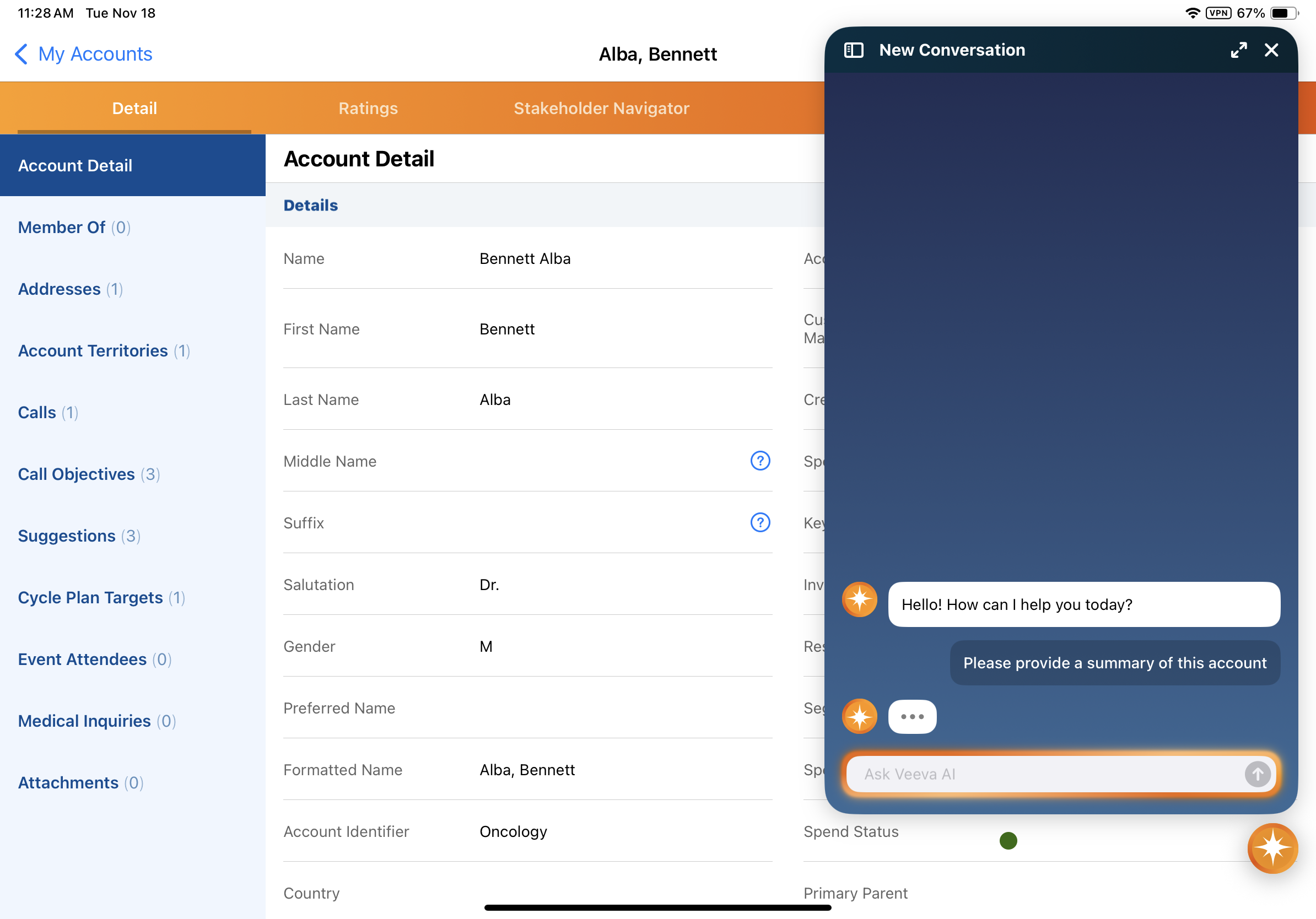
When users ask a question from the call report, the agent uses the account associated with the call. Call attendees are not considered.
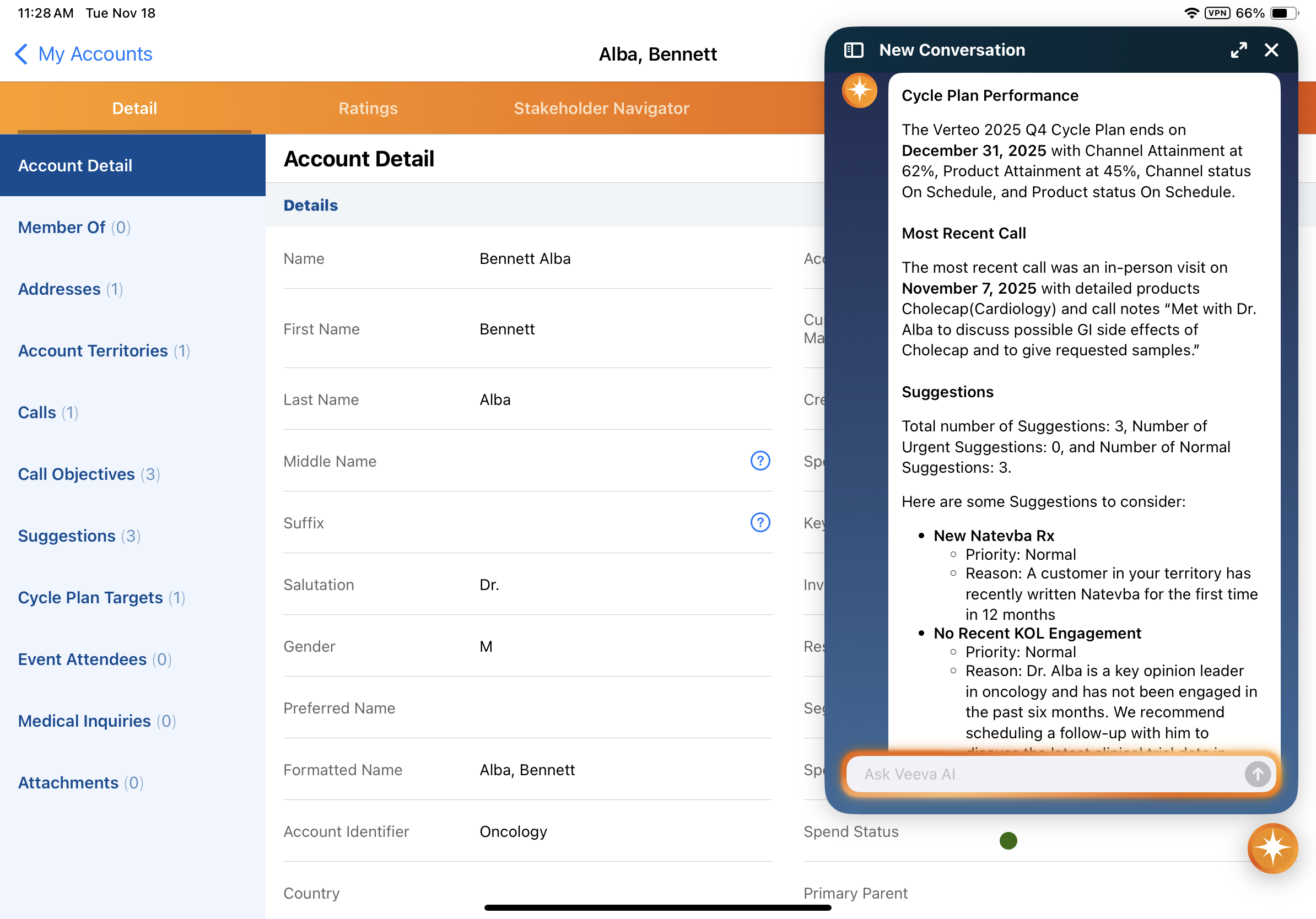
The agent provides a summary response. Depending on the user's permissions and the data available for the account, the following sections can be included:
- Multichannel Cycle Plan Performance — Displays the account's Channel Attainment percentage, Product attainment percentage, the active Multichannel Cycle Plan name, and the plan's end date
- Most Recent Call — Displays the date, channel, and user for the account’s most recent call report. The summary includes products detailed and any call text.
- Open Suggestions — Provides a count of open suggestions, and displays up to three suggestions ordered by priority, expiration date, and age
- Open Call Objectives — Provides a count of open call objectives and displays up to three objectives closest to expiring or, if none have a To Date, the three oldest objectives