Integrating Account Plans with Microsoft Teams
Key Account Managers (KAMs) and their account team members can streamline collaboration by creating and linking to dedicated Microsoft Teams channels directly from Account Plan records in Vault CRM. The integration simplifies managing channel membership by automatically adding or removing users in Microsoft Teams when the Account Team Member list is updated in Vault CRM, ensuring that the right people always have access.
Who can use this feature?
- Business Admin Users — Browser
- Creating an Owners Group
- Creating a Collaboration Space
- Creating a Microsoft Team
- Reauthenticating a Microsoft Teams Connection
- KAM Users — Browser
- Creating a Microsoft Teams Channel from an Account Plan
- Opening an Existing Microsoft Teams Channel from an Account Plan
- Users do not require an additional license
Configuring Microsoft Teams Integration for Account Plans for
 Business Admin Users
To configure this feature:
- Ensure Configuring Account Plans is complete.
- Ensure all Account Team members have a Microsoft Teams account.
-
Ensure a Microsoft administrator has granted admin consent to the Vault CRM application with the following Microsoft Graph scopes:
- TeamMember.ReadWrite.All
- ChannelMessage.Send
- ChannelMember.ReadWrite.All
- Navigate to Admin > Users & Groups > Permission Sets.
- Select the appropriate permission set.
- Select the Objects tab.
-
Grant the following permissions:
Object Object Permission Object Types Fields Field Permission collaboration_space_configuration__v CRE account_plan__v All fields Edit collaboration_space_resource__v CRE - team__v
- channel__v
All fields Edit collaboration_resource_member__v CRE None All fields Edit account_plan__v CRE None -
collaboration_channel__v
-
microsoft_teams_channel_link__v
Edit crm_group__v
CRE
crm_group__v
-
name__v
-
description__v
Edit
crm_group_member__v
CRE
crm_group_member__v
-
crm_group__v
-
user__v
Edit
- Grant Execute access to the create_team__v action on the collaboration_space_configuration__v object.
- Grant Execute access to the microsoft_teams_channel__v action on the account_plan__v object.
- Navigate to the Tabs tab on the permission set.
- Grant access to the Collaboration Space Configuration tab.
- Navigate to Admin > Configuration > Objects > account_plan__v.
- Enable the microsoft_teams_channel__v action on the appropriate account_plan__v object types.
- Navigate to Admin > Configuration > Objects > collaboration_space_configuration__v.
-
Ensure the following fields are added to the layout.
- team_space_name__v
- country__v
- owner_group__v
KAM Users
To configure this feature:
- Ensure Configuring Account Plans is complete.
- Ensure all Account Team members have a Microsoft Teams account.
- Navigate to Admin > Users & Groups > Permission Sets.
- Select the appropriate permission set.
- Select the Objects tab.
-
Grant the following permissions:
Object Object Permission Object Types Fields Field Permission collaboration_space_configuration__v R account_plan__v All fields Read collaboration_space_resource__v RE team__v All fields Edit CRE channel__v All fields Edit collaboration_resource_member__v CRED None All fields Edit account_plan__v RE None -
collaboration_channel__v
-
microsoft_teams_channel_link__v
Edit -
- Navigate to the account_plan__v object.
- Grant Execute access to the microsoft_teams_channel__v action on the account_plan__v object.
Using Microsoft Teams for Account Plans as
Business Admin Users
Creating an Owners Group
Before creating a Collaboration Space, Business Admins must create an Owners Group containing at least two active Vault CRM users. These users are designated as owners of the Microsoft Team. At least two owners are required to prevent the integration from becoming orphaned if a single owner is deactivated.
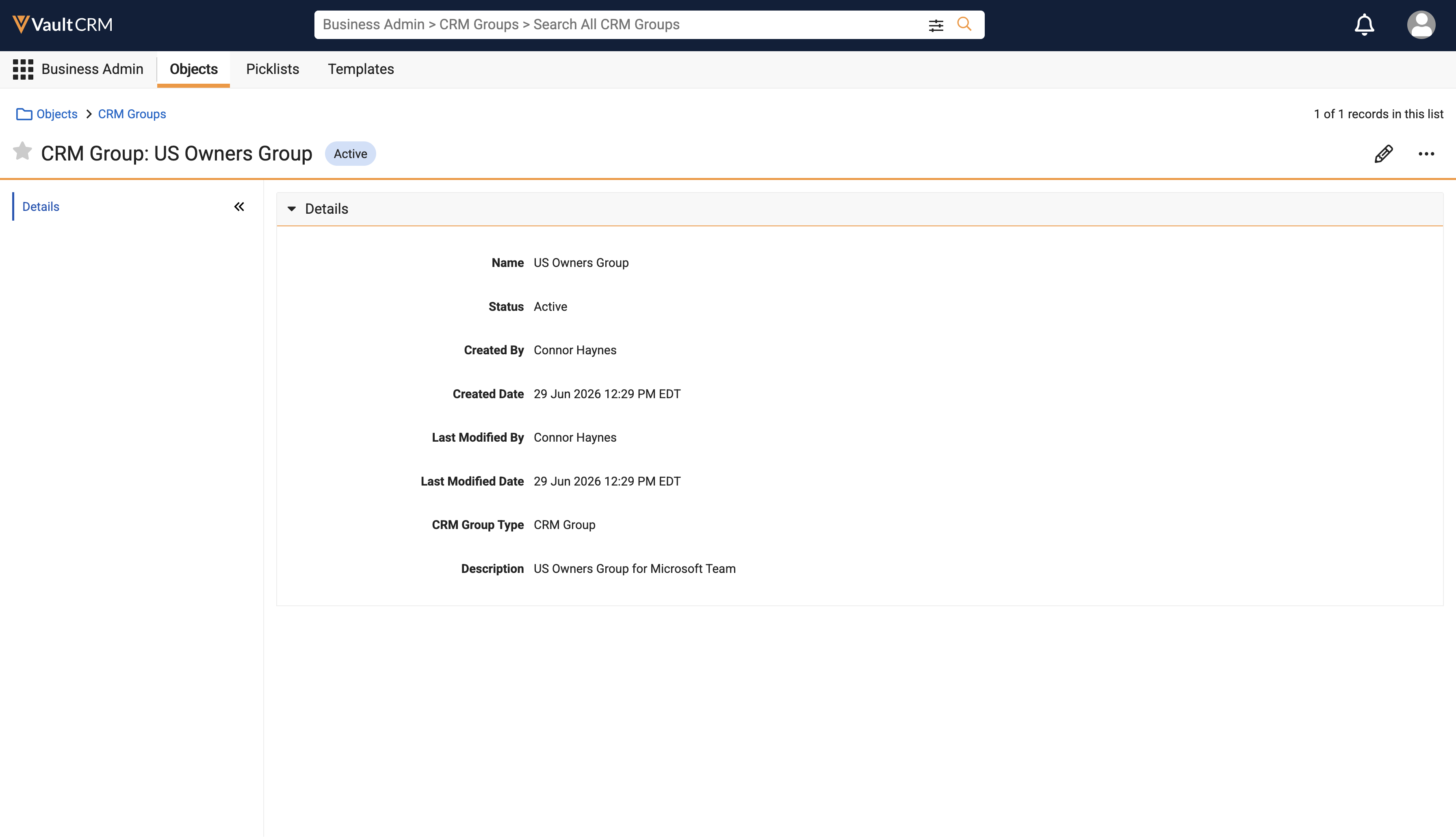
To create an Owners Group:
- Navigate to Business Admin > Objects > crm_group__v.
- Select Create.
- Enter a Name. For example, US Owners Group.
- Enter a Description.
- Select Save.
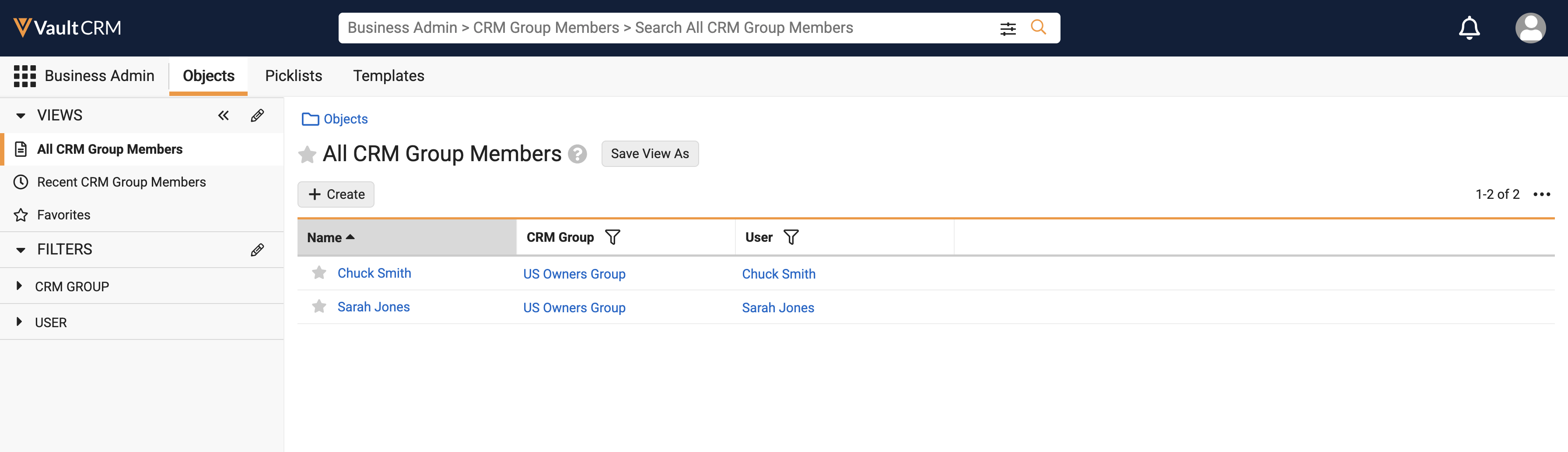
- Navigate to Objects > crm_group_member__v.
- Select Create.
- Select a CRM Group.
- Select a Vault CRM user.
- Select Save.
- Repeat the steps above to add additional users to the Owners Group. At least two owners are required.
Adding or Removing Owners Group Members
Business Admins can add or remove members from the Owners Group by creating or deleting a CRM Group Member record where the CRM Group field references the appropriate Collaboration Space Configuration record. When a Business Admin adds a user to an Owners Group referenced by at least one Collaboration Space Configuration record, the user is added as an owner to the Microsoft Team.
Admins can use Vault Loader to data load groups and group members. For best practices on data loading, see Vault Loader Overview.
If the process of adding a user to the Owners Group fails due to errors, the application logs the errors on the Collaboration Resource Member record and sends a notification to the Owners Group if there are less than two active owners. If the user cannot be added because there are no valid credentials for the Microsoft Team, the collaboration space is disconnected.
When a Business Admin removes a group member from a group referenced by at least one Collaboration Space Configuration, and the user is not the owner of the Collaboration Space Configuration record, the user is removed from the Microsoft Team(s) in Microsoft. The corresponding Collaboration Resource Member record(s) for the user are deleted in Vault CRM.
If removing the group member results in less than two group member records referencing active users, a notification is sent to the Owners Group.
If removing the group member results in zero group member records referencing active users, the collaboration space is disconnected, and a notification is sent to the Vault Owners Group.
Creating a Collaboration Space
To create a Microsoft Team, Business Admin users must first create a Collaboration Space Configuration record. This record defines the top-level settings, including the Team name, country mapping, and Default Team designation if the configuration should be used as the default when no configuration record matching the user’s country is found. The Team must be created via the Create Team action on this record before any channels can be created on Account Plans.
Multiple collaboration spaces with the same object type and country are not supported.
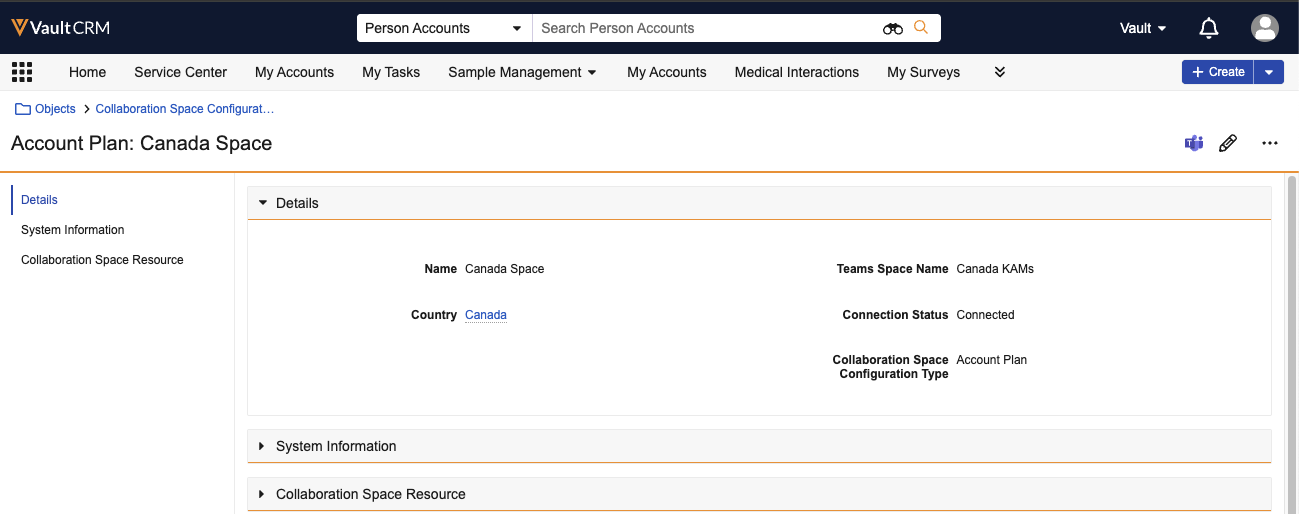
To create a collaboration space configuration:
- Navigate to Business Admin > Objects > collaboration_space_configuration__v.
- Select Create.
- Select the account_plan__v object type.
- Enter a Name. This is the Vault CRM-only naming convention for the configuration record.
- Enter a Teams Space Name. This is the display name of the Team in Microsoft Teams.
-
Select a Country. This defines the country the Team applies to. Collaboration Space Configuration records create Teams for specific countries. The target Team is selected by matching the user's country to a configuration record. If no match is found, the channel is created in the designated Default Team.
Leave this field blank if you do not want to set up the Teams Channel by country.
- Select an Owners Group. The users defined in the group are added as Team owners. The group must include at least two users.
- Select Save.
Creating a Microsoft Team
Business Admin Users create and manage the Microsoft Teams spaces from within Vault CRM.
To create a Microsoft Teams space:
- Navigate to the Collaboration Space Configurations tab.
- Select the appropriate record.
- Select the Create Team action from the All Actions menu.
- Enter your Microsoft Teams username and password, if prompted.
The integration creates the new Microsoft Team, and a new collaboration_space_resource__v record with the team__v object type is created in Vault CRM to represent the new Team. A notification displays when creation of the Team is complete. The integration also creates 10 cached channels within the team.
Each time a channel is created in the new space, the record owner's Microsoft credentials are used to create the channel on their behalf. KAMs create channels as needed for each account plan.
The integration creates Microsoft Teams as Public, allowing any member of the organization to discover and join them in the Teams instance.
If the Owners Group contains fewer than two Group Members, the Team creation fails, and a notification is sent to the initiating user. The Team is archived in Microsoft Teams, and the Collaboration Space Configuration record in Vault CRM is updated to include information on any successful or failed owner records from the attempt.
When the Business Admin selects the Create Team action on a collaboration space configuration record that has previously failed due to the minimum owners requirement specified above, the Team is unarchived in Microsoft Teams. The Collaboration Space Configuration record is updated, including information on any previously failed or successful owner records.
If the Team owner’s credentials fail during the creation of a Teams channel, a notification is sent to the Team owner (if active) or the Owners Group. If there are additional owners, the integration attempts to create the team using credentials of an additional owner. If this fails, or if there are no additional owners, the collaboration space is disconnected.
Reauthenticating a Microsoft Teams Connection
If the connection to Microsoft Teams expires, the Connection Status field on the collaboration_space_configuration__v record changes to disconnected__v, and an email notification is sent to Vault Owners.
The links to update credentials or Sign in with Microsoft 365 display only if the user is the owner of the Collaboration Configuration Space record or a member of the Owners Group associated with the Collaboration Space Configuration record.
To re-authenticate a disconnected configuration:
- Navigate to Business Admin > Objects > collaboration_space_configuration__v.
- Select the disconnected collaboration_space_configuration__v record. A message displays in the header, prompting the user for updated credentials.
- Select the Sign in with Microsoft 365 button.
- Follow the prompts to authenticate with Microsoft Teams. Once authenticated, the Connection Status is updated to connected_state__v.
KAM Users
Creating a Microsoft Teams Channel from an Account Plan
The Teams channel is a single space for collaboration of cross-functional team members on the account plan. Users can create new Microsoft Teams channels directly from an account plan.
To create a Microsoft Teams channel from an account plan:
- Navigate to an account plan record.
- Select Create Channel.
- Enter authentication information for Microsoft Teams, if prompted.
The appropriate team is assigned based on the user’s country or the default configuration, and a new channel is created with the same name as the account plan.
Microsoft Channel names must be unique and can only be a total of 50 characters and cannot contain special characters like the following: # % & * { } / \\ : < > ? + | ' "
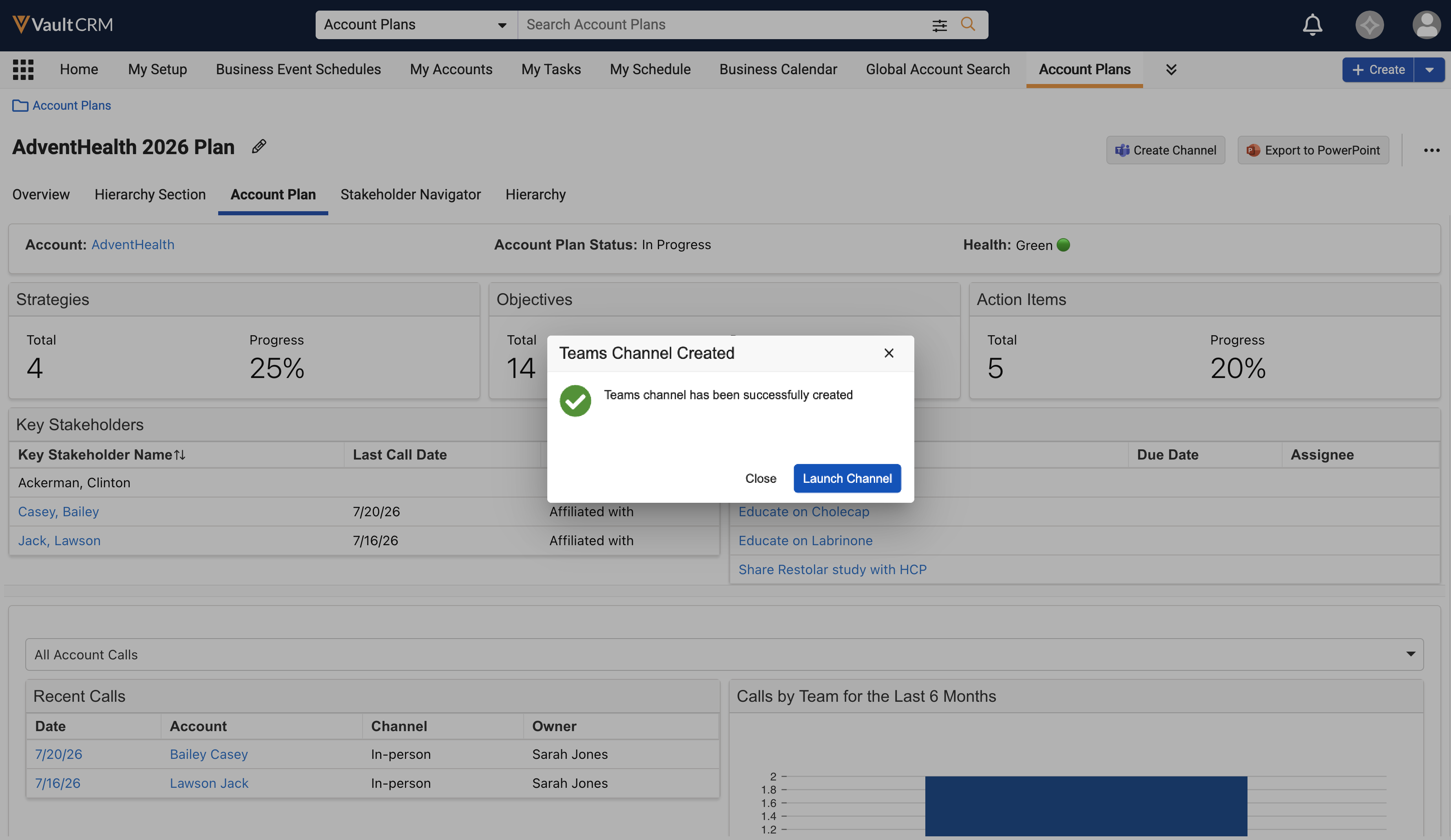
When a new channel is created, the following automatic actions occur regarding membership and record updates:
- Membership - All users on the Account Team are automatically added as members to the new channel. The user who created the channel is designated as the owner.
- Record updates:
- The collaboration_channel__v field on the account plan record is updated with the ID of the collaboration_space_resource__v record
- The microsoft_teams_channel_link__v field on the account plan record is updated with a direct link to launch the channel
If the number of channels per team nears the Microsoft limit of 1,000, a new team is created using admin credentials and the appropriate collaboration space. Any new channels are created using the new team.
To add a Vault CRM user to the account plan’s channel, create an Account Team Member record associated with the plan. They are automatically added to the channel in Microsoft Teams.
To remove a Vault CRM user from the account plan’s channel, remove the Account Team Member record.
Account Plan Associations
The relationship between account plans and channels follows specific rules:
- Account plans can only be associated with one channel
- Channels can be associated with multiple account plans. For example, customers may have multiple account plans for the same account (separated by brands), or an account plan that is copied for the same account each year.
Customers can choose to reuse teams channels for these account plans by copying the teams relationship into the new account plan using Account Plan Deep Copy, or they can create a new channel for each plan.
To reuse teams channels by creating a new channel for each plan:
- Populate the collaboration_space_resource__v field on account plans with the existing channel.
- Enable the Do not copy attribute on the collaboration_space_resource__v field to prevent the field from being included in the Account Plan Deep Copy process. (This step is optional.)
Opening an Existing Microsoft Teams Channel from an Account Plan
To open an existing teams channel from an account plan:
- Navigate to an account plan record. Select a record already associated with a Teams channel.
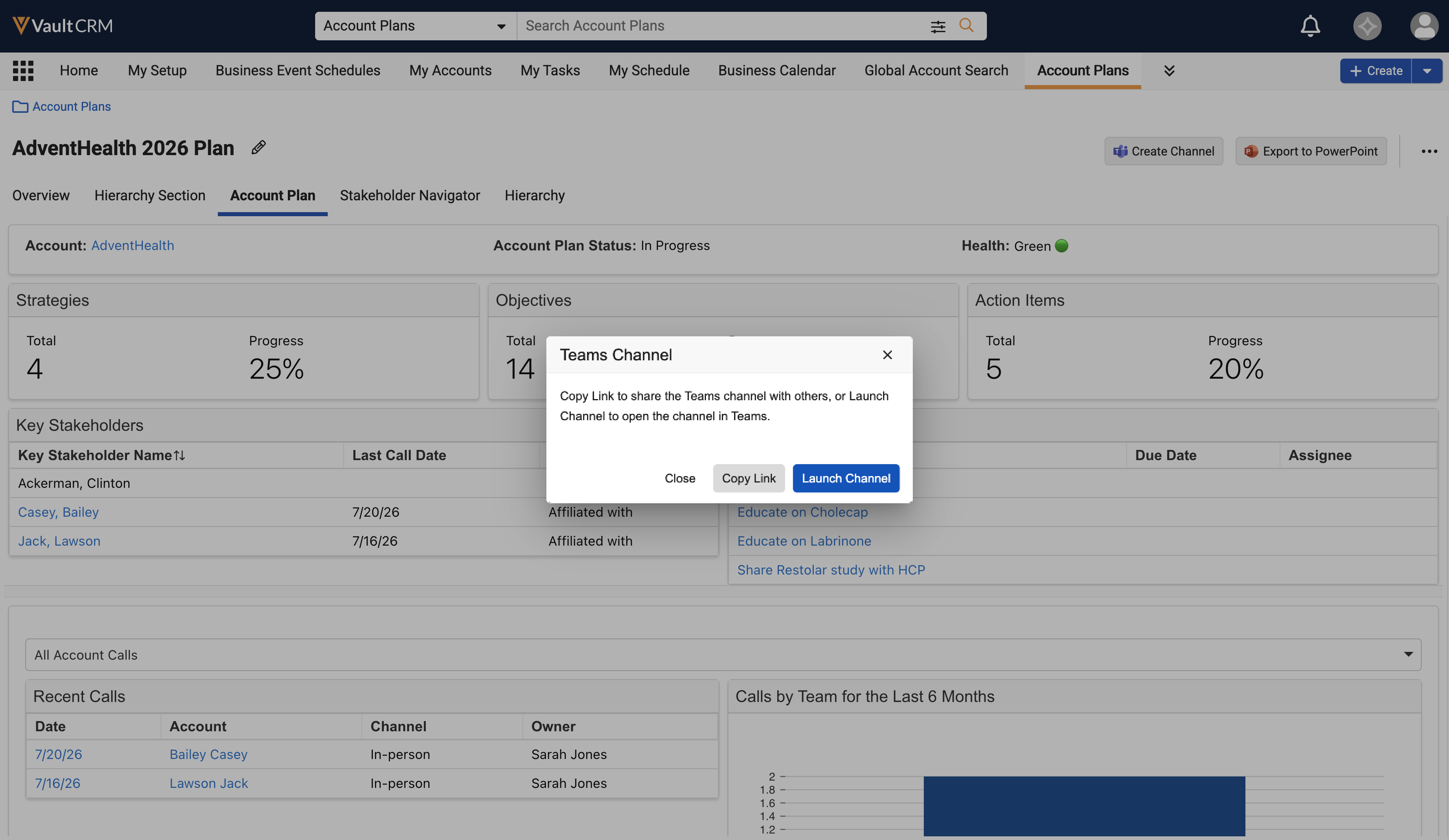
- Select Launch Channel.
-
Select Copy Link to share with other team members or Launch Channel to open the channel in Microsoft Teams.
When pasting the link into an application that supports HTML, such as an email editor, the link is formatted to display as the name of the account plan plus the name of the template.
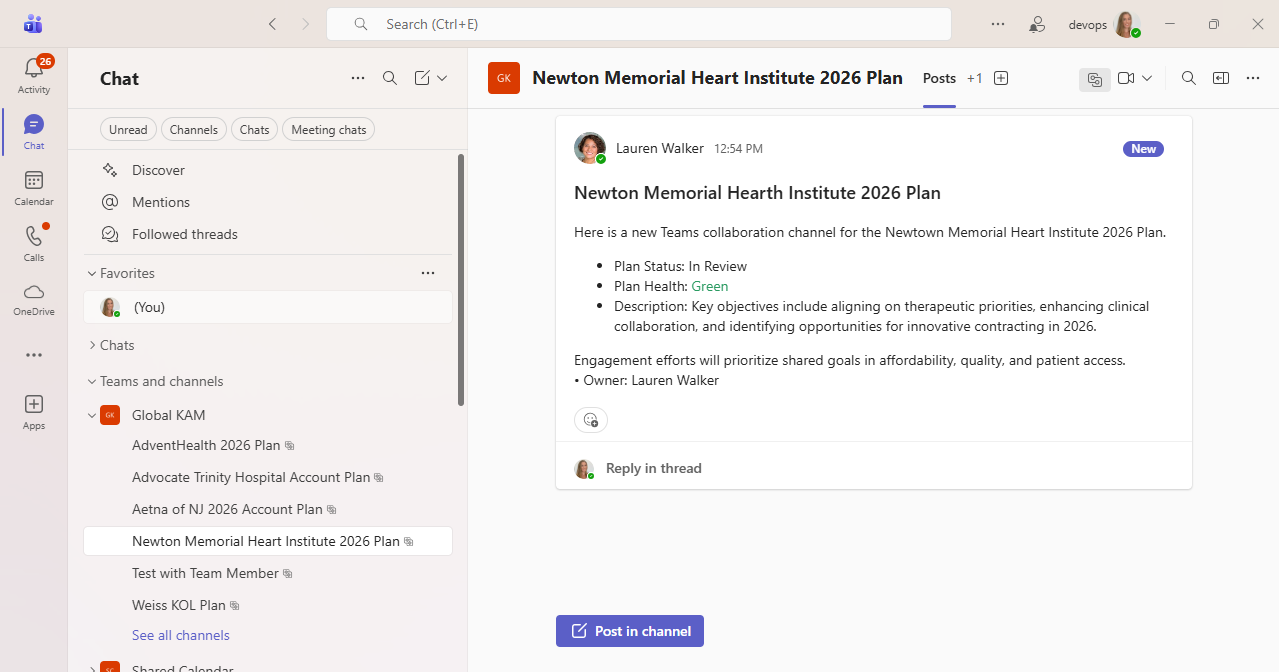
Alternatively, select the link in the Microsoft Teams Channel Link field to open the channel in Microsoft Teams.
Considerations
Channels are created with specific privacy settings to ensure data security:
- Channels are created as Shared (in contrast to the public team)
- The user who created the channel from CRM is the owner of the channel
- Only users who are explicitly channel members can view information shared within the channel. Vault CRM automatically adds Account Team Members when the channel is created. Users who are not Vault CRM users can be added to the channel directly in the Teams UI by the channel owner.

