What's New in Vault CRM 26R1.4
This topic provides information about the Vault CRM 26R1.4 release, including important dates and release announcements.
All dates listed are subject to change.
Dates to Remember
- July 2, 2026 – Release Notes available
- July 9, 2026 – Sandbox Release
- July 16, 2026 – Production Release
Release Notes
The following items are now available:
- What's New in Vault CRM 26R1.4
- Announcements
- Core
- Vault AI in CRM
- Align
- Campaign Manager
- Engage
- Events Management
- Service Center
- User Visible and Behavior Changes (UVCs)
- Additional Resources
- What's New in Patient CRM 26R1.4
- Patient CRM
- User Visible and Behavior Changes (UVCs)
- Additional Resources
- 26R1.4 Maintenance Notes
Announcements
Enhancements to the Full Data Sandbox
After 26R1.4, customers no longer need to data load records using text fields for record IDs. Record IDs are automatically converted when creating or refreshing the Full Data Sandbox. If a record ID cannot be converted, the field is left blank. See Using a Full Data Sandbox for more information.
Pre-Call Agent Renamed to Account Summary Agent
With the 26R1.4 release, the Pre-Call Agent will be renamed to the Account Summary Agent. Data model elements are not affected by this change.
Upcoming Changes to Data Lakehouse Infrastructure in 26R2.0
To continue providing optimal security, compliance, and architectural efficiency, Data Lakehouse infrastructure will be updated with the 26R2.0 release. This update introduces modifications to the underlying S3 data storage elements, requiring adjustments to existing query engine connections. If your organization has already enabled Data Lakehouse, please reach out to the Veeva contacts who facilitated your initial setup to coordinate this transition.
External Calendar Event Field Removals
The following unused fields on the external_calendar_event__v object will be removed from the Vault CRM data model with the 26R2.0 release:
- is_online_meeting__v
- meeting_join_url__v
- occurrence_id__v
- online_meeting_url__v
To prepare for removal, any values stored in these fields will be deleted with the 26R1.4 release.
Microsoft Outlook Integration: Transition to Core System User by 26R2.0
All new Vault CRM instances provisioned after 26R1.0 automatically use the Core System User for Microsoft Outlook integrations. If your Vault already has a Microsoft Outlook integration enabled with a customer-managed Integration User, here’s what you need to know before switching to the Core System User:
- System users have limited field access by default. Your current configuration may need to be updated to maintain full data sync between Microsoft Outlook and My Schedule.
- Review what will be synced. Before switching, check what is synced from Microsoft Outlook to My Schedule when using the Core System User and update your configuration as needed.
Core
Enhanced planning and faster insights lead Core CRM this release. Business Calendar consolidates sales cycles, campaigns, account plans, and industry events into a single timeline, giving brand teams a clear view of the landscape before they commit to a launch window; CLM Content Metrics surface the usage data content teams need to make confident calls on which content to reapprove, update, or retire; and alternative Medical Interaction channels capture more granular, consistent detail about how medical users engage with HCPs.
Account planning gets meaningful upgrades as well. Key Account Managers can now access multiple X-Page visualizations at once, each in its own tab within an Account Plan. Multi-owner support for Microsoft Teams means Account Plan users share ownership of an integrated Microsoft Teams space, so access stays in place even when membership changes.
A few more changes round out the release and keep teams running smoothly. X-Pages Studio no longer requires a dedicated integration user, and several existing capabilities (including product-dependent picklists for commercial insights, the Veeva Medical Insights Integration, and X-Pages content from external servers) now reach more devices.
Account Plans
Multi-Owner Support for Microsoft Teams Integration - Available on Browser
The integration between Account Plans and Microsoft Teams requires Business Administrators to assign multiple owners to integrated teams. This prevents orphaned teams when a primary owner is deactivated and eliminates the need for IT intervention to restore access.
X-Pages on Account Plans - Available on Browser, iPad, and Windows
Key Account Managers and account team members can now access multiple X-Pages from dedicated tabs within an Account Plan. Each X-Pages visualization occupies a separate tab, ensuring team members can easily access multiple visualizations when relevant for their planning.
CLM
CLM Content Metrics - Available on Browser
CLM Content Metrics give content creators and other reviewers the data needed to make informed decisions about content reapproval, updates, and investment. The new CLM Content Metrics Calculation job automates CLM content usage calculations for reporting. The job queries the Data Lakehouse, calculates CLM content usage metrics, and stores the resulting metrics in CLM Content Metrics records. These metrics are then synced to connected PromoMats/MedComms Vault instances via the Content Metrics Integration.
Commercial Insights
Product-Dependent Picklists for Commercial Insights - Now available on Browser
Browser users can now dynamically filter picklist options on Commercial Insights based on the selected product or product-detail group, ensuring they only select picklist options relevant to the designated product line. This streamlines data entry, increases reporting accuracy during customer interactions, and ensures cleaner data for downstream analytics.
Consent Capture
Managing In-Person Consent Confirmation Methods - Now available on Windows
Business admin users can configure the Consent Type layout to manage which in-person consent confirmation methods are available and required when an end user on Windows captures consent for HCPs. This provides granular control over how consent is captured in Vault CRM and allows organizations to satisfy various regulatory requirements.
Medical
Alternative Channels for Medical Interactions - Available on Browser, iPad, and iPhone
To provide greater flexibility for users when recording the channel for a Medical Interaction, admins can create custom, alternative channel values and map them to standard call reporting channels. This ensures data consistency while capturing more granular detail about how Medical users engage with HCPs.
Veeva Link Medical Insights Integration - Now available on iPad and iPhone
iPad and iPhone users can now record medical insights captured from conversations with medical professionals and synchronize them directly with Veeva Medical Insights (VMI). This integration ensures that medical insights are accessible across platforms, eliminates the need to switch between applications, and enables tagging of Link Experts, Congresses, and Trials directly within Vault CRM.
My Schedule
Business Calendar - Available on Browser
Brand Managers and end users can access the centralized Business Calendar to visualize and track sales cycles, campaigns, account plans, and company or industry events. This horizontal timeline view provides a read-only visualization of multiple event types in a single interface to help identify the best timeframes for new campaigns. Business administrators can create a company calendar, facilitating communication of company-defined holidays, industry-level events, and company-specific events.
Surveys
Managing Survey Visibility - Now available on Windows
Visibility into open surveys can be toggled to specify whether users require a matching My Setup product assignment to view product-associated surveys.
X-Pages
Connecting X-Pages Studio and Vault CRM without an Integration User - Available on Browser
Content creators can now import content from Vault CRM to X-Pages Studio, and publish content from X-Pages Studio to Vault CRM, without purchasing, configuring, and maintaining a licensed integration user.
Loading X-Page Content from External Servers - Now available on Windows
Windows users can now view custom interfaces, for example external chat systems or data visualizations, directly within their Vault CRM workflow.
Vault AI in CRM
AI takes more of the post-meeting work off the end user. After a meeting, end users can update a call report simply by dictating their notes. Agentic Voice extracts the key information and adds it to the existing call report without altering anything already captured. The result is more detailed call reporting and richer Commercial Evidence™, with less time spent on data entry.
Add with Voice for Existing Calls - Available on iPad and iPhone
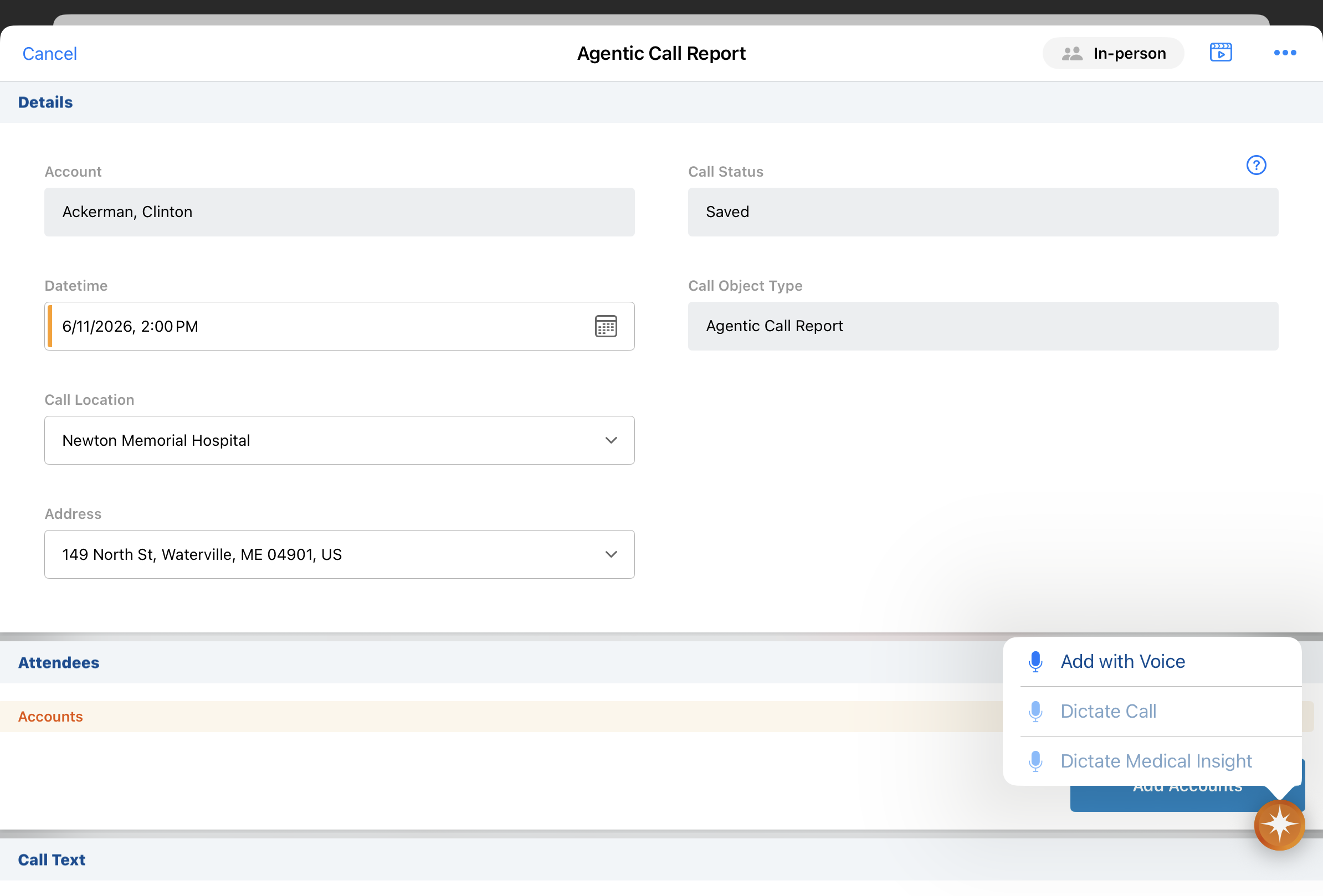
End users can now use Agentic Voice to add information to existing call reports, simply dictating their notes post-meeting. Agentic Voice intelligently identifies key details from their dictation and updates the call report while preserving previously captured content. (Added July 10, 2026 - Available on July 16, 2026)
Align
Coordinating account responsibility within a feedback cycle is now simpler. End users can initiate and manage target transfers with other team members during the feedback cycle, keeping the exchange within the Territory Feedback experience as product responsibility shifts.
Transferring Targets in Territory Feedback - Available on iPad
To ensure the end user best suited for an account is responsible for its engagement, end users can initiate and manage target transfers between themselves and other team members during a feedback cycle. This eliminates the need for communication off-platform and streamlines the process of sharing or shifting responsibility for specific products.
Campaign Manager
Journey Builder allows marketers to design more advanced, multi-layered campaigns efficiently using a responsive visual canvas. Marketers can map out email sequences, wait periods, and dynamic engagement splits like Opened and Clicked, then highlight the exact path a target takes through a journey to understand and validate complex flows at a glance.
Journey Builder in Campaign Manager - Available on Browser
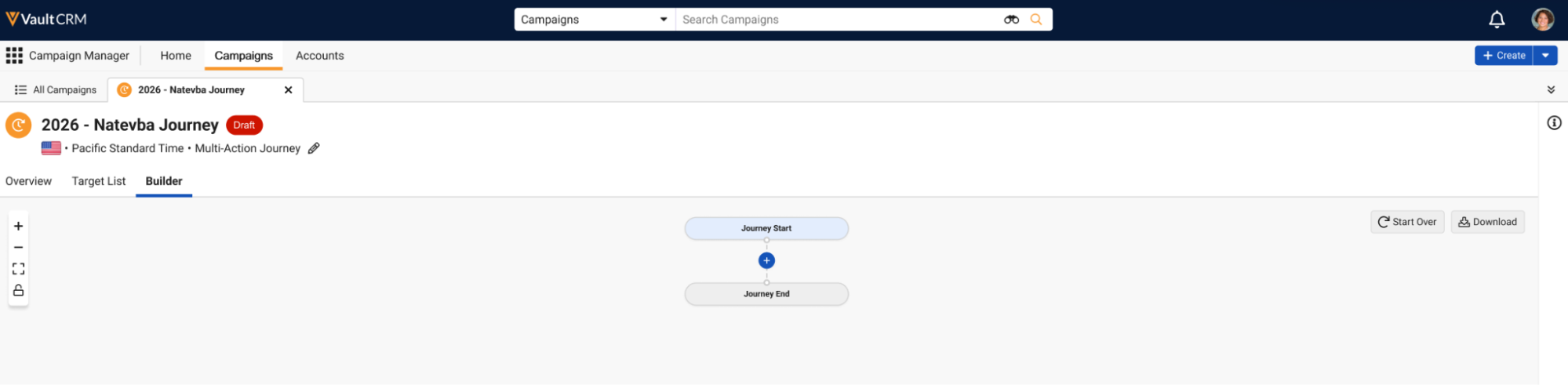
Marketing users can use the Journey Builder tool to create complex, multi-action journeys in an easy to understand visual flow. Marketing users can quickly add nodes to a journey to represent channel actions, scheduled delays, and branching engagement splits within the timeline.
Engage
Two updates strengthen remote engagement tracking in Vault CRM. Microsoft Teams reconciliation now supports matching meeting attendees to Child Accounts on the call report, so attendee data received after a meeting maps cleanly for reporting. On Windows, users can share web links to CLM content via Approved Email, with the recipient's actions and engagement tracked on Email Activity records for admins to analyze content performance.
Child Account Support for Microsoft Teams Reconciliation - Available on Browser and iPad
To ensure Microsoft Teams meeting data is accurate for reporting, Vault CRM automatically attempts to reconcile Microsoft Teams attendees with the correct accounts and users after a meeting ends, allowing users to quickly review and manually update any attendees without an automatic match. This process now supports reconciling attendees to Child Account, saving users time by matching data received from Microsoft Teams directly to records in Vault CRM.
Sharing CLM Content via Web Link in Approved Email - Now available on Windows
End users on Windows can use Approved Email to share links for CLM content published in PromoMats/MedComms, including auto-published content, binders and slides, custom presentations, and websites. A CLM presentation accessed from a web link displays in the HCP Content Player. Any action the recipient takes on the link and any engagement with the content is tracked on Email Activity records, allowing admins to analyze engagement with specific presentations to improve CLM content.
Events Management
Events Management expands in three directions this release. Events themselves carry more detail: a single event can be associated with multiple products and topics, which matters for anything multi-brand, multi-disease-state, or spanning more than one presentation. Attendee and speaker search is sharper, too; a new exact-match option makes finding the right person simpler. Finally, teams running virtual events can now use their existing Zoom licenses to host directly in Vault CRM, keeping the full event lifecycle in one place for audiences who prefer Zoom.
Multi-Product and Multi-Topic Events - Available on Browser and iPad
To optimize event planning flexibility and data accuracy, end users can associate multiple products and topics with their events. This supports events with multiple brands or disease states as well as events with multiple decks presented to attendees.
Exact Match Search for Attendee and Speaker Selection - Available on Browser and iPad
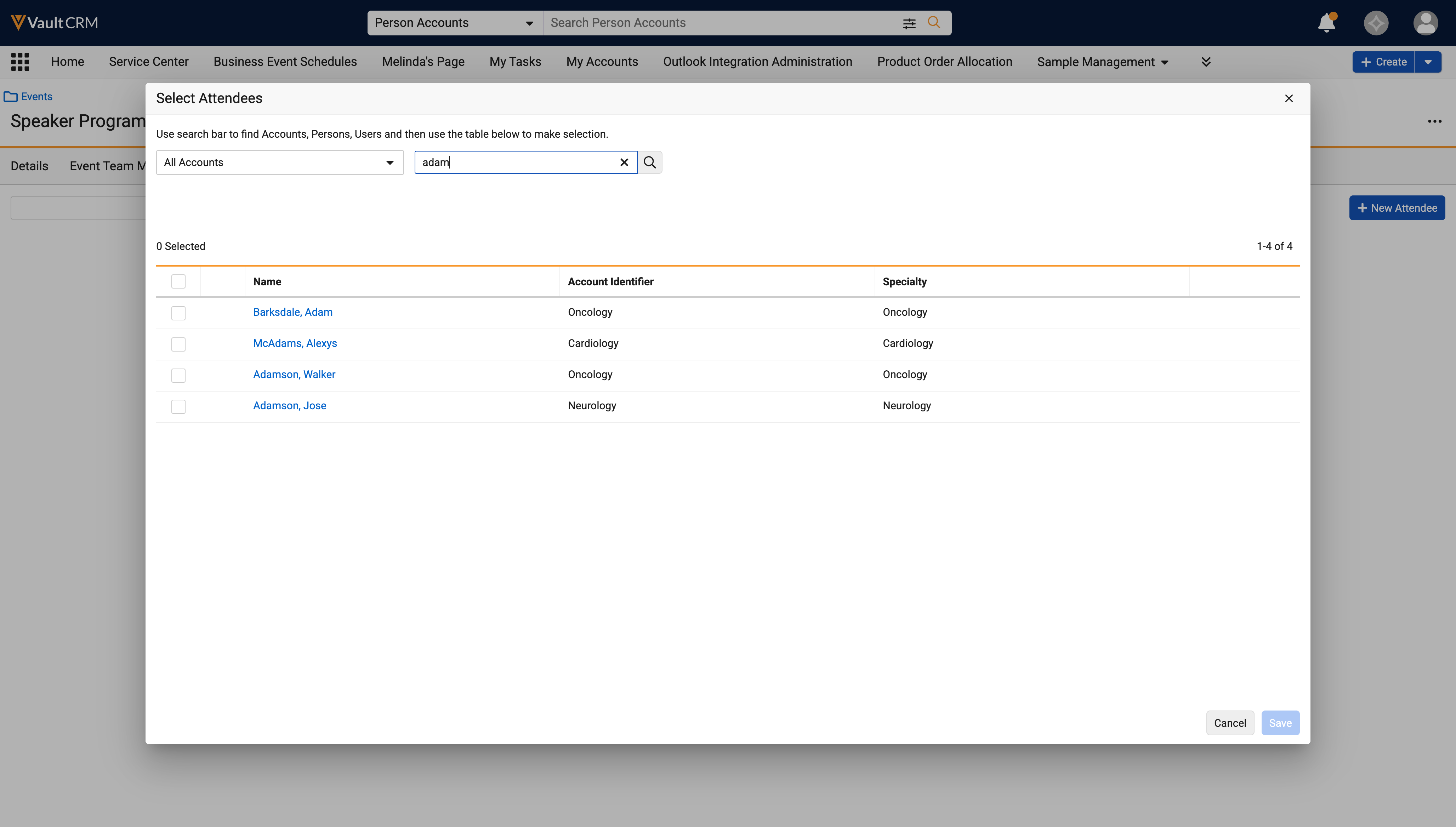
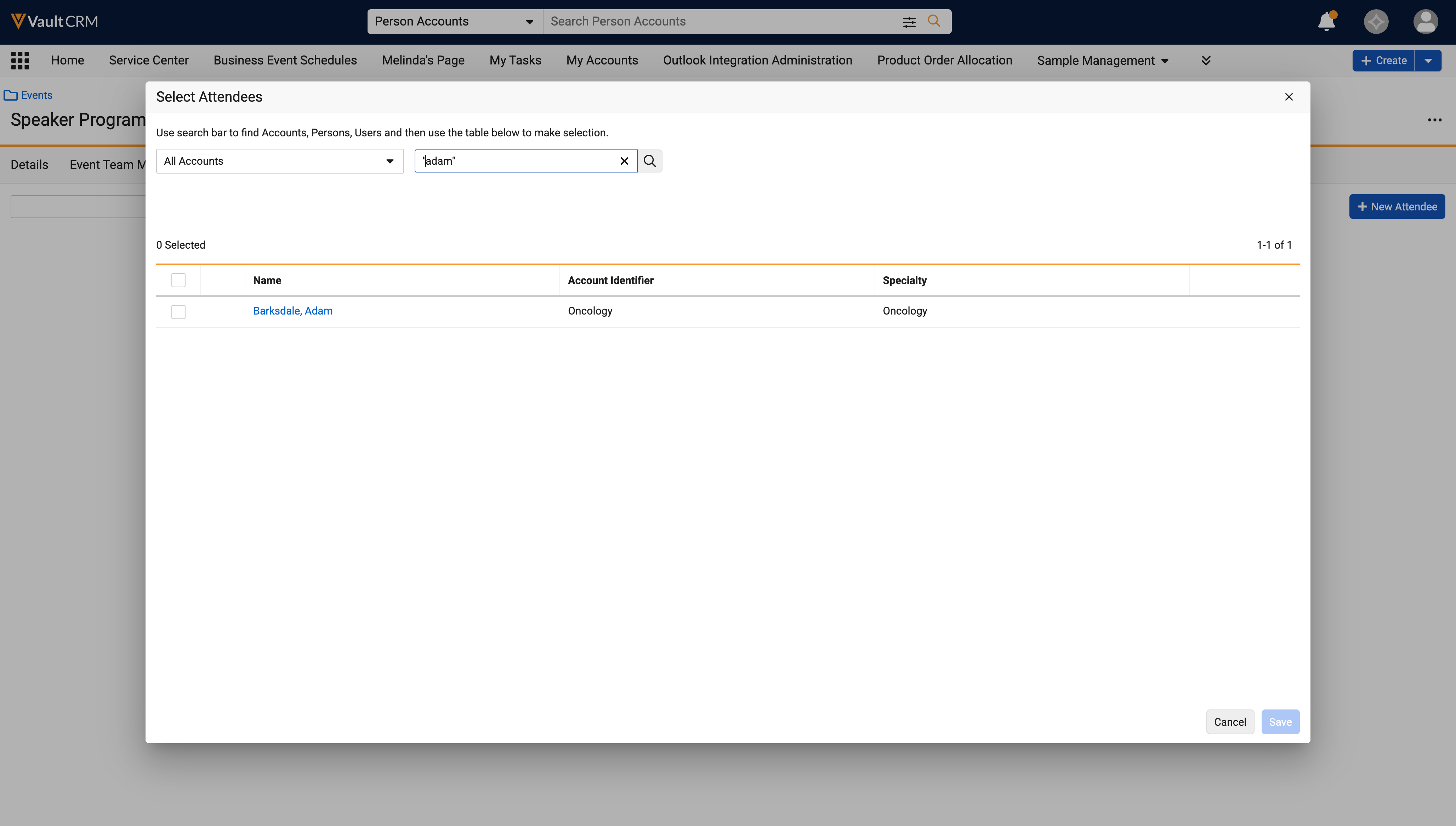
When searching for event attendees or event speakers, users can enclose search text in double quotation marks (" ") to return only exact matches and filter out the partial results that the search returns by default. This works for a single word or a longer phrase, and applies to: user and person accounts, child accounts, out-of-territory (OOT) accounts,and Furigana text.
Hosting Virtual Events Using Zoom Meetings - Available on Browser and iPad
Event organizers can now schedule, manage, and execute virtual events using their existing corporate Zoom® licenses and configurations, allowing organizers to accommodate audiences who prefer to use Zoom.
Service Center
Multi-owner support for Microsoft Teams extends to Service Center. Just as Account Plan users now share ownership of an integrated Microsoft Teams space, Service Center users do the same, preserving access through membership changes.
Multi-Owner Support for Microsoft Teams Integration - Available on Browser
The integration between Service Center and Microsoft Teams requires Business Administrators to assign multiple owners to integrated teams. This prevents orphaned teams when a primary owner is deactivated and eliminates the need for IT intervention to restore access.
User Visible and Behavior Changes (UVCs)
Most new functionality requires some configuration, however users are able to use the following functionality immediately. Select the thumbnail to view a larger image.
Account Management
|
Platform |
Description |
Before |
After |
|---|---|---|---|
|
Browser, iPad |
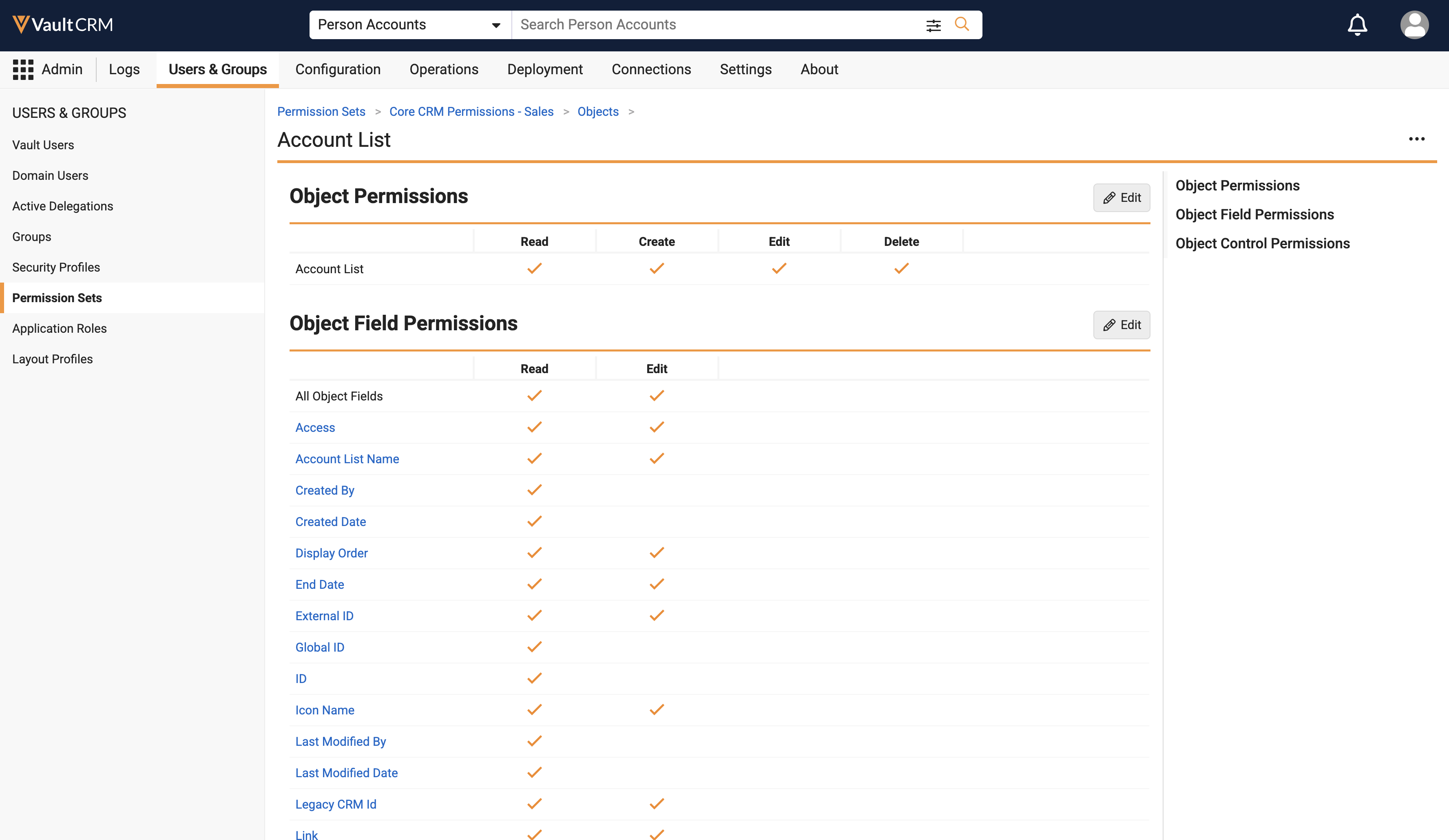
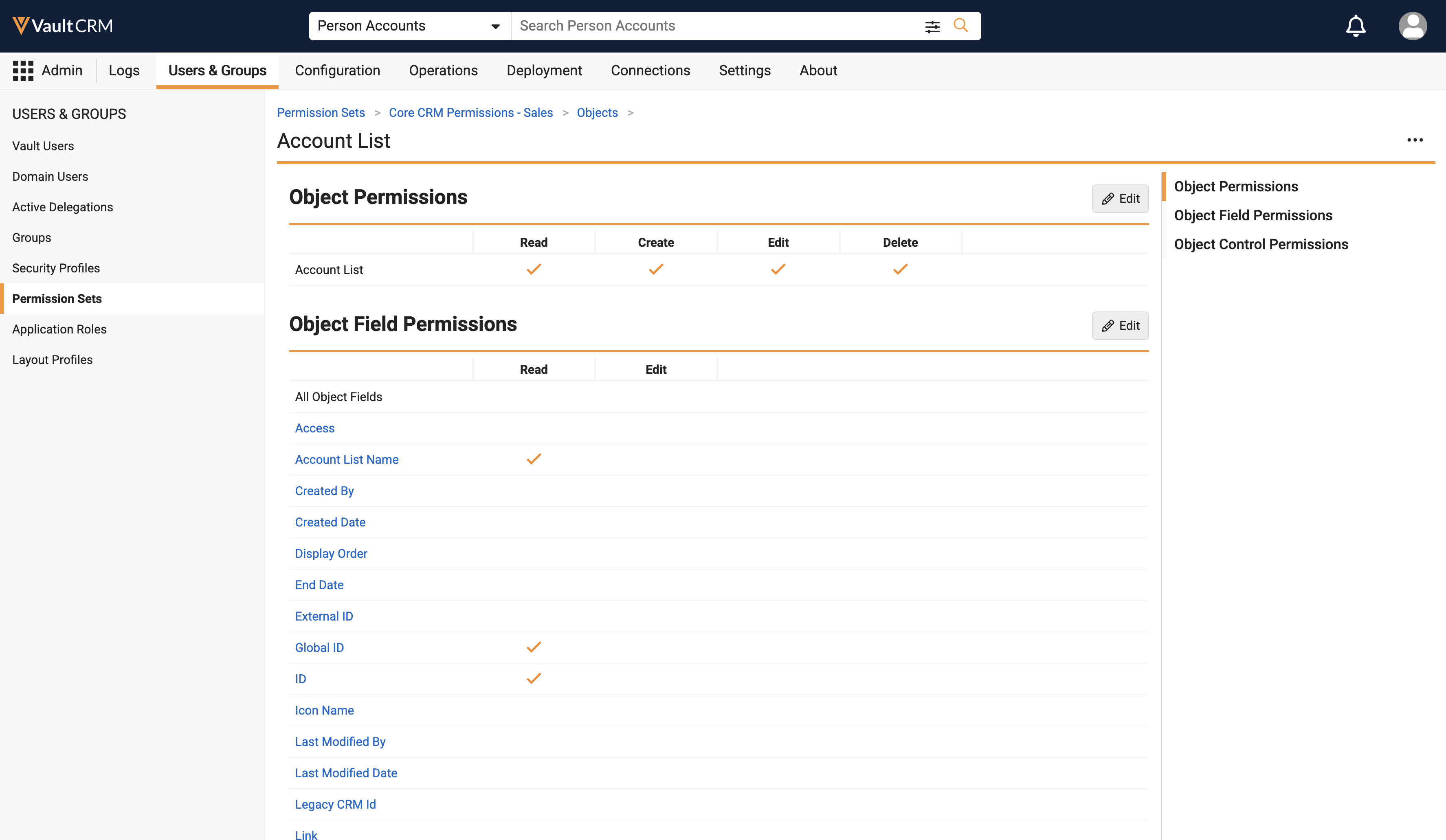
Permissions for fields specific to Account Hot Lists (type__v, territory__v, start_date__v, and end_date__v on the account_list__v fields object) have been removed from the Vault CRM Base permission set to allow customers to control visibility of the Hot Lists tab. As a result, any custom fields created on the Account List object no longer automatically inherit read or edit permissions from the Base permission set. To grant users access to the Hot List feature, or to expose custom fields on the Account List object, administrators must now explicitly assign those permissions. |
|
|
|
Browser |
To ensure data consistency, country records for United Kingdom regions are automatically updated across all Vaults. The country records for "United Kingdom (Northern Ireland)" and "United Kingdom (excluding Northern Ireland)" are now automatically created or updated with the system codes, "XI" and "XU" respectively. |
n/a |
n/a |
Account Plans
|
Platform |
Description |
Before |
After |
|---|---|---|---|
|
Windows |
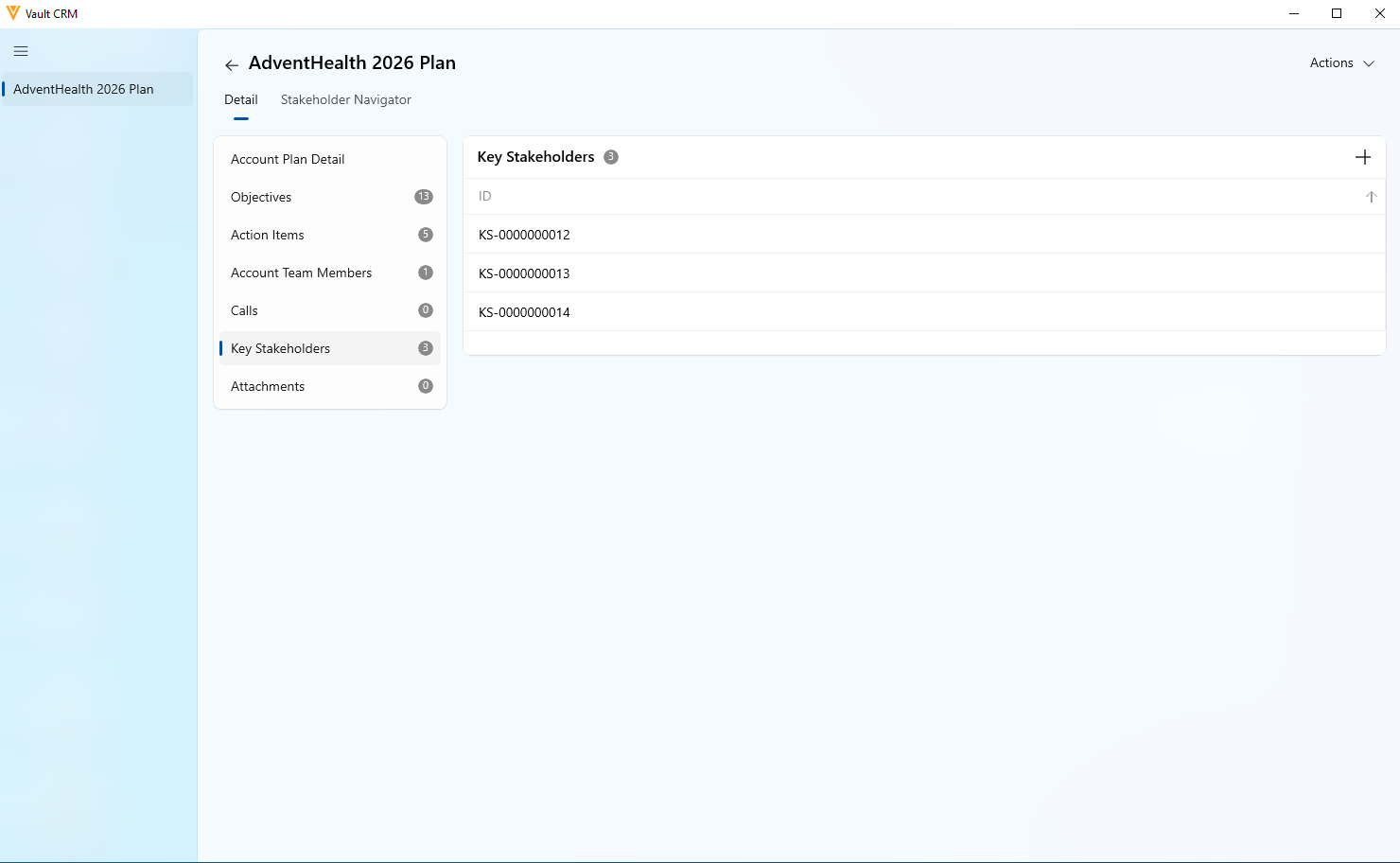
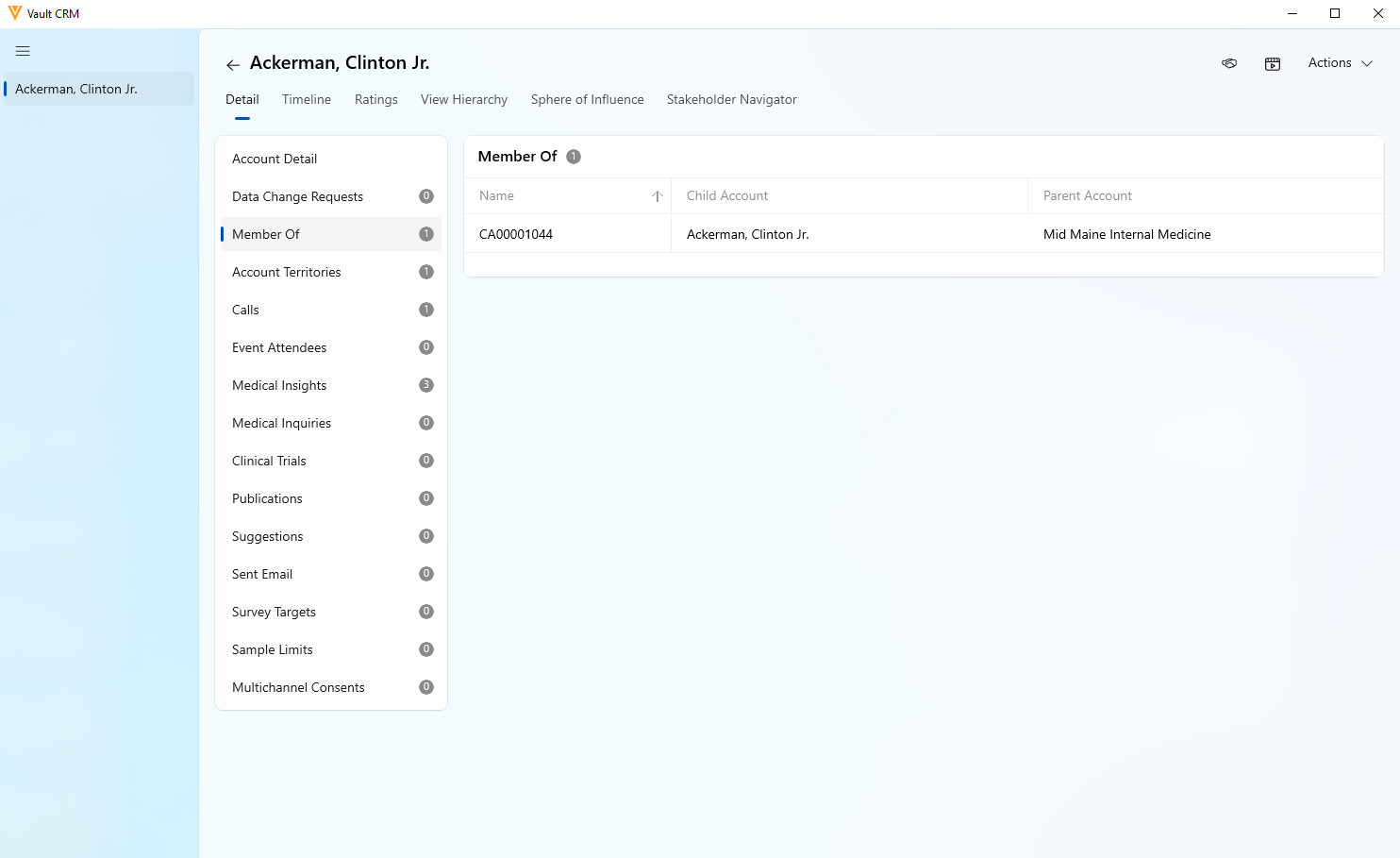
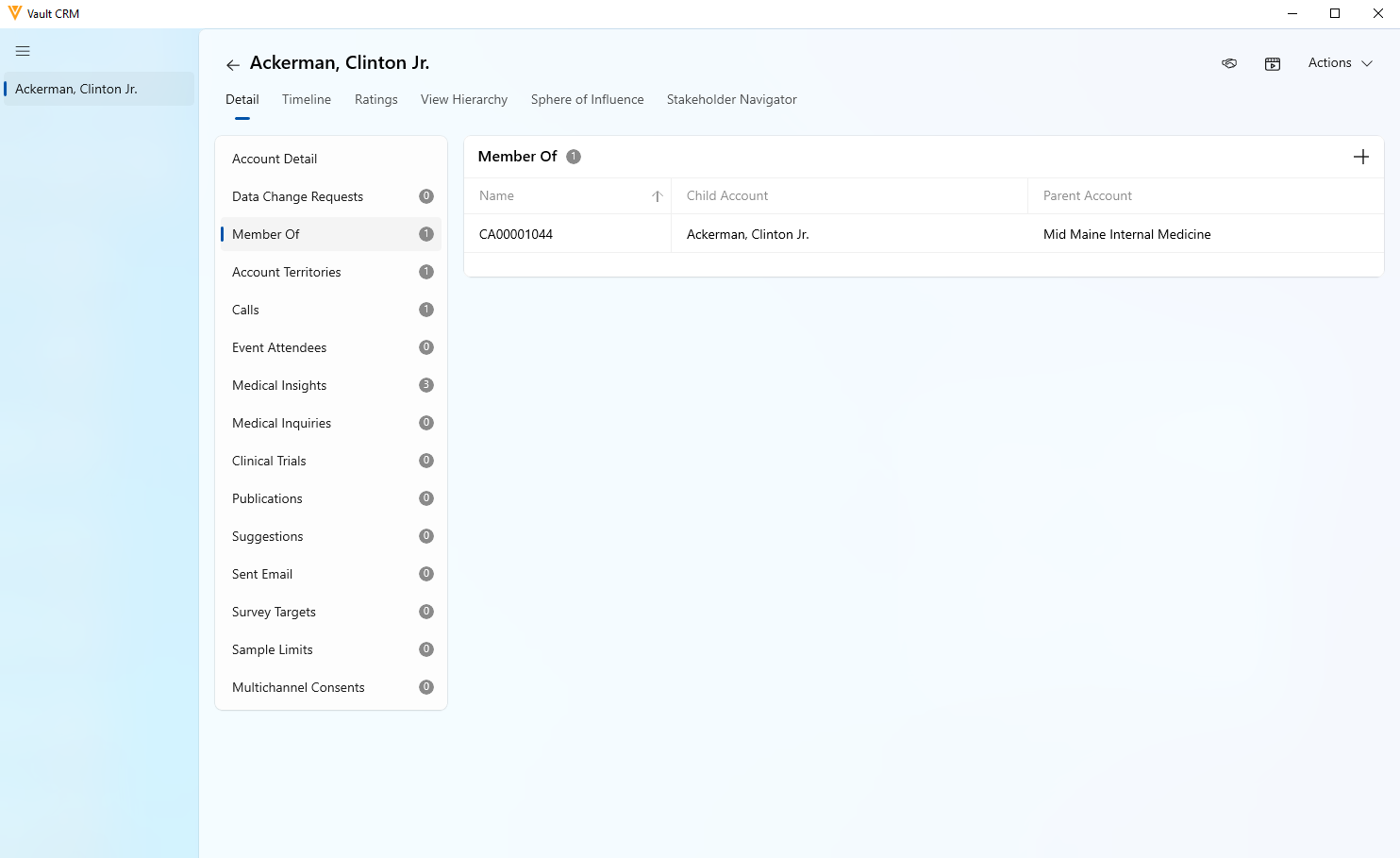
Section controls now display as related lists on Account Plans and Accounts. Dedicated, fully integrated sections for Key Stakeholders on Account Plans, and Members, Member Of, and Address on Account records, allow users to easily review account hierarchies and key account networks within a single, unified view. |
|
|
|
Windows |
Users can now create a new Address or Child Account DCR from the Address, Members, and Member Of section controls even if they do not possess direct create permissions for those underlying objects. |
|
|
|
Browser, iPad, Windows |
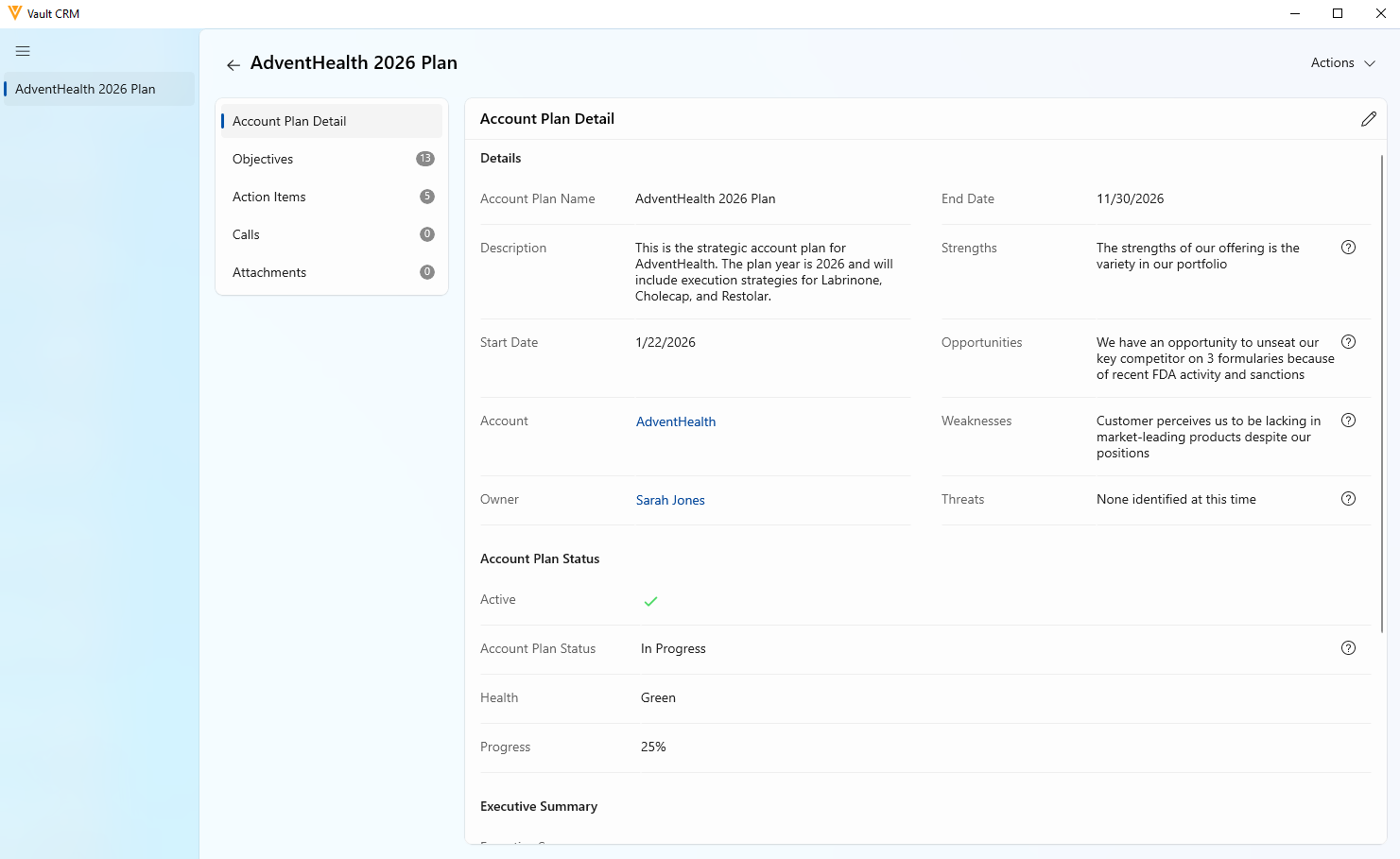
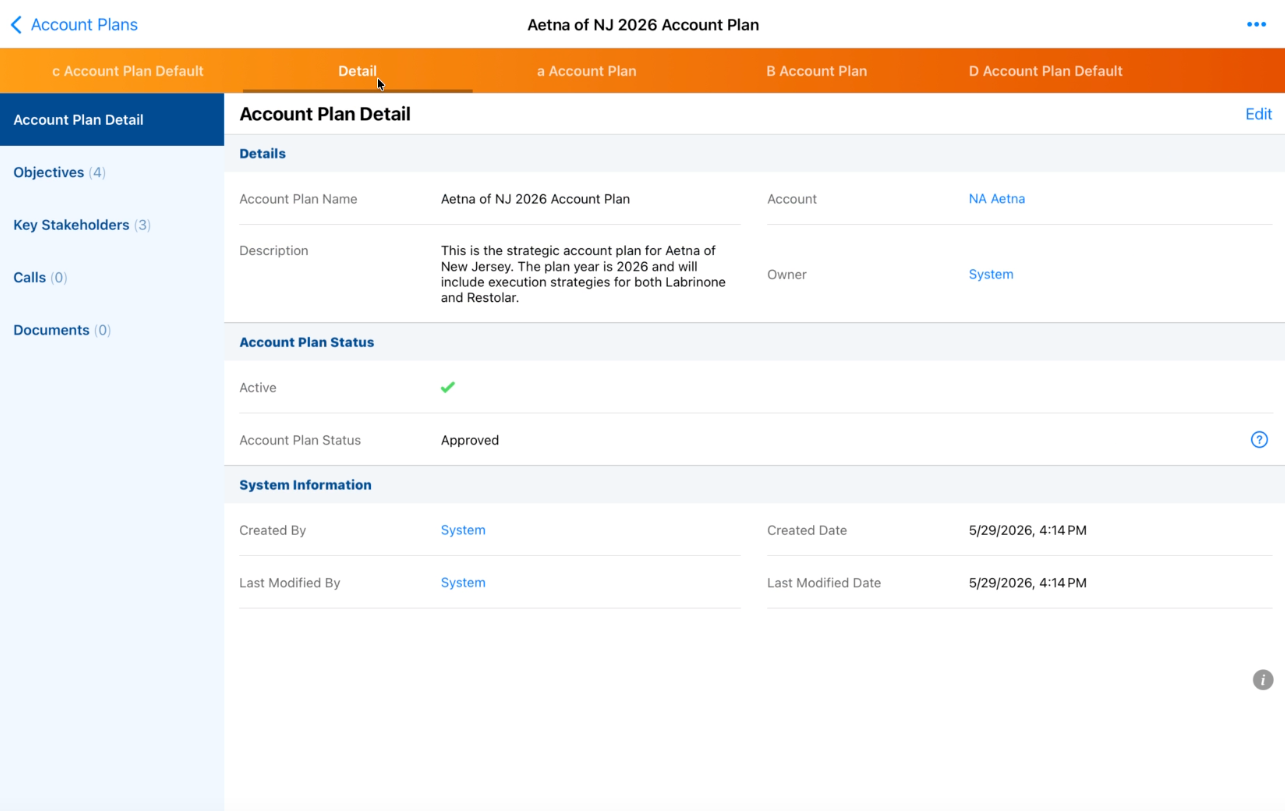
If there are multiple X-Pages with the type account_plan__v, they now display as additional tabs. |
n/a |
|
|
iPad, Windows |
X-Pages with the type account_plan__v now display after the Details tab. |
n/a |
|
Call Objectives
|
Platform |
Description |
Before |
After |
|---|---|---|---|
|
iPad, Windows |
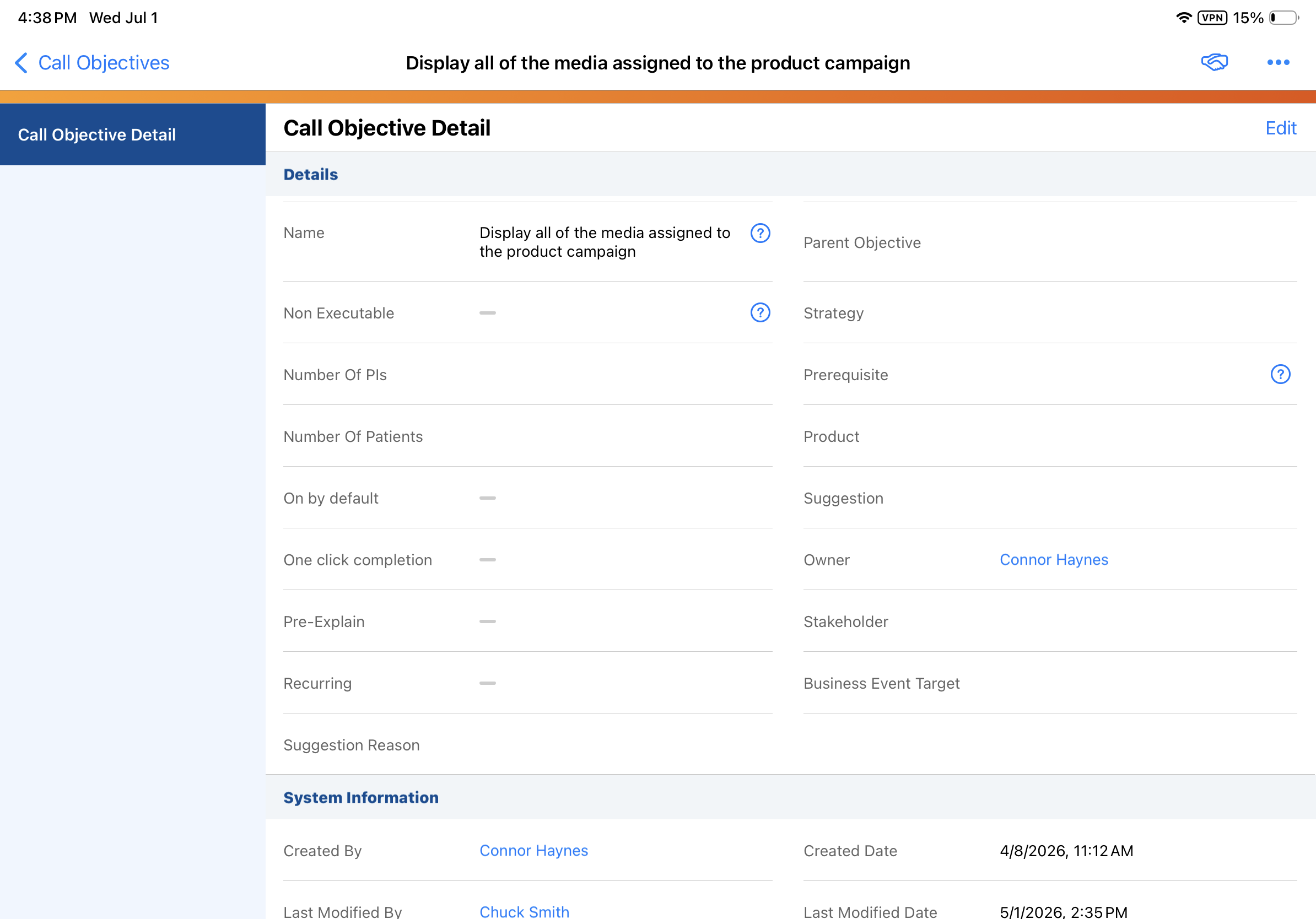
The field length for the title__v field on the call_objective__v object is expanded from 80 to 255 characters. This prevents truncation when the title is stamped to a Call Objective upon completion of the Suggestion. |
n/a |
|
|
iPad, Windows |
The Call Objectives tab now displays the full length of the title__v field. |
n/a |
|
|
iPad, Windows |
The Call Objectives section on Call Reports now displays the full length of the title__v field. |
n/a |
|
Call Reporting
|
Platform |
Description |
Before |
After |
|---|---|---|---|
|
iPad |
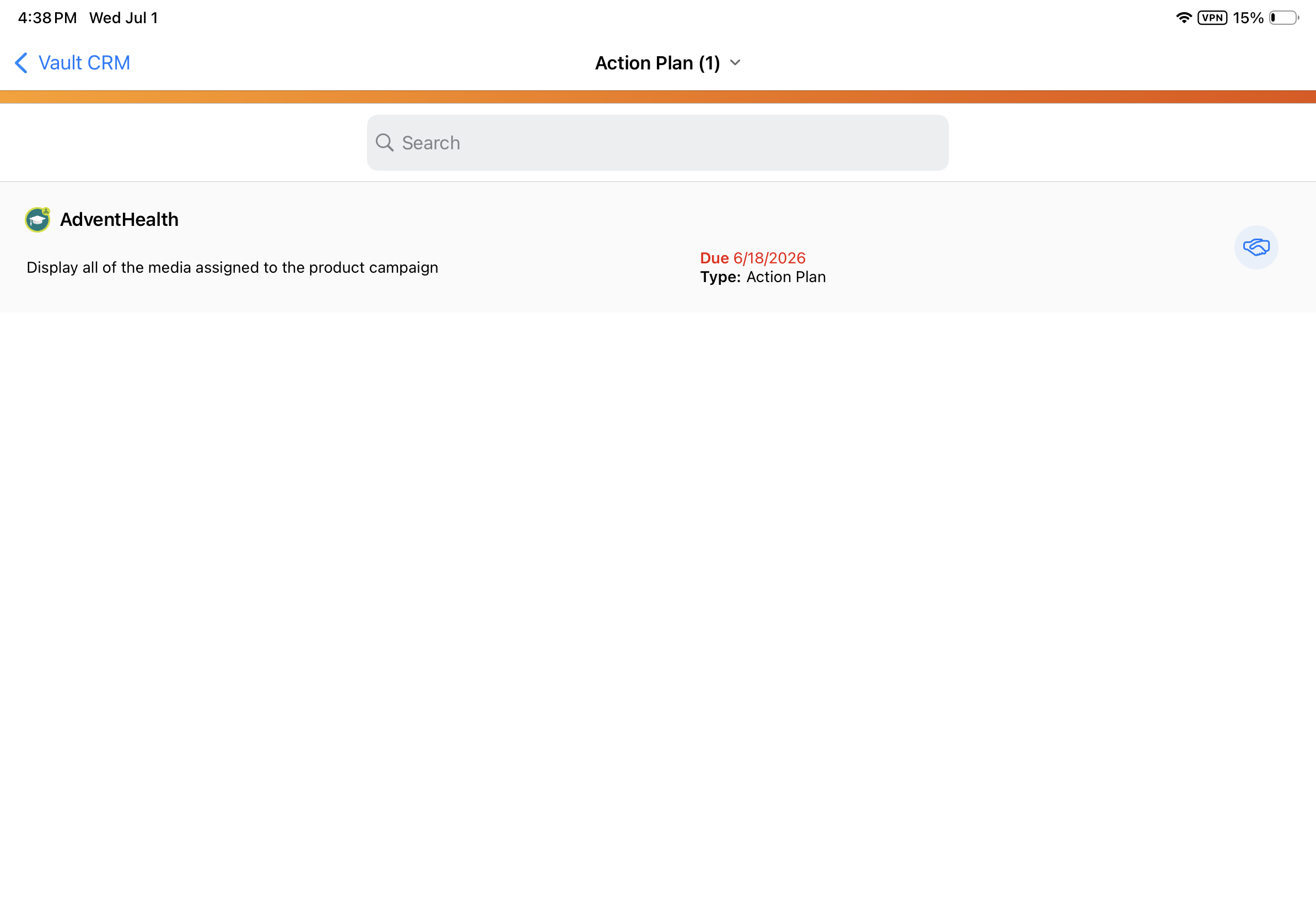
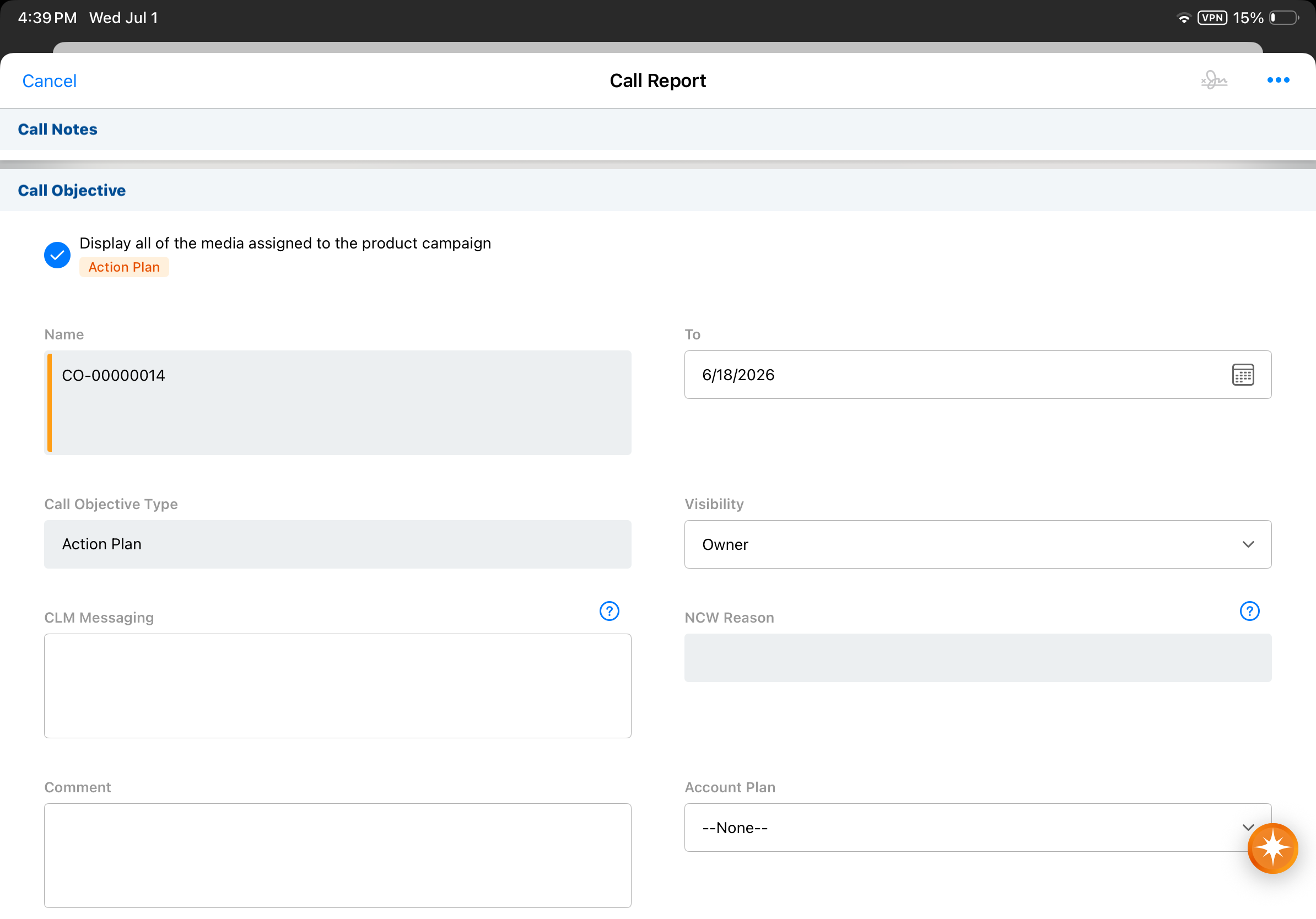
When users start a Media session from a Call Report, the application now performs comprehensive validation checks—including those for child calls—before displaying the Media tab. Previously, required fields were not validated during this action, which could lead to calls being saved implicitly without the necessary data. |
|
|
|
Browser, iPad, iPhone |
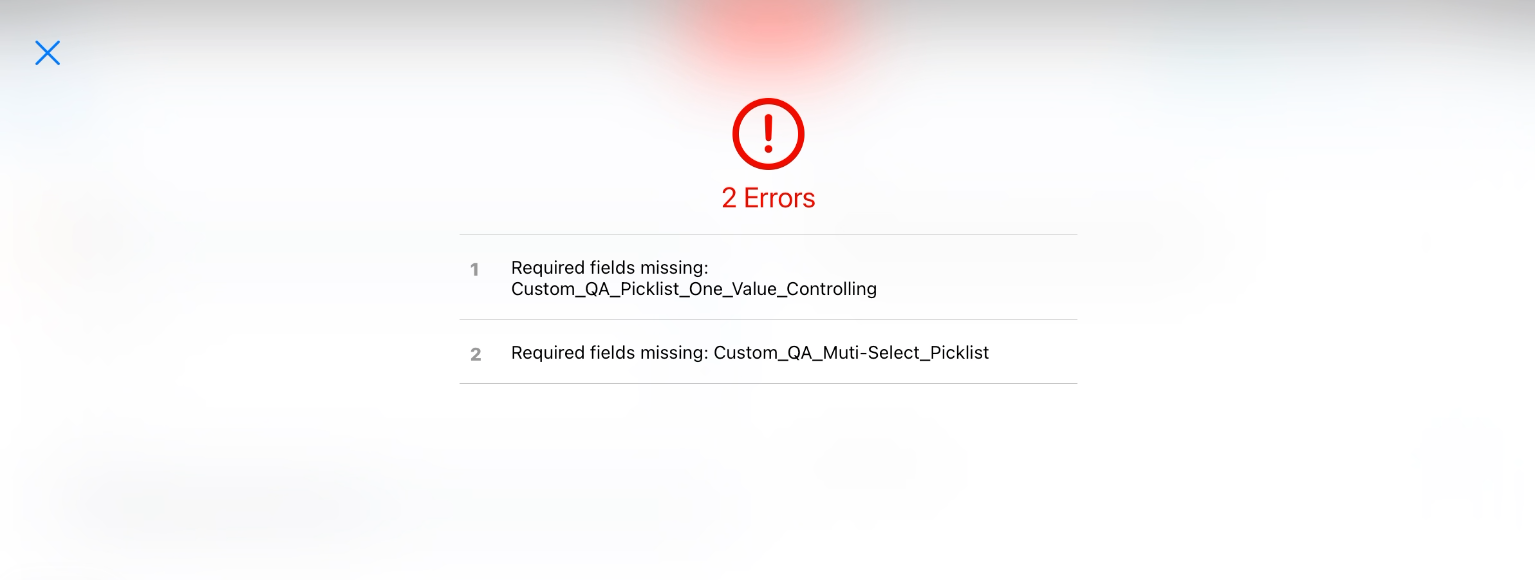
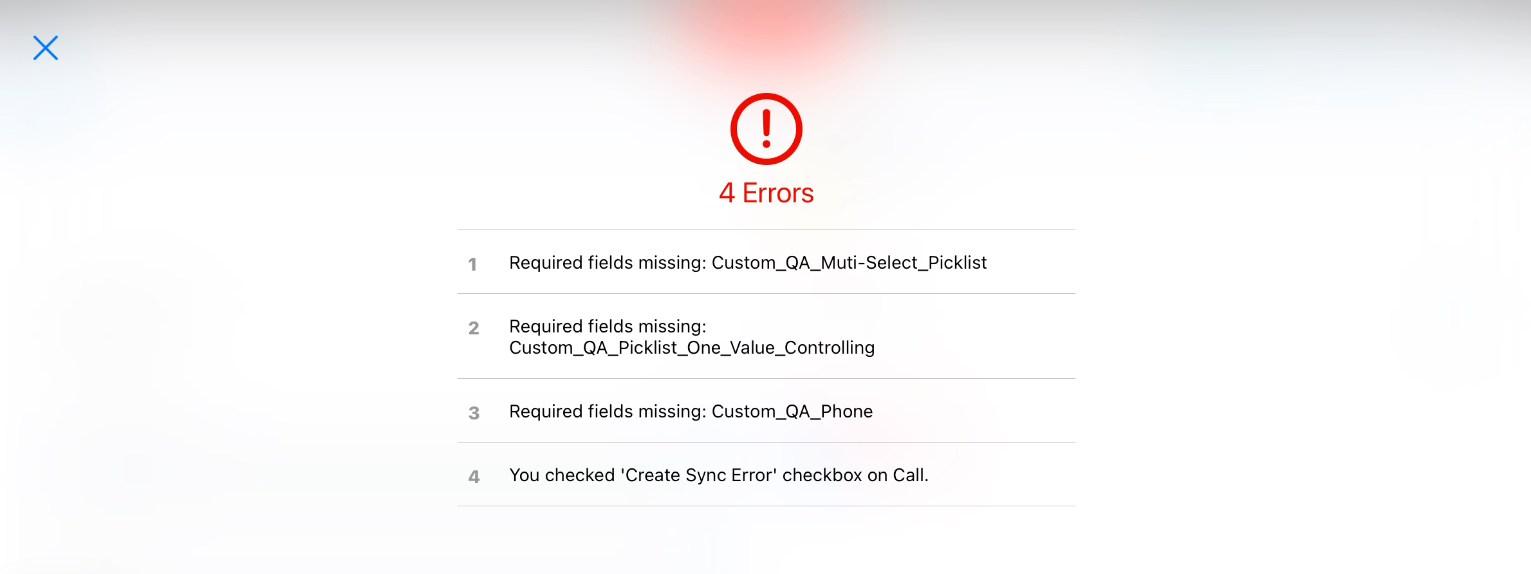
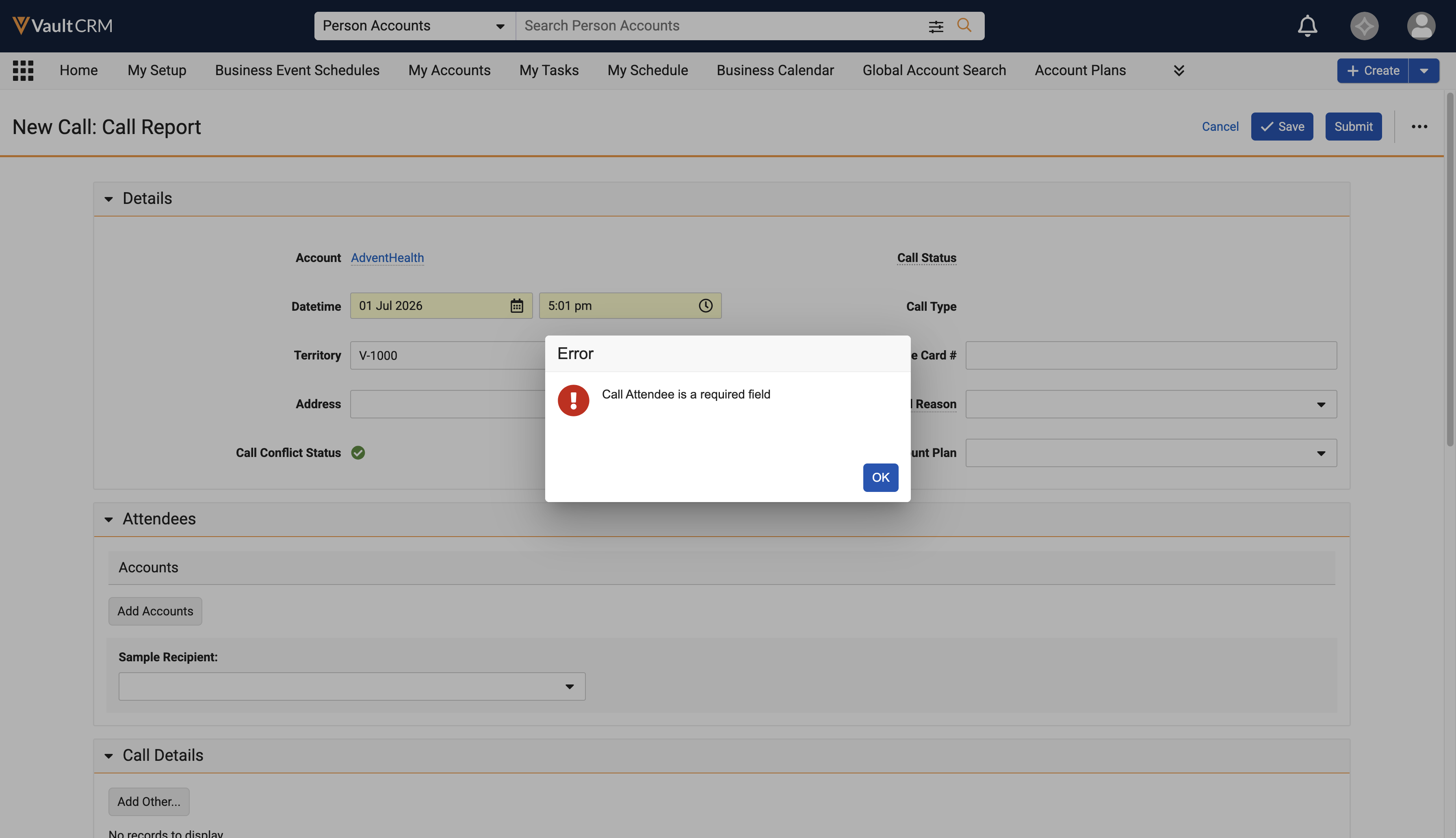
Users must add at least one person account as an attendee on standard group calls and unique activities group calls, when the Attendees Optional section attribute is not enabled. If only user attendees are included, an error displays. |
n/a |
|
Data Lakehouse
|
Platforms |
Description |
Before |
After |
|---|---|---|---|
|
Browser |
To provide greater privacy in the Data Lakehouse, values for the oauth_refresh_token__v field on the concur_settings__v object no longer display in the Data Lakehouse. |
n/a |
n/a |
Multichannel Activities
|
Platform |
Description |
Before |
After |
|---|---|---|---|
|
Browser, iPad, iPhone, Windows |
When a multichannel activity record is processed, Vault CRM now retrieves the owner ID from the call or email record to determine if the country, state, and language enablement Veeva Setting (enable_country_state_language_cda_enablement__v) is active for the record owner’s profile, stamping the account country field accordingly. This ensures territory-specific data remains accurate across all multichannel interactions. For information on stamping logic and examples, see Stamping Country Information for Account and User. |
n/a |
n/a |
Vault AI in CRM
|
Platform |
Description |
Before |
After |
|---|---|---|---|
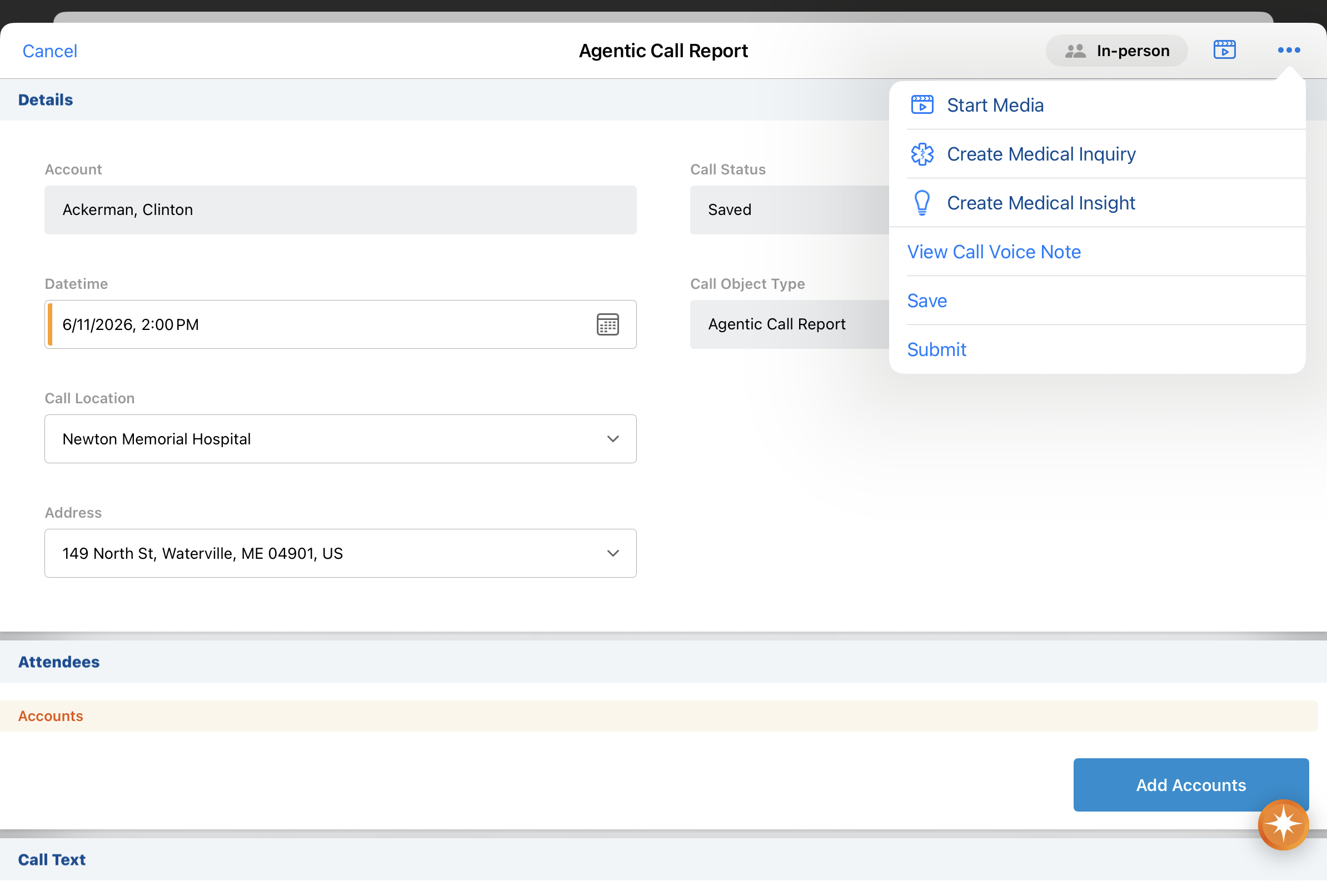
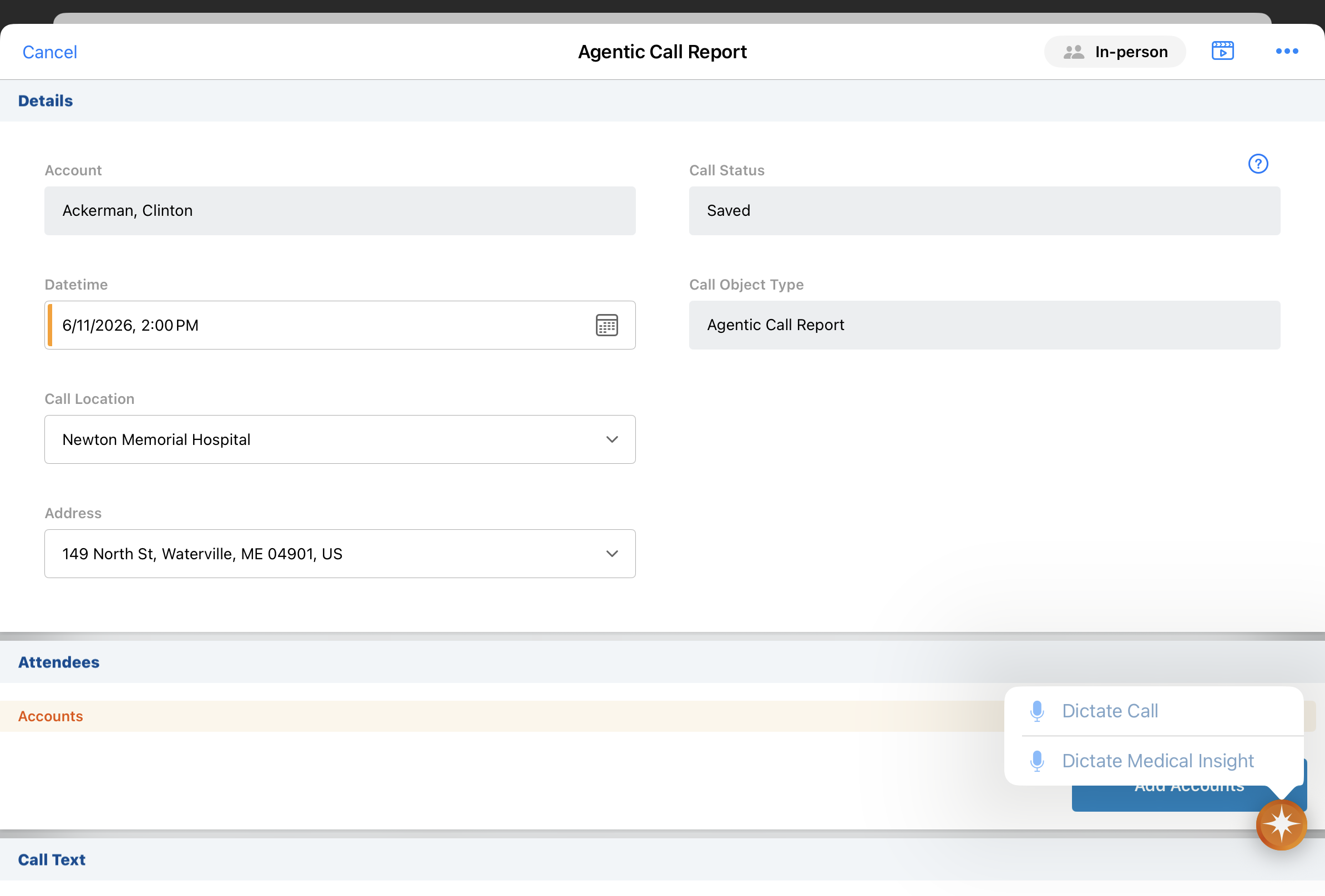
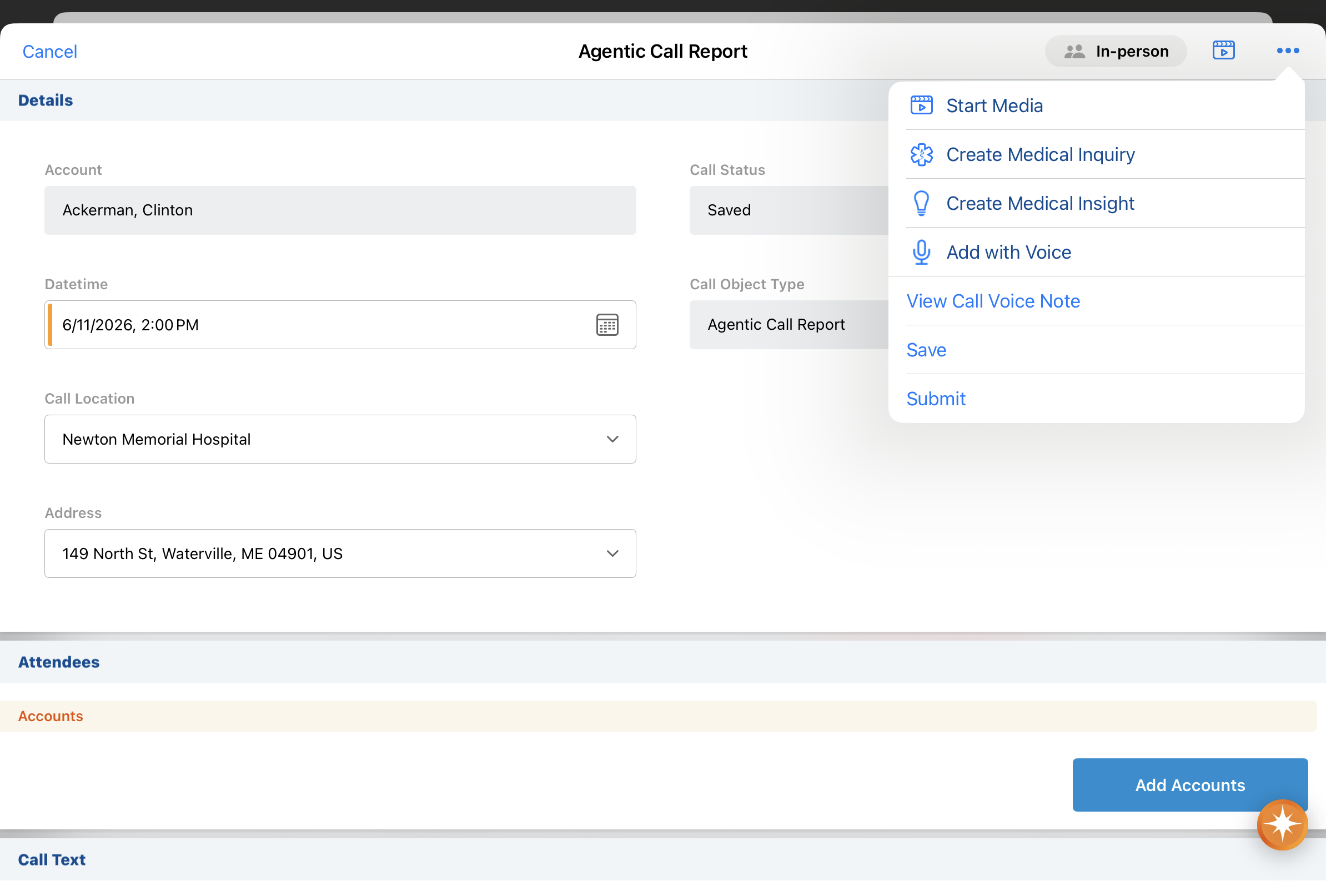
| iPad, iPhone | The Add with Voice action displays in the All Actions menu on call reports and in the AI button's long-press menu on call reports, when Creating Call Reports with Agentic Voice is enabled. (Added July 10, 2026 - Available on July 16, 2026) |
|
|
| iPad, iPhone |
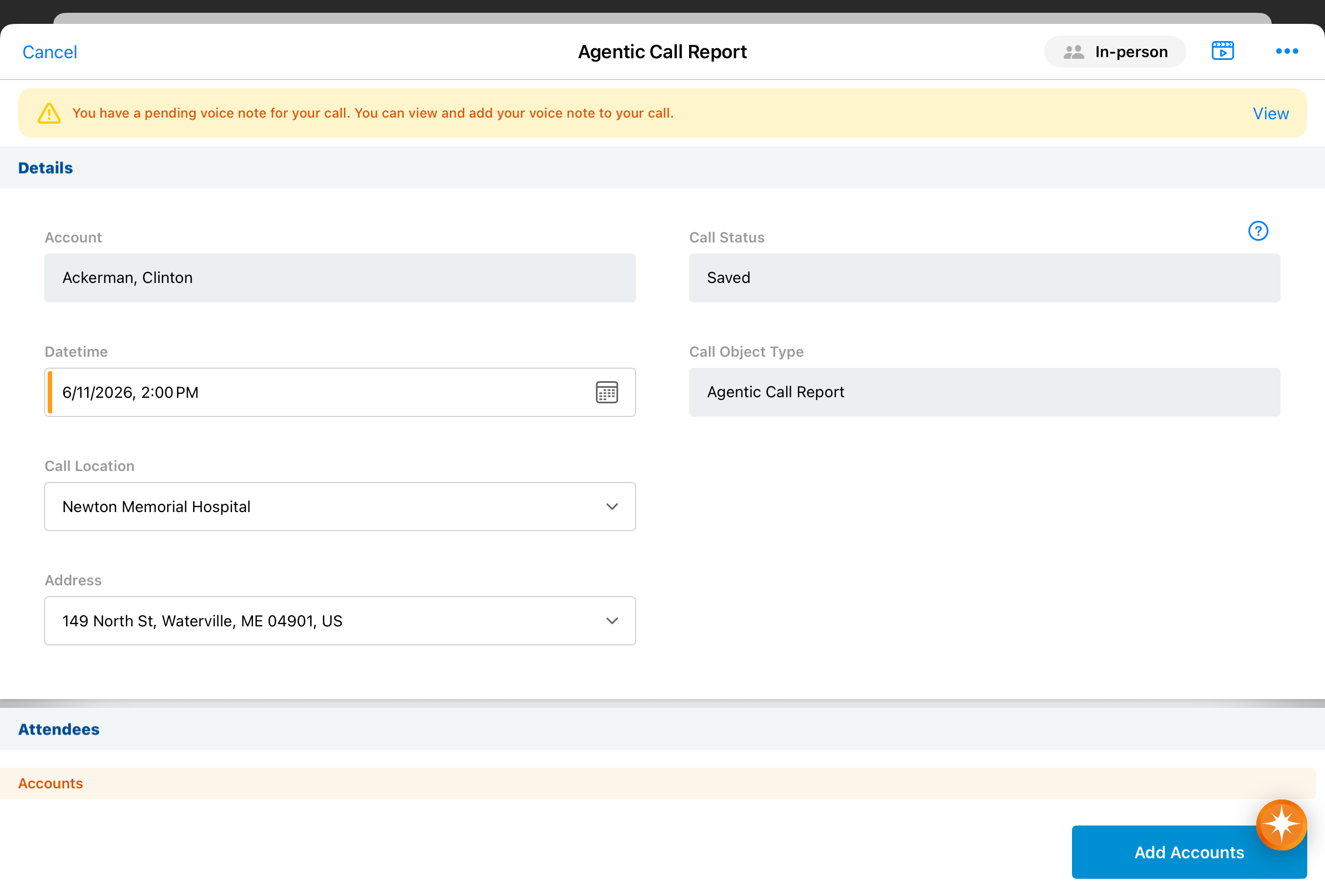
A Pending Voice Note banner displays on the call report when there are unreconciled Voice Notes associated with the call. (Added July 10, 2026 - Available on July 16, 2026) |
n/a |
|
Campaign Manager
|
Platform |
Description |
Before |
After |
|---|---|---|---|
|
Browser |
When creating multi-action journeys, marketing users are now directed to use the Journey Builder UI by default. See Journey Builder in Campaign Manager for more information. |
n/a |
|
|
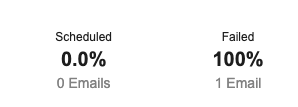
Browser |
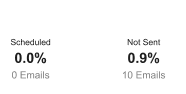
The following updates were made to Email Delivery statistics in the Performance sub-tab:
|
|
|
Events Management
|
Platform |
Description |
Before |
After |
|---|---|---|---|
|
Browser, iPad |
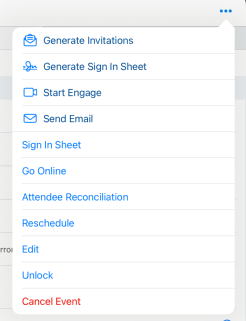
When searching for event attendees or event speakers, users can enclose search text in double quotation marks (" ") to return only exact matches and filter out the partial results that the search returns by default. This works for a single word or a longer phrase, and applies to:
|
|
|
|
Browser, iPad |
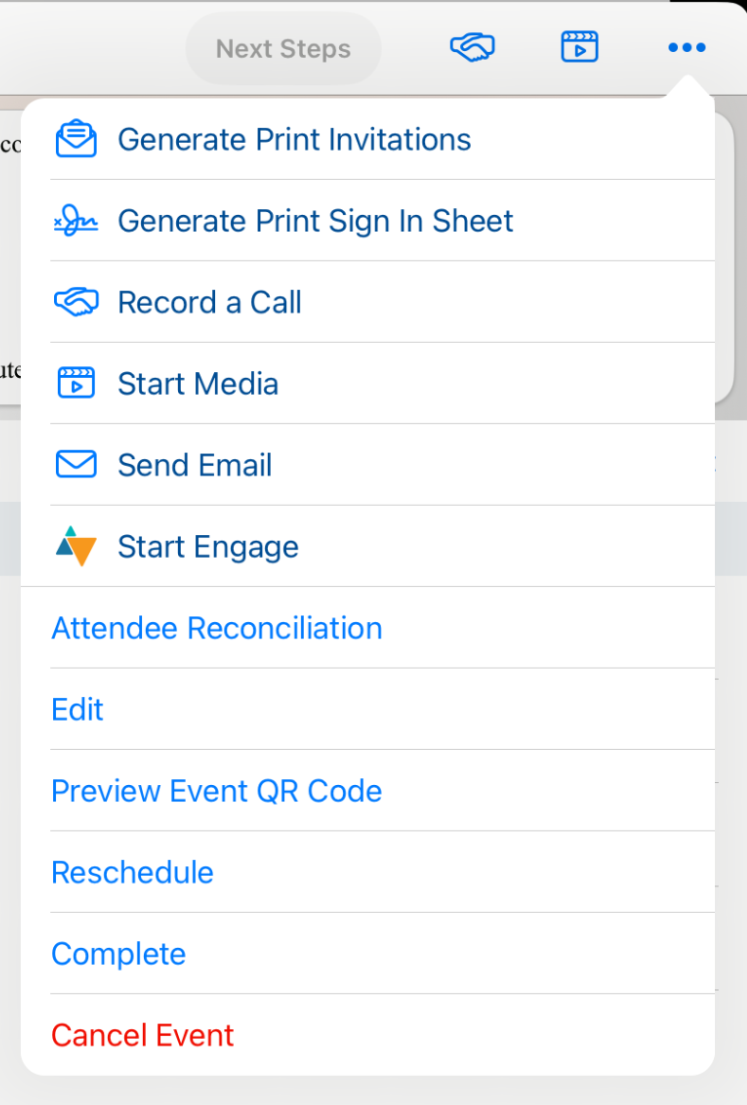
The start_webinar__v button displays as a video icon. |
|
|
Service Center
|
Platform |
Description |
Before |
After |
|---|---|---|---|
|
Browser |
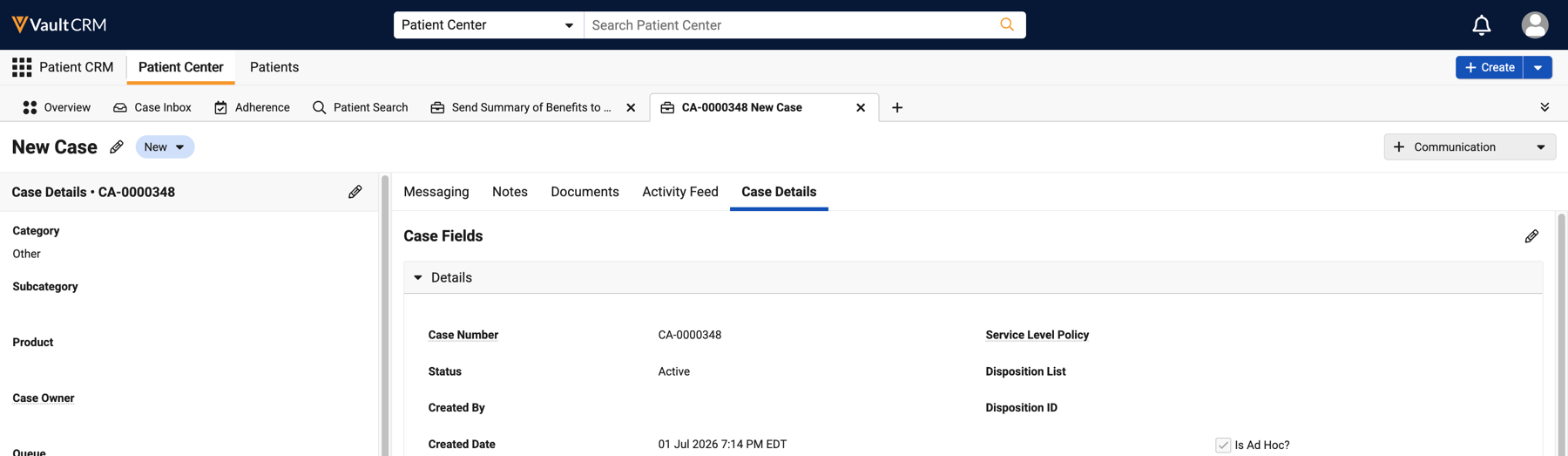
Cases are read-only when canceled. |
n/a |
|
|
Browser |
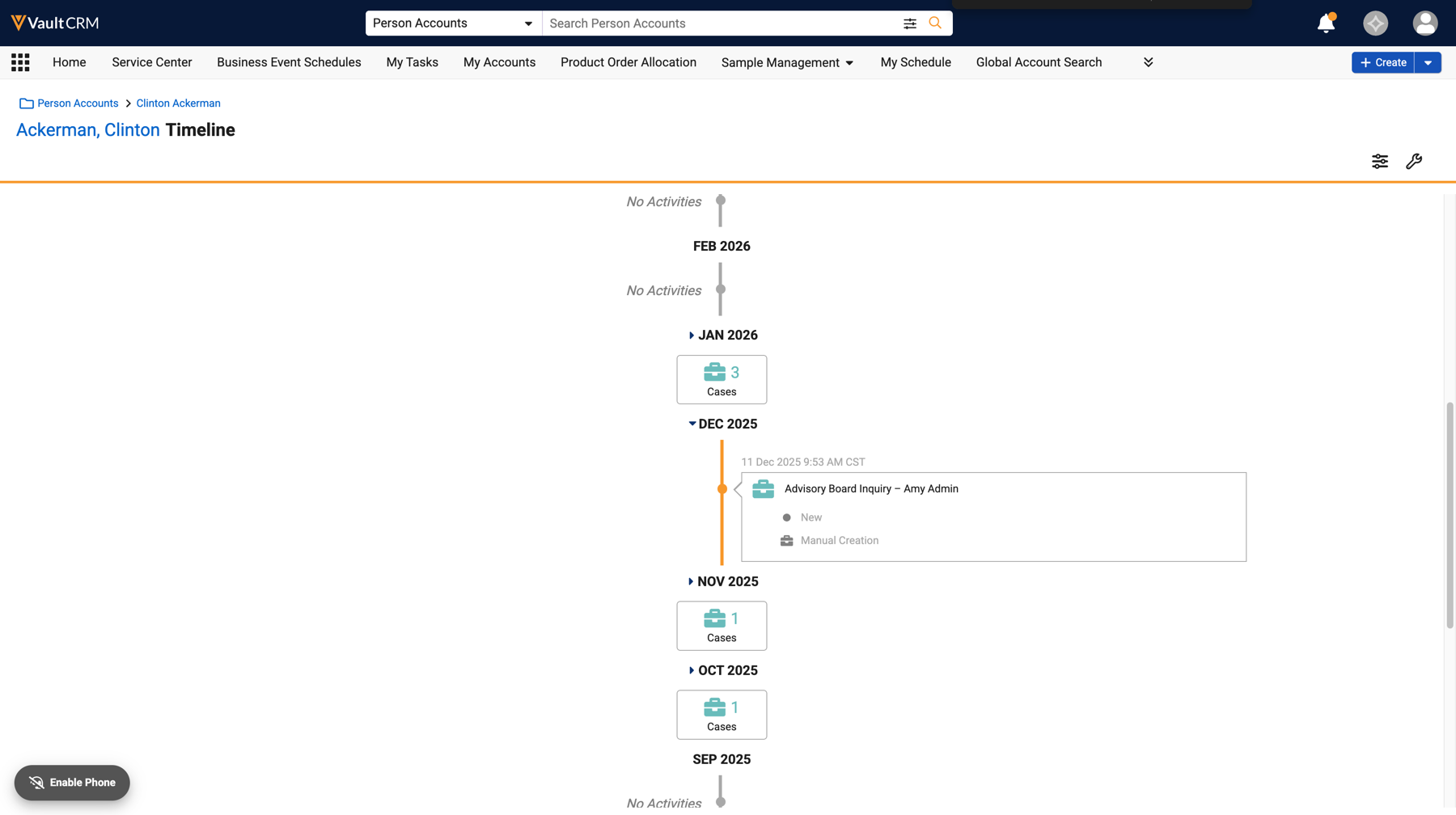
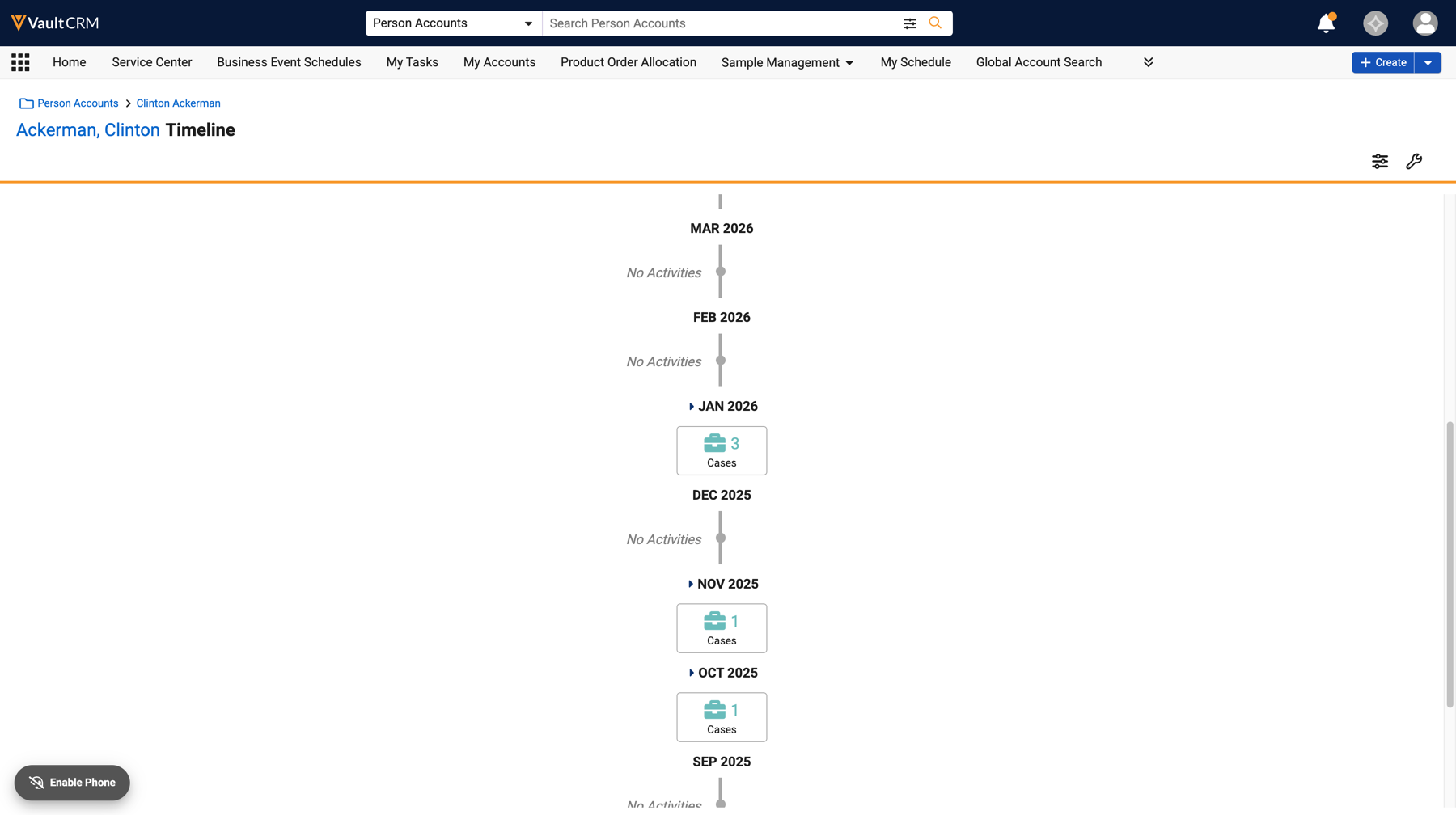
Canceled cases do not display on the Account Timeline. |
|
|
Additional Resources
The following resources are available for the 26R1.4 release:
- Flightpath
- Videos
- Feature Enablement and Availability
- Data Model Changes:
- New Objects
- New Fields
- Removed Fields
Flightpath
Flightpath is an educational tool where you'll find overviews and examples to walk you through how to leverage Vault CRM features and functionality. Flightpaths for the following topics will be available with the 26R1.4 Production Release:
- Introduction to Commercial Insights
- Target Lists in Campaign Manager
Videos
The following videos will be available with the 26R1.4 Production Release:
- Agentic Account Summary (update to existing video)
- Business Calendar
- Field Reimbursement Manager
- Veeva Medical Insights Integration
- Journey Builder for Campaign Manager
- Hosting Virtual Events Using Zoom Meetings
Feature Enablement and Availability
The following table provides an explanation of 26R1.4 feature enablement and user impact.


*Parity items do not typically require configuration if you are using this functionality on another platform. In some cases, VMOCs must be enabled for the added platform.
New Objects
The table below contains all new objects added in Vault CRM 26R1.4.
| Object | Label | Description |
|---|---|---|
| clm_content_metrics__v | CLM Content Metrics | Captures calculated usage data of CLM Presentations and Slides |
| crm_group__v | CRM Group | Defines a list of users that are associated with a group |
| crm_group_member__v | CRM Group Member | Relates users to groups |
| em_event_product__v | Event Product | Used to store product details from an event in Events Management. |
| vault_clinical_study_person__v | Study Person | Tracks a person account and his/her study role in a specific Study. |
New Fields
The table below contains all fields added in Vault CRM 26R1.4. The fields are organized by object.
| Object | Field Name | Field Label | Description | Type |
|---|---|---|---|---|
| clm_content_metrics__v | average_slide_view_order__v | Average Slide View Order in Calls | The average view order from the times the slide was shown in a call. This is calculated from the call2_key_message__v records display_order__v field. | Number |
| clm_content_metrics__v | object_type__v | CLM Content Metrics Type | The object type of the record. | Object |
| clm_content_metrics__v | clm_km_object_record_ids__v | CLM Key Message Object Record IDs | A semicolon delimited list of the key_message__v record IDs for which this record captures usage metrics. | String |
| clm_content_metrics__v | clm_presentation_object_record_ids__v | CLM Presentation Object Record IDs | A semicolon delimited list of the clm_presentation__v record IDs for which this record captures usage metrics. | String |
| clm_content_metrics__v | composite_key__v | Composite Key | Unique identifier used for upserting records. | String |
| clm_content_metrics__v | country_cda__v | Country CDA | The country for which this record captures usage metrics. | Picklist |
| clm_content_metrics__v | created_by__v | Created By | The user who created the record | Object |
| clm_content_metrics__v | created_date__v | Created Date | The date the record was created. | DateTime |
| clm_content_metrics__v | end_date_presented__v | End Date Presented | The end date of the presentation | DateTime |
| clm_content_metrics__v | global_id__sys | Global ID | The global ID of the record. | String |
| clm_content_metrics__v | id | ID | The ID of the record. | ID |
| clm_content_metrics__v | is_auto_published__v | Is Auto Published? | Indicates if this usage metrics record is for an auto published presentation | Boolean |
| clm_content_metrics__v | is_custom_presentation__v | Is Custom Presentation? | Indicates if this usage metrics record is for a custom presentation | Boolean |
| clm_content_metrics__v | modified_by__v | Last Modified By | The user who last modified the record. | Object |
| clm_content_metrics__v | modified_date__v | Last Modified Date | The date the record was last modified. | DateTime |
| clm_content_metrics__v | link__sys | Link | n/a | String |
| clm_content_metrics__v | median_slide_view_order__v | Median Slide View Order in Calls | The median view order from the times the slide was shown in a call. This is calculated from the call2_key_message__v records display_order__v field. | Number |
| clm_content_metrics__v | name__v | Name | The record name. | String |
| clm_content_metrics__v | negative_reactions__v | Negative Reactions | The number of times the document/record was shown in a call with a negative reaction. This is calculated from the call2_key_message__v records created where reaction__v = negative__v. | Number |
| clm_content_metrics__v | neutral_reactions__v | Neutral Reactions | The number of times the document/record was shown in a call with a neutral reaction. This is calculated from the call2_key_message__v records created where reaction__v = neutral__v. | Number |
| clm_content_metrics__v | positive_reactions__v | Positive Reactions | The number of times the document/record was shown in a call with a positive reaction. This is calculated from the call2_key_message__v records created where reaction__v = positive__v. | Number |
| clm_content_metrics__v | pres_binder_global_version_ids__v | Presentation Binder Global Version IDs | A semicolon delimited list of the presentation__v binder Global Version IDs for which this record captures usage metrics. | String |
| clm_content_metrics__v | downloads_from_sent_links__v | Presentation Downloads from Sent Links | The number of times the presentations was downloaded from links generated for presentation. This is calculated from the message_activity__v records created where activity__v = downloaded__v. | Number |
| clm_content_metrics__v | presentation_links_opened__v | Presentation Links Opened | The number of times links generated for presentation were opened. This is calculated from the message_activity__v records created where activity__v = clicked__v. | Number |
| clm_content_metrics__v | presentation_links_sent__v | Presentation Links Sent | The number of times the presentation was sent as a link. This is calculated from the sent_message__v records created. | Number |
| clm_content_metrics__v | presentation_source_document_id__v | Presentation Source Vault Doc ID | The ID of the source document from PromoMats or Medical Vault for which this record captures usage metrics. This ID is the same as the Slide Source Vault Document ID for auto published presentations. | String |
| clm_content_metrics__v | pres_source_document_version__v | Presentation Source Vault Doc Version | The version of the source document from PromoMats or Medical Vault for which this record captures usage metrics. | String |
| clm_content_metrics__v | previews__v | Previews | The number of times the document/record was previewed by users. This is calculated from the multichannel_activity_line__v records created. | Number |
| clm_content_metrics__v | slide_doc_global_version_ids__v | Slide Document Global Version IDs | A semicolon delimited list of the slide__v document Global Version IDs for which this record captures usage metrics. | String |
| clm_content_metrics__v | slide_number__v | Slide Number in Presentations | The slide number in the presentation. | Number |
| clm_content_metrics__v | slide_source_document_id__v | Slide Source Vault Document ID | The ID of the source document from PromoMats or Medical Vault for which this record captures usage metrics. This ID is the same as the Presentation Source Vault Doc ID for auto published presentations. | String |
| clm_content_metrics__v | slide_source_document_version__v | Slide Source Vault Document Version | The version of the source document from PromoMats or Medical Vault for which this record captures usage metrics. | String |
| clm_content_metrics__v | slide_view_duration__v | Slide View Duration | The total amount of time in seconds the slide was viewed in calls. This is calculated from the call2_key_message__v records duration__v field. | Number |
| clm_content_metrics__v | slide_views_from_sent_links__v | Slide Views from Sent Links | The number of times the slide was viewed from links generated for presentation. This is calculated from the message_activity__v records created where activity__v = viewed__v. | Number |
| clm_content_metrics__v | source_vault_guid__v | Source Vault GUID | The GUID unique identifier for the Source PromoMats/Medical Vault of the content for which this record captures usage metrics. | String |
| clm_content_metrics__v | start_date_presented__v | Start Date Presented | The starting DateTime of the time period for the usage metrics. | DateTime |
| clm_content_metrics__v | status__v | Status | The status of the record. | Picklist |
| clm_content_metrics__v | views_in_calls__v | Views in Calls | The number of times the document/record was shown in a call. This is calculated from the call2_key_message__v records created. | Number |
| crm_group__v | object_type__v | CRM Group Type | The object type of the record. | Object |
| crm_group__v | created_by__v | Created By | The user who created the record | Object |
| crm_group__v | created_date__v | Created Date | The date the record was created. | DateTime |
| crm_group__v | description__v | Description | Description of the group | String |
| crm_group__v | external_id__v | External ID | External ID for data loading | String |
| crm_group__v | global_id__sys | Global ID | The global ID of the record. | String |
| crm_group__v | id | ID | The ID of the record. | ID |
| crm_group__v | modified_by__v | Last Modified By | The user who last modified the record. | Object |
| crm_group__v | modified_date__v | Last Modified Date | The date the record was last modified. | DateTime |
| crm_group__v | link__sys | Link | n/a | String |
| crm_group__v | name__v | Name | The record name. | String |
| crm_group__v | status__v | Status | The status of the record. | Picklist |
| crm_group_member__v | crm_group__v | CRM Group | Parent group this user belongs to | Object |
| crm_group_member__v | object_type__v | CRM Group Member Type | The object type of the record. | Object |
| crm_group_member__v | created_by__v | Created By | The user who created the record | Object |
| crm_group_member__v | created_date__v | Created Date | The date the record was created. | DateTime |
| crm_group_member__v | external_id__v | External ID | External ID for data loading | String |
| crm_group_member__v | global_id__sys | Global ID | The global ID of the record. | String |
| crm_group_member__v | id | ID | The ID of the record. | ID |
| crm_group_member__v | modified_by__v | Last Modified By | The user who last modified the record. | Object |
| crm_group_member__v | modified_date__v | Last Modified Date | The date the record was last modified. | DateTime |
| crm_group_member__v | link__sys | Link | n/a | String |
| crm_group_member__v | name__v | Name | The record name. | String |
| crm_group_member__v | status__v | Status | The status of the record. | Picklist |
| crm_group_member__v | user__v | User | User that belongs to the group | Object |
| em_event_product__v | created_by__v | Created By | The user who created the record | Object |
| em_event_product__v | created_date__v | Created Date | The date the record was created. | DateTime |
| em_event_product__v | event__v | Event | Associated event of this product detail | Object |
| em_event_product__v | object_type__v | Event Product Type | The object type of the record. | Object |
| em_event_product__v | event_session__v | Event Session | Associated session of this product detail | Object |
| em_event_product__v | global_id__sys | Global ID | The global ID of the record. | String |
| em_event_product__v | id | ID | The ID of the record. | ID |
| em_event_product__v | modified_by__v | Last Modified By | The user who last modified the record. | Object |
| em_event_product__v | modified_date__v | Last Modified Date | The date the record was last modified. | DateTime |
| em_event_product__v | link__sys | Link | n/a | String |
| em_event_product__v | mobile_created_datetime__v | Mobile Created Datetime | Date and Time the record was created on the mobile device | DateTime |
| em_event_product__v | mobile_id__v | Mobile ID | Field used by mobile products for synchronization. | String |
| em_event_product__v | mobile_last_modified_datetime__v | Mobile Last Modified Datetime | Date and Time the record was last saved on the mobile device | DateTime |
| em_event_product__v | name__v | Name | The record name. | String |
| em_event_product__v | product__v | Product | Associated product of this product detail | Object |
| em_event_product__v | status__v | Status | The status of the record. | Picklist |
| vault_clinical_study_person__v | created_by__v | Created By | The user who created the record | Object |
| vault_clinical_study_person__v | created_date__v | Created Date | The date the record was created. | DateTime |
| vault_clinical_study_person__v | end_date__v | End Date | Last day this role was effective for the study person. | Date |
| vault_clinical_study_person__v | external_id__v | External ID | The external ID of the object | String |
| vault_clinical_study_person__v | global_id__sys | Global ID | The global ID of the record. | String |
| vault_clinical_study_person__v | id | ID | The ID of the record. | ID |
| vault_clinical_study_person__v | modified_by__v | Last Modified By | The user who last modified the record. | Object |
| vault_clinical_study_person__v | modified_date__v | Last Modified Date | The date the record was last modified. | DateTime |
| vault_clinical_study_person__v | link__sys | Link | n/a | String |
| vault_clinical_study_person__v | name__v | Name | The record name. | String |
| vault_clinical_study_person__v | account__v | Person | The associated account. | Object |
| vault_clinical_study_person__v | account_text__v | Person | The text associated with the account. | String |
| vault_clinical_study_person__v | start_date__v | Start Date | The date upon which this study role was effective for the study person. | Date |
| vault_clinical_study_person__v | status__v | Status | The status of the record. | Picklist |
| vault_clinical_study_person__v | study__v | Study | The associated study. | Object |
| vault_clinical_study_person__v | study_country__v | Study Country | The country of the study. | Object |
| vault_clinical_study_person__v | study_site__v | Study Site | The study site. | Object |
| vault_clinical_study_person__v | study_team_role__v | Study Team Role | The role of the study team member. | String |
Removed Fields
No fields were removed in Vault CRM 26R1.4.

