What's New in Vault CRM 25R3.4
The 25R3.4 release includes features for:
Release Dates
- Sandbox Release - February 26, 2026
- Production Release - March 5, 2026
New Fields, New Objects, and Removed Fields are also included.
Announcements
Service Center Now Included in Vault CRM License
Beginning with the 25R3.4 Production Release on March 5, 2026, Service Center is included as part of the Vault CRM license and no longer requires a separate license.
X-Pages Studio Page Templates
The concept of Page Templates will be deprecated as of the 26R1.0 release. All Page Templates in your Studio domain will be converted to Pages. When migrating from Veeva CRM to Vault CRM, existing Page Templates will be converted to Pages. The description will be appended with “Page Template converted to Page.”
All previous Page Template functionality remains available, with several new features to be introduced in the 26R1.0 release:
- Users will be able to import and export Pages
- Users will be able to duplicate Pages. This replaces the Convert Page to Page Template and Create Page from Page Template functions.
- A new X-Pages Studio Template Library will introduce a centralized, in-app repository for viewing and deploying productized Studio Templates directly within X-Pages Studio. This eliminates the need to manually download template files from the Developer Portal and import them into X-Pages Studio.
25R3.4 Release Notes Podcast
We’ve added an AI-generated podcast that walks you through the highlights of the 25R3.4 release.
Give it a listen and let us know what you think using the feedback button.
Core
Call Reporting
Enhancements to Territory Fields - Available on Browser
To simplify reporting on territory activity and improve the user experience, a new Yearly Call Activity field is introduced on the Territory Field object. Supporting data model elements are also added on the new TSF Yearly Activity object. The Yearly Call Activity field resets at the beginning of each calendar year, ensuring territory activity data is relevant to the current year.
Call Sampling
Capturing Acknowledgement of Content from the Call Report - Available on iPad
To ensure HCPs receive the products or sample requests/BRCs they ordered, users can now capture Acknowledgement of Content (AOC) signatures from the call report. Users capture AOC for products shipped directly to healthcare practitioners from a warehouse facility. Once a product request is initiated, typically through sample request/BRC products on calls, the sample or sample order records are sent to a fulfillment vendor. When the product is shipped, this information is loaded into Vault CRM to begin the AOC process.
Requiring Sample Opt-In - Now available on Browser
In some countries, users must capture a one-time sample opt-in signature or paper consent from HCPs. Once Browser users capture an HCP’s sample opt-in consent, they do not need to capture signatures for individual sample disbursements to the HCP within an admin-defined period of time, unless the disbursement contains controlled substances.
CLM
When content creators update or remove slides in CLM presentations managed in PromoMats/MedComms, those changes can affect the custom presentations created by Vault CRM end users. To ensure users are always aware of changes to their custom content, they automatically receive an email notification summarizing changes after the CLM integration between PromoMats/MedComms and Vault CRM runs.
Supporting the Show Information Action Menu Option for CLM as Document Model - Available on iPad
Content admin users can use the Show Information option to view a slide’s document fields in the media player, making it easier to test and review CLM content.
Using Advanced Text Search for CLM as Document Model - Available on iPad
Advanced text search allows end users to find presentations quickly and easily by searching for specific text within the slides and navigating directly to the relevant content. Users can also apply filters to advanced text search results. This allows users with large media libraries to quickly and efficiently find the presentation they are searching for.
Inventory Monitoring
Using Inventory Monitoring Assortments - Now available on Browser
To assist users in quickly verifying a pharmacy's product placement, admins can create Inventory Monitoring assortments. An assortment is a list of Inventory Monitoring products grouped by sections and sorted to reflect product visibility priority. Assortments allow users to view only the products relevant to each Inventory Monitoring activity by visually representing product categories in the user interface. For example, users can verify all core products are available and visible in a pharmacy.
Using Contracts with Inventory Monitoring - Available on Browser and iPad
By associating valid, non-sales Contracts directly with Inventory Monitoring records, users can ensure their data entry aligns with agreed-upon account terms. Customers can restrict product selection to only those listed on Product Bound Contracts, automatically populate custom header fields based on contract terms, and provide real-time compliance feedback by displaying contract target values on Inventory Lines.
Multichannel Cycle Plans
Viewing Active MCCP Target Accounts - Available on Browser and iPad
To effectively plan activities and achieve MCCP goals, users can generate Account Views of active target accounts for use in My Accounts and My Schedule. Managing active target accounts and planning timely interactions are critical to meeting MCCP goals.
My Schedule
My Schedule Outlook Integration - Now available on iPhone and Windows
My Schedule and Microsoft Outlook calendars can now be integrated into one view for iPhone and Windows users, making scheduling more efficient. This enables users to view all their appointments in one place.
Vault CRM calendars in Microsoft Outlook are always kept up to date with My Schedule in Vault CRM, ensuring data integrity across systems. Additionally, admins can now directly deactivate Microsoft Outlook for end users, reducing support dependency and operational downtime.
Order Management
Using Order Net Amount Rounding Modes - Available on Browser, iPad, Windows
Order Net Amount Rounding modes are now configured using Veeva Settings instead of user permissions, allowing admins to easily determine if this feature is enabled for a user. Order Line Total Round mode is enabled by default. Admins can enable Final Net Price Round mode instead using the new Veeva Setting.
Sample Management
Generating Printable Package Labels - Available on Browser
To quickly and easily ship products, end users can generate printable package labels directly from sample transfer and return records. To ensure accuracy, product information on the package label is copied from the corresponding Sample Transaction record.
Service Center
Today’s Focus for Outbound Service Center - Available on Browser
To improve account outreach, operational efficiency, and productivity, Service Center reps can use Today's Focus on the Outbound tab to consolidate actionable target activities into one central, flexible to-do list. Service Center reps build a focused daily agenda by moving targets from their My Targets views into Today’s Focus.
Managing Case Administration - Available on Browser
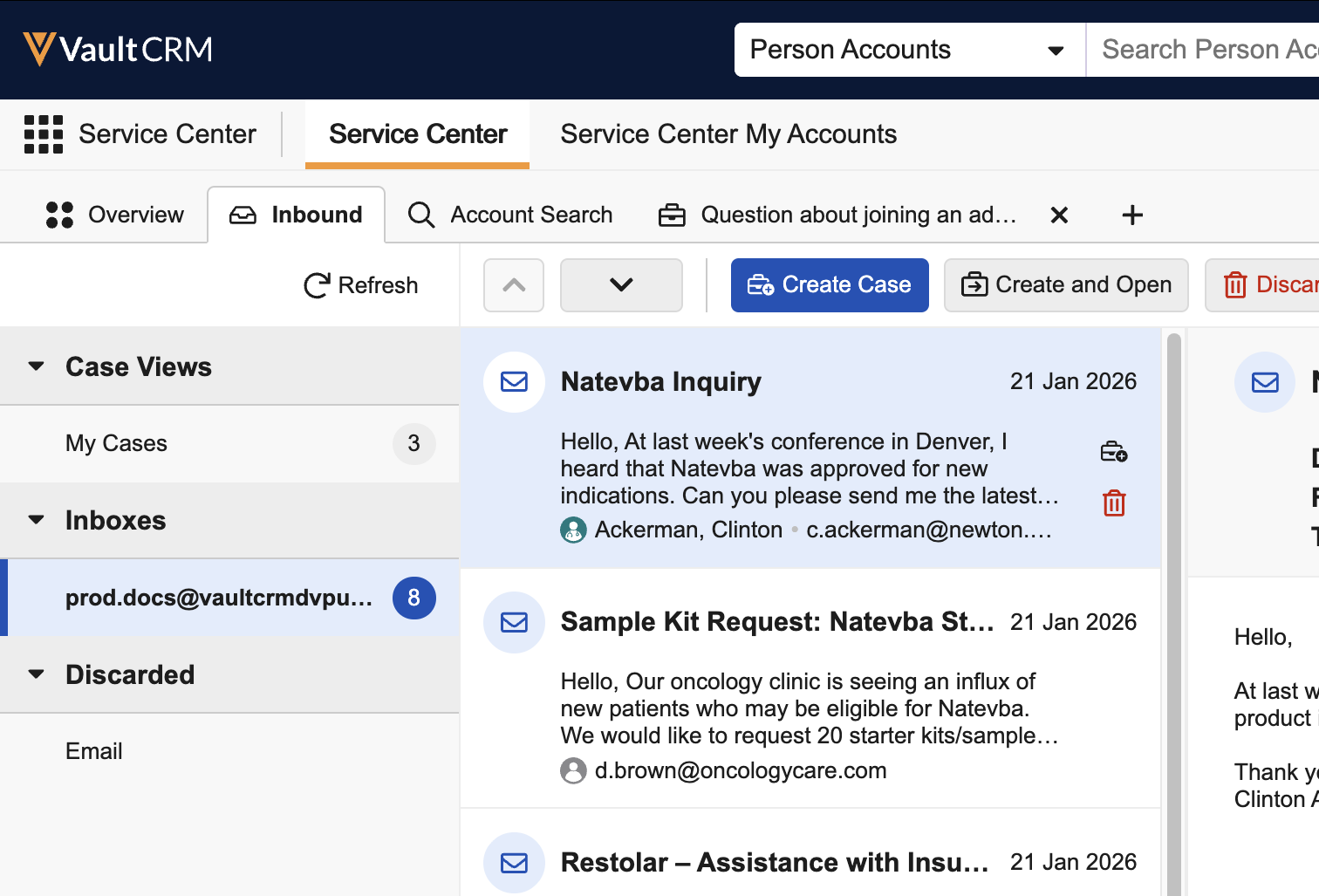
To streamline Service Center case administration, cases can now be created and updated using data loading, APIs, or the Business Admin interface. This ensures that records migrated from external systems or managed via back-end processes display and function properly for Service Center reps.
X-Pages
Top Level Entry Point - Available on Browser, iPad, iPhone, Windows
Content developers can create custom, top-level tabs in Vault CRM to support business processes that are not tied to a specific record or territory. Customers can use these tabs to include their own content, for example, inventory monitoring reviews or specialized dashboards, in the primary navigation bar for end users to easily access.
Approved Email
New permission requirements ensure email activity tracking is not inadvertently enabled for integration users with elevated permissions. To enable tracking, admins must now grant the dedicated integration user access to the zvod_consent_activity_tracking__v field on the consent_type__v object. This ensures Campaign Target consent is checked before activity tracking begins.
Campaign Manager
Prioritizing Email Addresses for Campaigns - Available on Browser
To ensure campaigns are delivered to the most accurate contact point, users can define a prioritized list of email address fields. This eliminates the need for complex custom logic when managing data from multiple sources, for example OpenData or OneKey.
Engage
Appointment Booking for HCPs: Rescheduling Meetings - Available on Android, iPad, iPhone, Web
HCPs can resolve scheduling conflicts by rescheduling meetings or meeting requests from the appointment booking site. This ensures the meetings in end users’ calendars are always up-to-date.
Events Management
Managing Attendee Suggestions for Events - Available on Browser and iPad
To ensure key accounts attend relevant events, business admin users can generate Suggestions specifically for Events Management attendance, which they can review via a dedicated view in the Select Attendees modal.
Merging Duplicate Walk-in Attendees - Now available on iPad
End users on the iPad can now merge duplicate walk-in records into existing attendee record. This prevents duplicate attendee records for the same account and ensures data from the walk-in, such as signatures or registration details, is copied to the primary attendee record.
Filtering by My Attendees - Now available on Browser
To improve efficiency when updating attendees, Event Team Members can filter the event attendee list on the Browser platform to quickly view attendees they are responsible for based on record ownership or territory alignment. This is useful when managing attendees for large events and collaborating with other team members.
Filtering Approved Email Recipients - Now available on Browser
To improve efficiency when sending invitations, Event Team Members can filter the event attendee list on the Browser platform to quickly view attendees they are responsible for based on record ownership or territory alignment. This is useful when managing attendees for large events and collaborating with other team members.
General
Supporting Layout Rules - Now available on Windows
Customers can define layout rules for objects to create dynamic layouts based on the data within a record, ensuring records only display relevant data for Windows users. For example, a field can be made read-only or required, depending on the value of another field.
Supporting Label Sets - Now available on Windows
Admin users can create label sets to define alternative translations of labels in a given language, ensuring the most accurate labels display for different types of users. For example, labels in Vault CRM can display regional language variations for users in different countries or medical terminology for medical users. When end users are assigned to an active label set, the alternative labels defined in the label set, including the translated Veeva Messages, are synced to their devices and now displayed in Vault CRM on the Windows platforms.
Send to Fax
Preview Fax Before Sending - Available on Browser and iPad
Users can preview a composed fax message to see a rendered version with all tokens resolved, ensuring accuracy before sending to recipients.
Vault AI in CRM
Creating Call Reports with Agentic Voice - Now available on iPhone
Agentic Voice uses AI to convert a user’s dictated notes into call reports, reducing manual data entry, shortening call creation time, and improving data quality. With Agentic Voice, iPhone users can now dictate their description of interactions with HCPs. Agentic Voice captures the user’s speech in a Call Voice Note and intelligently pre-populates a new call report with the information the user provided. Users review the call report and make any necessary adjustments before saving or submitting the call.
Capturing Call Information with Siri® - Available on iPad and iPhone
Using Siri, users can initiate a Call Voice Note recording hands-free. This enables users to quickly capture important interaction details while on-the-go. After dictating their interaction notes, users can create a call report from the Call Voice Note or save it for later.
Capturing Detail Groups from Call Voice Notes - Available on iPad and iPhone
To streamline call reporting and ensure accurate data capture, Agentic Voice captures Detail Group information from Call Voice Notes. When users create call reports with Agentic Voice, the agent intelligently analyzes mentions of products and indications in users’ Call Voice Notes. Based on the information users provide, the agent detects valid Detail Product-Detail Group combinations and populates the Call Details section of the call report accordingly.
Flightpath
Flightpath is an educational tool where you'll find overviews and examples to walk you through how to leverage Vault CRM features and functionality. The following Flightpaths are available with 25R3.4:
- Using Network Hierarchy Explorer
- Introduction to Opportunity Management (updates to existing Flightpath)
- Managing Inbound Service Center Cases
- Appointment Booking (updates to existing Flightpath)
- Suggestion Types and Visibility
- Using Suggestion Surveys
- Veeva's AI Agents (updates to existing Flightpath)
Videos
The following videos are available with 25R3.4:
User Visible and Behavior Changes (UVCs)
Most new functionality requires some configuration, however users are able to use the following functionality immediately. Select the thumbnail to view a larger image.
Call Reporting
|
Platform |
Description |
Before |
After |
|---|---|---|---|
|
Browser |
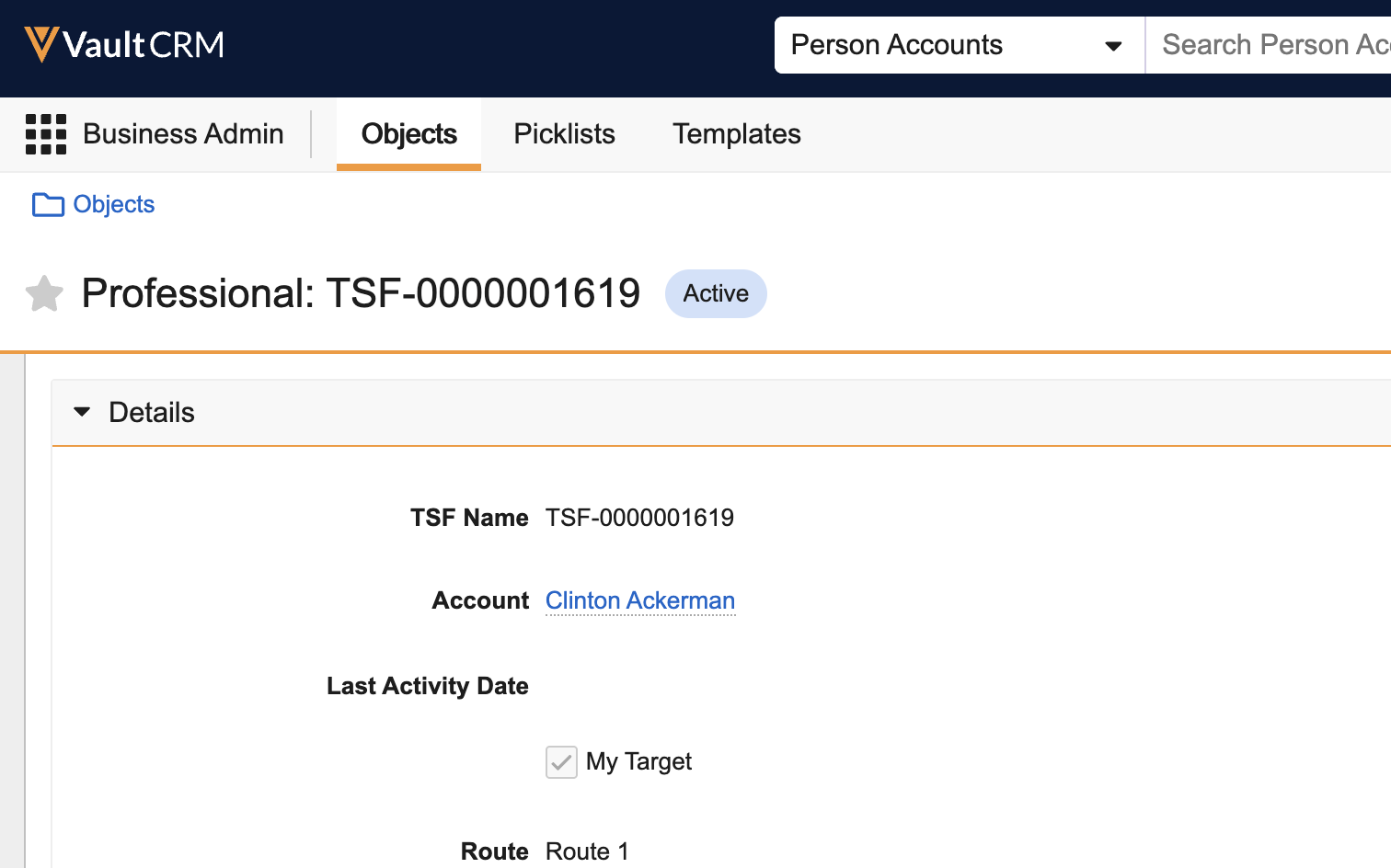
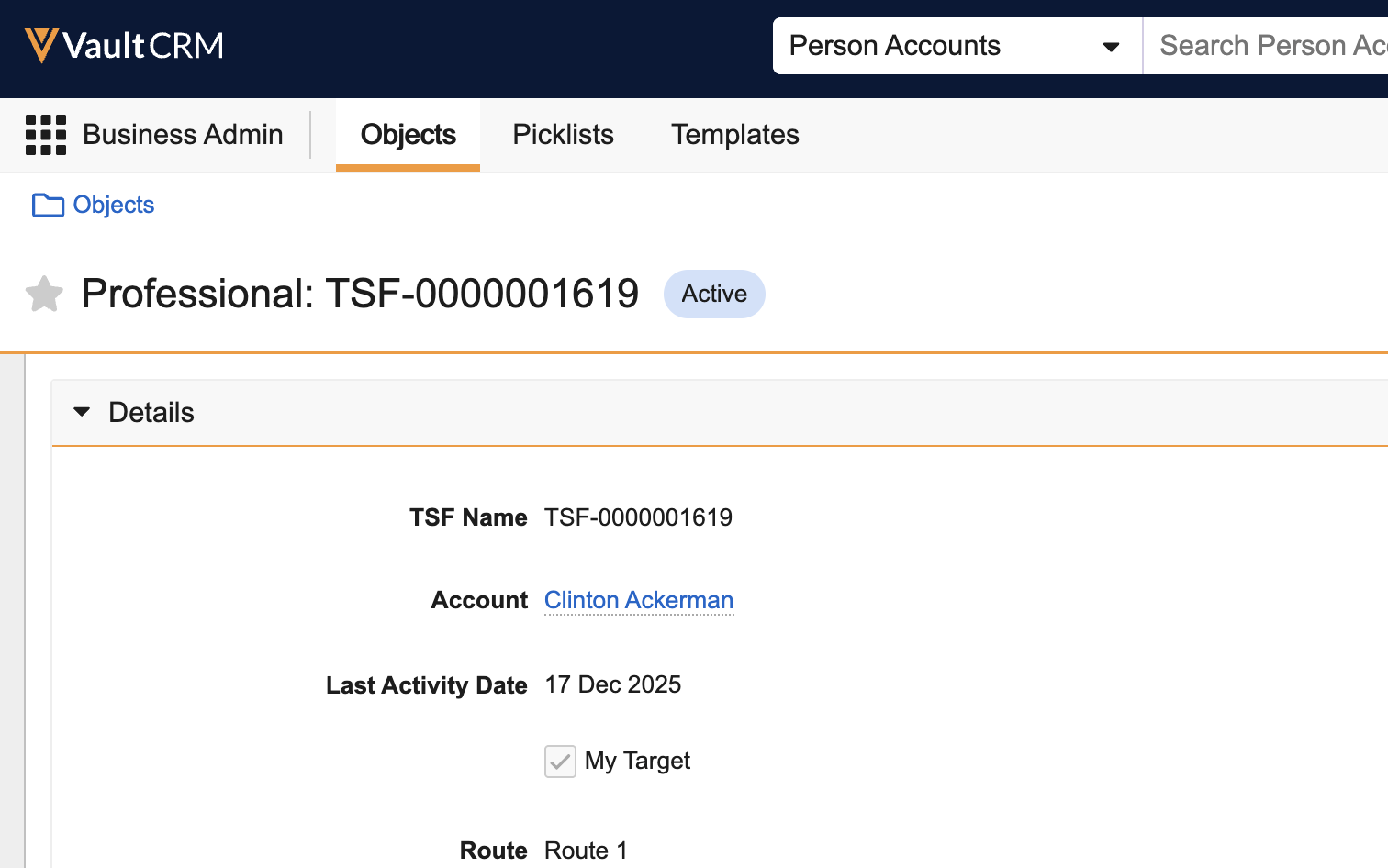
The last_activity_date__v field on tsf__v records displays the most recently saved or submitted call date for an account-territory combination, regardless of calendar year. |
|
|
Engage
|
Platform |
Description |
Before |
After |
|---|---|---|---|
|
Android, iPad, iPhone, Web |
After an HCP submits a meeting request in the appointment booking site:
|

|

|
|
Android, iPad, iPhone, Web |
The timezone of the requested date and time displays in the appointment booking site for HCPs. |

|

|
|
Android, iPad, iPhone, Web |
The Add to Calendar link and the Reschedule button display in the confirmation email sent to HCPs after end users accept meeting requests. |

|

|
|
Browser, iPad |
When HCPs submit a meeting request, the information in the notification email sent to the end user now displays in Who, When, and Meeting Type sections. |

|

|
|
iPad, iPhone |
For HCPs, the meeting controls menu at the bottom of the screen overlaps the bottom edge of CLM content when meeting hosts share content during an Engage meeting. |

|
|
|
iPad |
When a meeting host is disconnected from an Engage meeting, all HCP and user attendees are disconnected. Attendees can rejoin the meeting once the host reconnects. |
n/a |
n/a |


My Schedule
|
Platform |
Description |
Before |
After |
|---|---|---|---|
|
Browser |
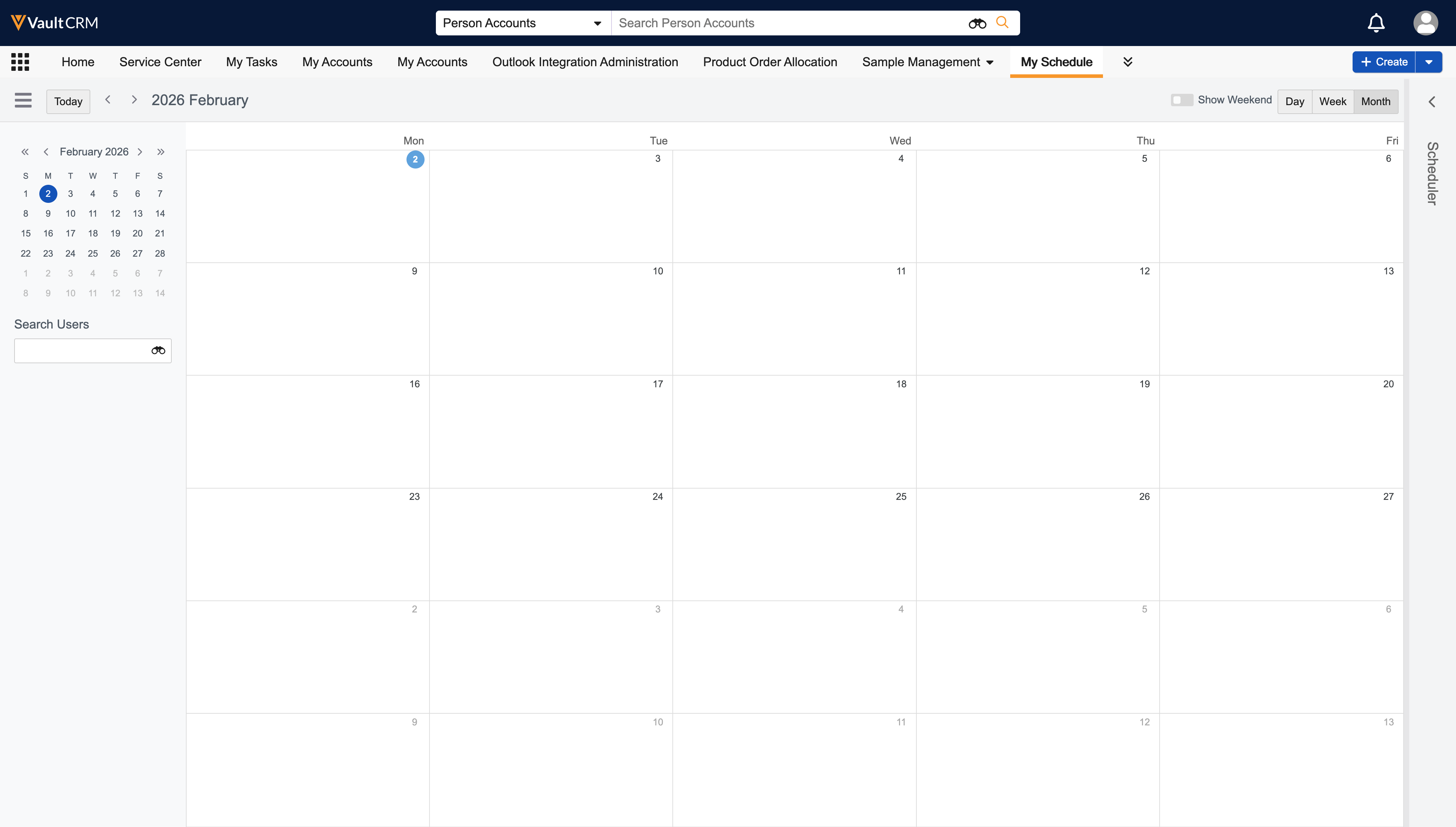
The month abbreviation now displays on the first day of each month. |
|
|
|
Browser |
On Google Chrome (Version 145) and Firefox browsers, the calendar column corresponding to the current date is highlighted in blue when the Today button is selected. This applies to Day, Week, and Month views. |
n/a |
|


Service Center
|
Platform |
Description |
Before |
After |
|---|---|---|---|
|
Browser |
As part of including Service Center in the Vault CRM license model, the Service Center tab now displays for users assigned the All Tabs configuration, typically only used by system administrators. |
|
|
|
Browser |
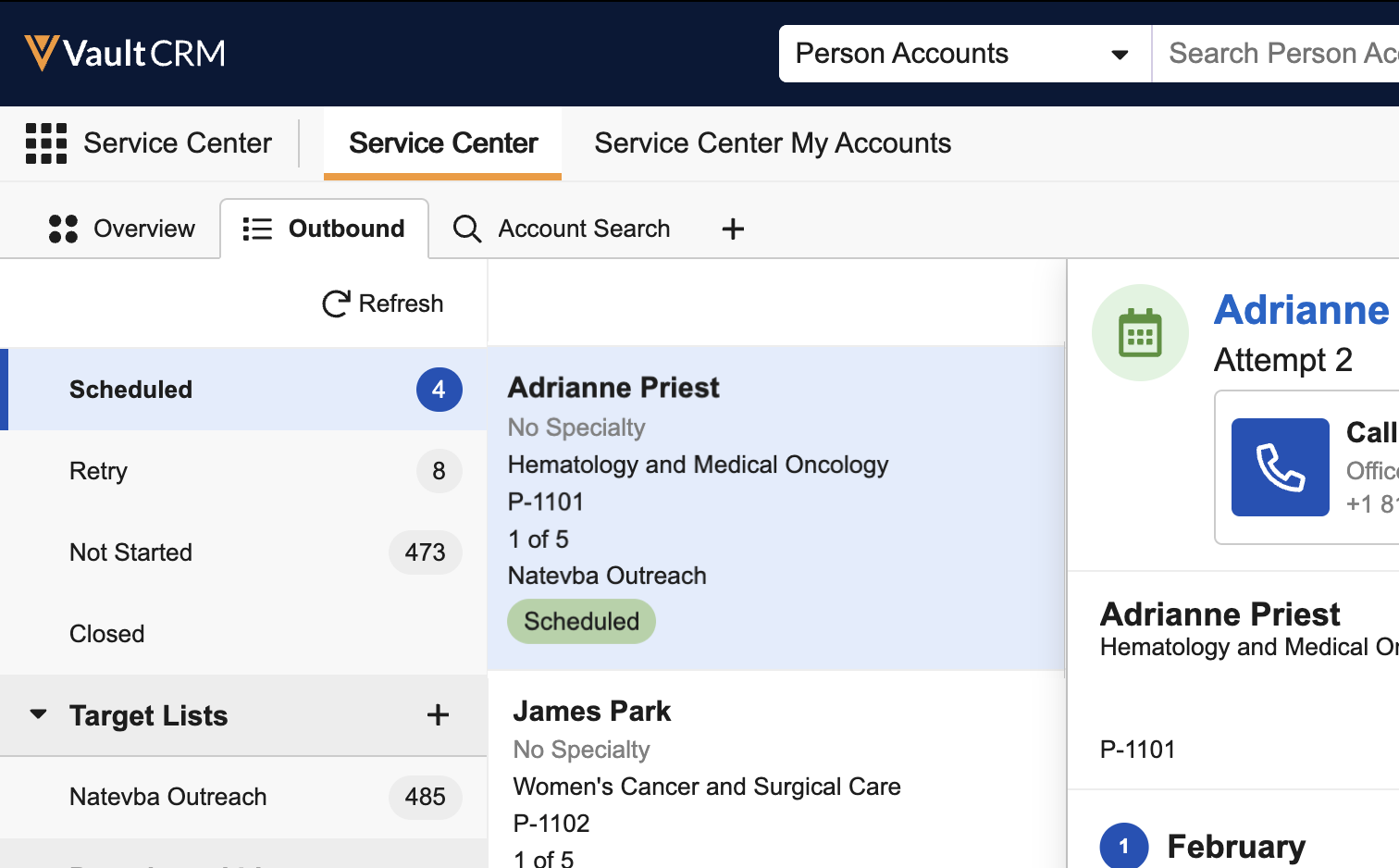
The Today’s Focus option now displays in the My Targets section on the Outbound tab. Completed target activities are automatically moved to the Done Today section of Today's Focus. |
|
|
|
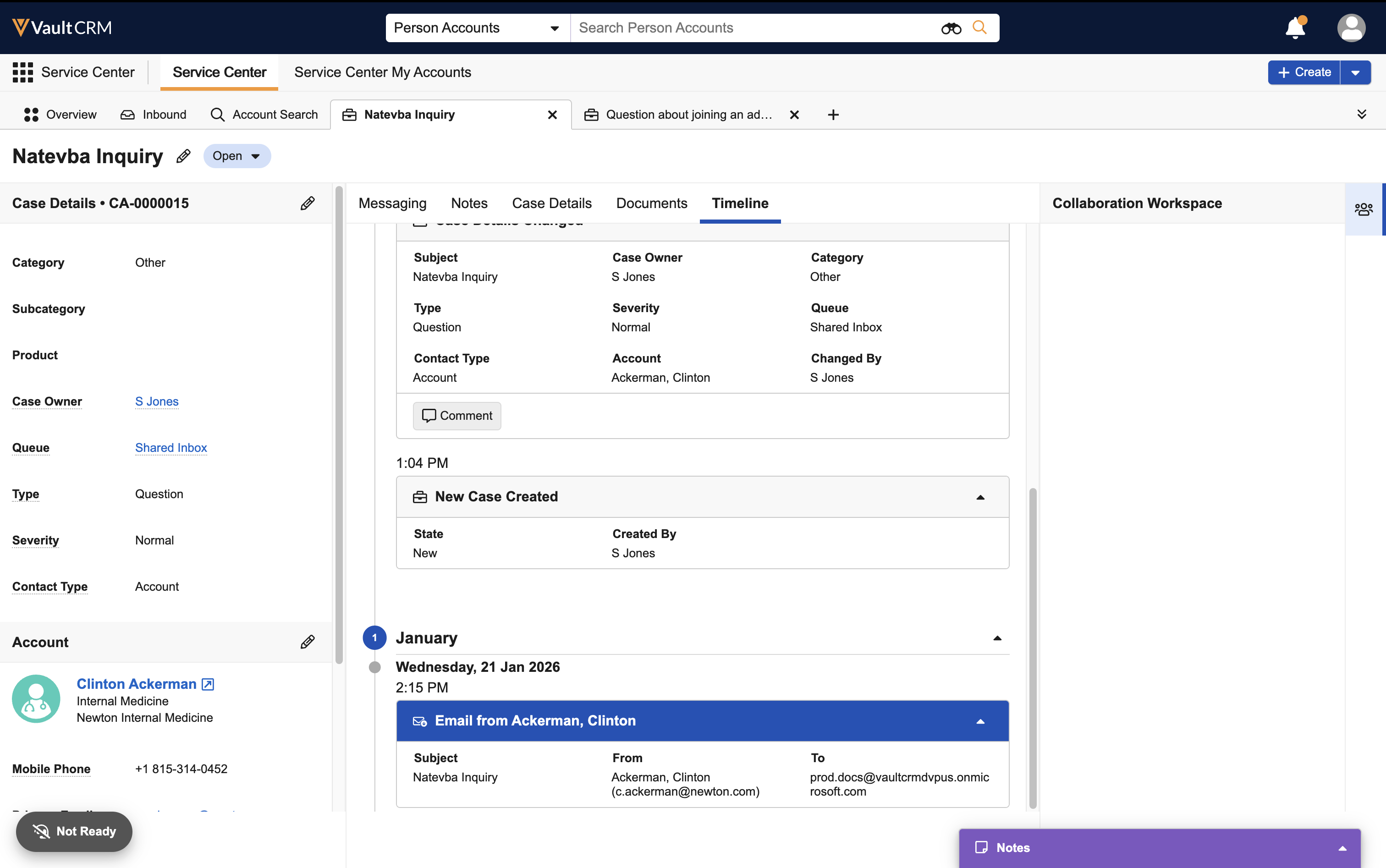
Browser |
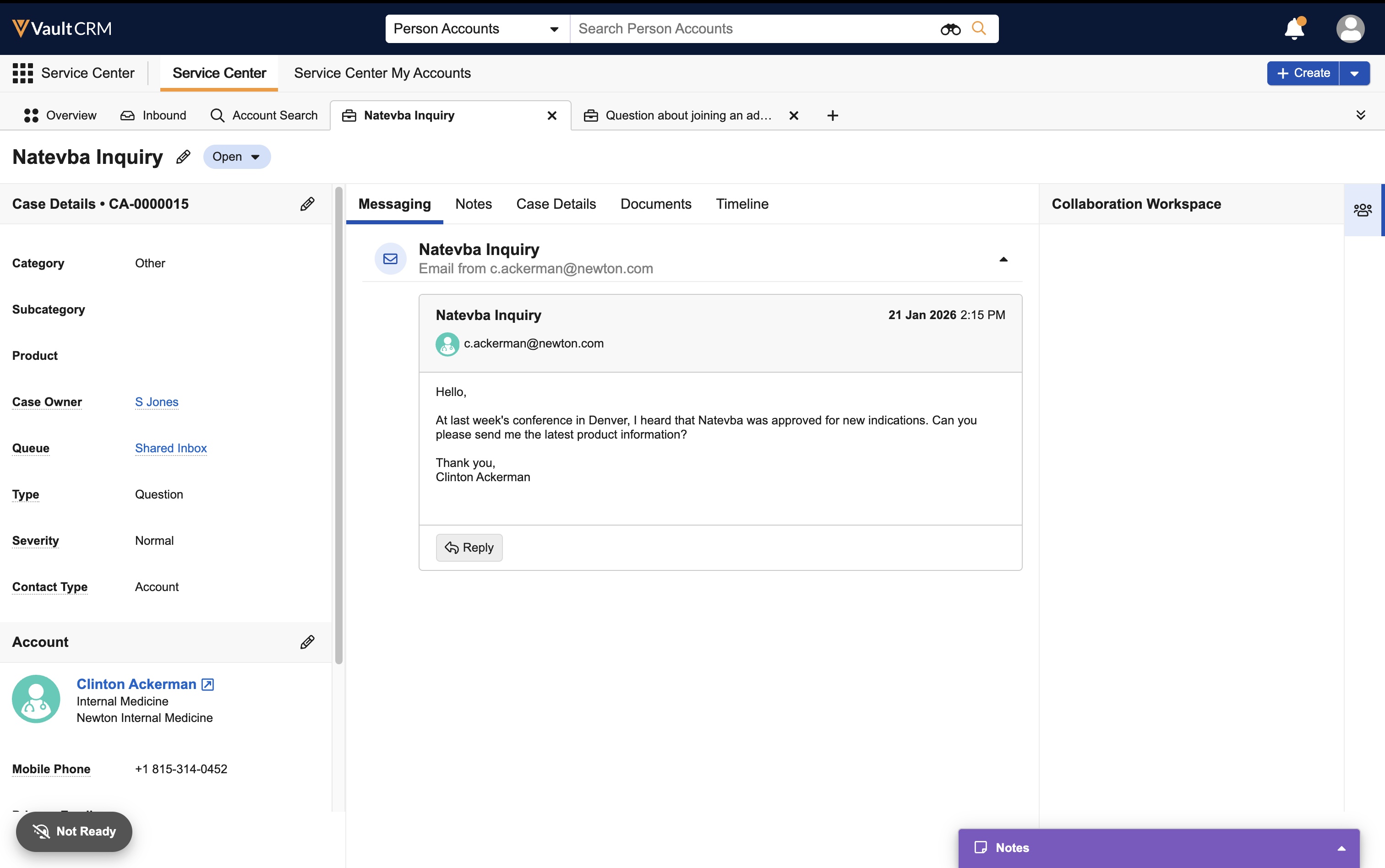
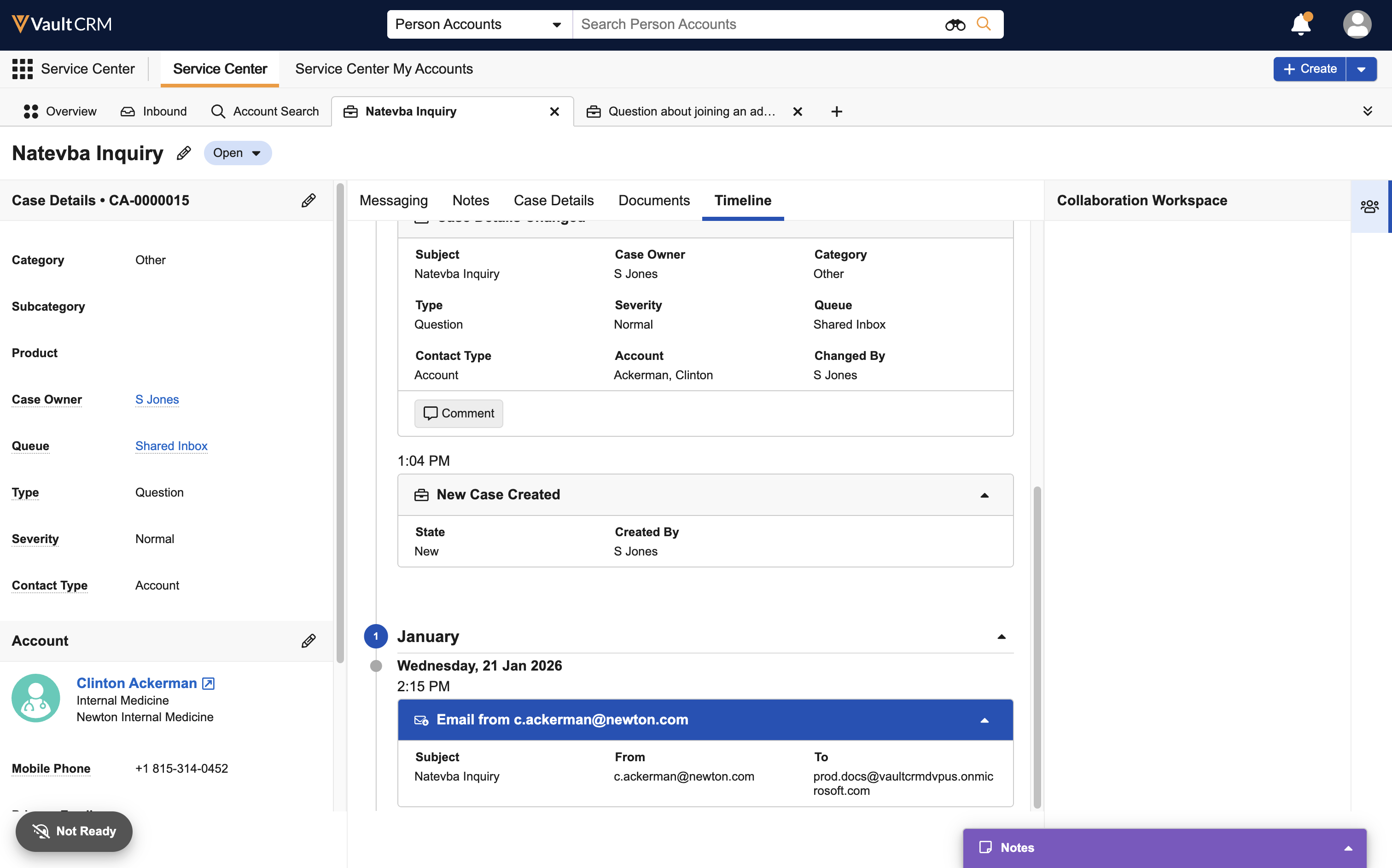
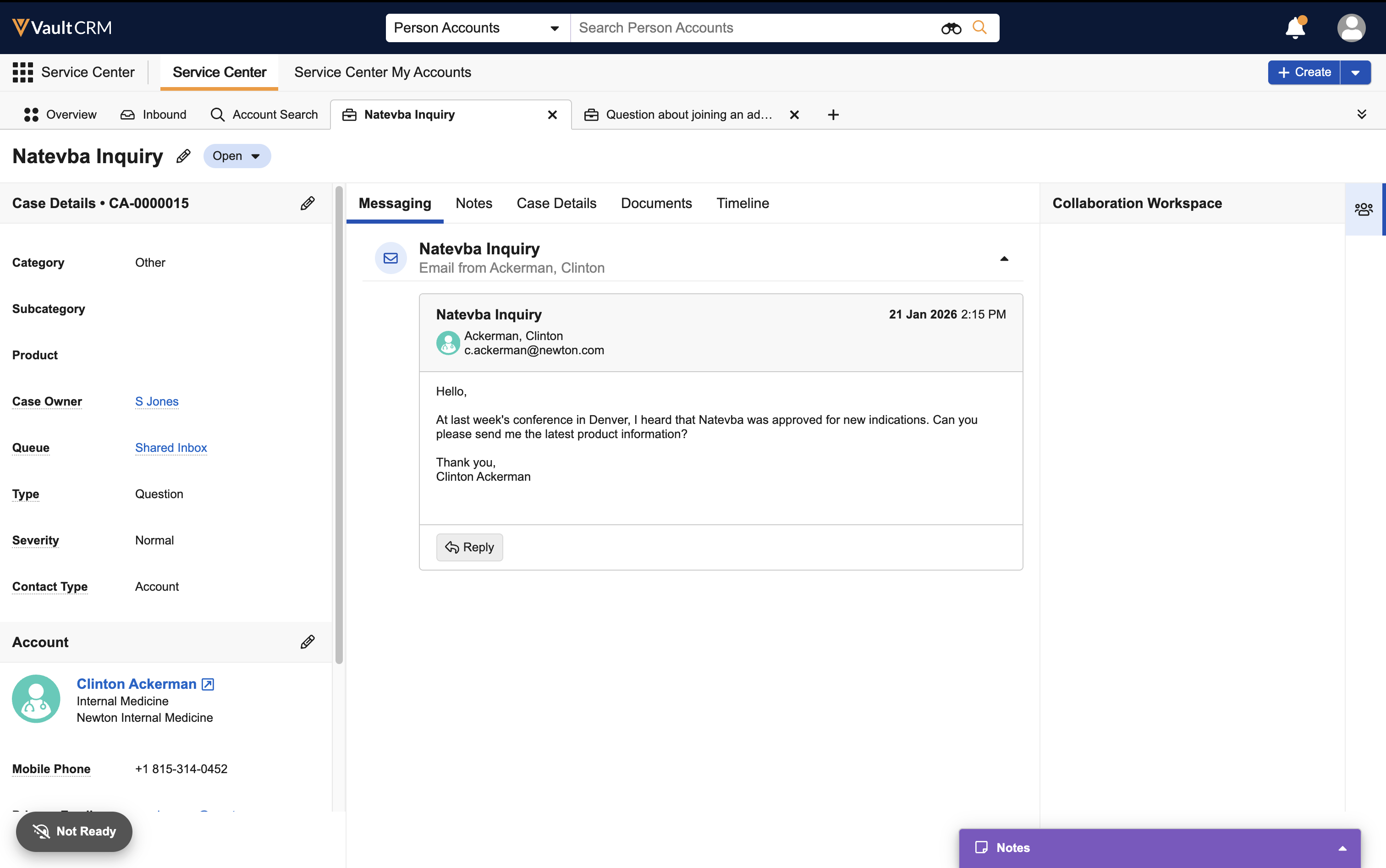
Service Center reps view the following enhanced account details and mailbox identification when managing cases:
|
|
|
|
Browser |
To improve Service Center administration:
|
n/a |
n/a |




Vault AI
|
Platform |
Description |
Before |
After |
|---|---|---|---|
|
iPad |
In the Call Text field on the call report, Agentic Text Monitoring highlights products which are either restricted or not allowed for the user. |
|
|
|
iPad |
When interpreting call context and regulations, Agentic Text Monitoring now considers the country and state associated with the call address. If a country and state are not available for the call report, the user’s country and state information is used instead. |
|
|


25R3.4 Feature Enablement and Availability
The following table provides an explanation of feature enablement and user impact.


*Parity items do not typically require configuration if you are using this functionality on another platform. In some cases, VMOCs must be enabled for the added platform.
New Objects
The table below contains all new objects added in Vault CRM 25R3.4.
|
Object Name |
Object Label |
Description |
|---|---|---|
| commercial_insight__v* | Commercial Insight | Stores Commercial Insights information. |
| tsf_yearly_activity__v | TSF Yearly Activity | Tracks TSF activities occurring within a calendar year. |
*Support for future functionality
New Fields
The table below contains all fields added in Vault CRM 25R3.4. The fields are organized by object.
|
Object |
Field Name |
Field Label |
Description |
Type |
|---|---|---|---|---|
| campaign__v | email_address_priority__v | Email Address Priority | Stores the object and field API names to determine the email address priority for Campaign Targets. Can be a comma delimited list. (i.e. account__v.email_cda__v, account__v.email_2__c) | String |
| commercial_insight__v* | account__v | Account | The account associated with the commercial insight. | Object |
| commercial_insight__v* | call2__v | Call | The call associated with the commercial insight. | Object |
| commercial_insight__v* | commercial_insight_status__v | Commercial Insight Status | Status of the record. | Picklist |
| commercial_insight__v* |
created_by__v |
Created By |
The user who created the record. |
Object |
| commercial_insight__v* |
created_date__v |
Created Date |
The date the record was created. |
Date |
| commercial_insight__v* | date__v | Date | The date the commercial insight was recorded. | Date |
| commercial_insight__v* | detail_group__v | Detail Group | The detail group associated with the commercial insight. | Object |
| commercial_insight__v* |
global_id__sys |
Global ID |
The record's global ID. |
Text |
| commercial_insight__v* |
id |
ID |
The record's ID. |
Text |
| commercial_insight__v* | insight__v | Insight | The text describing the commercial insight. | RichText |
| commercial_insight__v* |
link__sys |
Link |
The link associated with the record. |
Text |
| commercial_insight__v* |
mobile_id__v |
Mobile ID |
The mobile ID of the record. |
Text |
| commercial_insight__v* |
modified_by__v |
Modified By |
The user who last modified the record. |
Object |
| commercial_insight__v* |
modified_date__v |
Modified Date |
The date the record was last modified. |
Date |
| commercial_insight__v* |
name__v |
Name |
The record name. |
Text |
|
commercial_insight__v* |
owner_id__v |
Owner ID |
The ID of the record's owner. |
Object |
| commercial_insight__v* | product__v | Product | The product associated with the commercial insight. | Object |
| commercial_insight__v* | source__v | Source | The source of a commercial insight. | Picklist |
|
commercial_insight__v* |
status__v |
Status |
The status of the record. |
Picklist |
| commercial_insight__v* | summary__v | Summary | The summary of the commercial insight. Can be used to display as a title to identify commercial insights. | String |
| em_attendee__v | suggestion__v | Suggestion | Used to define the EM Attendee Suggestion record that was acted on when the Attendee record was created. | Object |
| em_attendee__v | suggestion_reason__v | Suggestion Reason | Reason from EM Attendee type Suggestion | Text |
| em_attendee__v | suggestion_title__v | Suggestion Title | Title from EM Attendee type Suggestion | String |
| mc_cycle_channel__v | aln_clone_source_mc_cycle__v | Clone Source (MC Cycle) | References the cloned MC Cycle record. | Object |
| mc_cycle_channel__v | aln_clone_source_mc_cycle_channel__v | Clone Source (MC Cycle Channel) | References the cloned MC Cycle Channel record. | Object |
| mc_cycle_product__v | aln_clone_source_mc_cycle__v | Clone Source (MC Cycle) | References the cloned MC Cycle record. | Object |
| mc_cycle_product__v | aln_clone_source_mc_cycle_channel__v | Clone Source (MC Cycle Channel) | References the cloned MC Cycle Channel record. | Object |
| mc_cycle_product__v | aln_clone_source_mc_cycle_product__v | Clone Source (MC Cycle Product) | References the cloned MC Cycle Product record. | Object |
| meeting_request__v | ics_uid__v | ICS Unique Identifier | This field stores the meeting ICS UID. | String |
| meeting_request__v | rescheduled_from__v | Rescheduled From | This field references the previous meeting request in a string of rescheduled requests. | Object |
| suggestion__v | em_event__v | Event | Used to define the Event for an EM Attendee type Suggestion | Object |
| suggestion__v | em_event_type__v | Event Type | Used to define the Event object type for an EM Attendee type Suggestion | String |
| suggestion_feedback__v | em_attendee__v | Attendee | Used to define the Attendee for an EM Attendee type Suggestion | Object |
| suggestion_feedback__v | em_attendee_id__v | Attendee ID | Used to define the Attendee ID for an EM Attendee type Suggestion | String |
| tsf__v | yearly_call_activity__v | Yearly Call Activity | This field displays a count of past-dated Saved and Submitted calls for the current calendar year. | Formula |
| tsf_yearly_activity__v | call_count__v | Call Count | This is the count of past-dated Saved or Submitted calls with a call date in the calendar year. | Number |
| tsf_yearly_activity__v |
created_by__v |
Created By |
The user who created the record. |
Object |
| tsf_yearly_activity__v |
created_date__v |
Created Date |
The date the record was created. |
Date |
|
tsf_yearly_activity__v |
external_id__v |
External ID |
The external ID of the record. |
Text |
| tsf_yearly_activity__v |
global_id__sys |
Global ID |
The record's global ID. |
Text |
| tsf_yearly_activity__v |
id |
ID |
The record's ID. |
Text |
| tsf_yearly_activity__v |
link__sys |
Link |
The link associated with the record. |
Text |
| tsf_yearly_activity__v |
modified_by__v |
Modified By |
The user who last modified the record. |
Object |
| tsf_yearly_activity__v |
modified_date__v |
Modified Date |
The date the record was last modified. |
Date |
| tsf_yearly_activity__v |
name__v |
Name |
The record name. |
Text |
| tsf_yearly_activity__v |
status__v |
Status |
The status of the record. |
Picklist |
| tsf_yearly_activity__v |
version |
Version |
The record version |
Text |
| tsf_yearly_activity__v | year__v | Year | This is January 1 of the calendar year during which these activities occurred. | Date |
*Support for future functionality
Removed Fields
The table below contains all fields removed in Vault CRM 25R3.4. The fields are organized by object.
|
Object |
Field Name |
|---|---|
|
outbound_target_activity__v |
target__v |
|
outbound_target_activity__v |
target_list__v |
|
product_metric__v |
aln_data_date__v |
|
product_metric__v |
aln_period_length__v |

