What's New in Vault CRM 26R2.3
This topic provides information about the Vault CRM 26R2.3 release, including important dates and release announcements.
All dates listed are subject to change.
Dates to Remember
- October 1, 2026 – Release Notes available
- October 8, 2026 – Sandbox Release
- October 15, 2026 – Production Release
Release Notes
The following items are now available:
- What's New in Vault CRM 26R2.3
- Announcements
- Core
- Vault AI in CRM
- Align
- Approved Email
- Campaign Manager
- Engage
- Events Management
- Service Center
- User Visible and Behavior Changes (UVCs)
- Additional Resources
- What's New in Patient CRM 26R2.3
- 26R2.3 Maintenance Notes
Announcements
Call Capture Agent for Agentic Call Report™
With the 26R2.3 release, Agentic Call Report™ uses the new Call Capture Agent instead of the Voice Agent. Data model elements are affected by this change; any elements using Voice Agent for call reporting now use Call Capture Agent. As part of this change, the ai_source__v field on the call2__v object is replaced by the call_capture_agent_used__v field. The ai_source__v field will be removed in a future release.
The switch to Call Capture Agent and the necessary permissions for the agent are automatically enabled with the 26R2.3 release. Admins do not need to make changes to configuration.
iOS 27 and Updated Device Support
Vault CRM supports the iPadOS and iOS 27 releases on iPad and iPhone. See Vault CRM for iOS for more information about supported devices.
Vault CRM supports standard iPad and iPhone aspect ratios. iPhone Duo is not supported.
Core
This release enhances what users see in the field and what admins manage behind the scenes. Account Planning becomes more efficient with a Formulary Matrix now available directly within the account plan, allowing Key Account Managers to identify competitive advantages across benefit plans without navigating between screens. On the sampling and product disbursement side, new per-user, per-product-group sample limits that give admins more granular control to prevent oversampling. Rounding out these updates, a Document Transfer Integration allows Vault CRM to reference approved PromoMats and MedComms content directly, so those Vaults remain the single source of truth.
Account Planning
Formulary Matrix from Account Plans - Available on Browser
Users can view the Formulary Matrix from a dedicated tab directly on account plans. This enables users to quickly identify advantages or disadvantages in competitor products across various benefit plans and provide relevant product information to the account targeted by the plan. Customers can also replace the default visualization with a custom account plan formulary page, without impacting the formulary page available from the accounts entry point.
Formulary Matrix Page Type for X-Pages - Available on Browser
A new Formulary Matrix page type is available in X-Pages Studio. Content creators can use this page type to view coverage and benefit design information for their accounts in real-time.
Call Reporting
Deleting Submitted Calls - Available on Browser
Admins can grant a single user the ability to delete calls after they are submitted and locked. By default, submitted calls are locked to prevent inadvertent deletions. However, some customers need to delete large numbers of calls for archiving purposes.
Recording Call Expenses in Multiple Currencies - Available on Browser, iPad, iPhone, and Windows
When multiple currencies are enabled for an organization, end users can capture call expenses in currencies other than their preferred currency. This enables users to accurately record their expenses, even if the appropriate currency is different from the default currency set for the user’s account.
Call Sampling
Sampling with Mid-level Practitioners - Now available on Browser
Some states allow mid-level practitioners, for example, nurse practitioners or physician assistants, to do certain types of patient care if they have a collaborative relationship with a supervising physician. Sampling with mid-level practitioners enables users to distribute samples to a broader range of eligible HCPs, and also enables users and organizations to track these collaborative relationships.
Sample Limits by User and Sample Product Group - Now available on Browser
Business Admins can now configure sample disbursement limits for specific users across designated product groups, reducing the need to maintain separate limits based on sample distribution channel, for example hand drop or ship to HCP. This results in real-time validation that prevents oversampling violations during calls.
CLM
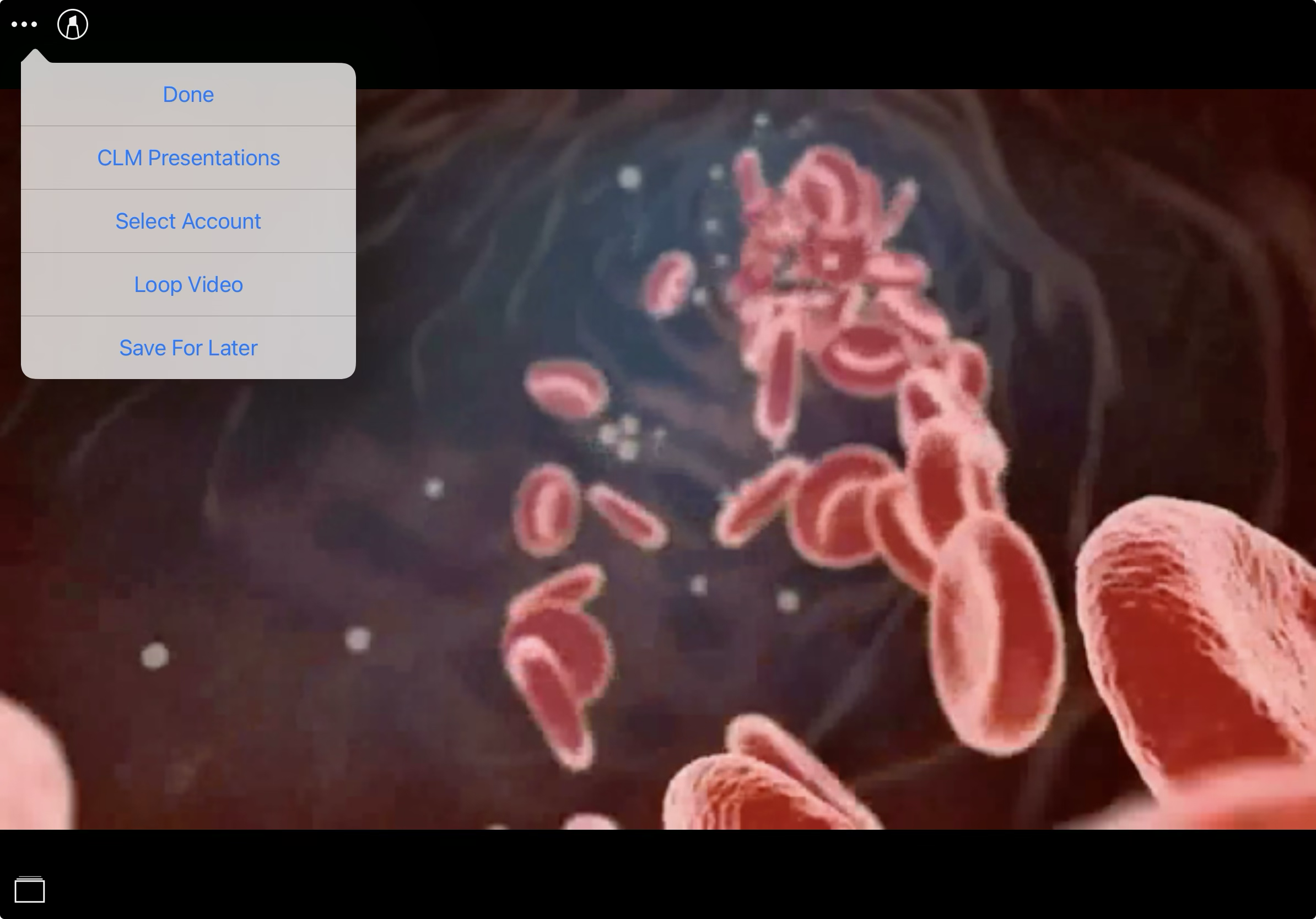
Continuously Playing CLM Video Slides - Available on iPad and iPhone
Users can set a CLM video to play continuously prior to speaker programs, luncheon meetings, and educational events to support passive audience engagement. Continuous video looping ensures video content plays seamlessly during pre-session setup, eliminating user intervention and preventing interruptions during account interactions.
Sharing CLM Content via Web Link - Now available on CRM Desktop (Mac)
CRM Desktop (Mac) users can now use social messaging apps to share links for CLM as Object Model content published in PromoMats/MedComms, including auto-published content, binders and slides, and custom presentations. Content accessed from a web link displays in the HCP Content Player. Any action the recipient takes on the link and any engagement with the content is tracked on Email Activity records, allowing admins to analyze engagement with specific presentations to improve CLM content.
Data Grid Loader
Clearing Field Values in the Data Grid Loader – Available on CRM Desktop (Windows)
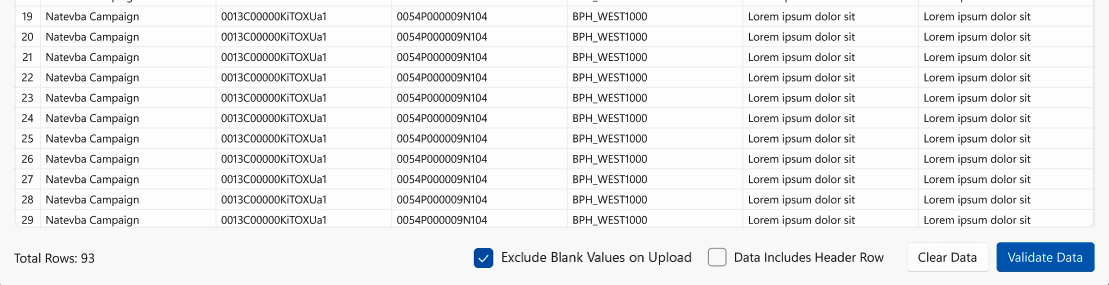
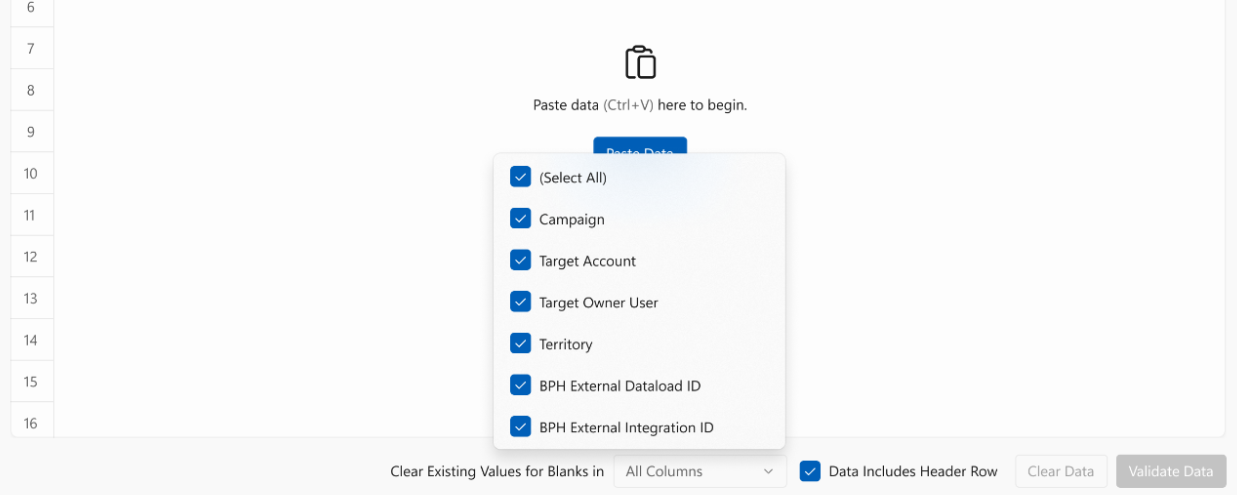
End users can now use the Data Grid Loader to select which fields treat blank cells as null values when uploading data. This enables end users to clear specific fields in a single upload without populating every other field with its current value, and without maintaining a separate template for each field that needs to be reset.
General
Support for OpenData 2.0 Hierarchy Fields - Available on Browser
Support for OpenData 2.0 hierarchy fields allows users to view the higher-level organizational structure above the immediate parent when viewing Account records in Vault CRM. This results in improved visibility into complex organizational structures. These changes are automatically available (no configuration required). See New Fields for more information.
OpenData 2.0 Picklist Updates - Available on Browser
Additional picklist values are available for the hco_type_local__v picklist in Vault CRM. These changes are automatically available (no configuration required). See Updated Fields for OpenData 2.0 Support for more information.
Security Tree Assignment with Full Data Sandbox Refresh - Available on Browser
Administrators can automatically load user assignment and security tree assignment records during full sandbox creation or refresh, resulting in ready-to-use sandboxes without the need for additional security configuration.
Integration
Document Transfer Integration from PromoMats/Medical Vault – Available on Browser
End users can reference Documents that are reviewed and approved in PromoMats and Medical Vaults directly in Vault CRM, without needing to access those Vaults, manually download and upload content, or build a custom integration. This feature enables PromoMats and Medical Vaults to remain the single source of truth for approved content, with a Document Transfer Integration that syncs content into Vault CRM for use in research, preparation, and interactions with HCPs.
Medical Inquiries
Users can now create medical inquiries for child accounts from a call report, allowing users to quickly create a Medical Inquiry while maintaining the relationship between the child account and the parent account.
Network MDM Integration
Admins can allow users to view addresses or child accounts of certain object types, but prevent users from creating new address or child account Data Change Requests (DCR) for those object types. This allows organizations greater control over how users create and view addresses and child accounts.
Order Management
Viewing Quantity and Free Good Totals for Deliveries - Now available on iPad
Users can now view the Quantity and Free Goods totals for deliveries on iPad.
X-Pages
Sort Order for X-Page Tabs - Available on Browser, iPad, and Windows
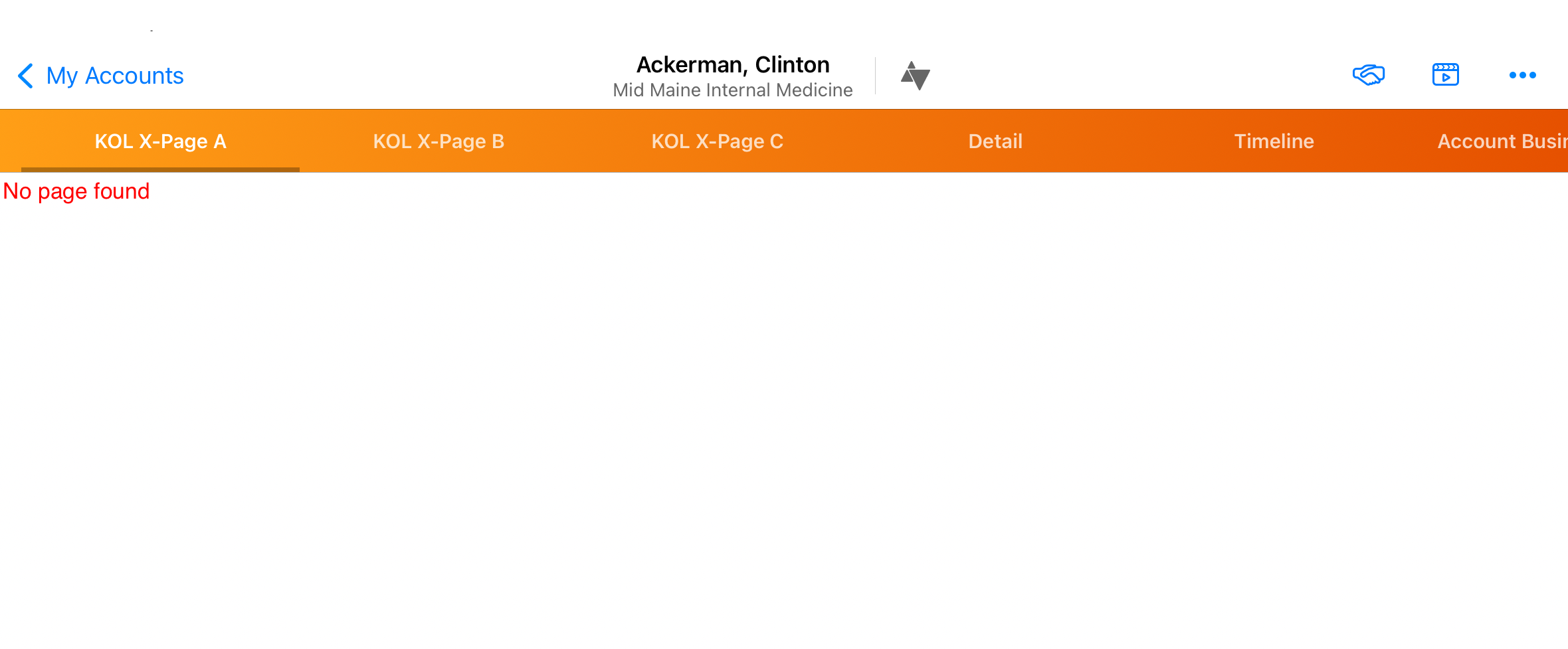
Admins can customize the order of X-Pages tabs when multiple tabs are present for an entry point to help users quickly find the information they need. Users with access to multiple Territory Default, Account Plan, Account Profile Override, or KOL X-Pages, can view all of them grouped in the leftmost tabs on the respective page sorted first by the new sort order field, then in alphabetical order.
viewRecord Support Across All Vault CRM Objects - Available on Browser
Content developers can now configure viewRecord actions for any Vault CRM object, expanding support from a predefined list of objects. Users with appropriate Read permissions are now navigated to the record’s standard detail page.
X-Pages Studio
Sort Order for X-Pages Tabs - Available on Browser
Content creators can set the display order for X-Pages tabs when multiple tabs are present for an entry point from X-Pages Studio.
viewRecord Support Across All Vault CRM Objects - Available on Browser
Content creators can now configure viewRecord actions for any Vault CRM object, expanding support from a predefined list of objects. Users with appropriate Read permissions are now navigated to the record’s standard detail page.
Vault AI in CRM
AI continues to advance the daily work of field teams this release. Agentic Call Capture replaces Agentic Voice as the dedicated mechanism for converting spoken words into structured call reports. Alongside it is a new capability, Agentic Insight Capture, which allows users to record field observations that are automatically mapped into Commercial Insights. This works in tandem with Agentic Insight Quality, which provides real-time feedback by checking each entry against configurable completeness rules prior to submission, improving the quality and depth of intelligence captured from the field. These gains extend into Conversational AI, where Commercial Insights now surface directly within responses, giving users access to industry trends, sentiment, and HCP context.
For administrators, a new Token Usage Dashboard provides visibility into token budgets, with daily metrics and monthly projections that support more predictable management of AI spend at scale.
Agentic Call Capture - Available on iPad and iPhone
Agentic Call Capture uses AI to convert your words into text, then intelligently maps that text to an Agentic Call Report™ in Vault CRM. This AI capability is solely dedicated to call reporting, replacing Agentic Voice for call reporting.
Agentic Insight Capture - Available on iPad and iPhone
Agentic Insight Capture uses AI to transform spoken Voice Notes into structured Vault CRM records. It operates on individual records or alongside Agentic Call Report™, where it evaluates dictated Call Voice Notes against Insight Definition Rules to automatically identify and extract relevant insights. By reducing manual data entry, Agentic Insight Capture empowers field teams to effortlessly capture rich, real-time intelligence that informs commercial strategy across the organization.
The following Agentic Insight Capture functionality is available:
Agentic Insight Quality for Commercial Insights - Available on Browser, iPad, and iPhone
AI-powered Agentic Insight Quality provides real-time feedback to help users submit complete, actionable insights, turning field observations into reliable data for stronger business intelligence. The agent intelligently checks users’ entries in the Insight field on Commercial Insights against configurable quality and completeness rules, and suggests specific improvements before submission.
Agentic Media for CLM as Document Model - Available on iPad and iPhone
Agentic Media now supports CLM as Document Model content. Agentic Media uses AI to help users quickly find information about products and access relevant media for HCP interactions, while CLM as Document Model leverages the built-in content capabilities of the Vault Platform for CLM content within Vault CRM. By combining these capabilities, customers can enable users to quickly find information about products and access relevant CLM content for HCP interactions, while leveraging core Vault platform capabilities for their CLM content.
Commercial Insights in Conversational AI (Early Adopter) - Available on iPad and iPhone
Commercial Insights are now included in Conversational AI responses and briefings if available, providing valuable information on industry trends, sentiment, and HCP behavior. This enables end users to plan more effective interactions and adapt their strategies based on real-world data, without leaving the Conversational AI interface.
Token Usage Dashboard - Available on Browser
Admins can use the Token Usage Dashboard to proactively monitor monthly AI token consumption against their token budget. From the AI Reporting tab, admins can track daily usage metrics, view monthly consumption projections, and inspect agent-level usage. This visibility allows organizations to monitor token usage over time, understand whether they are likely to remain within token budgets or exceed them, and plan accordingly.
Align
Align enables field forces to bridge the gap between their strategy and execution. The primary addition is Security Tree Management, which allows Align to maintain a security hierarchy in Vault CRM that mirrors the underlying territory structure. As users' territory assignments change, access to their records like Coaching Reports or Multichannel Cycle Plans can be updated automatically, eliminating the need for a separate security configuration.
Align Security Tree Management – Available on Browser
Align can now maintain a Security Tree in Vault CRM using a structure that mirrors the territory hierarchy within Align. Security Trees are a Vault Platform capability that enable customers to configure their own hierarchical security mechanism. While territory assignment controls access to accounts, the Align Security Tree controls record-level access to other objects that are relevant to a user's job, for example Time off Territory, Coaching Reports, or Multichannel Cycle Plans. This ensures that users have access to only those records that relate to themselves or their subordinates.
Country Specific Product Specialties – Available on Browser
To streamline Product Specialty creation, users can now define which specialties are applicable to a country. When Product Specialties are created in bulk, Product Specialty records are only generated if the specialty is among the selected values for the product’s corresponding country.
Updates to Profile During Territory Feedback – Available on iPad
End users viewing and updating account profile information can now view and edit goals for targets at specific locations via Location-Based Targeting.
Approved Email
Content creation is the standout story in Approved Email, with the introduction of Vault CRM Content Studio, a centralized workspace where content creators, admins, and agency partners can build Approved Email content together. Brand kits maintain consistent styling across every asset, and a built-in MCP integration allows teams to generate Approved Email templates through natural language requests in Claude, significantly reducing template turnaround time.
Vault CRM Content Studio
Content Studio Overview - Available on Browser
Content Studio is a centralized workspace for creating, managing, and deploying customer-facing digital assets. Content creators, administrators, and external agency partners use Content Studio to assemble Email Templates. The Content Studio workspace coordinates creative workflows with strict branding guidelines and deployment environments to lower content administration costs.
Creating Approved Email Content in Content Studio - Available on Browser
Content creators can use Content Studio to quickly and easily create, preview, test, and deploy Approved Email content. This feature replaces limited manual publishing workflows with an interactive, visual editor and automated Vault deployment tools, lowering the cost of content creation and administration within the Content Supply Chain.
Brand Kits in Content Studio - Available on Browser
Content creators can use brand kits to quickly and easily assemble, edit, and test customer-facing content with consistent brand styling across all channels. Brand kits enable content creators to define global typography settings, logos, supporting asset graphics, and a unified color palette, ensuring consistent style and tone wherever the content is used.
Content Studio MCP - Available on Browser
Content creators can generate Approved Email templates through natural language conversations in Claude using Content Studio’s Model Context Protocol (MCP), significantly reducing template creation time and accelerating content delivery.
Approved Email as Document Model
Displaying Approved Email as Document Model Activity on the Timeline – Available on Browser and iPad
Users using the Document Model of Approved Email can now use the Timeline view displays sent emails sent to an account as well as any email activities associated with that sent email. This enables end users to know which Approved Email content was recently sent to an account.
Using Approved Email as Document Model for Medical Events – Available on Browser
Users using the Document Model of Approved Email can now send Approved Emails to follow up on a Medical Event that occurred in the past. Content admins can create one or more Email Templates and use tokens to reference details from the referenced Medical Event.
Approved Email as Object Model
Formatting Tokens to Display Date and Time - Now Available on Windows
Content creators can edit Approved Email tokens that reference dates and times to specify their own datetime format. This expands flexibility when creating content that may reference dates and times in multiple ways and ensures end users view dates and times in their organization’s desired format.
Hiding Approved Email Content – Now available on Windows
To hide certain Approved Email content from end users, content creators can select the Hide from CRM Library (crm_hidden__v) field on Email Templates and Email Fragments when creating content in PromoMats / MedComms. When the content syncs to Vault CRM, this field maps to the hidden__v field, causing that Email Template or Fragment to not display in the Send Email screen when users compose Approved Emails on Windows.
Adding Tokens to Template Fragments and Added Token Support– Now available on Windows
Tokens included in template fragments now display when viewing and previewing Approved Emails on Windows. Additionally, the following tokens are now supported on Windows:
- {{insertCallSample}}
- {{insertMedicalInquiry}}
- {{insertOrderLine}}
Using the newRecord() Method to Create and Send Approved Emails – Now available on Windows
Windows users can now use the newRecord() method on X-Pages to create and send Approved Emails.
Campaign Manager
Campaign Manager's focus this release is precision. A notable addition is the new Insight-type Field Action, which allows marketers to share relevant HCP engagement information with users without prescribing a specific response. This complements improved Field Action performance exports, which now capture every suggestion generated for a campaign rather than only those users acted on, providing marketing teams with a more complete picture of engagement. On the targeting side, filter previews and searchable fields in the Target List Builder make it faster to build accurate segments and identify errors before a list goes live.
Sending Insight Suggestions in Campaign Manager – Available on Browser
Marketing users can share information with end users without prescribing a specific action using the new Insight type for the Field Action channel. This gives marketing teams a way to surface HCP engagement to end users without requiring a specific action or channel to use when following up with targets.
Improved Configuration for Field Actions - Available on Browser
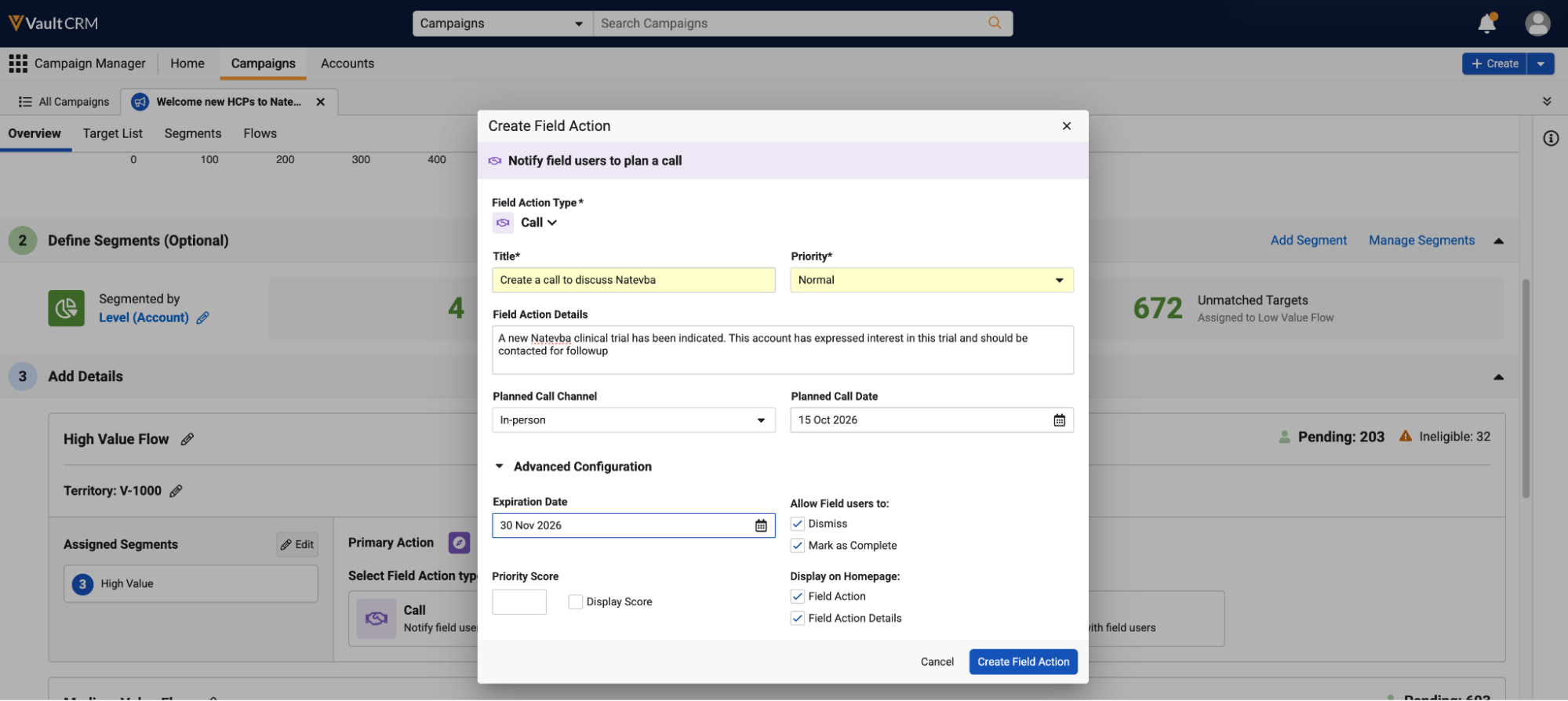
Marketing users have greater control and flexibility when creating Field Actions with the new Advanced Configuration section, and several fields that were previously required are now optional. They can set a priority score that controls suggestion display order for end users, and choose which actions, such as dismiss and mark as complete, end users can take on each suggestion.
Improvements to Exporting Field Action Performance - Available on Browser
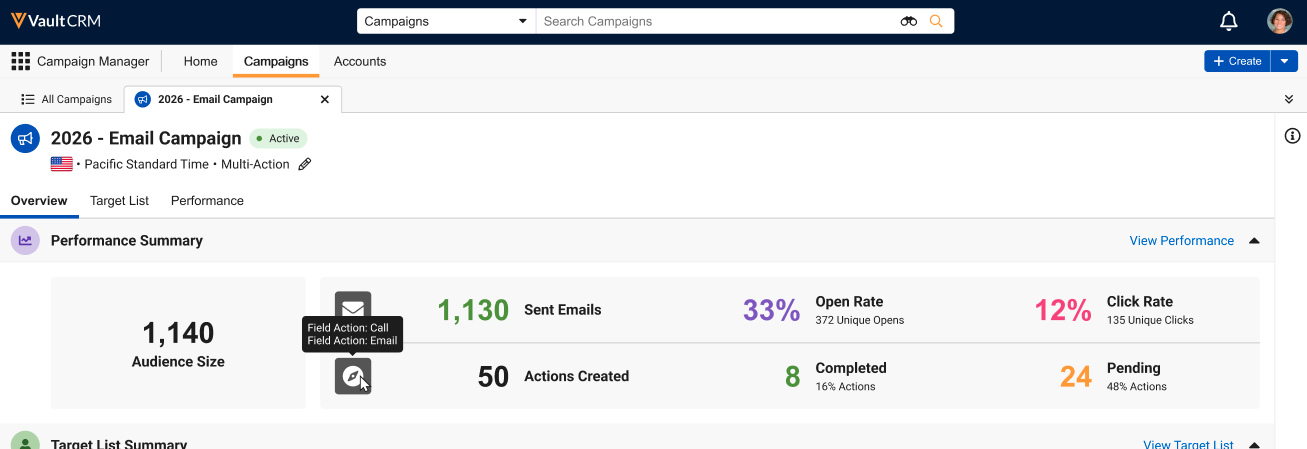
Marketing users can see how many Field Actions a campaign created and how many are still waiting for a response from end users, both in the Performance Summary section and in the Performance export. The export now includes every suggestion created for the campaign, not only those end users acted on, along with each suggestion’s configuration settings.
Previewing Filters in the Target List Builder – Available on Browser
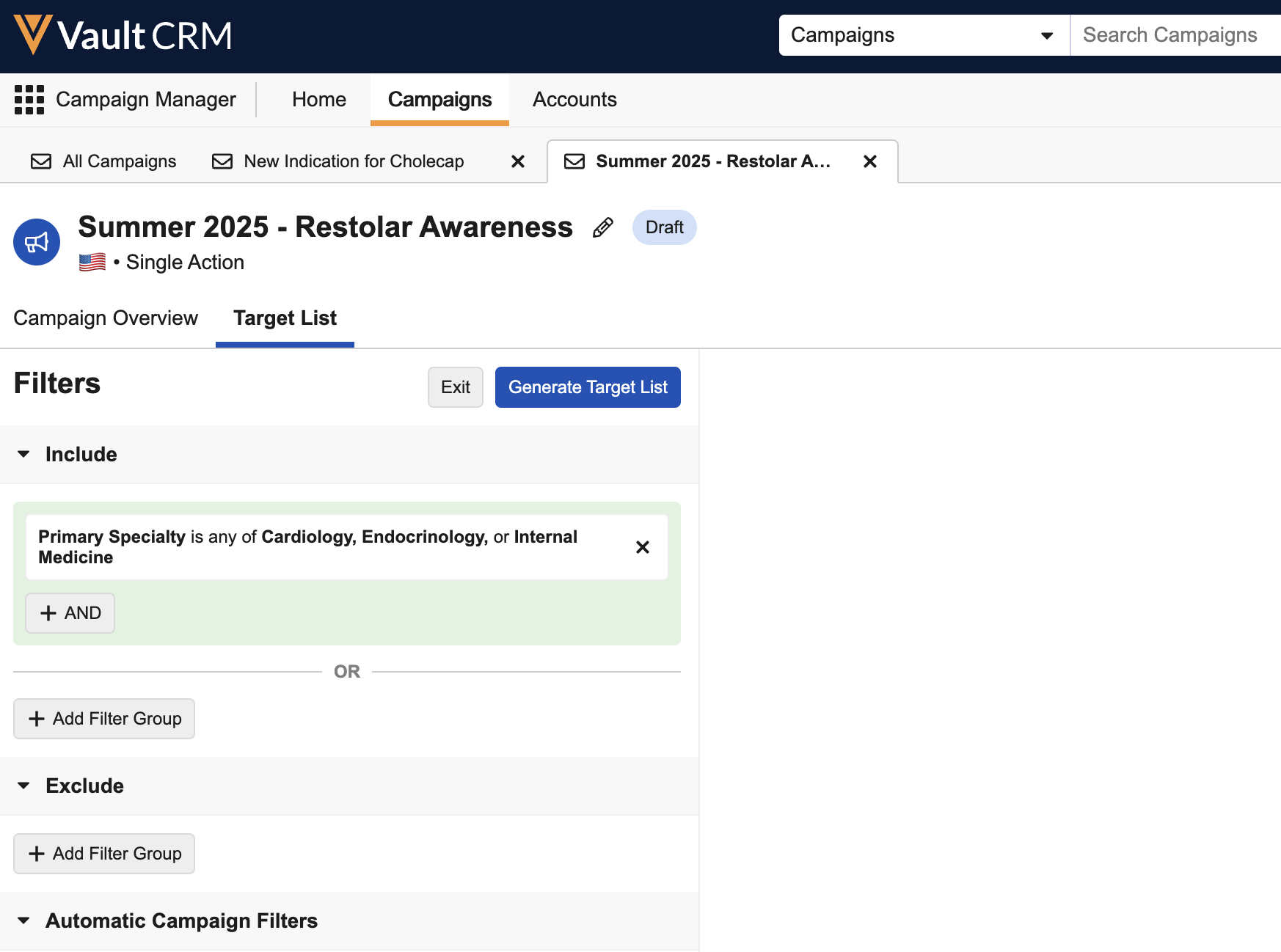
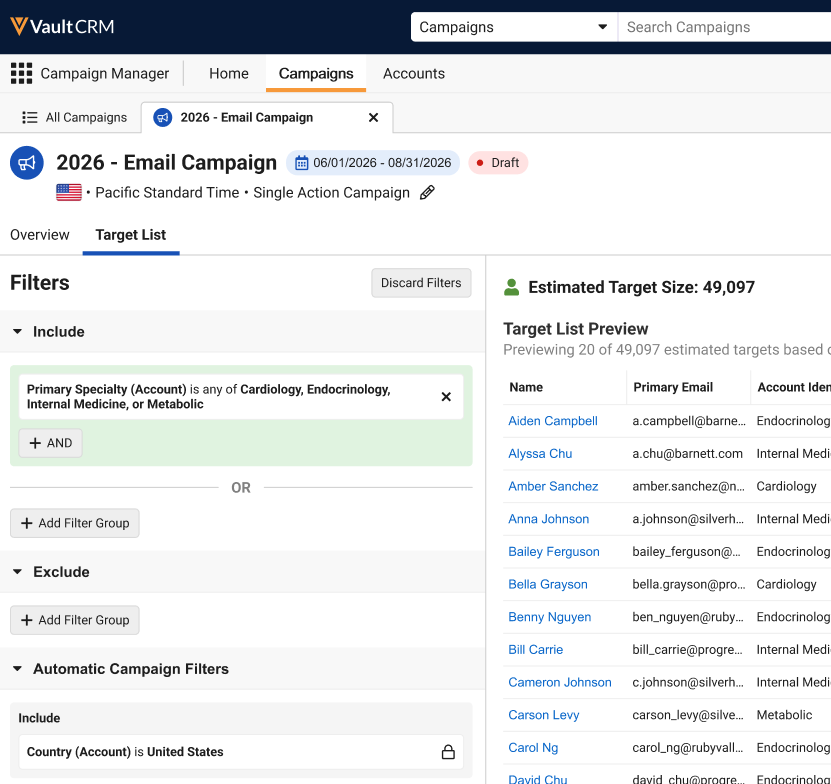
Marketing users can view a preview of their applied filters to ensure their filters are including and excluding the appropriate accounts before generating a target list from the filters.
Searching for Fields in the Target List Builder – Available on Browser
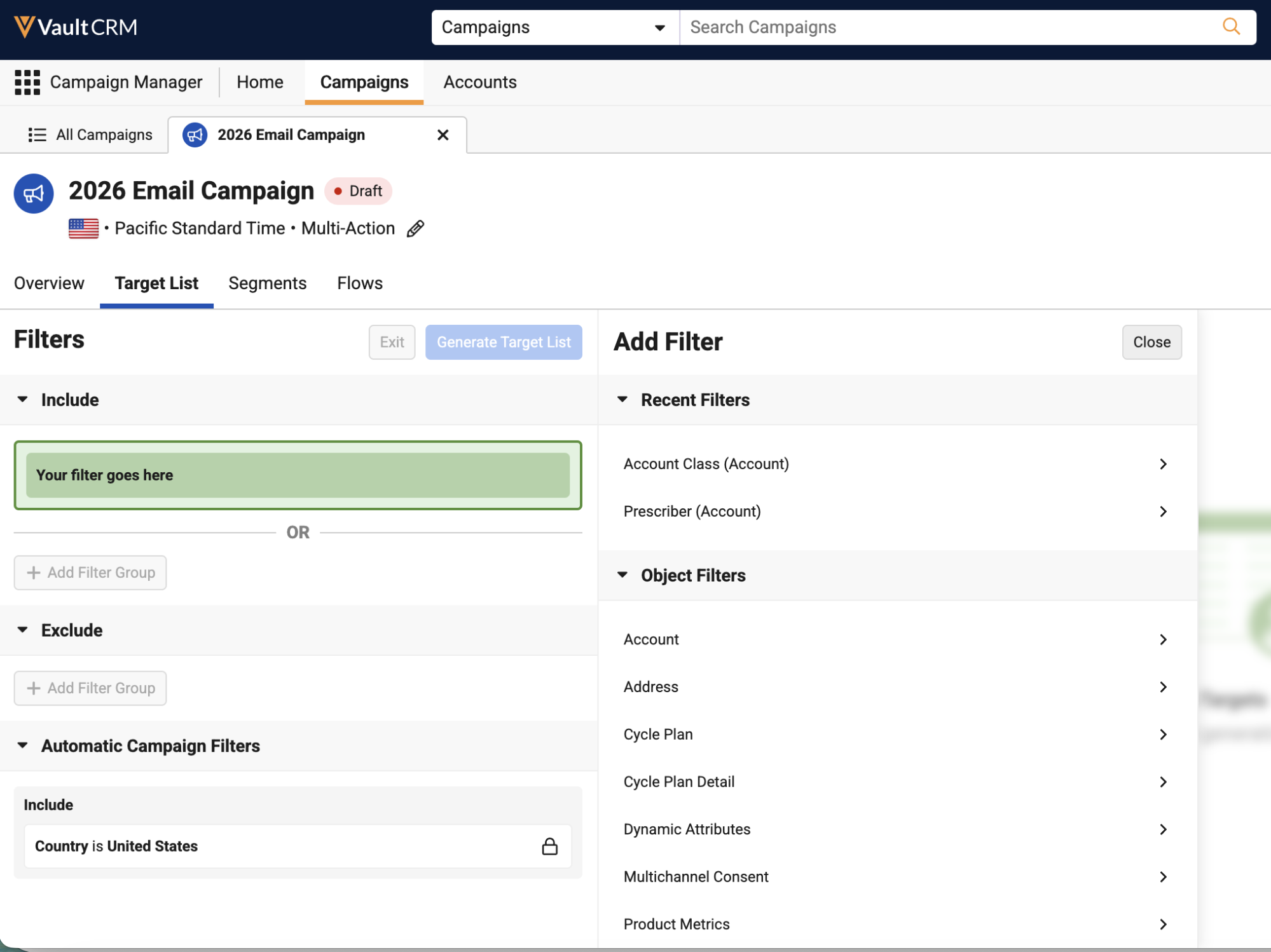
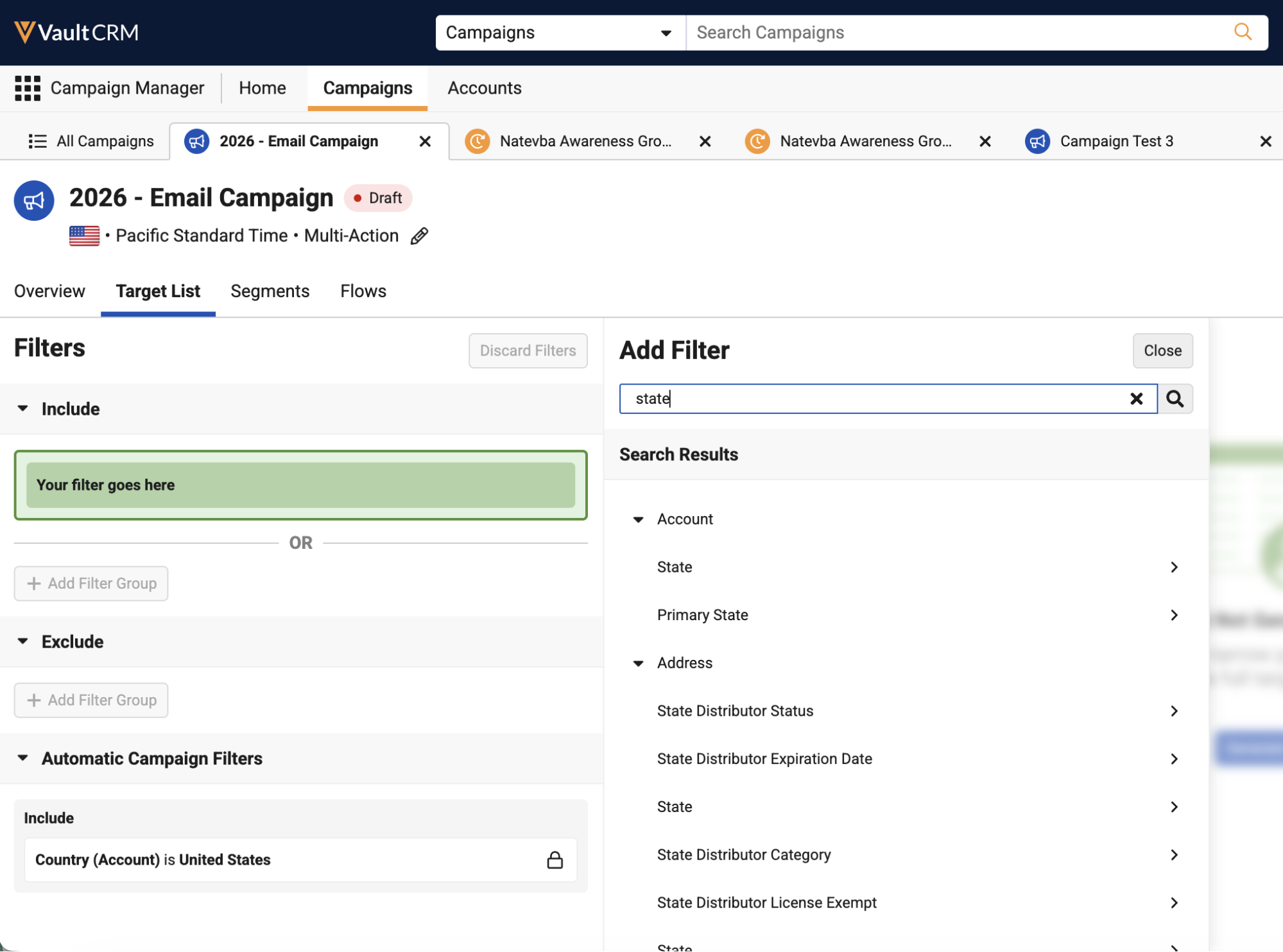
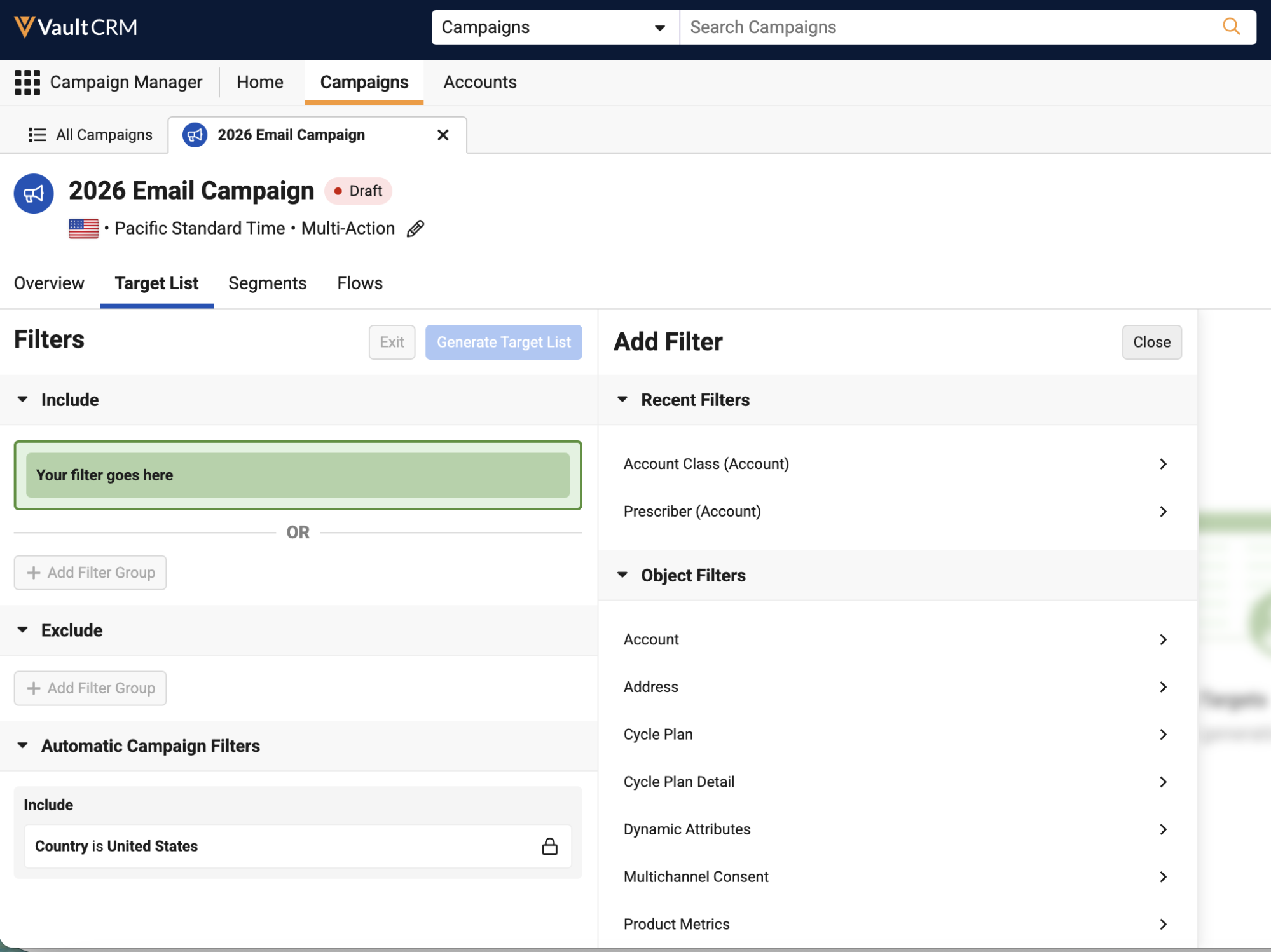
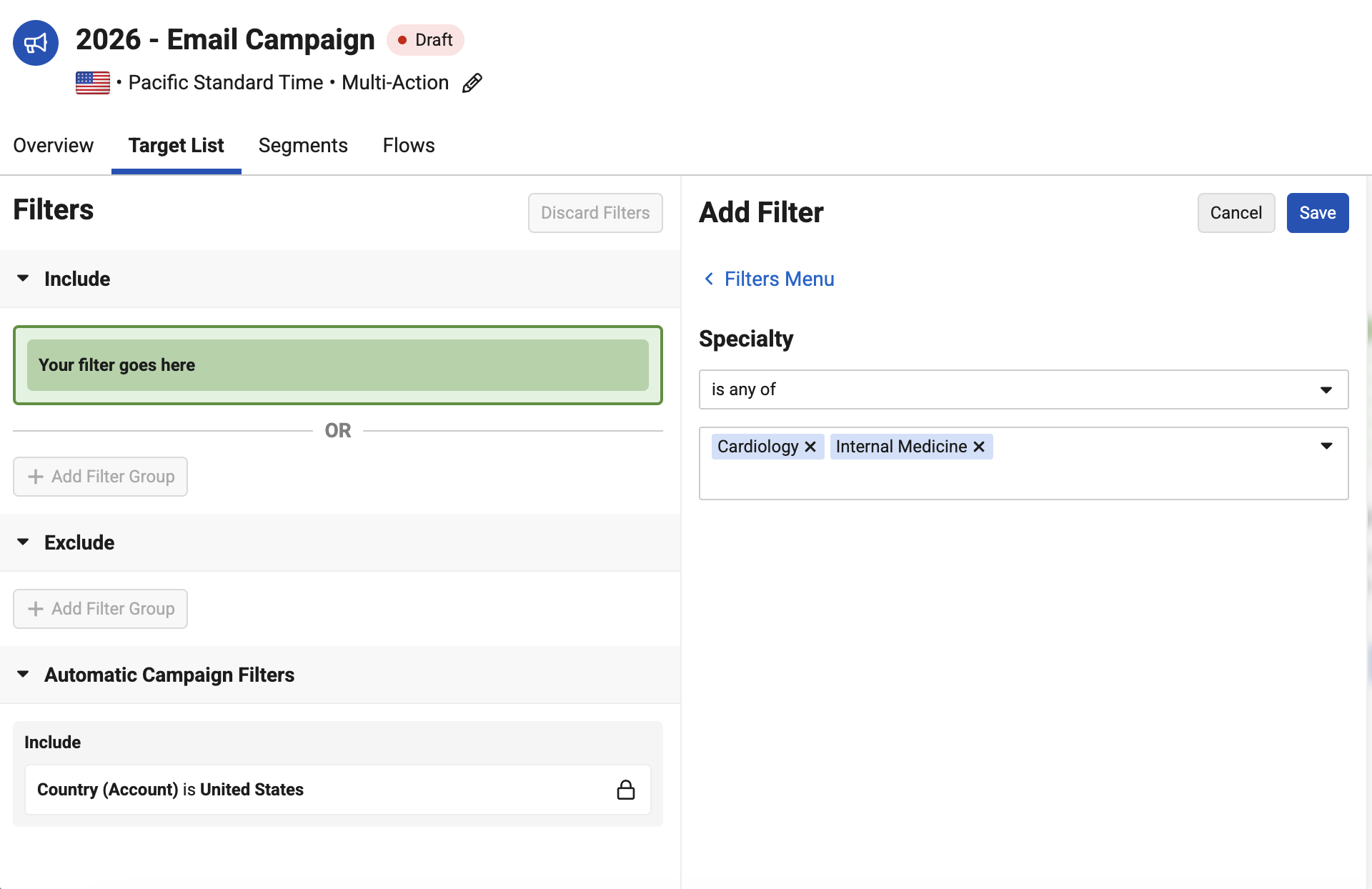
To quickly identify fields to filter on in the Target List Builder, marketing users can now easily search for and select fields across all configured objects.
Updates to Adding Targets to Journeys with APIs – Available on Browser
Customers can now use their custom-defined external ID fields on the account__v object to match targets when adding them to journeys via API. This makes it easier to add targets from external systems. Additionally Target Loader records can now be created in Vault CRM through automation, Business Admin, or Vault Loader to add targets to journeys.
Engage
Engage extends its remote and asynchronous capabilities, most notably by bringing Share Link (Sign Later) remote signatures for BRC samples to Windows. This addition offers real practical value: HCPs can now provide their signature for a BRC sample transaction at their convenience, combining flexibility with the speed and traceability of a digital signature.
End users can send asynchronous remote signature requests for BRC samples, allowing HCPs to provide remote signatures for BRC samples at their convenience. This provides the flexibility of paper-based sampling with the speed, accuracy, and accountability of remote signature capture.
WhatsApp Business Messaging in Vault CRM - Available on iPad and iPhone
The WhatsApp Button Text fields on WhatsApp Message Templates have been updated to match Meta's new limit of 40 characters.
Events Management
Events Management continues to reduce administrative overhead while introducing new outreach channels. The most notable addition is Budget Territory Sharing, which automates event budget visibility based on territory hierarchy, so access updates automatically as assignments and alignments change, rather than requiring admins to manage sharing rules manually.
Approved Email as Document Model also arrives in Events Management, allowing email templates to automatically match events based on document metadata such as country, product, and topic. Additionally, for events with a single host on site, Zoom's alternative host feature ensures virtual sessions can proceed smoothly if another team member needs to step in.
Budget Territory Sharing - Available on Browser, iPad
Budget Territory Sharing enables users to grant event budget access based on organizational territory hierarchies. This functionality automates record access by evaluating assigned territories on a budget and ensuring budget visibility updates when territory alignments or user assignments change.
Alternative Hosts for Zoom Virtual Events - Available on Browser and iPad
Designated team members can now act as alternative hosts in Zoom® enabled virtual events when end users specify virtual roles for event team members. This ensures virtual events can be started, managed, and hosted seamlessly by team members in case the primary host is not available.
Approved Email as Document Model in Events Management - Available on Browser and iPad
Approved Email as Document Model in Events Management allows customers to leverage the built-in document capabilities of Vault Platform for Approved Email templates. This allows email templates to automatically match events using document metadata attributes including Country, Product, Event Configuration, and Topic.
Event Program Type Added for Event Business Rules - Available on Browser and iPad
The Event Program Type field is now available for Event Business Rules. Business Admin Users can use the Program Type field to enforce Attendee Rules, Expense Limit Rules, and Speaker Rules, as well as dynamically filter the available picklist options for Expense Estimates.
The Program Type field and its evaluation logic apply to the following business rules:
- Attendee Rules
- Per Attendee Attendance Limit Rules
- Cross-Event Per Attendee Attendance Limit Rules
- Meal Opt-In Attendance Limit Rules
- Cross-Event Meal Opt-In Attendance Limit Rules
- Per Event Attendance Limit Rules
- Attendee Restricted Products Rule
- Expense Estimate Rules
- Expense Estimate Meal Rule
- Expense Estimate Speaker Travel Rule
- Expense Estimate Speaker Lodging Rule
- Expense Estimate AV Equipment Rule
- Expense Estimate Flat Fee Rule
- Expense Estimate Event Speaker Rate Rule
- Expense Limit Rules
- Per Event Expense Limit Rule
- Per Event Attendee Expense Limit Rule
- Per Event Speaker Expense Limit Rule
- Attendee Expense Cap Rule
- Cross-Event Attendee Expense Cap Rule
- Speaker Rules
- Per Speaker Engagement Limit Rule
- Cross-Event Per Speaker Engagement Limit Rule
- Per Event Speaker Ratio Rule
- Per Event Speaker Limit Rule
- Speaker Attendance By Expense Cap Rule
- Speaker Attendance Product Cap Rule
- Speaker Attendance Qualification Rule
WhatsApp Business for Events Management - Available on iPad
The WhatsApp Button Text fields on WhatsApp Message Templates have been updated to match Meta's new limit of 40 characters.
Service Center
Service Center adds an important compliance safeguard: Phone Call Consent for outbound targets. Before connecting an outbound call, Service Center can now be configured to verify that the target has provided consent for phone calls. It's a small addition that meets an important compliance need for organizations doing outbound phone outreach.
Phone Call Consent with Outbound Targets - Available on Browser
Phone Call consent allows Service Center to verify an outbound target’s consent before connecting the call, preventing unwanted calls to target accounts. If an outbound target has opted out or lacks phone call consent, Service Center does not attempt to call the target.
User Visible and Behavior Changes (UVCs)
Most new functionality requires some configuration, however users are able to use the following functionality immediately. Select the thumbnail to view a larger image.
Account Planning
|
Platform |
Description |
Before |
After |
|---|---|---|---|
| iPad | Action Items on call reports now reference the Global Veeva Setting for the Account Plan Object Hierarchy, bypassing any profile-level Application Profile settings. Previously, profile-specific Veeva Settings were evaluated if assigned. | n/a |
n/a |
Business Events
|
Platform |
Description |
Before |
After |
|---|---|---|---|
| Browser |
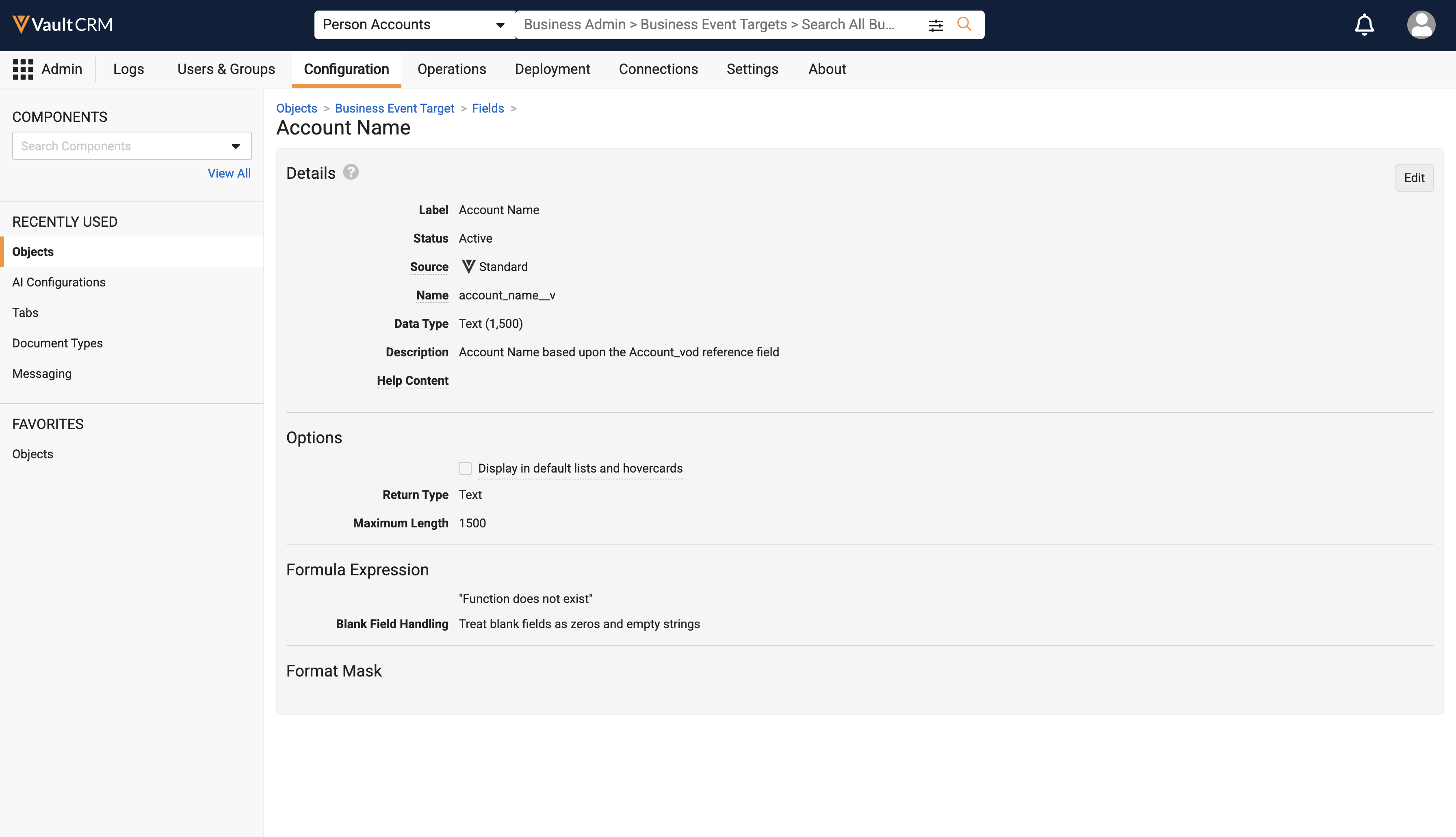
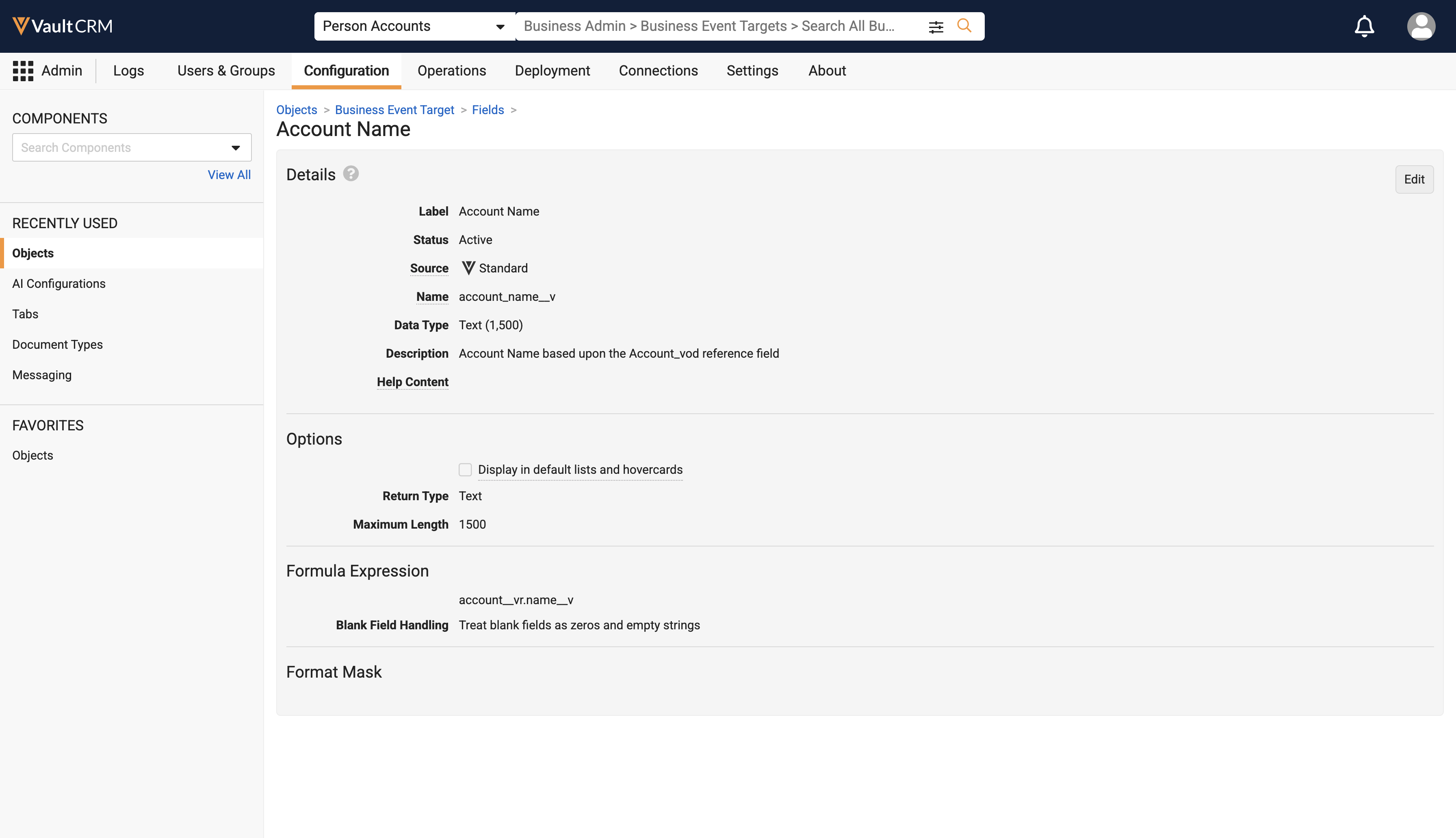
The default formula for the Account Name field on the Business Event Target object is now updated to reference account__vr.name__v. This ensures the field displays the associated account's name. This update only applies to Vaults currently using the out-of-the-box formula. If the formula for account_name__v is modified or customized, the formula is not overwritten. |
|
|
Call Reporting
|
Platform |
Description |
Before |
After |
|---|---|---|---|
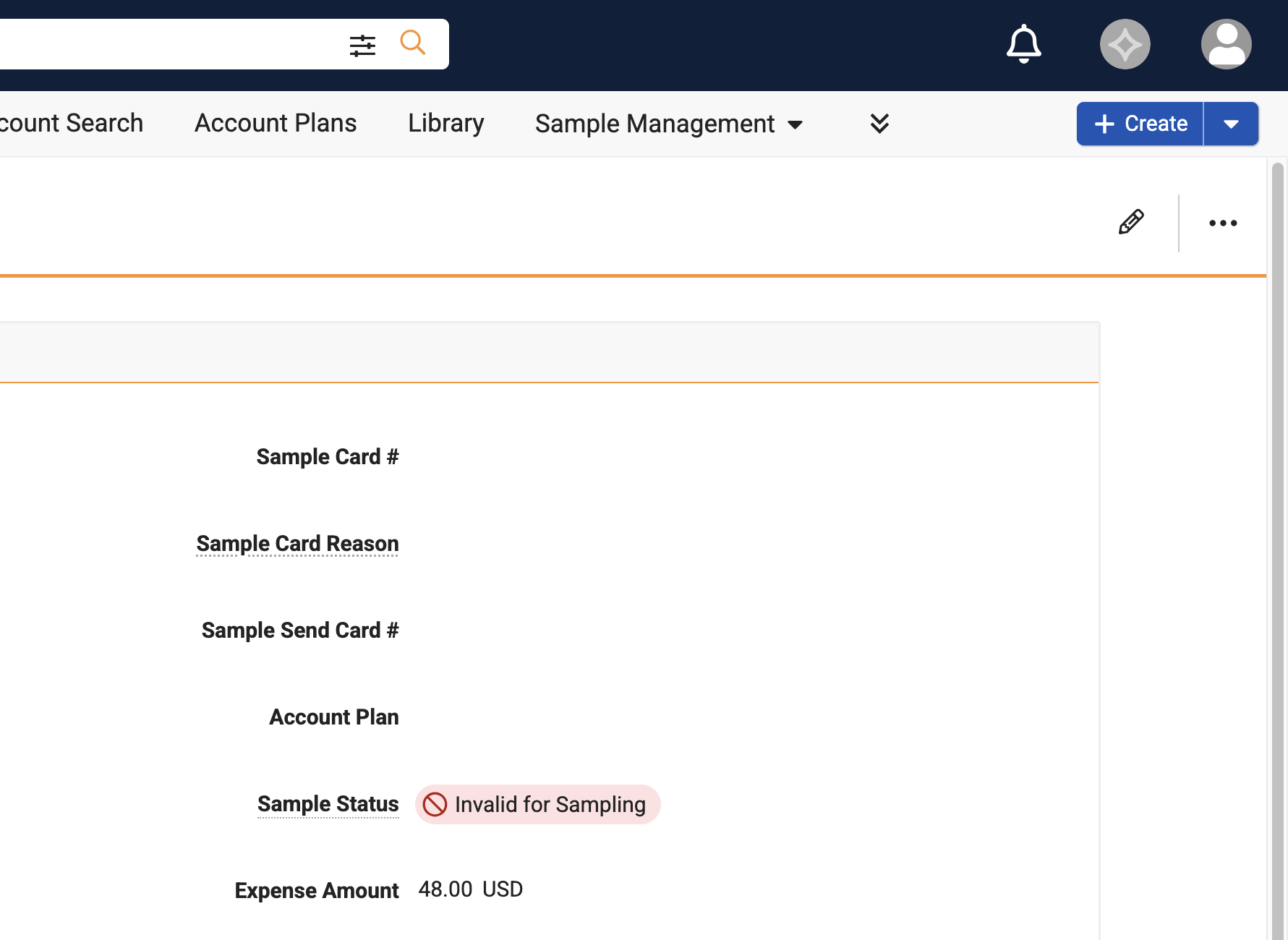
| Browser, iPad, iPhone, Windows | The Expense Amount field displays the currency code on the right side of the amount, when in View mode. Previously, the code displayed on the left of the amount. | 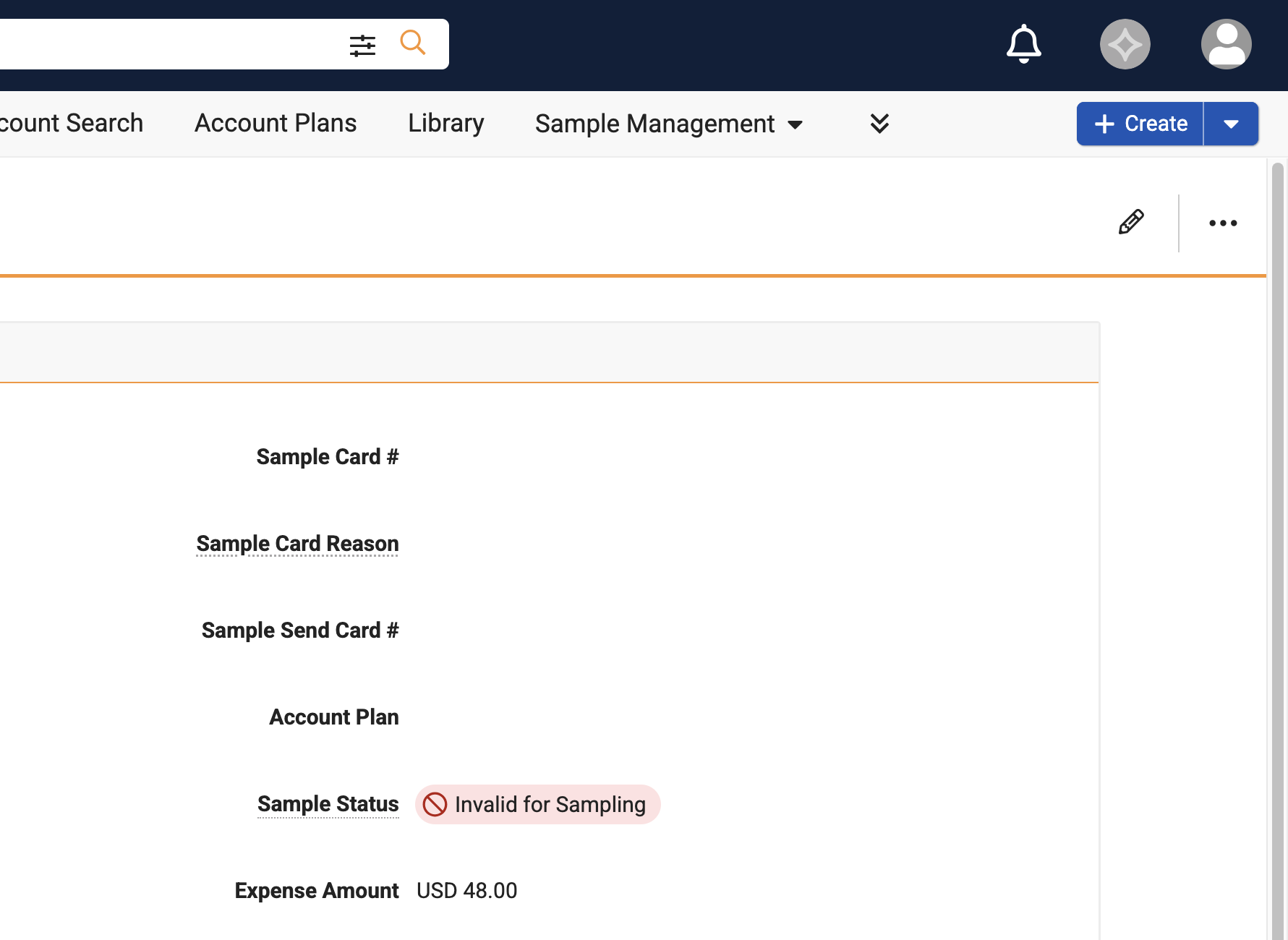
|
|
|
Browser, iPad, iPhone, Windows |
Users now require Edit permission to the local_currency__sys field on the expense__v object to manage expenses on calls. |
n/a |
n/a |
CLM
|
Platform |
Description |
Before |
After |
|---|---|---|---|
| iPad, iPhone | Users can select Loop Video from the All Actions menu when a video presentation slide is open. |  09-24-2026 at 10.43.59 PM.png)
|
|
Data Grid Loader
|
Platform |
Description |
Before |
After |
|---|---|---|---|
|
CRM Desktop (Windows) |
The Exclude Blank Values on Upload checkbox was replaced with the Clear Existing Values for Blanks in dropdown, enabling end users to select which fields treat blank cells as null values when uploading data. The default behavior of blank values being treated as null, rather than being excluded, remains unchanged. See Using the Data Grid Loader for more information. |
|
|
Surveys
|
Platform |
Description |
Before |
After |
|---|---|---|---|
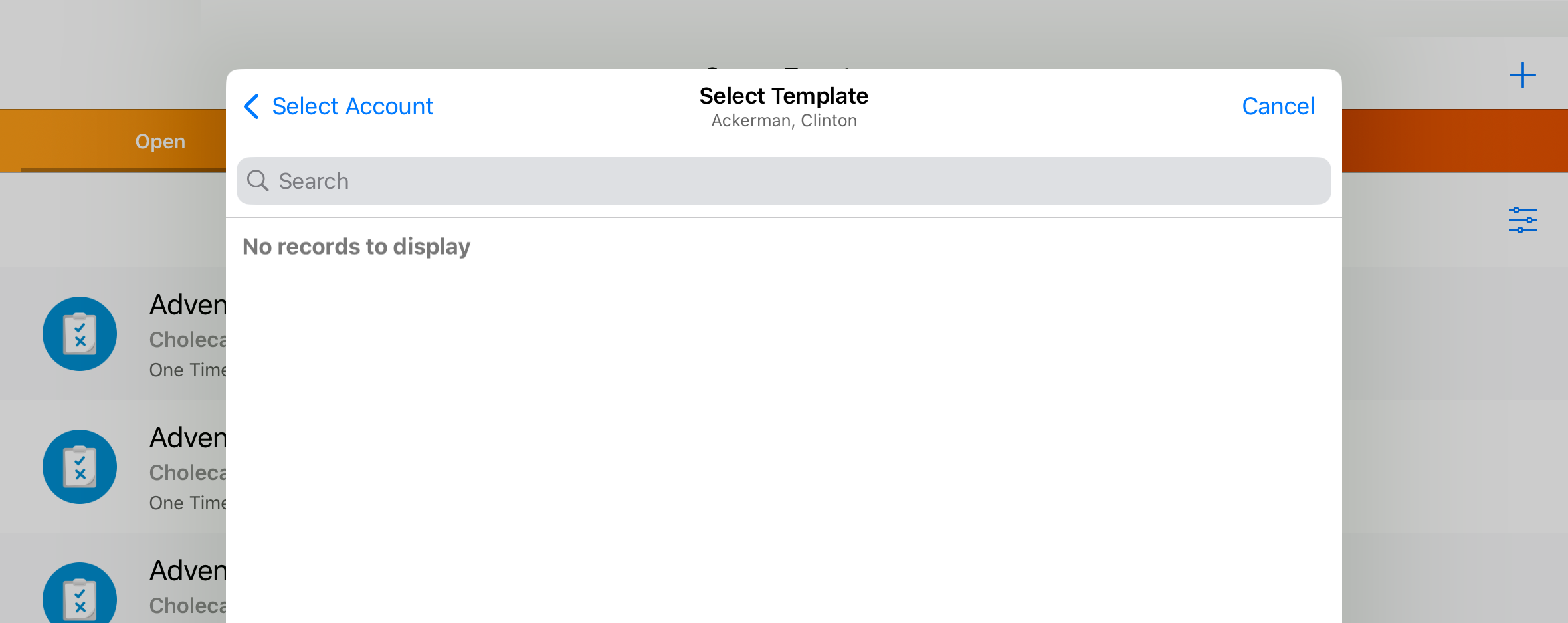
| iPad | The Select Template modal in the Surveys tab is updated to include a new Cancel button and an updated Back navigation button. | 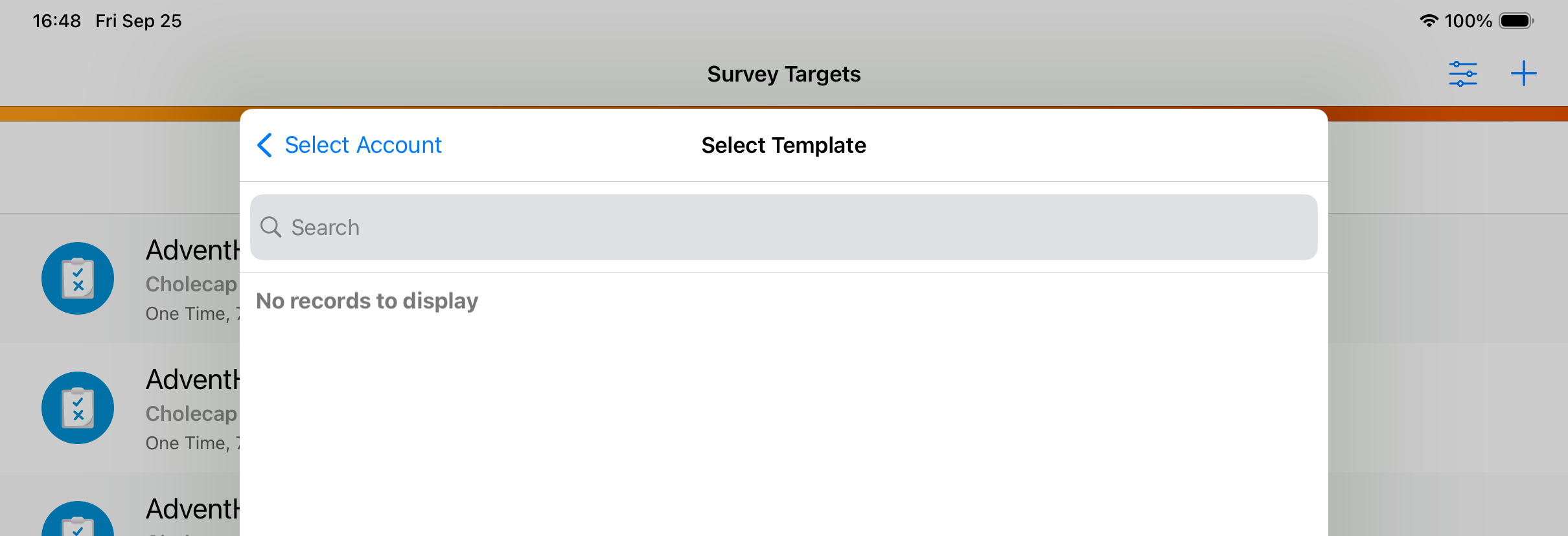
|
|
X-Pages
|
Platform |
Description |
Before |
After |
|---|---|---|---|
| Browser, iPad, Windows | Users with access to multiple Territory Default, Account Plan, Account Profile Override, or KOL X-Pages, can view all of them grouped in the leftmost tabs on the respective page sorted first by the new sort order field, then in alphabetical order. | 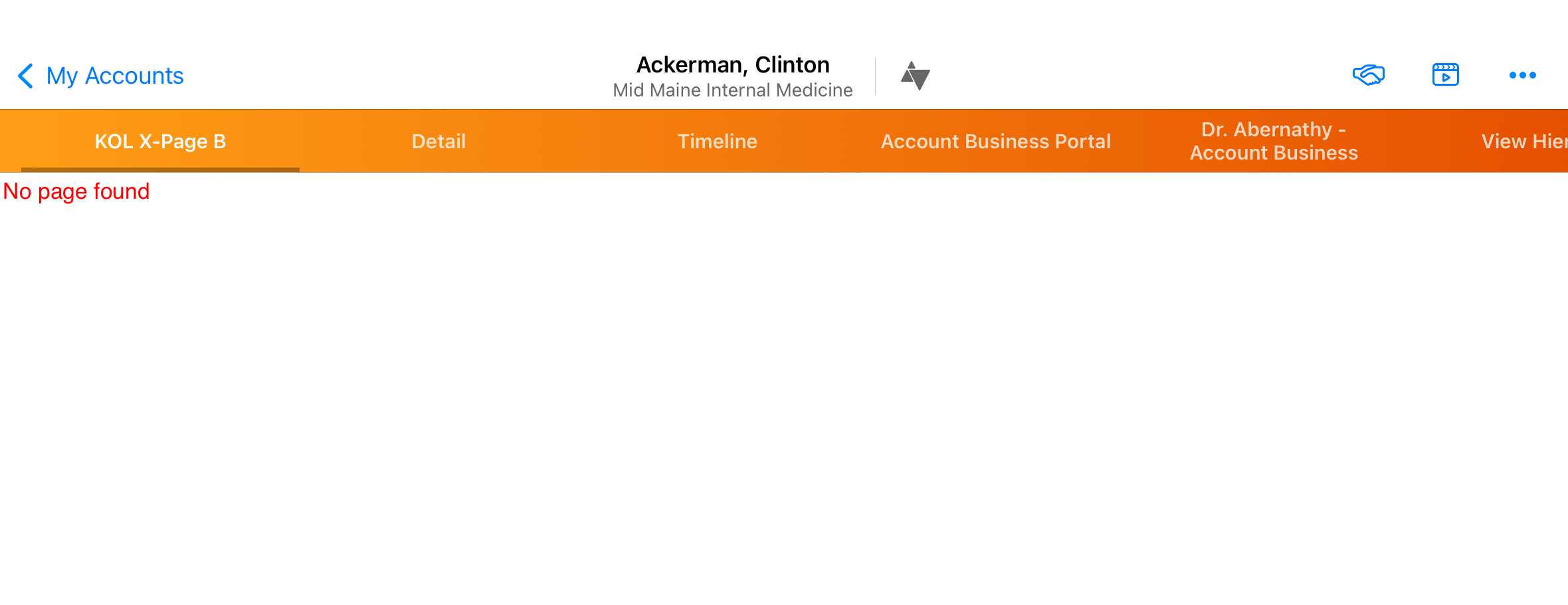
|
|
Vault AI in CRM
|
Platform |
Description |
Before |
After |
|---|---|---|---|
|
Browser, iPad, iPhone |
The Voice Agent is replaced by the Call Capture Agent for Agentic Call Report capture. As part of this change, the ai_source__v field on the call2__v object is replaced by the call_capture_agent_used__v field. Users are automatically granted permission to the Call Capture Agent and the call_capture_agent_used__v field. |
n/a |
n/a |
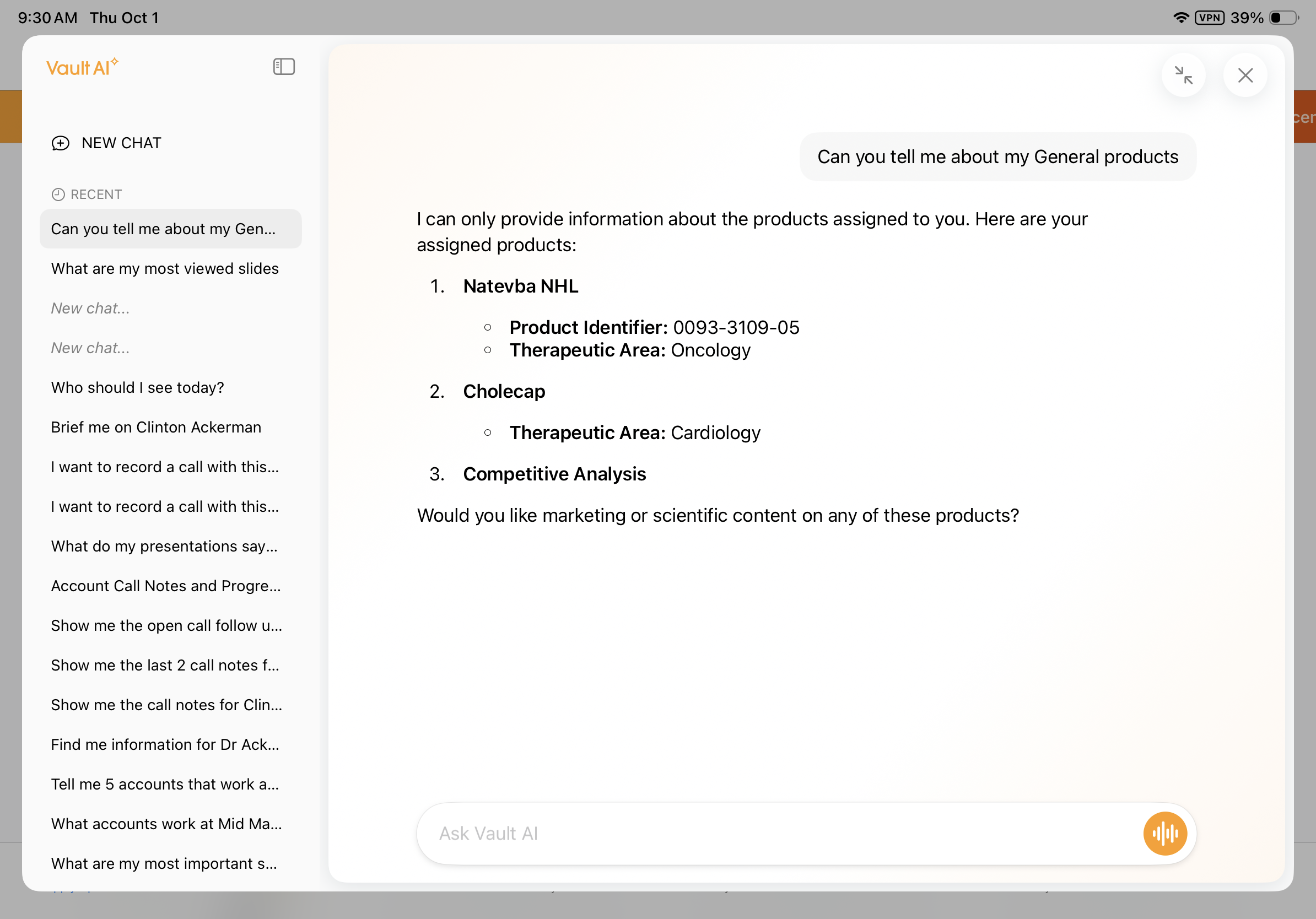
| iPad, iPhone | When a request references products, Conversational AI (Early Adopter) matches the products against the user’s assigned My Setup Products and clarifies which products are being referenced. | n/a |
|
|
iPad, iPhone |
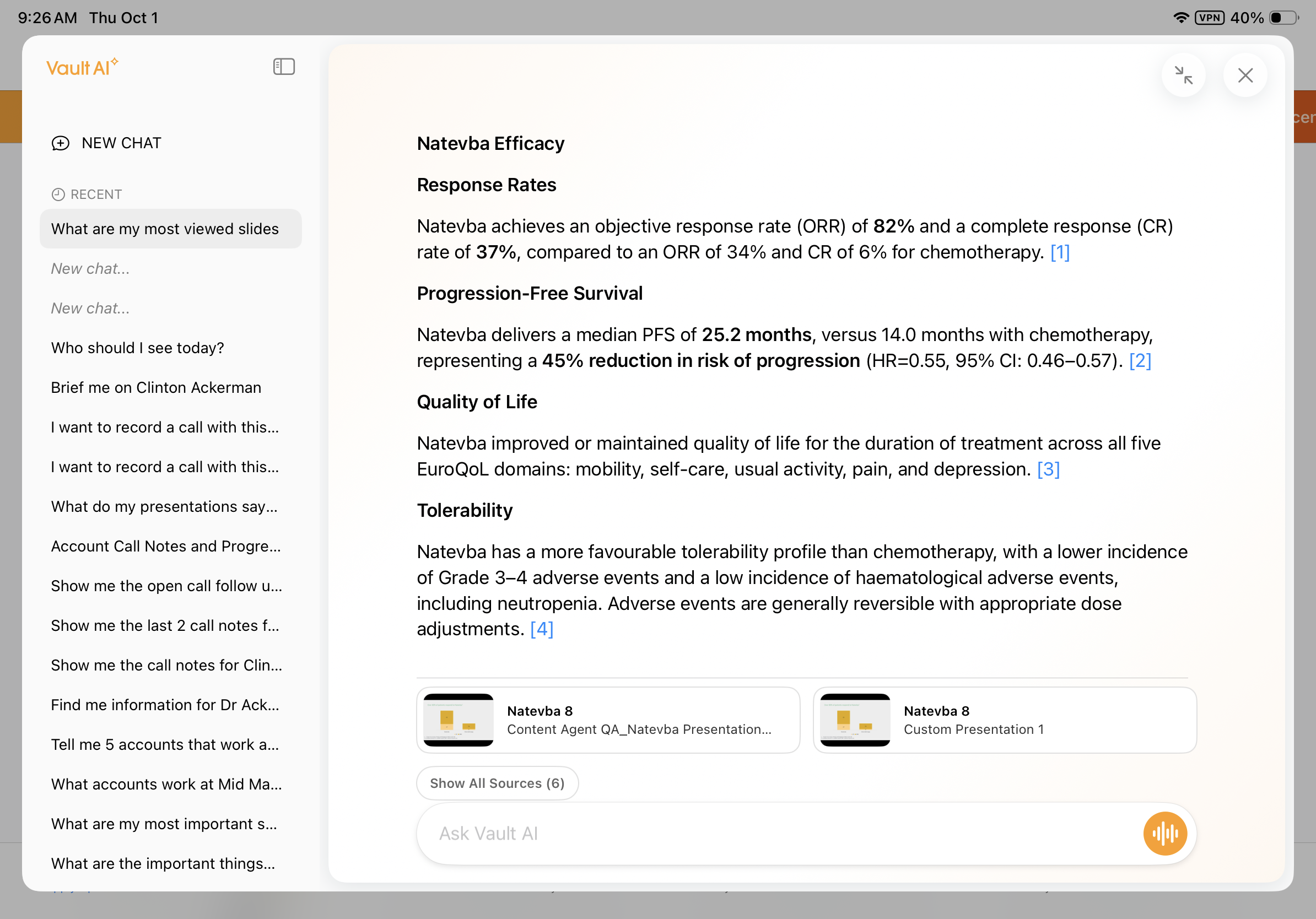
When Agentic Media is enabled and end users ask technical or product questions found in CLM content, Conversational AI (Early Adopter) responses display inline CLM citations and slide thumbnails. Warnings for content restrictions also display, if applicable for the account. |
|
|
|
iPad, iPhone |
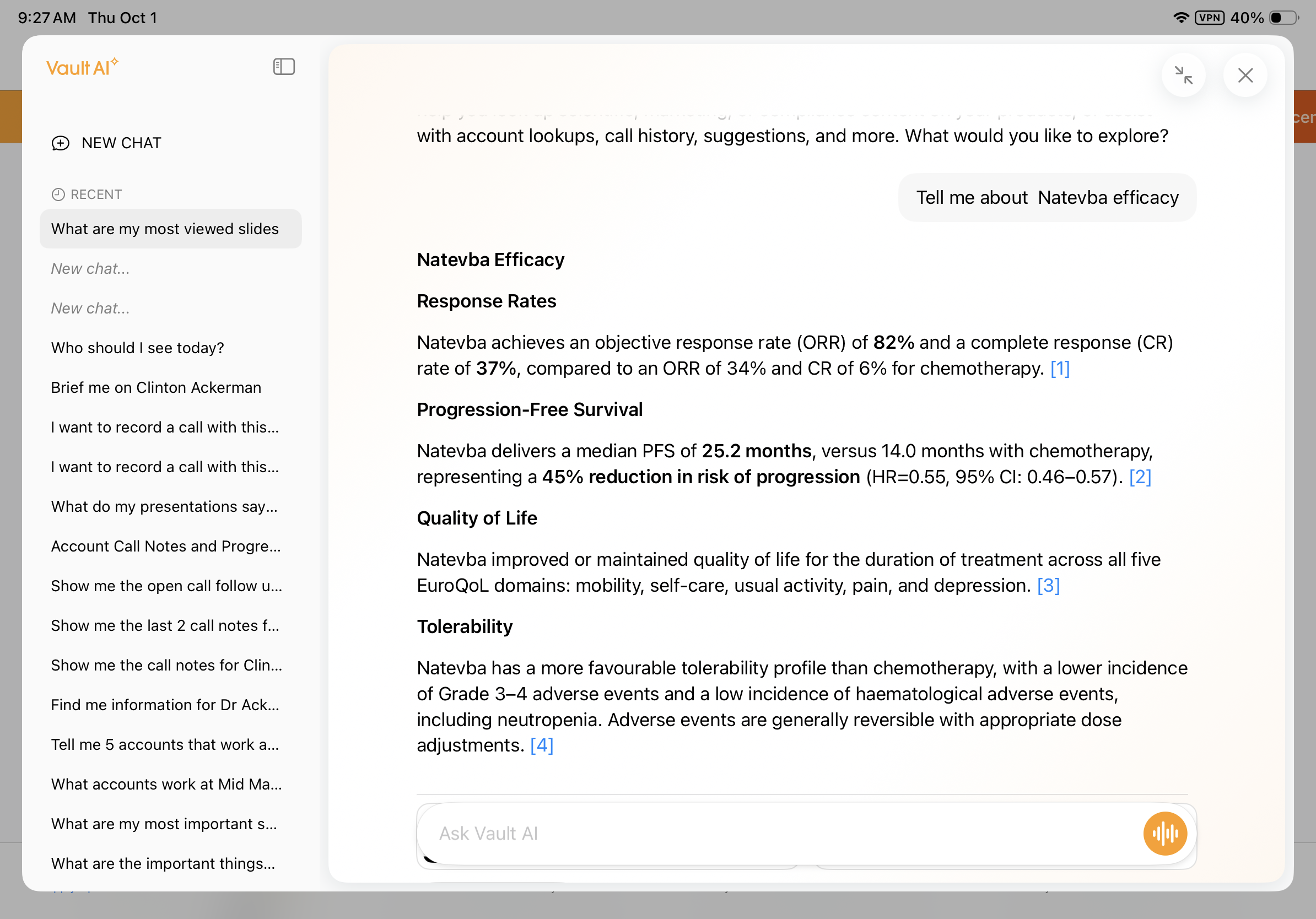
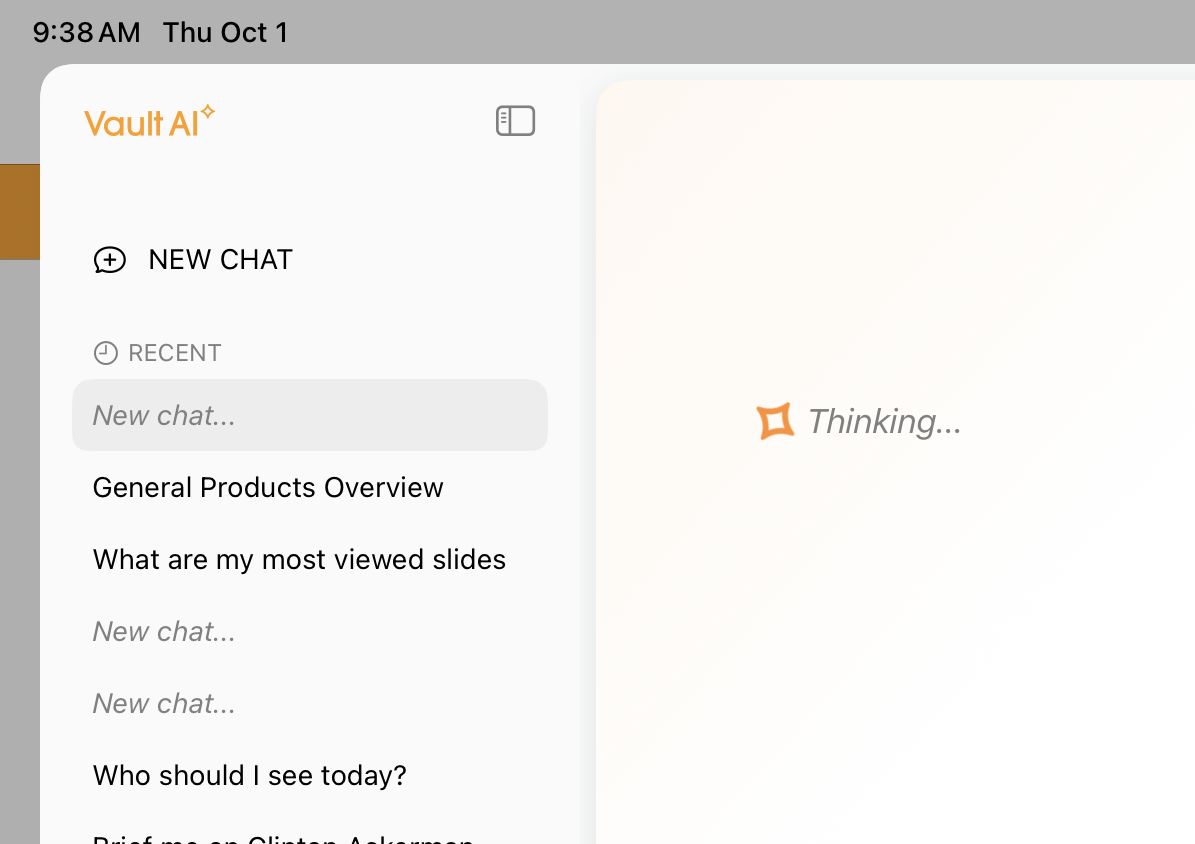
New Conversational AI threads at the top of the conversation list as New Chat, under Recent. |
n/a |
|
|
Browser |
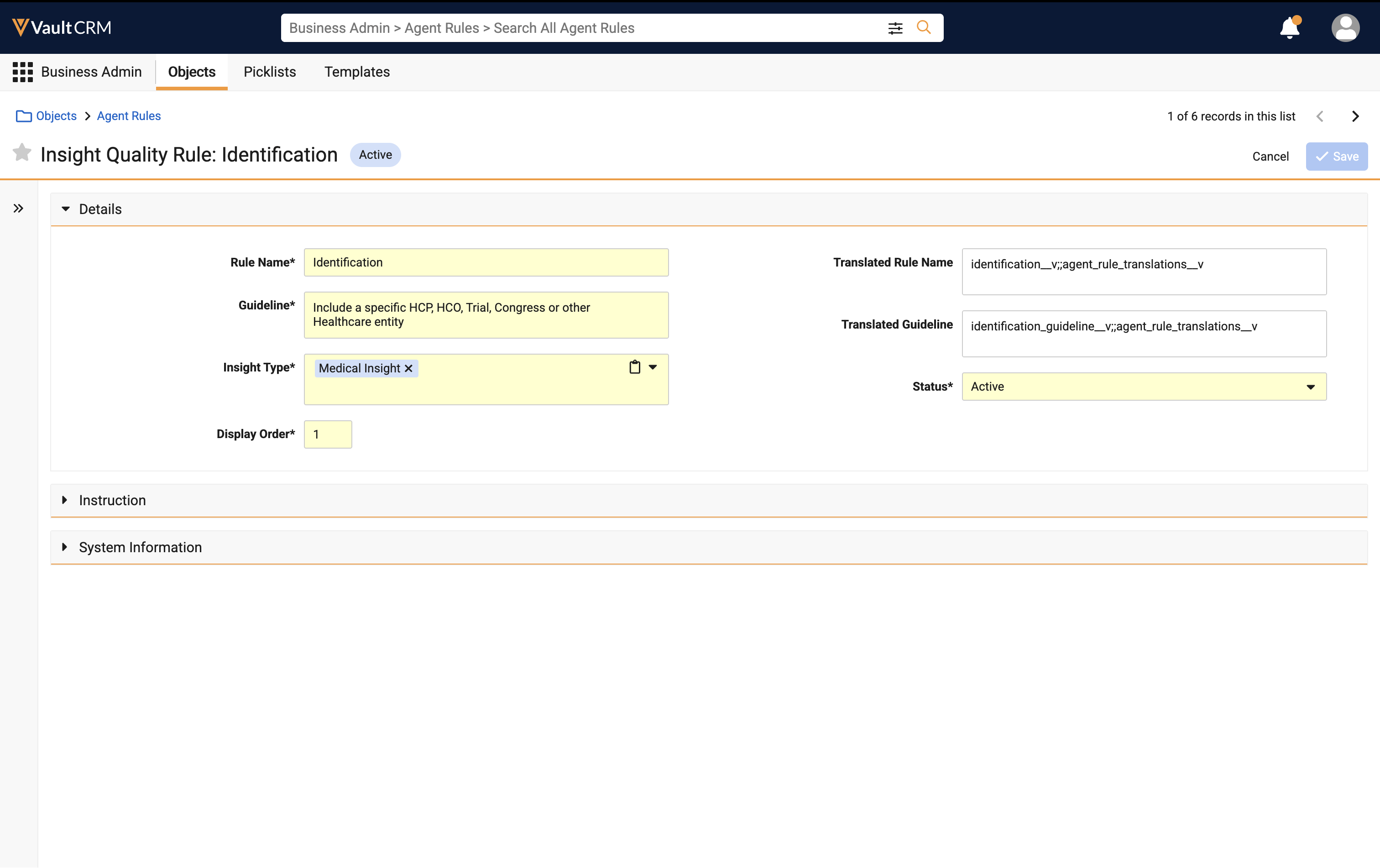
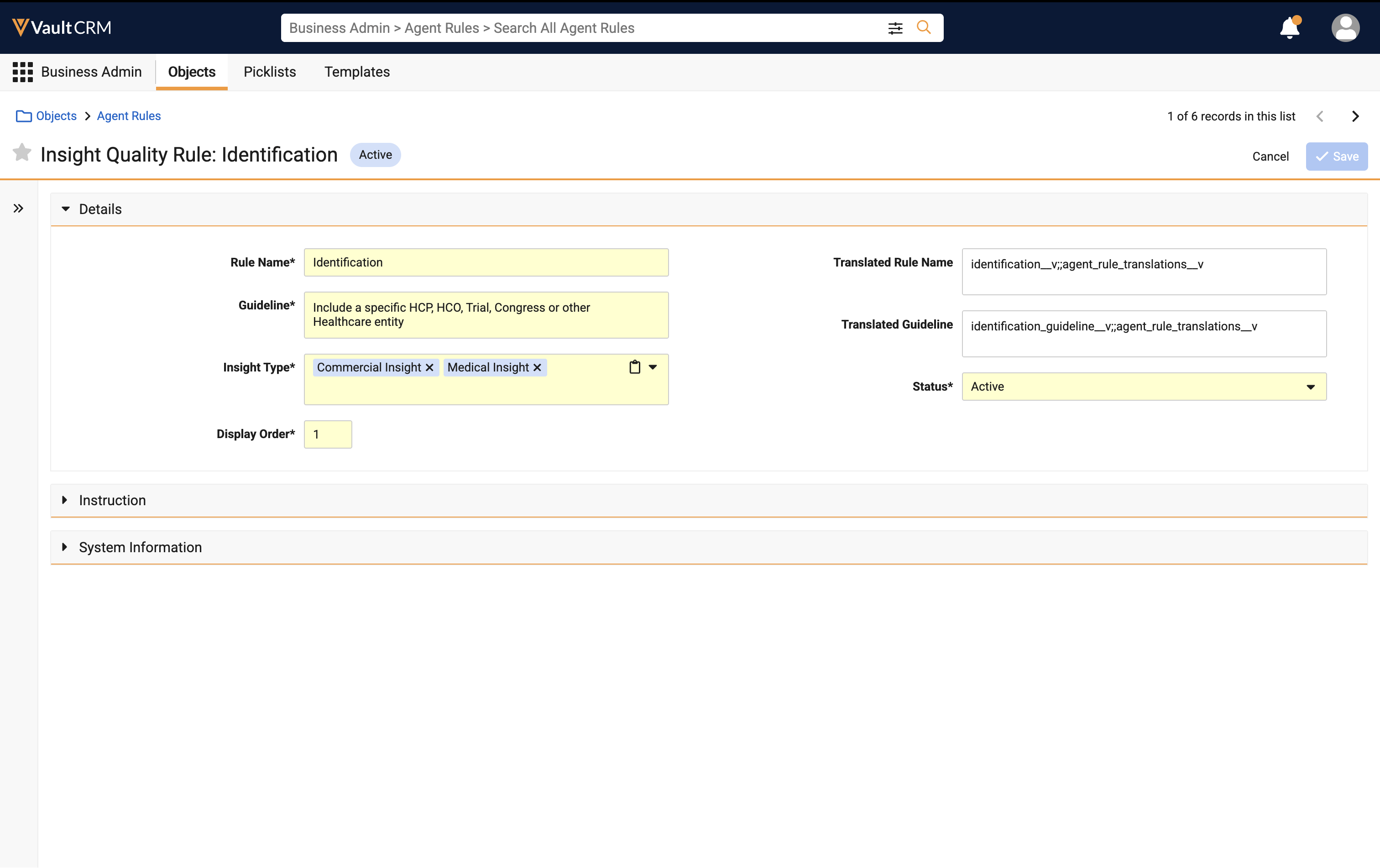
Commercial Insight is an available picklist value for the Insight Type field on Agent Rules. |
|
|
|
Browser |
Creating greater than 10 active insight quality Agent Rules is no longer prevented; it is still recommended to create no more than 10 active Agent Rules per Insight Type available to the user. |
n/a |
n/a |
Campaign Manager
|
Platform |
Description |
Before |
After |
|---|---|---|---|
|
Browser |
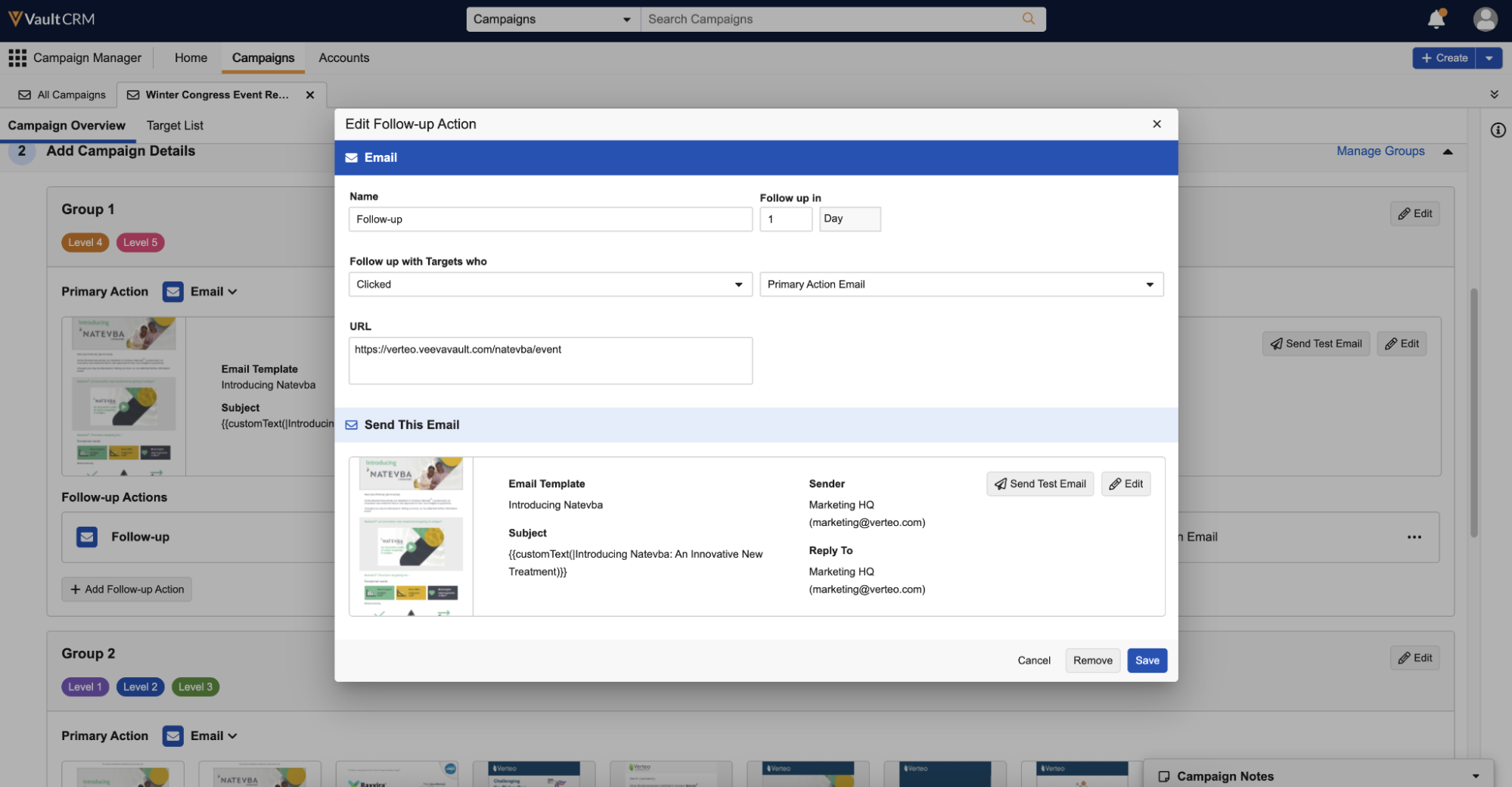
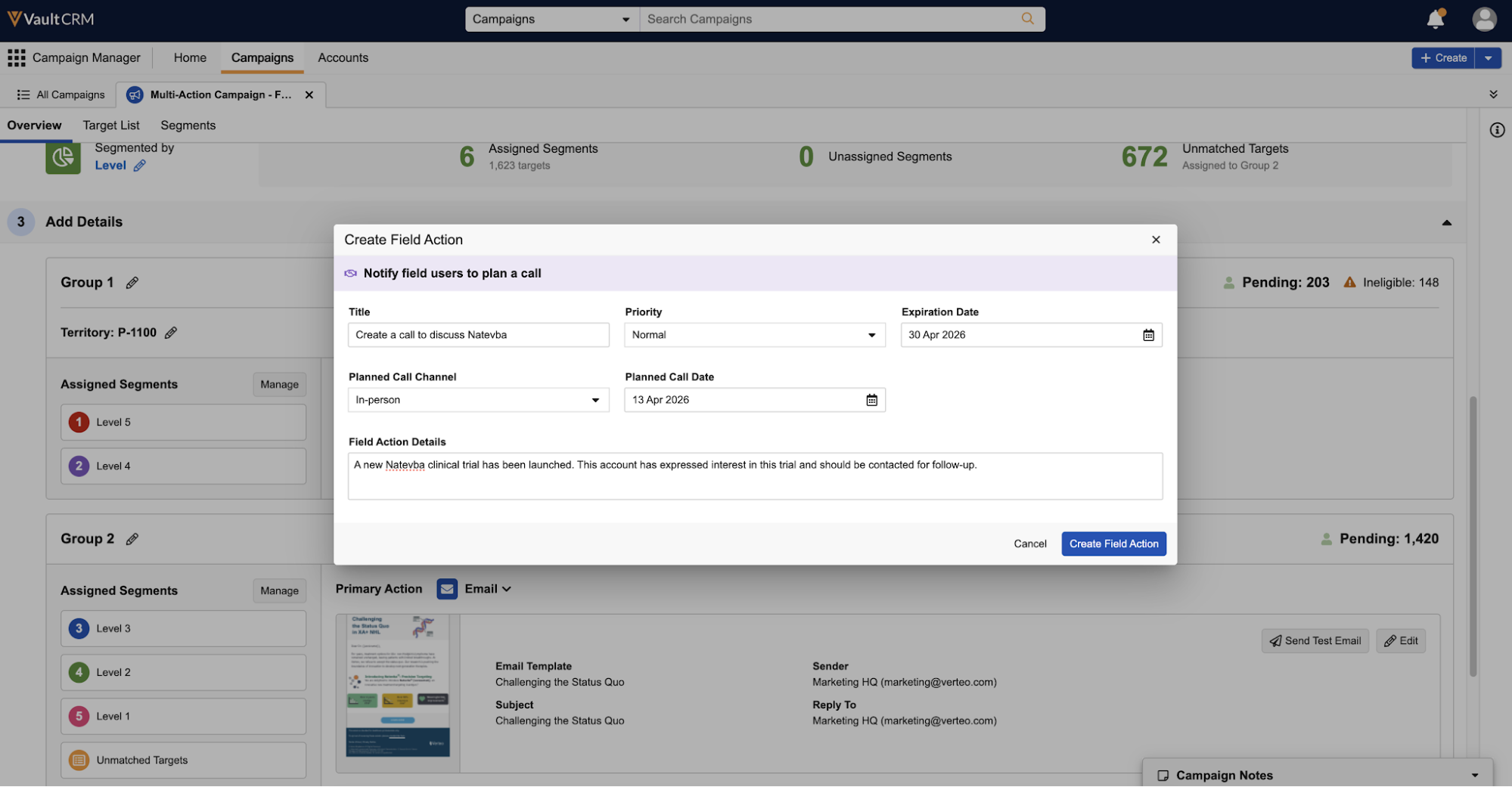
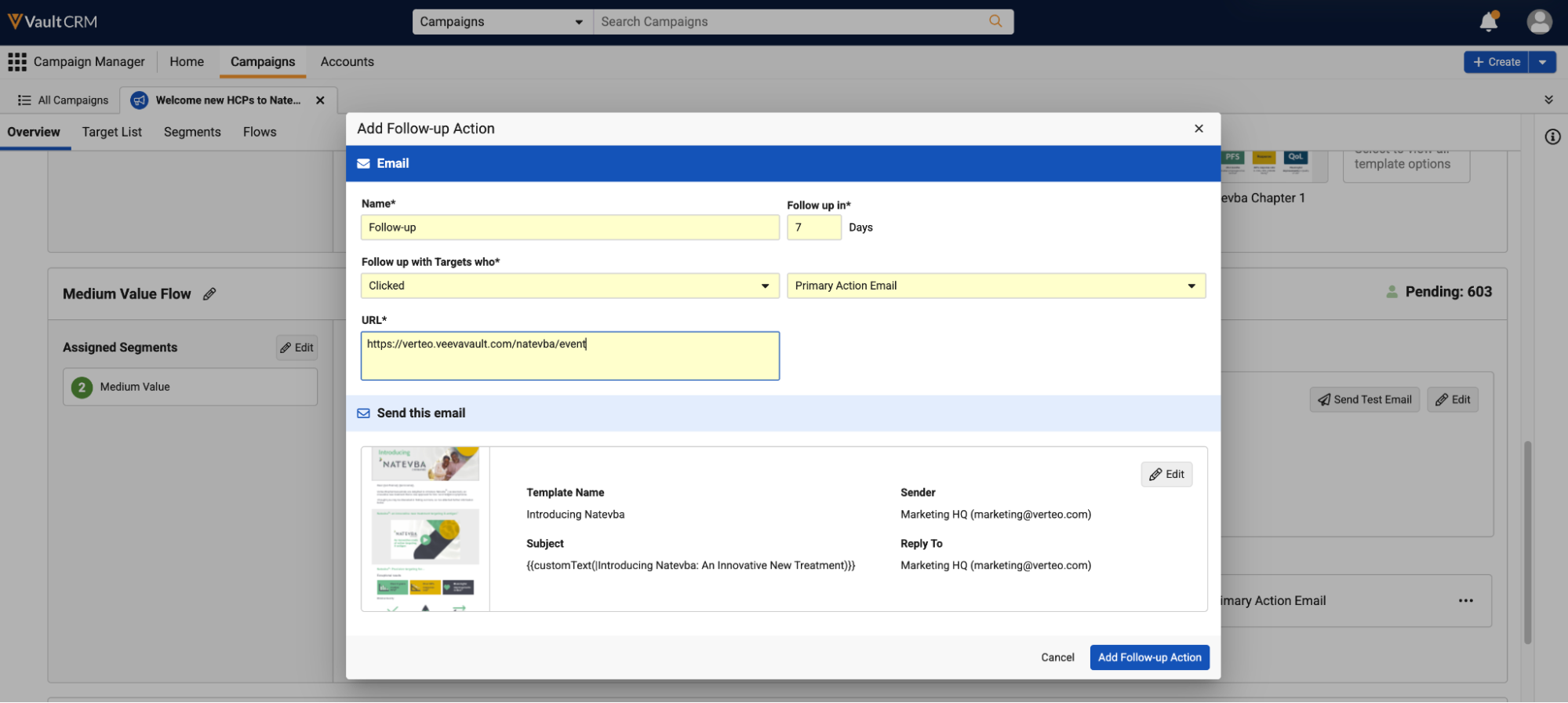
Required and optional fields now use updated styling when adding or editing follow-up actions for any channel, and when creating or editing Field Actions. For Field Actions, the order of fields was also updated. |
|
|
|
Browser |
The new Advanced Configuration section, collapsed by default, displays when creating Field Actions or adding Field Actions as Follow-up Actions, providing marketing users greater control over the created suggestion, as well as which actions are available to end users viewing the suggestion. |
|
|
|
Browser |
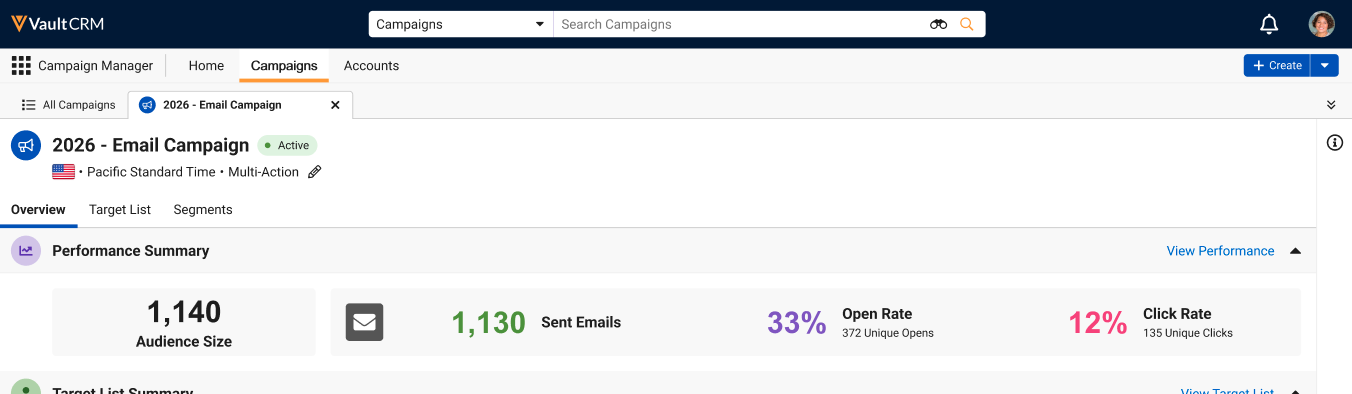
Styling in the Performance Summary section was updated when a campaign or journey consisted of only Email-related channels and actions. Hovering over the Email icon displays which email-related channels the campaign or journey uses. |
|
|
|
Browser |
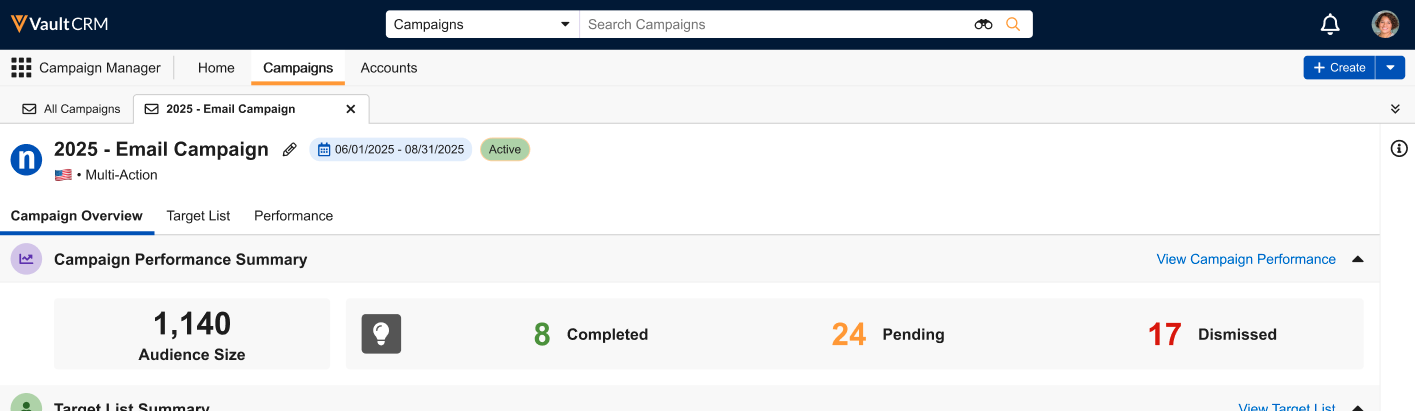
When a campaign uses the Field Action channel, the Performance Summary section now displays an Actions Created number, as well as Completed and Pending as percentages of the total created. The Dismissed number no longer displays in the Performance Summary section but is still available in the Field Actions section of the Performance tab. Hovering over the channel icon now displays which Field Action types the campaign uses. |
|
|
|
Browser |
The following changes were made to files exported as part of Viewing Performance Details in Campaign Manager:
|
n/a |
n/a |
|
Browser |
Existing campaigns with an end_datetime__v field that is either null or in the past are automatically updated to have a Status of Done. |
n/a |
n/a |
|
Browser |
If a campaign’s end_datetime_v field is null and all activities have been completed, campaigns now have their Status automatically updated to Done. Customers can extend the campaign's Active status by setting an End DateTime that is in the future prior to activating the campaign or prior to all activities being completed. |
n/a |
n/a |
|
Browser |
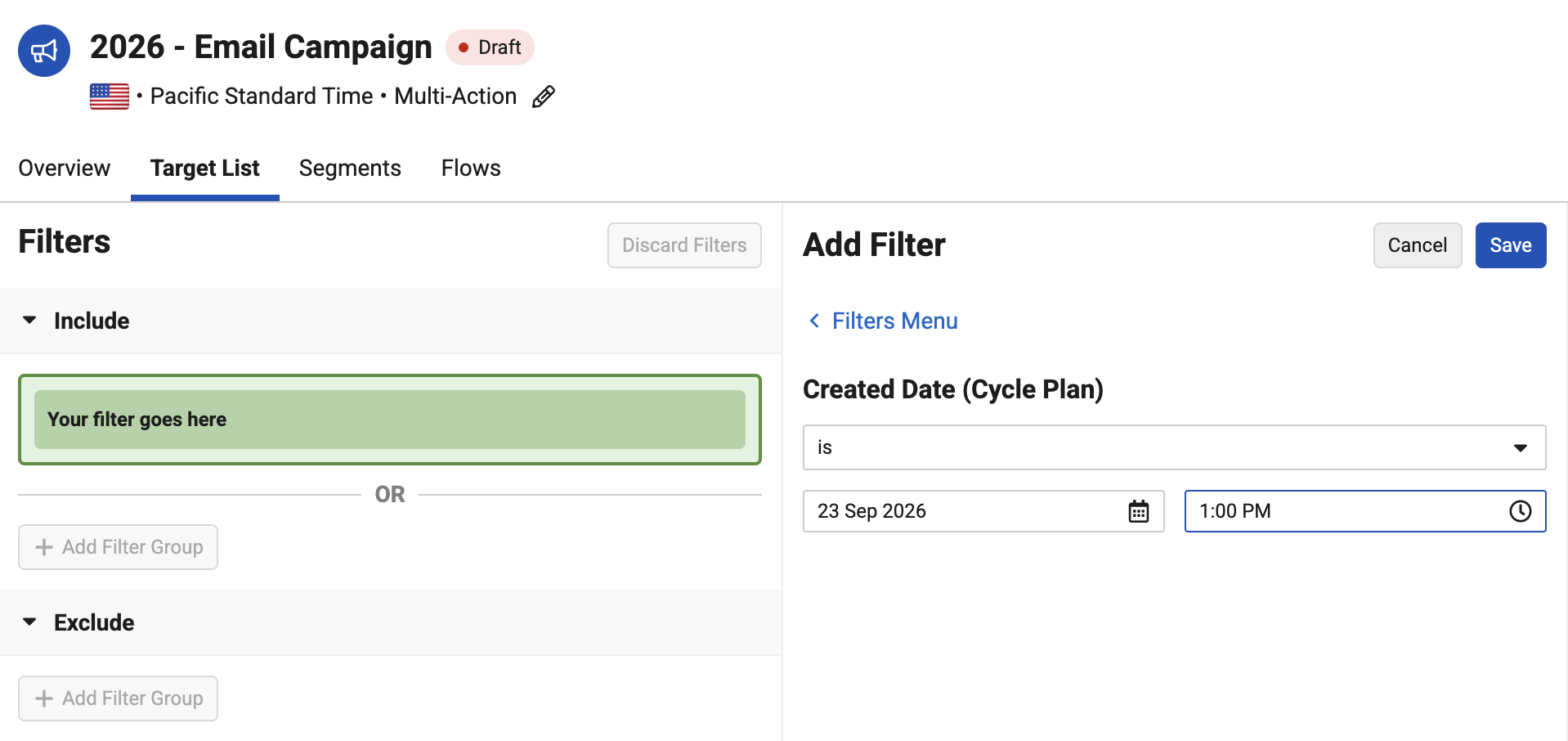
A search bar now displays in the Add Filter pane of the Target List Builder, enabling marketing users to search for fields across all configured objects. And combine the objects and fields list on a single page. |
|
|
|
Browser |
Object names now display alongside their corresponding fields in Target List Builder filters, making it easier to identify which object and field is utilized for the filter. |
|
|
|
Browser |
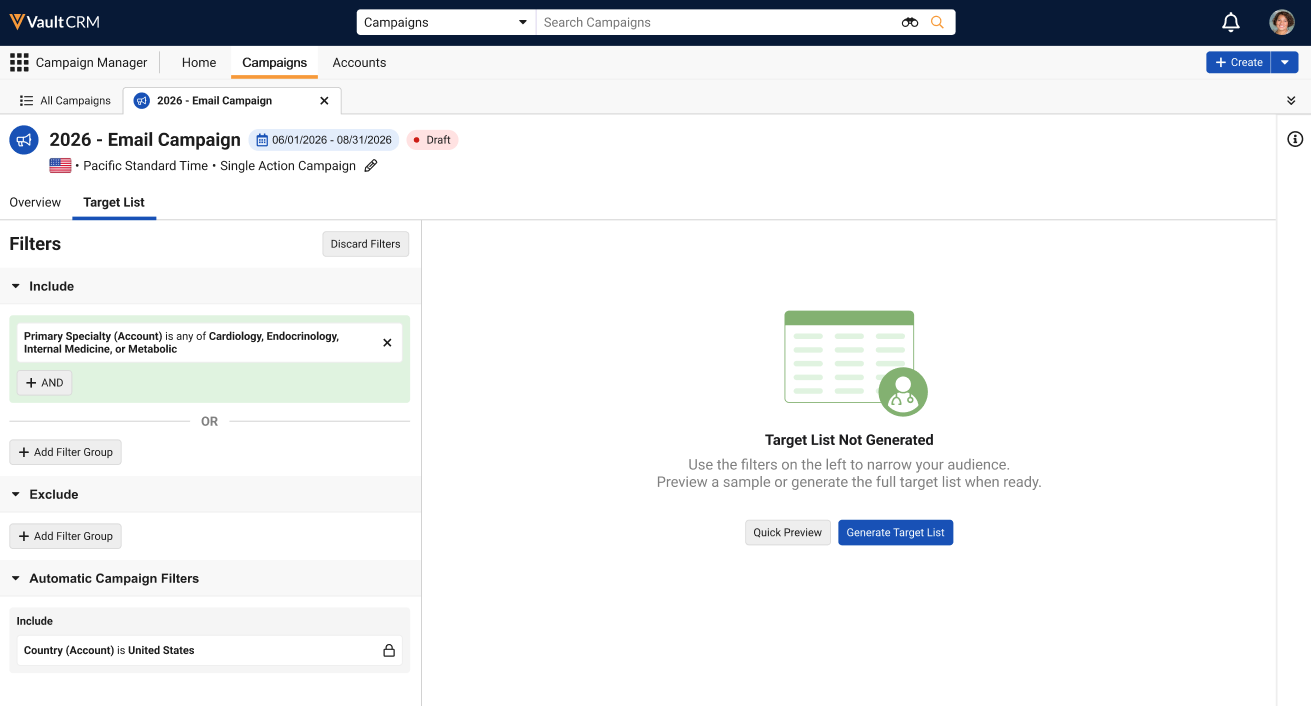
Marketing users can now select the Quick Preview button from the Target List Builder to view a preview of the potential target list based on the defined filters. |
n/a |
|
|
Browser |
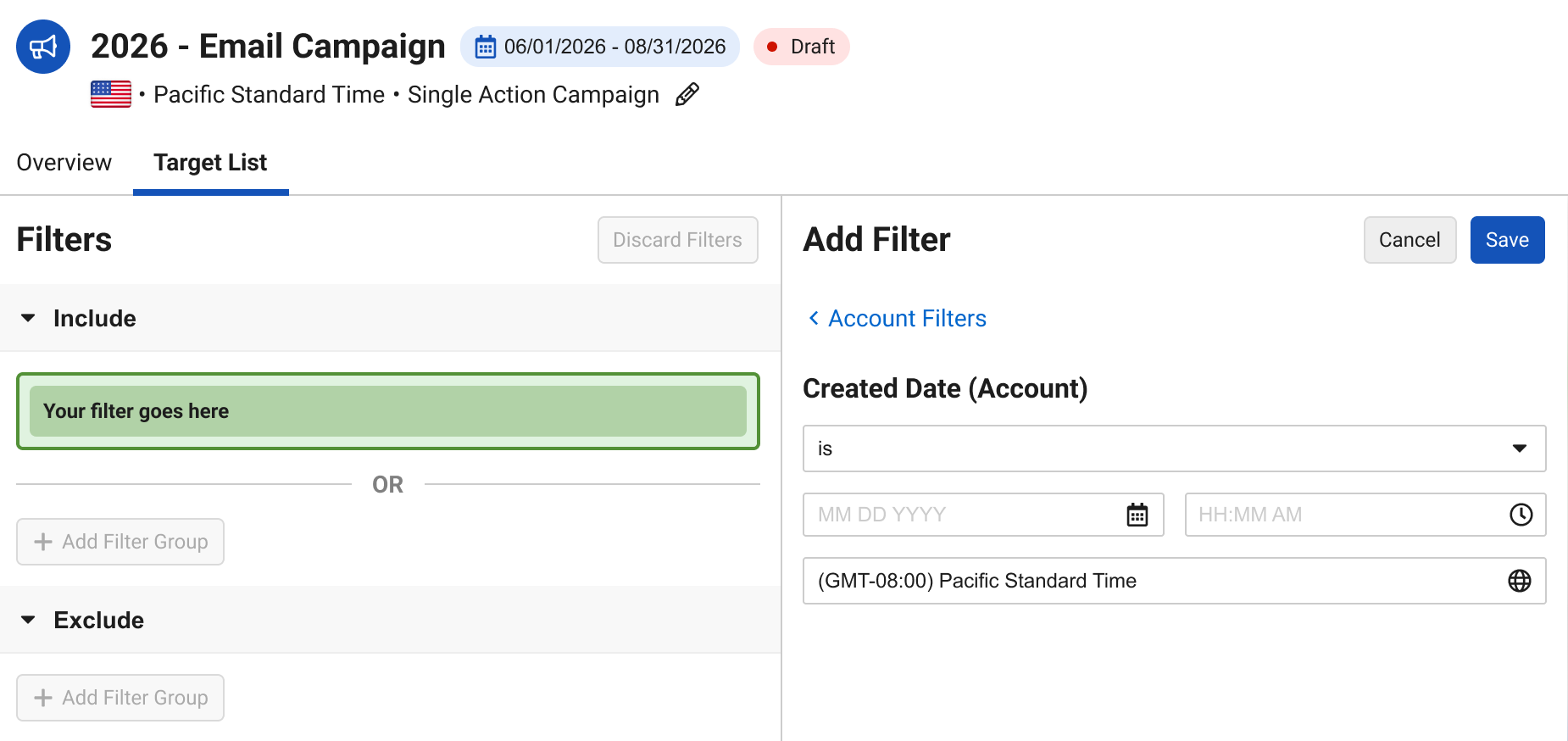
The Timezone component was removed from the Datetime field filter configuration. |
|
|

Service Center
|
Platform |
Description |
Before |
After |
|---|---|---|---|
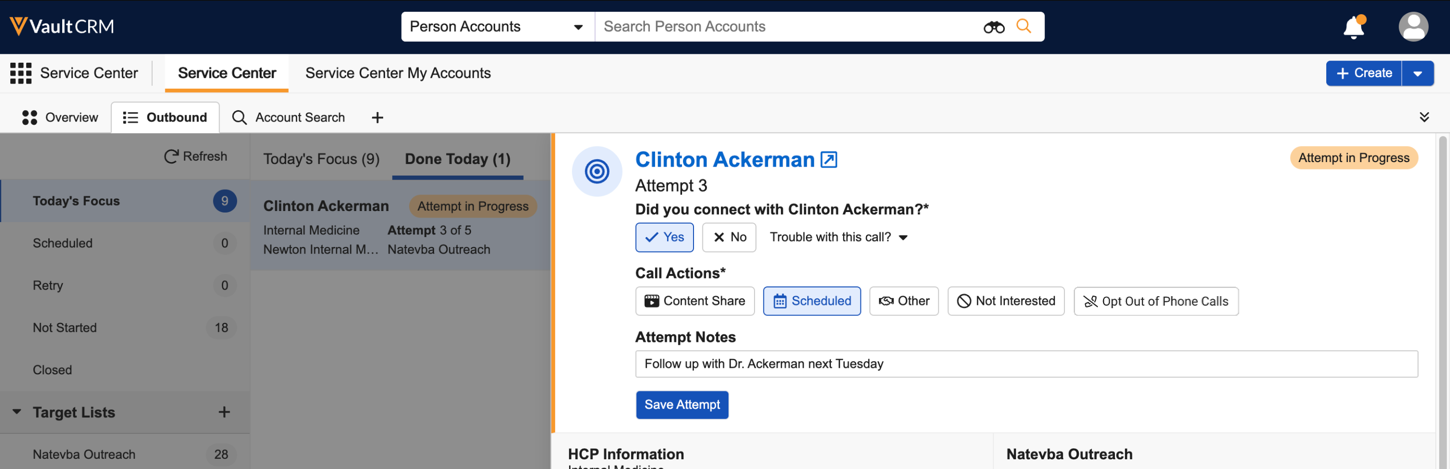
| Browser | The Do Not Call label is updated to Opt Out of Phone Calls. | 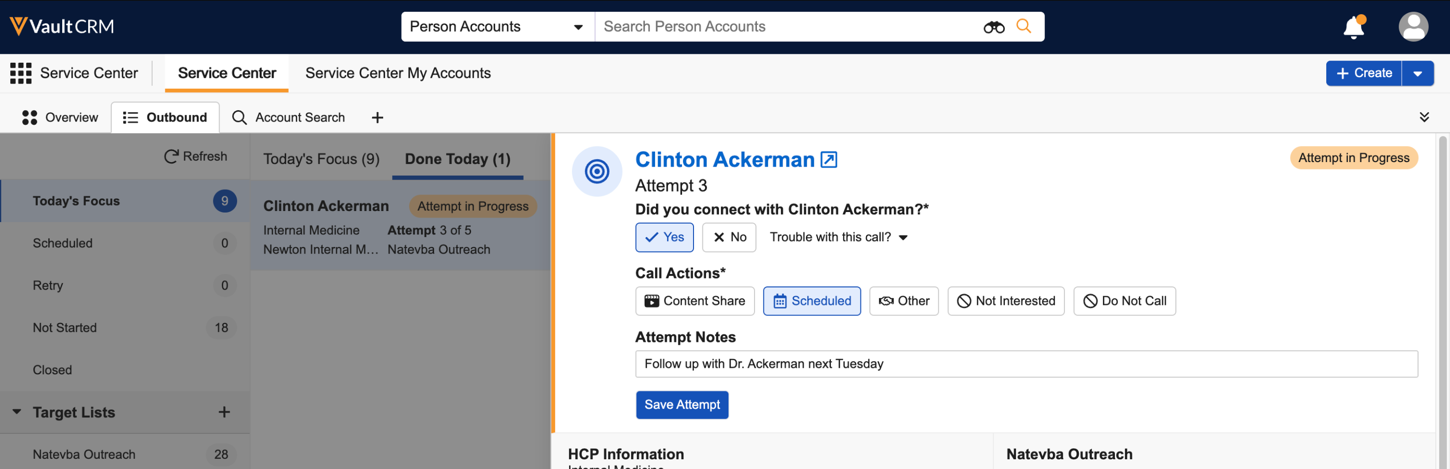
|
|
|
Browser |
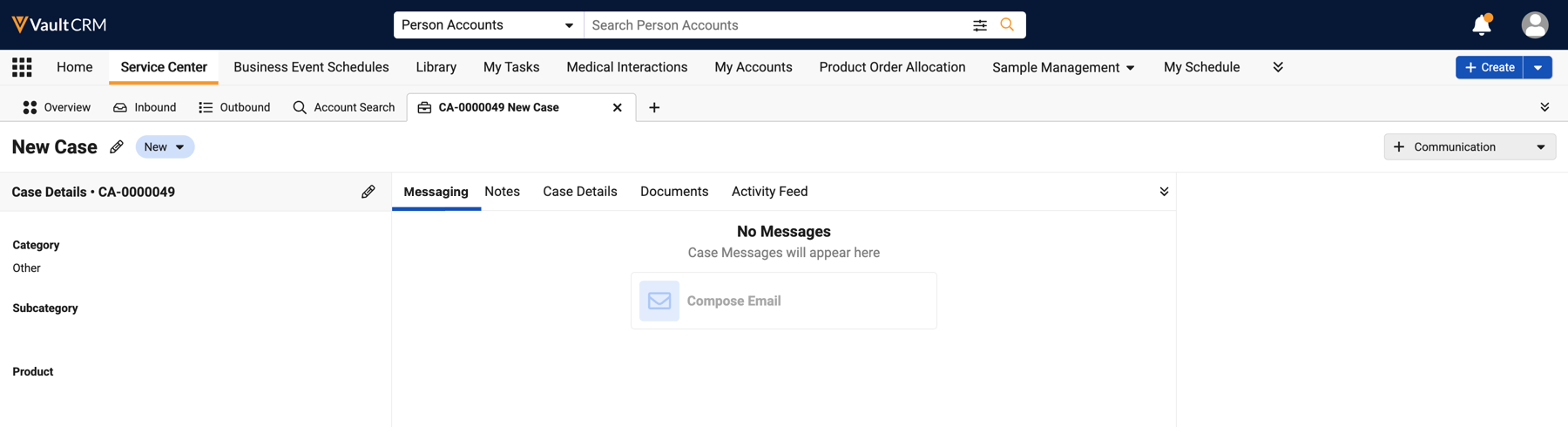
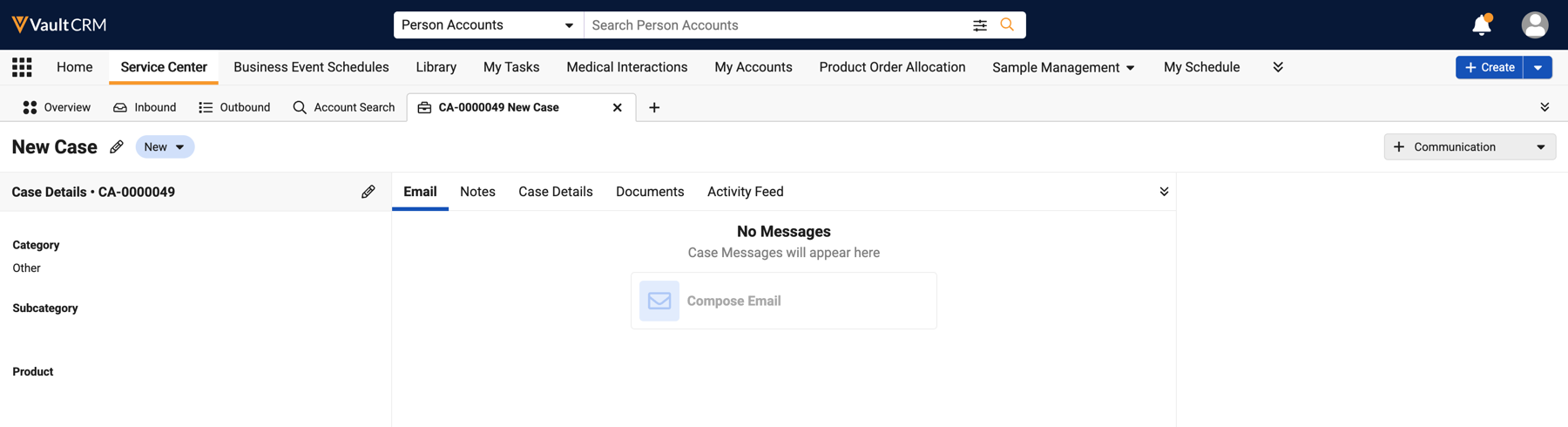
The Messaging case sub-tab is renamed to Email. |
|
|
Additional Resources
The following resources are available for the 26R2.3 release:
- Flightpaths
- Videos
- Feature Enablement and Availability
- Data Model Changes:
- New Objects
- New Fields
- Removed Fields
Flightpath
Flightpath is an educational tool where you'll find overviews and examples to walk you through how to leverage Vault CRM features and functionality. Flightpaths for the following topics will be available with the 26R2.3 Production Release:
- Agentic Commercial Insights
- Content Studio
Videos
The following videos will be available with the 26R2.3 Production Release:
- Agentic Insight Capture
- Agentic Insight Quality for Commercial Insights
- Creating Approved Email Content in Content Studio
26R2.3 Feature Enablement and Availability
The following table provides an explanation of feature enablement and user impact.


*Parity items do not typically require configuration if you are using this functionality on another platform. In some cases, VMOCs must be enabled for the added platform.
New Objects
The table below contains all new objects added in Vault CRM 26R2.3.
| Object | Label | Description |
|---|---|---|
| aln_security_tree_node__v | Align Security Tree Node | Security Tree managed by Align. |
| call_followup_template__v | Call Follow-Up Template | A Call Follow-Up Template controls how Follow-Up Tasks are created on Call Reports. One Template per Follow-Up Task Type (to-do, medical information,...). |
| customer_message__v | Customer Messages | Message translations for strings displayed to customers (e.g. HCP, Speaker, Patient). |
| aln_feedback_constraint__v | Feedback Constraint | Defines constraints that rep-submitted feedback must adhere to. |
| vault_package_setting__sys | Inbound Package Setting | This object is a child of Inbound Package Step. |
| engage_portal__v | My Engage Portal | Allows for configuration and deployment of an individual My Engage Portal. |
| engage_portal_domain__v | My Engage Portal Domain | Domain settings for My Engage Portal. |
| package_setting__sys | Package Setting | This object is a child of Inbound Package Step. |
| redaction__sys | Redaction | Tracks one redaction effort (round) for an Original Document Steady State Tree; carries lifecycle state. |
| target_loader__v | Target Loader | Transactional record for each API target ingestion request. |
| aln_security_tree_node__sys | aln_security_tree_node | Security Tree managed by Align. |
New Fields
The table below contains all fields added in Vault CRM 26R2.3. The fields are organized by object.
| Object | Field Label | Field Name | Field Description | Field Type |
|---|---|---|---|---|
| email_activity__v | Unique Event ID | unique_event_id__v | This field is a composite key used to enforce uniqueness and prevent duplicate email activity records. | String |
| call2__v | Call Capture Agent Used | call_capture_agent_used__v | If True, indicates that the Call Capture Agent was used to create or update the Call. | Boolean |
| veeva_settings__v | DCR Create Child Account Types | dcr_create_child_account_types__v | Controls which Child Account object types are available to users when creating new Child Account DCRs. If left blank, all child account object types the user has read permission to are available. | String |
| veeva_settings__v | DCR Create Address Types | dcr_create_address_types__v | Controls which Address object types are available to users when creating new Address DCRs. If left blank, all address object types the user has read permission to are available. | String |
| ai_settings__v | Insight Quality Check | insight_quality_check__v | When Automatic from Agentic Entry, the agent run will perform quality check when an insight is created through another agent. When Manual, the agent will perform quality check only when the user initiates. | Picklist |
| commercial_insight__v | Insight Definition Rule | insight_definition_rule__v | Stamps the Name of the Insight Definition Rule used to identify the Insight. | String |
| commercial_insight__v | Insight Capture Agent Used | insight_capture_agent_used__v | If True, indicates that the Insight Capture Agent was used for the Commercial Insight. | Boolean |
| aln_feedback_constraint_model__v | Production Record | production_record__v | Corresponding production record that will be updated with the values from this record on publish. | Object |
| aln_territory__v | Capacity Adjustment % | capacity_adjustment_percentage__v | Used in territory feedback for utilization calculation | Percent_Number |
| aln_feedback_constraint__v | Required number of HCP targets | required_number_of_hcp_targets__v | Enforces a specific number of targets within the plan | Number |
| aln_feedback_constraint__v | Maximum number of HCO targets | max_number_hco_targets__v | Enforces a limit on the number of HCO targets | Number |
| aln_feedback_constraint__v | % of HCP target removals allowed | max_percent_hcp_target_removals__v | Enforces a limit on the proportion of targets that can be removed | Percent_Number |
| aln_feedback_constraint__v | Minimum Channel Interactions | minimum_channel_interactions__v | Enforces that the plan has a minimum number of channel interactions | Number |
| aln_feedback_constraint__v | Field Force | field_force__v | The field force to which this constraint applies | Object |
| aln_feedback_constraint__v | Last Modified Date | modified_date__v | The date the record was last modified. | TimeStamp |
| aln_feedback_constraint__v | Last Modified By | modified_by__v | The user who last modified the record. | Object |
| aln_feedback_constraint__v | Created Date | created_date__v | The date the record was created. | TimeStamp |
| aln_feedback_constraint__v | Created By | created_by__v | The user who created the record. | Object |
| aln_feedback_constraint__v | Status | status__v | The record's status. | Picklist |
| aln_feedback_constraint__v | Name | name__v | The record's name. | String |
| aln_feedback_constraint__v | Feedback Constraint Type | object_type__v | The record's object type. | Object |
| aln_feedback_constraint__v | ID | id | The record's ID. | Text |
| ai_settings__v | Monthly Token Budget | monthly_token_budget__v | Admin defined value for the monthly token budget that displays on the AI Reporting page | Number |
| target_loader__v | Submitted External ID Value | submitted_external_id_value__v | Specifies the value to match against the defined external ID field | String |
| target_loader__v | Submitted External ID Field | submitted_external_id_field__v | Enables defining a specific external ID field on the account__v object to use for matching | String |
| aln_roster_member__v | CRM Security Tree Node Override | crm_security_tree_node_override__v | If this field is populated, the Roster Member will be assigned to this Security Tree node. If the Manage Security Tree setting is enabled, this value will override automated node assignment | Object |
| aln_territory__v | CRM Security Node | crm_security_node__v | If the Manage Security Tree setting is enabled, this field is populated with the corresponding Align Security Tree Node. Align creates a corresponding node for the territory if "Send to CRM" is true, and today's date is between the start and end dates. | Object |
| aln_security_tree_node__v | Last Modified Date | modified_date__v | The date the record was last modified. | TimeStamp |
| aln_security_tree_node__v | Last Modified By | modified_by__v | The user who last modified the record. | Object |
| aln_security_tree_node__v | Created Date | created_date__v | The date the record was created. | TimeStamp |
| aln_security_tree_node__v | Created By | created_by__v | The user who created the record. | Object |
| aln_security_tree_node__v | Status | status__v | The record's status. | Picklist |
| aln_security_tree_node__v | Name | name__v | The record's name. | String |
| aln_security_tree_node__v | Align Security Tree Node Type | object_type__v | The record's object type. | Object |
| aln_security_tree_node__v | ID | id | The record's ID. | Text |
| aln_product_specialty__v | Country | vcountry__v | Controlling picklist for specialty__v. Configure dependency to control which specialties are applicable to countries. | Picklist |
| em_budget__v | Cascade Down Hierarchy | cascade_down_hierarchy__v | When true, this budget is shared to descendants of territories defined in the Territory field. | Boolean |
| console_application_settings__v | All Active Patient Journeys Columns | all_active_patient_journeys_columns__v | Defines the columns and column order displayed to end users in the All Active Patient Journeys view. The field stores patient journey association object field API names used to render the All Active Patient Journeys grid for the applicable Console Application Settings record | LongText |
| campaign_flow_action__v | Account Priority Score | account_priority_score__v | Priority score used to rank and sort the suggestion; the sum across an account's suggestions sets the account's sort order. | Number |
| campaign_flow_action__v | Score | display_score__v | Controls whether the suggestion's priority score is displayed. | Boolean |
| campaign_flow_action__v | Suppress Reason | suppress_reason__v | The reason the record is suppressed. | Boolean |
| campaign_flow_action__v | Do Not Display on Homepage | no_homepage__v | Enables hiding the resulting Suggestion from the homepage. | Boolean |
| campaign_flow_action__v | Mark as Complete | display_mark_as_complete__v | Enables end users to mark the resulting Suggestion as complete. | Boolean |
| campaign_flow_action__v | Dismiss | display_dismiss__v | Enables end users to dismiss the resulting Suggestion. | Boolean |
| redaction__v | Lifecycle State | state__v | The record's lifecycle state. | Object |
| redaction__v | Lifecycle | lifecycle__v | The record's lifecycle. | Object |
| redaction__v | Last Modified Date | modified_date__v | The date the record was last modified. | TimeStamp |
| redaction__v | Last Modified By | modified_by__v | The user who last modified the record. | Object |
| redaction__v | Created Date | created_date__v | The date the record was created. | TimeStamp |
| redaction__v | Created By | created_by__v | The user who created the record. | Object |
| redaction__v | Status | status__v | The record's status. | Picklist |
| redaction__v | Name | name__v | The record's name. | String |
| redaction__v | Redaction Type | object_type__v | The record's object type. | Object |
| redaction__v | ID | id | The record's ID. | Text |
| account__v | Top Org Name | top_org_name__v | The name of the ultimate parent organization (e.g., Global Headquarters, Health System) of the HCP's or HCO's primary affiliation. | String |
| account__v | Top Org Veeva ID | top_org_veevaid__v | The Veeva ID of the ultimate parent organization (e.g., Global Headquarters, Health System) of the HCP's or HCO's primary affiliation. | String |
| account__v | Top Org | top_org__v | The ultimate parent organization (e.g., Global Headquarters, Health System) of the HCP's or HCO's primary affiliation. | Object |
| account__v | Main Org Name | main_org_name__v | Primary institution-level facility name (e.g., hospital/clinic). Acts as an HCP's main workplace or the overarching institution for a smaller HCO (e.g., 'Seattle General' for an 'Oncology Lab'). Excludes corporate parents and internal sub-units | String |
| account__v | Main Org Veeva ID | main_org_veevaid__v | Primary institution-level facility Veeva ID (e.g., hospital/clinic). Acts as an HCP's main workplace or the overarching institution for a smaller HCO (e.g., 'Seattle General' for an 'Oncology Lab'). Excludes corporate parents and internal sub-units | String |
| account__v | Main Org | main_org__v | Primary institution-level facility (e.g., hospital/clinic). Acts as an HCP's main workplace or the overarching institution for a smaller HCO (e.g., 'Seattle General' for an 'Oncology Lab'). Excludes corporate parents and internal sub-units | Object |
| commercial_insight__v | Insight Quality Agent Ran | insight_quality_agent_ran__v | Used to capture if the Insight Quality Agent ran on this record | Picklist |
Removed Fields
No fields were removed in Vault CRM 26R2.3.
Updated Fields for OpenData 2.0 Support
The table below contains all fields updated in Vault CRM 26R2.3 for OpenData 2.0 Support.
The following picklist values are added to existing picklists.
| Picklist Name | Picklist Value Name | Picklist Value Label | Country Dependencies |
|---|---|---|---|
| hco_type_local__v | ntsh__v | Non-Tiered or Specialized Hospital | tw__v |
|
hco_type_local__v |
trch__v |
Traditional Chinese Hospital |
kr__v |
Translations for the following picklist values are updated.
| Picklist Name | Picklist Value Name | Picklist Value English Label | Picklist Value Translated Label | Language |
Language Code |
|---|---|---|---|---|---|
| hco_type_local__v | trch__v | Traditional Chinese Hospital | 한방병원 | Korean |
kr |

