What's New in Vault CRM 26R1.0
The 26R1.0 release includes features for:
The 26R1.0 release includes features from the following minor releases:
Release Dates
- Sandbox Release - April 16, 2026
- Production Release - April 30, 2026
New Fields, New Objects, and Removed Fields are also included.
Announcements
26R1.0 Release Notes Podcast
We’ve added an AI-generated podcast that walks you through the highlights of the 26R1.0 release. Give it a listen and let us know what you think using the Feedback button.
X-Pages Studio Page Templates
The concept of Page Templates will be deprecated as of the 26R1.0 release. All Page Templates in your Studio domain will be converted to Pages. When migrating from Veeva CRM to Vault CRM, existing Page Templates will be converted to Pages. The description will be appended with “Page Template converted to Page.”
All previous Page Template functionality remains available, with several new features to be introduced in the 26R1.0 release:
- Users will be able to import and export Pages
- Users will be able to duplicate Pages. This replaces the Convert Page to Page Template and Create Page from Page Template functions.
- A new X-Pages Studio Template Library will introduce a centralized, in-app repository for viewing and deploying productized Studio Templates directly within X-Pages Studio. This eliminates the need to manually download template files from the Developer Portal and import them into X-Pages Studio.
Deprecating the Mobile Device Object
In the 26R1.0 release, the mobile_device__v object and its related VMOCs will be removed from all Vault CRM instances. This object is obsolete in Vault CRM and has not been referenced in any business logic. Admins must remove any references to mobile_device__v fields in VMOCs for other objects. See Removed Fields for a list of the deprecated fields.
Core
Account Management
Address Stamping on Account Records - Available on Browser, iPad, iPhone, and Windows (Available on April 22, 2026)
When a primary address is updated or deleted, the address fields on the account__v object are stamped with the updated values, ensuring address data remains consistent across objects.
Global Account Search - Now available on Windows
Global Account Search allows users to locate and import accounts from outside their assigned territories directly into their own, enabling immediate call scheduling. This feature helps minimize duplicate records by surfacing existing matches, and helps ensure account data remains centralized and accurate.
Territory Field Creation for Decoupled Unverified Records - Available on Browser and iPad
In DCR modes 2 and 3, the DCR process creates a Territory Field (tsf__v) record for the selected territory when users create an account from an account wizard, allowing users to maintain and view territory-specific fields for the new account. In offline mode (DCR Mode 3), the Territory Field record is created when the device connects to the internet.
Account Planning
Assigning Call Objectives to Account Plan Objectives - Available on Browser
To ensure all strategic outreach is aligned with documented business goals, Key Account Managers (KAMs) can associate existing standalone call objectives with specific objectives within an account plan. The Assign Call Objective action provides a search dialog to quickly find and select unassigned and incomplete call objectives.
Call Reporting
Deselecting CLM Product Details on the Call Report - Available on Browser, iPad, and iPhone
To accurately record information about their interactions with HCPs, users can deselect product details that were automatically added from CLM presentations.
Creating Call Reports from Child Accounts - Now available on Browser
Browser users can now create call reports from the Child Account detail page, for easy call reporting when Child Accounts are enabled. In some organizations, the connection between individual professionals (HCPs, represented by Child Accounts) and the businesses they work with (HCOs, represented by Parent Accounts) is a key aspect of call reporting.
First Submitted Datetime - Now available on Windows
When Windows users submit a call report, the datetime at which the call report is first submitted is stamped to the First Submitted Datetime field on the call report.
CLM
The My Alerts homepage component displays automatically generated alerts when new or updated CLM content syncs to end user devices, ensuring end users are aware of updates to their media libraries.
Opening Multiple Presentation Windows - Now available on Windows
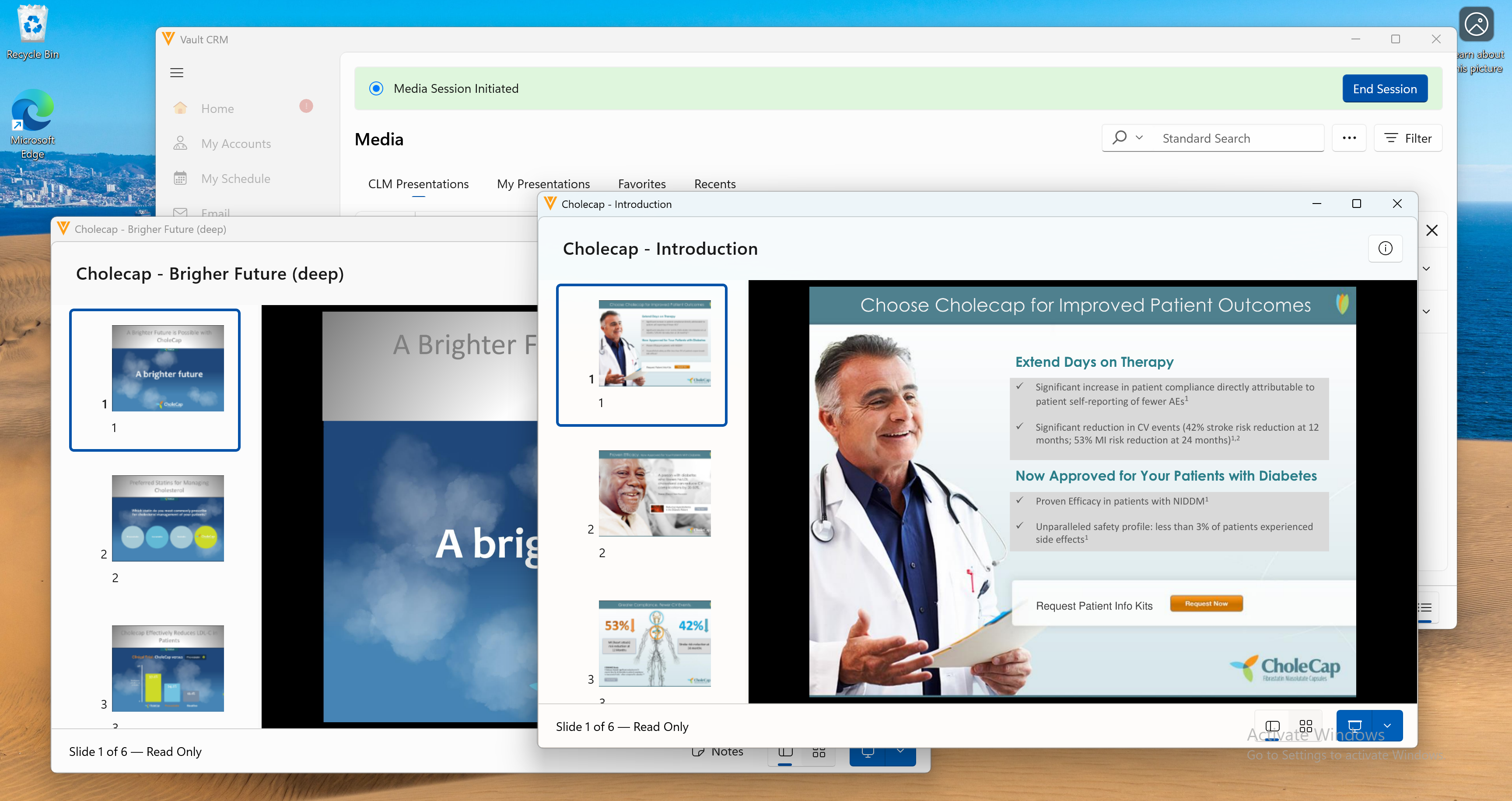
Windows users can open multiple presentation windows at once to preview CLM presentation slides and prepare presentation windows to be shared in calls. Users can easily switch between presentation windows to present them in call and media sessions.
Send Email and Create Order Action Menu Options for CLM as Document Model - Available on iPad
End users can use the Send Email and Create Order options to send Approved Emails or create orders from a CLM presentation without navigating away from the media player.
The CLM Integration automatically syncs content from PromoMats/MedComms to Vault CRM in near real-time, so users always have the latest approved materials and can share cross-Vault metrics. To provide more granular control, the Country Integration filters the content by country before syncing, improving performance for high-volume content integrations and ensuring only the most relevant content approved for a user’s specific market displays.
Consent Capture
Requiring In-Person Consent Confirmation Methods - Available on Browser and iPad
Business admin users can configure the Consent Type layout to manage which in-person consent confirmation methods are available and required when an end user captures consent for HCPs. This provides granular control over how consent is captured in Vault CRM and allows organizations to satisfy various regulatory requirements.
General
The Vault CRM Data Model is updated to include additional Common Data Architecture (CDA) fields, including new fields for State, Country, and Language. This allows systems to share data with greater consistency and accuracy, and ensures better data alignment with external systems, for example, Veeva Network MDM.
Support for the Veeva OpenData 2.0 Data Model - Available on Browser, iPad, iPhone, and Windows
The Veeva OpenData 2.0 Data Model allows customers who subscribe to OpenData to access their managed data in Vault CRM. This data model update adds international and local value fields, a subset of Common Data Architecture (CDA) fields, and several new picklists.
Inventory Monitoring
Pull-In Fields on Inventory Monitoring - Available on Browser and iPad
Users can view additional information on their Inventory Monitoring records by utilizing pull-in fields, which automatically populate Inventory Monitoring records with data from related Accounts or Contracts. In addition, by reducing manual data entry, organizations can minimize errors and ensure field users have immediate access to relevant context during the inventory process.
Medical
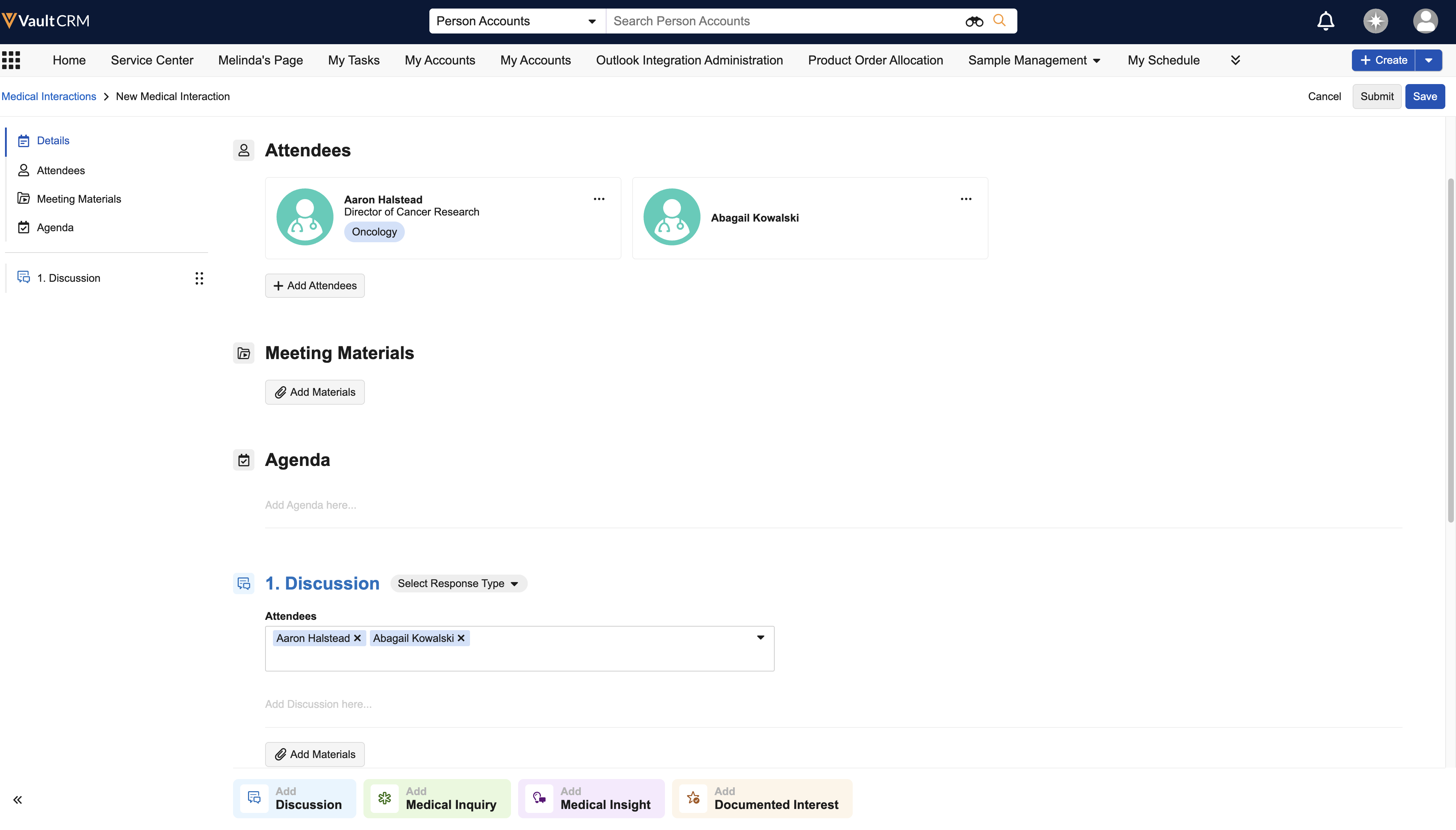
Adding Multiple Attendees to a Medical Interaction - Available on Browser, iPad, and iPhone
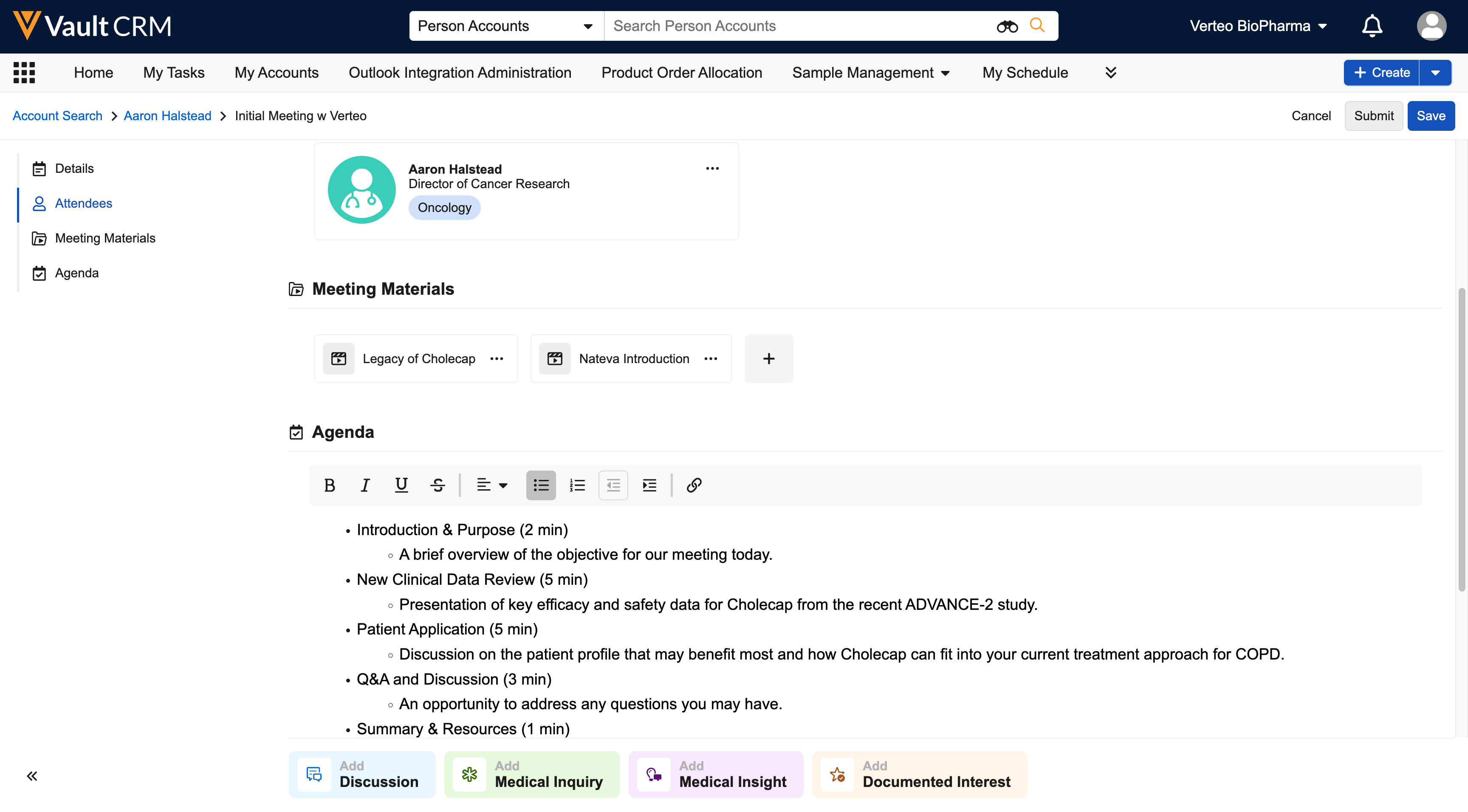
Medical users can now record information for up to 50 attendees on a single Medical Interaction, allowing them to capture both shared discussion details and attendee-specific information on one report. This streamlines the documentation process, ensures reporting accuracy by associating records with specific person accounts, and eliminates the need for creating duplicate interaction reports for the same meeting.
Medical Inquiry
Improvements to Medical Inquiry Fulfillment - Now available on Windows
Users can assign Medical Inquiries to the appropriate user for fulfillment by selecting from all active users of a specific type instead of only territory-aligned users. When the medical inquiry is submitted, the account is automatically added to the user’s territory. This streamlines medical inquiries by eliminating the need for managers to assign a user to an account’s territory before they (or the end user) can assign the medical inquiry to the appropriate user for fulfillment.
Adding a Disclaimer to a Medical Inquiry - Now available on Windows
Business admin users can add default disclaimer text that displays on the Medical Inquiry page. This text is often recommended or required by a medical or pharmaceutical provider's legal department. Additionally, instead of the default disclaimer text, customers with multi-country operations can automatically display disclaimer text on the Medical Inquiry page based on the country of an account.
My Schedule
Switching to the Core System User for Microsoft Outlook Integration - Available on Browser
To prepare for the upcoming switch to a Core System User in 26R2.0, admins can easily update legacy Microsoft Outlook integration users to the Core System User. This simplifies configuration and eliminates the need to manage a separate Outlook integration user.
Sample Management
Cold Chain Sampling on the Call Report - Now available on Browser
To support the additional care needed for refrigerated samples, cold chain sampling on the call report enables Browser users to capture tag alert numbers and temperature status for refrigerated samples at each stage in the sampling process.
Service Center
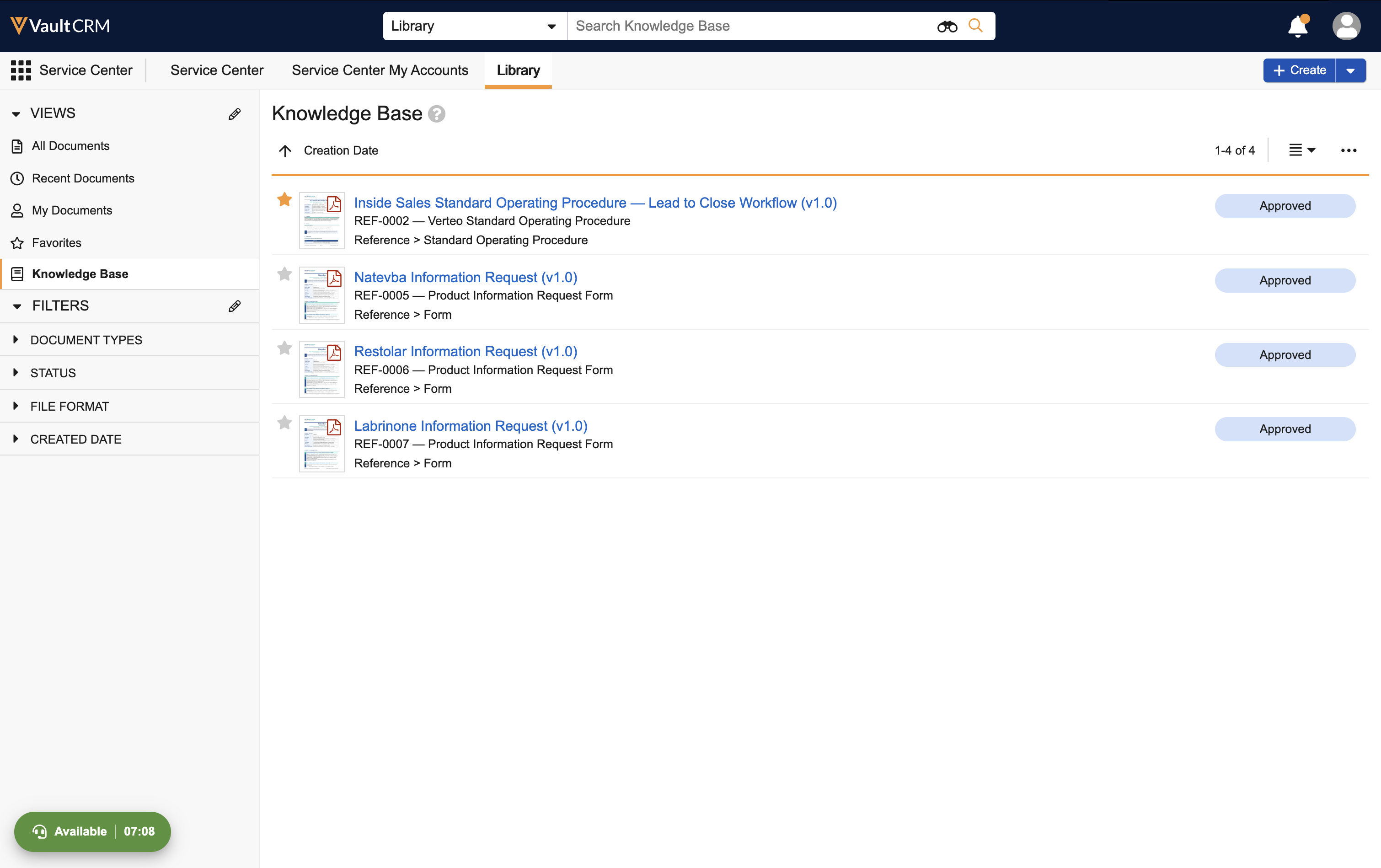
Knowledge Base for Service Center - Available on Browser
Knowledge Base acts as a repository to manage approved documents directly within Service Center, providing inbound Service Center reps with easily accessible reference materials during customer interactions. This helps minimize the risk of outdated information and reduce case handling time.
Outbound Target List Enhancements - Available on Browser
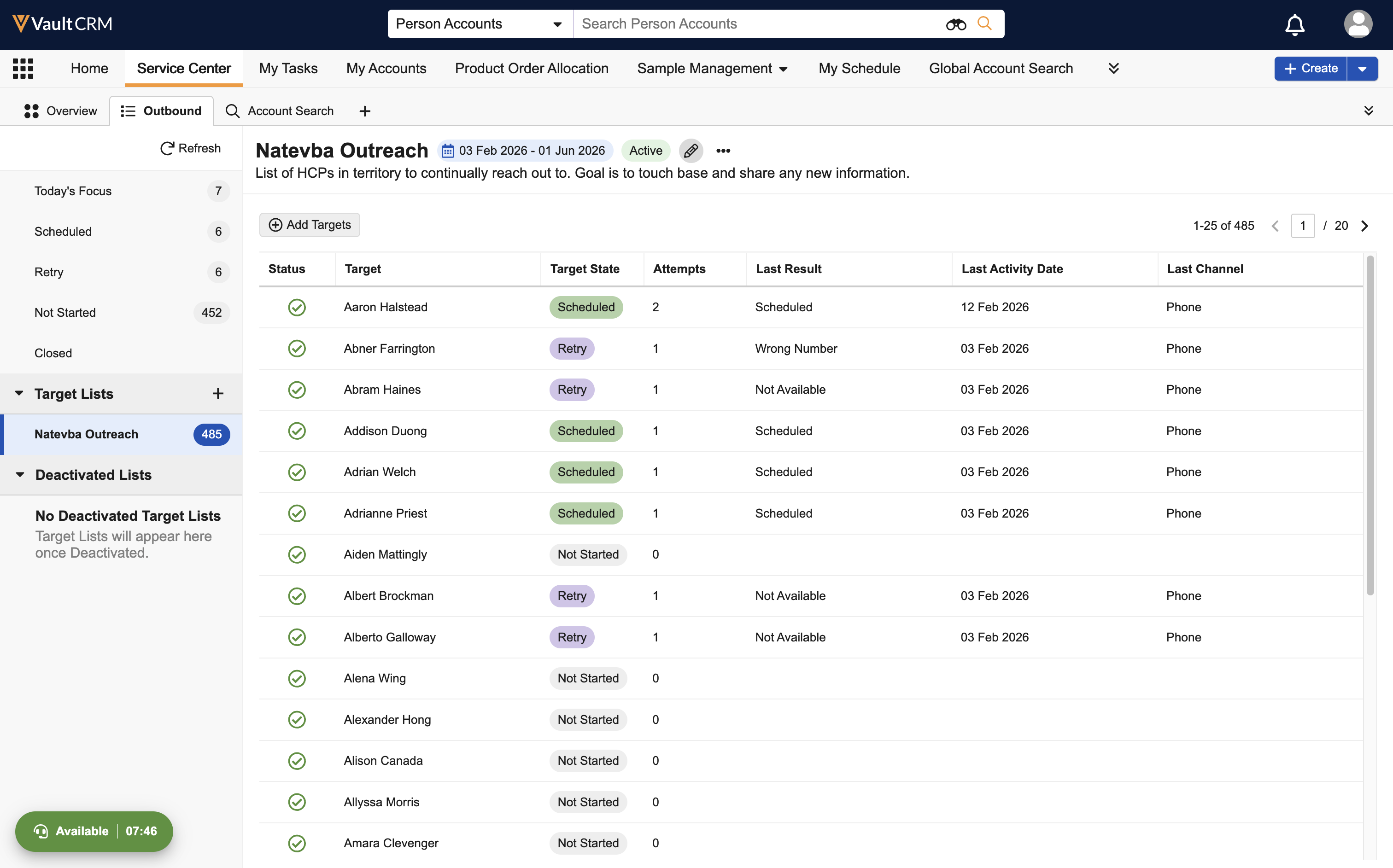
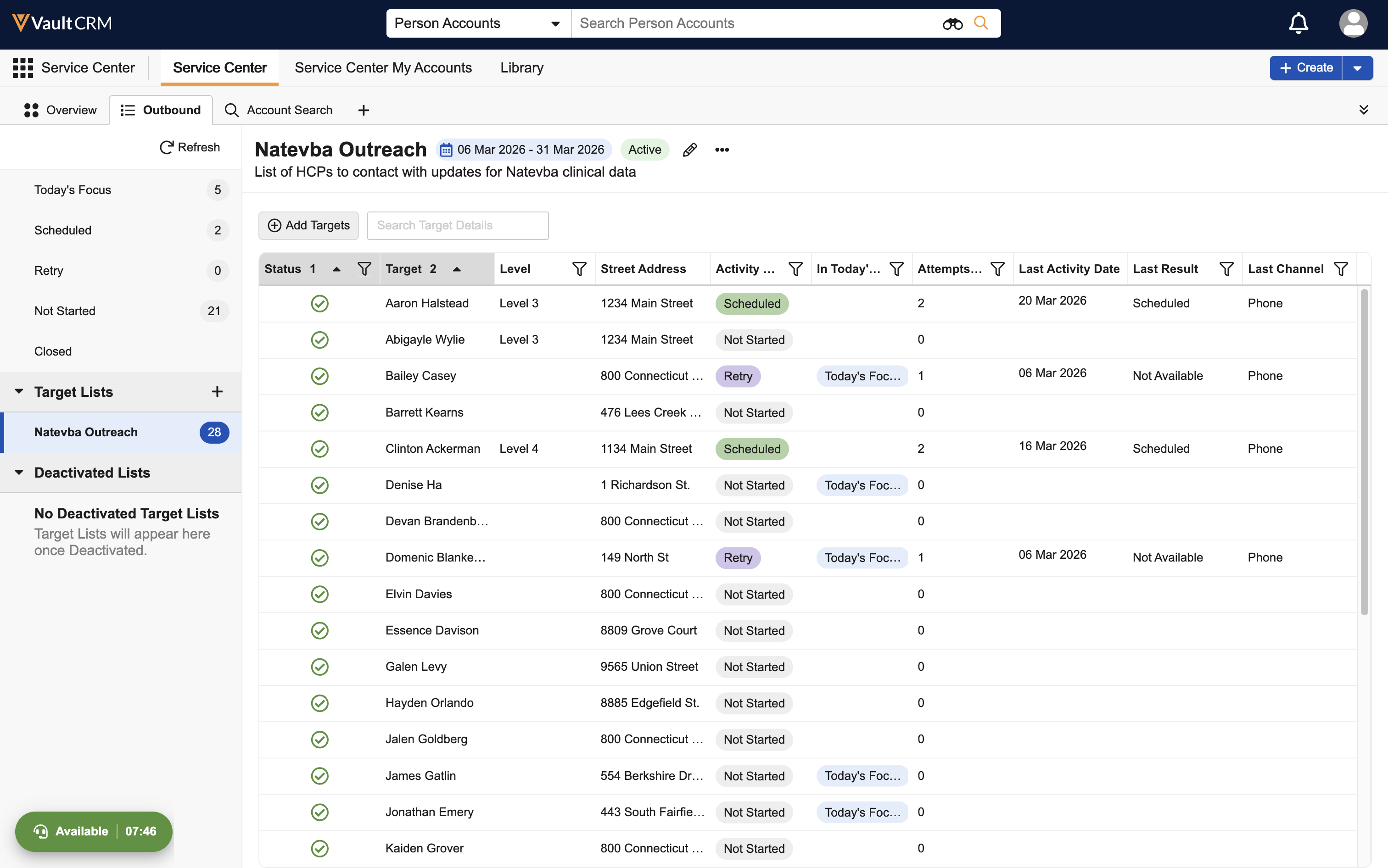
The Outbound Target List interface is updated to improve productivity and user experience for Service Center reps. Enhancements include new search capabilities, sortable columns optimized for each Target List state, and an In Today’s Focus indicator to help Service Center reps rapidly prioritize and take action for target accounts.
Switching to the Core System User for Outlook Integrations - Available on Browser
To prepare for the upcoming switch to a Core System User in 26R2.0, admins can easily update legacy Microsoft Outlook integration users to the Core System User. This simplifies configuration for Shared Mailboxes and eliminates the need to manage a separate Outlook integration user.
X-Pages
Prompt Overlay Entry Point - Available on iPad
Customers can now use the X-Pages Prompt Overlay entry point to replace the standard Vault AI Chat with custom AI chatbots to provide a tailored experience directly within their Vault CRM workflow. By integrating a custom AI chatbot, users benefit from a cohesive user experience that maintains the familiar Vault CRM interface while leveraging proprietary business logic and AI training.
Loading X-Page Content from External Servers - Available on Browser
Content developers can display external data directly within Vault CRM by loading content from an external system using an X-Pages entry point. Users can view custom interfaces, for example external chat systems or data visualizations, directly within their Vault CRM workflow, while maintaining the look and feel of the Vault CRM application. In addition, by loading content from an external URL instead of a static zip file, customers can ensure their X-Pages are always up to date with the latest external information and logic.
X-Pages Studio
Using X-Pages Studio Template Library - Available on Browser
Users can now access productized Studio templates from a centralized library within X-Pages Studio, streamlining the creation of X-Pages. Instead of manually downloading template files from the Developer Portal, content creators can browse, filter, and preview templates directly from the X-Pages Studio Template Library. This ensures users always have access to the latest versions of approved templates.
Managing Pages in X-Pages Studio - Available on Browser
Content creators in X-Pages Studio can manage their pages to accomplish their unique business needs. This includes editing page properties, duplicating, importing/exporting, and deleting pages. These features allow content creators to streamline their page creation process and simplify how pages can be used and reused across teams.
Approved Email
The following features are now available on Windows:
- Email Tab
- Saving Emails as Drafts
- Reschedule Emails
- Recommended Emails
- Using Approved Email for Consent Confirmation
Email activities from bots are not displayed on the Timeline or in Multichannel Alerts to improve the reliability of information surfaced to users.
Campaign Manager
Journeys in Campaign Manager - Available on Browser
Journeys are active, long-running campaigns that marketing users can add new targets to on an ongoing basis, ensuring newly eligible HCPs can begin the journey at defined frequencies. These long-running programs enable customers to define journey channels and actions once, avoiding rebuilding them on a regular basis.
Segments and Flows in Campaign Manager - Available on Browser
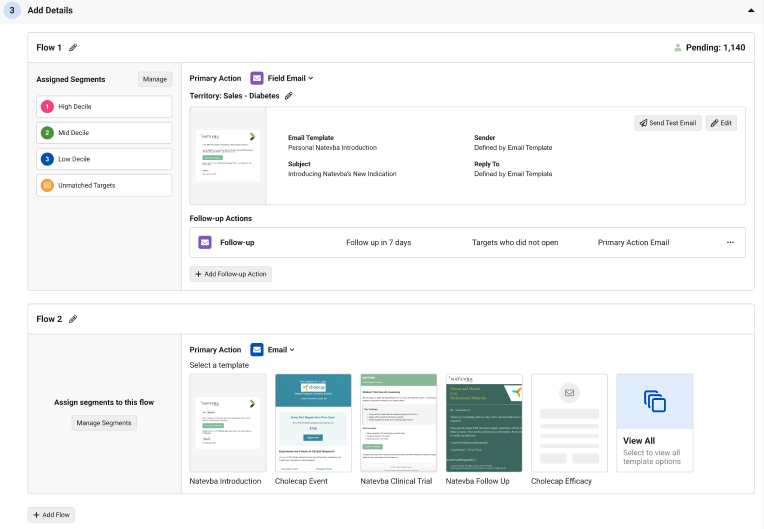
Marketing users can divide the targets of their campaign or journey into segments based on supported account__v fields, each of which can be assigned a distinct and unique flow. This enables more flexible, targeted, and relevant campaigns and journeys.
Engage
Managing Remote Meetings - Available on Browser
The Remote Meeting page provides a centralized, unified workspace for managing all remote meeting integrations within Vault CRM, including Engage and Microsoft Teams meetings. This ensures compliance and data accuracy by offering transparent, easily accessible audit logs for meeting attendance and process histories.
Sending WhatsApp Messages to Multiple Accounts at Once - Available on iPad and iPhone
Users can send the same WhatsApp message to up to 25 accounts at once to save time and increase efficiency when communicating with multiple accounts.
End users can use Approved Email to share links for CLM content published in PromoMats/MedComms, including auto-published content, binders and slides, custom presentations, and websites. A CLM presentation accessed from a web link displays in the HCP Content Player. Any action the recipient takes on the link and any engagement with the content is tracked on Email Activity records, allowing admins to analyze engagement with specific presentations to improve CLM content.
Events Management
Customized Scoring and Matching When Reconciling Walk-in Attendees - Available on Browser and iPad
To improve the accuracy of walk-in attendee reconciliation and reduce manual data entry, business admin users can configure custom scoring logic and auto-match rules based on specific walk-in fields.
Using Attendee Suggestions - Available on Browser and iPad
End users can view Attendee Suggestions for their event and add accounts to either a specific event or to events of specific object types based on the Suggestion.
Send to Fax
Displaying Sent Fax Activity on the Timeline - Available on Browser, iPad
The Timeline View displays a history of sent fax activity, providing a chronological record of all fax communications with an account. This allows users to quickly verify if critical documents reached a provider without navigating away from the account's primary activity stream.
Vault AI in CRM
Creating Medical Insights with Agentic Voice - Available on iPad, iPhone
Field users and Medical Science Liaisons (MSLs) can capture important medical information by recording Voice Notes that are automatically transcribed, then saved for later or converted to a Medical Insight. This ensures detailed information is captured while it is fresh in the user's memory, improving the accuracy of field intelligence while reducing the administrative burden of manual data entry.
Capturing Call Text with Agentic Text Monitoring - Now available on iPhone
On the iPhone platform, Agentic Text Monitoring now uses AI to intelligently monitor information entered in the Call Text field. This enables end users to capture detailed, unstructured descriptions of their interactions with HCPs directly in Vault CRM, while ensuring they remain compliant with regulations and company policy.
My Notes - Available on iPad and iPhone
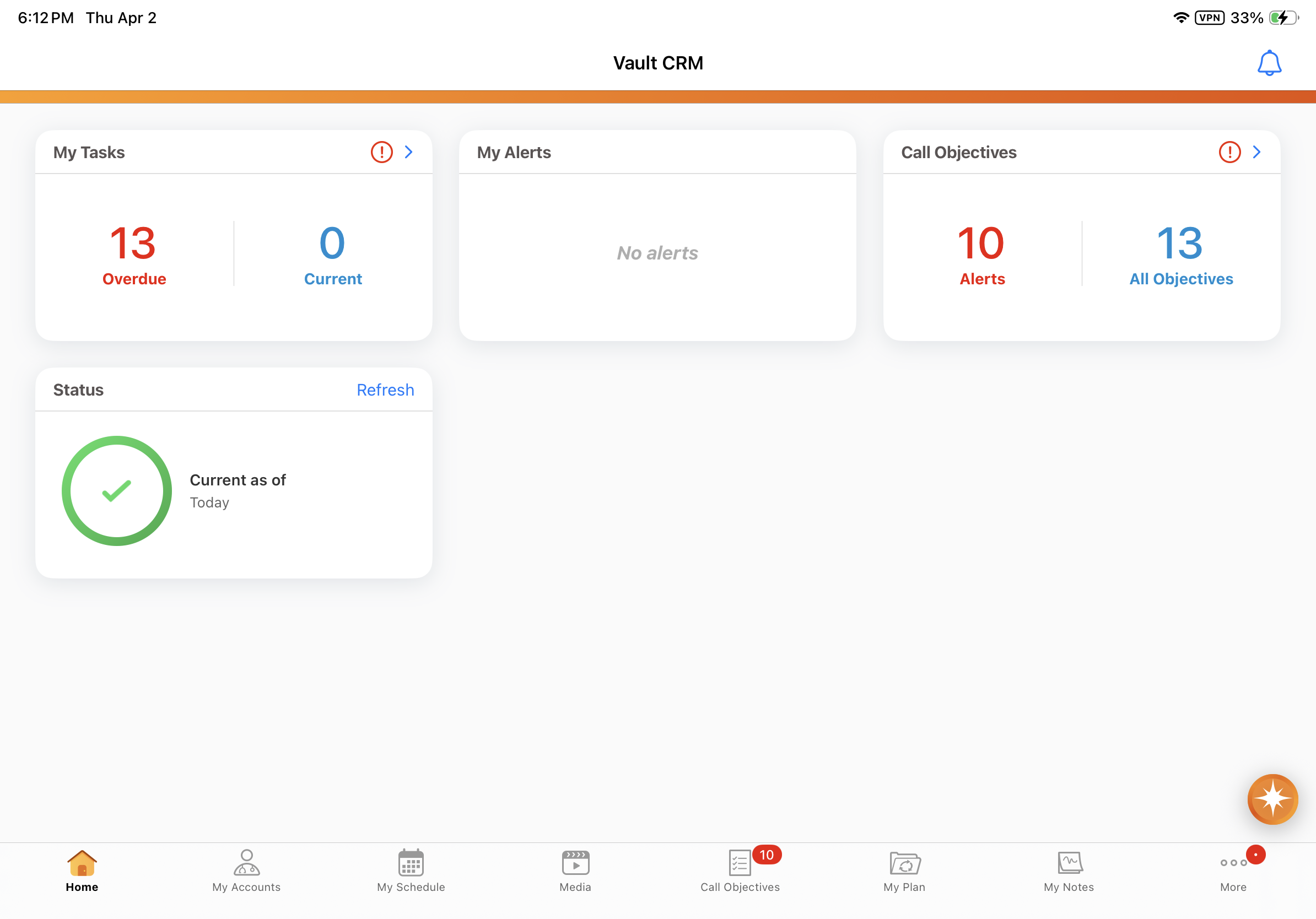
The My Notes tab provides users with a central place to manage Voice Notes that are not yet transposed into a record. This feature streamlines the record creation process by providing a single place to review audio captured in the field and convert it into actionable data, using Agentic Voice’s intelligent AI capabilities.
Capturing Call Attendees with Agentic Voice - Available on iPad and iPhone
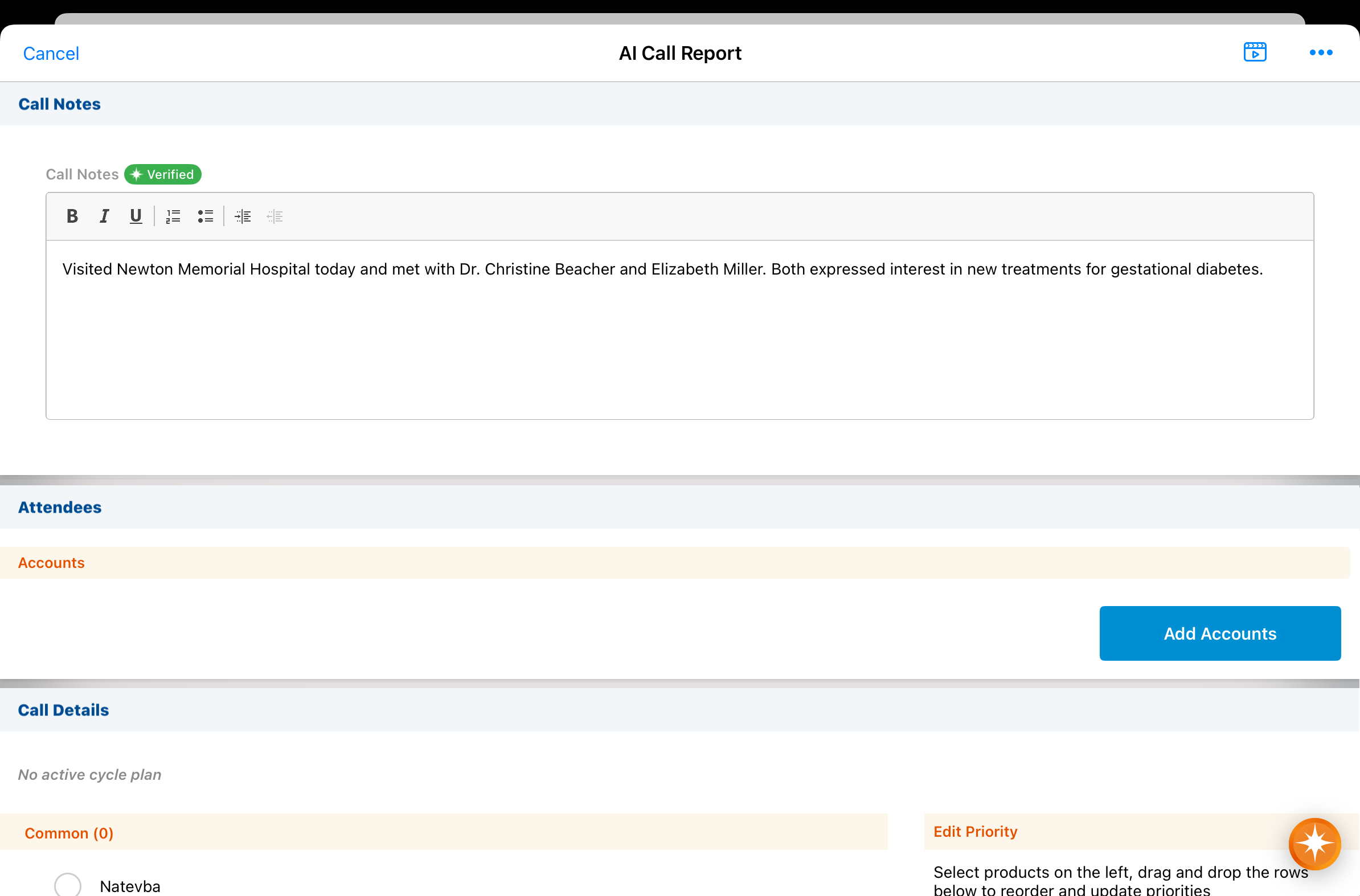
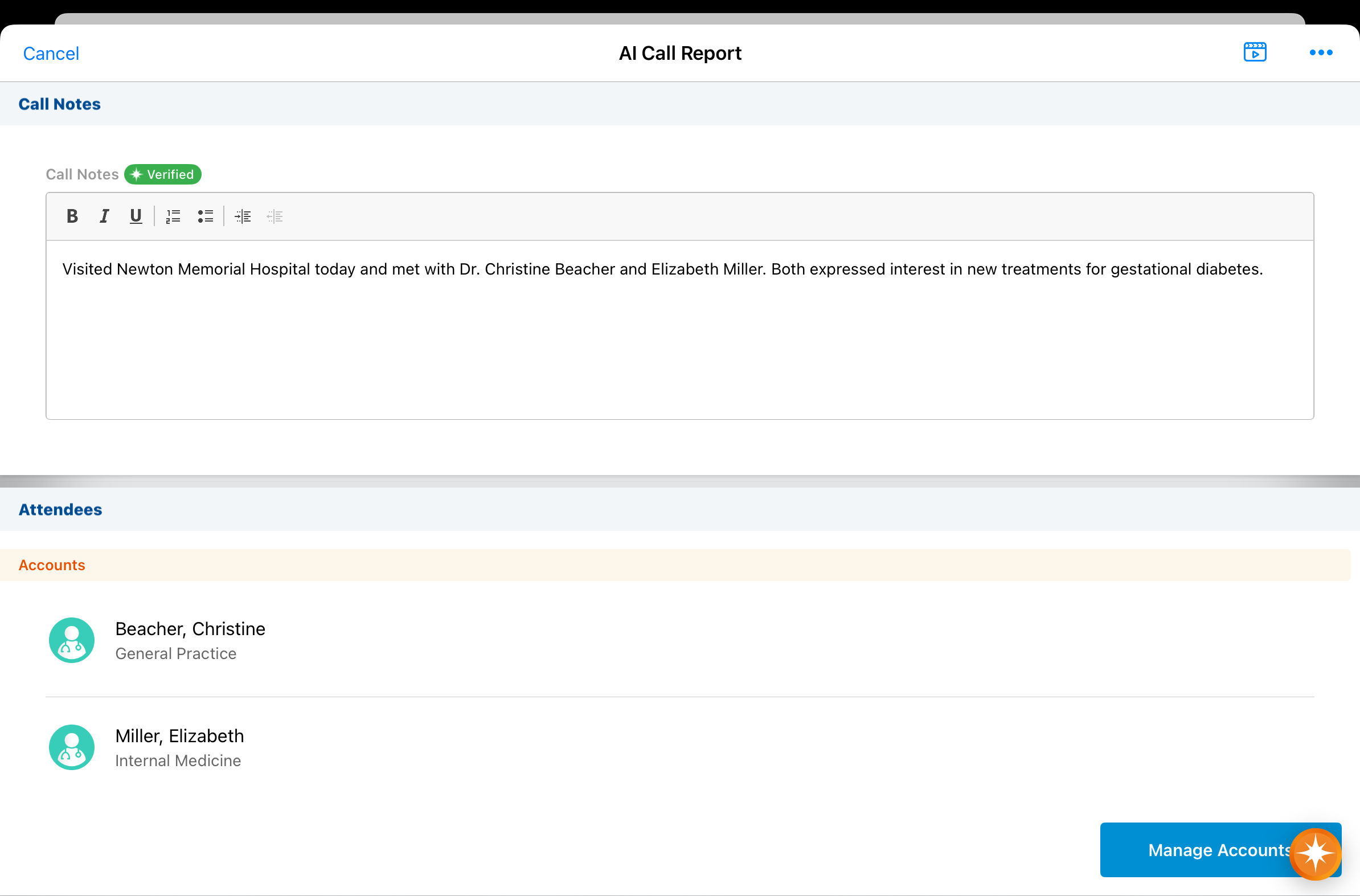
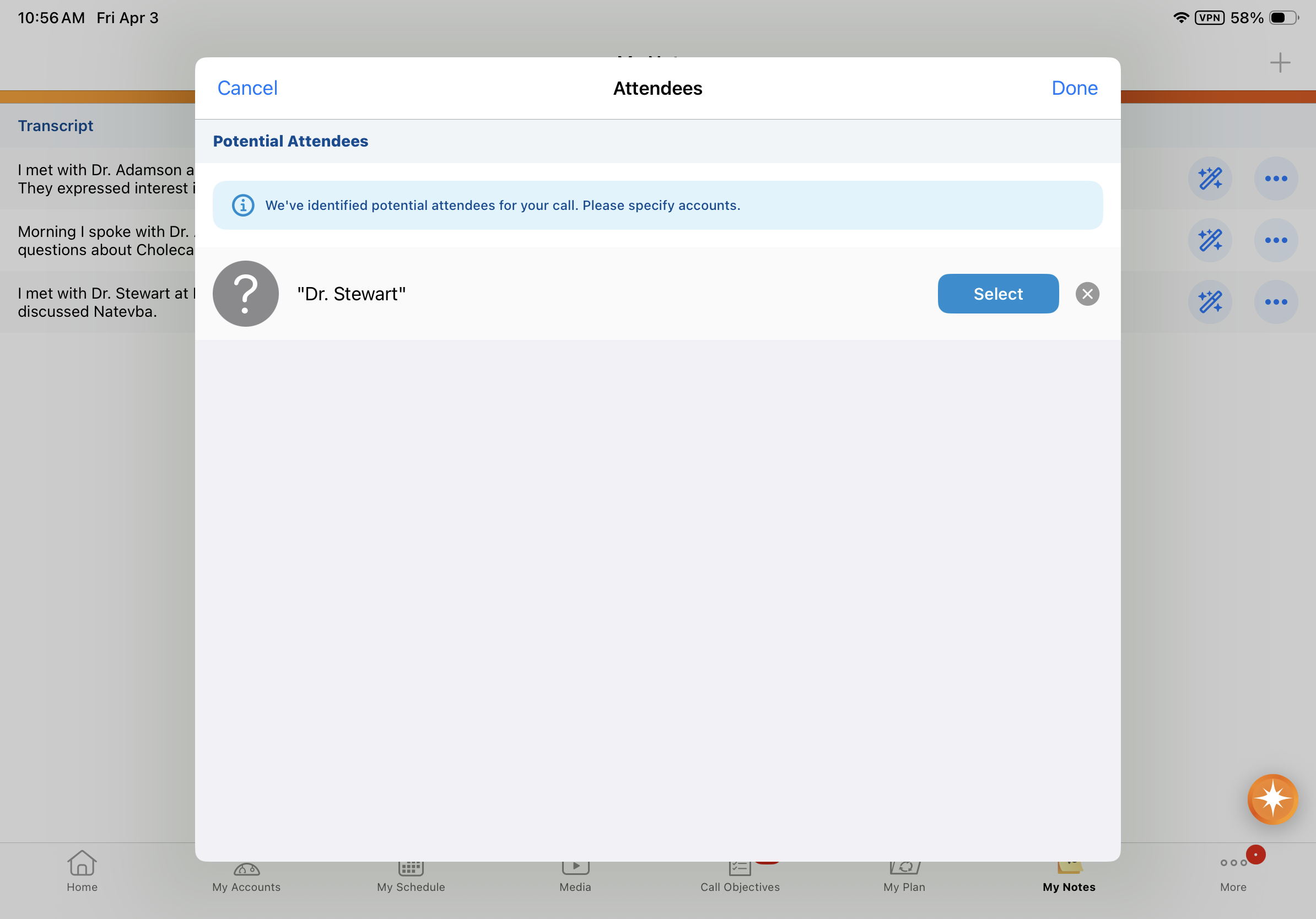
Agentic Voice now automatically adds Call Attendees based on the user’s audio input. Names captured in the Call Voice Note are matched to person accounts, then added to the call report as attendees. Users are presented with a list of potential attendees if the account name is not a clear match.
Capturing Call Location with Agentic Voice - Available on iPad and iPhone
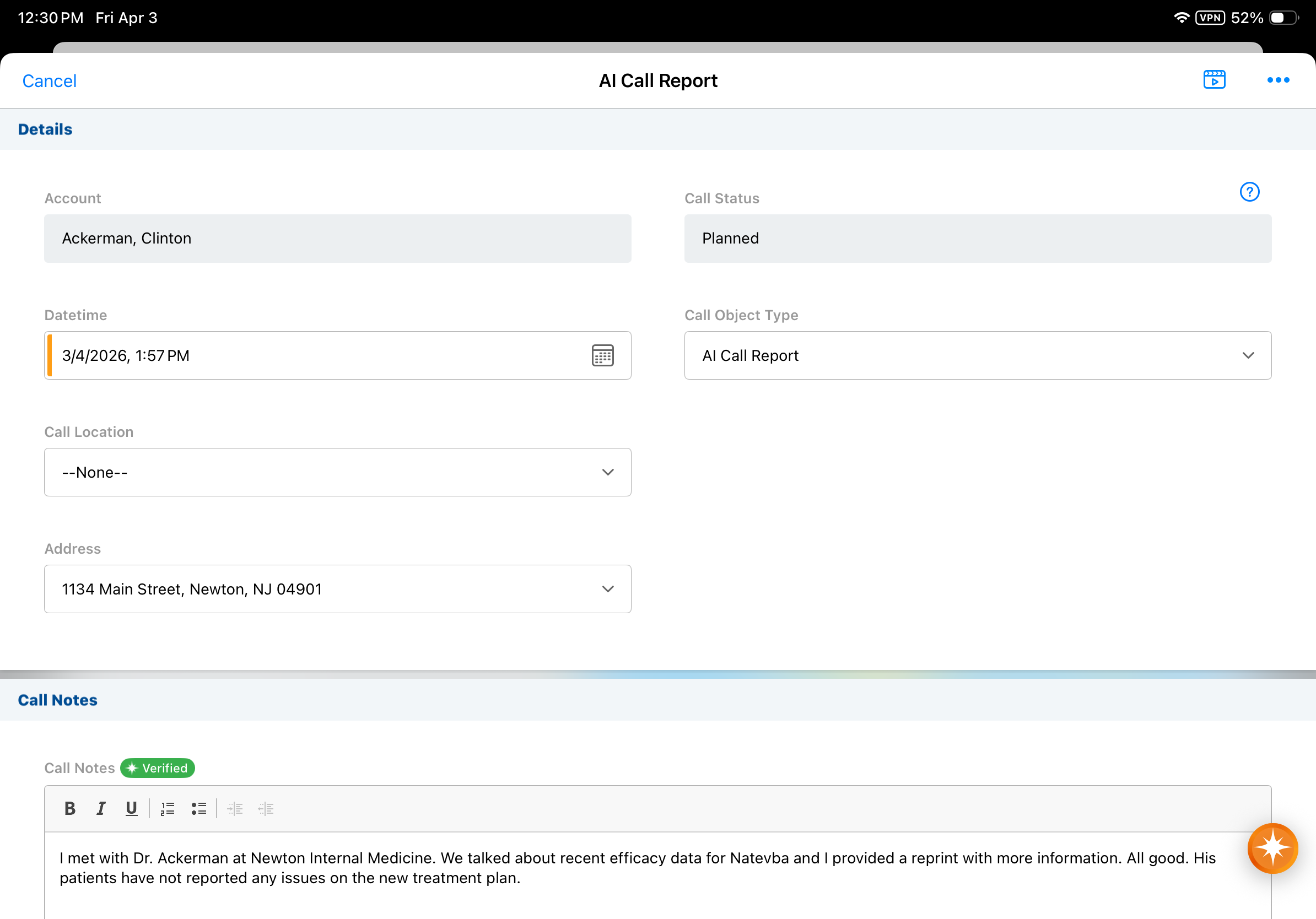
Agentic Voice now automatically sets Call Location based on the user’s audio input. This ensures location information is captured for healthcare providers with multiple offices, if mentioned in the Call Voice Note.
Enabling Parent Call Account Type Preference - Available on iPad and iPhone
Admins can now prioritize or require specific account types (Business Account or Person Account) for call reporting with Agentic Voice. This ensures end users are presented only with the accounts most relevant to them, for faster and more accurate call reporting.
Flightpath
Flightpath is an educational tool where you'll find overviews and examples to walk you through how to leverage Vault CRM features and functionality:
- Capturing HCP Interactions Using Agentic Voice
- Customizing Event Approval Workflows
- Customizing Consent Capture
- Introduction to Order Management
- Introduction to Veeva Network MDM Integration
- Introduction to X-Pages Studio
- X-Pages Studio Templates (Updates to existing Flightpath)
- Veeva's AI Agents (Updates to existing Flightpath)
Videos
The following videos will be available with the 26R1.0 release:
- Journeys in Campaign Manager
- Segments and Flows in Campaign Manager
- Personalizing Emails with User Profiles
- Presenting and Tracking Multiple Presentations on Windows
- Event Attendee Suggestions
- Managing Patient Adherence Check-Ins
- Knowledge Base for Service Center
- Agentic Voice Overview
- Medical Insights with Agentic Voice
- X-Pages Prompt Overlay
- X-Pages Studio Template Library
User Visible and Behavior Changes (UVCs)
Most new functionality requires some configuration, however users are able to use the following functionality immediately. Select the thumbnail to view a larger image.
Campaign Manager
|
Platform |
Description |
Before |
After |
|---|---|---|---|
|
Browser |
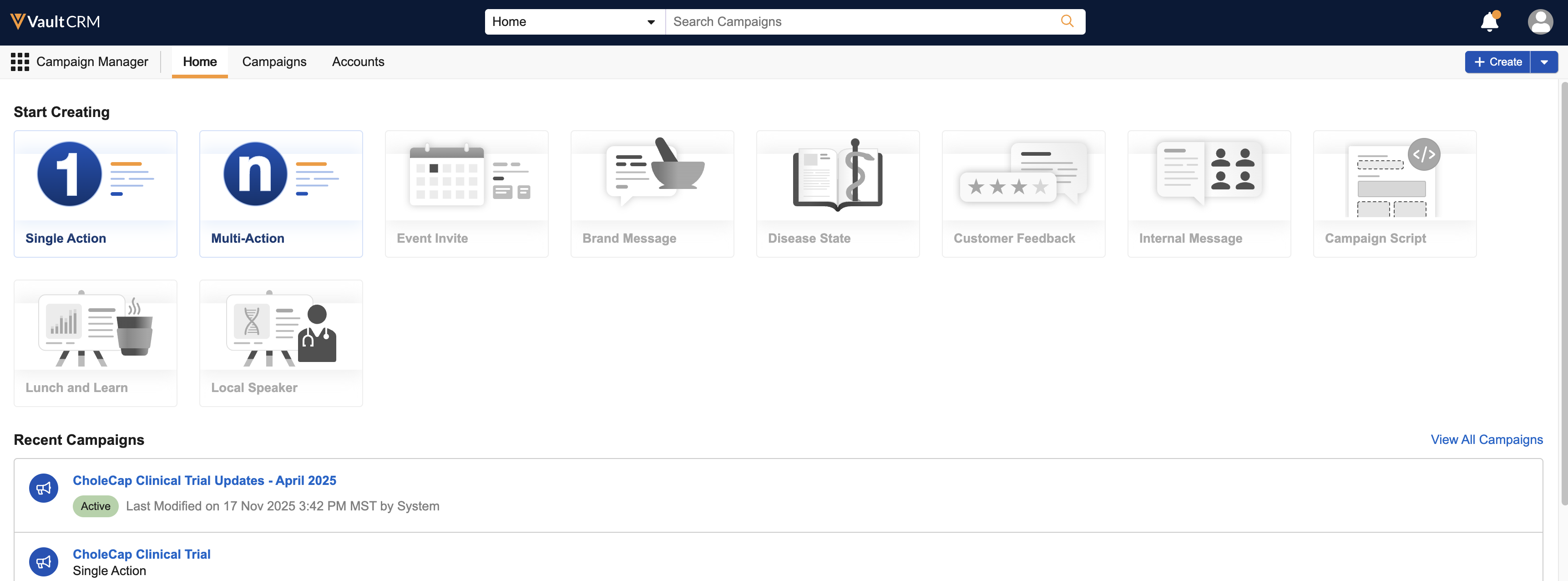
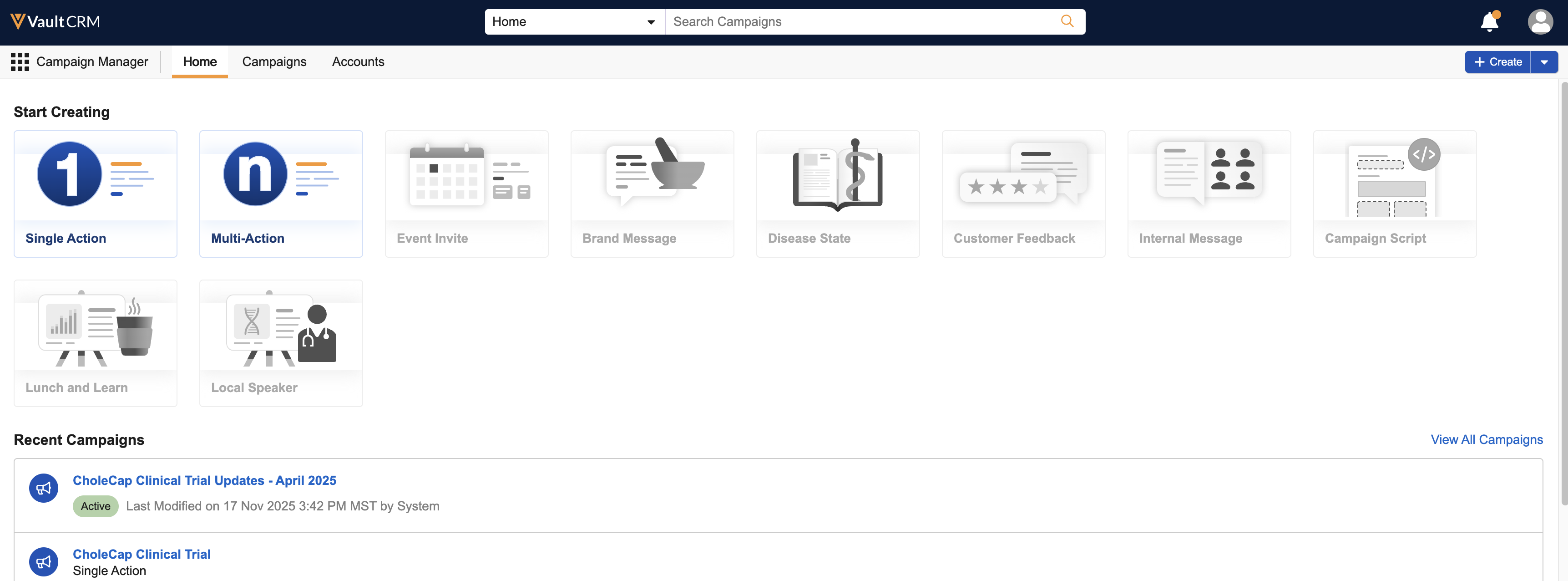
The Home tab of Campaign Manager is updated, enabling easier creation of campaigns and journeys. Additionally, marketing users can now view active, upcoming, and draft campaigns or journeys from the Home tab. (Available on April 22, 2026) |
|
|
|
Browser |
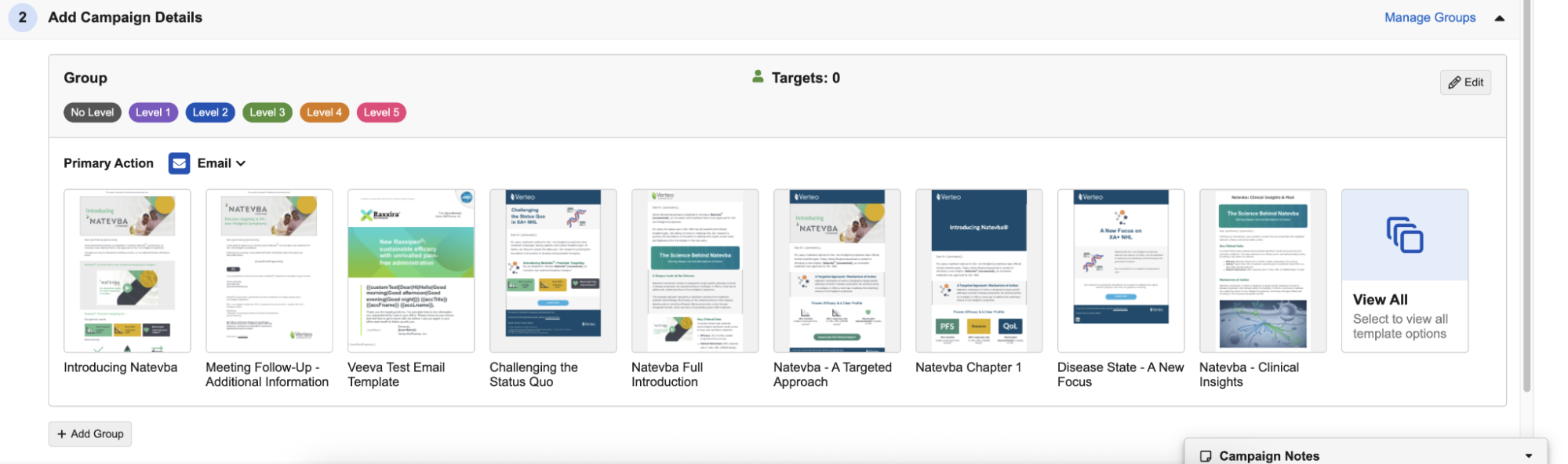
Targeting Groups have been replaced with Segmentation, enabling greater flexibility when dividing the targets of their campaign or journey into segments based on an account__v field. Existing Multi-Action Campaigns using Targeting Groups are automatically migrated to Segments using level_cda__v as the segmentation field, ensuring a seamless transition. See Segments and Flows in Campaign Manager for more information. |
|
|
Events Management
|
Platform |
Description |
Before |
After |
|---|---|---|---|
|
iPad |
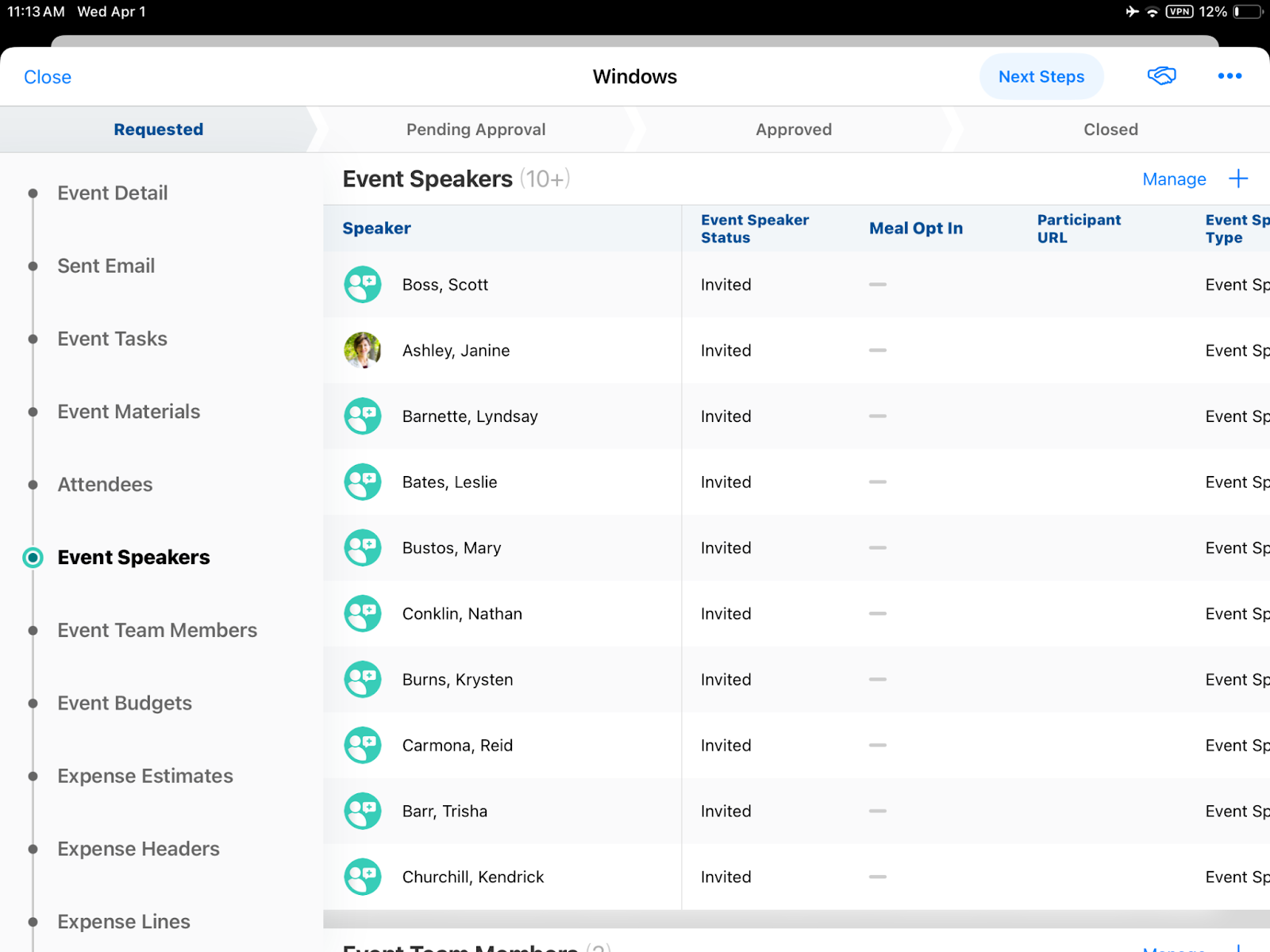
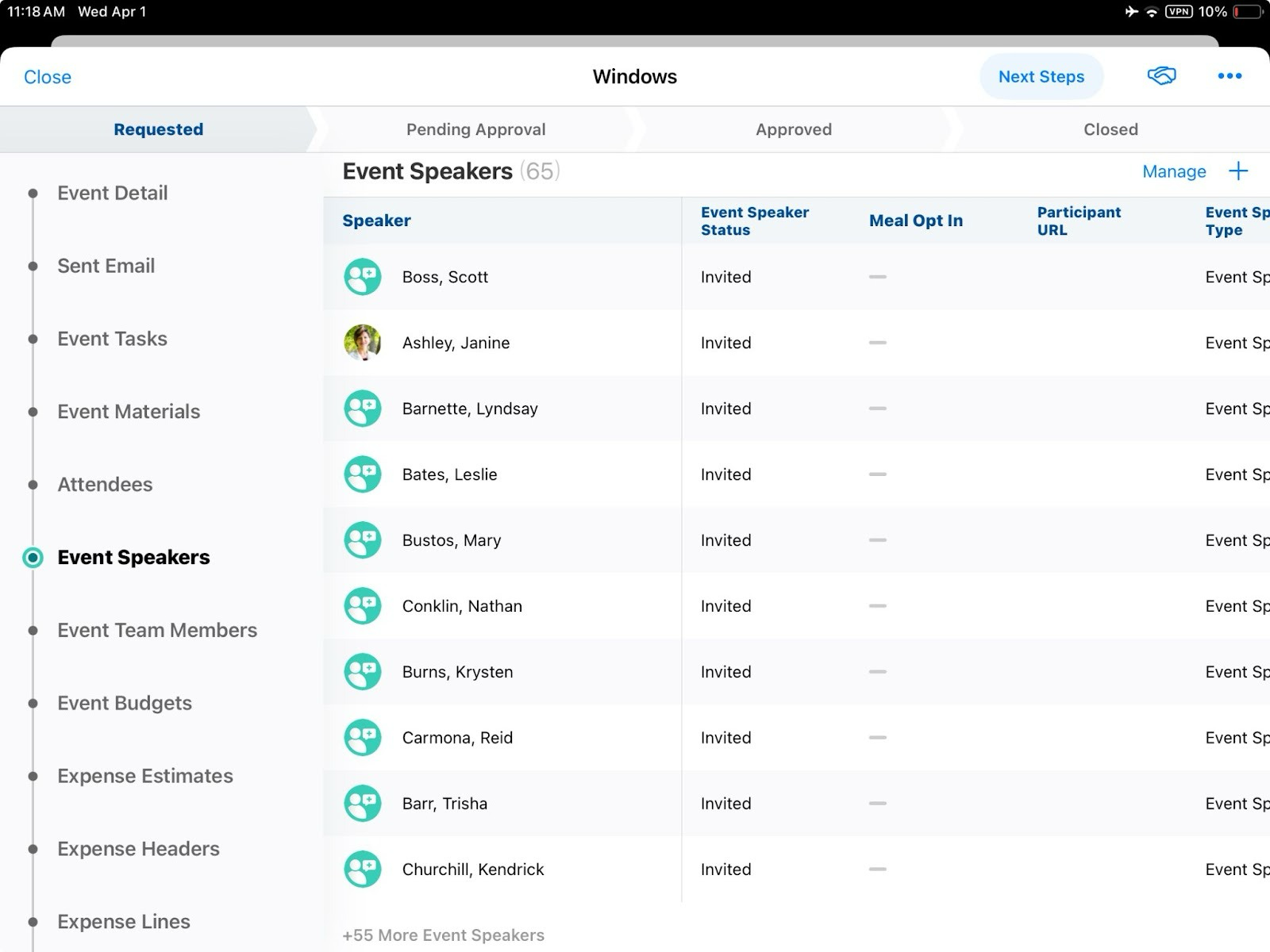
Related object sections now display the total count in the title when viewing the event layout. The eleventh table row now displays the number of records not in view. |
|
|
General
|
Platform |
Description |
Before |
After |
|---|---|---|---|
|
iPad, iPhone |
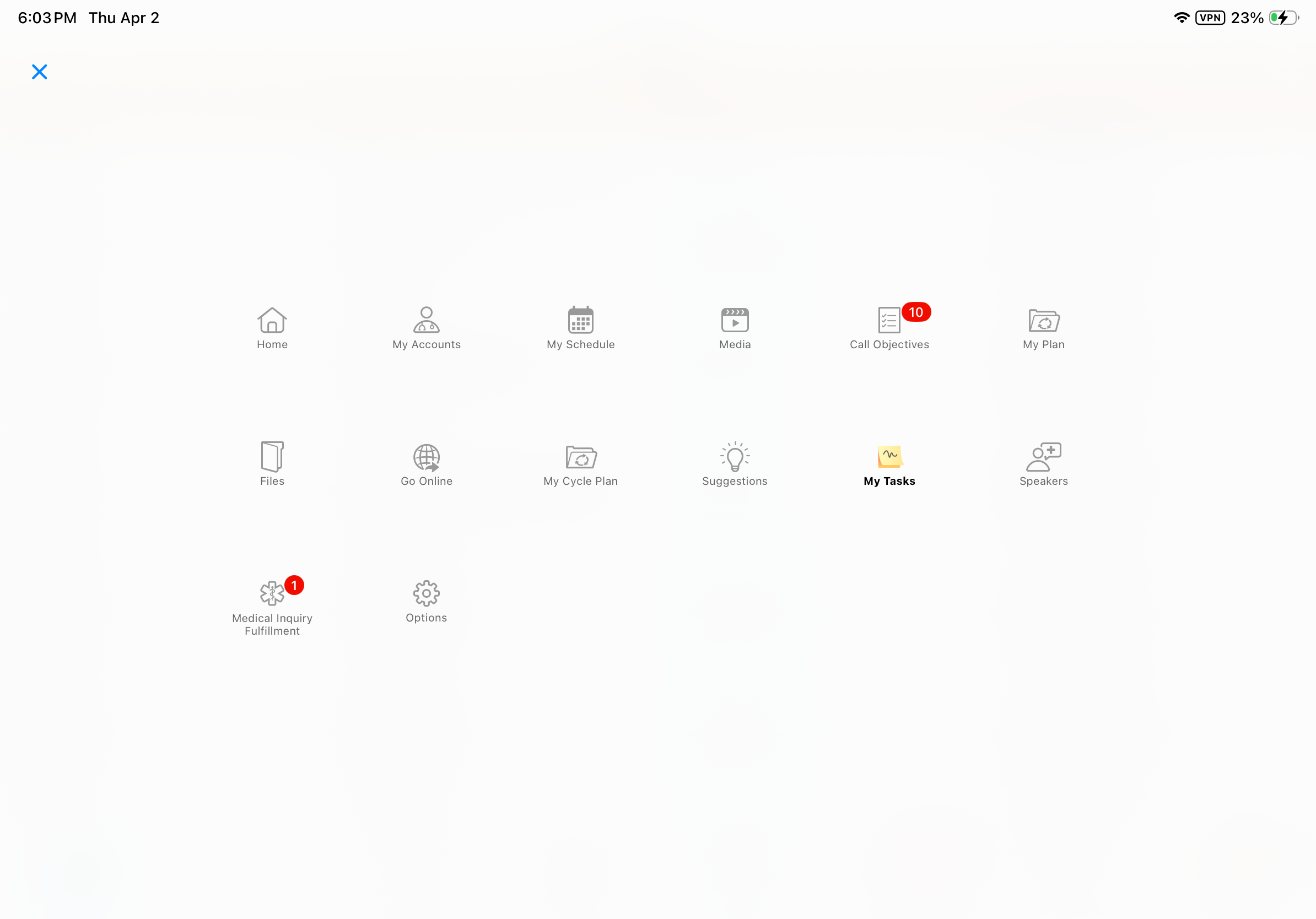
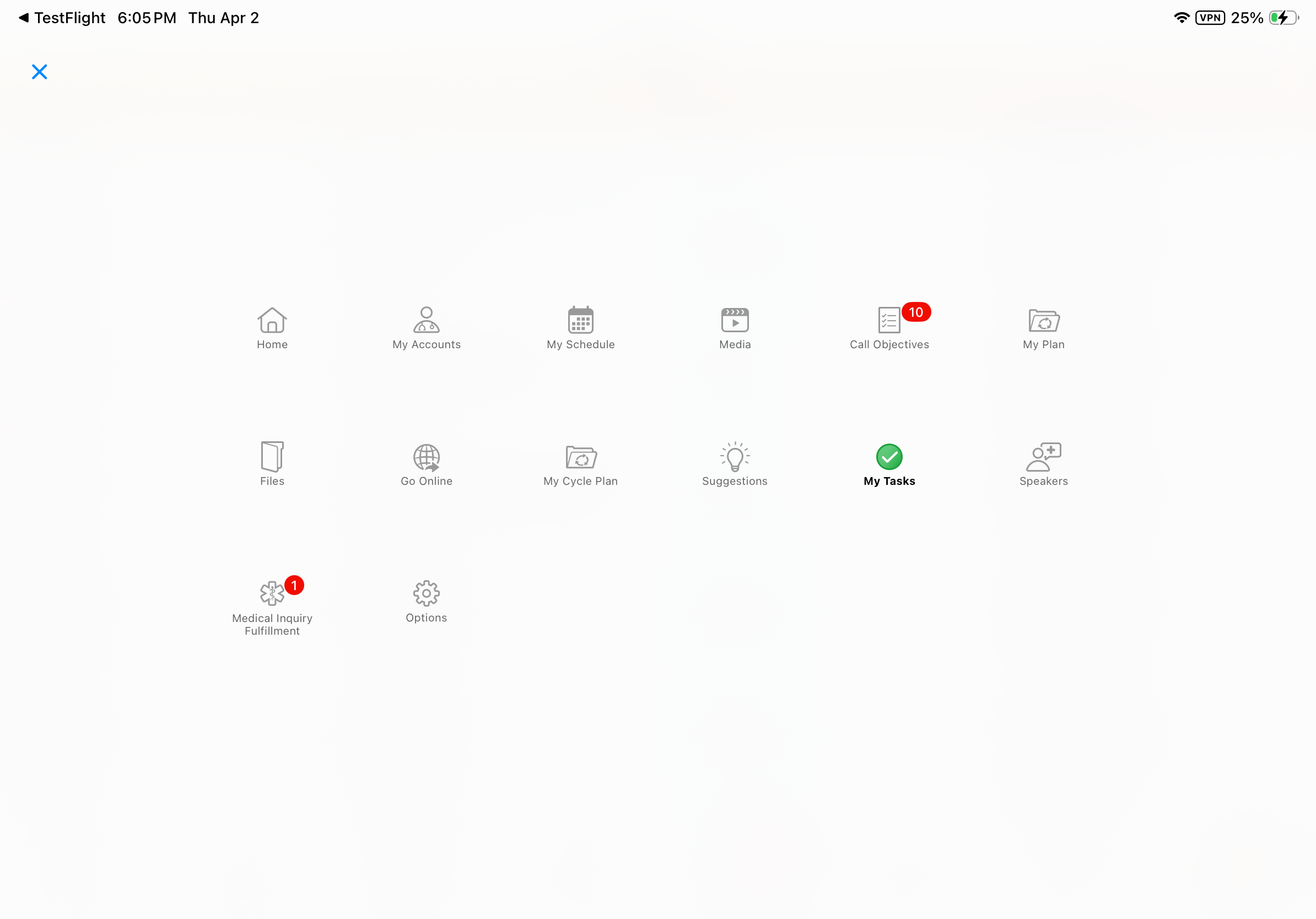
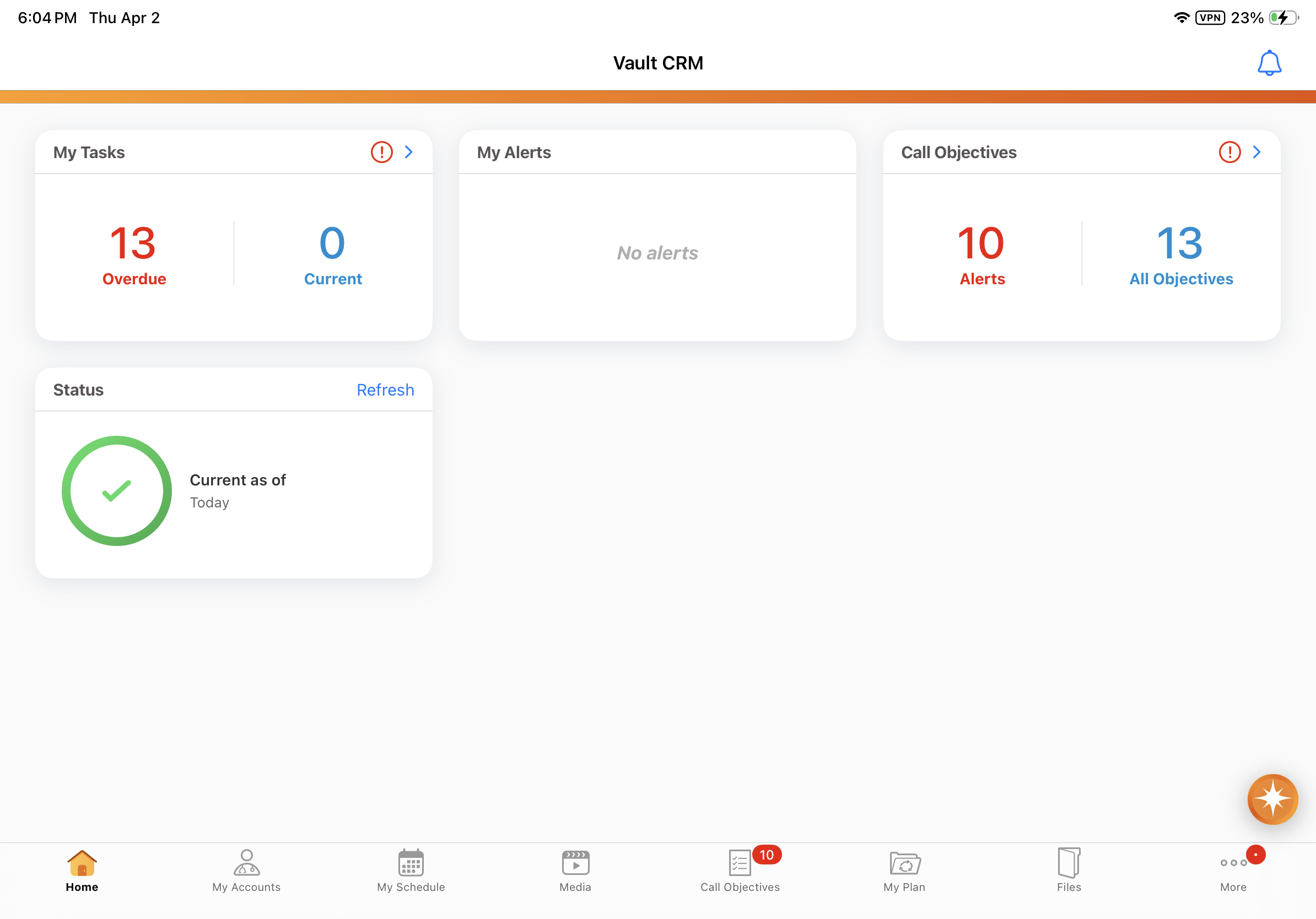
The icon for the My Tasks tab is updated. |
|
|
Call Sampling
|
Platform |
Description |
Before |
After |
|---|---|---|---|
|
Browser |
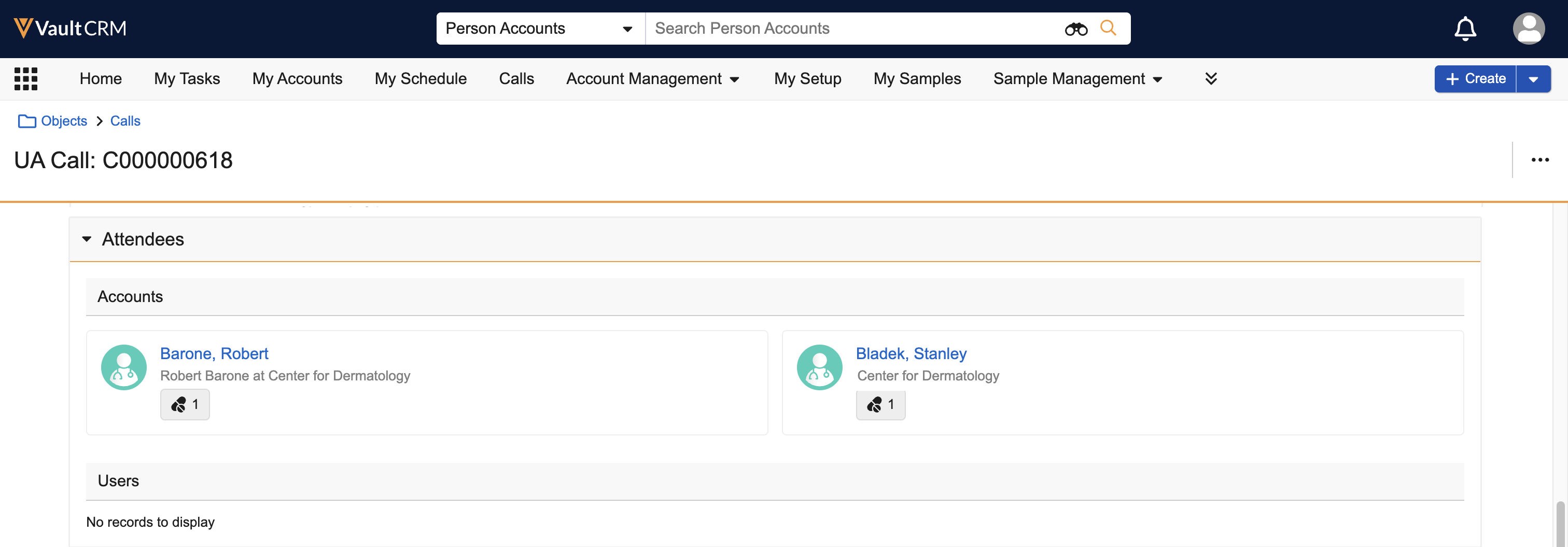
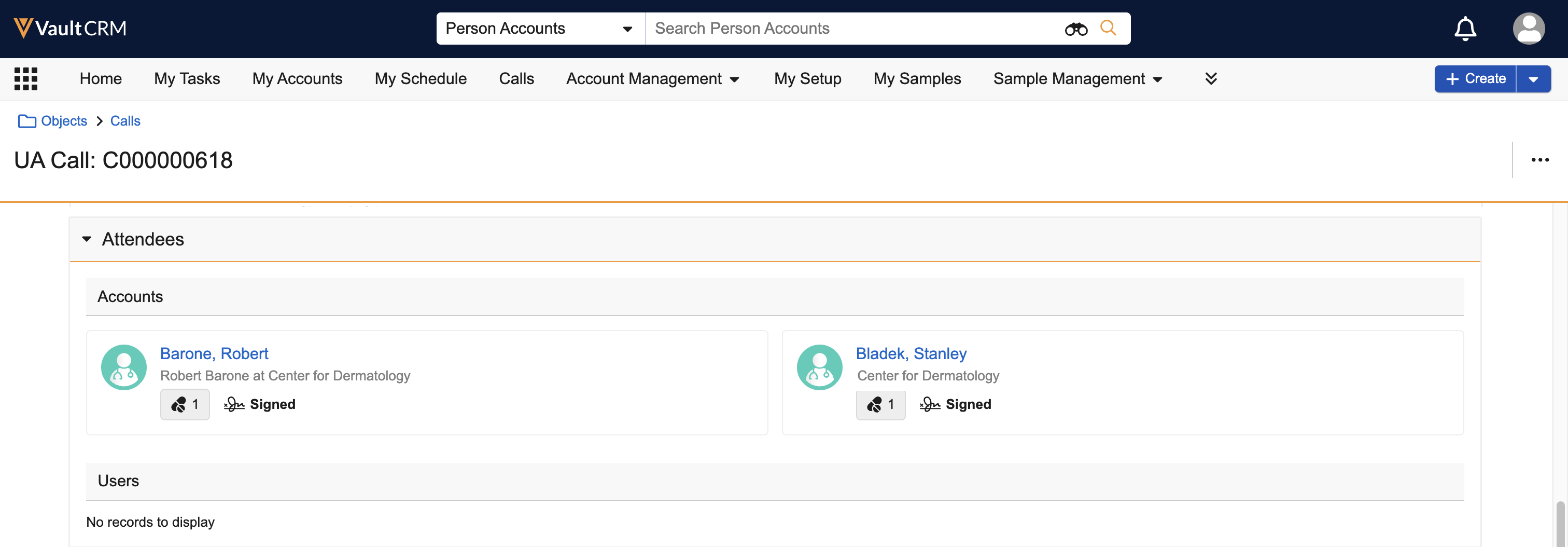
A signature badge displays for unique activity call attendees who signed for samples or have a pending signature request. |
|
|
CLM
|
Platform |
Description |
Before |
After |
|---|---|---|---|
|
Windows |
CLM presentations now open in their own windows. |
n/a |
|
Medical
|
Platform |
Description |
Before |
After |
|---|---|---|---|
|
Browser, iPad, iPhone |
The Add Attendees button allows users to add up to 50 attendees to a Medical Interaction. |
|
|
Network MDM Integration
|
Platform |
Description |
Before |
After |
|---|---|---|---|
|
Browser, iPad, iPhone, Windows |
Network Account Search and DCR import no longer create Network custom keys on address and child account objects when importing records into Vault CRM. The Created By field on the imported records displays "System" instead of "Network Integration User". |
n/a |
n/a |
Sample Management
|
Platform |
Description |
Before |
After |
|---|---|---|---|
|
Browser |
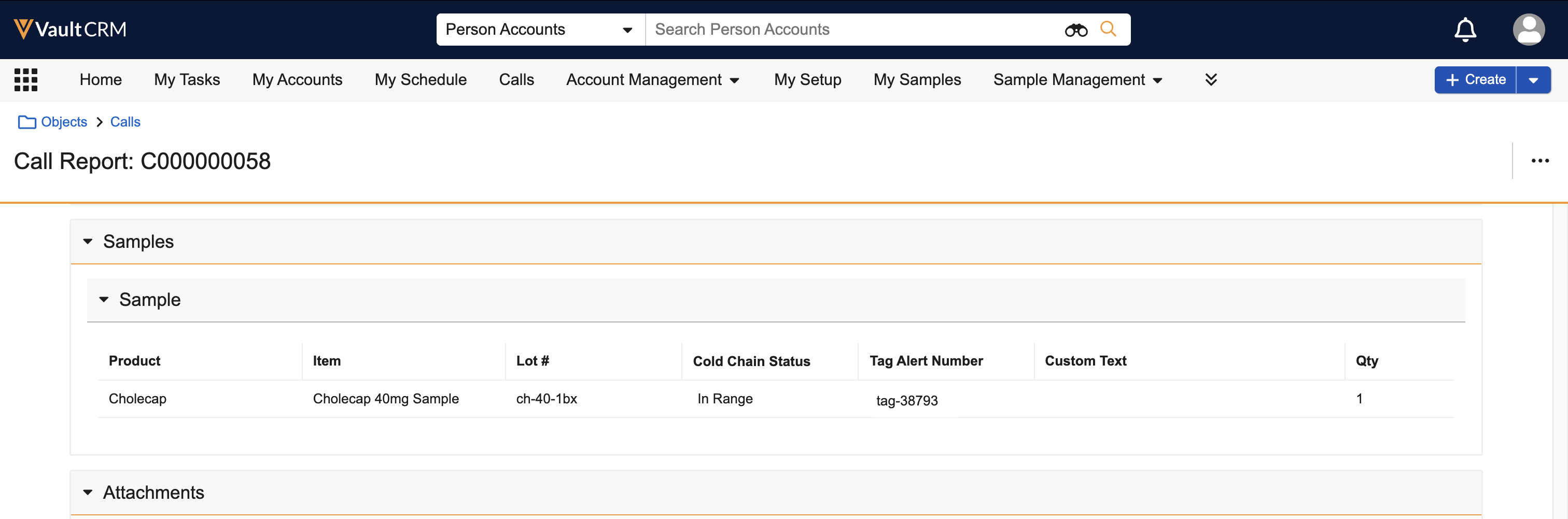
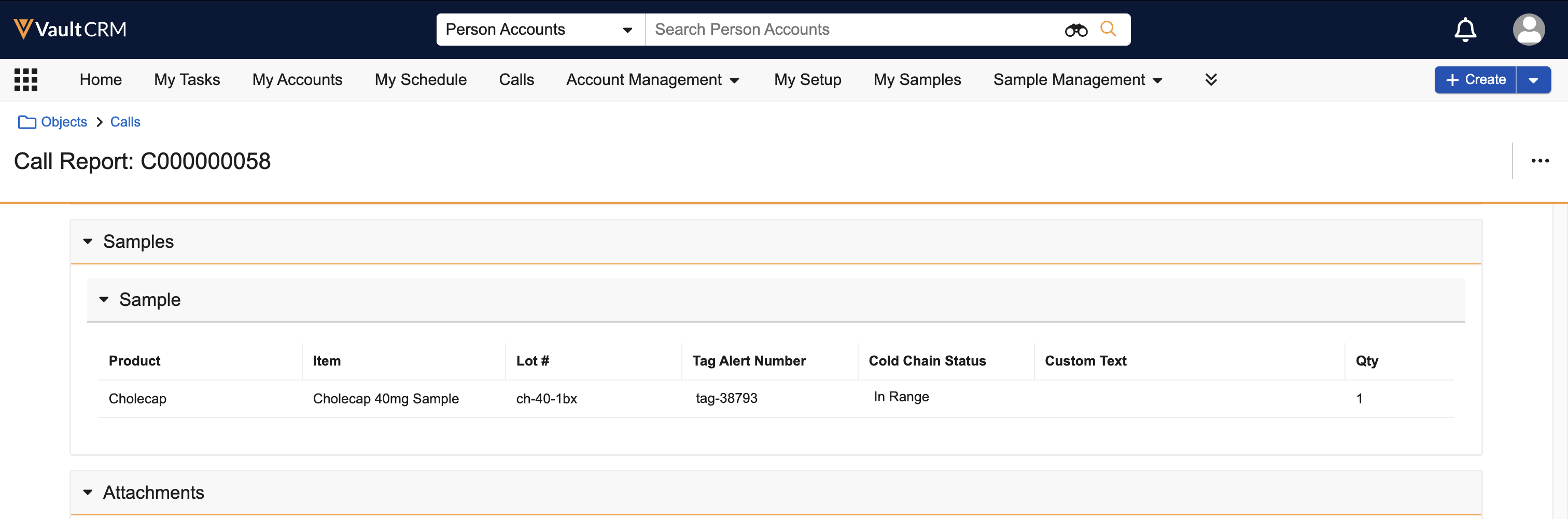
For consistency across views, fields now display in the same order when viewing or editing the Samples section on call reports. |
|
|
Service Center
|
Platform |
Description |
Before |
After |
|---|---|---|---|
|
Browser |
Outbound Target Lists are updated for improved user experience:
|
|
|
|
Browser |
An Outbound Target List displays as one scrolling page, rather than multiple numbered pages. |
|
|
|
Browser |
Accounts which are no longer actionable (for example, accounts removed from the user's territory) are marked as unavailable in Outbound Target Lists. |
n/a | 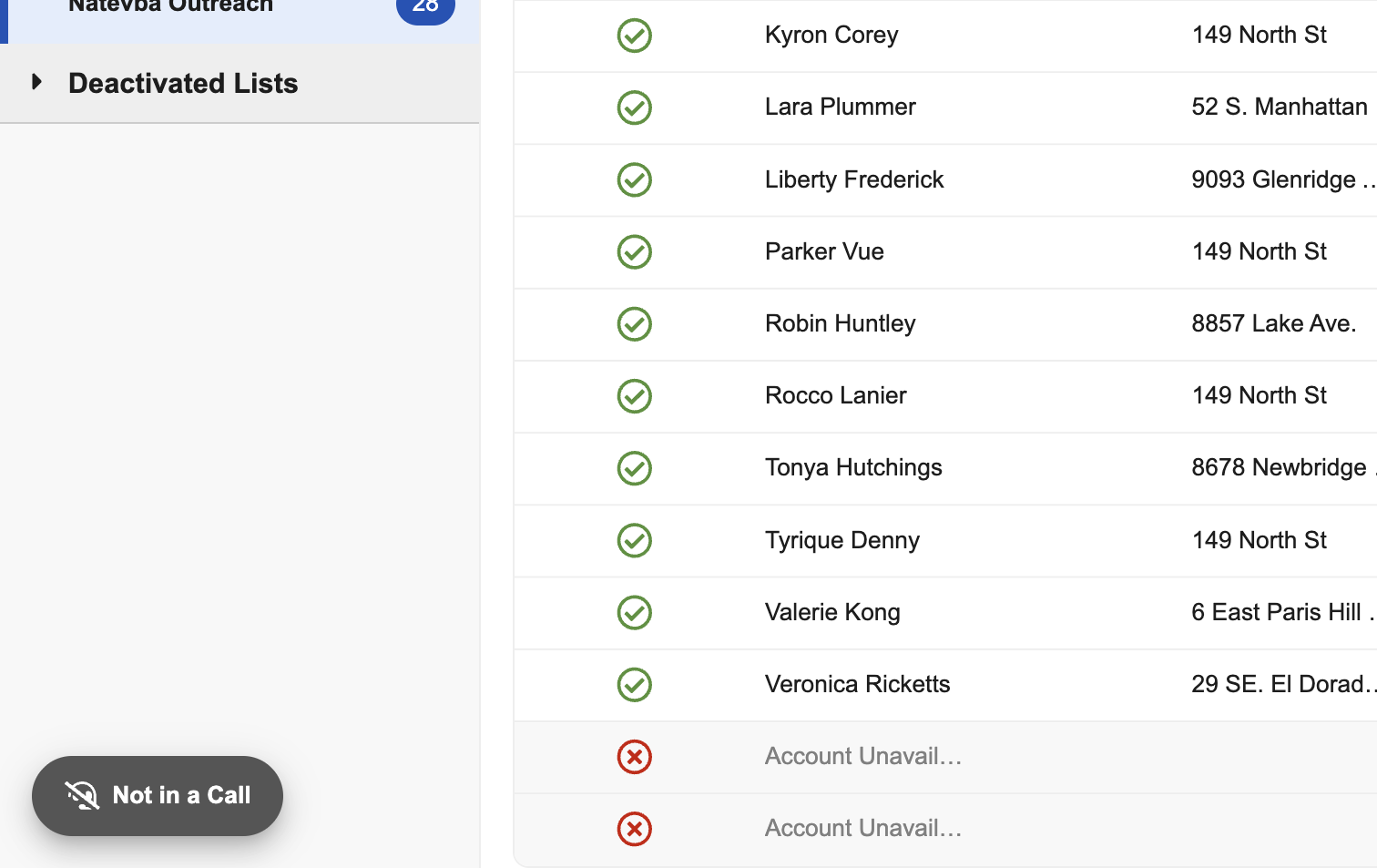
|
|
Browser |
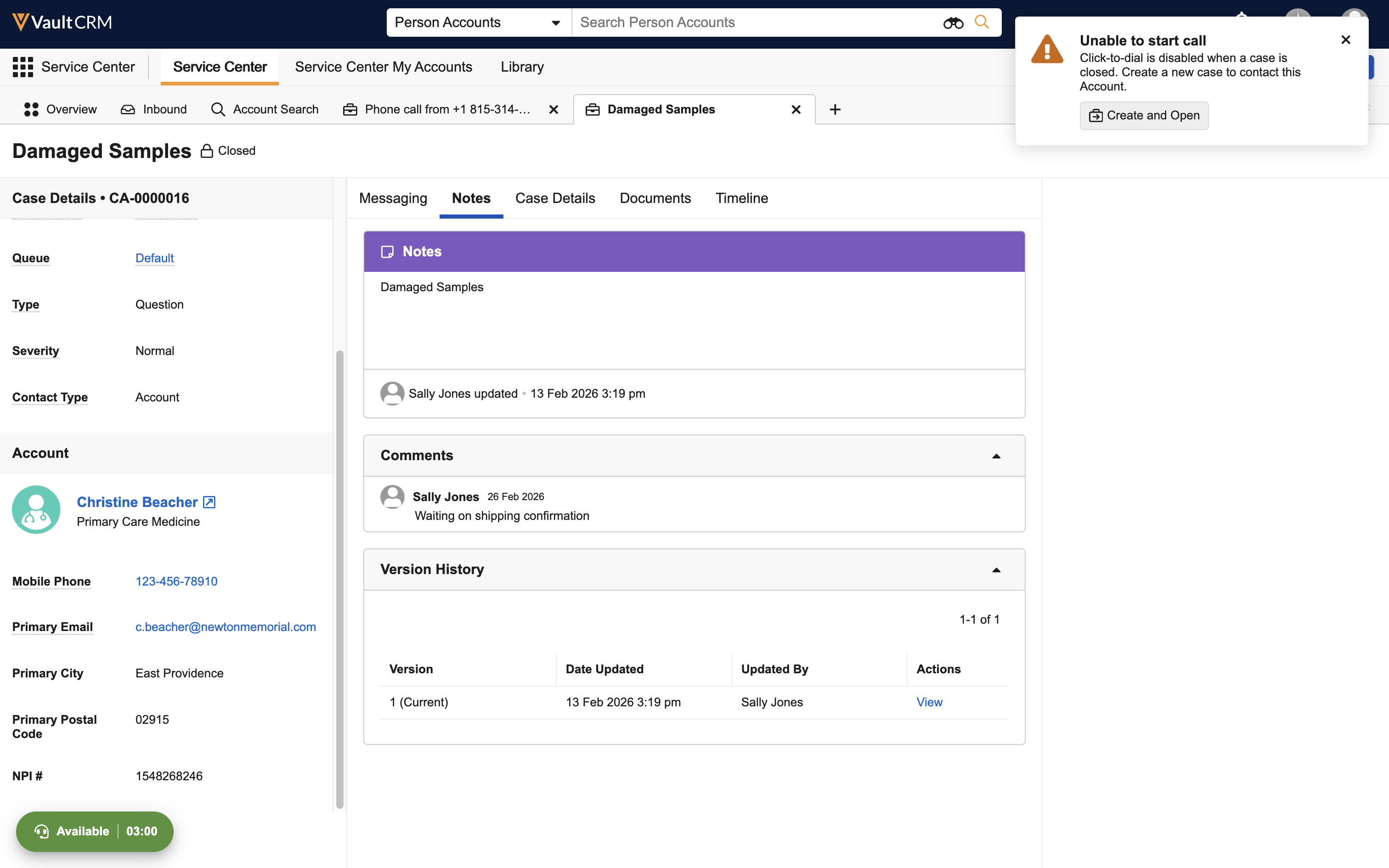
Users are prompted to handle case state issues before placing a call via click-to-dial:
|
n/a | 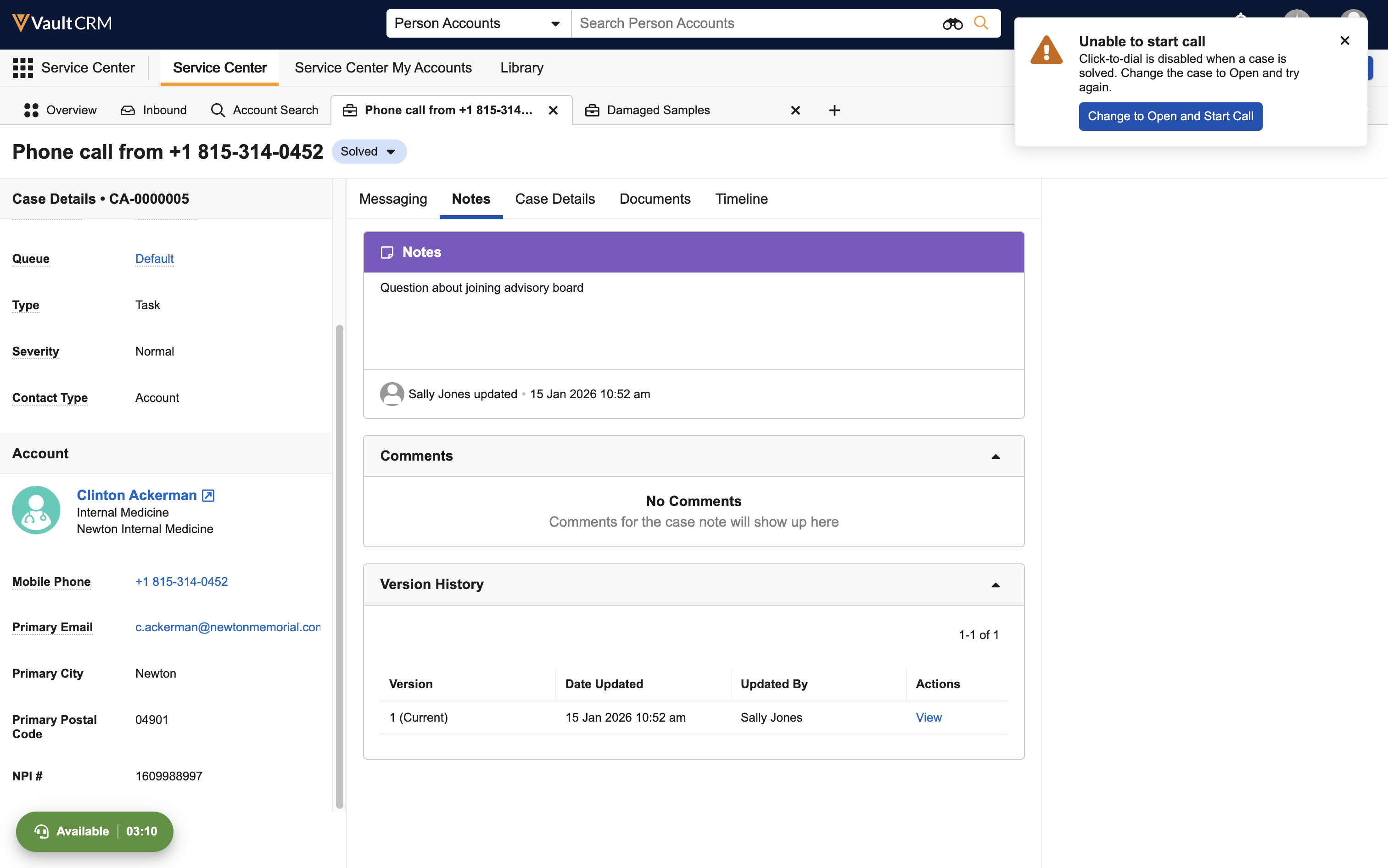
|
|
Browser |
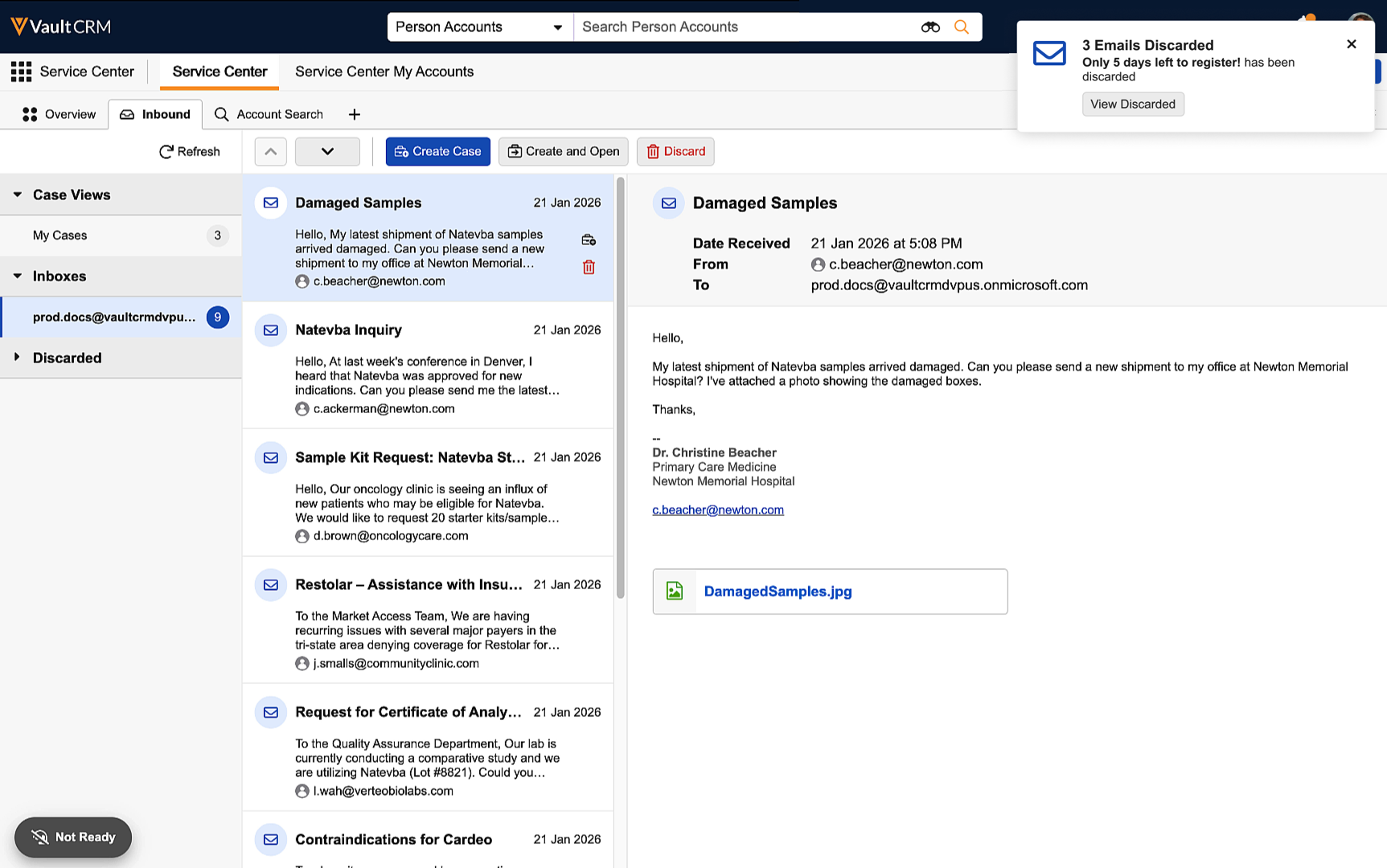
Email action notifications display:
|
n/a | 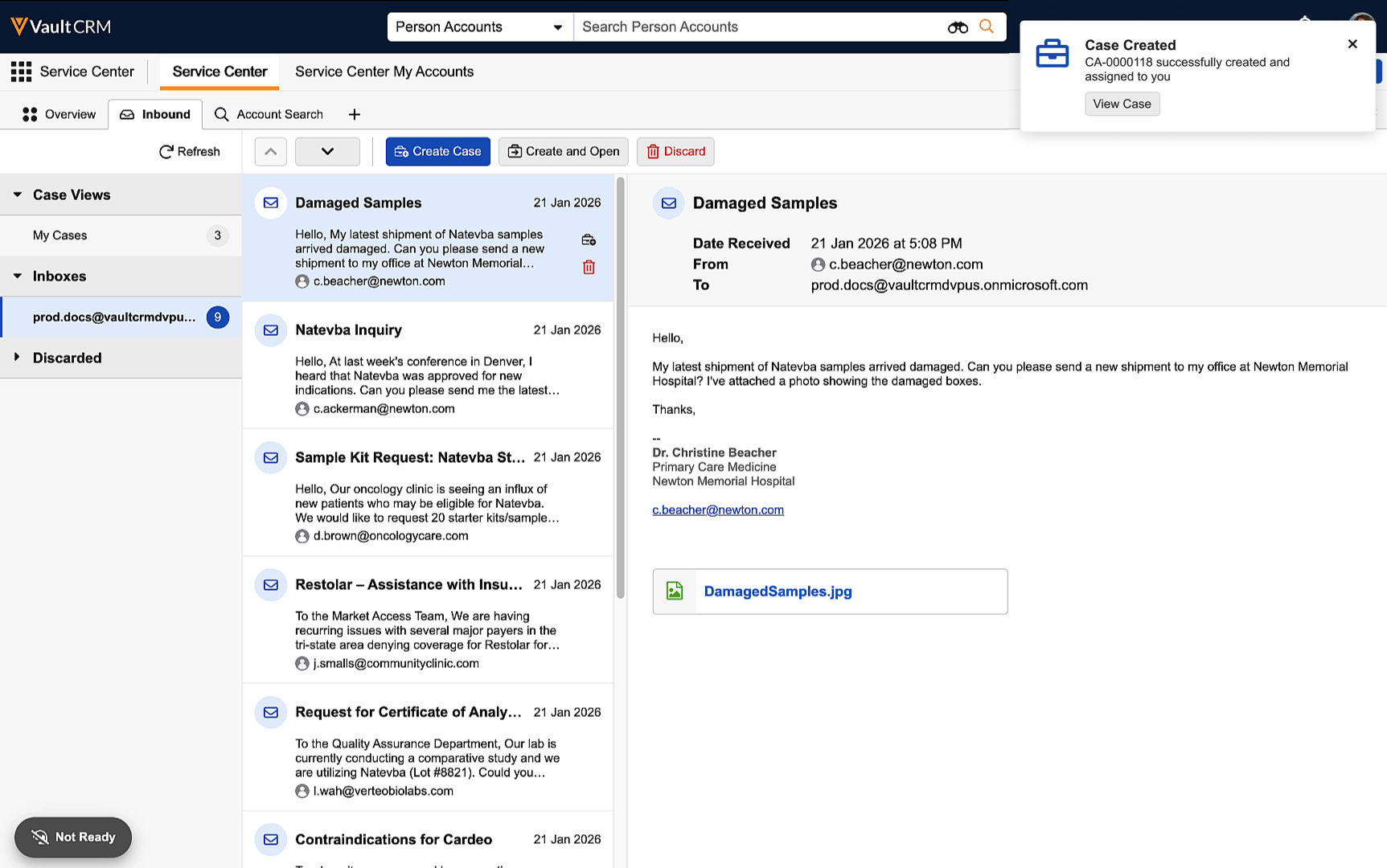
|
|
Browser |
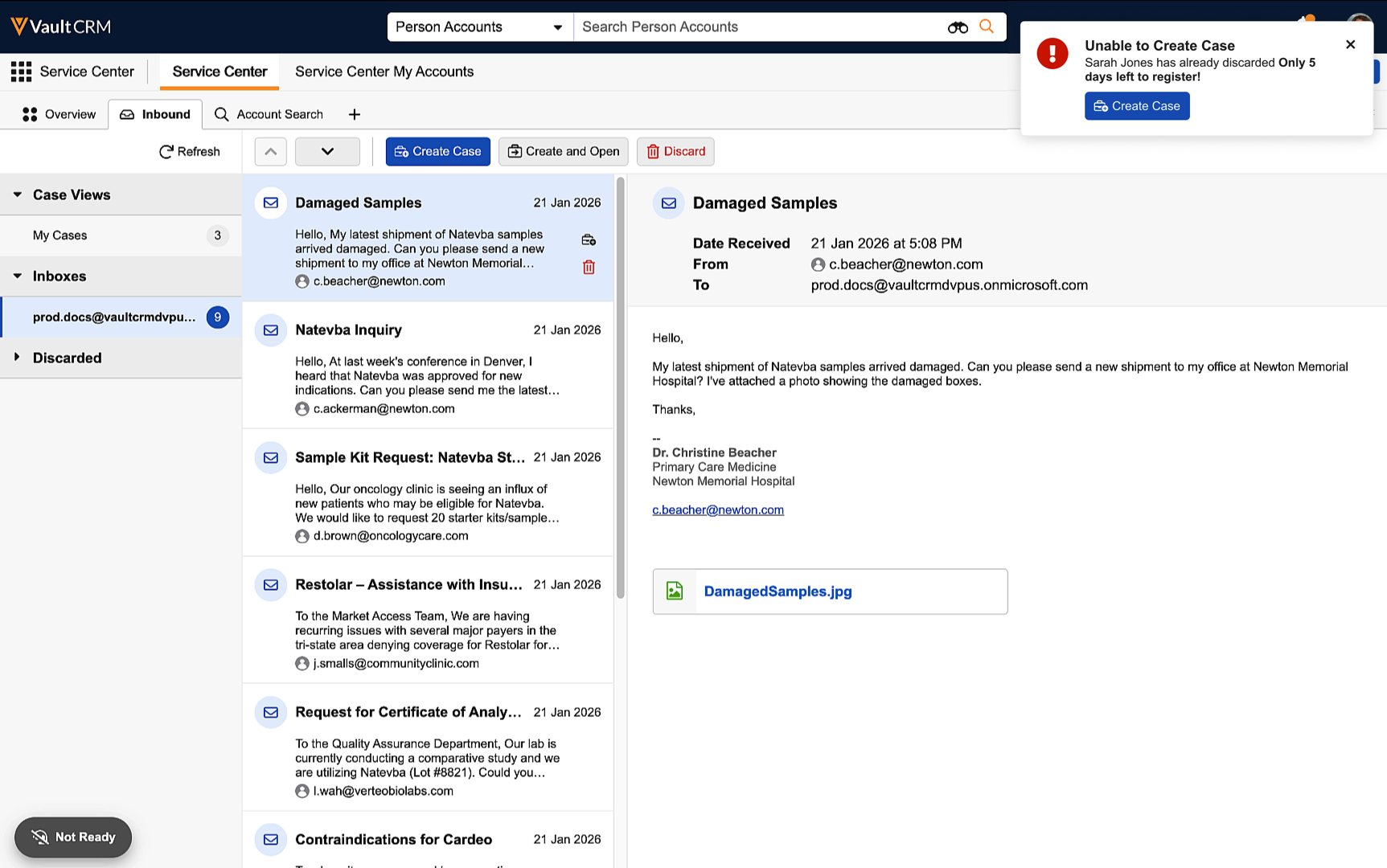
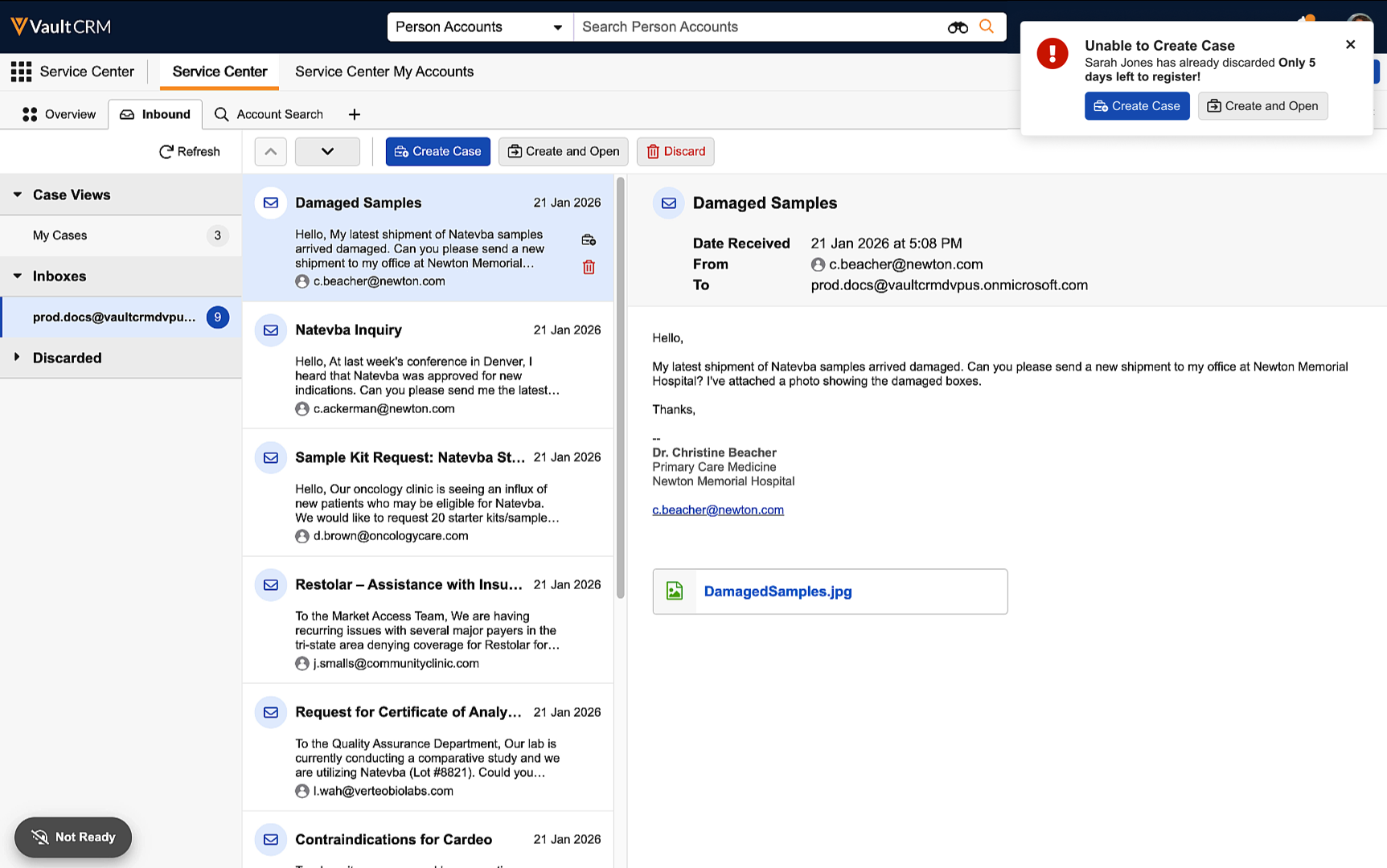
When users attempt to create a case for an email another user already discarded, a Create and Open button enables them to create and navigate to the new case. |
|
|
|
Browser |
If a user attempts to discard or create a case for an email already tied to a case, a View Case notification enables them to access the case. |
n/a |
|
|
Browser |
When users activate a target list, a View Not Started notification enables them to access the Not Started view. |
n/a | 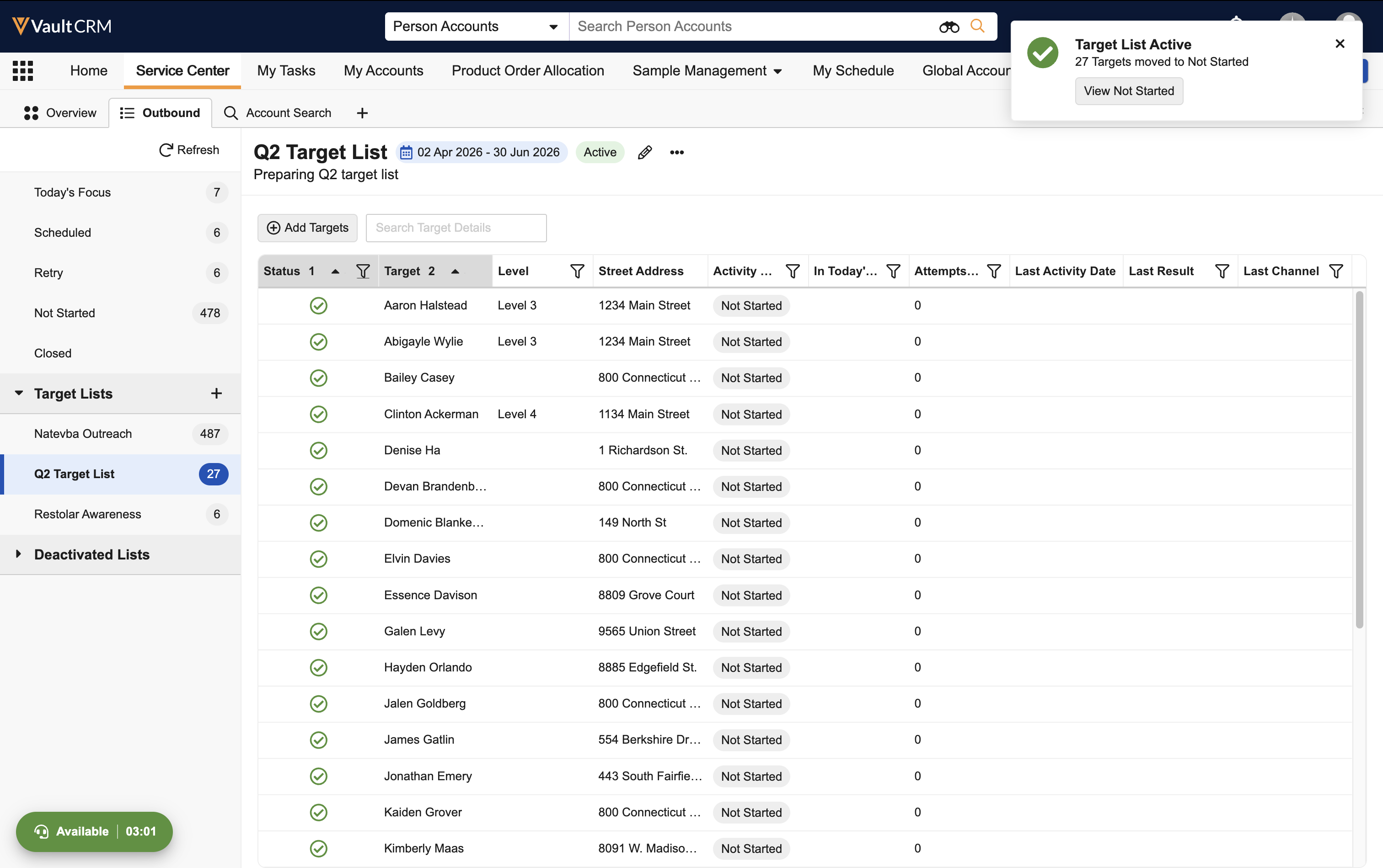
|
|
Browser |
The new Knowledge Base tab displays approved Knowledge Base documents for use by Service Center reps. |
n/a |
|
Vault AI in CRM
|
Platform |
Description |
Before |
After |
|---|---|---|---|
|
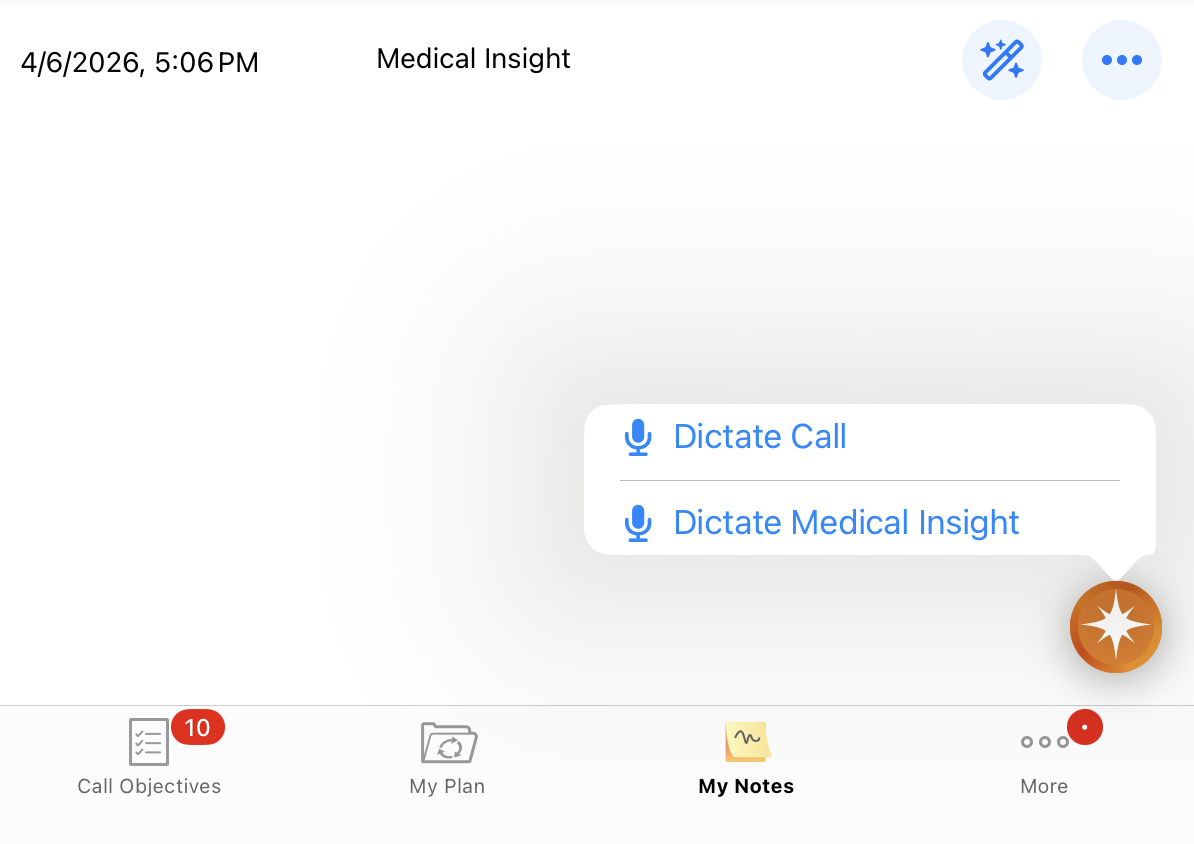
iPad, iPhone |
A My Notes tab displays in users’ navigation bars if Agentic Voice is enabled. |
|
|
|
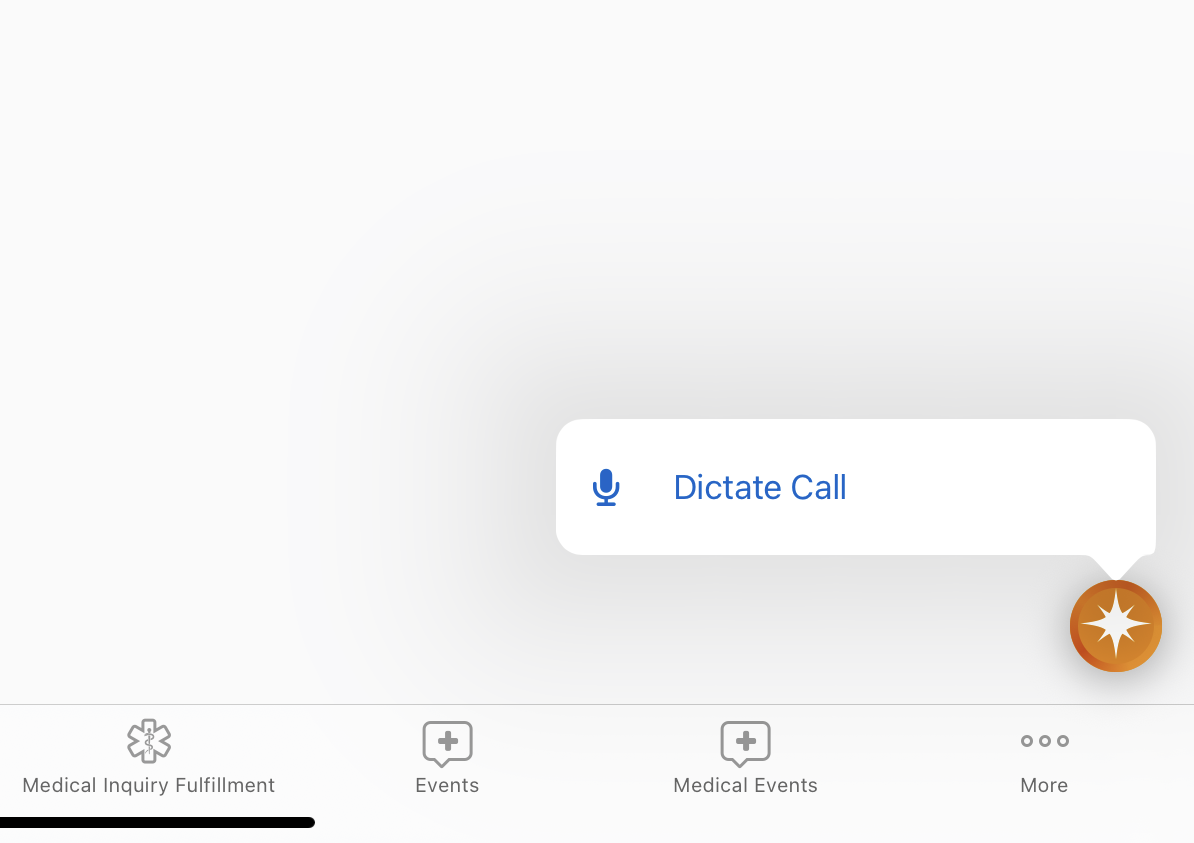
iPad, iPhone |
A Dictate Medical Insight option displays in the AI button's menu when both Agentic Voice and Medical Insight are enabled. |
|
|
|
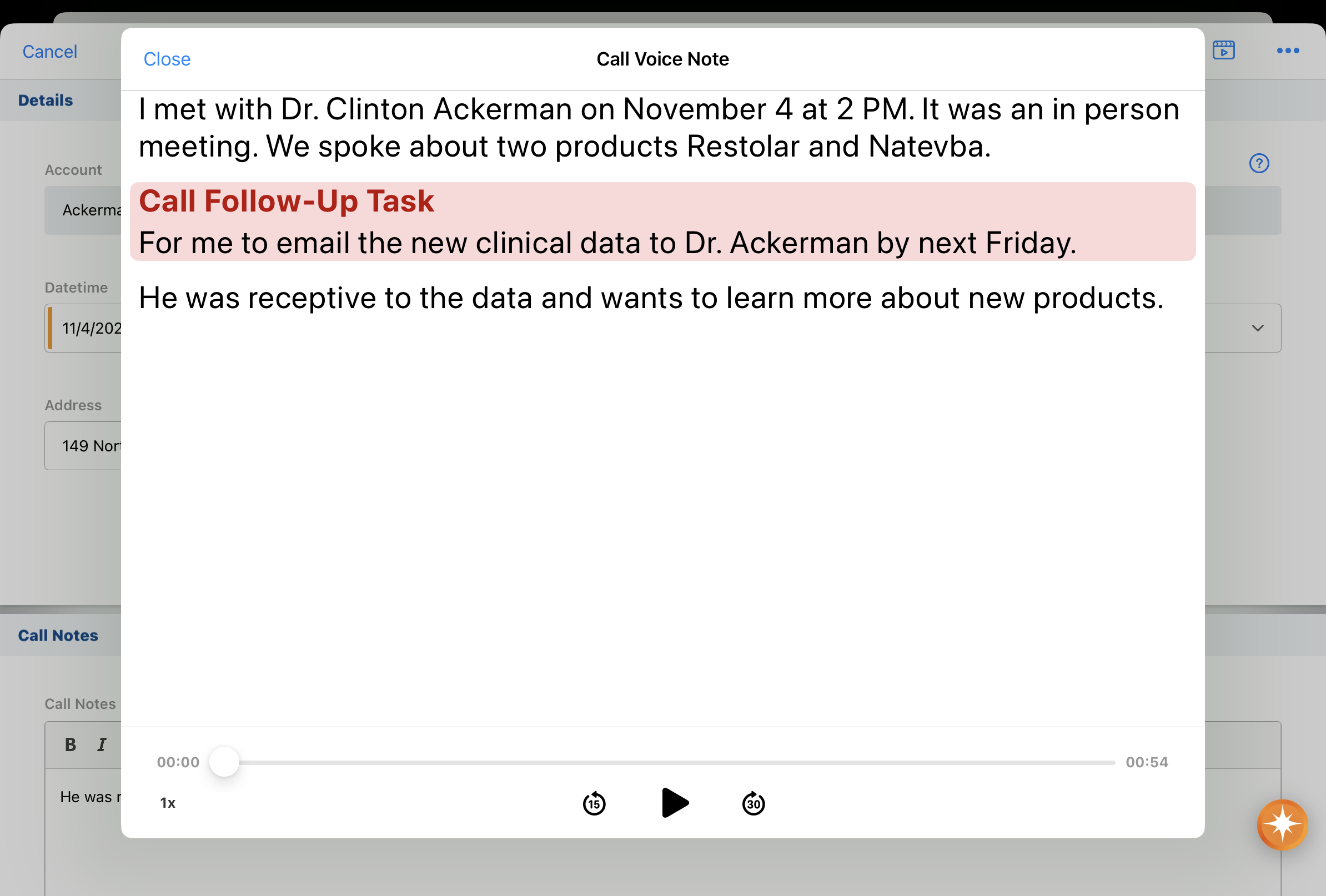
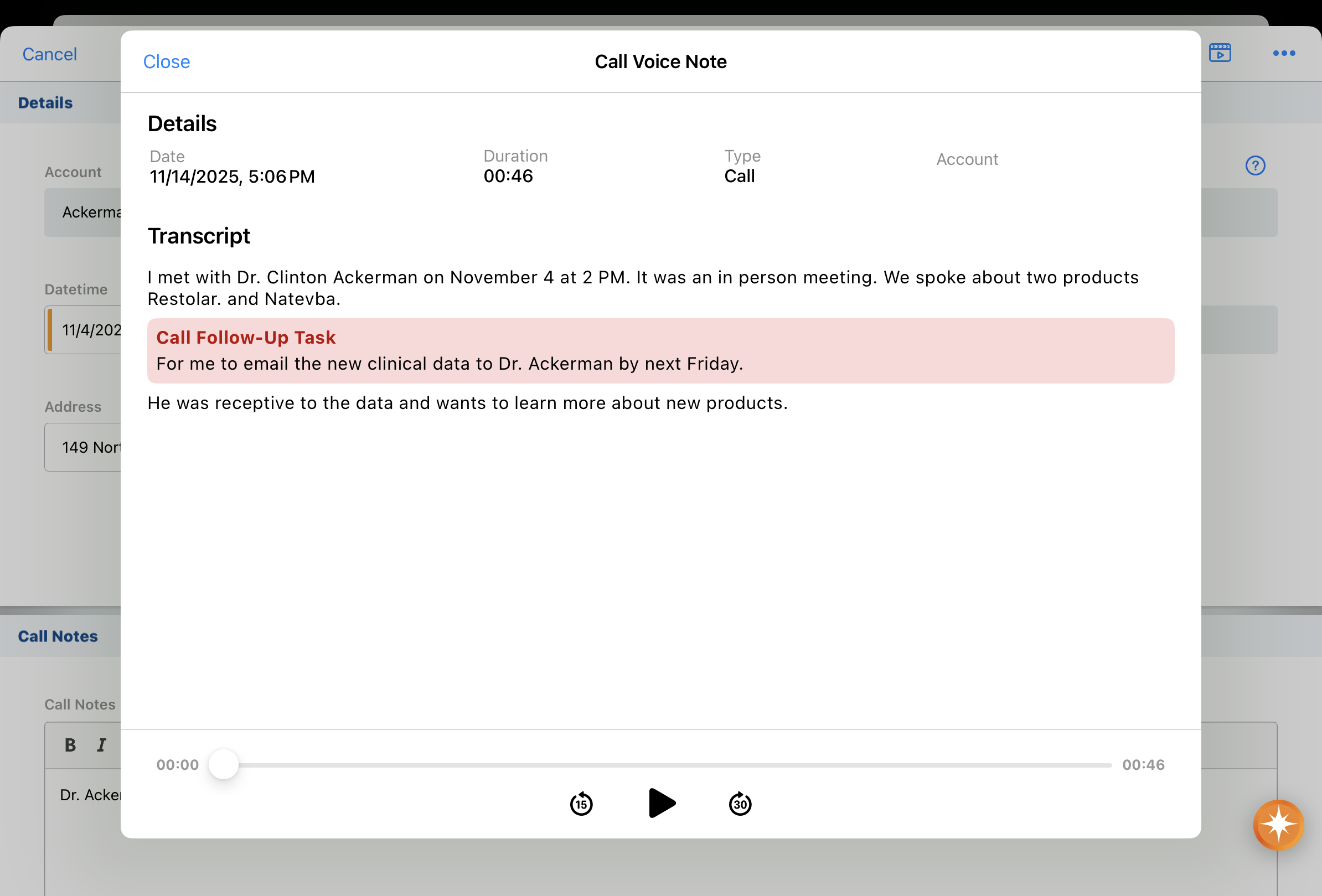
iPad, iPhone |
Voice Note details now display on saved Call Voice Notes. |
|
|
|
iPad, iPhone |
If Agentic Voice identifies multiple matching Person Account names in a Call Voice Note, those accounts are automatically added as call attendees. Users are prompted to select from among multiple Potential Attendees, if an exact match is not found. |
|
|
|
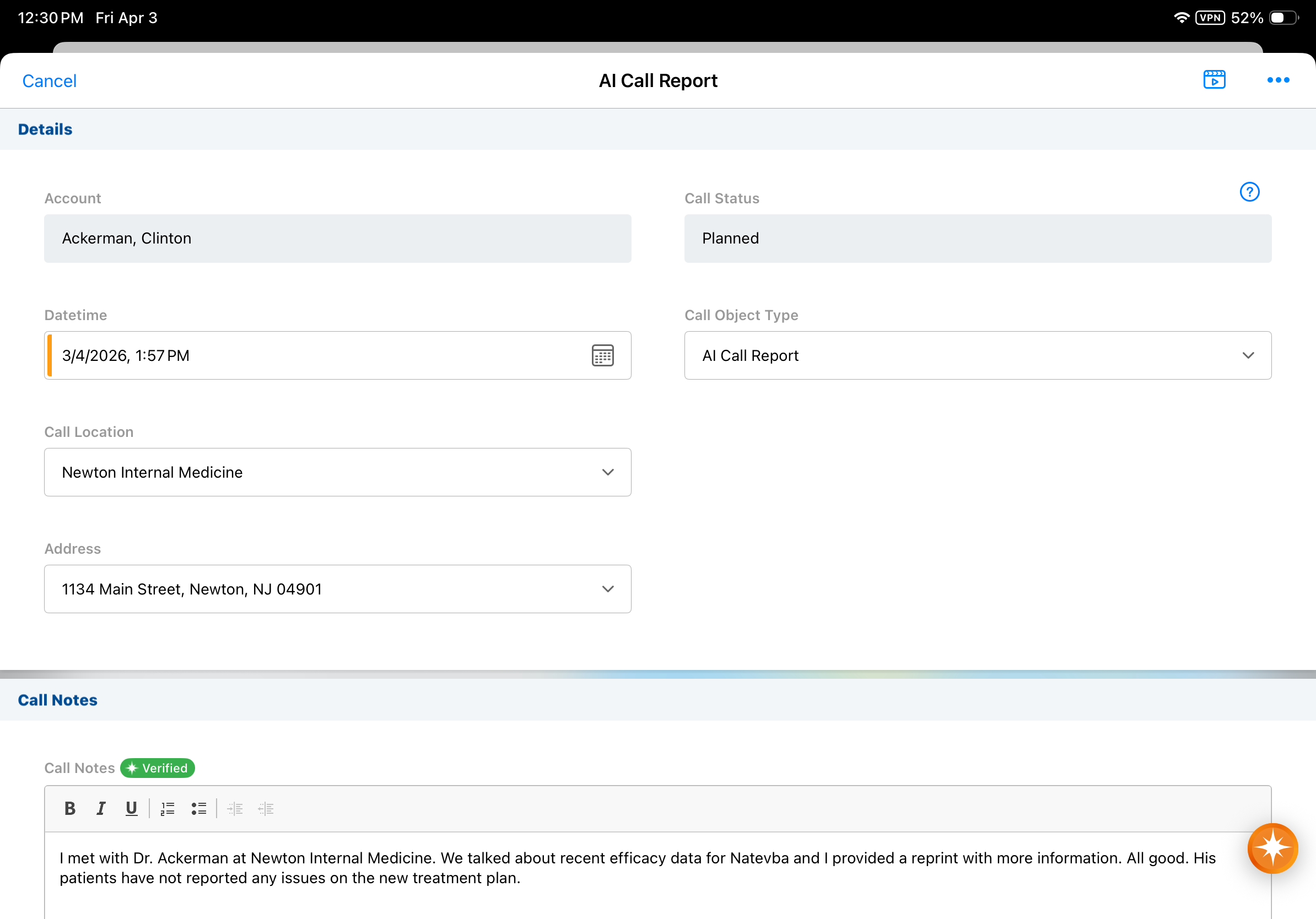
iPad, iPhone |
If Agentic Voice identifies a Business Account in the Call Voice Note that is a valid affiliation or a parent account for the primary Person Account on the call, that Business Account is automatically set as the Call Location. |
|
|
26R1.0 Feature Enablement and Availability
The following table provides an explanation of feature enablement and user impact.


*Parity items do not typically require configuration if you are using this functionality on another platform. In some cases, VMOCs must be enabled for the added platform.
New Objects
The table below contains all new objects added in Vault CRM 26R1.0.
| Object Name | Object Label | Description |
|---|---|---|
|
agent_rule__v*† |
Agent Rule |
Defines the rules and instructions that drive configurable, standard AI Agents in Vault CRM |
| attendee_reconciliation_configuration__v | Attendee Reconciliation Configuration | Used to define reconciliation scoring and auto-matching. |
| connection_settings__v | Connection Settings | Configurable settings for Vault Connection Integrations with other Vaults. |
| medx_discussion_attendee__v | MedX Discussion Attendee | Connects a discussion to an account. |
| microsoft_graph_integration_settings__v | Microsoft Graph Integration Settings | Stores the integration settings for the Microsoft Graph API integration. |
| remote_meeting_integration_settings__v | Remote Meeting Integration Settings | Stores the integration settings for remote meetings. |
*Support for future functionality
† Data model element available with the Production Release
New Fields
The table below contains all fields added in Vault CRM 26R1.0. The fields are organized by object.
| Object Name | Field Name | Field Label | Description | Type |
|---|---|---|---|---|
| account__v | academic_status__v | Academic Status | This field indicates the HCO's Academic or Community focus. | Picklist |
| account__v | all_spec_local__v | All Specialties Local | All locally recognized medical fields or expertise areas for the healthcare professional or organization. Values are drawn from the list of local specialties. | Picklist |
| account__v | country_cda__v | Country | Name of country. | Picklist |
| account__v | first_name_intl__v | First Name (International) | The HCP's first name, converted to Latin script via transliteration. Used globally for searching, data matching, international correspondence, and reading by non-local staff. | String |
| account__v | grad_institution__v | Graduation School | Name of graduation school. | String |
| account__v | grad_year__v | Graduation Year | Year HCP graduated from medical school. | Number |
| account__v | hco_name_english__v | Name (English) | English organization name where relevant. | String |
| account__v | hco_name_intl__v | Name (International) | The Health Care Organization's registered local name, converted to Latin script via transliteration. Used globally for cross-border searching, entity resolution, international reporting, and accessibility for non-local staff. | String |
| account__v | hco_name_short__v | Name (Short) | Short organization name where relevant. | String |
| account__v | hco_ownership__v | Ownership | Defines the ownership body of an HCO private or public. | Picklist |
| account__v | hco_tax_id__v | HCO Tax ID | Tax identifier or identification number for the HCO. | String |
| account__v | hco_type_local__v | HCO Type Local | A classification that provides local context to an HCO's primary type, defining the organization's specific function, specialization, or official designation as it is commonly understood within a country. | Picklist |
| account__v | hcp_reason_status__v | HCP Status Reason | Specifies the reason for the healthcare professional's current status, describing their level and type of engagement in the healthcare system and distinguishing between active practitioners, contributors, and those retired or no longer involved. | Picklist |
| account__v | hcp_type_local__v | HCP Type Local | The primary, most granular role of the HCP as it is recognized within the local healthcare system. This role spans from the development and commercialization of life science products to their delivery and administration in healthcare settings. | Picklist |
| account__v | in_current_pecos__v | In Current PECOS | Is NPI included in the current Provider Enrollment, Chain and Ownership System (PECOS) file? PECOS is an electronic US Medicare enrolment system used to track Medicare program enrolment information. N = NPI is no longer included in file but had been. | Yes/No |
| account__v | key_hco_network__v | Healthcare Network | Flag to indicate whether the HCO is a Key Network. Also known as IDN (Integrated Delivery Network). | Yes/No |
| account__v | language_cda__v | Language | Primary spoken and written language. | Picklist |
| account__v | last_name_intl__v | Last Name (International) | The HCP's last name, family name or surname. Converted to Latin script via transliteration. Used globally for searching, data matching, international correspondence, and reading by non-local staff. | String |
| account__v | middle_name_intl__v | Middle Name (International) | The HCP's middle or secondary given name, including patronymics or equivalent naming elements, converted to Latin script via transliteration. Used globally for searching, data matching, international correspondence, and readability by non-local staff. | String |
| account__v | nhid_2__v | National Healthcare ID 2 | Unique secondary national identifier assigned to healthcare professionals within a country's healthcare system. | String |
| account__v | spec_1_local__v | Specialty Local | Primary, locally recognized medical field or expertise area for the healthcare professional or organization. Values are drawn from the list of local specialties. | Picklist |
| account__v | spec_2_local__v | Specialty Local 2 | Secondary, locally recognized medical field or expertise area for the healthcare professional or organization. Values are drawn from the list of local specialties. | Picklist |
| account__v | street_address_1__v | Street Address 1 | Residential or business street address information including house number and street name written in local language. Reflects primary address. | String |
| account__v | street_address_2__v | Street Address 2 | Additional address details, such as apartment, suite, or building number written in local language. Reflects primary address. | String |
| account__v | telehealth__v | Telehealth | Flag to indicate whether a clinician offers telehealth services over audio and/or video. | Yes/No |
| account__v | type_of_hierarchy__v | Type of Hierarchy | Describes the structure of the hierarchy the HCO is in (e.g. Multi-Level healthcare network or Independent Physician Association). | Picklist |
| account__v | va_dod_affiliated__v | Veteran Affairs - Department of Defense | Flag that indicates if an HCO is associated to the Department of Defense (DOD)/Veterans Affairs (VA) | Yes/No |
| account__v | vod_data_privacy_opt_out__v | OpenData Data Privacy Opt Out | Used to indicate if HCP has directed OpenData to opt them out. | Yes/No |
| address__v | cbsa__v | Metropolitan (CBSA) | A core-based statistical area (CBSA) is a U.S. geographic area defined by the Office of Management and Budget (OMB). Includes counties linked to an urban center (population >= 10,000) by commuting ties. | Picklist |
| address__v | city_intl__v | City (International) | Name of city or municipality in English. | String |
| address__v | country_cda__v | Country | Name of country. | Picklist |
| address__v | dpv_confirmed_indicator__v | DPV Confirmed Indicator | Only relevant for the US. This field is provided from the mail engine address validation service. Delivery Point Validation (DPV) Confirmation Indicator is the primary method used by the USPS (United States Postal Service) to determine whether an address was considered deliverable or undeliverable. | Picklist |
| address__v | postal_code_full_us__v | Postal Code Full US | This field is only relevant for U.S. addresses. It contains the complete, nine-digit postal code, including both the five-digit ZIP Code and the four-digit ZIP+4 Code. For example, this field would contain "90210-1234". | String |
| address__v | postal_code_intl__v | Postal Code (International) | The extended postal format required for international correspondence, ensuring correct routing from outside the destination country. | String |
| address__v | street_address_1_intl__v | Street Address 1 (International) | Residential or business street address information, including house number and street name, written in English. Used for international correspondence, validation, and readability by non-local staff. | String |
| address__v | street_address_2_intl__v | Street Address 2 (International) | Additional address details, such as apartment, suite, or building number written in English. | String |
| address__v | sub_state_admin_unit__v | Region/County | In the hierarchy where Country is Level 0 and State is Level 1, this defines Administrative Level 2. Examples: US County, German Kreis, UK District/Borough, Australian LGA, or Mexican Municipality. | String |
| address__v | vod_building_identifier__v | OpenData Building Identifier | An OpenData managed identifier that can be used to find similar addresses. It is a combination of the values in the premise, thoroughfare and postal_code fields. | String |
| agent_rule__v | acceptable_example__v*† | Acceptable Example | Acceptable example(s) to help the agent accurately understand the rule. | Text(1500) |
| agent_rule__v | unacceptable_example__v*† | Unacceptable Example | Unacceptable example(s) to help the agent accurately understand the rule. | Text(1500) |
| agent_rule__v | applicable_fields__v*† | Applicable Fields | A semi-colon delimited list of API names for fields to which this rule applies using dot notation for the object and field name (ex: call2__v.call_notes__v; call2_discussion__v.objections__c). | Text(1500) |
| agent_rule__v | applicable_countries__v*† | Applicable Countries | A picklist of all countries where the rule should be applied. | Picklist (multi-select) |
| agent_rule__v | applicable_user_types__v*† | Applicable User Types | A picklist of all user types to which the rule should be applied. | Picklist (multi-select) |
| agent_rule__v | name__v*† | Rule Name | n/a | Text (255) |
| agent_rule__v | translated_rule_name__v*† | Translated Rule Name | Used to drive translations for Rule Names. | Long Text (32000) |
| agent_rule__v | instruction__v*† | Instruction | Used to provide instructions to the LLM for each Agent Rule | Text (255) |
| agent_rule__v | guideline__v*† | Guideline | Used to provide guidance for Agentic Insight Quality | Text (255) |
| agent_rule__v | translated_guideline__v*† | Translated Guideline | Used to drive translations for Guidelines for Agentic Insight Quality | Picklist (Multi-Select) |
| agent_rule__v | insight_type__v*† | Insight Type | Used to define which objects the Agent Rules apply to for Agentic Insight Quality | Number |
| agent_rule__v | display_order__v*† | Display Order | Used to define the order that guidelines appear for Agentic Insight Quality | Text (255) |
| agent_rule__v | vexternal_id__v*† | Veeva External ID | Used as a unique identifier for Agent Rules, leveraged specifically by Veeva | Text (255) |
| ai_settings__v | home_office_text_monitoring__v*† | Home Office Text Monitoring | When On Submit is selected, records submitted by the user with an applicable Agent Rule will be monitored. | Picklist |
| ai_settings__v | parent_call_account_type_preference__v | Parent Call Account Type Preference | Determines the type of Account that is preferred or enforced for the Parent Call Account for calls created by AI Agents. | Picklist |
| approved_email_settings__v | allow_sending_of_clm_web_links__v | Allow Sending of CLM Web Links | Enables the ability to send CLM web links via Approved Email when set to true. | Yes/No |
| attendee_reconciliation_configuration__v | created_by__v | Created By | The user who created the record. | Object |
| attendee_reconciliation_configuration__v | created_date__v | Created Date | The date the record was created. | Date |
| attendee_reconciliation_configuration__v | em_event_rule__v | Event Rule | The Event Rule for an attendee reconciliation config. | Object |
| attendee_reconciliation_configuration__v | global_id__sys | Global ID | The global ID of the record. | String |
| attendee_reconciliation_configuration__v | link__sys | Link | The record link. | String |
| attendee_reconciliation_configuration__v | modified_by__v | Last Modified By | The user who last modified the record. | Object |
| attendee_reconciliation_configuration__v | modified_date__v | Last Modified Date | The date the record was last modified. | Object |
| attendee_reconciliation_configuration__v | name__v | Name | The record name. | String |
| attendee_reconciliation_configuration__v | object_type__v | Reconciliation Configuration Type | The object type of the record. | Picklist |
| attendee_reconciliation_configuration__v | search_logic_number__v | Search Logic Number | Stores the field number that is used in search logic formulas. | Number |
| attendee_reconciliation_configuration__v | search_weight__v | Search Weight | The walk-in field search weight for the attendee reconciliation config. | Number |
| attendee_reconciliation_configuration__v | status__v | Status | The record's status. | Picklist |
| attendee_reconciliation_configuration__v | trigger_auto_match__v | Auto Match | Setting to flag walk-in field for Attendee Reconciliation auto-match. If checked, walk-in field will trigger a Reconciliation Auto Match. | Yes/No |
| attendee_reconciliation_configuration__v | walkin_field__v | Walk-In Field | The walk-in field for the attendee reconciliation config. | String |
| brand_plan__v | mobile_id__v | Mobile ID | System field used by mobile products to aid synchronization. | String |
| call2__v | flagged_text__v*† | Flagged Text | If True, the agent found issues. If False Positive, the agent found issues but a human reviewer did not agree. If False Negative, the agent did not find issues but a human reviewer did not agree. | Picklist |
| call2_discussion__v | flagged_text__v*† | Flagged Text | If True, the agent found issues. If False Positive, the agent found issues but a human reviewer did not agree. If False Negative, the agent did not find issues but a human reviewer did not agree. | Picklist |
| call_clickstream__v | slide_document__v | Slide Document | Indicates which Slide Document record the clickstream is associated with | Object |
| call_clickstream__v | slide_document_unbound__v | Slide Document (unbound) | n/a | Number |
| campaign__v | campaign_template_type__v | Template | The template used by the campaign or journey. | Picklist |
| campaign__v | end_datetime__v | End Datetime | The campaign end datetime. | DateTime |
| campaign__v | mode__v | Mode | The campaign mode. | Picklist |
| campaign_group__v | frequency__v | Frequency | The journey frequency. | Picklist |
| campaign_group__v | frequency_details__v | Frequency Details | Contains details about the journey frequency. | String |
| child_account__v | child_account_status__v | Child Account Status | Indicates the current status of the parent account/ child account relationship (i.e., Active, Inactive) | Picklist |
| child_account__v | job_title__v | Job Title | The job title of the source HCP associated with this affiliation. | String |
| child_account__v | type_of_relationship__v | Type of Relationship | The type of relationship between the source and the target. | Picklist |
| childaccount_tsf__v | mccp_target__v* | MCCP Target | Determines whether the account is an MCCP target in that territory. | Yes/No |
| connection_settings__v | clinical_person_identifier__v | Clinical Person Identifier | n/a | String |
| connection_settings__v | country_filter__v | Country Filter | Content and records assigned to these countries in the source Vault will sync to Vault CRM. | Picklist |
| connection_settings__v | created_by__v | Created By | The user who created the record. | Object |
| connection_settings__v | created_date__v | Created Date | The date the record was created. | Date |
| connection_settings__v | crm_account_identifier__v | CRM Account Identifier | n/a | String |
| connection_settings__v | global_id__sys | Global ID | The global ID of the record. | String |
| connection_settings__v | link__sys | Link | The record link. | String |
| connection_settings__v | modified_by__v | Last Modified By | The user who last modified the record. | Object |
| connection_settings__v | modified_date__v | Last Modified Date | The date the record was last modified. | Object |
| connection_settings__v | name__v | Name | The record name. | String |
| connection_settings__v | object_type__v | Connection Settings Type | The object type of the record. | Picklist |
| connection_settings__v | status__v | Status | The record's status. | Picklist |
| customer_journey__v | mobile_id__v | Mobile ID | System field used by mobile products to aid synchronization. | String |
| customer_journey_account__v | mobile_id__v | Mobile ID | System field used by mobile products to aid synchronization. | String |
| customer_journey_execution__v | mobile_id__v | Mobile ID | System field used by mobile products to aid synchronization. | String |
| customer_journey_stage__v | mobile_id__v | Mobile ID | System field used by mobile products to aid synchronization. | String |
| customer_journey_stage_activity__v | mobile_id__v | Mobile ID | System field used by mobile products to aid synchronization. | String |
| em_attendee__v | auto_match_id__v | Auto Match ID | Field that stores the ID of Auto Matched record. | String |
| em_attendee__v | auto_match_status__v | Auto Match Status | Field that stores the results of the Auto Match process. | Picklist |
| em_event_rule__v | nonprescriber_field_search_logic__v | Search Logic | Field that stores the search logic that is used when custom scoring is applied to attendee reconciliation searches performed against walk-ins of type Non-Prescriber. | LongText |
| em_event_rule__v | other_field_search_logic__v | Search Logic | Field that stores the search logic that is used when custom scoring is applied to attendee reconciliation searches performed against walk-ins of type Other. | LongText |
| em_event_rule__v | prescriber_field_search_logic__v | Search Logic | Field that stores the search logic that is used when custom scoring is applied to attendee reconciliation searches performed against walk-ins of type Prescriber. | LongText |
| em_event_rule__v | walkin_field_search_logic__v | Search Logic | Field that stores the search logic that is used when custom scoring is applied to attendee reconciliation searches performed against walk-ins that don't have a type. | LongText |
| email_activity__v | clm_presentation__v | CLM Presentation | The CLM Presentation record associated with this Email Activity. | Object |
| email_activity__v | downloaded_rendition__v | Downloaded Rendition | Indicates which rendition was downloaded. | Picklist |
| email_activity__v | key_message__v | Key Message | The Key Message record associated with this Email Activity. | Object |
| email_activity__v | reference_document__v | Reference Document | The Reference Document record associated with this Email Activity. | Object |
| email_activity__v | session_id__v | Session Id | The session id from the browser. | String |
| email_activity__v | slide_number__v | Slide Number | The slide number in the presentation. | Number |
| email_activity__v | slide_version__v | Slide Version | The version of the slide that was viewed. | String |
| email_activity__v | view_order__v | View Order | The order in which the content was viewed. | Number |
| html_report__v | page_url__v | Page URL | If populated, the X-Page will be loaded from this URL. Any attachments will be ignored. | LongText |
| key_message__v | ai_description__v* | AI Description | A plain-language description that provides AI Agents with the necessary context to interpret the record accurately. | String |
| key_message__v | ai_synonyms__v* | AI Synonyms | A comma separated list of synonyms that help AI Agents interpret the record accurately. | String |
| medical_insight__v | ai_source__v | AI Source | Stamps the Name of the AI Agent responsible for creating the Medical Insight. | String |
| medical_insight__v | flagged_text__v*† | Flagged Text | If True, the agent found issues. If False Positive, the agent found issues but a human reviewer did not agree. If False Negative, the agent did not find issues but a human reviewer did not agree. | Picklist |
| medical_insight__v | insight_quality_agent_ran__v*† | Agentic Insight Quality Ran | Used to capture if Agentic Insight Quality ran on this record | Picklist |
| medical_insight__v | vmi_disease__v* | Disease | Stores the Veeva Medical Insights label of the selected Disease | String |
| medical_insight__v | vmi_disease_id__v* | Disease ID | Stores the Veeva Medical Insights ID of the selected Disease | String |
| medical_insight__v | vmi_entities__v* | Entities | Stores the IDs, Types, and Tokens of the tagged entities in the Veeva Medical Insights. | LongText |
| medical_insight__v | vmi_html_formatted_insight__v* | HTML Formatted Insight | Stores the Description of the Medical Insight with links to the tagged entities in Veeva Medical Insights. | LongText |
| medical_insight__v | vmi_id__v* | Veeva Medical Insights ID | Stores the Veeva Medical Insights ID | String |
| medical_insight__v | vmi_listening_priorities__v* | Listening Priorities | Stores the Veeva Medical Insights labels of the selected Listening Priorities | String |
| medical_insight__v | vmi_listening_priorities_id__v* | Listening Priorities ID | Stores the Veeva Medical Insights IDs of the selected Listening Priorities | String |
| medical_insight__v | vmi_location__v* | Location | Stores the Veeva Medical Insights label of the selected Location | String |
| medical_insight__v | vmi_location_id__v* | Location ID | Stores the Veeva Medical Insights ID of the selected Location | String |
| medx_discussion_attendee__v | account__v | Account | The account association to the medical interaction discussion. | Object |
| medx_discussion_attendee__v | created_by__v | Created By | The user who created the record. | Object |
| medx_discussion_attendee__v | created_date__v | Created Date | The date the record was created. | Date |
| medx_discussion_attendee__v | global_id__sys | Global ID | The global ID of the record. | String |
| medx_discussion_attendee__v | link__sys | Link | The record link. | String |
| medx_discussion_attendee__v | medx_discussion__v | MedX Discussion | The discussion associated to the account. | Object |
| medx_discussion_attendee__v | mobile_id__v | Mobile ID | System field used by mobile products. | String |
| medx_discussion_attendee__v | modified_by__v | Last Modified By | The user who last modified the record. | Object |
| medx_discussion_attendee__v | modified_date__v | Last Modified Date | The date the record was last modified. | Date |
| medx_discussion_attendee__v | name__v | Name | The record name. | String |
| medx_discussion_attendee__v | object_type__v | MedX Discussion Attendee Type | The object type of the record. | Picklist |
| medx_discussion_attendee__v | status__v | Status | The record's status. | Picklist |
| microsoft_graph_integration_settings__v | created_by__v | Created By | The user who created the record. | Object |
| microsoft_graph_integration_settings__v | created_date__v | Created Date | The date the record was created. | Object |
| microsoft_graph_integration_settings__v | global_id__sys | Global ID | The global ID of the record. | String |
| microsoft_graph_integration_settings__v | link__sys | Link | The record link. | String |
| microsoft_graph_integration_settings__v | modified_by__v | Last Modified By | The user who last modified the record. | Object |
| microsoft_graph_integration_settings__v | modified_date__v | Last Modified Date | The date the record was last modified. | Object |
| microsoft_graph_integration_settings__v | name__v | Name | The record name. | String |
| microsoft_graph_integration_settings__v | object_type__v | Microsoft Graph Integration Setting Type | The object type of the record. | Picklist |
| microsoft_graph_integration_settings__v | optional_fields__v | Optional Fields | This setting specifies optional fields. Provide a double semicolon-separated list of object.field API names. For example, when pulling calendar event information from Microsoft Outlook into Vault CRM: "external_calendar__v.default_online_meeting_provider__v;;external_calendar_event__v.categories__v" | LongText |
| microsoft_graph_integration_settings__v | status__v | Status | The record's status. | Picklist |
| microsoft_graph_integration_settings__v | vexternal_id__v | Veeva External ID | System set to prevent creation of duplicate Microsoft Graph Integration Settings records of the same object type. | String |
| monitored_text__v | agent_flagged_phrase__v*† | Agent Flagged Phrase | Contains a phrase that caused a Agent Rule to be violated | Rich Text |
| monitored_text__v | agent_reasoning__v*† | Agent Reasoning | Contains agent reasoning for the agent flagged phrase | Long Text |
| monitored_text__v | agent_rule_v*† | Agent Rule | Contains the Agent Rule that was violated | Object |
| monitored_text__v | agent_rule_instruction__v*† | Agent Rule Instruction | Contains the Agent Rule Instruction that was violated | Long Text |
| monitored_text__v | complete_agent_request__v*† | Complete Agent Request | Contains the complete agent request, including User Text | Attachment |
| monitored_text__v | complete_agent_response__v*† | Complete Agent Response | Contains the complete agent response, including User Text | Attachment |
| monitored_text__v | issues_found__v*† | Issues Found | Contains the agent or reviewer adjudication for the header record where blank means the agent found no issues, True means the agent found issues, False Positive means the reviewer overrode all of the agent's positive findings, and False Negative means the reviewer overrode the agent's negative finding. | Picklist |
| monitored_text__v | reviewer_determination__v*† | Reviewer Determination | Contains the agent or reviewer adjudication for the line item where the reviewer can accept the agent finding or indicate the finding was a False Positive. | Picklist |
| monitored_text__v | reviewer_notes__v*† | Reviewer Notes | Contains notes describing the Reviewer Determination | Rich Text |
| monitored_text__v | user_type__v*† | User Type | Contains the User Type of the Text Owner | Picklist |
| remote_meeting_integration_settings__v | created_by__v | Created By | The user who created the record. | Object |
| remote_meeting_integration_settings__v | created_date__v | Created Date | The date the record was created. | Date |
| remote_meeting_integration_settings__v | enable_attendance_reporting__v | Enable Attendance Reporting | When TRUE, this field enables the remote meeting attendance reporting process to run. | Yes/No |
| remote_meeting_integration_settings__v | global_id__sys | Global ID | The global ID of the record. | String |
| remote_meeting_integration_settings__v | link__sys | Link | The record link. | String |
| remote_meeting_integration_settings__v | modified_by__v | Last Modified By | The user who last modified the record. | Object |
| remote_meeting_integration_settings__v | modified_date__v | Last Modified Date | The date the record was last modified. | Object |
| remote_meeting_integration_settings__v | name__v | Name | The record name. | String |
| remote_meeting_integration_settings__v | object_type__v | Remote Meeting Integration Settings Type | The object type of the record. | Picklist |
| remote_meeting_integration_settings__v | optional_attendance_reporting_fields__v | Optional Attendance Reporting Fields | This stores which optional fields to sync during the attendance reporting process. It is a comma delimited list of field api names. | String |
| remote_meeting_integration_settings__v | status__v | Status | The record's status. | Picklist |
| sent_email__v | includes_clm__v | Includes CLM | If checked indicates Sent Email contains CLM content. | Yes/No |
| sent_fragment__v | sent_clm_presentation__v | Sent CLM Presentation | The CLM Presentation record which was sent with the Sent Email record. | Object |
| sent_message__v | chat_message_transcript_id__v | Chat Message Transcript ID | The unique identifier of the corresponding message record in the chat transcript database. | String |
| sent_message__v | message_group_id__v | Message Group ID | Unique identifier to group together Sent Message records for multiple recipients of the same transaction | String |
| user__sys | vmi_user__v | Veeva Medical Insights Integration User | Enables the user for the Vault CRM-Veeva Medical Insights Integration | Yes/No |
| website__v | description__v | Description | n/a | String |
| website__v | distribution_channel_type__v | Distribution Channel Type | The distribution channel type. | Picklist |
*Support for future functionality
† Data model element available with the Production Release
Removed Fields
The table below contains all fields removed in Vault CRM 26R1.0. The fields are organized by object.
|
Object |
Field Name |
Field Label |
Description |
Type |
|---|---|---|---|---|
| alert_profile__v |
profile_name__v |
Profile Name |
Name of the user profile with visibility to the parent alert |
Text |
| alert_profile__v |
profile__v |
Profile |
ID of the user profile with visibility to the parent alert |
Text |
|
mobile_device__v |
active__v |
Active? | Indicates if the record is active | Yes/No |
|
mobile_device__v |
app_deleted_datetime__v |
App Deleted Date/Time |
Datetime when the user last deleted the app |
Date/Time |
|
mobile_device__v |
appid__v |
AppID |
App ID of the Vault CRM for iOS app |
Text |
|
mobile_device__v |
device__v |
Device |
Device token returned from the APN server |
Text |
|
mobile_device__v |
id |
ID |
Record ID |
Text |
|
mobile_device__v |
last_app_version__v |
Last App Version |
Vault CRM app version used |
Text |
|
mobile_device__v |
last_connected_datetime__v |
Last Connected Date/Time |
Current datetime |
Date/Time |
|
mobile_device__v |
last_device_model__v |
Last Device Model |
Device model |
Text |
|
mobile_device__v |
last_os_version__v |
Last OS Version |
Current iOS version on the device |
Text |
|
mobile_device__v |
log_out_datetime__v |
Log Out Date/Time |
Datetime when the user last signed out of the app |
Date/Time |
|
mobile_device__v |
name__v |
Mobile Device Name |
Auto-generated name of the record |
Text |
|
mobile_device__v |
object_type__v |
Object Type |
Object type of the record |
Text |
|
mobile_device__v |
mobile_id__v |
Mobile ID |
Mobile ID of the record |
Text |
|
mobile_device__v |
ownerid__v |
Owner |
Owner of the record |
Reference |
|
mobile_device__v |
push_company_alerts_disabled__v |
Push Company Alerts Disabled |
Indicates if company-wide alerts are disabled |
Yes/No |
|
mobile_device__v |
push_notifications_enabled__v |
Push Notifications Enabled |
Indicates if device push notifications are enabled for the user |
Yes/No |
|
mobile_device__v |
status__v |
Status |
Status of the record |
Picklist |
|
mobile_device__v |
user__v |
User |
Current user |
Reference |

