What's New in Vault CRM 26R2.0
This topic provides information about the Vault CRM 26R2.0 release, including important dates and release announcements.
All dates listed are subject to change.
Dates to Remember
- July 30, 2026 – Release Notes available
- August 6, 2026 – Sandbox Release
- August 20, 2026 – Production Release
Release Notes
The following items are now available:
- What's New in Vault CRM 26R2.0
- Announcements
- Core
- Vault AI in CRM
- Align
- Approved Email
- Campaign Manager
- Engage
- Events Management
- Service Center
- User Visible and Behavior Changes (UVCs)
- Additional Resources
- What's New in Patient CRM 26R2.0
- 26R2.0 Maintenance Notes
The 26R2.0 release includes features from the following minor releases:
Items from the 261.4.30 weekly release are also included.
Announcements
26R2.0 Release Notes Podcast
We’ve added an AI-generated podcast that walks you through the highlights of the 26R2.0 release.
Vault CRM Online Help Documentation via MCP
Starting August 10, 2026, you can query Vault CRM online help documentation directly within AI tools like Claude Code and Gemini CLI using a Model Context Protocol (MCP) server. Querying the MCP allows you to bring trusted configuration guidance, feature details, and information about product behavior directly into your AI workflows. The information the MCP returns is directly grounded in official documentation and updated with each release.
Server URLs and connection details are available here.
Changes to Data Lakehouse Infrastructure in 26R2.0
Data Lakehouse infrastructure is scheduled to be updated with the 26R2.0 Production Release. If your organization has enabled Data Lakehouse, please contact Veeva Product Support ahead of this release to coordinate updates to your query engine configuration and avoid disruption to your queries.
The following specific features and functionality are affected by this update:
- Campaign Manager Target List Builder – Building new target lists will not be available during the maintenance window.
- Campaign Manager Performance Page – The Performance Page will not be available during the maintenance window. Data for August 20, 2026 may be calculated incorrectly; any incorrect data will be recalculated correctly the following day.
- CLM Content Metrics – Vaults whose timezone is configured such that the Vault's midnight falls within the maintenance window will not have that day's metrics calculated until the following day.
This update introduces modifications to the underlying S3 data storage elements, requiring adjustments to existing query engine connections. This maintenance will affect all Vaults and will take longer than a standard release.
Timeline for Affected Regions
- AP Region - Thursday, August 20, 2026 at 7:00 am PDT. Maintenance window duration of 2.5–3.5 hours.
- EU and US Regions (parallel) - Thursday, August 20, 2026 starting at 9:00 am PDT. Maintenance window duration of up to 12 hours.
Additional Resources
- For your Vault’s POD Location, see Veeva Vault POD Details
- For up-to-date information on Veeva Systems' service status, see the Veeva Trust Site
- For further questions, submit a ticket with Veeva Product Support
Data Model Updates for Documented Interest
Capturing Standing Requests for Medical Using Documented Interest will be updated in a future release to allow users to select multiple documented interest records, logging scientific topics discussed with an HCP within a single Call Report interface.
To support this effort, the updated data model is now available for customers to examine and begin assessing potential updates to permissions and custom configurations, as needed. For a complete list of data model additions, see New Fields and New Objects. Data model items added to support future functionality are marked with an asterisk (*).
X-Pages as Configuration Data
With the 26R2.0 release, X-Page records are considered as Configuration Data, allowing for the cloning of existing X-Page records when duplicating Vault environments.
External Calendar Event Field Removals
The following unused fields on the external_calendar_event__v object will be removed from the Vault CRM data model with the 26R2.0 release:
- is_online_meeting__v
- meeting_join_url__v
- occurrence_id__v
- online_meeting_url__v
To prepare for removal, any values stored in these fields are deleted with the 26R1.4 release.
Microsoft Outlook Integration: Transition to Core System User by 26R2.2
All new Vault CRM instances provisioned after 26R1.0 automatically use the Core System User for Microsoft Outlook integrations. If your Vault already has a Microsoft Outlook integration enabled with a customer-managed Integration User, here’s what you need to know before switching to the Core System User:
- System users have limited field access by default. Your current configuration may need to be updated to maintain full data sync between Microsoft Outlook and My Schedule.
- Review what will be synced. Before switching, check what is synced from Microsoft Outlook to My Schedule when using the Core System User and update your configuration as needed.
Core
Two threads run through Core CRM this release: expanding high-impact capabilities in the field and making daily data management and compliance easier. A redesigned Account Plan interface paired with a new Formulary Matrix gives Key Account Managers a structured view of account strategy; Commercial Insights now integrate directly into Call Reporting and provide product-dependent picklist filtering; and automated CLM Publishing from PromoMats/MedComms streamlines presentation creation.
At the same time, data accuracy and compliance get a major boost: among other quality-of-life improvements, expanded pull-in field support is now available for Call Reporting and Order Management, Remote AOC signature capture and CDS license validation keep sampling compliant, and standardized Response Value fields simplify survey analytics. Finally, with the Patient Attribute objects moving into core Vault CRM, organizations can manage patient schemas along with other Vault CRM records without needing to configure a separate Patient CRM application.
Across the board, this release gives teams more operational power while reducing the administrative overhead needed to drive value.
Account Planning
Formulary Matrix - Available on Browser
The Formulary Matrix brings together formulary information at an account level, enabling users to quickly identify advantages or disadvantages in competitor products across various benefit plans and provide relevant product information to their accounts. Key Account Managers (KAMs) can also update and create formulary data directly from the matrix based on customer feedback to ensure data accuracy.
Redesigned Account Plan UI - Available on Browser
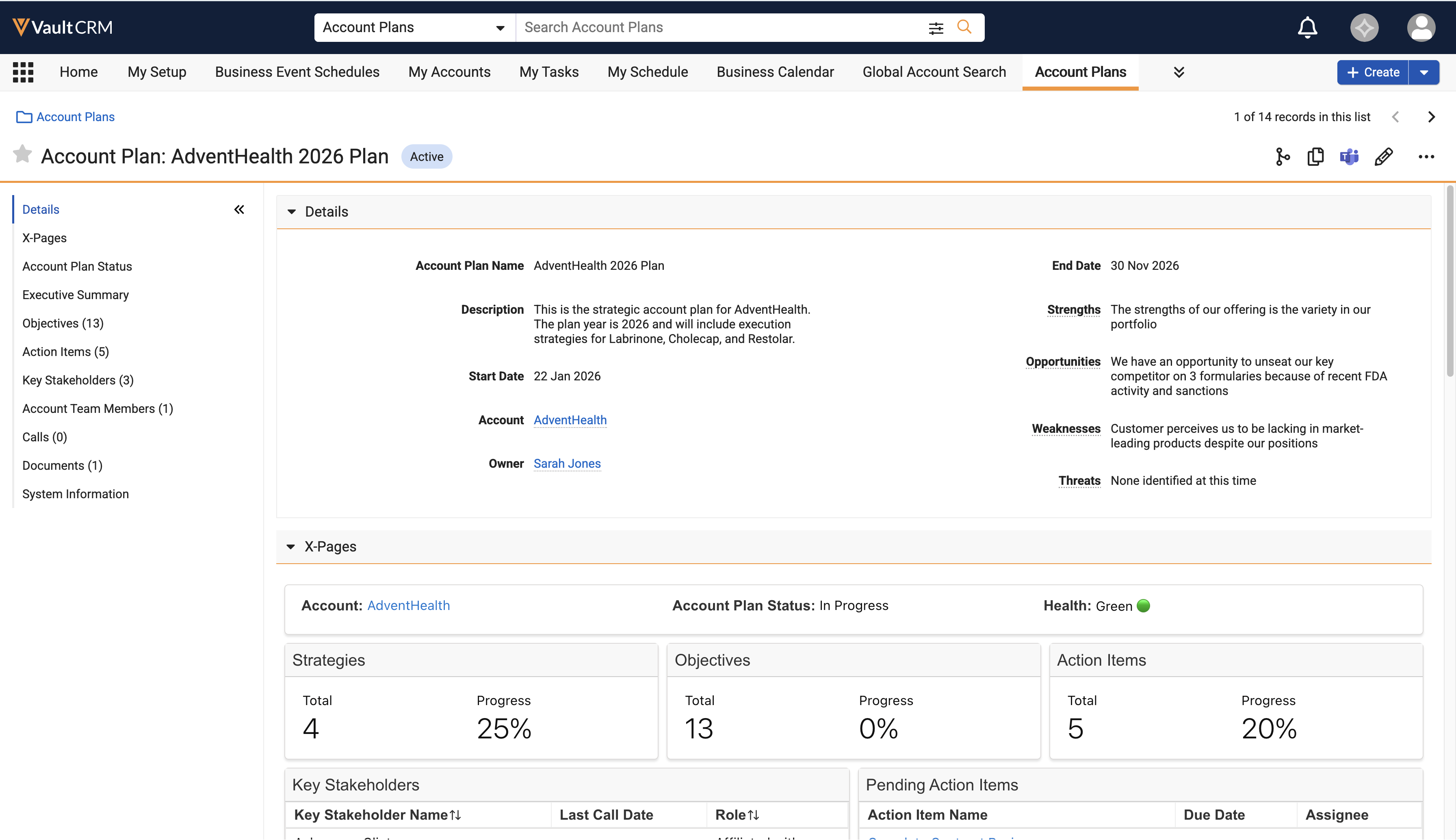
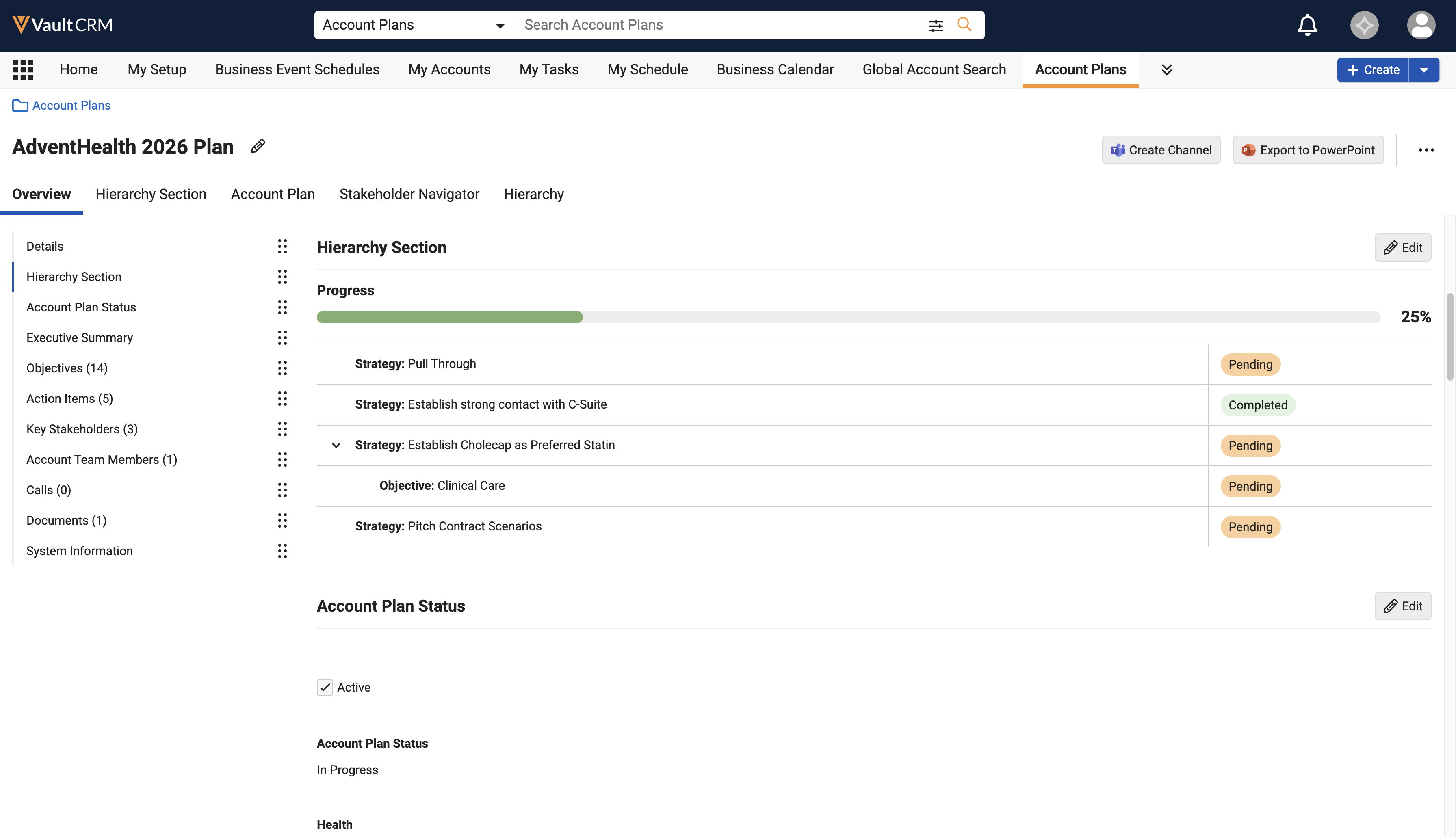
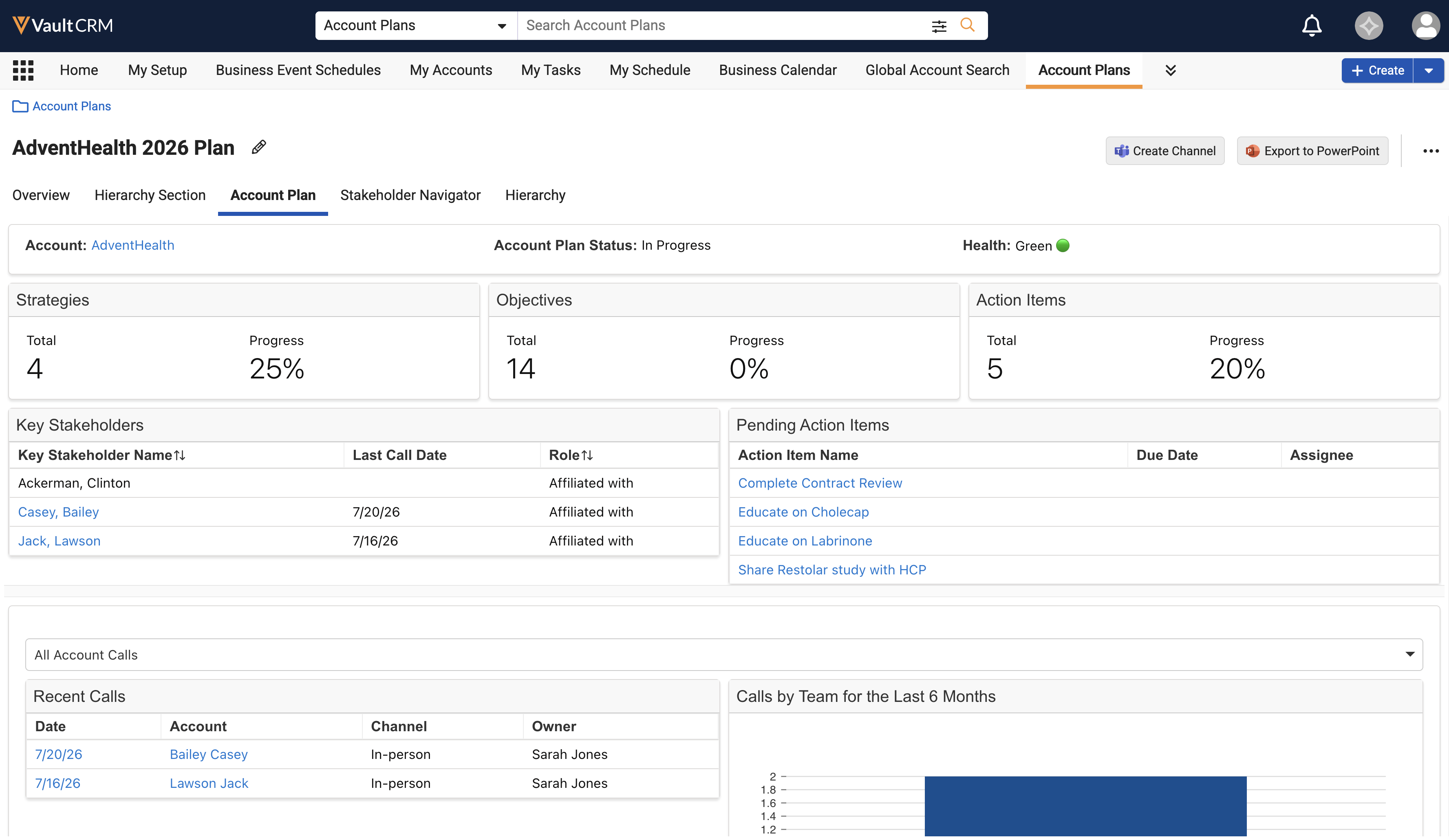
The redesigned Account Plan UI allows Key Account Managers to manage complex hierarchical data—including strategies, objectives, and action items—within a single, structured workspace, resulting in more efficient daily workflows and improved data visibility. Users can perform inline editing directly within nested tables, customize the display order of overview sections for specific accounts, and access integrated tools like the Stakeholder Navigator through a tabbed interface.
Business Events
EPPV and PI Business Event Tracking - Available on Browser, iPad, and iPhone
Business Event Tracking provides a structured method for tracking Early Postmarketing Phase Vigilance (EPPV) and Package Insert (PI) visits. Field users can easily plan and document required visits, while business leaders gain visibility into coverage status across target lists to manage risk.
Call Reporting
When users associate an unassigned presentation with a new or existing call, pull-in fields are populated on the call report to ensure all relevant information is easily available.
Support for Multiple Expenses on Unique Activity Group Calls - Now available on Browser
Users can now view and edit multiple expenses for unique activity group calls using the Expenses section on the call report.
Call Sampling
Capturing and Validating CDS License Information - Now available on Browser
To enable users to distribute samples of controlled substances to HCPs with the appropriate credentials, business admins can populate Controlled and Dangerous Substances (CDS) license information for an account on the Browser platform. Some states require HCPs to have a CDS registration number, in addition to a DEA license number, in order to receive and prescribe controlled substances.
CDS Status Indicator and Address Filtering - Available on Browser
A status indicator in the Samples section of the call report displays whether the address is valid for sampling, and the Ship to Address picklist is filtered to include only valid addresses.
Remote Signature Capture for Acknowledgement of Content - Available on iPad
To quickly resolve overdue Acknowledgement of Contents (AOCs), users can send HCPs remote signature requests for AOC. HCPs review and sign the AOC to indicate they received BRCs. In some organizations, HCPs cannot continue to receive more samples until they acknowledge they received previously requested samples. When users send a remote AOC signature request, HCPs review the AOC details and sign remotely, resolving the overdue record. This enables users to continue sampling to the HCP without making an in-person visit in organizations where fulfillment for new sample requests is held while there are overdue AOCs.
CLM
CLM Publishing from PromoMats/MedComms - Available on Browser
CLM Publishing from PromoMats/MedComms provides an efficient way to publish CLM presentations to Vault CRM. This method automatically generates presentations and their individual slides from PowerPoint, Word, and PDF source documents in the PromoMats or Medical Vault, streamlining presentation management and synchronization to Vault CRM. Content creators can edit individual slides and compare changes side-by-side in a comparison view while maintaining full publishing automation.
Syncing and Mapping the Product Hierarchy from MedComms to Vault CRM – Available on Browser
To maximize reporting on content and product relationships, customers can use the Product Integration and Indication Integration to synchronize the Brand, Product Family, and Indications product hierarchy from MedComms to Vault CRM.
Assigning Viewer Permission by Default - Available on Browser
Admins can now assign users Viewer permission for CLM as Object Model content via Default Settings for New Documents, ensuring users have access to content by default.
Commercial Insights
Commercial Insights - Now available on iPhone
iPhone users can now use Commercial Insights to gather and record valuable information on industry trends and HCP sentiments and behaviors. Commercial teams can use this information to analyze market patterns and adapt their strategies based on real-world data.
Call Reporting Entry Point for Commercial Insights - Now available on Browser and iPhone
Browser and iPhone users can now record, modify, and manage important market insights discovered during key account or healthcare professional (HCP) interactions directly within the Call Report, providing organizations with a centralized repository of actionable market data. This streamlines field data entry, removes the need to switch modules, and ensures critical market trends remain contextually linked to historical account engagements.
Product-Dependent Picklists for Commercial Insights - Now available on iPhone
iPhone users can now dynamically filter picklist options on Commercial Insights based on the selected product or product-detail group, ensuring they only select picklist options relevant to the designated product line. This streamlines data entry, increases reporting accuracy during customer interactions, and ensures cleaner data for downstream analytics.
Data Lakehouse
Updates to the Data Lakehouse S3 Bucket Policy (Available on August 20, 2026)
To enable better cross cloud integrations and implement improved security, all Vault CRM instances using the Data Lakehouse will be assigned to a dedicated S3 bucket. Customers who integrated with Data Lakehouse prior to the 262.0.20 release may need to update their integration. Contact Veeva Support for more information.
General
OpenData 2.0 Field Updates - Available on Browser, iPad, iPhone, and Windows
OpenData 2.0 support is updated in Vault CRM to align with changes to OpenData standards. The updates in Vault CRM include changed picklist labels, new active values for specialties and account types, and adjustments for country-specific data restrictions across environments. These changes are automatically available (no configuration required). See Updated Fields for more information.
Patient Attribute Objects Moving to Core Vault CRM
Users can create and manage Patient records within core Vault CRM with synchronized parent (Account) and child (Patient Attribute) records. This allows organizations to view and manage their patient schemas directly within core Vault CRM, without requiring a configured Patient CRM application.
Medical
Vault Clinical Operations - Vault CRM Connection - Available on Browser, iPad, iPhone, and Windows
Customers can streamline collaboration between clinical study teams and Medical Science Liaisons (MSLs) using the Vault Clinical Operations - Vault CRM Connection. This integration provides a complete view of clinician and site interactions by automatically synchronizing HCP data between Vault Clinical and Vault CRM, allowing organizations to coordinate interactions more effectively.
Network Integration
System User for Network Integration - Available on Browser
The System User automates the authentication and permission management for integrating Veeva Network MDM and Vault CRM. This eliminates the manual overhead of maintaining dedicated integration user accounts, prevents integration failures caused by password expirations, and frees up a Vault CRM license previously reserved for integration tasks.
View HCPs in Network Hierarchy Explorer - Available on Browser
Users can now access Network Hierarchy Explorer directly from Account records for individual HCPs. This provides an immediate view of the account’s professional relationships and placement within a larger healthcare organization, making it quick and easy to understand where an account sits within an organization and which other HCPs they may know.
Order Management
Post-Negotiation Order Delivery Splitting - Available on Browser
Post-Negotiation Order Delivery Splitting enables users to split large orders into several deliveries. This makes stock management easier for the pharmacy and allows them to secure high-volume discounts and rebates, while retaining control over when the products are delivered and in which quantities.
Pull-In Fields on Orders - Now available on Browser
Browser users can now view field values from the associated account, billing address, ship to address, order campaign, and contract records when placing an order. This can include contact information for accounts, additional information for addresses, and descriptions for order campaigns and contracts.
Pull-In Fields on Order Lines - Now available on Browser
Browser users can now view field values from the associated product and product information on order lines when placing an order. This can include stock levels, historic sales data, product presence, or other helpful information.
Surveys
New Response Value field for Question Response Records - Available on Browser
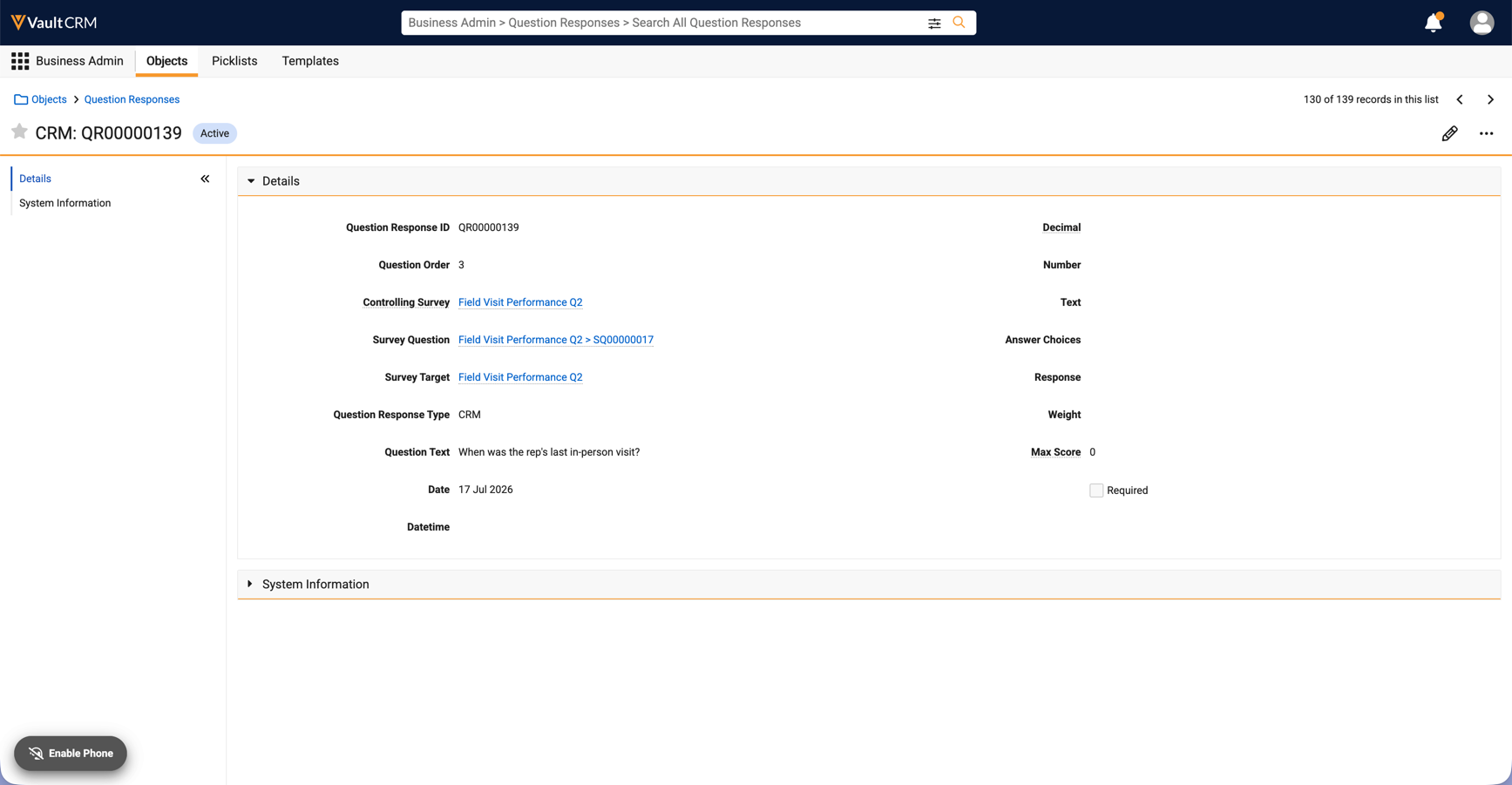
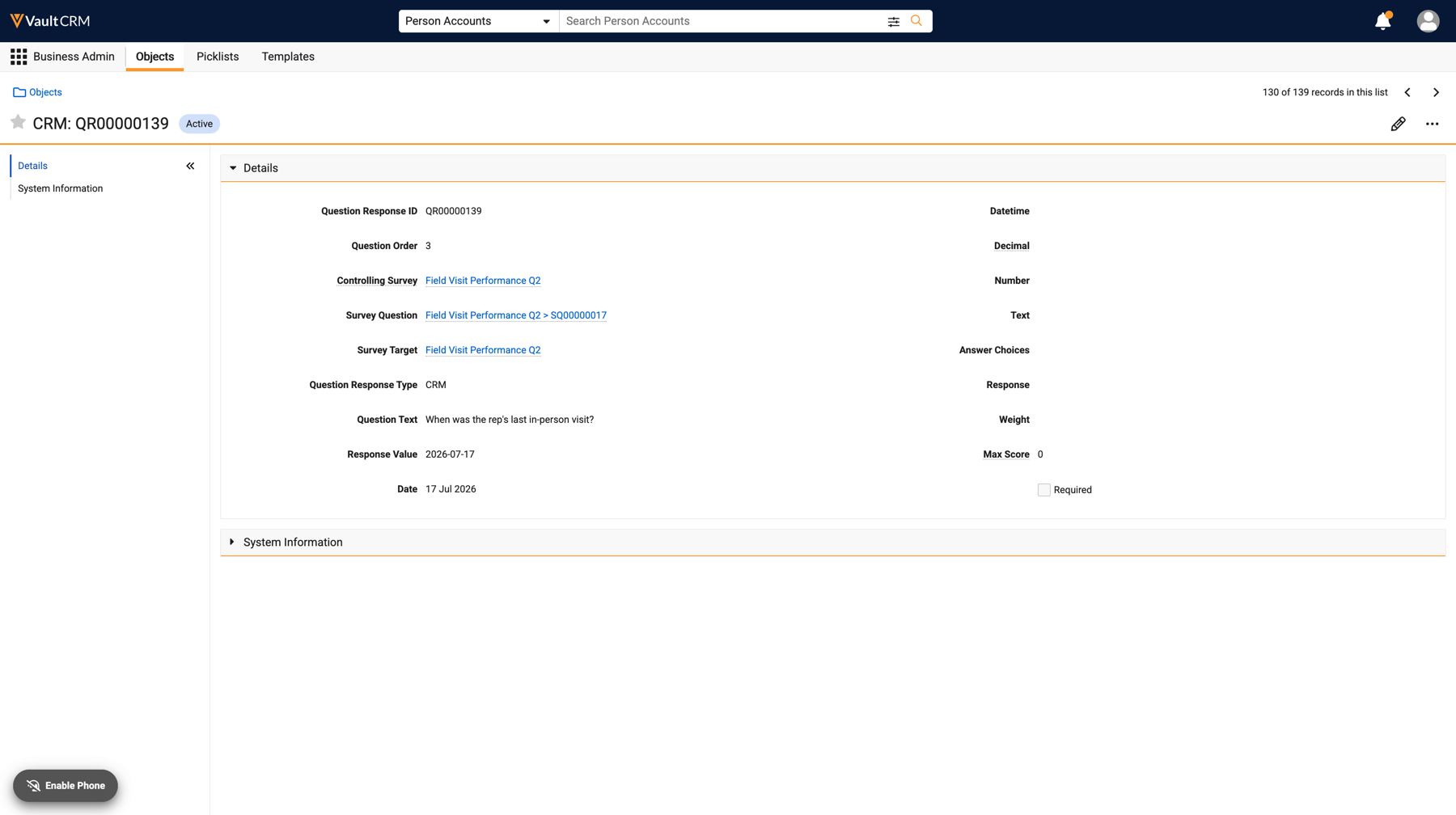
Question Response records have a Response Value field to standardize question responses and analyze results without requiring any data cleanup. The Response Value field consolidates all Question Response records as text values in a standardized format, allowing for analysis without having to edit or reformat the original responses. For example, all date-type responses are formatted as YYYY-MM-DD.
X-Pages
Pre-Call Tab - Available on Browser, iPad, iPhone, and Windows
The Pre-Call tab allows content developers to integrate AI-driven chat interfaces related to pre-call planning directly into their primary CRM workflows. Centralizing this element into a single, easily accessible tab helps enhance end users’ readiness, streamlines pre-call planning, and drives more meaningful engagements with HCPs.
X-Pages Studio
Pre-Call Content Type - Available on Browser
A new pre_call__v content type is available in X-Pages Studio. Content creators can use the pre_call__v content type to integrate AI-driven chat interfaces directly into primary CRM workflows via custom X-Pages. Centralizing this element into a single, easily accessible tab helps enhance end users’ readiness, streamlines pre-call planning, and drives more meaningful engagements with HCPs.
Vault AI in CRM
AI capabilities expand meaningfully in this release, reaching deeper into how field teams prepare and how compliance teams review. Conversational AI (Early Adopter) revolutionizes field preparation by allowing users to research accounts, prepare for calls, and plan next activities through natural two-way voice, while a new Agentic Home Screen entry point makes that assistance easier to reach in the first place.
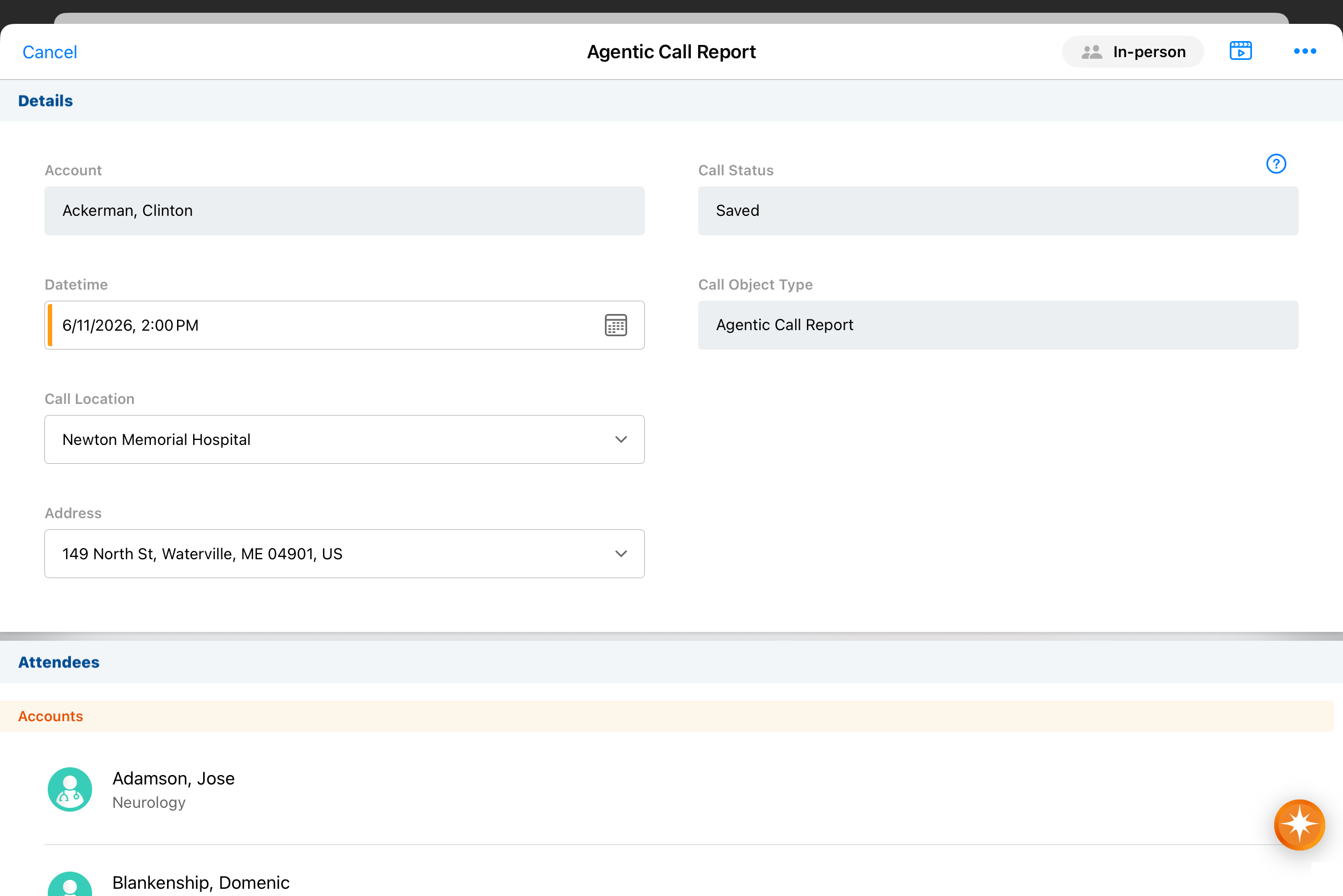
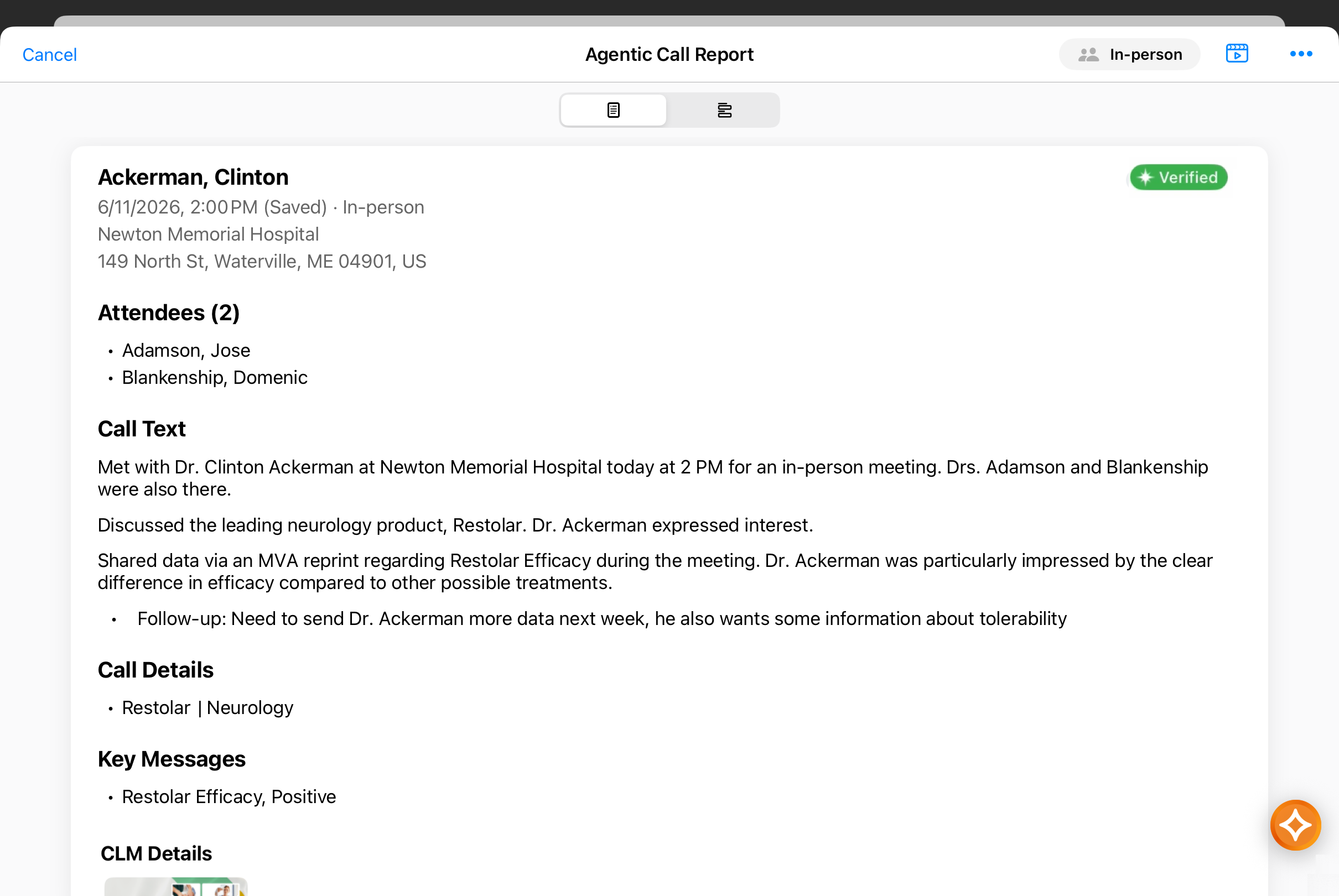
Call reporting is enhanced, too: the new Agentic Call Report™ View provides a narrative, read-only view allowing reviewers to quickly confirm dictated call information on the Agentic Call Report, without needing to navigate layouts or picklists. Across all types of call reports, LLM Call now renders complex, multi-object call data as Markdown so downstream AI systems and analytics tools can easily ingest call data, helping organizations develop richer, AI-driven business insights.
On the compliance side, Agentic Text Monitoring findings highlighted to end users are now captured on Monitored Text records for review by compliance teams, while Agentic Text Monitoring for Home Office oversight extends across a wider range of account planning and call reporting objects. These changes give compliance teams greater visibility over the increased data being generated with Vault CRM’s expanding AI capabilities.
Conversational AI (Early Adopter) - Available on iPad and iPhone
Conversational AI (Early Adopter) uses two-way voice and text to deliver a conversational experience for end users to research, prepare for, and document their interactions with HCPs. Using a context-aware Conversational Agent, users seamlessly obtain answers about accounts, prepare for upcoming calls, plan next activities, and route to action-oriented workflows from a single conversation.
This experience revolutionizes field preparation by using agentic AI to synthesize complex data sources from across Vault CRM into intuitive, real-time responses, enabling users to research and plan for account interactions more quickly and thoroughly than ever before.
Agentic Call Report™ View - Available on Browser, iPad, iPhone, and Windows
Agentic Call Report™ View presents commercially relevant call content in a narrative, read-only format to enable fast review of the Agentic Call Report. End users and other reviewers (for example, managers) can confirm transcribed interaction details after voice dictation or recall content from previous calls without navigating through entry-mode fields.
Enabling Agentic Call Report View is required to use Agentic Voice and Agentic Text Monitoring on the Agentic Call Report. For details, see Configuring Agentic Call Report™.
LLM Call: Markdown Rendition for Call Reports - Available on Browser
By converting complex, multi-object call report data into standardized Markdown, LLM Call ensures your data is formatted for immediate use by downstream AI and analytics tools. The Markdown rendition allows AI agents and analytics tools to easily ingest call data, ensuring fast processing and accurate evidence matching for deeper business insights at scale.
Markdown renditions are automatically generated when users create call reports; additional configuration is not required.
Agentic Home Screen - Available on iPad and iPhone
Agentic Home Screen enables users to launch conversations with AI agents and initiate AI-enabled media searches directly from their Vault CRM home screen. This provides an intuitive conversational entry point for key AI functionality, reducing friction and accelerating AI-enabled workflows.
Agentic Media - Now available on iPhone
Agentic Media uses AI to help iPhone users quickly find information about products and access relevant media for HCP interactions. Through the Media AI tab, users can ask questions about their products and receive clear, concise answers with links to the relevant media where the information is found.
Capturing Agentic Text Monitoring Findings - Available on Browser
Compliance teams can now track the potential issues Agentic Text Monitoring highlights for end users. When Agentic Text Monitoring detects an issue, Vault CRM automatically logs the evaluated text, the agent’s reasoning, and the exact timestamp to a Monitored Text record.
Expanded Support for Agentic Text Monitoring for Home Office - Available on Browser
Agentic Text Monitoring for Home Office is now supported for a wider range of objects related to call reporting and account planning, resulting in comprehensive compliance oversight for key records. The agent’s powerful AI capabilities act as a force-multiplier for home office oversight by using AI to understand natural language in context, enabling fast, detailed review across Vault CRM records.
Align
With this release, Align enables field users to review and adjust account profiling information and product detailing priority within Territory Feedback, giving users input on account information and the order in which products should be detailed to HCPs; operations users, meanwhile, can generate Product Specialties in bulk, speeding up creation of records that store promotion eligibility.
Detailing Priority in Territory Feedback - Available on iPad
End Users can review and adjust product detailing priority for their products within Territory Feedback to ensure that only products detailed in the correct order count toward their goal attainment.
Profiling During Territory Feedback - Available on iPad
End users can view and update account profiling information, for example, access level, affinity, adoption, and potential, directly within Territory Feedback. These updates provide organizations the information they need to accurately segment accounts and set targeting goals.
Creating Product Specialties in Bulk – Available on Browser
Align operational users can create Product Specialties in bulk, making it easy to quickly create records storing promotion eligibility.
Adjusting Territory Capacity - Available on Browser and iPad
Align operations users can override a specific territory’s capacity for use within X-Pages in Territory Feedback, enabling more granularity when providing guidelines for activities for a territory.
Approved Email
Sensitive messages sent through Approved Email can be kept secure. HCPs can be required to sign in before viewing the message, giving organizations a secure method for communication while tracking engagement in CRM. Additionally, support for user profile photos expands to the Windows platform, bringing a consistent and personalized experience across devices.
Sending Secure Messages via Approved Email – Available on Browser, iPad, and iPhone
To ensure sensitive content remains secure and is not forwarded to unauthorized recipients, end users can send Approved Emails containing secure links, requiring HCPs to sign into a customer’s My Engage Portal using VeevaID in order to view the content. This allows customers to provide a branded experience for viewing sensitive content, track HCP engagement with the content, and ensure the content is not combined with content from other organizations.
Personalizing User Profile Photos – Now available on Windows
End users on the Windows platform can now personalize the emails they send with information about themselves, including user profile photos.
Campaign Manager
Three updates in this release make campaign design and testing more precise. By transforming complex campaign logic into an intuitive, end-to-end view, the Flows tab enables marketers to visualize the sequence, timing, and relationships between campaign actions, as well as identify gaps and conflicts within the campaign; target lists become sharper with new consent-based filtering; and staged email templates can be previewed and test-sent before submission, so layout, tokens, and content are validated in context ahead of campaign activation.
Visualizing Campaign and Journey Flows - Available on Browser
The Flows tab enables marketers to visualize the sequence, timing, and relationships between campaign actions, as well as identify gaps and conflicts within the campaign by transforming complex campaign logic into an intuitive, end-to-end view. Marketers have the ability to export an image of the campaign flow to easily communicate the campaign plan to other team members.
Updates to the Target List Builder - Available on Browser
Marketing users can create more precise and efficient target lists for their campaigns by leveraging multichannel_consent__v fields in their target list filters.
Testing Staged Content in Campaign Manager - Available on Browser
Marketing users can preview and send test emails within Campaign Manager for staged email templates, enabling them to validate layout, token resolution, and content in context before submitting for approval.
Engage
Engage strengthens two areas with this release by providing a dedicated space for HCPs, and by associating the Zoom attendance information to the attendees in the call report. My Engage Portal gives HCPs a centralized, secure place to interact with your company such as viewing an inbox containing all the Approved Emails, including the secure messages, that the HCP had received from your Vault CRM. Meeting data gets cleaner too. Zoom attendance is automatically associated with the attendees on the call report with the option for the user to easily reconcile manually when needed.
My Engage Portal - Available on Browser
My Engage Portal is a centralized, browser-based website to facilitate secure interactions between life sciences companies and their external stakeholders. A single My Engage Portal domain is available for each Vault CRM instance, where customers manage the domain and branding for their portals.
Attendance Reporting for Zoom Meetings - Available on Browser and iPad
Attendance reporting for Zoom meetings is an automated process to capture attendee data from Zoom and store it in Vault CRM, enabling admins to analyze and report on metrics for Zoom meetings.
Reconciling Zoom Meeting Attendees with Accounts and Users - Available on Browser and iPad
To ensure Zoom meeting data is accurate for reporting, Vault CRM automatically attempts to reconcile Zoom attendees with the correct accounts and users after a meeting ends, allowing users to quickly review and manually update any attendees without an automatic match. This process saves end users time by matching data received from Zoom directly to records in Vault CRM.
Personalizing Profile Photos in the Digital Business Card – Now available on Windows
End users on the Windows platform can now personalize their profile photos for their associated digital business card.
Events Management
Managing event-related approvals just got more flexible. Standard object lifecycles are now available for speakers, venues, and vendors, giving business admins the structure to build custom approval processes for control over how event workflows run.
New Events Management Object Lifecycles - Available on Browser
Standard object lifecycles are now available for speakers, venues, and vendors. Business admins can use standard object lifecycles in a custom approval process that provides administrators with greater flexibility and control over their event management workflows.
Service Center
Reps get more ways to stay in context this release. They can start and send emails without leaving a case, view custom X-Page visualizations in the Case tab, and use the new All Active Cases view to monitor, sort, and redistribute cases across a whole team’s workload from a single place — cutting out the back-and-forth between queues and dashboards to stay on top of support.
Starting Emails from Cases - Available on Browser
To quickly communicate with accounts directly from active cases, Service Center Reps can start new email threads and send emails without leaving the case context.
Service Center Case Tab Page Type for X-Pages - Available on Browser
A new Service Center Case Tab page type is available in X-Pages Studio. Content creators can use the Service Center Case Tab page type to create and display custom data visualizations as a case tab when viewing Cases in the Service Center console. By integrating custom data visualizations, Service Center reps can view contextual or static data alongside case records, reducing context switching and streamlining case support.
Managing All Active Cases - Available on Browser
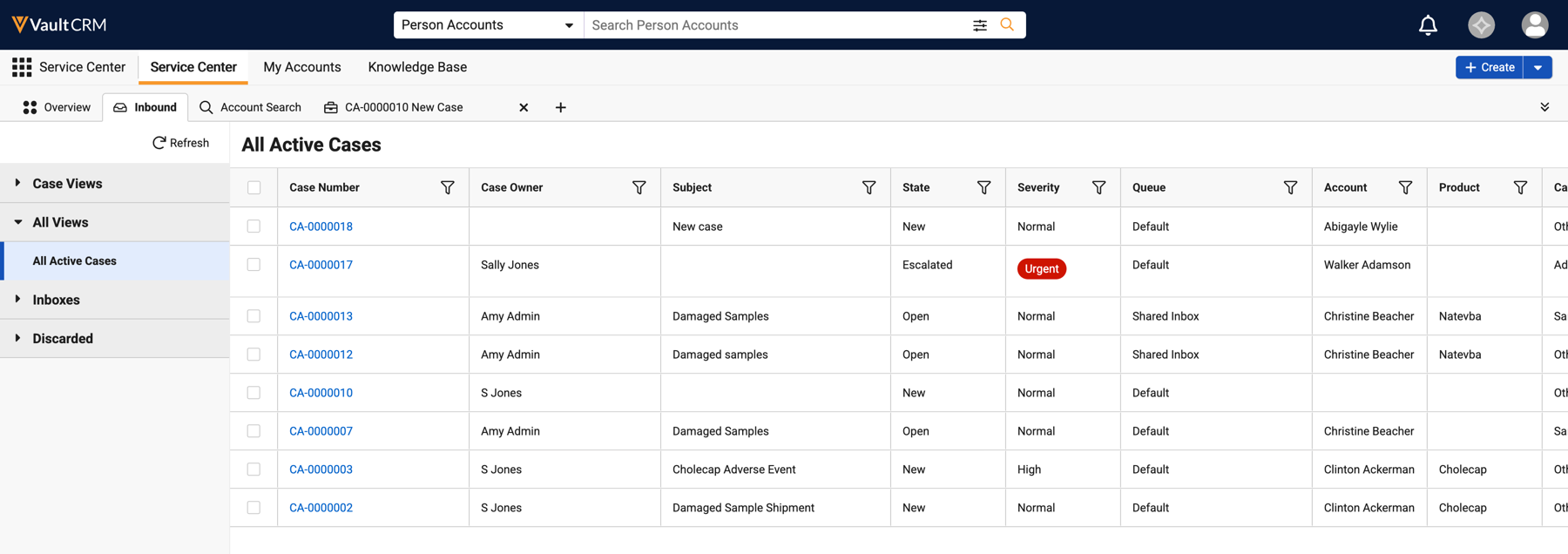
The All Active Cases view in Service Center allows reps to easily monitor workloads, triage incoming cases, redistribute ownership, and ensure operational coverage across a team. Reps can view, sort, and filter active cases across multiple owners directly in the All Active Cases view, rather than navigating away to individual queues or personal dashboards.
User Visible and Behavior Changes (UVCs)
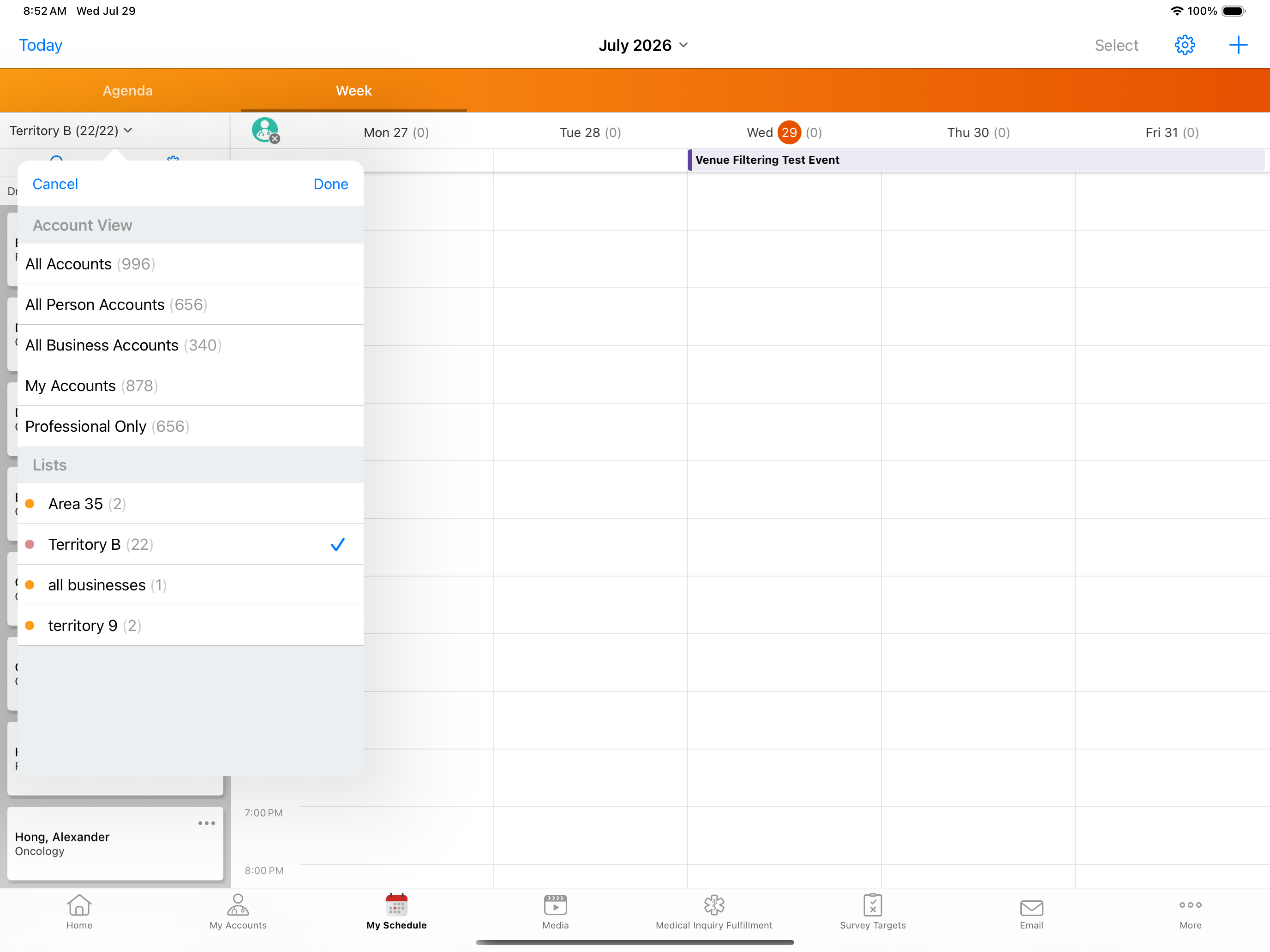
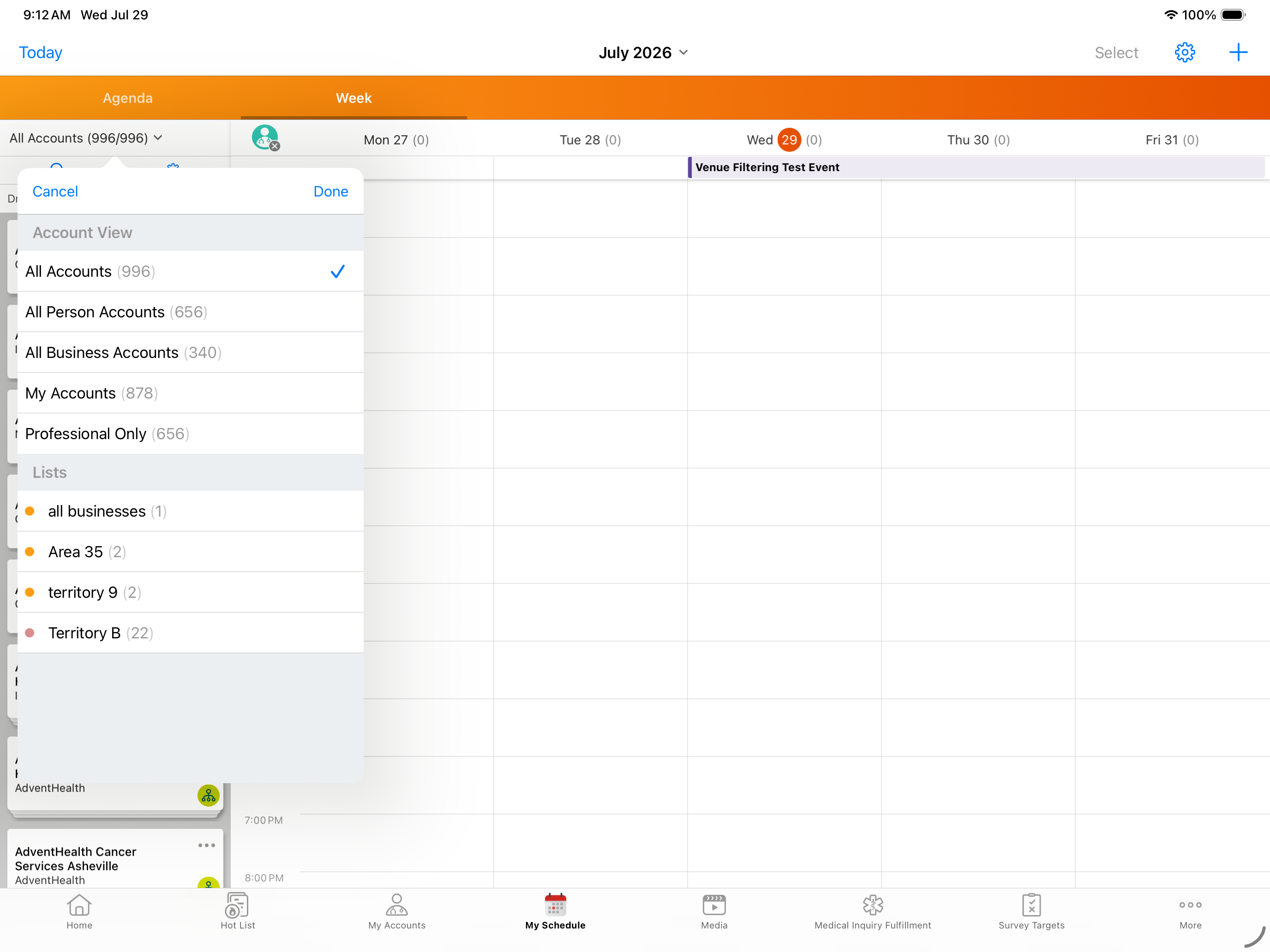
Most new functionality requires some configuration, however users are able to use the following functionality immediately. Select the thumbnail to view a larger image.
Account Planning
|
Platform |
Description |
Before |
After |
|---|---|---|---|
|
Browser |
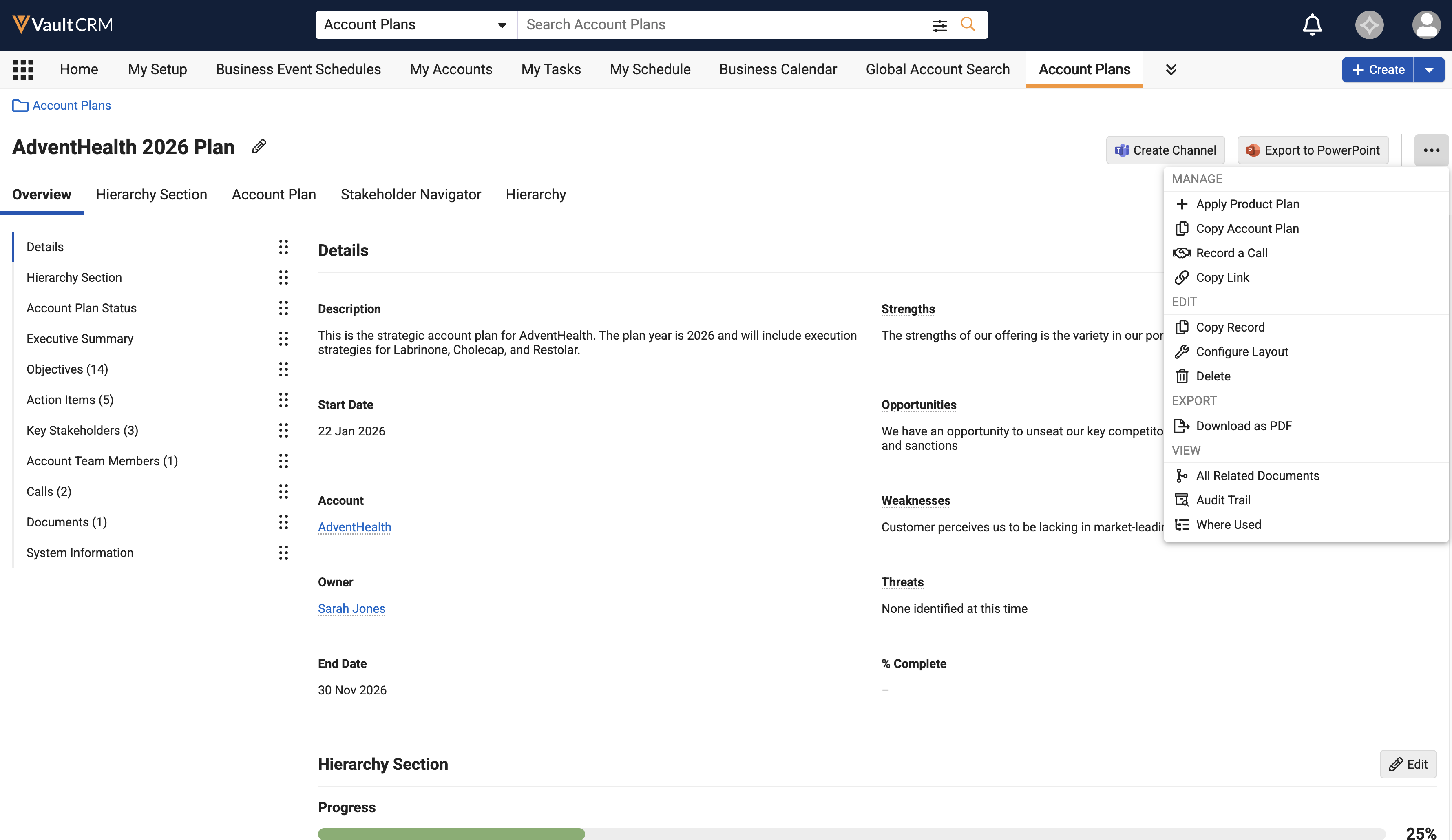
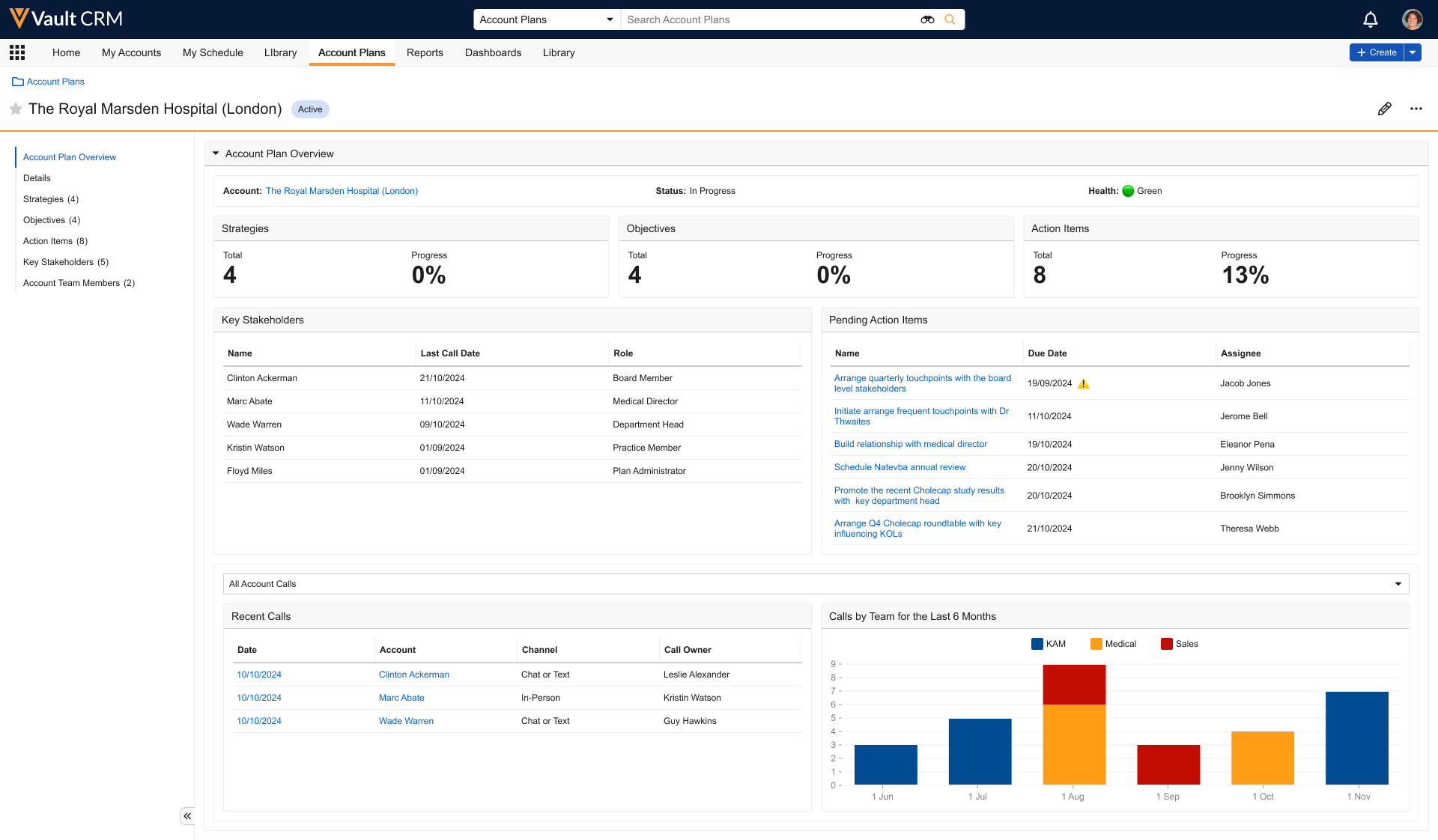
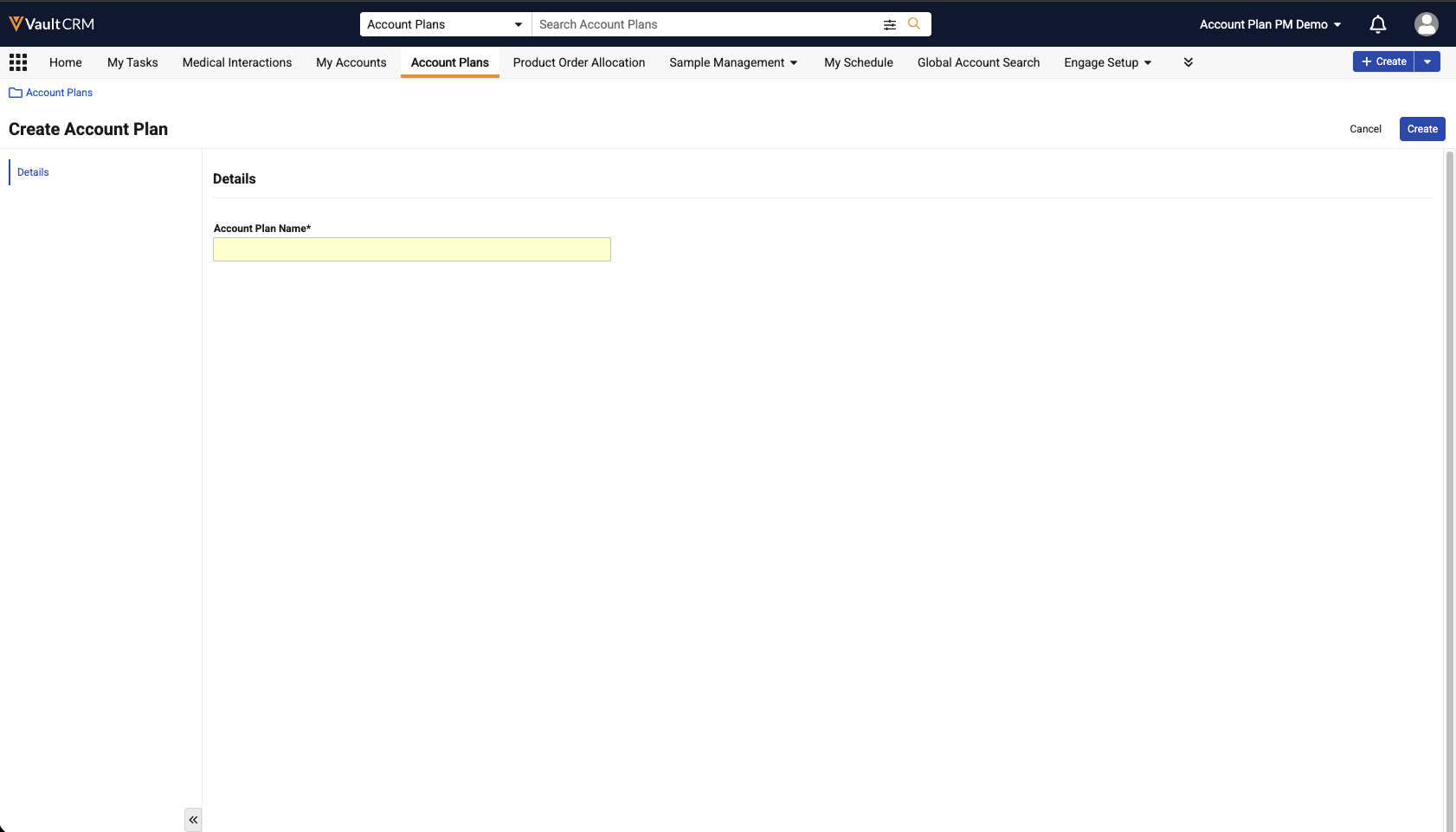
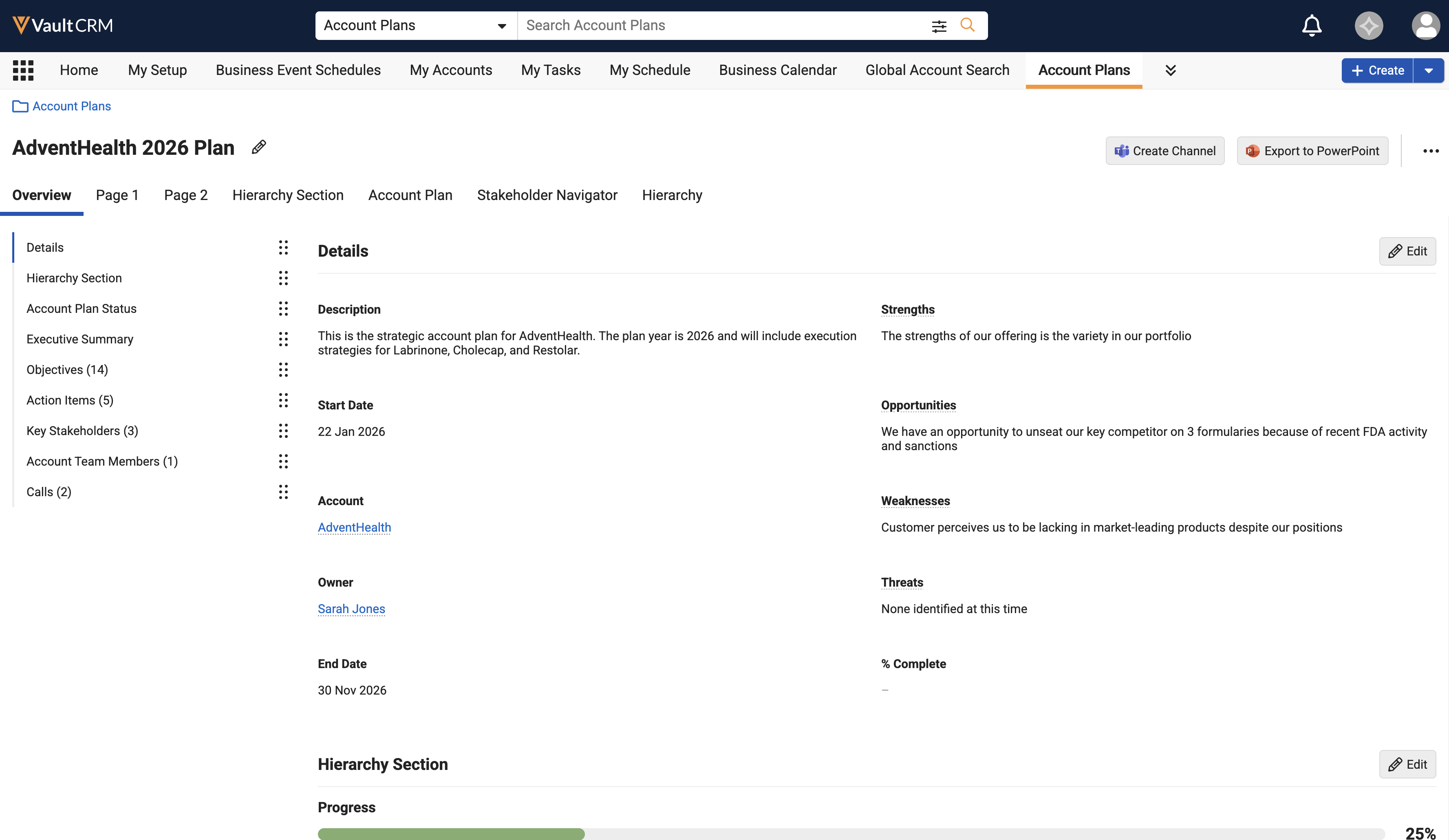
The Account Plan layout is redesigned to make it easier to access and manage account plan information. Selecting an Account Plan displays a tabbed interface that allows access to plan details. Microsoft record actions display as persistent buttons on the layout. |
|
|
|
Browser |
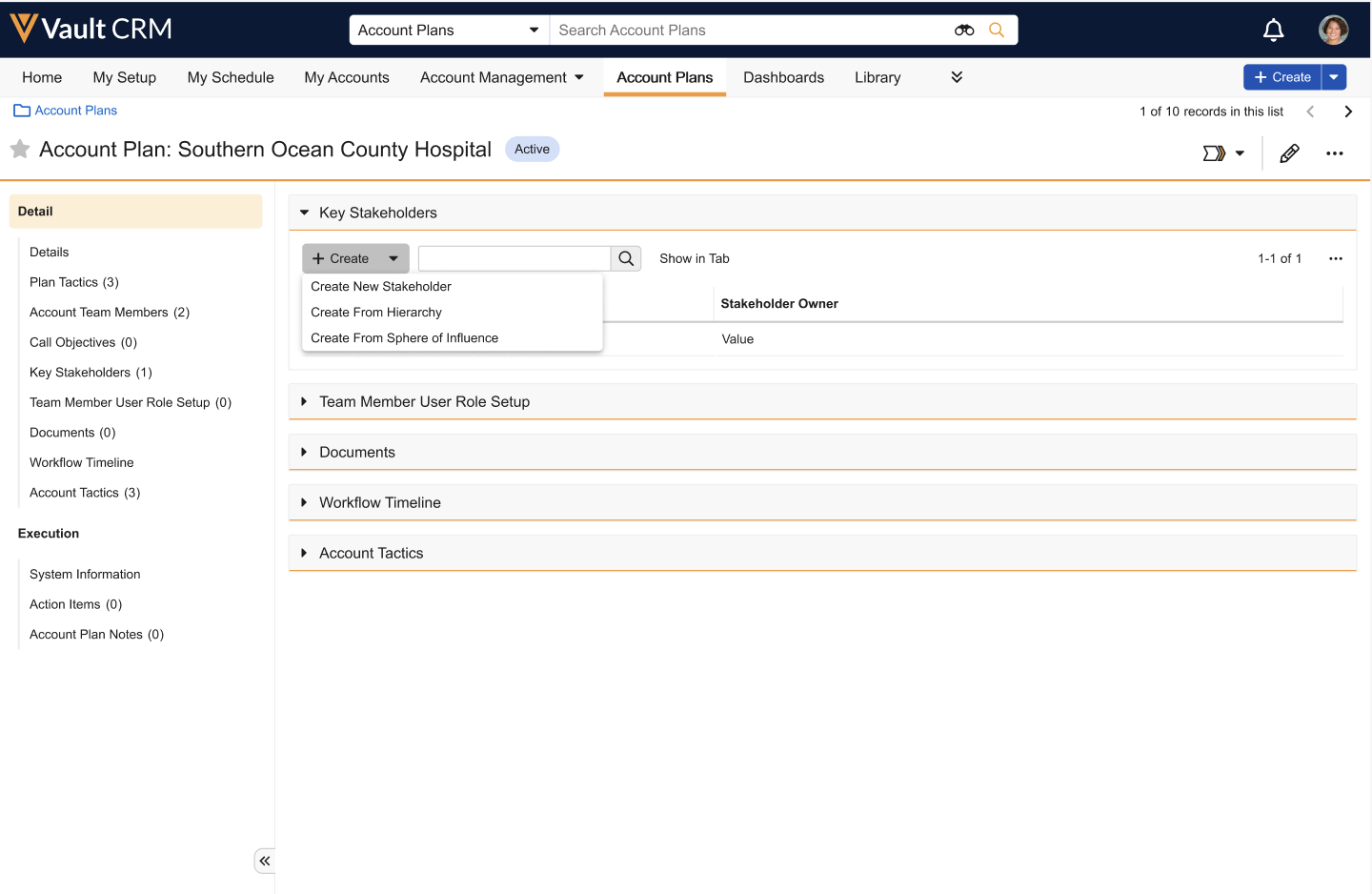
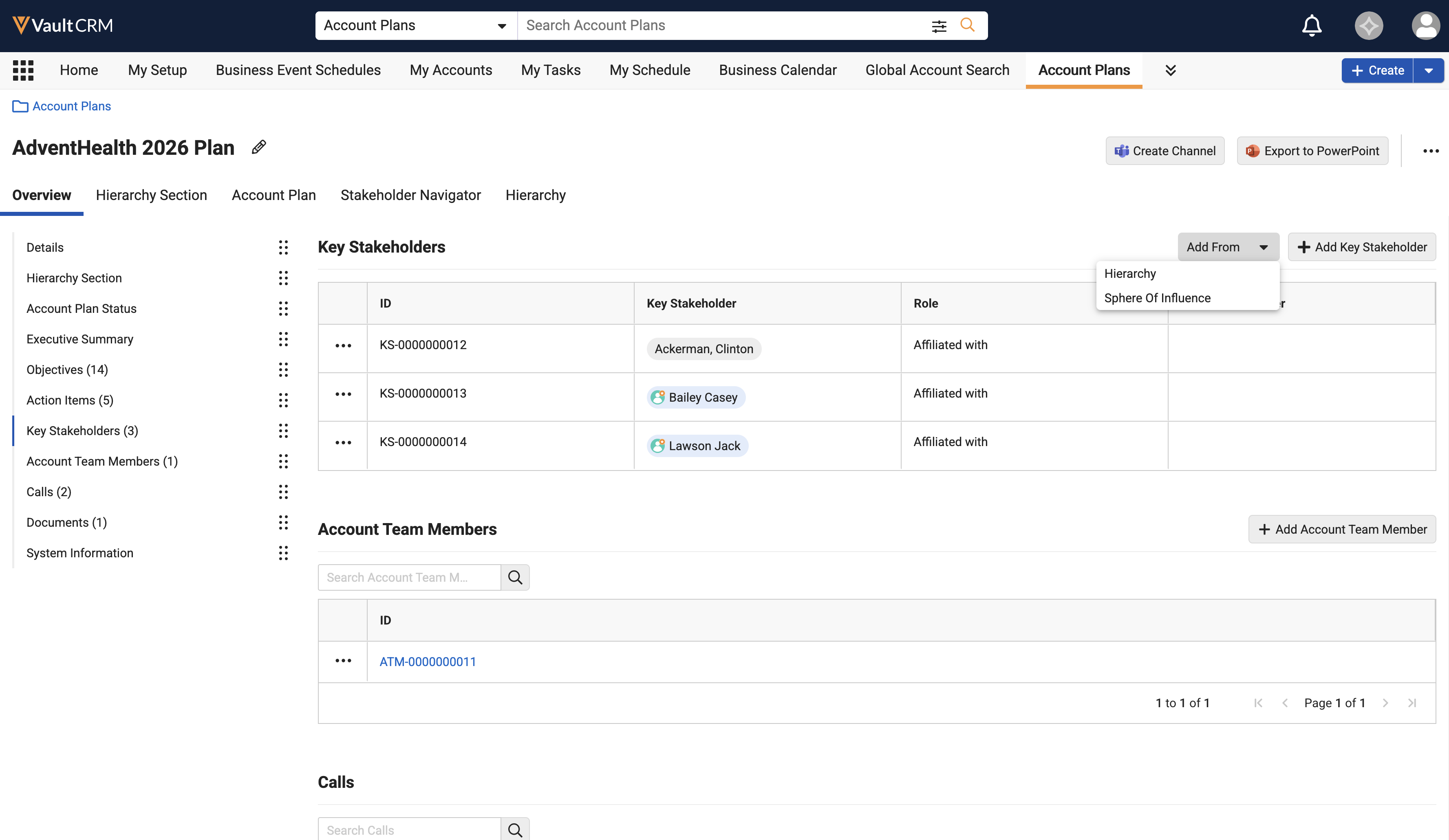
The Key Stakeholders section is updated with a new grid layout and functionality to make it easier to manage key stakeholders. |
|
|
|
Browser |
The View Hierarchy action no longer displays on the All Actions menu on an Account Plan record. It displays as a tab across the top of the navigation bar. |
n/a |
|
|
Browser |
The Stakeholder Navigator action no longer displays on the All Actions menu on an Account Plan record. It displays as a tab across the top of the navigation bar. |
n/a |
|
|
Browser |
The X-Pages section no longer displays as embedded in the page layout. X-Pages display as tabs across the top of the navigation bar. |
|
|
|
Browser |
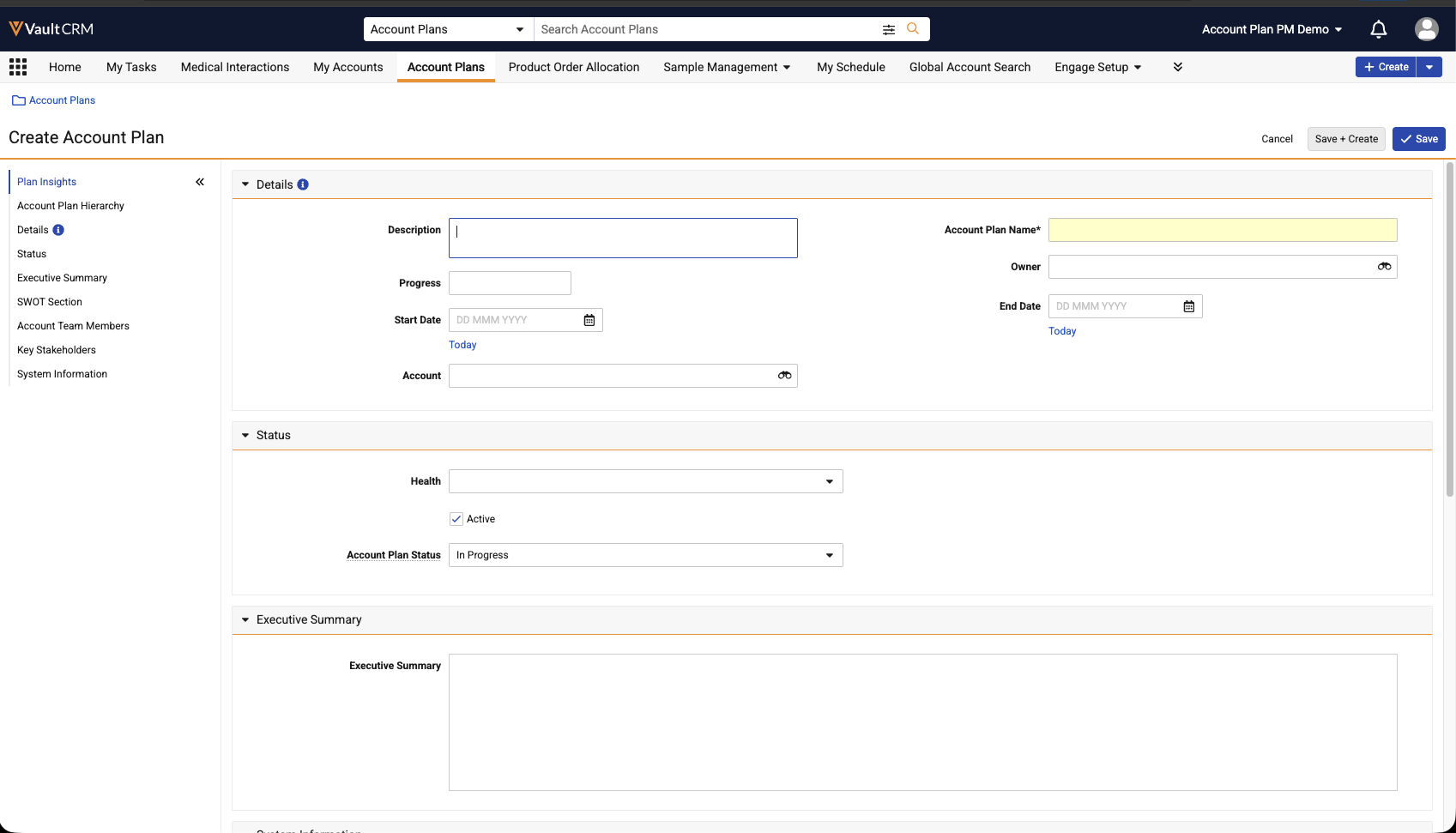
When creating an Account Plan, users are only prompted to populate required fields. |
|
|
|
Browser |
If configured, Pages display as tabs across the top navigation. Sections within each Page are sections within each tab. |
n/a |
|
|
Browser |
Users can single-click cells in the Account Plan Hierarchy grid to enter edit mode. Previously, double-clicking was required to enter edit mode. (Available on August 20, 2026) |
n/a |
n/a |
Account Management
|
Platform |
Description |
Before |
After |
|---|---|---|---|
|
Browser |
The length of the restricted_products_v field on the account__v object is increased from 2,000 to 32,000 characters. If this field is used as a pull-in field on the call2__v object, customers must update the length of custom pull-in field. If the length of the source field and the custom field do not match, pull-in operation is not performed. |
n/a |
n/a |
|
Browser |
The length of the following fields is increased from 40 to 255 characters to prevent truncation:
|
n/a |
n/a |
Call Reporting
|
Platform |
Description |
Before |
After |
|---|---|---|---|
|
iPhone |
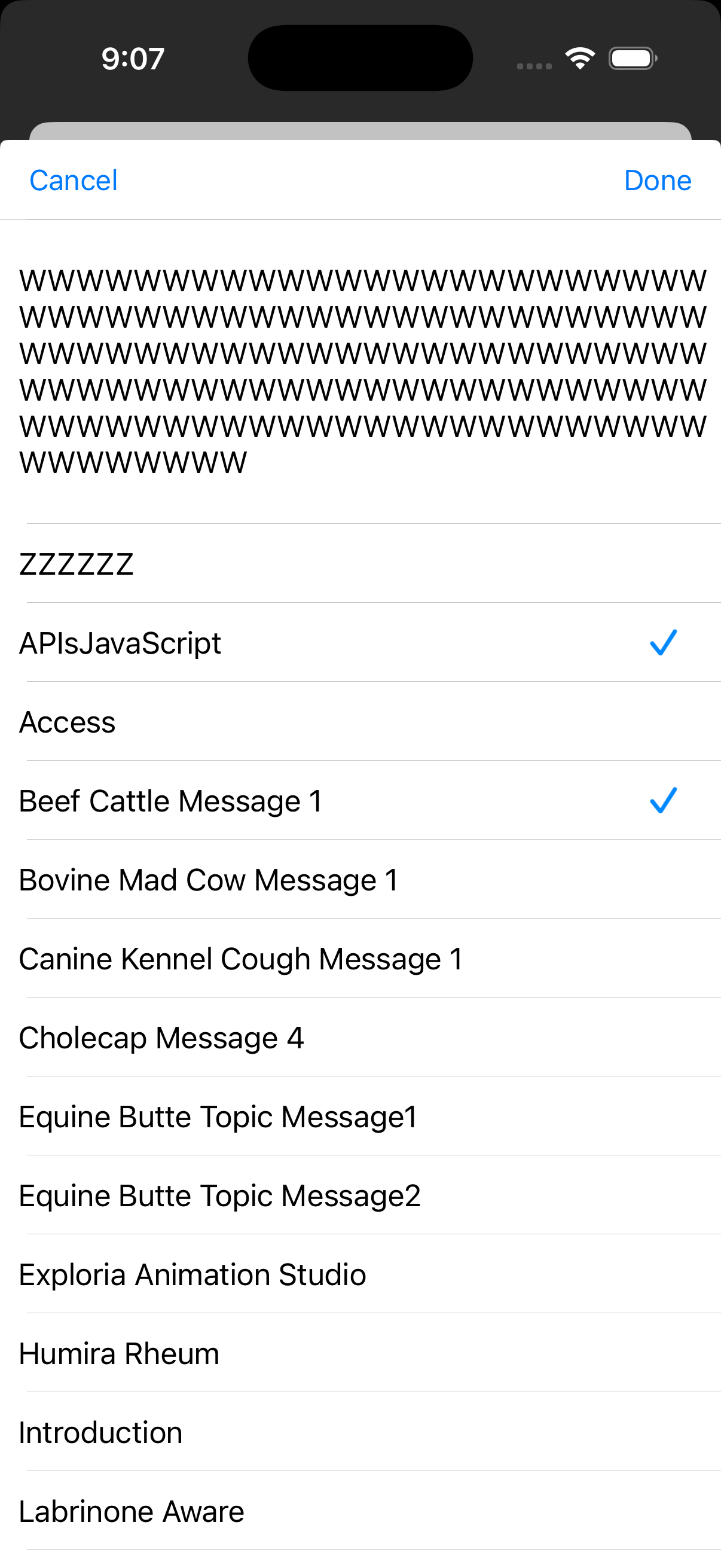
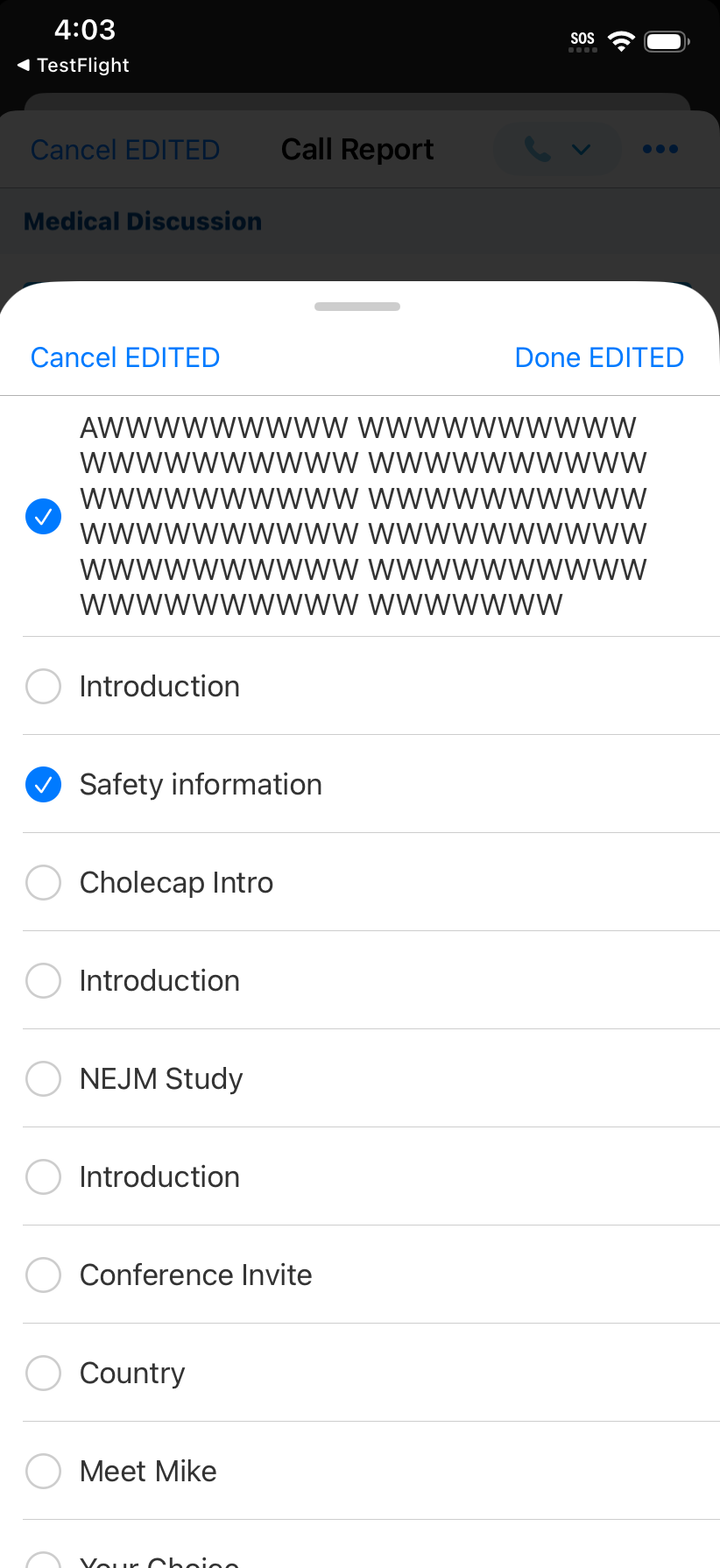
The Call Key Messages interface now displays using the standard tray presentation. This ensures a consistent experience across the app without changing functionality. |
|
|
|
Windows |
To maintain cross-platform parity, the Call Report now properly displays detail sections containing hidden fields (for example, System Information) as well as empty call control sections. Additionally, empty sections—for example, Call Key Messages or CLM Details—now consistently display a "No records to display" message when no items or selectable options are available. |
n/a |
n/a |
Call Sampling
|
Platform |
Description |
Before |
After |
|---|---|---|---|
|
iPad |
When Signature Capture is launched from the AOC Detail Page, the HCP can now only sign the AOC from which the signature option was launched. Previously, all open and overdue AOCs displayed when accessed from the AOC Detail page. This is a change for all types of signature methods for AOC. |
n/a |
n/a |
|
iPad |
When Share Link is enabled, users see both open and overdue AOCs when selecting the face-to-face method. Previously, only overdue AOCs displayed. |
n/a |
n/a |
Classic Cycle Plans
|
Platforms |
Description |
Before |
After |
|---|---|---|---|
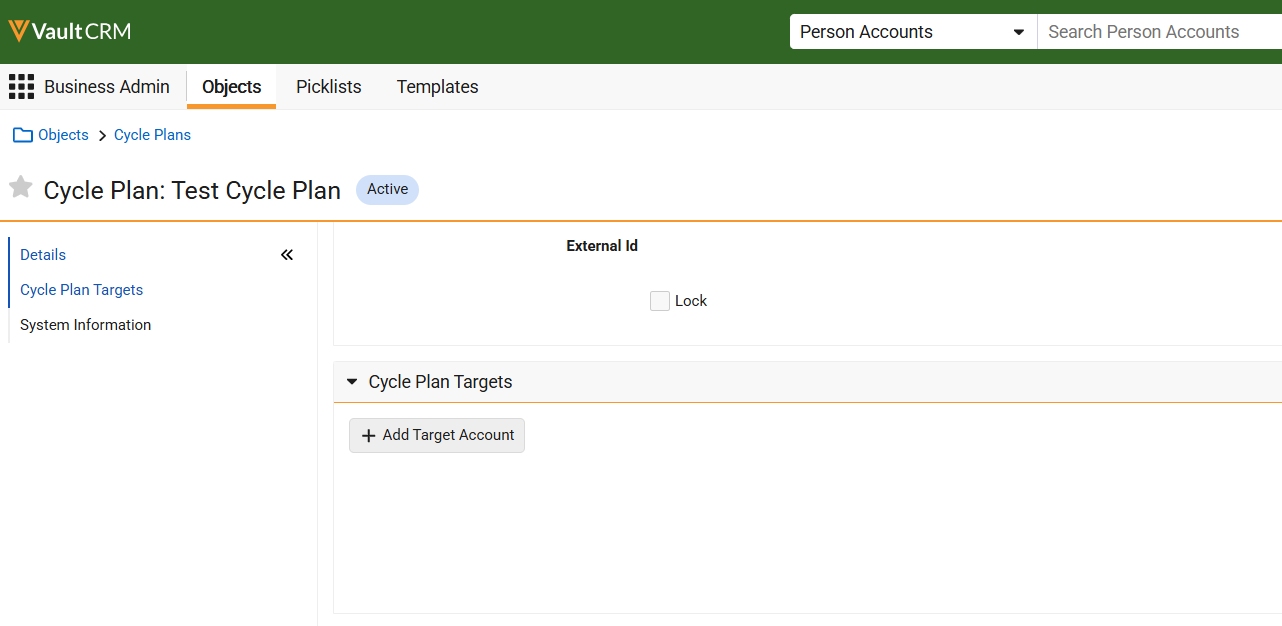
| Browser | To enable users to add targets to empty plans, the Add Target button now displays for Classic Cycle Plans with no existing target records. | 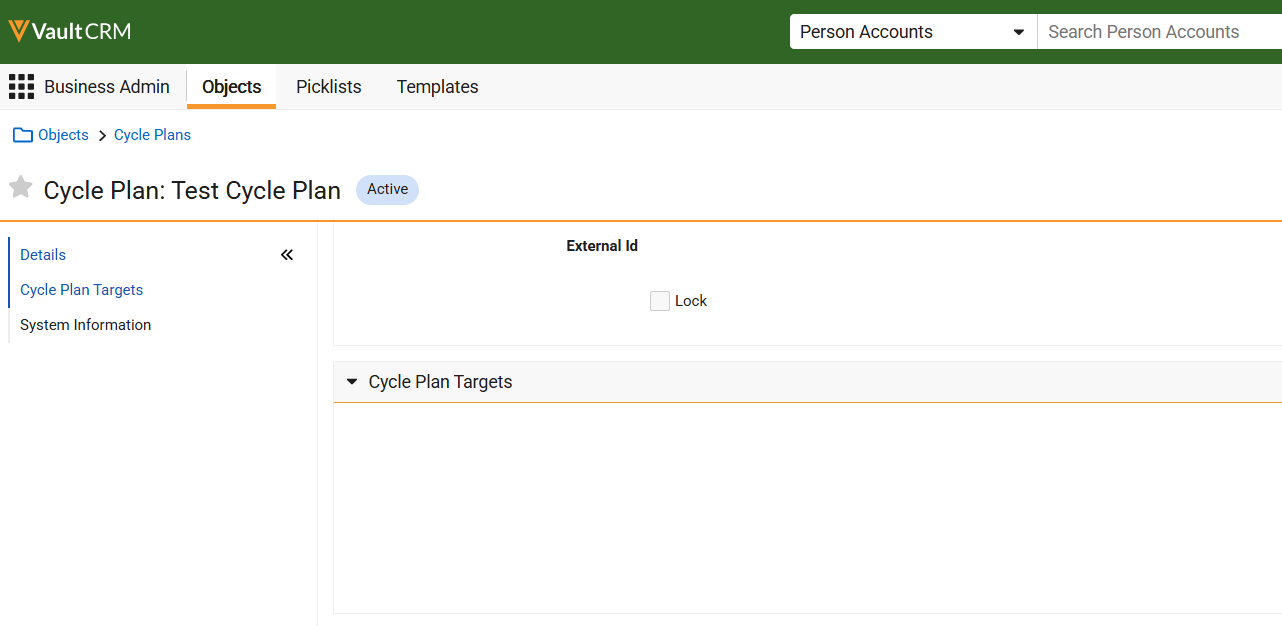
|
|
General
|
Platform |
Description |
Before |
After |
|---|---|---|---|
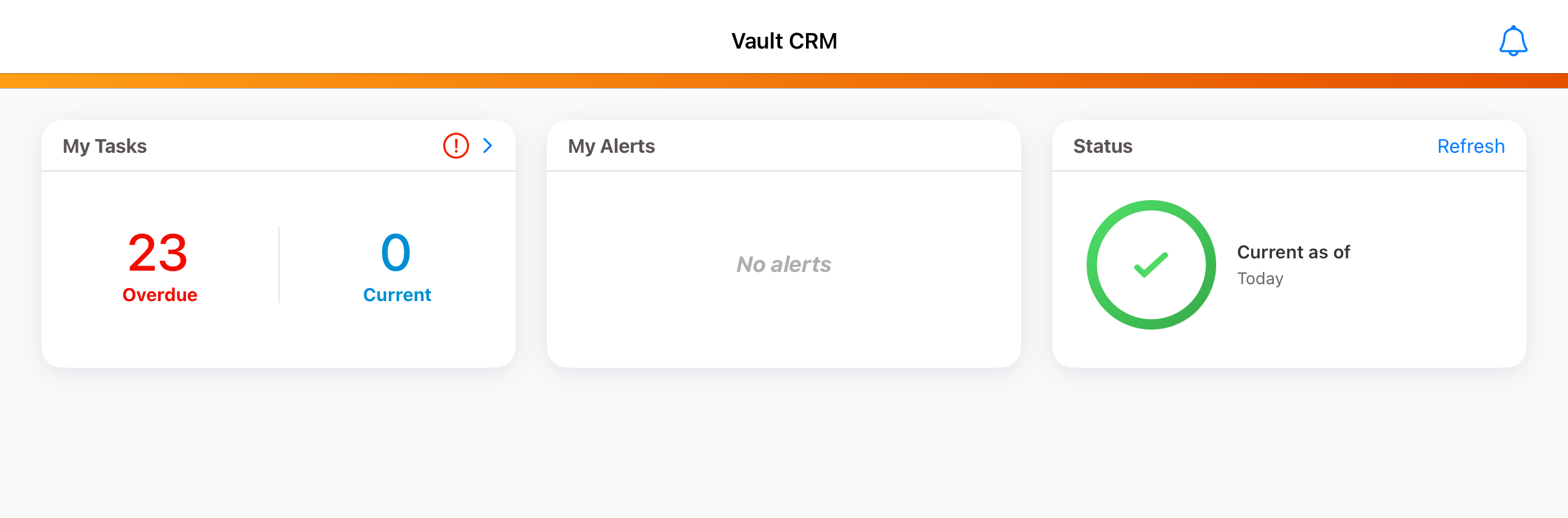
|
iPad, iPhone |
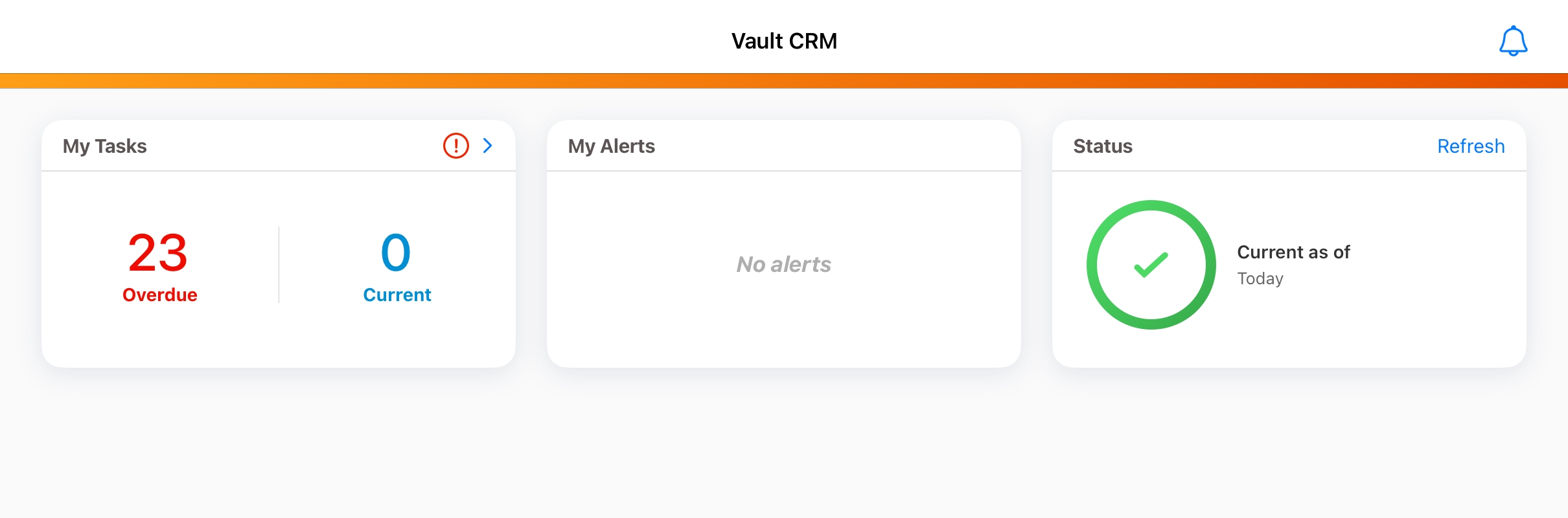
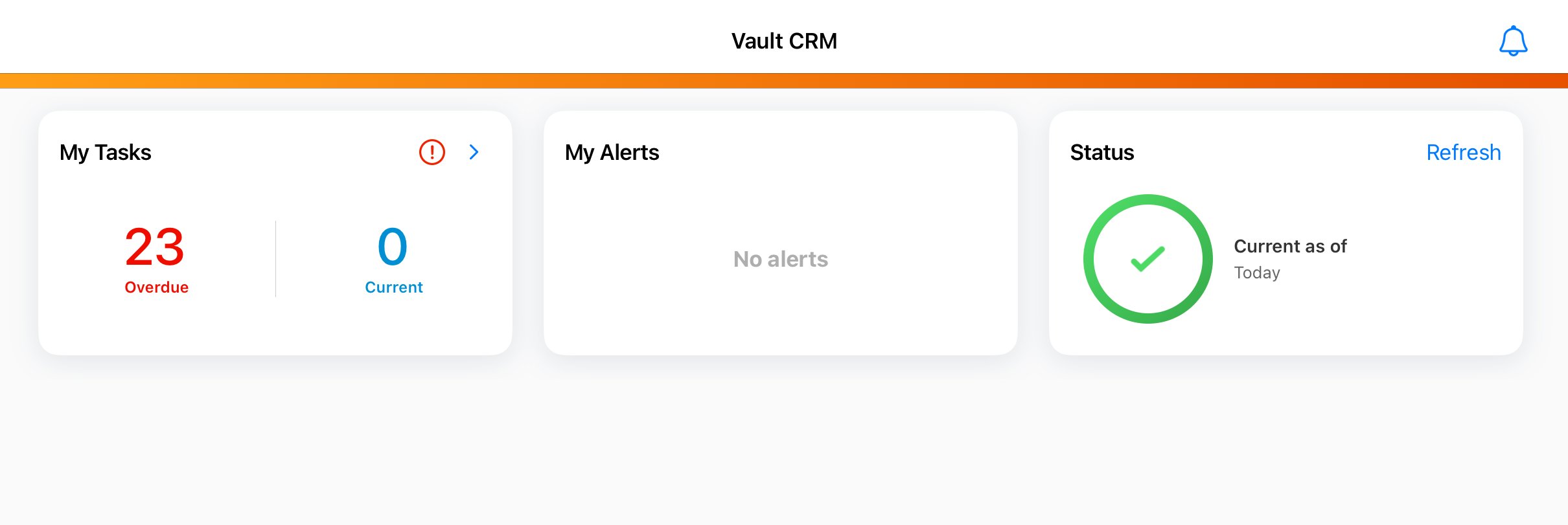
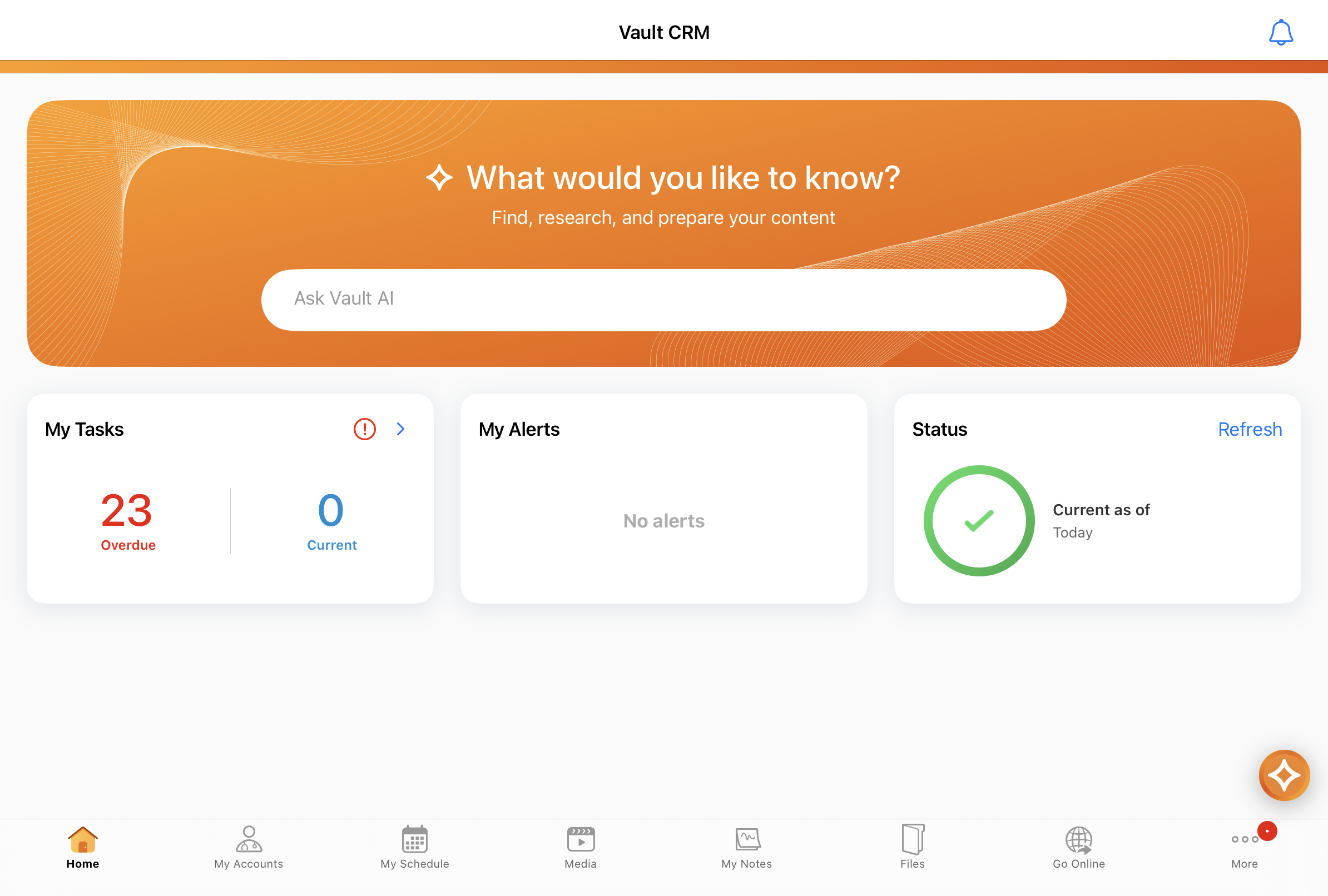
Home screen widgets are updated with new styling for a streamlined look and feel. |
|
|
My Schedule
|
Platform |
Description |
Before |
After |
|---|---|---|---|
|
iPad |
Case-insensitive sorting is now applied to Account Lists, Cycle Plan Views, and Business Events on My Schedule. All affected lists now sort alphabetically regardless of capitalization, matching the behavior for Browser. |
|
|
Surveys
|
Platform |
Description |
Before |
After |
|---|---|---|---|
|
Browser |
Question Response objects have a new Response Value field to standardize and analyze results without data cleanup. This field is displayed on all new Question Response responses. |
|
|
Sync
|
Platform |
Description |
Before |
After |
|---|---|---|---|
|
Browser, iPad, Windows |
Users do not receive a sync error when they add an attachment to a Medical Inquiry and submit it as part of the same transaction. |
n/a |
n/a |
Vault AI
|
Platform |
Description |
Before |
After |
|---|---|---|---|
|
Browser, iPad, iPhone |
The Enable Agentic Call setting is now required to use Agentic Voice and Agentic Text Monitoring for call reporting. |
n/a |
n/a |
|
Browser, iPad, iPhone, Windows |
The following user visible changes occur when the Enable Agentic Call setting is enabled:
|
|
|
|
iPad, iPhone |
The AI icon is updated with a new design and styling. |
|
|
|
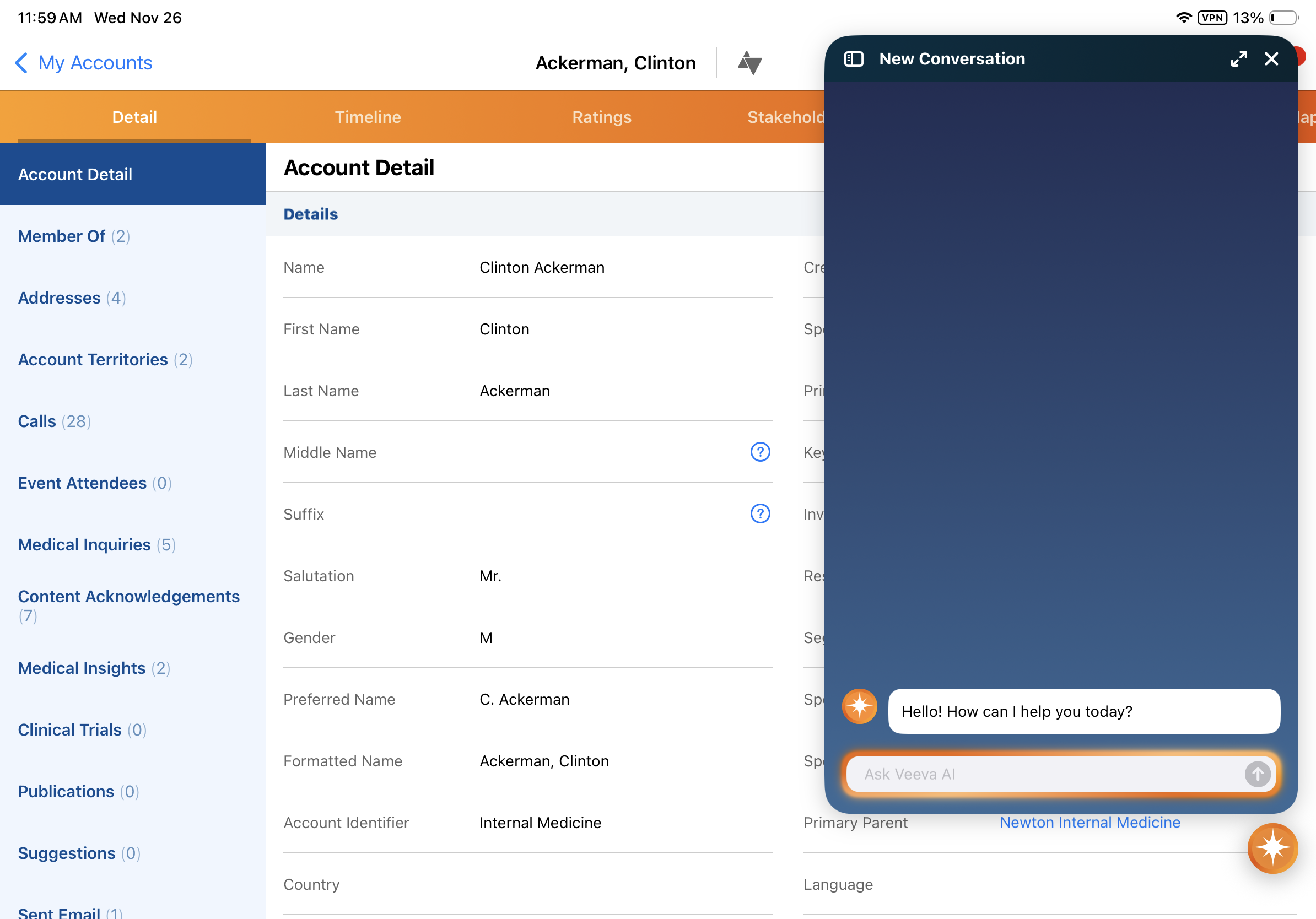
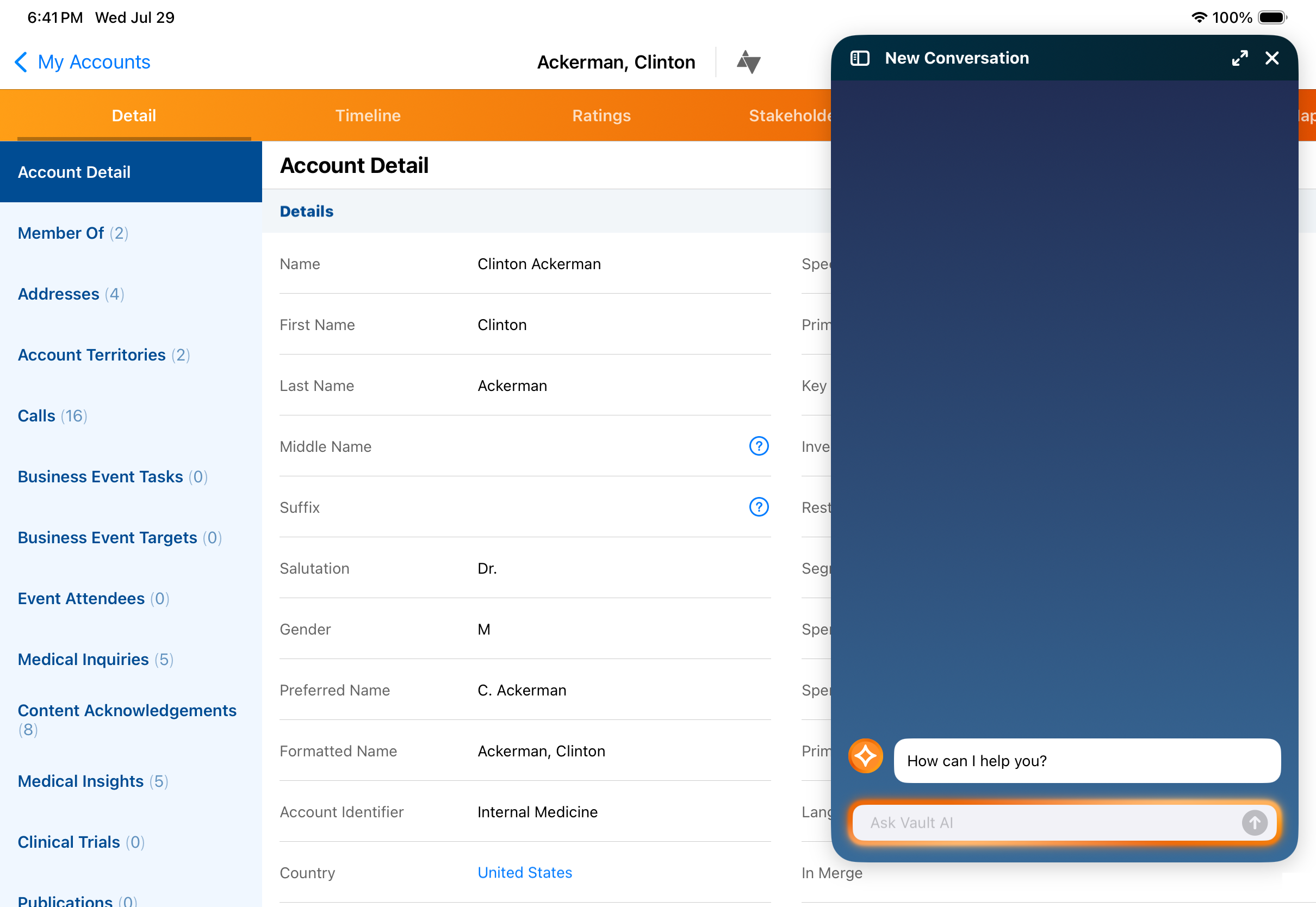
iPad |
Default salutation and input box messages are updated:
|
|
|
|
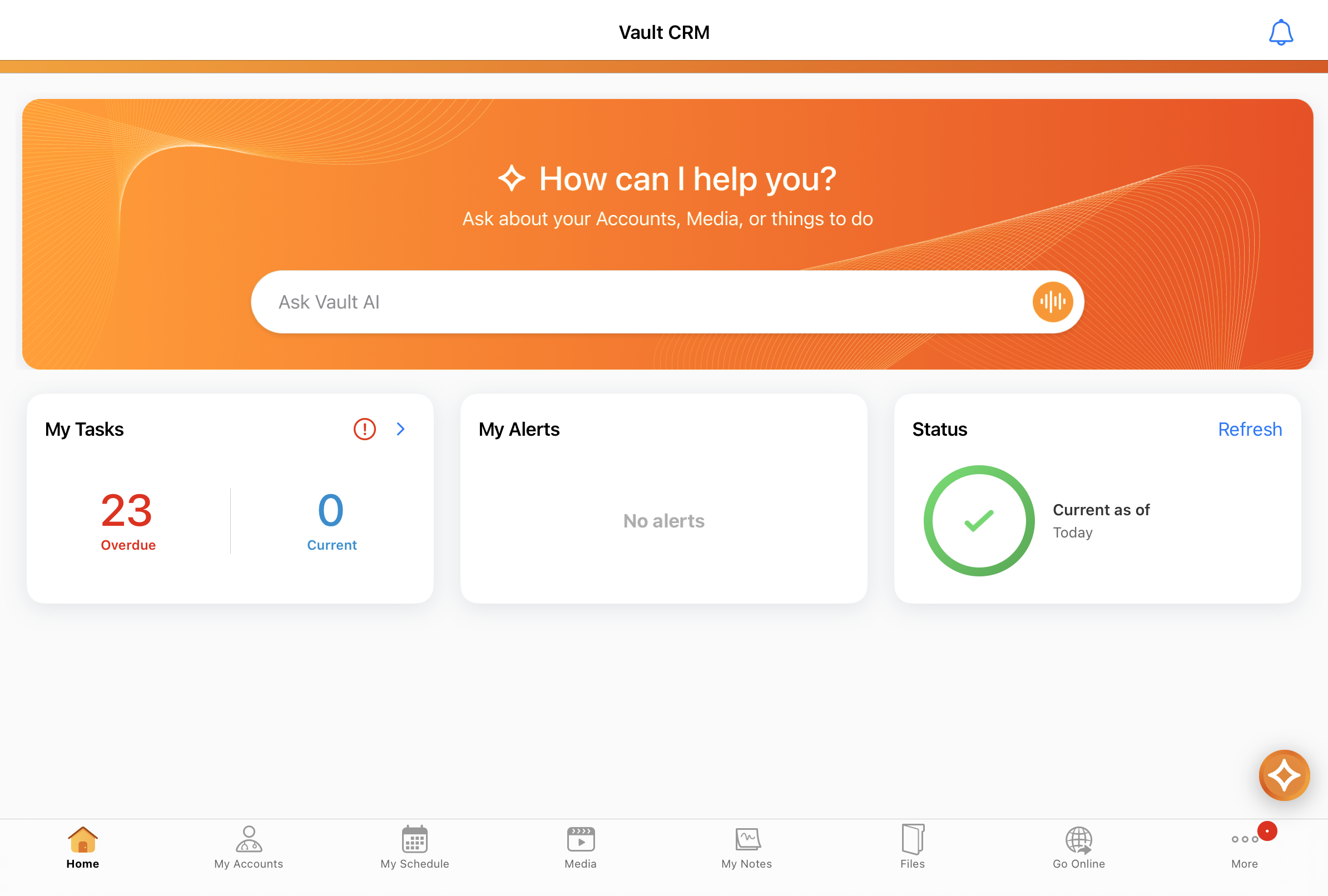
iPad, iPhone |
When Conversational AI (Early Adopter) is enabled, the Agentic Home Screen entry point displays. Other home screen widgets display after the Agentic Home Screen entry point. |
|
|
|
iPad |
When Agentic Media is enabled, the Agentic Home Screen entry point displays. Other home screen widgets display after the Agentic Home Screen entry point. Visibility can be controlled using the disable_homepage_ai_widget__v Veeva Setting. For details, see Agentic Home Screen. |
|
|
Campaign Manager
|
Platform |
Description |
Before |
After |
|---|---|---|---|
|
Browser |
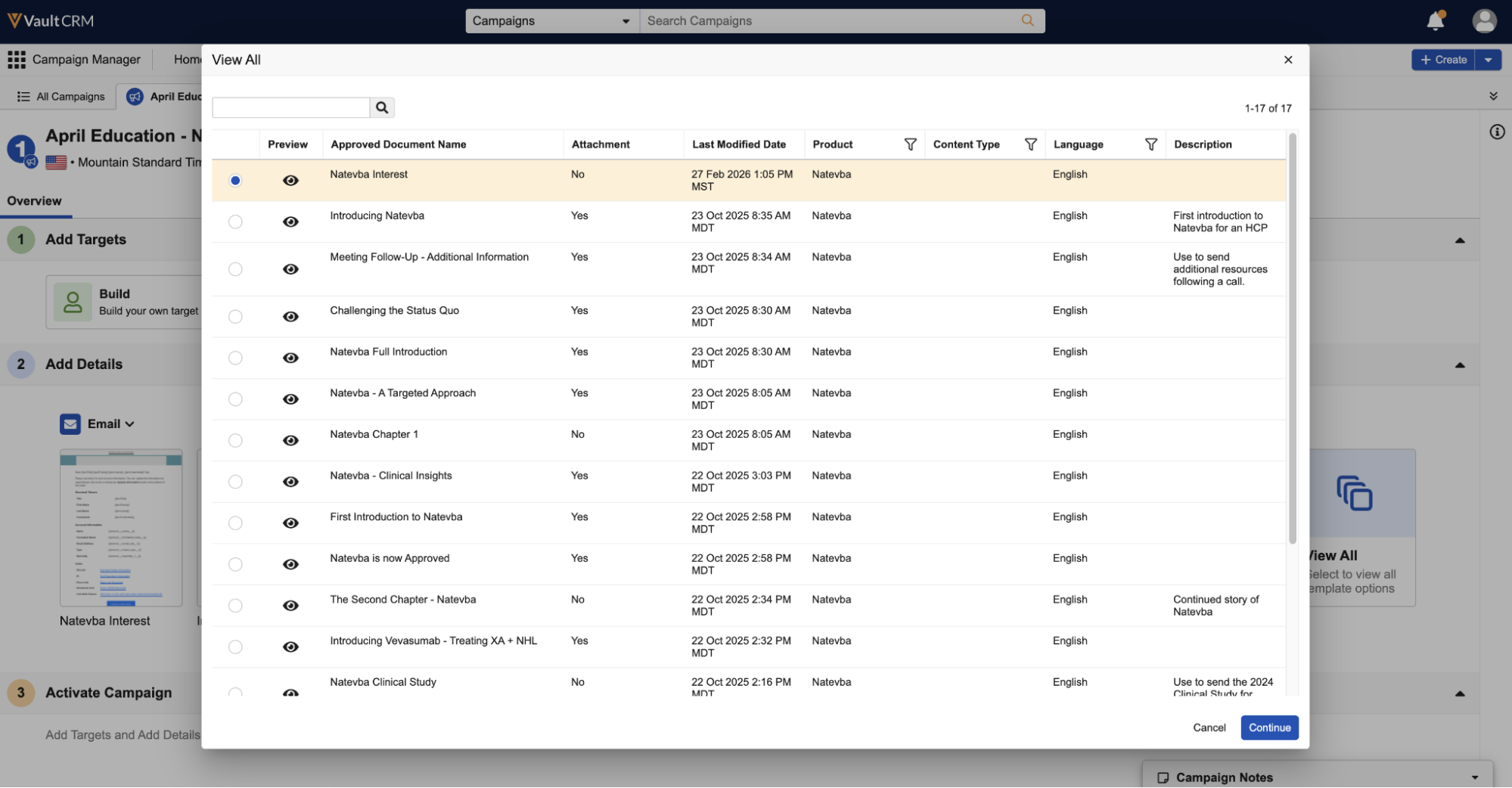
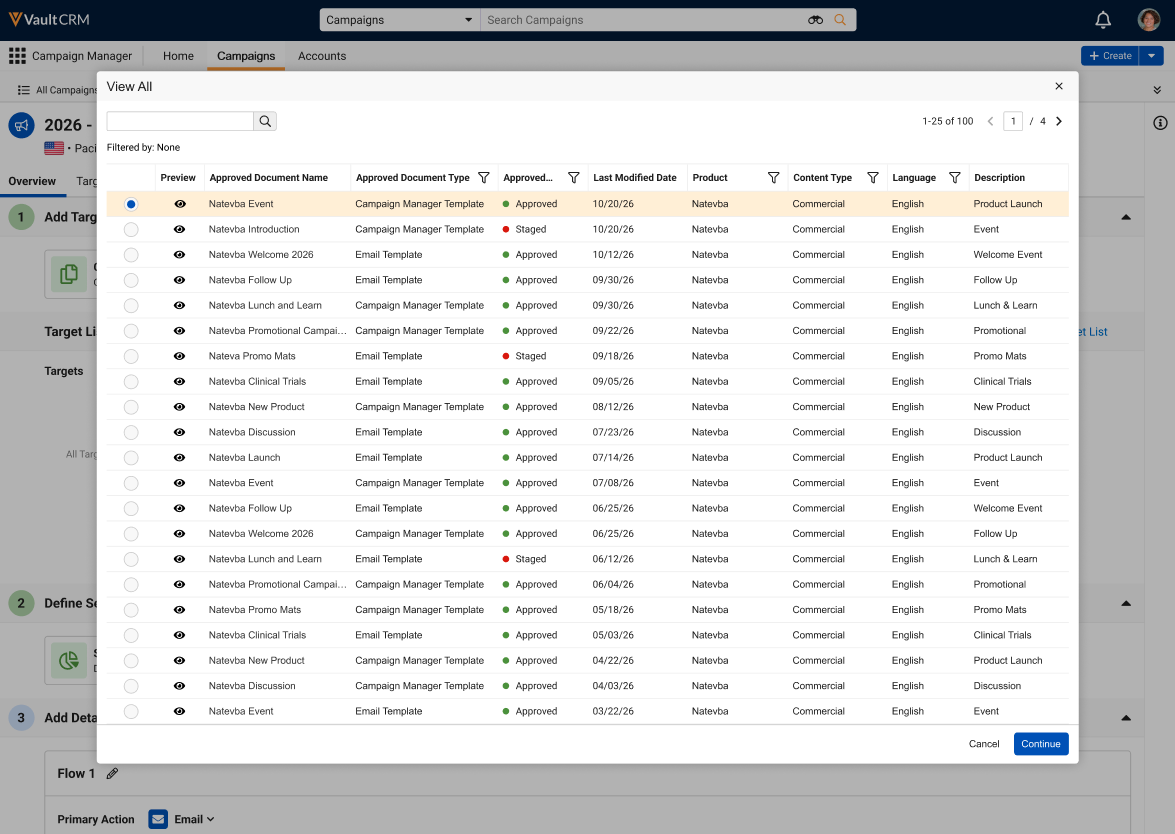
Email templates with a Staged status now display in the list of templates available for selection, enabling marketing users to test staged content. See Testing Staged Content in Campaign Manager for more information. |
|
|
|
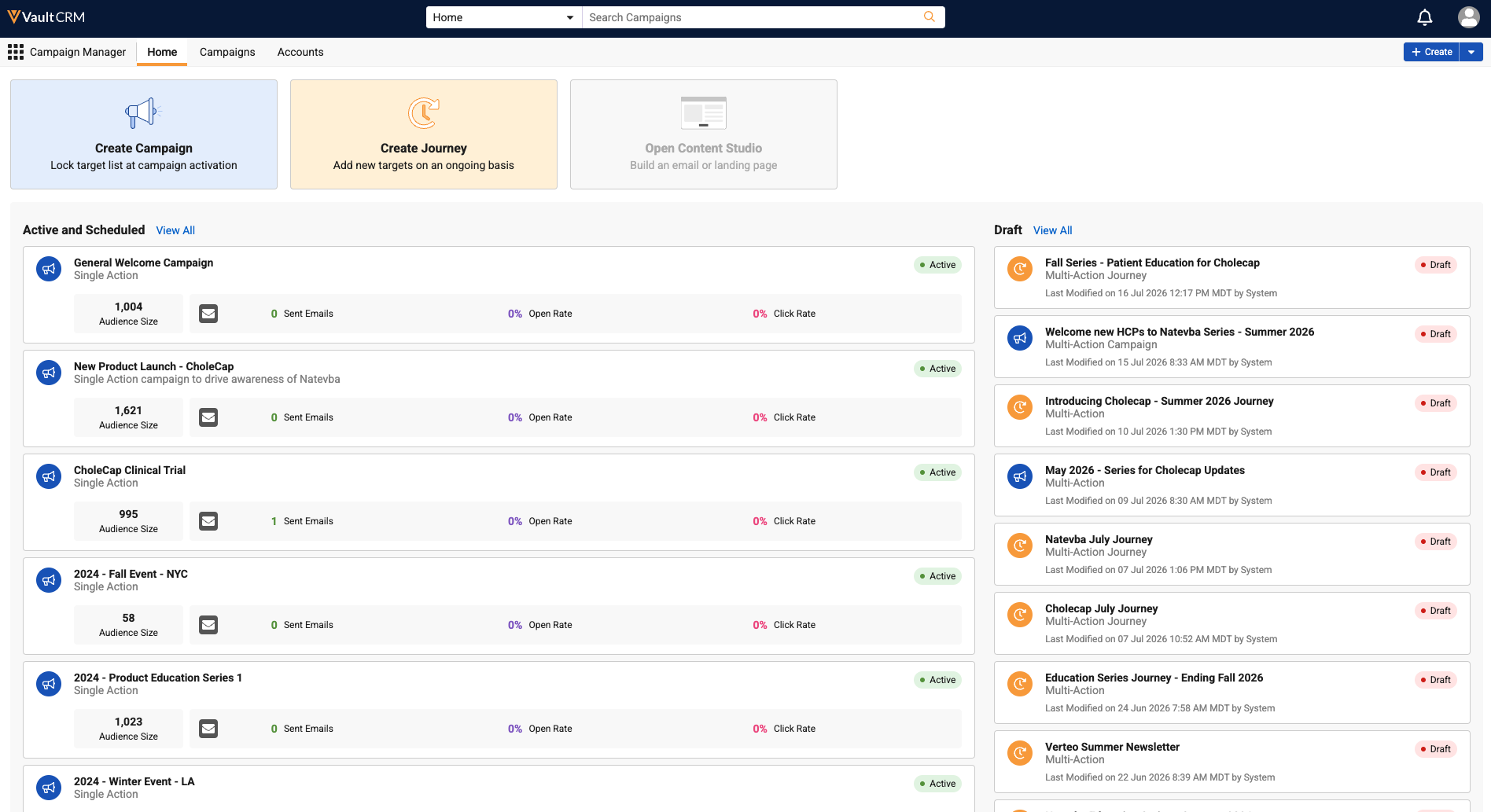
Browser |
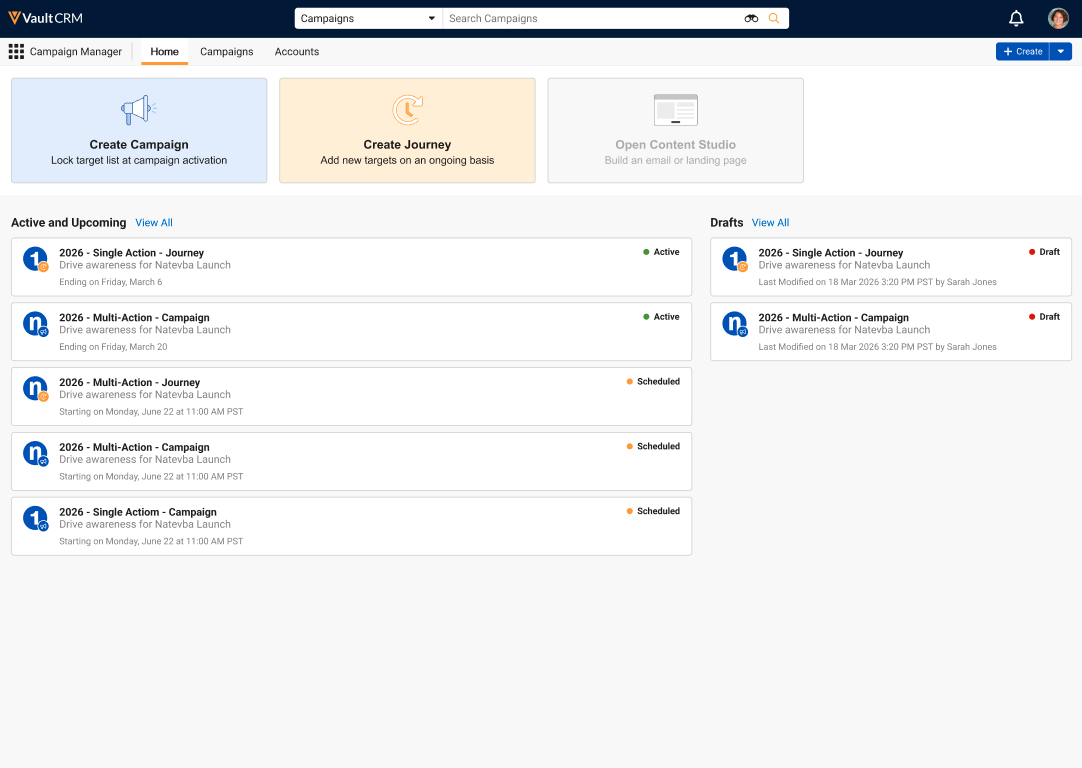
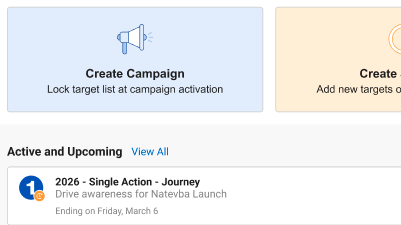
The following updates were made to the Home tab of Campaign Manager:
|
|
|
|
Browser |
Icons for campaigns and journeys throughout Campaign Manager are updated to indicate a campaign versus a journey, rather than also indicating the template used. |
|
|
|
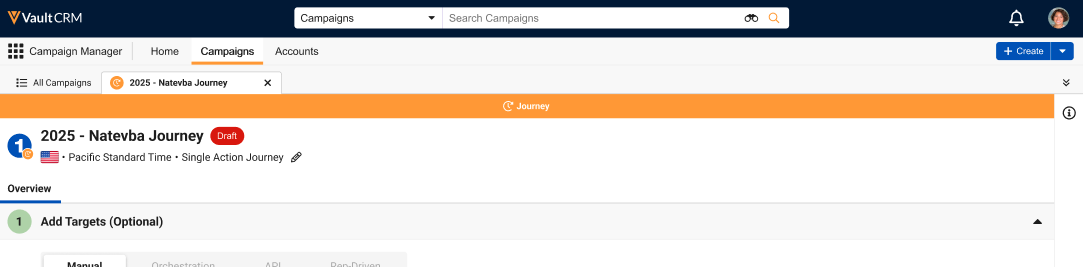
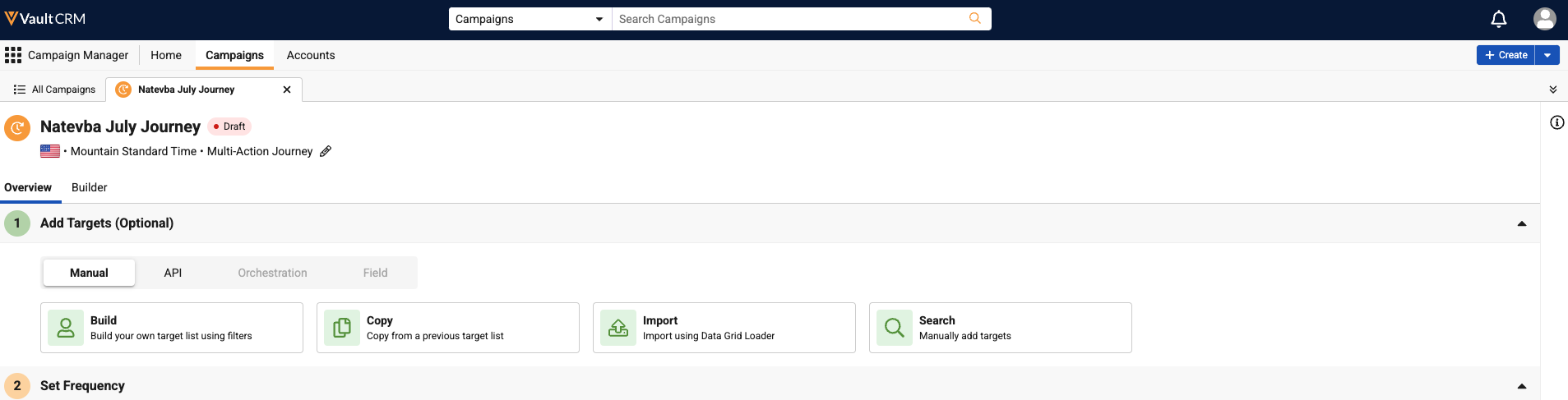
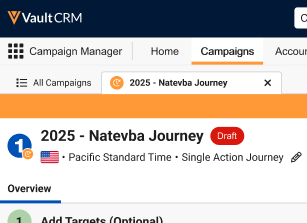
Browser |
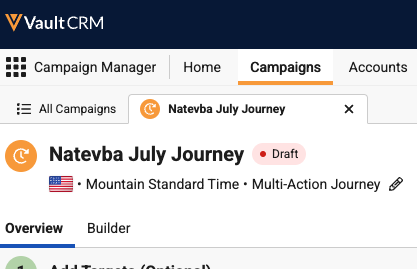
The orange Journey banner that displayed when viewing a journey is removed. Start and end dates now display next to the Journey name instead of in the orange banner. |
|
|
|
Browser |
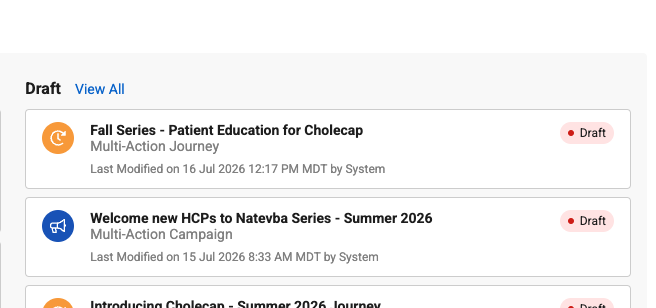
Status pills throughout Campaign Manager have updated styling to better differentiate statuses |
|
|
|
Browser |
The default description of newly created campaigns and journeys now includes both the template name as well as whether the record is a campaign or journey. |
|
|
|
Browser |
The icon representing the Field Action channel was updated from a lightbulb to a compass. |
|
|
|
Browser |
When refreshing the page within Campaign Manager, the currently selected sub-tab is retained when the page reloads. Copying and sharing the URL from a campaign or journey now also includes the currently selected sub-tab in the URL |
n/a |
n/a |
|
Browser |
Improvements were made to the way various tabs and sub-tabs throughout Campaign Manager load when initially loading, adding, editing, or removing actions. |
n/a |
n/a |




Events Management
|
Platform |
Description |
Before |
After |
|---|---|---|---|
|
iPad |
The Welcome page button styling is updated. |
|
|
| iPad |
The Attendee Search page button styling is updated. |
|
|
| iPad |
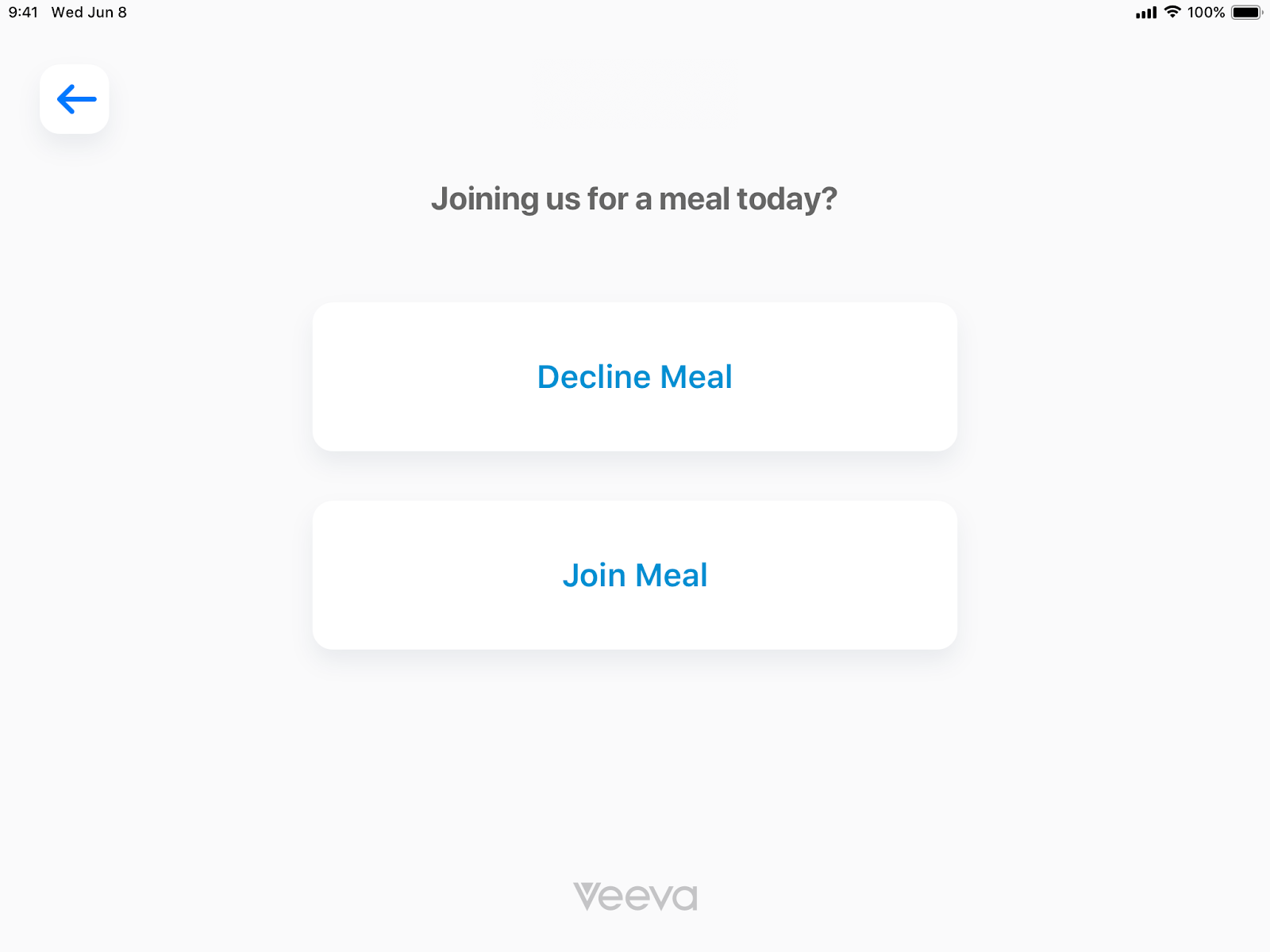
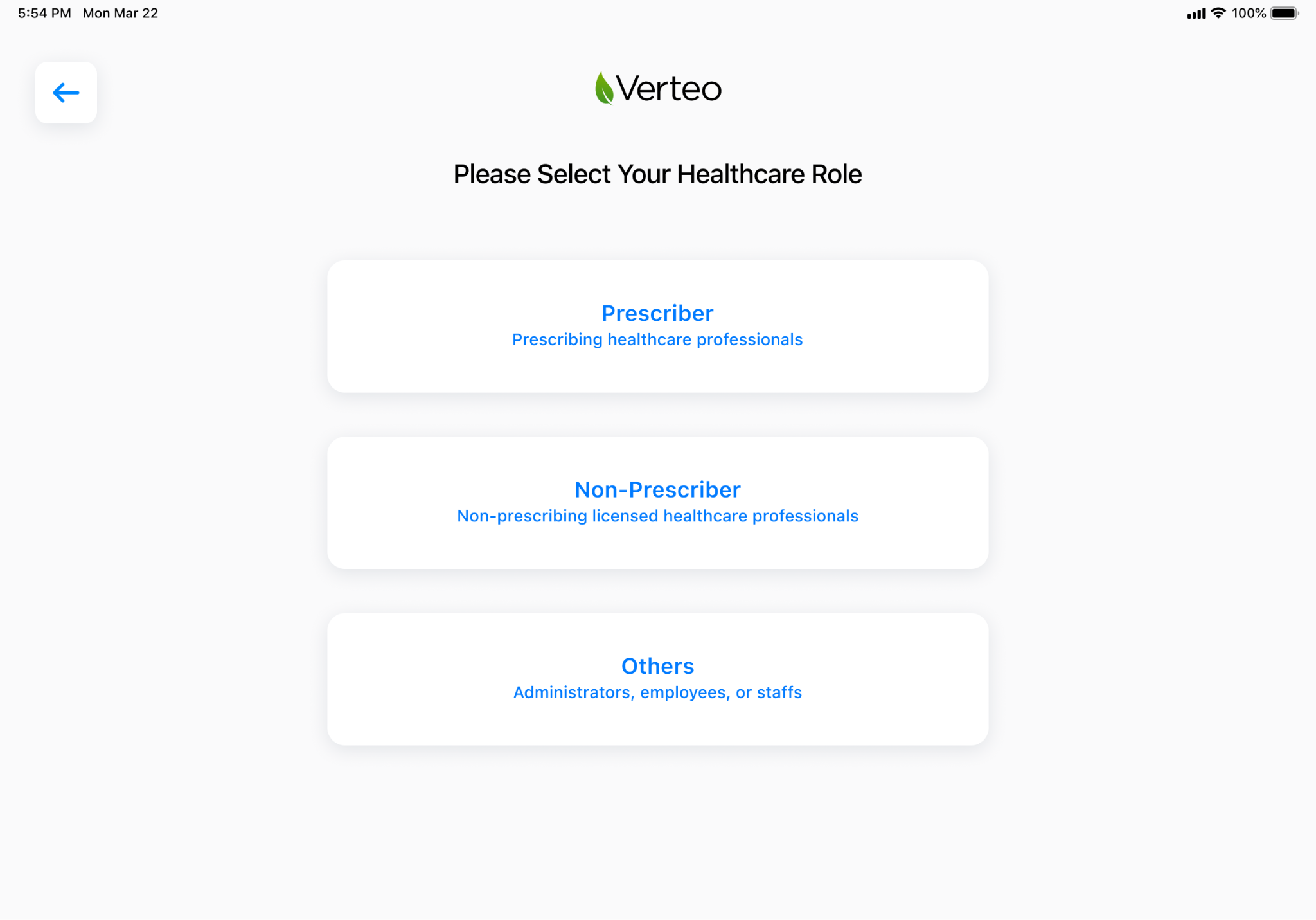
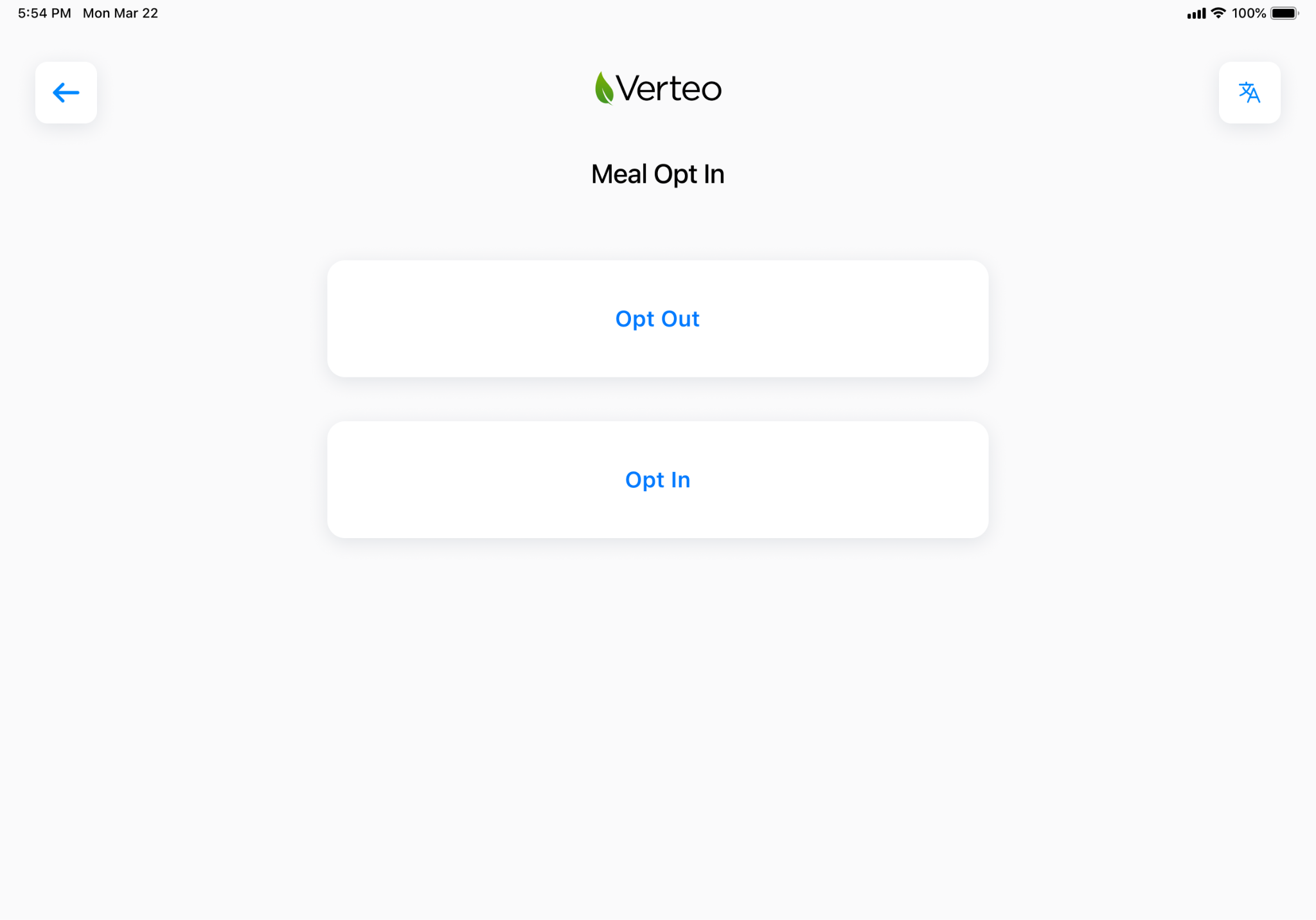
The logo and back button are fixed on the Attendee Search, Walk-In Type, Walk-In Form, and Meal Opt-In pages. |
|
|
| iPad |
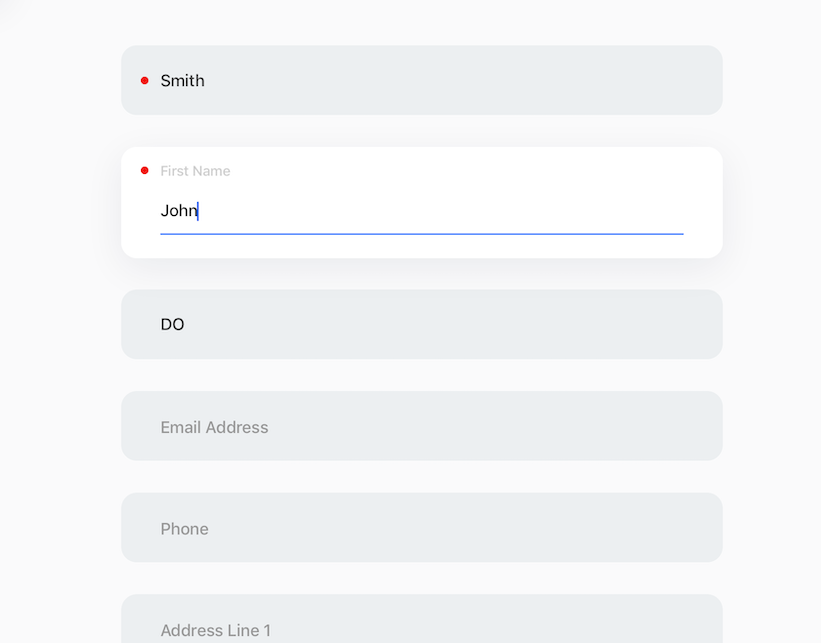
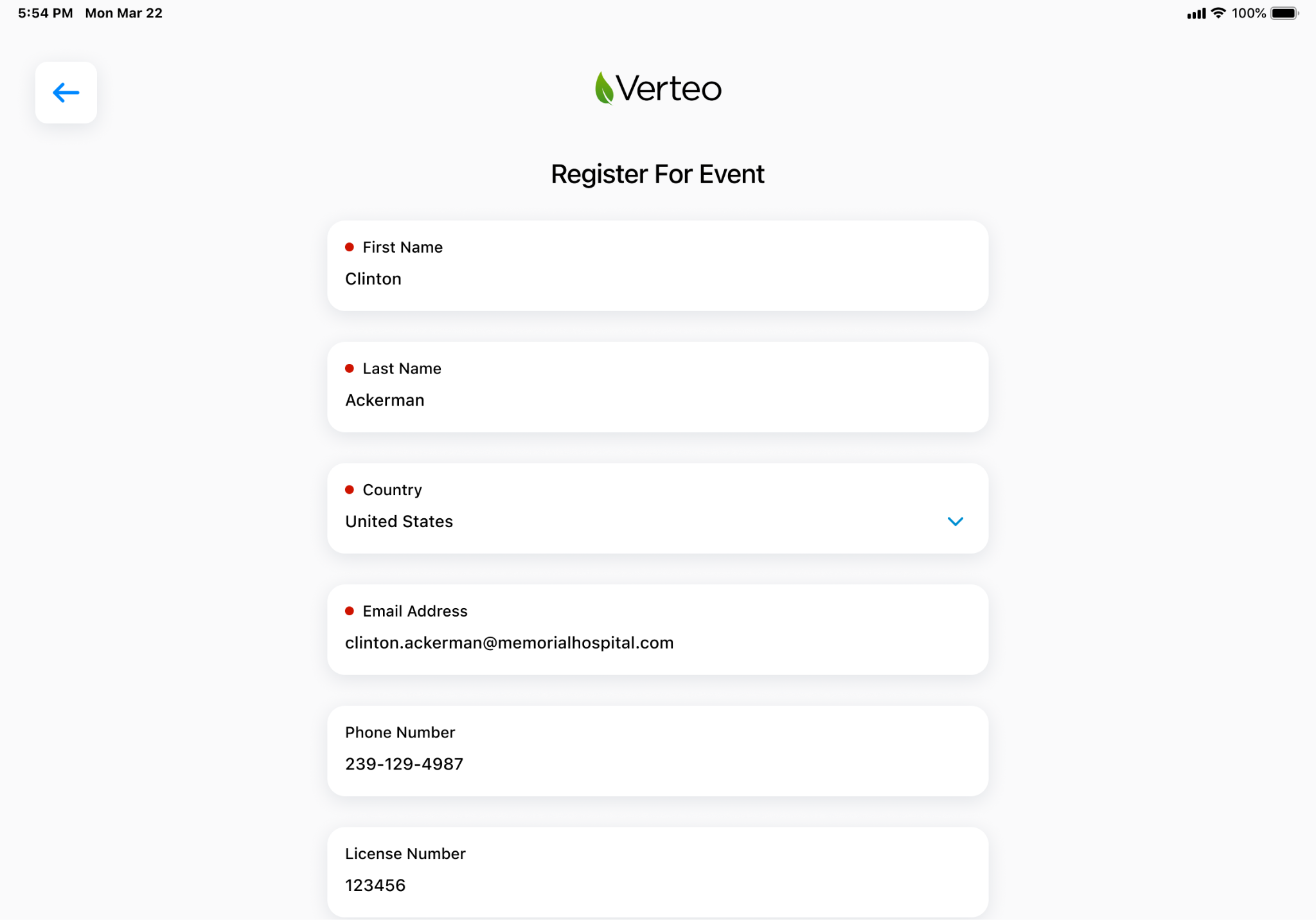
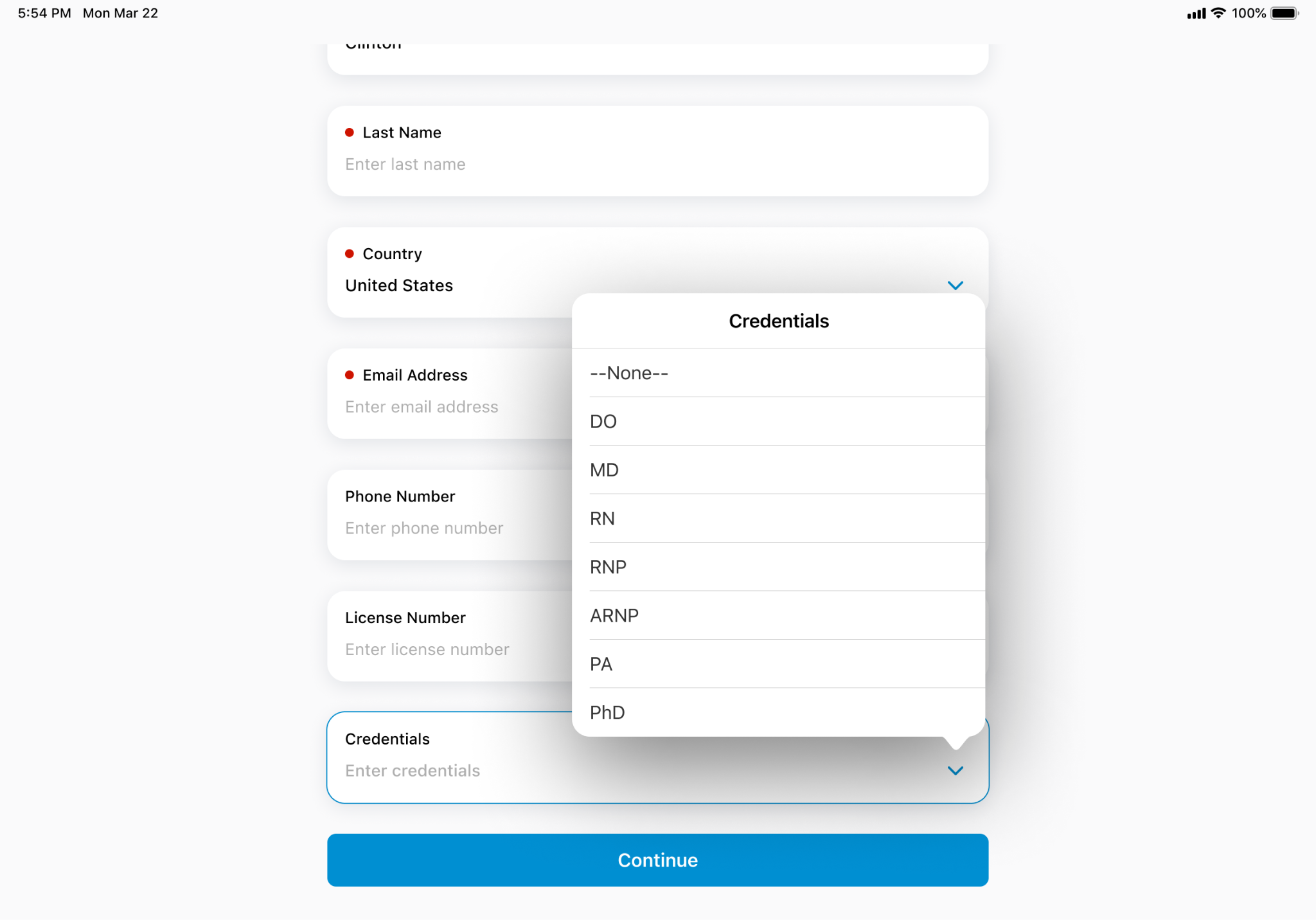
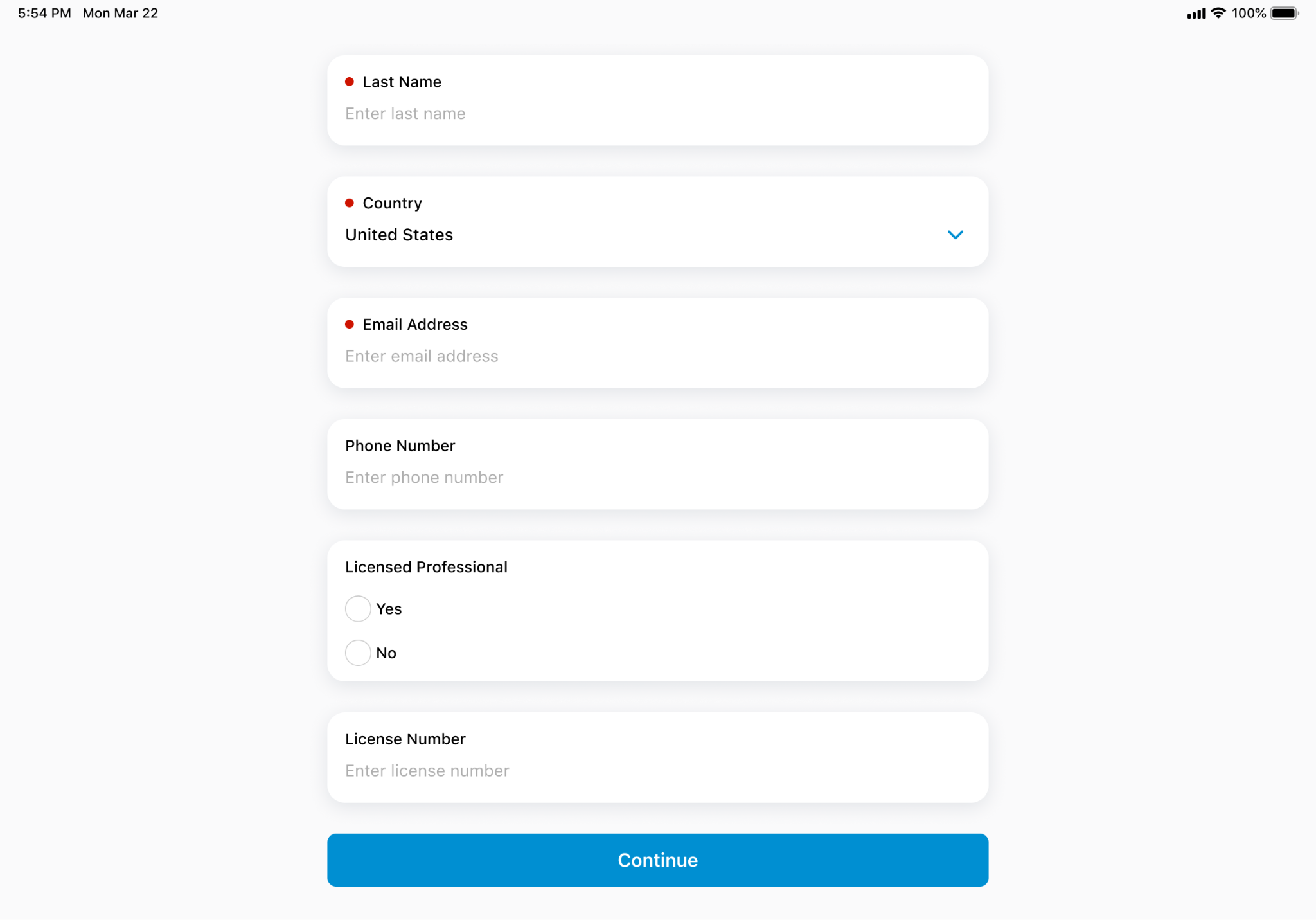
The Walk-In Registration Form page is updated for improved user experience:
|
|
|
|
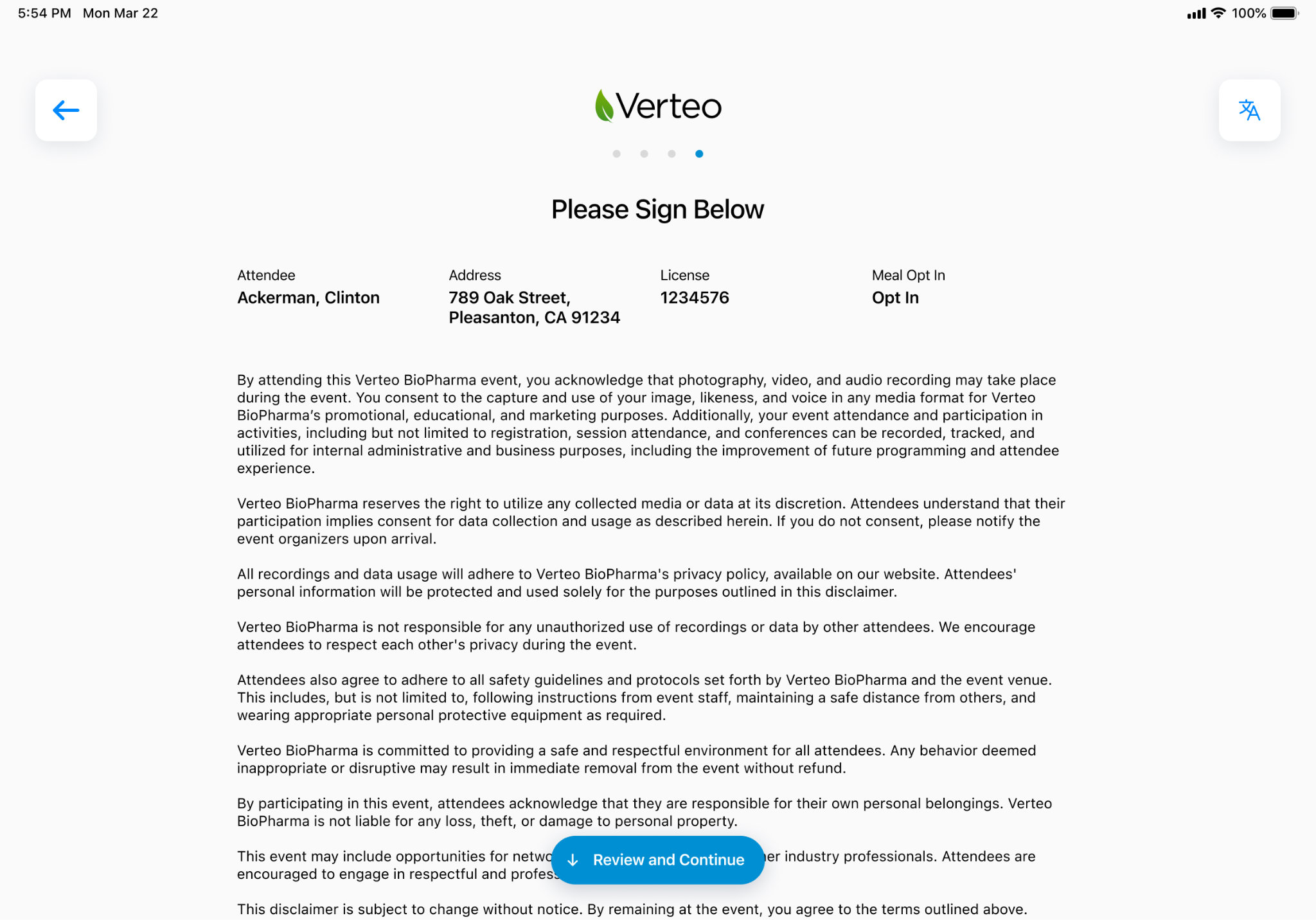
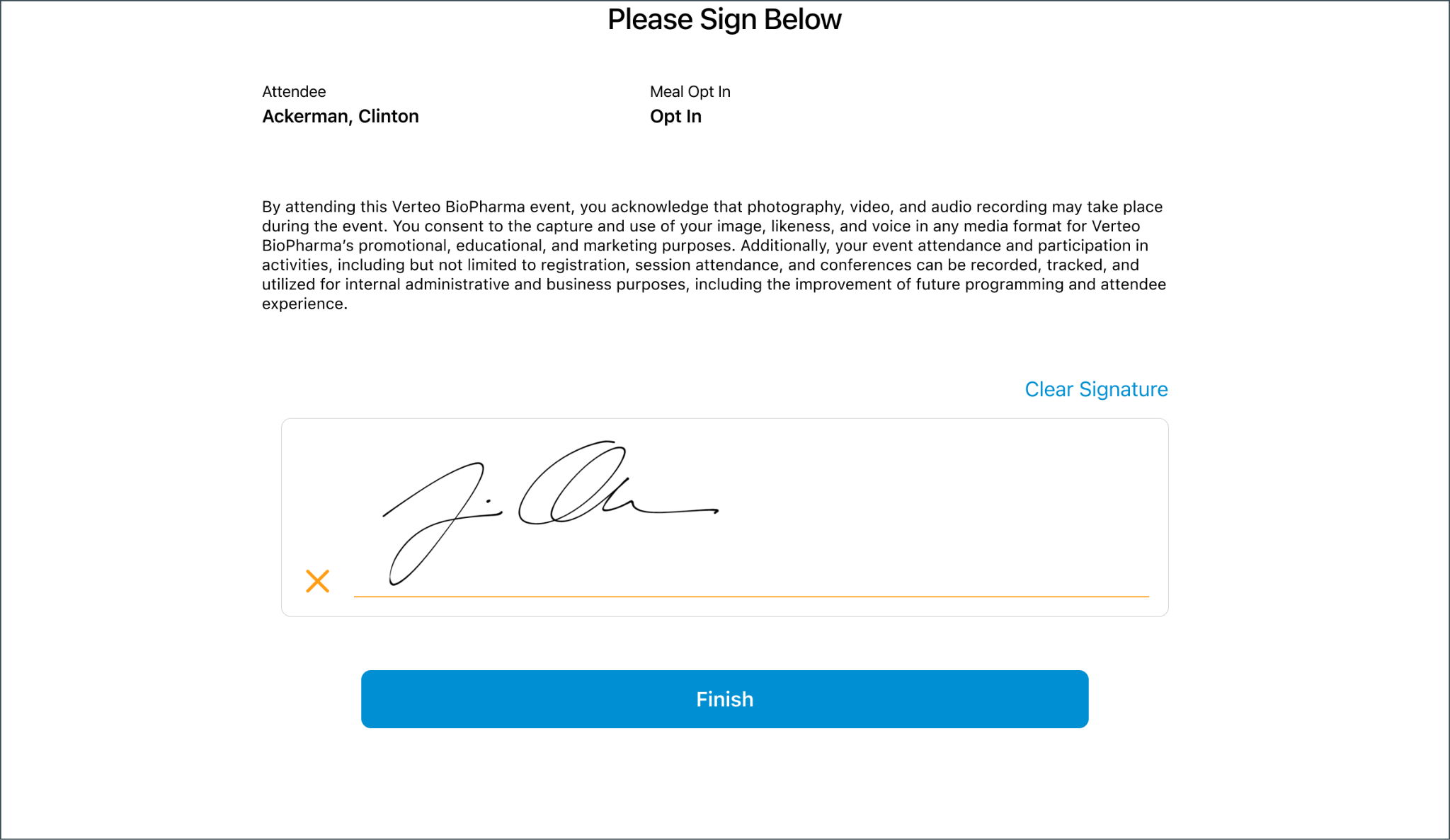
iPad |
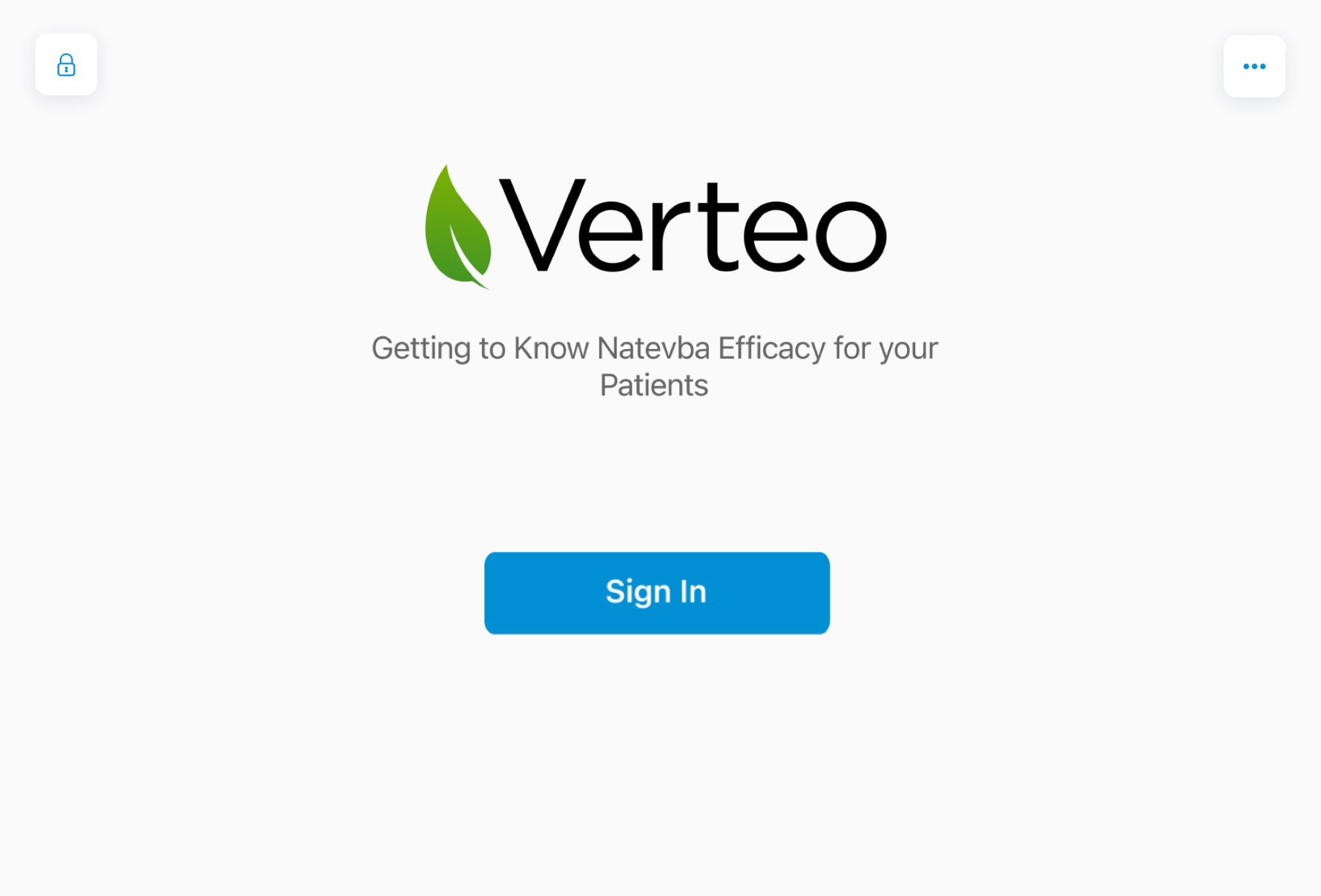
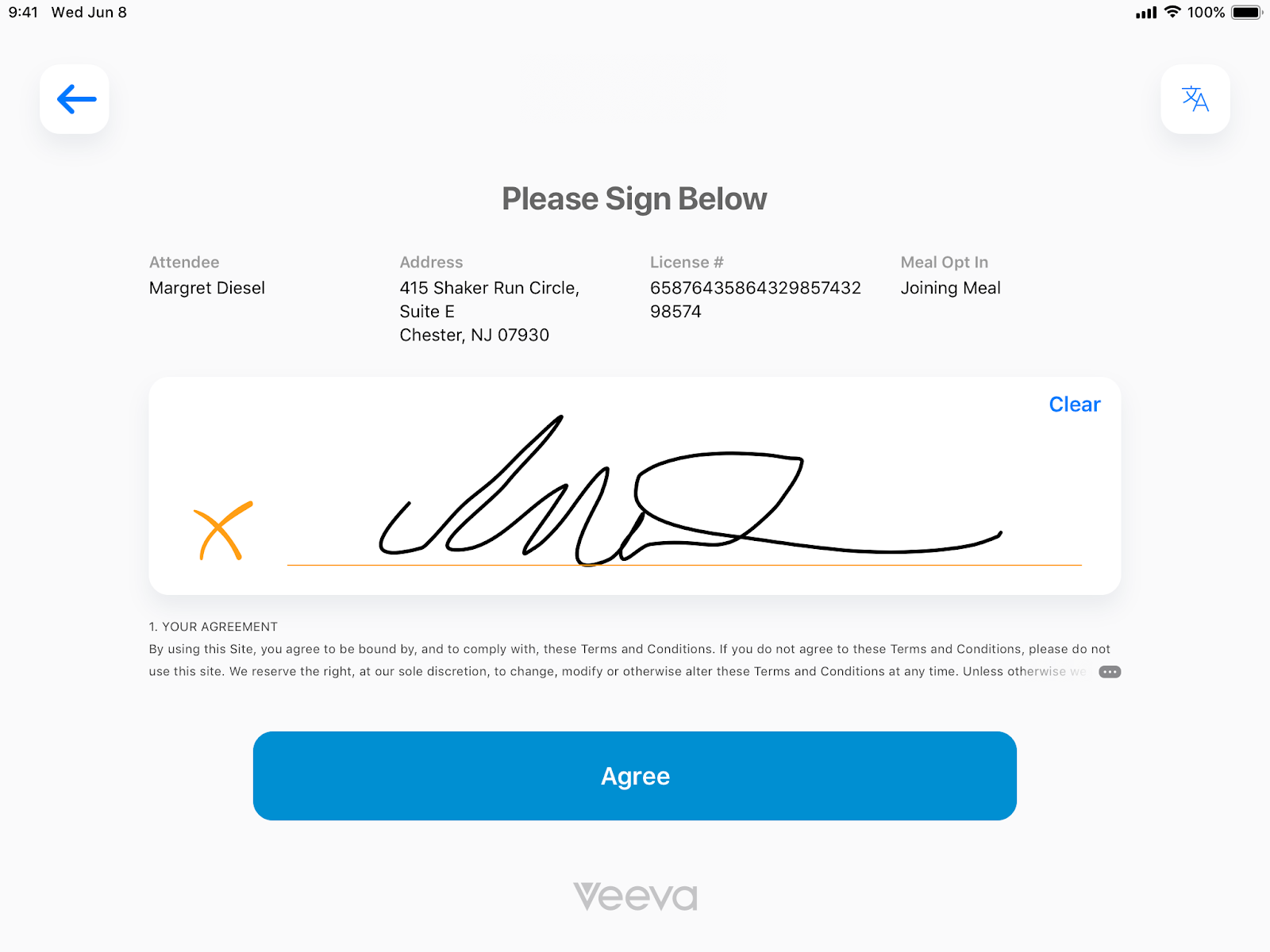
The Events Signature Screen is updated for improved user experience:
|
|
|
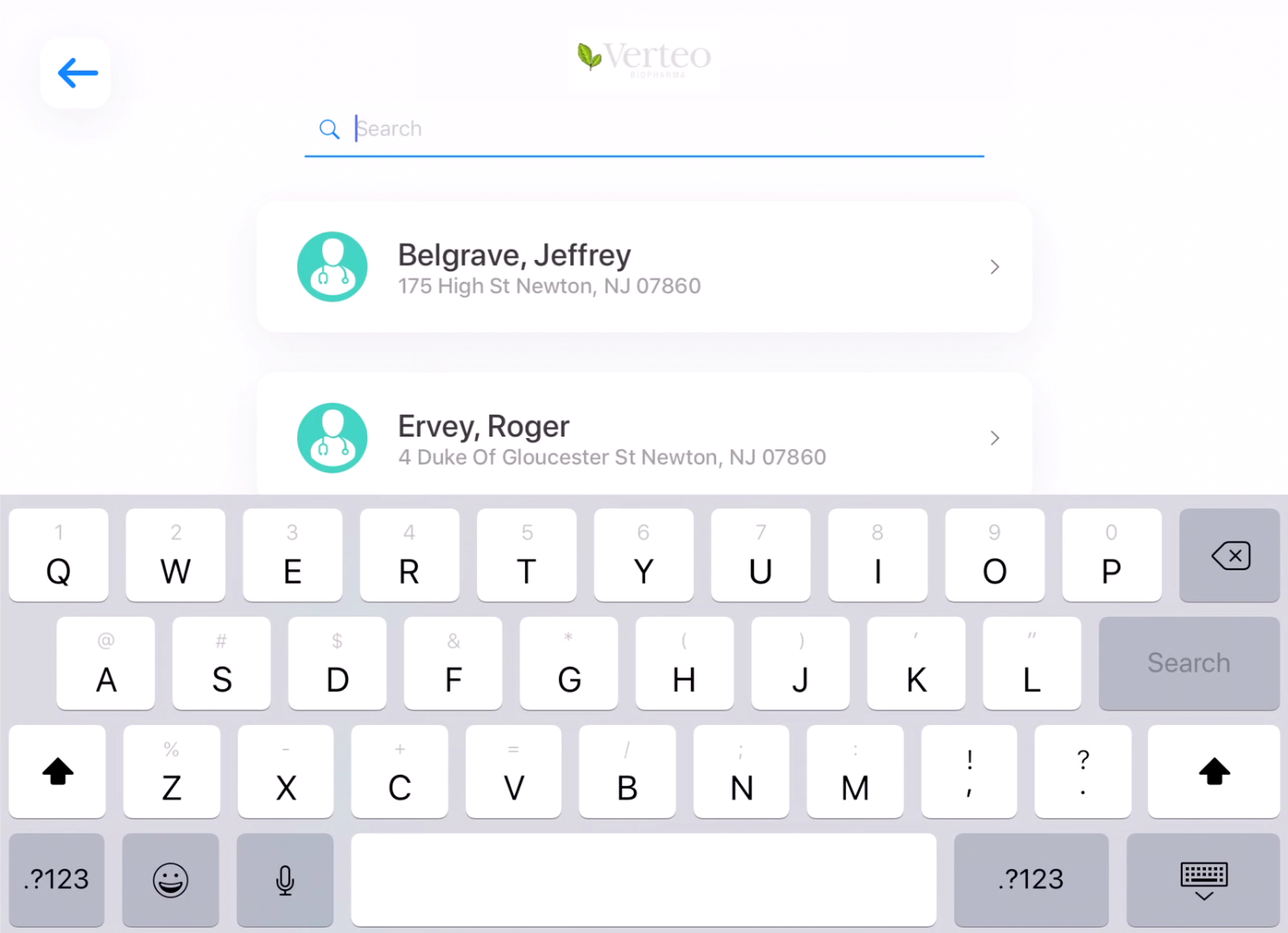
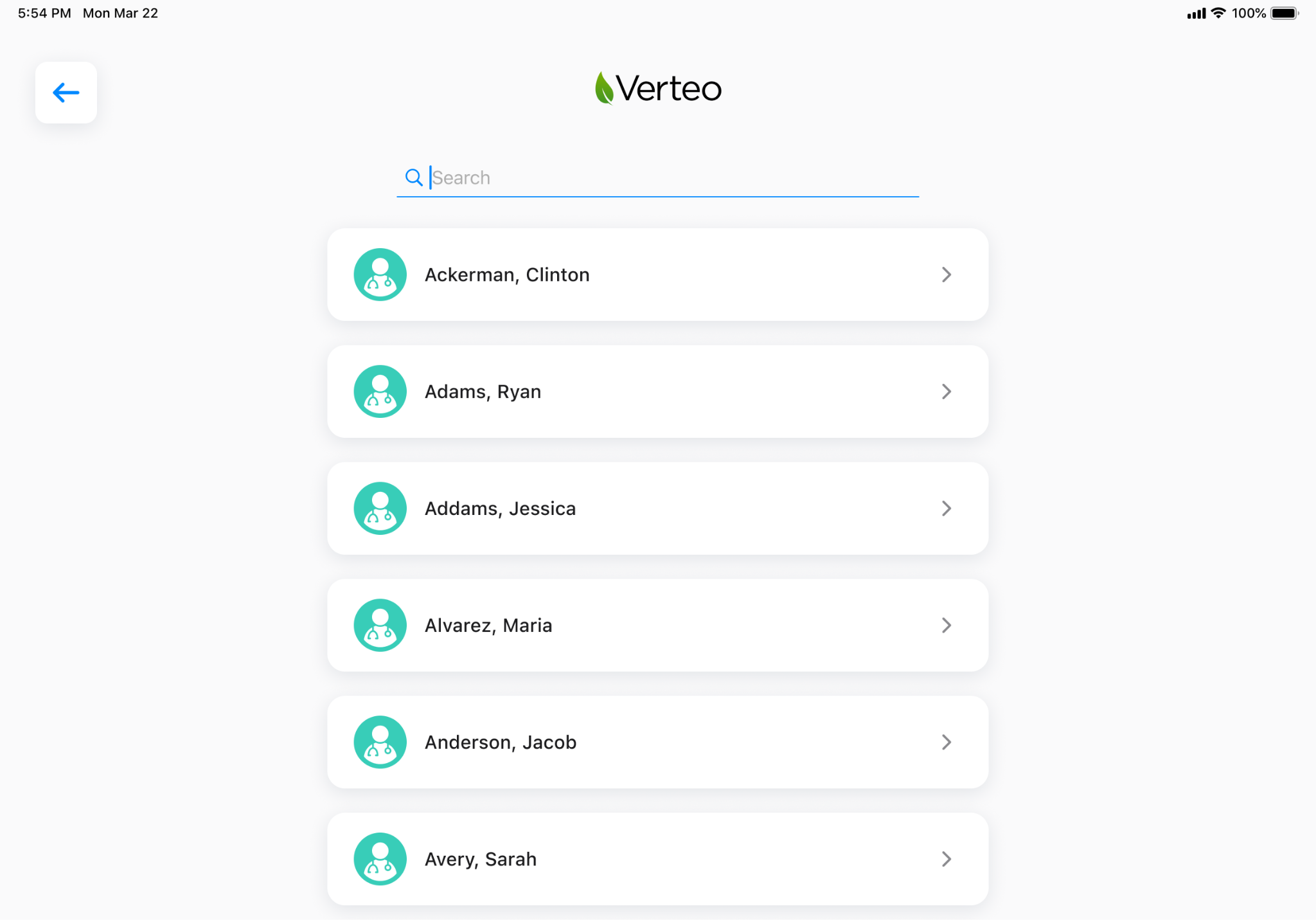
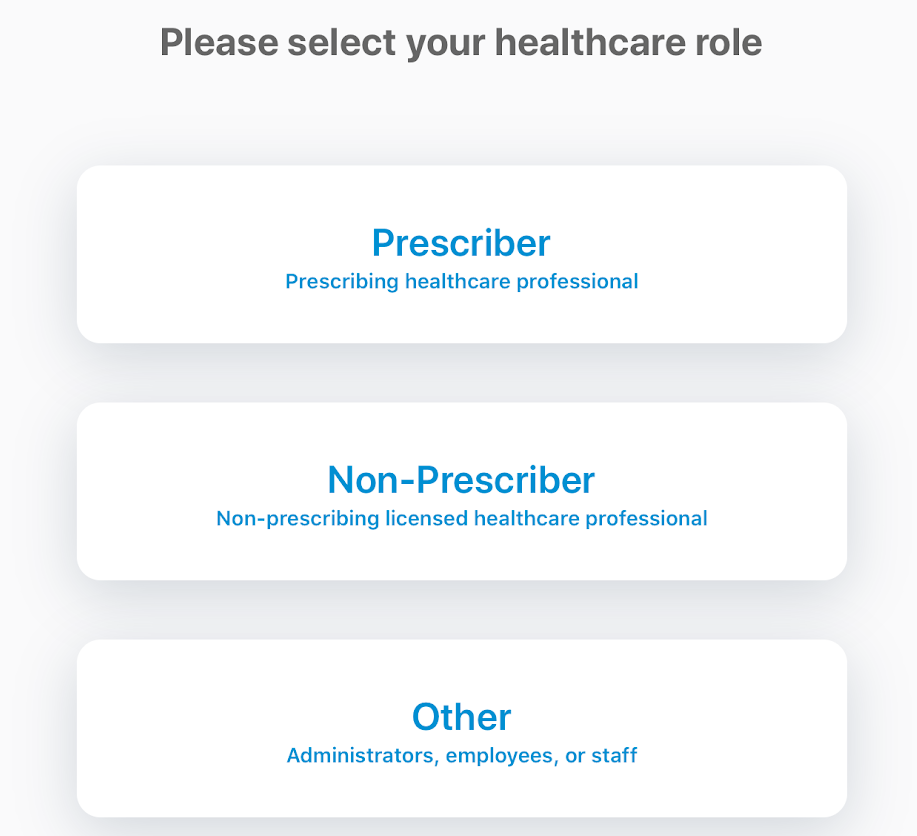
Service Center
|
Platform |
Description |
Before |
After |
|---|---|---|---|
|
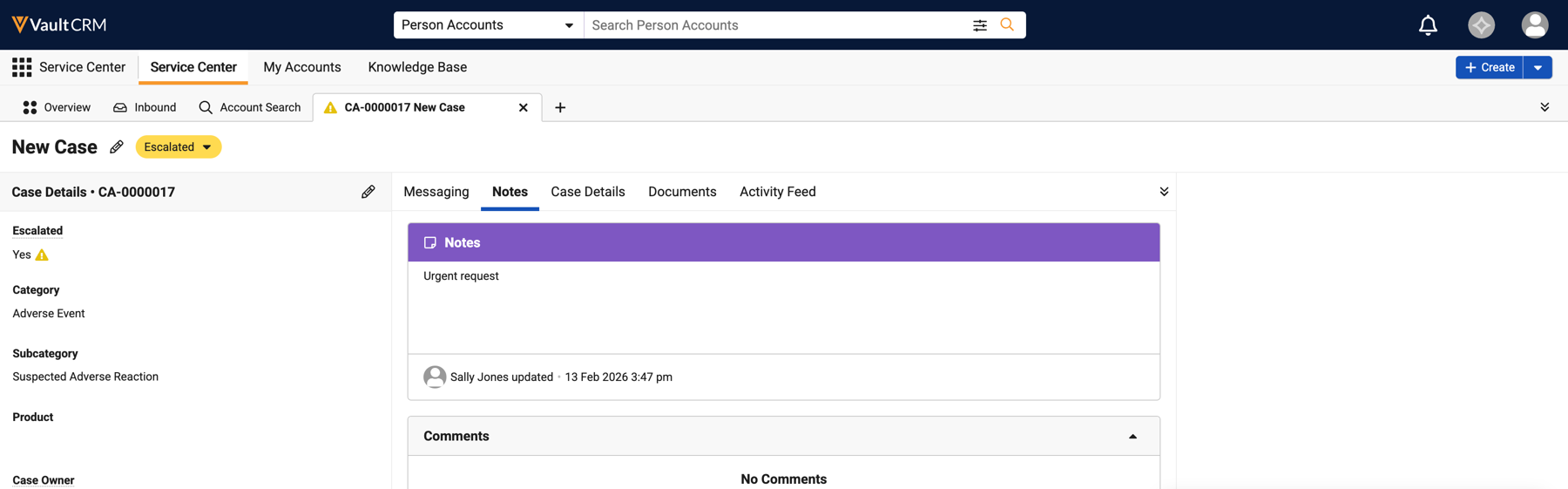
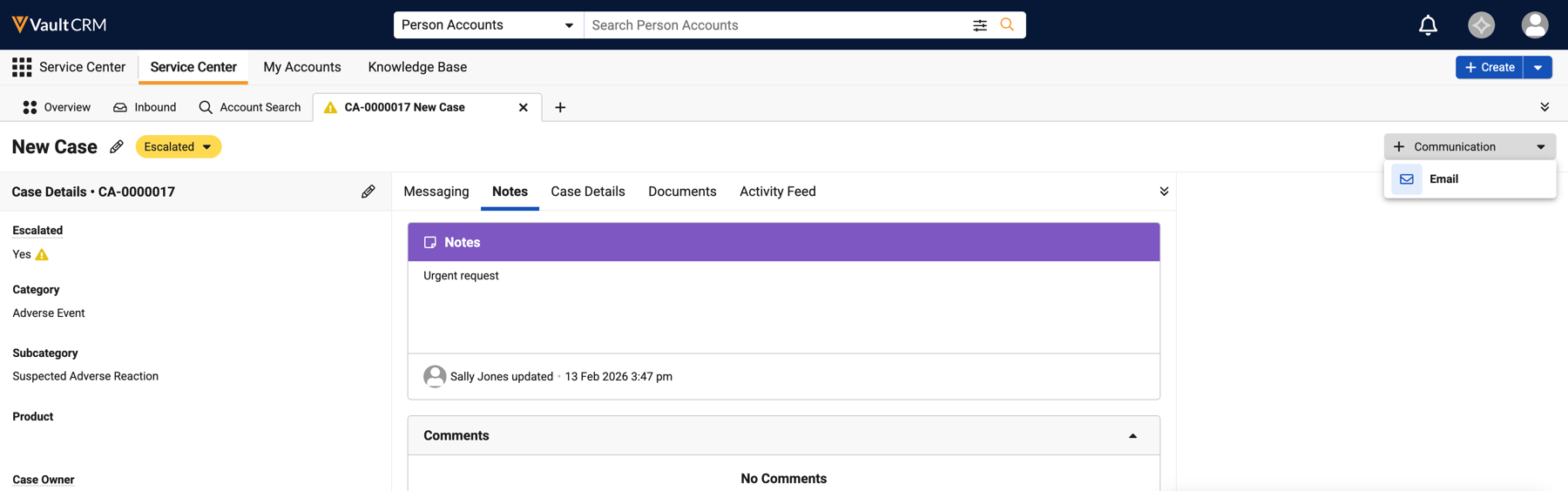
Browser |
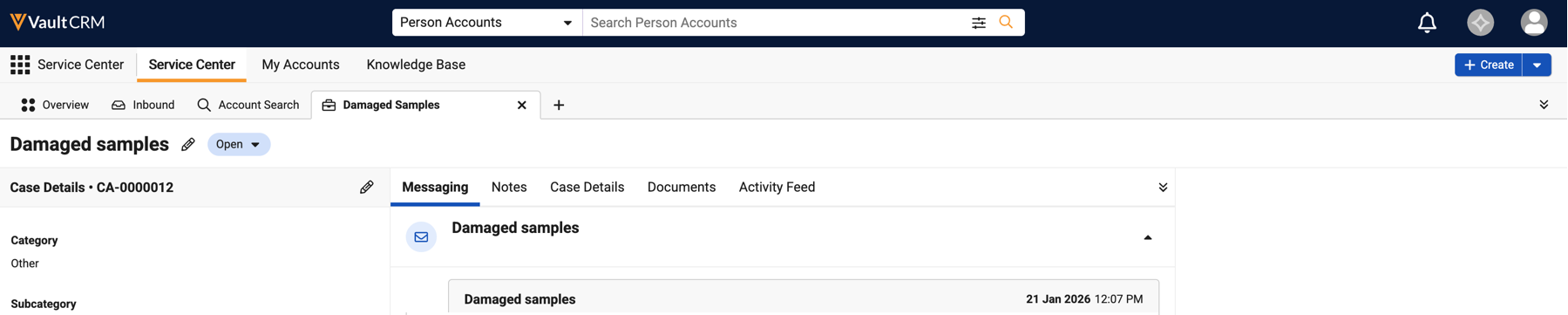
To enable users to start emails from cases, a Communications button displays in the case console header. |
|
|
|
Browser |
For easy visibility to case communications, draft email activity displays in My Cases and the case header is appended with Draft when a draft email is created for the case. |
|
|
|
Browser |
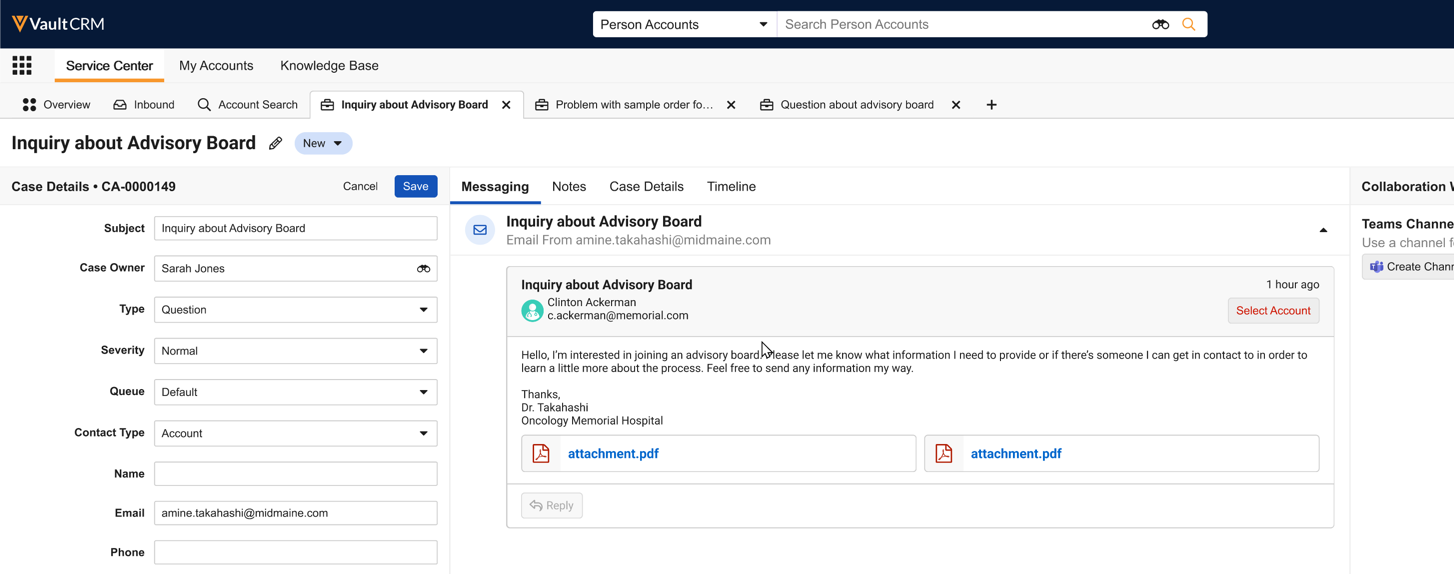
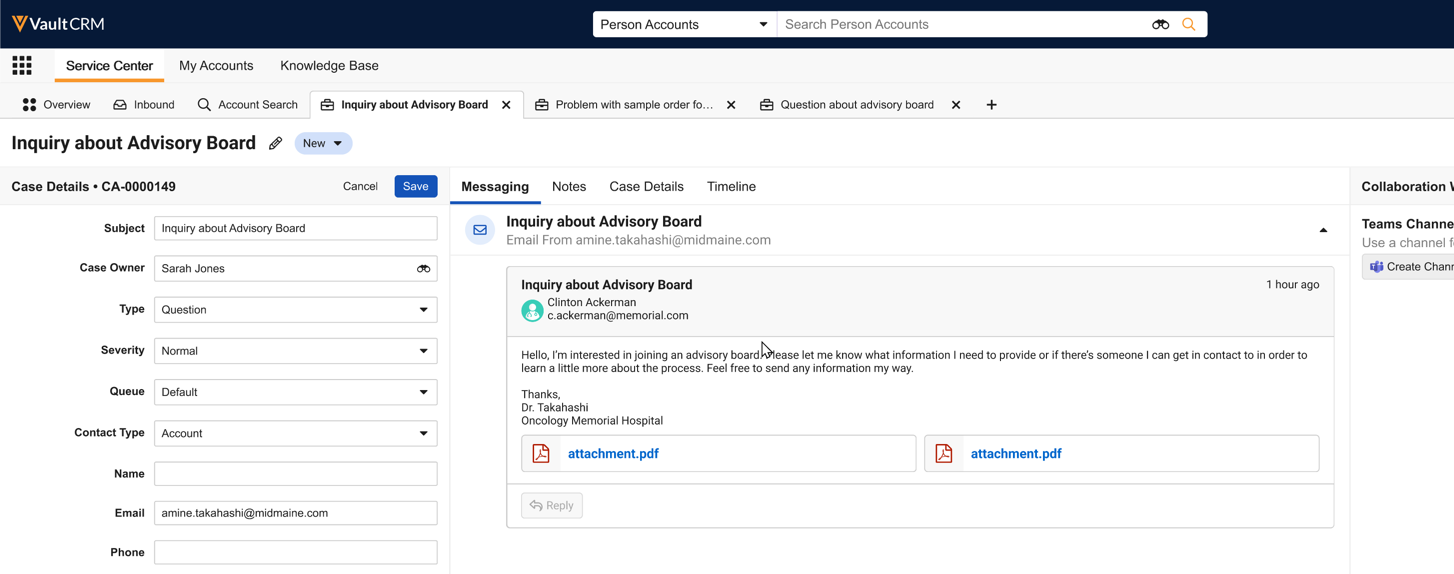
To support anonymous cases, the Select Account button is removed from emails in Service Center. |
|
|
|
Browser |
The Inbound tab now includes an All Active Cases view under All Views. |
n/a |
|
|
Browser |
Business admin users with Service Center configured can now navigate to the Service Center Console when selecting a Case record via Business Admin. |
n/a |
n/a |

Additional Resources
The following resources are available for the 26R2.0 release:
- Flightpaths
- Videos
- Feature Enablement and Availability
- Data Model Changes:
- New Objects
- New Fields
- Removed Fields
- Updated Fields for Open Data 2.0 Support
Flightpath
Flightpath is an educational tool where you'll find overviews and examples to walk you through how to leverage Vault CRM features and functionality. Flightpaths for the following topics are available with the 26R2.0 Production Release:
- Conversational AI (Early Adopter)
- Agentic Call Report™ (updates to existing Flightpath)
- Introduction to Commercial Insights
Videos
The following videos are available with the 26R2.0 Production Release:
26R2.0 Feature Enablement and Availability
The following table provides an explanation of feature enablement and user impact.


*Parity items do not typically require configuration if you are using this functionality on another platform. In some cases, VMOCs must be enabled for the added platform.
New Objects
The table below contains all new objects added in Vault CRM 26R2.0.
| Object | Label | Description |
|---|---|---|
| call2_documented_interest__v* | Call Documented Interest | Stores the documented interests that were selected as part of a call |
| customer_message__v | Customer Messages | Message translations for strings displayed to customers (e.g. HCP, Speaker, Patient) |
| llm_call__v | LLM Call | Markdown rendition of a call LLM / AI-agent consumption; one record per call2__v. |
| aln_feedback_constraint_model__v* | Model Feedback Constraint | Defines constraints that rep-submitted feedback must adhere to. |
| engage_portal__v | My Engage Portal | Allows for configuration and deployment of an individual My Engage Portal |
| engage_portal_domain__v | My Engage Portal Domain | Domain settings for My Engage Portal |
*Support for future functionality
New Fields
The table below contains all fields added in Vault CRM 26R2.0. The fields are organized by object.
| Object | Field Name | Field Label | Description | Type |
|---|---|---|---|---|
| call2_documented_interest__v* | call2__v | Call | The call report record where the documented interest was selected | Object |
| call2_documented_interest__v* | created_by__v | Created By | The user who created the record. | Object |
| call2_documented_interest__v* | created_date__v | Created Date | The date the record was created. | DateTime |
| call2_documented_interest__v* | documented_interest__v | Documented Interest | The documented interest record that was selected on the call report | Object |
| call2_documented_interest__v* | global_id__sys | Global ID | The global ID of the record. | String |
| call2_documented_interest__v* | id | ID | The ID of the record. | ID |
| call2_documented_interest__v* | modified_by__v | Last Modified By | The user who last modified the record. | Object |
| call2_documented_interest__v* | modified_date__v | Last Modified Date | The date the record was last modified. | DateTime |
| call2_documented_interest__v* | link__sys | Link | The record's associated link. | String |
| call2_documented_interest__v* | mobile_id__v | Mobile ID | System field used by mobile platforms | String |
| call2_documented_interest__v* | name__v | Name | The record's name. | String |
| call2_documented_interest__v* | status__v | Status | The status of the record. | Picklist |
| call2_documented_interest__v* | vexternal_id__v | Veeva External ID | Used as a unique identifier for Call Documented Interest records | String |
| customer_message__v | category__v | Category | Denotes a grouping of messages. | Picklist |
| customer_message__v | created_by__v | Created By | The user who created the record. | Object |
| customer_message__v | created_date__v | Created Date | The date the record was created. | DateTime |
| customer_message__v | object_type__v | Customer Messages Type | The record's object type. | Object |
| customer_message__v | description__v | Description | Description of the message's purpose. | String |
| customer_message__v | engage_portal__v | Engage Portal | Specifies on which My Engage Portal this customer message will be shown. | Object |
| customer_message__v | engage_portal_domain__v | Engage Portal Domain | The My Engage Portal Domain must be populated before choosing which My Engage Portal this Customer Message applies to. | Object |
| customer_message__v | external_id__v | External ID | The external ID of the record. | String |
| customer_message__v | global_id__sys | Global ID | The global ID of the record. | String |
| customer_message__v | id | ID | The ID of the record. | ID |
| customer_message__v | modified_by__v | Last Modified By | The user who last modified the record. | Object |
| customer_message__v | modified_date__v | Last Modified Date | The date the record was last modified. | DateTime |
| customer_message__v | link__sys | Link | The record's associated link. | String |
| customer_message__v | language__v | Message Language | The language that the text is displayed in. | Picklist |
| customer_message__v | name__v | Message Name | The record's name. | String |
| customer_message__v | ownerid__v | Owner | The ID of the record's owner. | Object |
| customer_message__v | status__v | Status | The status of the record. | Picklist |
| customer_message__v | text__v | Text | The text of the message. | String |
| customer_message__v | vexternal_id__v | VExternal ID | Used by Veeva to determine which messages to display in which places on My Engage Portal. Never change the value of this field. | String |
| html_report__v | case_category_tab_visibility__v | Case Category Tab Visibility | Used to select case category values to control visibility of an X-Page in a case view when the matching category is selected for the case. | Picklist |
| llm_call__v | call2__v | Call | One LLM Call per call; reference to call2__v. | Object |
| llm_call__v | created_by__v | Created By | The user who created the record. | Object |
| llm_call__v | created_date__v | Created Date | The date the record was created. | DateTime |
| llm_call__v | global_id__sys | Global ID | The global ID of the record. | String |
| llm_call__v | id | ID | The ID of the record. | ID |
| llm_call__v | modified_by__v | Last Modified By | The user who last modified the record. | Object |
| llm_call__v | modified_date__v | Last Modified Date | The date the record was last modified. | DateTime |
| llm_call__v | link__sys | Link | The record's associated link. | String |
| llm_call__v | markdown__v | Markdown | Single Long Text field (max 32,000 chars) holding the rendition. | LongText |
| llm_call__v | name__v | Name | The record's name. | String |
| llm_call__v | schema_version__v | Schema Version | Version of the LLM Call schema used to generate this record. | String |
| llm_call__v | status__v | Status | The status of the record. | Picklist |
| aln_feedback_constraint_model__v* | max_percent_hcp_target_removals__v | % of HCP target removals allowed | Enforces a limit on the proportion of targets that can be removed | Number |
| aln_feedback_constraint_model__v* | created_by__v | Created By | The user who created the record. | Object |
| aln_feedback_constraint_model__v* | created_date__v | Created Date | The date the record was created. | DateTime |
| aln_feedback_constraint_model__v* | global_id__sys | Global ID | The global ID of the record. | String |
| aln_feedback_constraint_model__v* | id | ID | The ID of the record. | ID |
| aln_feedback_constraint_model__v* | modified_by__v | Last Modified By | The user who last modified the record. | Object |
| aln_feedback_constraint_model__v* | modified_date__v | Last Modified Date | The date the record was last modified. | DateTime |
| aln_feedback_constraint_model__v* | link__sys | Link | The record's associated link. | String |
| aln_feedback_constraint_model__v* | max_number_hco_targets__v | Maximum number of HCO targets | Enforces a limit on the number of HCO targets | Number |
| aln_feedback_constraint_model__v* | minimum_channel_interactions__v | Minimum Channel Interactions | Enforces that the plan has a minimum number of channel interactions | Number |
| aln_feedback_constraint_model__v* | object_type__v | Model Feedback Constraint Type | The record's object type. | Object |
| aln_feedback_constraint_model__v* | field_force_model__v | Model Field Force | The model field force to which this constraint applies | Object |
| aln_feedback_constraint_model__v* | name__v | Name | The record's name. | String |
| aln_feedback_constraint_model__v* | required_number_of_hcp_targets__v | Required number of HCP targets | Enforces a specific number of targets within the plan | Number |
| aln_feedback_constraint_model__v* | status__v | Status | The status of the record. | Picklist |
| engage_portal__v | company_name__v | Company Display Name | Contains the company display name visible to end users on My Engage Portal. | String |
| engage_portal__v | country__v | Country | Informational field used to indicate the countries to which this My Engage Portal applies. | Picklist |
| engage_portal__v | created_by__v | Created By | The user who created the record. | Object |
| engage_portal__v | created_date__v | Created Date | The date the record was created. | DateTime |
| engage_portal__v | enable_inbox__v | Enable Inbox | Determines whether the Inbox feature (including secure messaging) is enabled for users visiting a given My Engage Portal. | Boolean |
| engage_portal__v | engage_portal_status__v | Engage Portal Status | Indicates whether this Engage Portal is currently live and accessible to end users. | Picklist |
| engage_portal__v | global_id__sys | Global ID | The global ID of the record. | String |
| engage_portal__v | has_undeployed_changes__v | Has Undeployed Changes | Indicates whether there are currently undeployed changes on this Engage Portal record. | Boolean |
| engage_portal__v | id | ID | The ID of the record. | ID |
| engage_portal__v | deployment_details__v | Last Deployment Details | Contains more information about the most recent deployment attempt. | String |
| engage_portal__v | last_deployment_end_date__v | Last Deployment End Date | The date and time the most recent deployment attempt ended. | DateTime |
| engage_portal__v | last_deployment_start_date__v | Last Deployment Start Date | The date and time the most recent deployment attempt began. | DateTime |
| engage_portal__v | deployment_status__v | Last Deployment Status | Indicates the status of the most recent deployment attempt. | Picklist |
| engage_portal__v | modified_by__v | Last Modified By | The user who last modified the record. | Object |
| engage_portal__v | modified_date__v | Last Modified Date | The date the record was last modified. | DateTime |
| engage_portal__v | last_successful_deployment_date__v | Last Successful Deployment Date | The date and time of the most recent successful deployment. | DateTime |
| engage_portal__v | link__sys | Link | The record's associated link. | String |
| engage_portal__v | engage_portal_domain__v | My Engage Portal Domain | Links the Engage Portal record to a specific Engage Portal Domain. | Object |
| engage_portal__v | name__v | Name | Internal name of the My Engage Portal record. | String |
| engage_portal__v | favicon__v | Override Favicon | File of the favicon that is displayed to the end user on My Engage Portal. If populated, this overrides the corresponding default field from the My Engage Portal Domain record. | Attachment |
| engage_portal__v | logo__v | Override Logo | File of the logo that is displayed to the end user on My Engage Portal. If populated, this overrides the corresponding default field from the My Engage Portal Domain record. | Attachment |
| engage_portal__v | secondary_theme_color__v | Override Secondary Theme Color | Used to specify a color used in various elements of My Engage Portal including the header, icons, etc. If populated, this overrides the corresponding default field from the My Engage Portal Domain record. | String |
| engage_portal__v | theme_color__v | Override Theme Color | Used to specify a color used in various elements of My Engage Portal including the header, icons, etc. If populated, this overrides the corresponding default field from the My Engage Portal Domain record. | String |
| engage_portal__v | privacy_policy__v | Privacy Policy | HTML file for the Privacy Policy shown to end users in My Engage Portal. | Attachment |
| engage_portal__v | status__v | Status | The status of the record. | Picklist |
| engage_portal__v | support_email__v | Support Email | Used to indicate the Support Email that an end user can contact for help with My Engage Portal. | String |
| engage_portal__v | support_phone__v | Support Phone | Used to indicate the Support Phone Number that an end user can contact for help with My Engage Portal. | String |
| engage_portal__v | terms_of_use__v | Terms of Use | HTML file for the Terms of Use shown to end users in My Engage Portal. | Attachment |
| engage_portal__v | url_path__v | URL Path | The unique URL path for a My Engage Portal. | String |
| engage_portal__v | display_name__v | Website Display Name | Contains the display name visible to end users on My Engage Portal. | String |
| engage_portal_domain__v | created_by__v | Created By | The user who created the record. | Object |
| engage_portal_domain__v | created_date__v | Created Date | The date the record was created. | DateTime |
| engage_portal_domain__v | domain__v | Domain | Unique domain used in My Engage Portal URL. | String |
| engage_portal_domain__v | domain_favicon__v | Favicon | File of the favicon that is displayed to the end user on My Engage Portal. This is a default that can optionally be overridden by a corresponding field on an individual Engage Portal record. | Attachment |
| engage_portal_domain__v | global_id__sys | Global ID | The global ID of the record. | String |
| engage_portal_domain__v | has_unpublished_changes__v | Has Unpublished Changes | Indicates whether there are currently unpublished changes on this Engage Portal Domain record. | Boolean |
| engage_portal_domain__v | id | ID | The ID of the record. | ID |
| engage_portal_domain__v | modified_by__v | Last Modified By | The user who last modified the record. | Object |
| engage_portal_domain__v | modified_date__v | Last Modified Date | The date the record was last modified. | DateTime |
| engage_portal_domain__v | last_successful_publish_date__v | Last Successful Publish Date | The date and time of the most recent successful publishing. | DateTime |
| engage_portal_domain__v | link__sys | Link | The record's associated link. | String |
| engage_portal_domain__v | domain_logo__v | Logo | File of the logo that is displayed to the end user on My Engage Portal. This is a default that can optionally be overridden by a corresponding field on an individual Engage Portal record. | Attachment |
| engage_portal_domain__v | name__v | Name | The record's name. | String |
| engage_portal_domain__v | publishing_details__v | Publishing Details | Contains more information about the most recent publishing attempt. | String |
| engage_portal_domain__v | publishing_end_date__v | Publishing End Date | The date and time the most recent publishing attempt ended. | DateTime |
| engage_portal_domain__v | publishing_start_date__v | Publishing Start Date | The date and time the most recent publishing attempt began. | DateTime |
| engage_portal_domain__v | publishing_status__v | Publishing Status | Indicates the status of the most recent publishing attempt. | Picklist |
| engage_portal_domain__v | domain_secondary_theme_color__v | Secondary Theme Color | Used to specify a color used in various elements of My Engage Portal including the header, icons, etc. This is a default that can optionally be overridden by a corresponding field on country-specific Engage Portal Settings records. | String |
| engage_portal_domain__v | status__v | Status | The status of the record. | Picklist |
| engage_portal_domain__v | domain_theme_color__v | Theme Color | Used to specify a color used in various elements of My Engage Portal including the header, icons, etc. This is a default that can optionally be overridden by a corresponding field on an individual Engage Portal record. | String |
| em_speaker__v | state__v | Lifecycle State | The associated lifecycle state. | Component |
| em_speaker__v | state_stage_id__sys | Lifecycle State Stage ID | References the associated lifecycle state stage. | Object |
| em_vendor__v | state__v | Lifecycle State | The associated lifecycle state. | Component |
| em_vendor__v | state_stage_id__sys | Lifecycle State Stage ID | References the associated lifecycle state stage. | Object |
| em_venue__v | state__v | Lifecycle State | The associated lifecycle state. | Component |
| em_venue__v | state_stage_id__sys | Lifecycle State Stage ID | References the associated lifecycle state stage. | Object |
*Support for future functionality
Removed Fields
No fields were removed in Vault CRM 26R2.0.
Updated Fields for OpenData 2.0 Support
The following tables include all fields updated in Vault CRM 26R2.0 for OpenData 2.0 Support.
The following picklist values are added to existing picklists.
|
Picklist Name |
Picklist Value Name |
Picklist Value Label |
Country Dependencies |
|---|---|---|---|
| hco_type_local__v | homag__v | Homecare Agency | gb__v |
|
hco_type_local__v |
medpr__v |
Midwife Practitioner |
au__v, nz__v |
|
hco_type_local__v |
pharps__v |
Pharmacist Prescriber |
au__v, nz__v |
|
specialty_local__v |
inger__v |
Internal Medicine: Geriatrics |
dk__v |
|
specialty_local__v |
cdiet__v |
Clinical Dietetics |
kz__v |
Additional country dependencies are set for the picklist values defined below.
|
Picklist Name |
Picklist Value Name |
Picklist Value Label |
Country |
|---|---|---|---|
|
hco_type_local__v |
paas__v | Patient Organization | al__v, bh__v, ba__v, bg__v, hr__v, cy__v, cz__v, eg__v, ee__v, gr__v, hu__v, is__v, il__v, jo__v, kw__v, lv__v, lb__v, lt__v, mt__v, md__v, me__v, mk__v, om__v, pl__v, pt__v, qa__v, ro__v, sa__v, rs__v, sk__v, si__v, tr__v, ae__v |
|
hco_type_local__v |
labo__v |
Laboratory |
id__v |
|
hco_type_local__v |
pagr__v |
Patient Group |
ie__v |
|
hco_type_local__v |
phar__v |
Pharmacy |
vn__v, in__v |
|
hcp_type_local__v |
gexpr__v |
General Practitioner (GP) |
de__v |
|
hcp_type_local__v |
gpern__v |
General Practitioner |
sg__v |
|
hcp_type_local__v |
fello__v |
Fellow |
us__v |
|
specialty_local__v |
endod__v |
Endodontics |
au__v |
|
specialty_local__v |
osruu__v |
Orthopaedic Surgery |
au__v |
|
specialty_local__v |
icmna__v |
Intensive Care Medicine |
in__v, tw__v |
|
specialty_local__v |
peend__v |
Pediatric Endocrinology |
in__v |
|
specialty_local__v |
pharm__v |
Pharmacy |
in__v |
|
specialty_local__v |
ctloi__v |
Clinical Toxicology |
ph__v |
|
specialty_local__v |
ccmra__v |
Critical Care Medicine |
ph__v |
|
specialty_local__v |
dermb__v |
Dermatopathology |
ph__v |
|
specialty_local__v |
diabe__v |
Diabetology |
ph__v |
|
specialty_local__v |
driab__v |
Diagnostic Radiology |
ph__v |
|
specialty_local__v |
icnat__v |
Interventional Cardiology |
ph__v |
|
specialty_local__v |
irnat__v |
Interventional Radiology |
ph__v |
|
specialty_local__v |
pdeed__v |
Pediatric Dermatology |
ph__v |
|
specialty_local__v |
pneeg__v |
Pediatric Neurology |
ph__v |
|
specialty_local__v |
roand__v |
Radiation Oncology |
ph__v |
|
specialty_local__v |
uorno__v |
Urology Oncology |
ph__v |
|
specialty_local__v |
vmaes__v |
Vascular Medicine |
ph__v |
|
specialty_local__v |
caaph__v |
Child and Adolescent Psychiatry |
ma__v |
|
specialty_local__v |
oetnp__v |
Otolaryngology (ENT) |
th__v |
|
specialty_local__v |
piden__v |
Pediatric Infectious Diseases |
tw__v |
The existing country dependency below is removed.
|
Picklist Name |
Picklist Value Name |
Picklist Value Label |
Country Dependencies |
|---|---|---|---|
|
hco_type_local__v |
tauh__v | Teaching and University Hospital | us__v |
Translations for the following picklist values are updated.
|
New / Update |
Picklist Name |
Picklist Value Name |
Picklist Value English Label |
Existing Picklist Value Translated Label (OpenData) |
Existing Picklist Value Translated Label (CRM) |
Updated Picklist Value Translated Label |
Language |
Language Code |
|---|---|---|---|---|---|---|---|---|
|
Update |
hco_type_local__v | idpn__v | Individual Doctor Practice | Ärztliche Einzelpraxis |
Einzelarztpraxis |
Einzelpraxis |
German |
de |
|
Update |
hco_type_local__v |
gpso__v |
Group Practice (Shared Office) |
Ärztliche Praxisgemeinschaft |
Gemeinschaftspraxis (gemeinsames Büro) |
Praxisgemeinschaft |
German |
de |
|
Update |
hco_type_local__v |
gpbr__v |
Group Practice (BAG) |
Berufsausübungsgemeinschaft (BAG) |
Gruppenpraxis (BAG) |
Gemeinschaftspraxis (BAG) |
German |
de |
|
New |
specialty_local__v |
inger__v |
Internal Medicine: Geriatrics |
N/A |
N/A |
Intern medicin: geriatri (alderdommens sygdomme) |
Danish |
da |
|
New |
specialty_local__v |
cdiet__v |
Clinical Dietetics |
N/A |
N/A |
Клиническая диетология |
Russian |
ru |
|
Update |
hco_type_local__v |
paas__v |
Patient Organization |
N/A |
Асоциация на пациента |
Пациентска организация |
Bulgarian |
bg |
|
Update |
hco_type_local__v |
paas__v |
Patient Organization |
N/A |
σύλλογος ασθενή |
Σύλλογος Ασθενών |
Greek |
el |
|
Update |
hco_type_local__v |
paas__v |
Patient Organization |
N/A |
Sdružení pacienta |
Pacientská organizace |
Czech |
cs |
|
Update |
hco_type_local__v |
paas__v |
Patient Organization |
N/A |
Beteg egyesülete |
Betegszervezet |
Hungarian |
hu |
|
Update |
hco_type_local__v |
paas__v |
Patient Organization |
N/A |
Asociația pacientului |
Asociația pacienților |
Romanian |
ro |
|
Update |
hco_type_local__v |
paas__v |
Patient Organization |
N/A |
Stowarzyszenie pacjenta |
Organizacja pacjentów |
Polish |
pl |
|
Update |
hco_type_local__v |
paas__v |
Patient Organization |
N/A |
Associação de doente Associação de paciente |
Associação de Doentes |
Portuguese |
pt_PT |
|
Update |
hco_type_local__v |
paas__v |
Patient Organization |
N/A |
Združenie pacienta |
Pacientská organizácia |
Slovak |
sk |
|
Update |
hco_type_local__v |
paas__v |
Patient Organization |
N/A |
Hasta derneği |
Hasta Derneği |
Turkish |
tr |
|
Update |
hco_type_local__v |
phar__v |
Pharmacy |
N/A |
Dược sĩ |
Nhà thuốc |
Vietnamese |
vi |
|
Update |
hcp_type_local__v |
gexpr__v |
General Practitioner (GP) |
N/A |
Allgemeinmediziner (Hausarzt) |
Hausarzt |
German |
de |
|
Update |
specialty_local__v |
caaph__v |
Child and Adolescent Psychiatry |
N/A |
Psychiatrie de l'enfant et de l'adolescent |
Pédopsychiatrie |
French |
fr |
The following picklist values are added to the User Type picklist as Active (automatically available for selection in Vault CRM).
|
New / Update |
Picklist Name |
Picklist Value Name |
Picklist Value Label |
Order |
Picklist Value Status |
|---|---|---|---|---|---|
|
New |
user_user_type__v | frm__v | FRM | 5 |
Active |
|
New |
user_user_type__v |
clinical__v |
Clinical |
6 |
Active |
|
Update |
user_user_type__v |
admin__v |
Admin |
7 |
Active |

