What's New in Vault CRM 26R3.0
This topic provides information about the Vault CRM 26R3.0 release, including important dates and release announcements.
All dates listed are subject to change.
Dates to Remember
- November 12, 2026 – Release Notes available
- November 19, 2026 – Sandbox Release
- December 3, 2026 – Production Release
Release Notes
The following items are now available:
- What's New in Vault CRM 26R3.0
- Announcements
- Core
- Vault AI in CRM
- Vault CRM Content Studio
- Align
- Approved Email
- Campaign Manager
- Engage
- Events Management
- Service Center
- User Visible and Behavior Changes (UVCs)
- Additional Resources
- What's New in Patient CRM 26R3.0
- 26R3.0 Maintenance Notes
Announcements
Enhanced Document Vectorization in Agentic Text Monitoring for End Users
Document vectorization for Agentic Text Monitoring is enhanced with an improved mechanism for organizing life sciences-specific labels when retrieving the Product Information (PI) document, ensuring more robust context for reasoning and increasing the precision of product label analyses.
Upcoming Enhancements to Account and User Name Detection in Agentic Text Monitoring for End Users
With the 26R3.2 release in January 2027, Agentic Text Monitoring for End Users will consider the accounts and users associated with a call when deciding whether to flag names for Data Protection. With this enhancement, the agent automatically recognizes call participants, including the main call account, account and user type attendees, and the call location. This improves the agent’s ability to distinguish participant accounts where there is a legitimate business purpose for including a person’s name in the text under the agent’s out-of-the-box Data Protection rule. End users may see fewer flags on account names during routine use as a result. Patient names, sensitive personal health details, and all other compliance rules continue to be actively monitored and flagged.
This enhancement will be automatically enabled with the 26R3.2 release on Browser, iPad, and iPhone, wherever Agentic Text Monitoring for End Users is active for Call Text.
Upcoming Support for Agentic Text Monitoring for End Users on Commercial Insights
With the 26R3.2 release in January 2027, Agentic Text Monitoring for End Users will automatically apply to Commercial Insights, if users are configured for both functionalities. This will expand the user-facing monitoring capabilities available for Call Text to Commercial Insights, enhancing users’ ability to efficiently and compliantly plan, execute, and document interactions with HCPs.
Deprecation of Premium Audio for Engage Meeting Users
With the 26R3.2 release in January 2027, Vault CRM will discontinue support for Premium Audio (Zoom-provided audio conferencing) in Engage. This change is made to simplify the Engage experience and focus on capabilities that deliver the most value to customers.
Less than 0.01% of Vault CRM meetings have used Premium Audio across all customers.
As part of the deprecation of Premium Audio with the 26R3.2 release:
- Support for the Approved Email token {{insertZoomDialInNumbers}} will be discontinued. Any Approved Email Template that continues to reference the token will display an empty value in place of the token.
- The Additional Zoom Dial In Countries (additional_zoom_dial_in_countries__v) field on the User Detail (user_detail__v) object will be removed from Vault CRM
Standard Engage audio functionality remains available and is not impacted by this change.
Core
Call Reporting gains major new functionality this release: users can now capture audio recordings and generate transcripts directly from the call report on iPad and iPhone, letting them stay present in the conversation while every detail is captured. Those transcripts also double as the input for Agentic Coaching, if enabled, which scores performance and generates feedback from them.
Account management and planning are enhanced too: Account Plan Templates let Key Account Managers apply proven strategies and tactics across accounts, the Edit Multiple Accounts grid and Hot Lists side panel speed up day-to-day account work, and MSLs can now add new HCP and KOL accounts straight from Link Key People.
Medical picks up support for multiple Documented Interests per call and the ability to tie Account Plans to Medical Interactions, while Contracts gets more sophisticated with a new Pricing Agreements object bringing pricing negotiation, rules, and approval into a single record.
Several more improvements round out the release, including automated inventory order creation for Sample Management and expanded MCCP functionality in My Schedule for Windows.
Account Management
Adding Accounts to Vault CRM from Link Key People - Available on Browser, iPad, and iPhone
Medical Sales Liaisons (MSLs) can research and add new HCP and KOL accounts to their Vault CRM territory seamlessly, using a direct link from Link Key People. This eliminates manual ID copying and leverages Global Account Search (GAS) or Network Account Search (NAS) when adding the account.
Edit Multiple Accounts in the My Accounts Console - Available on Browser
Edit Multiple Accounts allows end users to update up to 100 account records directly from My Accounts Views and Lists in a continuously saved grid. This enables users to more quickly complete account updates and Data Change Request (DCR) submissions without navigating to individual account detail pages, for a fast, seamless editing experience.
Hot Lists Side Panel - Available on iPad
The Hot Lists side panel allows end users to access comprehensive account context—including targeting reasons, prioritized Suggestions, Multichannel Cycle Plan (MCCP) detailing priorities, and record summaries—and execute key actions directly alongside their list without navigating away, resulting in streamlined account targeting and reduced context switching. Users can also flag accounts to suggest temporary removal from Hot Lists, and suggest a reason and duration for the removal.
End users can search the IQVIA OneKey database directly within Global Account Search to find and import HCPs and HCOs not currently loaded in Vault CRM. This allows users to preview account details, import OneKey-only records, and immediately log activities against newly imported accounts without additional data entry.
The US region is not supported with this release.
Account Planning
Account Plan Templates - Available on Browser, iPad, Windows
Account Plan Templates allow Key Account Managers (KAMs) to define strategies, tactics, objectives, and action items as reusable templates without altering live plans. KAMs can apply these pre-approved template hierarchies directly to their existing account plans without re-entering data or copy-pasting. This reduces data entry and encourages consistent strategic execution across accounts.
Call Planning
Displaying MCCP Information in My Schedule - Now available on Windows
Windows users can view plan details for MCCP Targets displayed in lists on My Schedule and configure the display of My Schedule cards to view attributes from Account, Address, TSF, Child Account, and Child Account TSF. When viewing accounts in My Schedule, Windows users can configure the display to view attributes from their MCCP for MCCP Targets.
Viewing Custom Account Information with Display-By - Now available on Windows
Windows users can view more relevant information when planning calls by displaying custom account-related information from pre-defined fields on My Schedule.
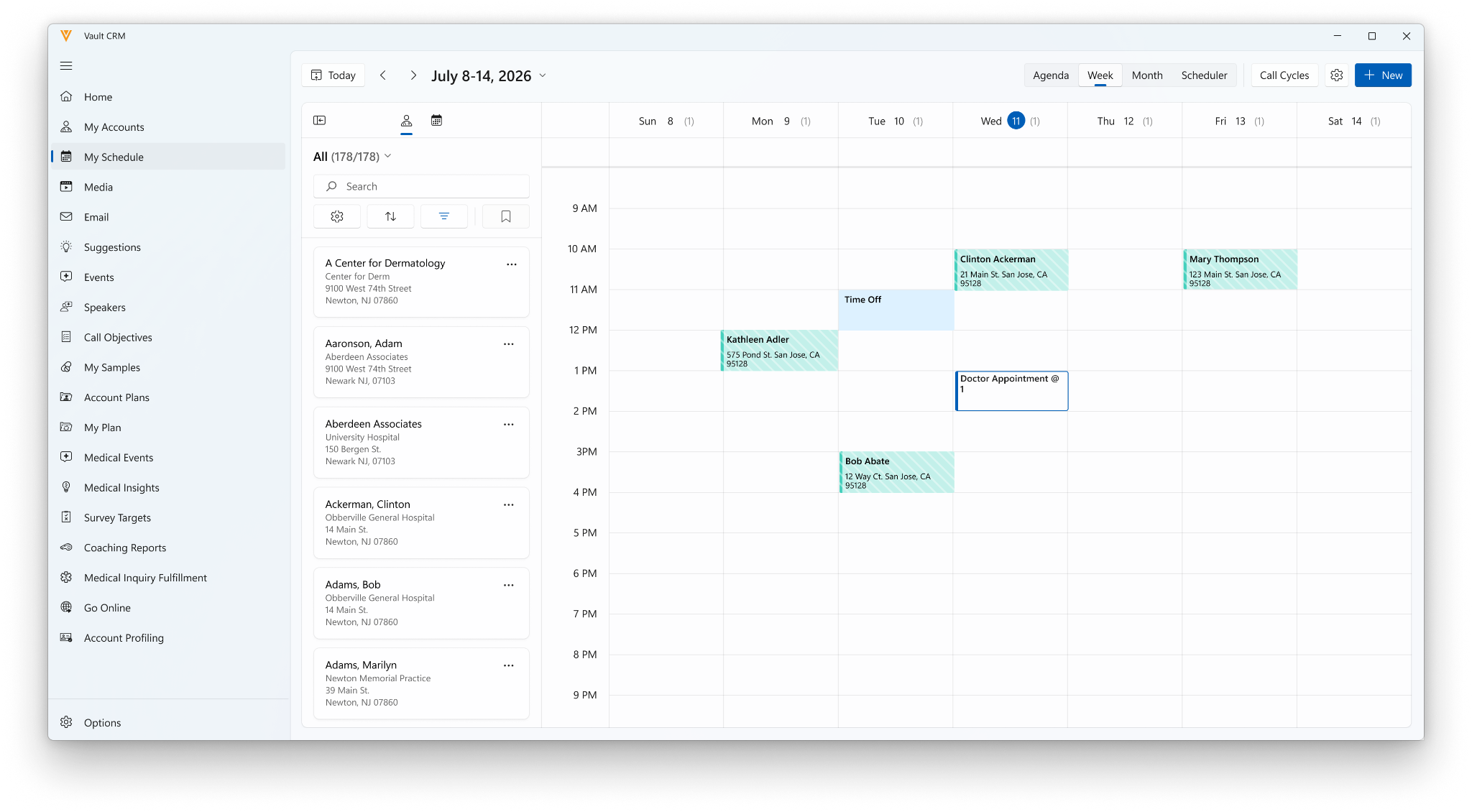
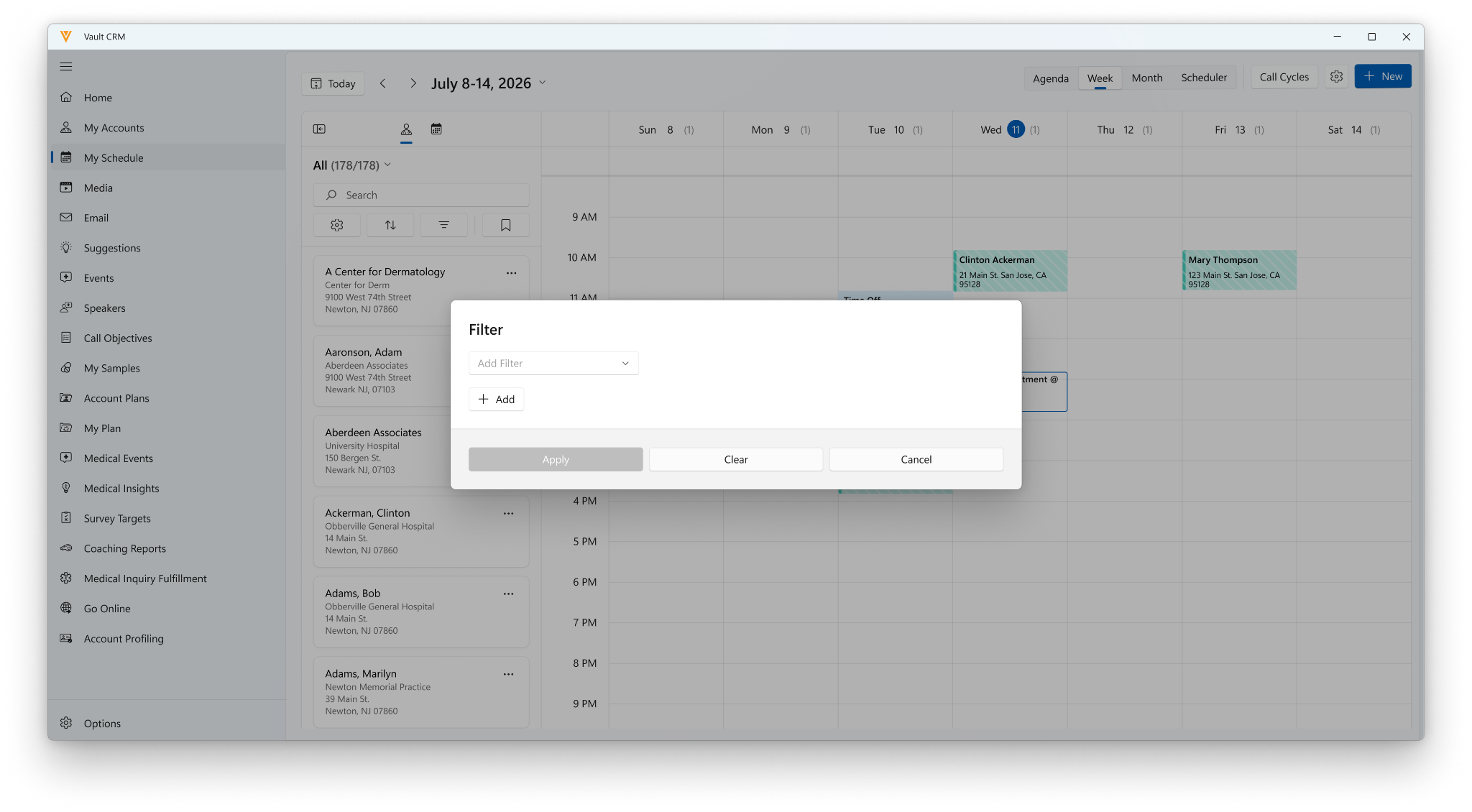
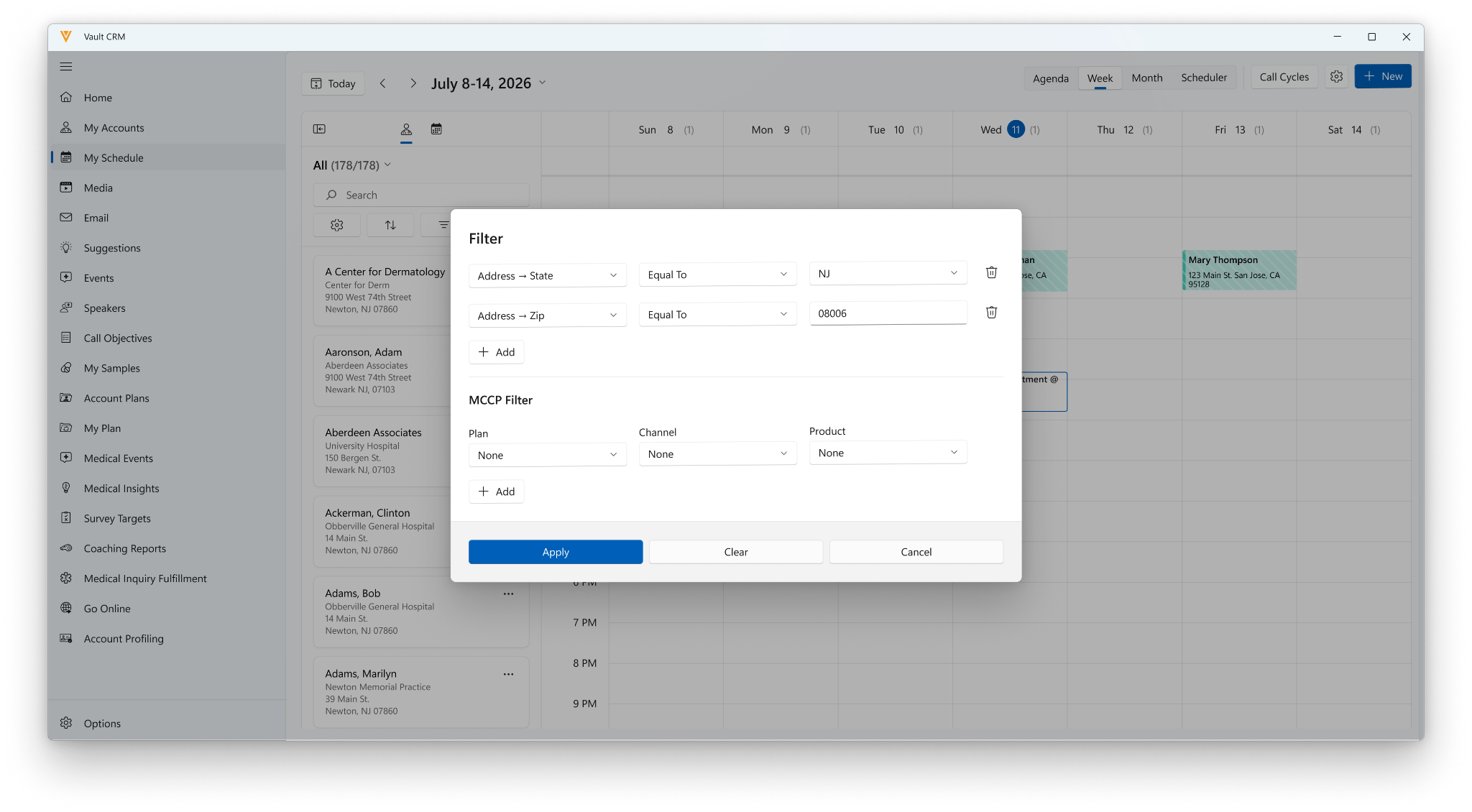
MCCP Filtering in My Schedule - Now available on Windows
Windows users can filter account lists and views based on information from their MCCP, MCCP Target, and MCCP Target Channel.
Bookmarking Filters in My Schedule - Now available on Windows
Windows users can create, update, and delete bookmarks, and set bookmarks based on MCCP attributes. Previously, Windows users could only apply existing bookmarks.
Call Reporting
Recording Audio and Generating Transcripts for Calls - Available on iPad, iPhone
End users can capture compliant audio recordings and generate transcripts of customer discussions directly from the call report. By generating a recording and transcript, end users are free to stay focused on HCP conversations, knowing every detail is captured in searchable records stored locally. These recordings and transcripts also provide data for Agentic Coaching, allowing AI models to analyze dialogue, evaluate customer responses, and deliver personalized feedback to help end users refine their skills.
Support for Layout Rules on Product Discussions - Available on Browser, iPad
Layout Rules for Product Discussions allows administrators to dynamically apply display effects, for example hiding fields or marking them as required or read-only, based on record values entered during a call. This results in streamlined, context-sensitive data entry while eliminating the need to create and maintain multiple redundant layouts.
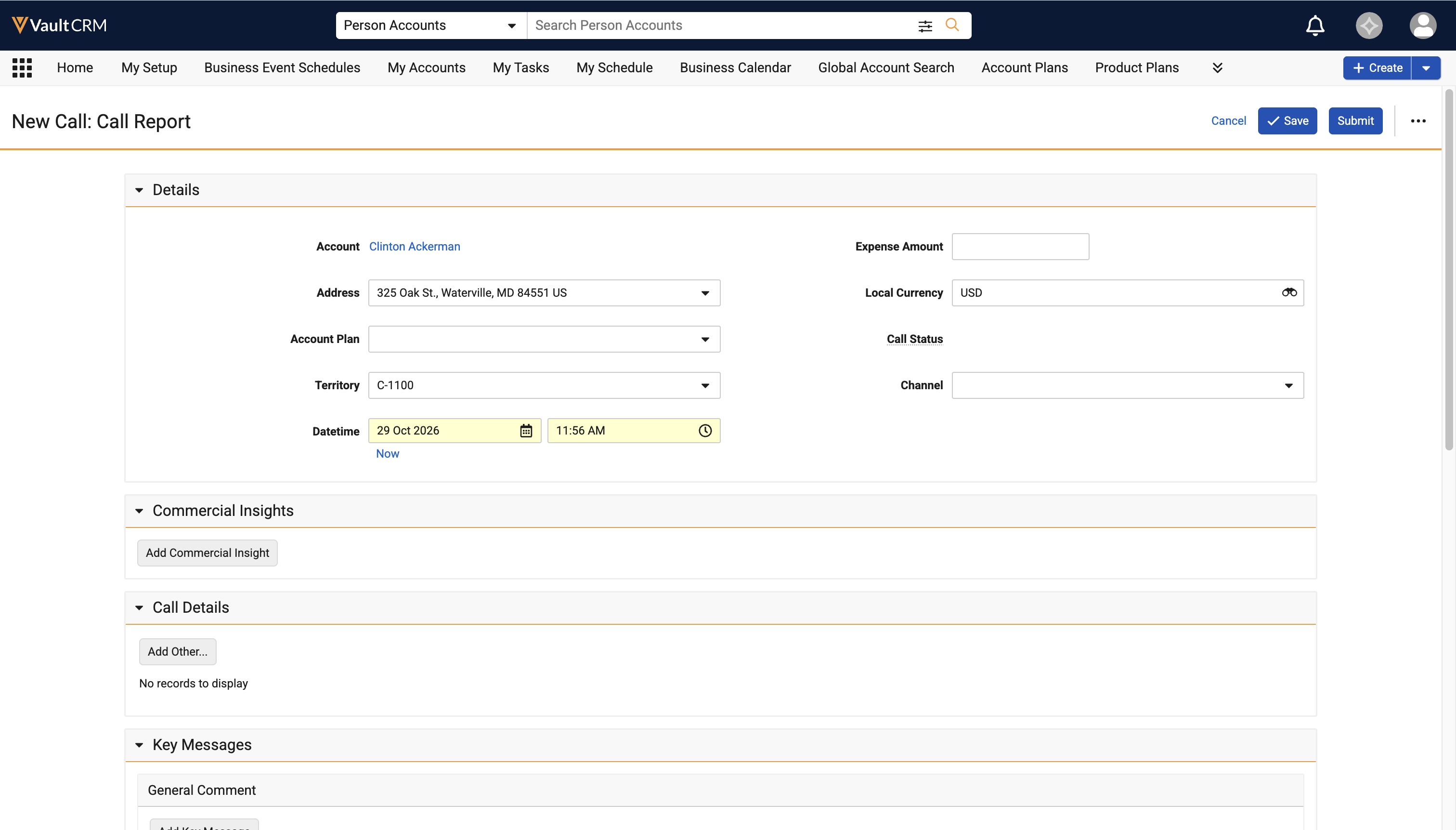
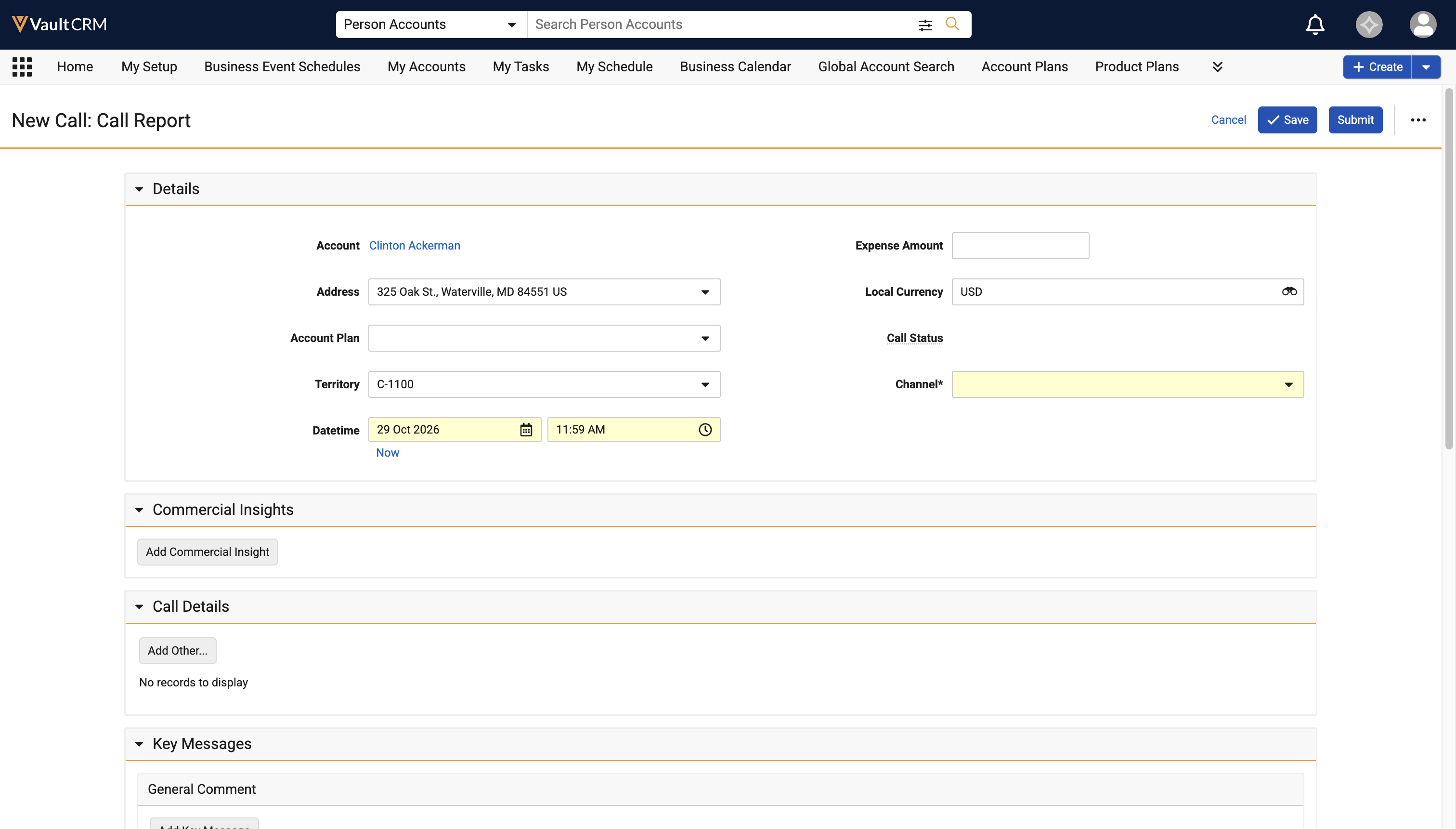
Support for Required Call Channel - Available on Browser
Admins can configure the Call Channel field as a required field at the layout level on call reports. This gives users a visual cue that the field is required prior to save of the call report, resulting in a more efficient workflow.
Call Sampling
Requiring Sample Opt-In - Now available on iPhone
In some countries, users must capture a one-time sample opt-in signature or paper consent from HCPs. Once users capture an HCP's sample opt-in signature or consent, they do not need to capture signatures for individual sample disbursements to the HCP within an admin-defined period of time, unless the disbursement contains controlled substances.
CLM
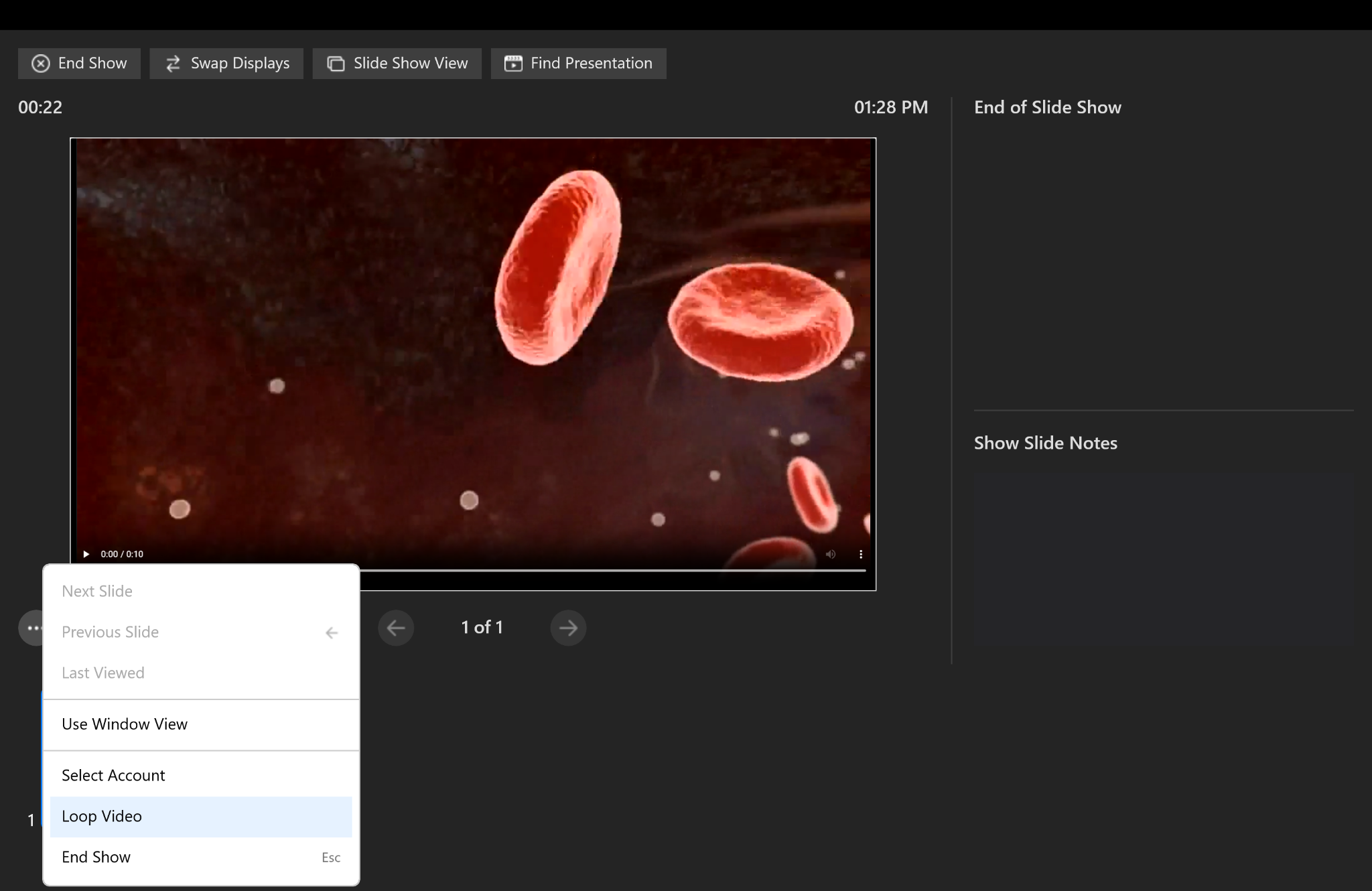
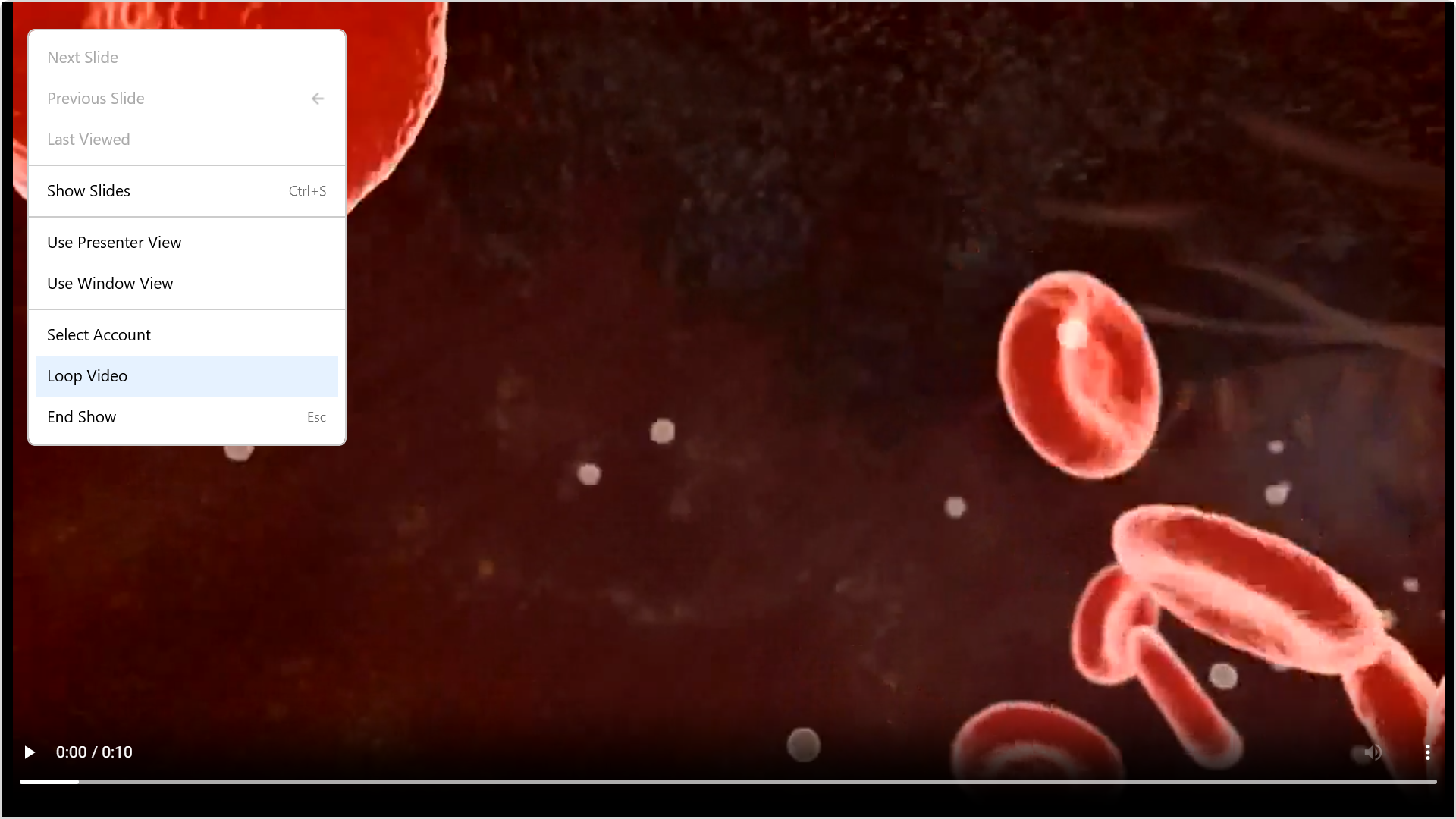
CRM Desktop (Mac), CRM Desktop (Windows), and Windows users can set a CLM video to play continuously prior to speaker programs, luncheon meetings, and educational events to support passive audience engagement. Continuous video looping ensures video content plays seamlessly during pre-session setup, eliminating user intervention and preventing interruptions during account interactions. In addition, users can set a CLM video to play continuously from the current slide in presenter or slide view with continuous looping enabled.
Content Creators and End Users can reference slide notes directly in Vault CRM while preparing or presenting CLM presentations. Content creators populate slide notes to provide crucial context; end users can view these notes in presentation mode across supported devices to maintain consistent messaging during HCP interactions. Slide notes sync automatically from source PowerPoint presentation files or the CRM Slide Notes field on the Multichannel Slide Document into Vault CRM without requiring manual re-entry.
Custom Presentations for CLM as Document Model - Available on iPad, iPhone, and Windows
Custom presentations for the CLM as Document Model enables end users to add, remove, and rearrange content from existing presentations in their CLM media library, tuning their message for an interaction to increase impact.
Custom presentations are view-only on the iPhone platform.
Querying CLM Attachment Fields - Available on CRM Desktop (Mac)
Querying documents and records in CLM (queryRecord) is now available for CRM Desktop (Mac) users. The feature allows content creators to search the CLM database and return details that can be used in presentations, allowing them to better target segments or associate related information in a presentation.
Commercial Insights
Criteria VQL for Commercial Insights - Available on Browser, iPad, and iPhone
System admins can add Criteria VQL to the product__v field on the commerical_insights__v object to additionally filter the list of products end users can select when creating a Commercial Insight, in addition to the existing filtering for My Setup that is already applied.
Contracts
Pricing Agreements - Available on Browser
Pricing Agreements provide users a single place to build, negotiate, and track multi-line product pricing commitments with customers during a renewal cycle. Pricing Agreements include pricing-aware Contract Lines entry, a dedicated set of contract pricing rules, and new partner and stakeholder relationships so that list prices, discounts, and net prices are calculated automatically as users enter quantities. This keeps the negotiation, the applicable pricing rules, and the resulting contract together in a single record, and supports a formal approval process through lifecycle, attachments, and workflow tasks.
General
OpenData 2.0 Field Updates - Available on Browser, iPad, iPhone, and Windows
OpenData 2.0 support is updated in Vault CRM to align with changes to OpenData standards. The updates in Vault CRM include updates to country dependencies, changed picklist labels, and new and updated picklist values. These changes are automatically available (no configuration required). See Updated Fields for more information.
Data Lakehouse
AI Interaction History in the Data Lakehouse
To help customers evaluate the deployment and usage of Vault CRM AI agents, a subset of AI interaction data is exposed in the Data Lakehouse. Retrieved data publishes as Apache Iceberg™ tables on S3, enabling customers to easily query Vault CRM data in place (Zero-Copy), or copy out to an external data warehouse.
Medical
Multiple Documented Interests on a Call - Available on Browser, iPad, iPhone, and Windows
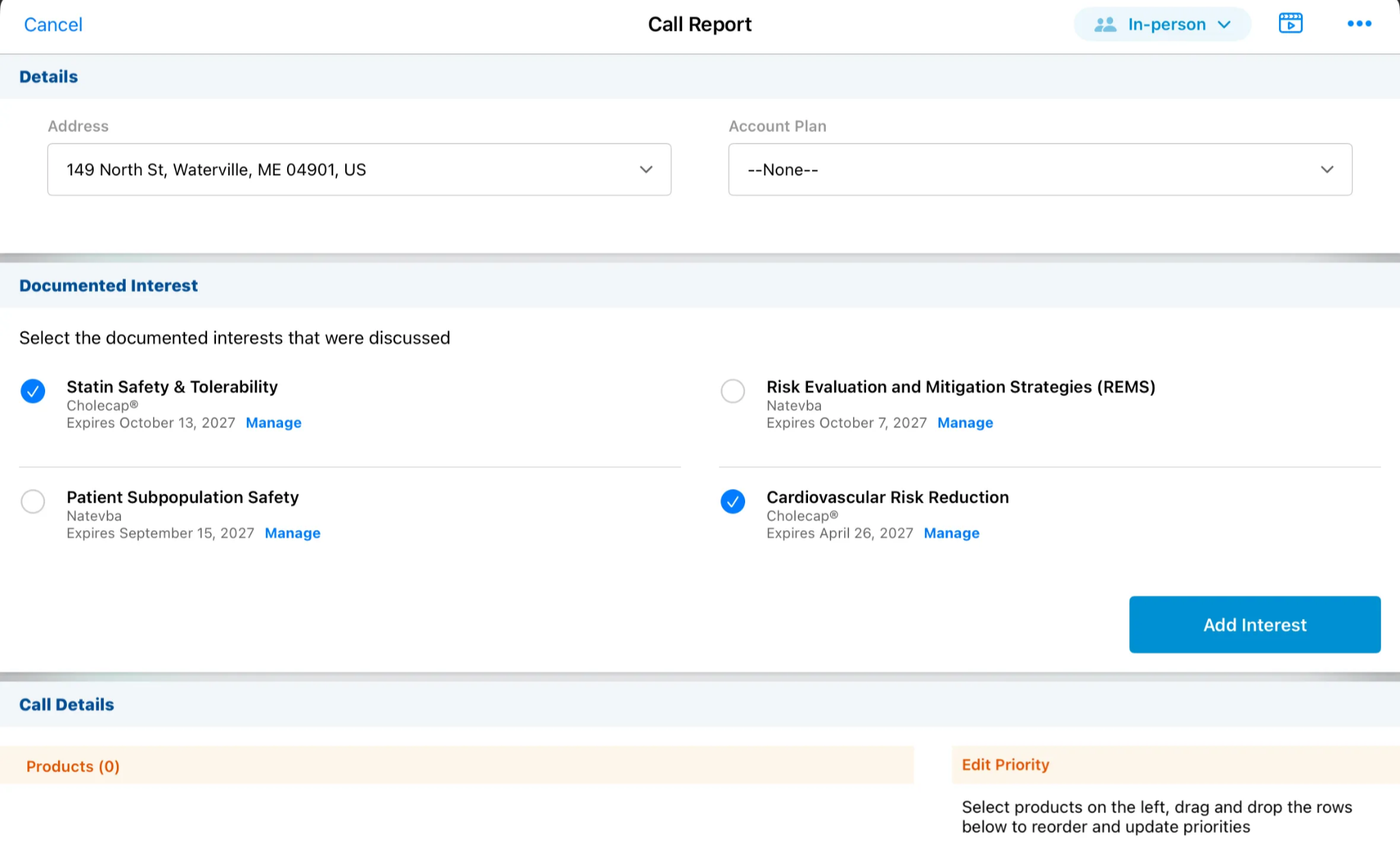
MSLs can select multiple Documented Interest records within a single call report, detailing all clinical and scientific topics discussed with an HCP covered by standing request. This improves data quality by ensuring all relevant clinical areas are accurately recorded.
Business admins can customize the Medical Interaction layout by configuring additional fields to display in the Medical Interaction header, Discussions section, and Medical Insight section. This allows business admins to customize the record to match their company's workflow.
Capturing Medical Events on Medical Interactions - Available on Browser
Medical users can capture Medical Events and congresses as structured records on Medical Interactions to accurately track where discussions with HCPs occur. This streamlines interaction tracking and improves compliance reporting.
Associating Account Plans with Medical Interactions - Available on Browser
Medical Users can associate Account Plans with a Medical Interaction to align field medical engagements with strategic account goals, either by selecting an Account Plan on the Medical Interaction or by creating a Medical Interaction from the relevant Account Plan. Associating Account Plans with Medical Interactions provides clear visibility into long-term account strategies, enabling field teams to streamline account execution and ensure consistent scientific dialogue across key stakeholders.
Order Management
Enhancements to Post-Negotiation Delivery Splitting - Available on Browser, iPad
When managing order deliveries, the Splitting Quantity Evenly function now accounts for Fixed Units of Measure and Delivery Period rules when allocating delivery amounts.
Delivery Period Pricing Rules for Non-Split Orders - Now available on Browser
Order Management now evaluates Delivery Period Pricing Rules to determine a non-split order's Allowed Delivery Period rules in real time.
Sample Management
Sample Inventory Auto-Creation - Available on Browser
Users can automatically generate cycle orders, resulting in reduced data entry, seamless cycle transitions, and greater flexibility for multi-recipient special shipments. A scheduled process converts active allocations into shippable inventory orders on the cycle start date.
Address Sourcing from Rep Roster on Inventory Orders - Available on Browser
Ship-to address fields on inventory orders are sourced from the recipient's Rep Roster record. This helps ensure orders ship to the correct address.
Timeline
Viewing Service Center Activities on the Account Timeline - Now available on Windows
Vault CRM users can view Service Center case and target activities on the Account Timeline. The Account Timeline displays a linear view of customer activities related to an account. Users have an integrated view of Service Center customer case activities and notes with other account-related events on the timeline, for example, calls, approved emails, and medical events. This view provides users with a unified history of account interactions which can drive collaboration, improve customer support and sales outcomes, and provide cross-functional teams with actionable insights.
X-Pages
editRecord Support - Now available on iPad
Content developers can use the editRecord method to allow users with the required permissions to natively access and use a record's edit page.
Object Lifecycle Support - Available on Browser, iPad, iPhone, and Windows
X-Pages now support Object Lifecycles with default states and roles allowing users to integrate additional logic into X-Page related processes.
X-Pages Studio
Hyperlink Display Element in X-Pages Studio - Available on Browser, iPad, iPhone, and Windows
A new Hyperlink display element is available in X-Pages Studio, allowing an X-Page's display element to act as a hyperlink to a specified URL.
Tab Display Element in X-Pages Studio - Available on Browser, iPad, iPhone, and Windows
A new Tabs display element is available in X-Pages Studio, allowing for customizable tab rows in an X-Page to easily access different information.
Vault AI in CRM
This is a substantial release for Vault AI in CRM, advancing the full arc from capturing field activity to coaching and acting on it. The headline addition is Commercial Evidence™ Standard Metrics: every time a user submits an Agentic Call Report, the Commercial Evidence Agent scans Call Text and Commercial Insights for signal like adoption barriers, unmet needs, and competitive dynamics, classifying it into industry-standard categories and turning it into structured data that can be analyzed at scale.
Agentic Coaching builds on the same idea of turning field data into usable insight, evaluating the transcript from a submitted call against an organization’s own coaching rules to produce a score, a written evaluation, and recommendations. Two more new agents extend agentic support across the Vault: Agentic Account Plan Summary distills a KAM’s account plan into a concise executive summary for leadership reviews and onboarding, while Agentic Sign-In Sheet turns a photograph of a paper event sign-in sheet into confirmed attendance and walk-in records, cutting hours of manual reconciliation down to minutes. Meanwhile, Windows users gain support for Agentic Media.
A handful of smaller enhancements round out the release, including Agent User Groups and Product Groups to scope Text Monitoring rules by team or therapeutic area, Text Monitoring for Medical Interactions, and a standard rule set to jump-start Agentic Text Monitoring for Home Office.
Commercial Evidence™ Standard Metrics - Available on Browser, iPad, iPhone, and Windows
Commercial Evidence™ Standard Metrics transform commercially relevant information captured on the Agentic Call Report™ into structured, standardized data used to drive commercial strategy. Conversations between field teams and HCPs frequently contain crucial evidence regarding adoption barriers, unmet HCP or patient needs, prescribing drivers, competitive dynamics, and other key insights.
Each time users submit an Agentic Call Report, the Commercial Evidence Agent automatically scans Call Text and Commercial Insights, captures relevant information on Commercial Evidence records and classifies it into the industry-standard categories as defined by Commercial Evidence Standard Metrics. This unlocks valuable information from the field for analysis at scale.
Agentic Coaching - Available on Browser
Agentic Coaching uses AI to evaluate call performance and generate AI Coaching Reports, providing users consistent, timely feedback on their performance. Agentic Coaching evaluates the transcript of a submitted call against a set of configurable Coaching Rules, then produces a summary, a written evaluation, a score, and up to three recommendations for each rule. This empowers end users to receive more frequent feedback on their interactions with HCPs, scored against a customizable set of rules, and improve their performance based on this feedback.
The following functionality is available for Agentic Coaching:
Agentic Sign-In Sheet - Available on Browser and iPad
Agentic Sign-In Sheet uses AI to transform photographs of paper event sign-in sheets into confirmed attendance records and new walk-in attendee records in Vault CRM. By eliminating manual transcription and row-by-row reconciliation of paper sign-in sheets, Agentic Sign-In Sheet empowers event organizers to complete post-event sign-in processing in minutes instead of hours, while reducing the chance of data entry errors that create compliance exposure.
The following functionality is available for Agentic Sign-In Sheet:
Agentic Account Plan Summary - Available on iPad
Key Account Managers (KAMs) and End Users can use Agentic Account Plan Summary to generate concise executive summaries of account plans directly within Vault CRM. Account plans often contain strategic goals, tactics, and granular action items distributed across multiple child objects and related lists. Agentic Account Plan Summary combines this information into a structured summary. This enables users to prepare efficiently for leadership reviews, team meetings, and account onboarding without navigating through nested related records.
Agentic Media - Now available on Windows
Agentic Media uses AI to help users quickly find information about products and access relevant media for HCP interactions. Through the Media AI tab in the media library, Windows users can ask questions about their products and receive clear, concise answers with links to the CLM content where the information is found.
Standard Rule Set for Agentic Text Monitoring for Home Office - Available on Browser
The Standard Agent Rule Set provides admins with preconfigured Agent Rule records covering common pharmaceutical compliance topics, allowing an organization to launch a text monitoring program without authoring Agent Rules from scratch. These rules are delivered inactive by default. Admins can activate a standard rule as-is to put it into effect, or copy a standard rule and adjust editable fields to match the organization's specific requirements.
Medical Interactions with Agentic Text Monitoring for Home Office - Available on Browser
Agentic Text Monitoring for Home Office can now be used to review text fields on Medical Interaction and Medical Interaction Discussion records. Using AI to understand natural language in context, this agent intelligently analyzes submitted records and flags potential compliance issues for review by home office compliance monitoring teams. This agent's powerful AI capabilities act as a force-multiplier for home office oversight, enabling fast, detailed review across Vault CRM records.
Agent User Groups for Agentic Text Monitoring for Home Office - Available on Browser
Admins can now use Agent User Groups to target Agent Rules to specific groups of users. By defining Agent User Groups, organizations can easily separate rules across distinct functional groups (for example, Market Access versus Field Sales) and business units. This allows admins to differentiate the rules according to which apply to each group, which allows for more targeted monitoring and can aid in reducing token usage.
Agent Product Groups for Agentic Text Monitoring for Home Office - Available on Browser
Admins can now use Agent Product Groups to target Agent Rules to specific product categories. By defining Agent Product Groups, organizations can easily separate rules across distinct therapeutic areas and products. This ensures Agent Rules only run for specific products assigned to the user, which allows for more targeted monitoring and can aid in reducing token usage.
Agentic Call Capture for Child Accounts - Available on iPad and iPhone
Agentic Call Capture now supports child accounts, enabling users to accurately capture information about parent and child accounts when recording a spoken description of their HCP interactions for conversion into an Agentic Call Report™.
Favorite Product Preference for Agentic Call Capture - Available on iPad and iPhone
Favorite Product Preference allows end user's Favorite Products, as identified in My Setup, to take priority when Agentic Call Capture identifies multiple Product Catalog variations of the same product.
Favorite Product Preference for Agentic Insight Capture - Available on iPad and iPhone
Favorite Product Preference allows end user's Favorite Products, as identified in My Setup, to take priority when Agentic Insight Capture identifies multiple Product Catalog variations of the same product.
Vault CRM Content Studio
Content Studio moves further into day-to-day content production, with creators now able to drop into a template’s HTML source code for precise edits alongside the visual editor. Transparency comes along with the AI-generated content it produces, too, as a new AI Assisted field flags whether a piece of Approved Email content came from the Content Studio MCP.
End users can now review the AI Assisted field to be informed on whether Approved Email content was generated via the Vault CRM Content Studio MCP.
Viewing and Editing Content Source Code - Available on Browser
In addition to using the Editor view to create content, content creators can also view and directly edit the content's HTML source code.
Additional Token Support in Content Studio - Available on Browser
Content creators can now insert the following additional Approved Email tokens in Content Studio content:
- {{insertMCConsentLines[Subscribed,Unsubscribed]}}
- {{EventSession}}
- {{EventSpeaker}}
- {{insertZoomDialInNumbers[language_code]}}
- {{insertEngageAndZoomJoinURL[language_code]}}
- {{approvedEmailAction[LandingPageURL,MessageIdentifier]}}
- {{unsubscribe_product_link[External URL,unsubscribe_identifier__v]}}
Align
Align’s territory feedback functionality gets richer this release. Users profiling accounts can now also update object-type fields themselves, and Recommended Targets can now be designated at a specific location. Similarly, Data Change Request (DCR) support is extended, so any Align field updates that need formal review can be properly logged and routed as DCRs.
Editing Fields of Type Object in Profiling During Feedback – Available on iPad
End users can now edit fields of type Object when profiling accounts during Territory Feedback, enabling end users to correct data for these fields.
Using Location Based Targeting with Recommended Targets – Available on iPad
End users can now add recommended targets at a specific location when Location Based Targeting is enabled for the Multichannel Cycle, enabling end users to target an account only at the locations where they engage with them and to set goals for each location separately.
DCR Support for Profiling During Territory Feedback – Available on iPad
End users viewing and updating account profile information can now update Data Change Request-controlled fields and have those change requests formally logged as DCRs for review and approval.
Approved Email
Personalization and privacy both advance this release. Personalized Content Generation turns a CLM presentation into an account-specific PDF a user can hand an HCP on the spot, while on the privacy side, emails sent to HCPs without tracking consent stop carrying a tracking pixel or wrapped links altogether.
Personalized Content Generation – Available on iPad
End users can deliver account-specific PDFs to HCPs directly from a CLM presentation based on user-provided information, enabling highly relevant, personalized information to be provided to accounts quickly and easily.
Updates to Anonymous Activity Tracking Behavior – Available on Browser, iPad, iPhone, and Windows
Approved Emails sent to HCPs who did not grant activity tracking consent no longer contain a tracking pixel or wrapped links. This means that Opened, Clicked, Viewed, and Downloaded events no longer record anonymously for these recipients.
Automated Order Wholesaler Notifications – Available on Browser, iPad, and Windows
Automated order wholesaler notifications enable organizations to email a wholesaler as soon as an order is submitted, so the wholesaler promptly and automatically receives the details needed to prepare the shipment.
Previewing Vault Document Links in Approved Emails – Available on Browser, iPad, and iPhone
End users can verify links to Vault Documents function correctly within an Approved Email by selecting them while in Preview or Edit Mode.
Inserting Queried Data into an Approved Email – Now available on Windows
The {{customContent}} token now renders when previewing Approved Emails on Windows, enhancing flexibility when adding information to content.
Campaign Manager
Campaign Manager opens up the range of data a target list can be built from. The Target List Builder now reaches into call reports, events, surveys, and other multichannel activity, so marketers can segment based on how HCPs are actually engaging. Patients can be added as campaign and journey targets for the first time, and new Field Email and Field Action channels let marketing prompt a rep to send an email or log a call in direct response to HCP engagement.
Adding Patient Targets to Campaigns and Journeys – Available on Browser
Enabling disease awareness information, treatment option education, and brand messaging to reach patients directly, marketing users can build campaign and journey target lists from patients.
Field Email Channel for Journeys - Available on Browser
Marketing users can now use Journeys to create and manage Field Emails, which are sent on behalf of Approved Email end users. Field Emails are sent from the end user's email address, providing a personal communication channel with HCPs compared to emails sent from a non-personal marketing address.
Field Action Channel for Journeys - Available on Browser
The Field Action channel is now available in Journeys, giving marketers a way to create and send Suggestions directly to end users. Marketing users can prompt end users to schedule a call, send a specific email, or simply share relevant information about HCPs.
Expanded Objects in the Target List Builder – Available on Browser
Marketing users can now build target lists from a significantly broader set of Vault CRM data, including call reports, events, surveys, suggestions, MCCPs, cases, sent emails, and multichannel activity. This enables marketing teams to target accounts based on real field and multichannel engagement.
Engage
Engage continues building out flexible, asynchronous ways to reach HCPs. Share Link (Sign Later) lets a user send a BRC sample signature request as a link an HCP can sign at their convenience, with the usual tracking happening automatically. Windows users get full meeting management through Engage Meeting, and admins can cleanly disconnect an entire AWS account and all its associated phone numbers in one step.
End users can send remote signature requests for Business Reply Card (BRC) samples via a shareable link directly from Vault CRM, resulting in greater flexibility for HCPs to review and sign requests at their convenience. This provides a streamlined workflow that maintains compliance and accountability while automating the tracking, notification, and acceptance process for outstanding sampling signatures.
Engage Meeting - Now available on Windows
Engage Meeting on Windows allows end users to manage and start meetings directly from the Windows platform. Vault CRM Engage enables CRM users to build stronger relationships with HCPs through a comprehensive remote engagement platform, encouraging collaboration and information sharing tailored to HCP preferences.
Disconnect Connected AWS Account - Now available on Browser
Admins can now disconnect an entire AWS account from Engage in a Vault. Disconnecting an account also disconnects all associated phone numbers used in messaging, allowing admins to quickly remove all connection data.
Events Management
Events Management automates more of the administrative load for running an event. Invite statuses now advance on their own once an Approved Email invitation goes out, speaker contracts can be routed and signed through a native Docusign integration, and consent can be captured right at registration or sign-in, catching HCPs at a high-engagement moment.
Automatically Updating the Event Invite Status - Available on Browser and iPad
Customers can enable event attendees and speakers to automatically advance to Invited status when an event team member creates an approved email invitation. This allows event attendee and speaker statuses to stay current without manual intervention.
Capturing Speaker Contract Signatures Remotely Using Docusign - Available on Browser
Customers can streamline and automate the execution of speaker contracts using a digital signature workflow that integrates Vault CRM Events Management with Docusign. This integration allows contract coordinators to generate speaker contracts, route them to one or more signers and carbon copy recipients for digital signature, and track signature status without leaving Events Management.
Displaying the Audit Trail on Events - Available on Browser
Users can view the audit history of event records to track changes made since a record was last viewed or approved. This enables approvers and coordinators to quickly identify modifications and verify details before approving an event or executing event logistics.
Capturing Consent from Events - Available on Browser, iPad
Users can capture consent from event attendees during event registration and sign-in to ensure continuous communication through Approved Email and SMS and comply with regulatory privacy requirements. Capturing consent at high-value engagement points maximizes opt-in rates, maintains regulatory compliance under GDPR laws, and instantly enables ongoing communications.
Service Center
Service Center brings compliant messaging into the case itself. Users can respond to inquiries using Approved Email templates and loop in supervisors or other stakeholders via CC/BCC, all from the same Case conversation thread they are already working in.
Approved Email Templates and CC/BCC Fields for Case Emails - Available on Browser
Approved Email templates and multi-recipient CC/BCC functionality enable Customer Service users to respond to inquiries with compliant, pre-approved messaging and keep supervisors, colleagues, and external stakeholders informed directly from the Case conversation thread, ensuring consistency and streamlined collaboration.
User Visible and Behavior Changes (UVCs)
Most new functionality requires some configuration, however users are able to use the following functionality immediately. Select the thumbnail to view a larger image.
Account Management
|
Platform |
Description |
Before |
After |
|---|---|---|---|
| iPad | The Side Panel toolbar icon now displays in the upper right corner of Account Hot Lists. | 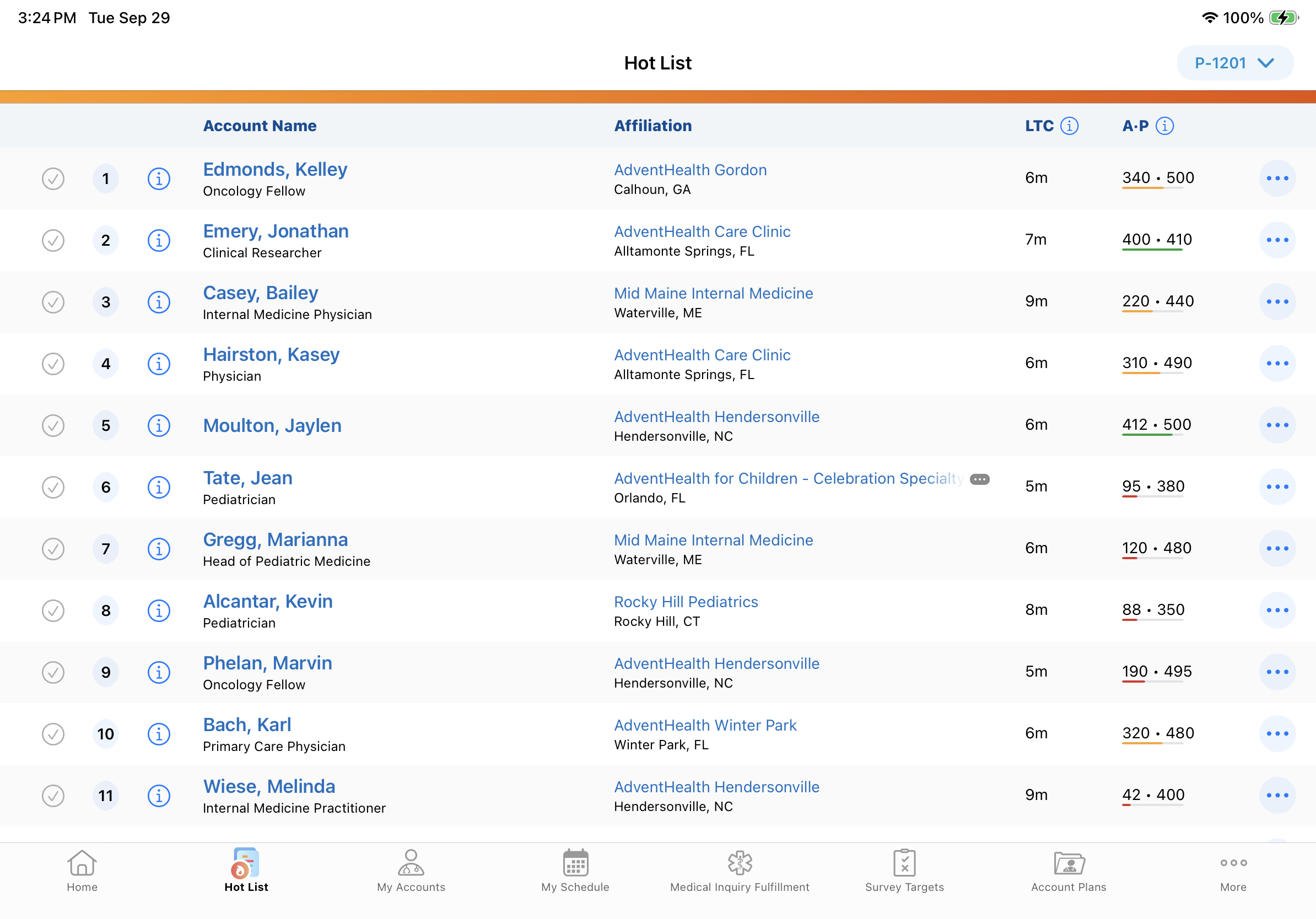
|
|
|
Browser |
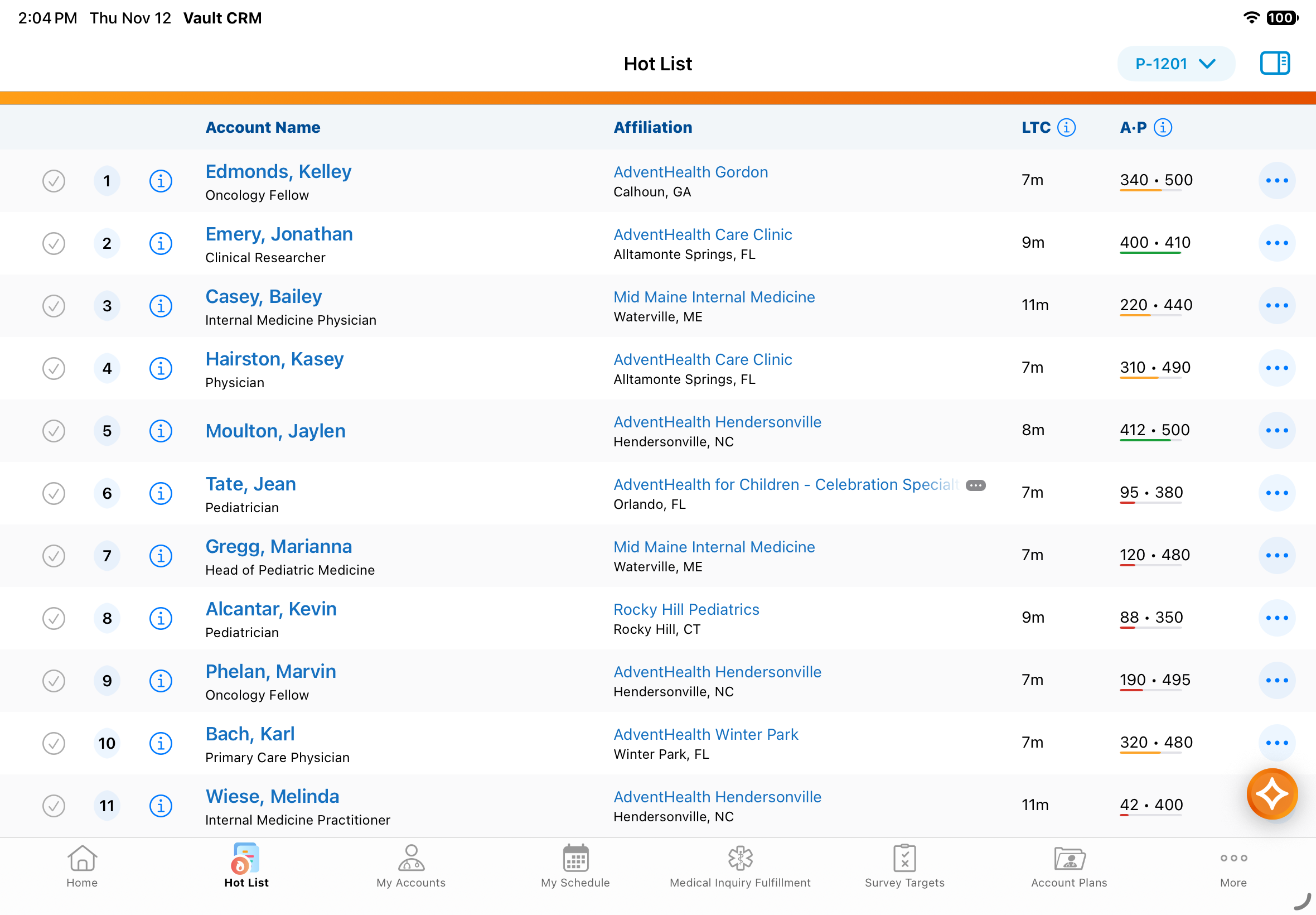
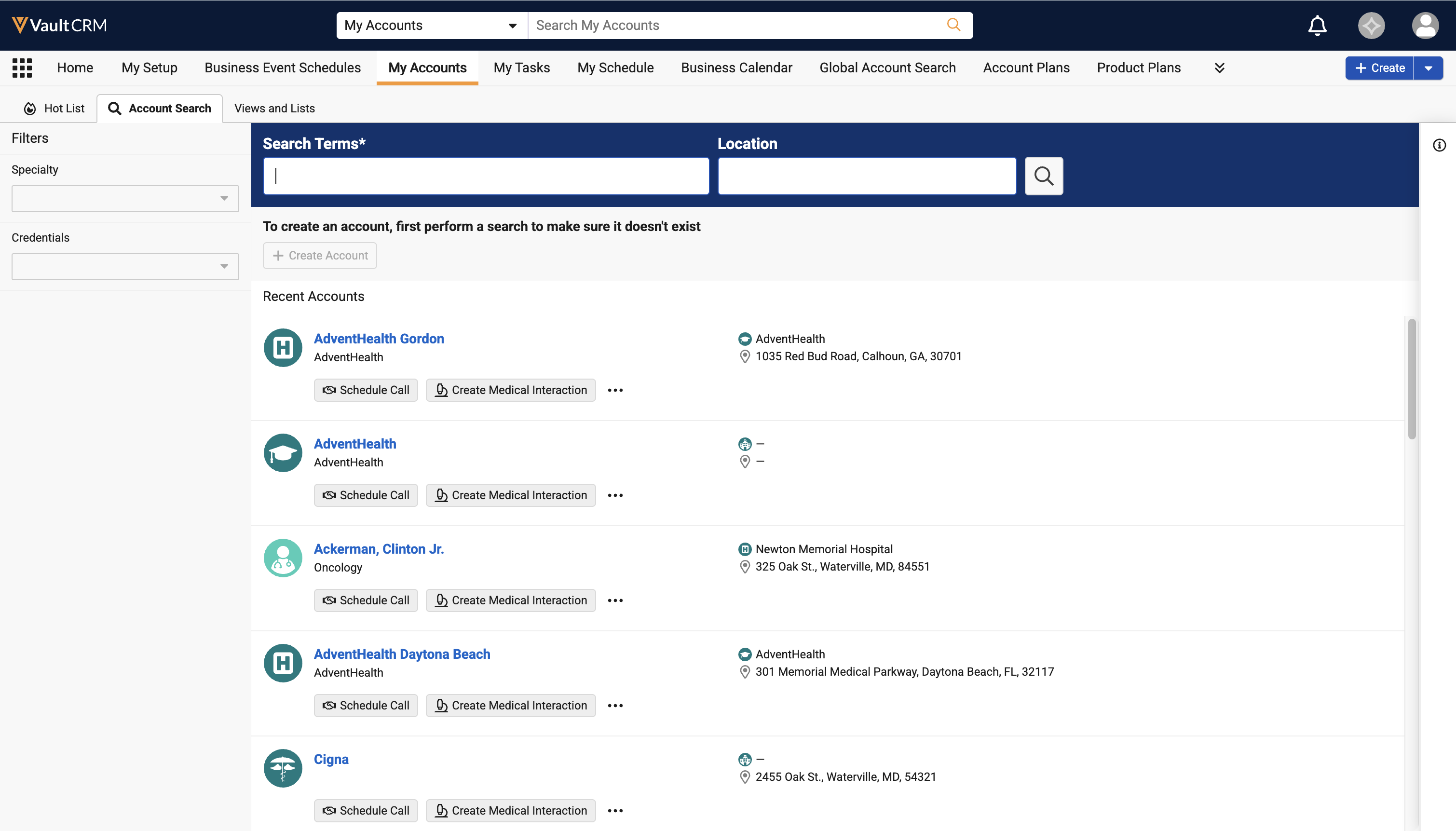
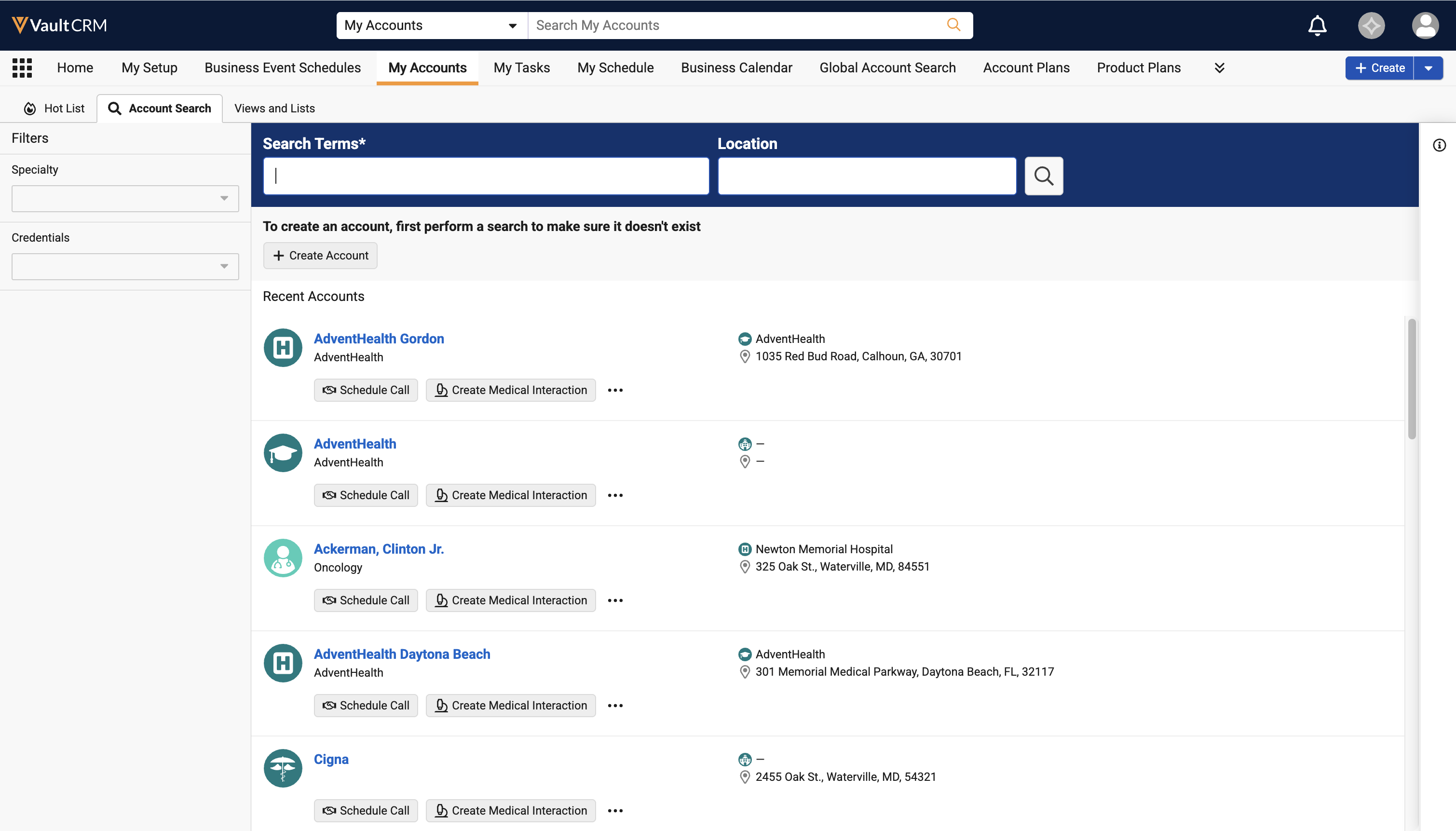
The Create Account button in Global Account Search is now enabled prior to performing a search. |
|
|
Call Planning
|
Platform |
Description |
Before |
After |
|---|---|---|---|
| Windows | When users select the bookmark icon, a Save as New Bookmark menu option is now available. | 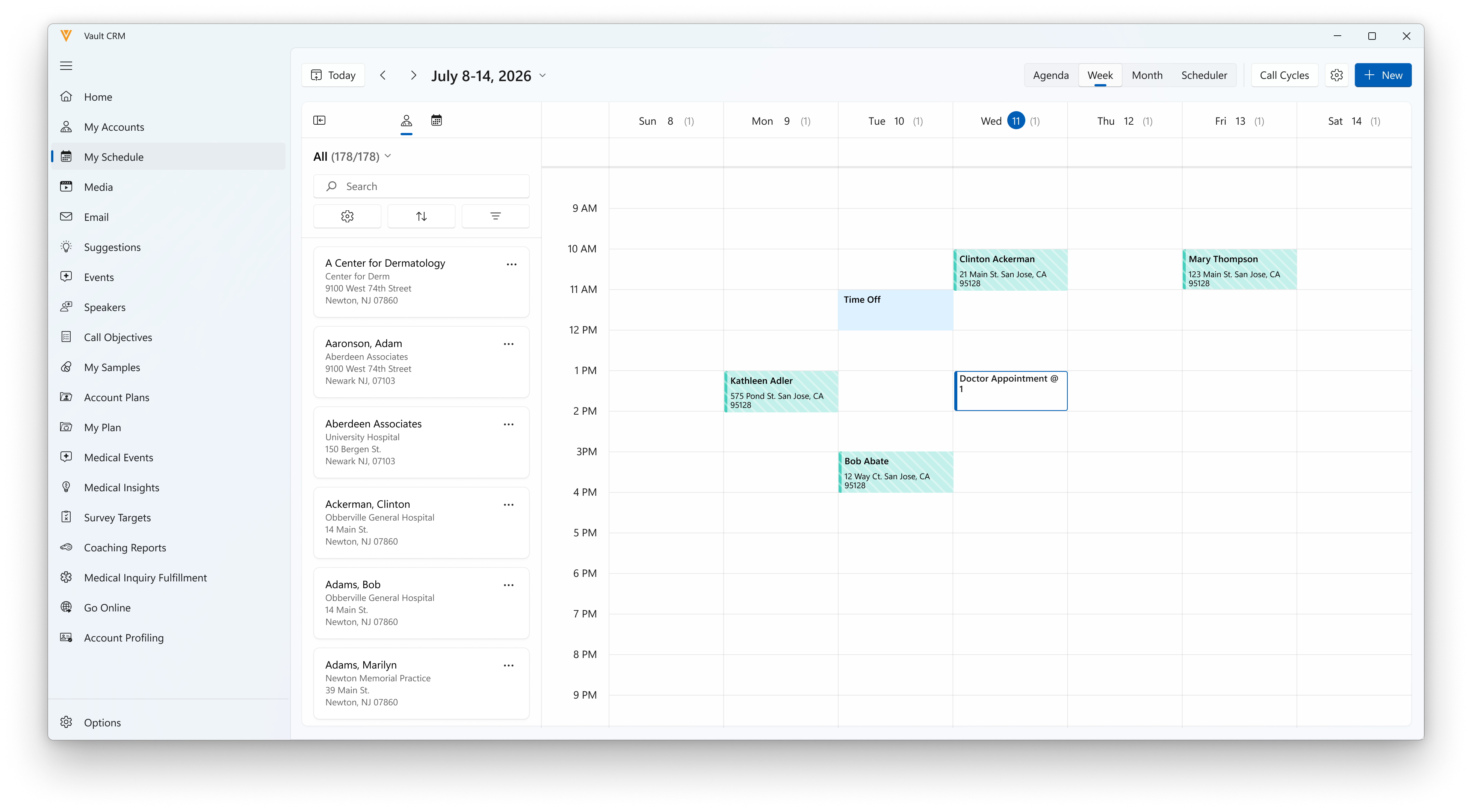
|
|
|
Windows |
An MCCP Filter option is now available. |
|
|
Call Reporting
|
Platform |
Description |
Before |
After |
|---|---|---|---|
| iPad, iPhone | Voice Notes are now automatically deleted during sync once the number of days configured in the user's Local Recording Retention Period Veeva Setting is reached (calculated from the record's Created Date). The retention period defaults to 120 days if the user lacks permission to the Veeva Setting or a value is not populated. The files are deleted without user notification. | n/a |
n/a |
|
Browser |
The Call Channel field now displays as a required field on call report layouts if admins configured it as required on layouts. |
|
|
|
Browser, iPad, iPhone, Windows |
Any Attachment fields configured on Call Report layouts and related detail sections (for example Call Objectives, Medical Discussions, and Medical Inquiry Fulfillment) are now hidden and not supported. |
n/a |
n/a |
|
Browser, iPad, iPhone |
Any configured Layout Rules defined for Product Discussions now render for new or existing calls. |
n/a |
n/a |
CLM
|
Platform |
Description |
Before |
After |
|---|---|---|---|
| CRM Desktop (Mac), CRM Desktop (Windows), Windows | Users can select Loop Video from the All Actions menu from Presenter View, from Slide Show View, or by right-clicking the video. | 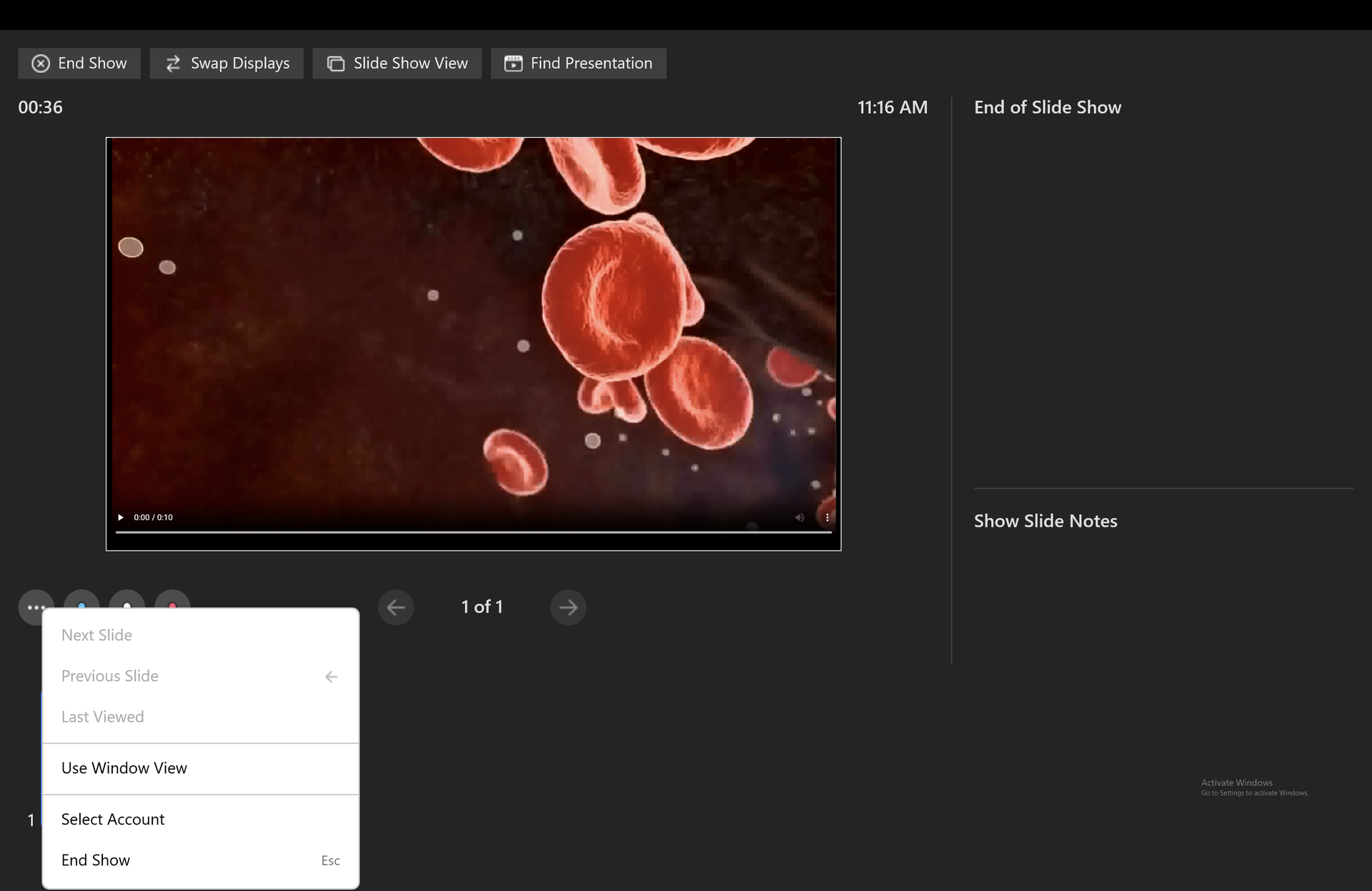 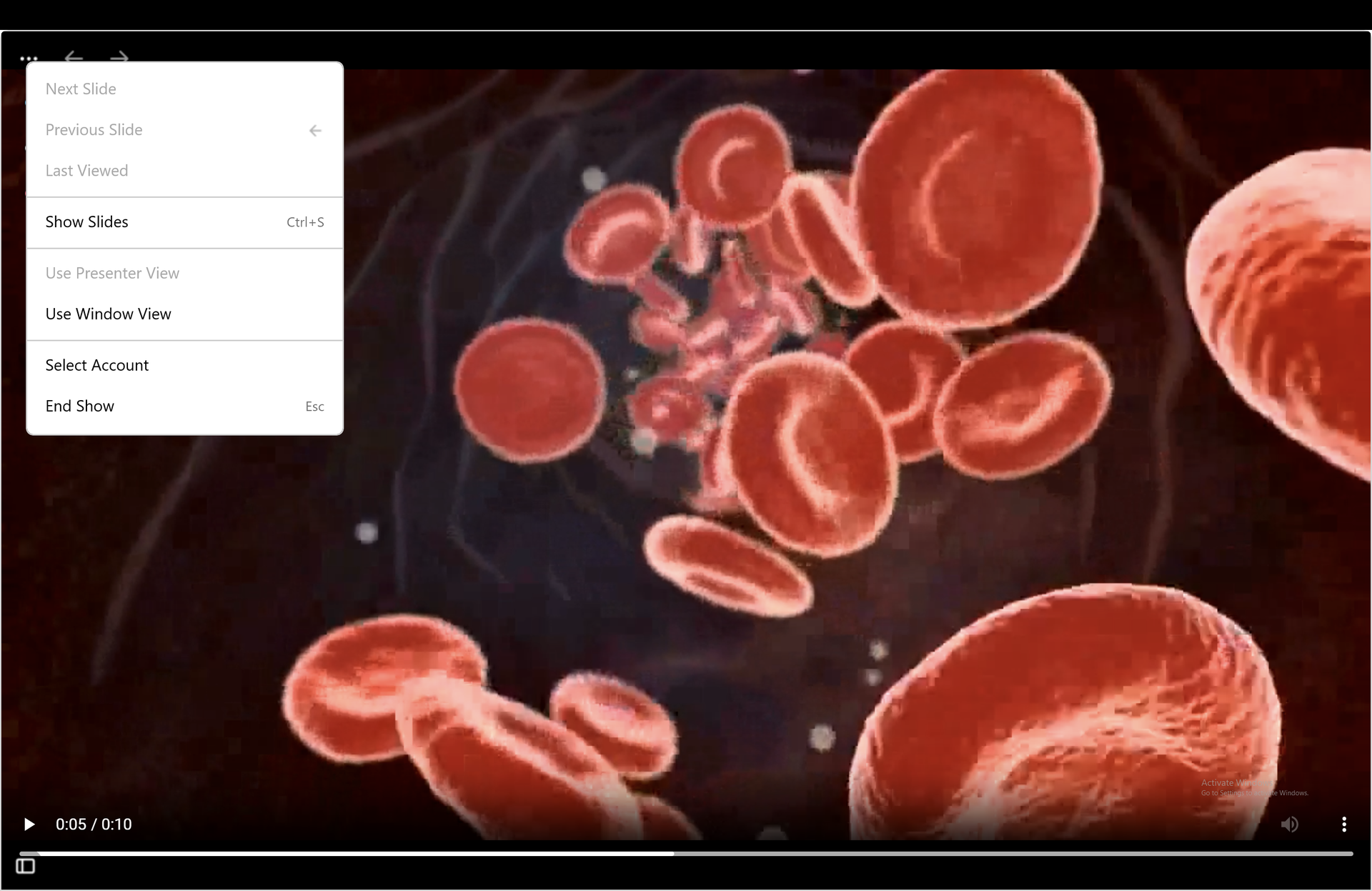
|
|
|
Browser, iPad, iPhone, Windows |
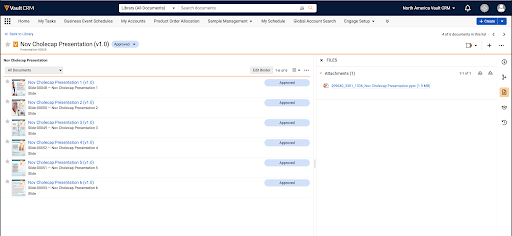
The CLM Document Model Integration sync now automatically copies original source files directly into Vault CRM as presentation binder attachments whenever a presentation is created, updated to a new version, or has its binder structure changed. If a file fails to transfer, Vault logs a temporary retry alert for the next sync cycle. Missing source files for existing presentations automatically sync during the next full sync or the next time those presentations are updated. The slide_notes__v records are created in Vault CRM. They are either extracted from the .pptx file, or synced from crm_slide_notes__v and reference the corresponding slide document in Vault CRM. |
n/a |
|
General
|
Platform |
Description |
Before |
After |
|---|---|---|---|
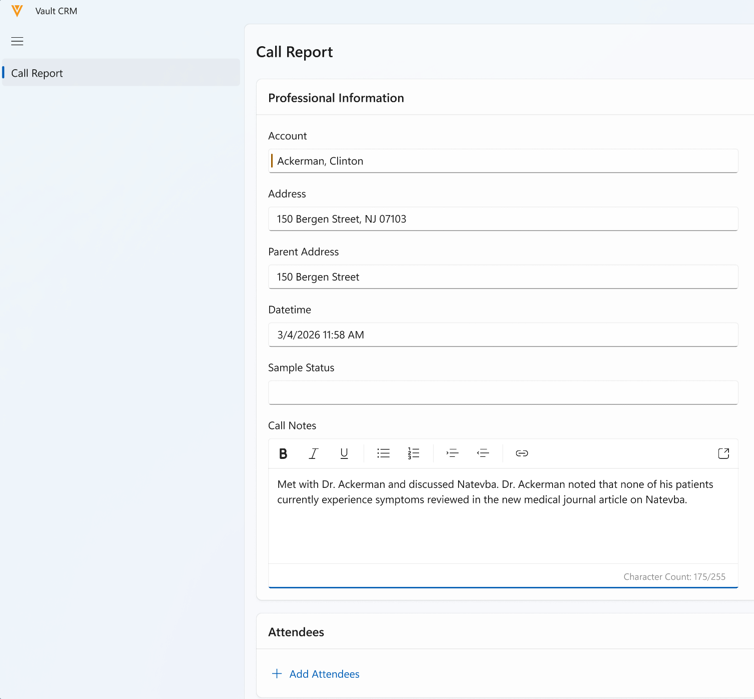
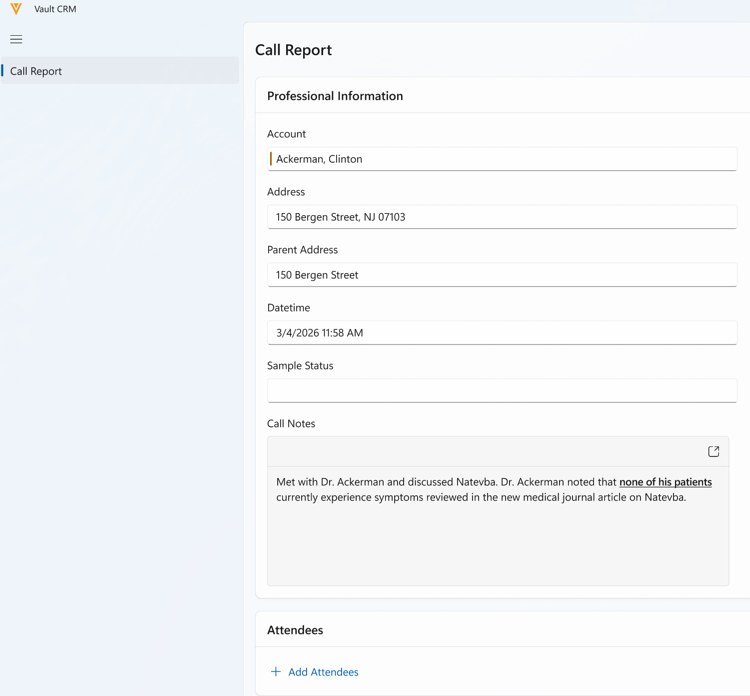
| Windows | Users can view and edit rich text formatting via an editor on detail pages. Rich text fields are supported on layouts without custom UI or business logic. | n/a |
|
Inventory Monitoring
|
Platform |
Description |
Before |
After |
|---|---|---|---|
|
Browser, iPad |
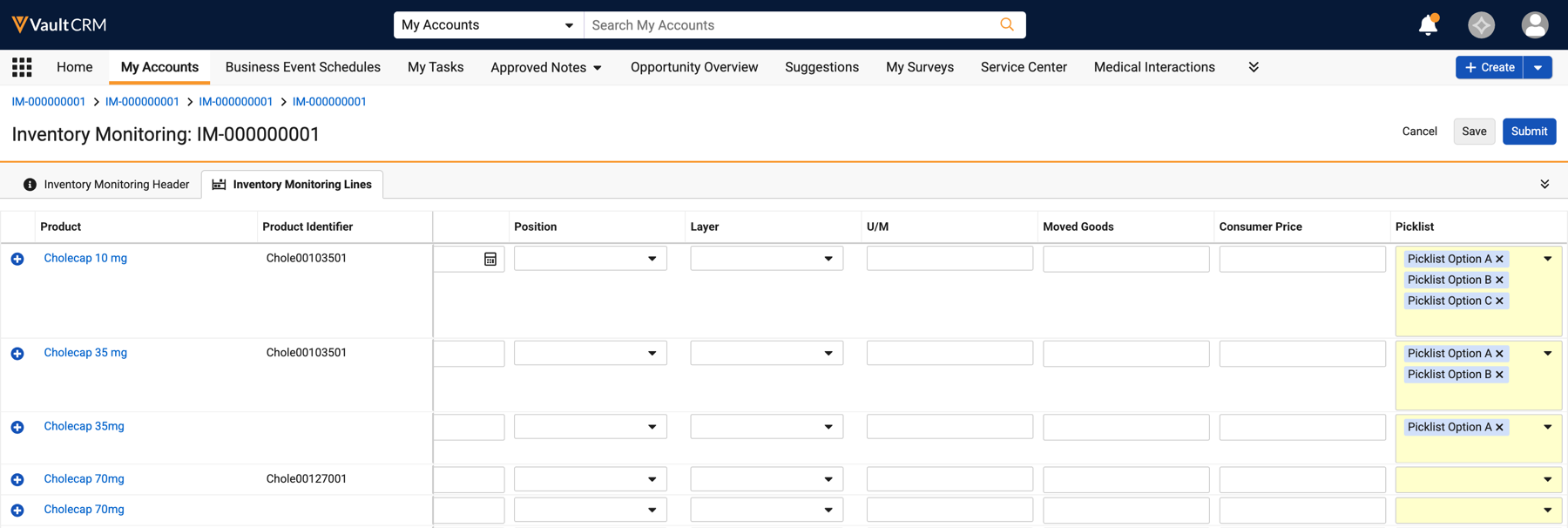
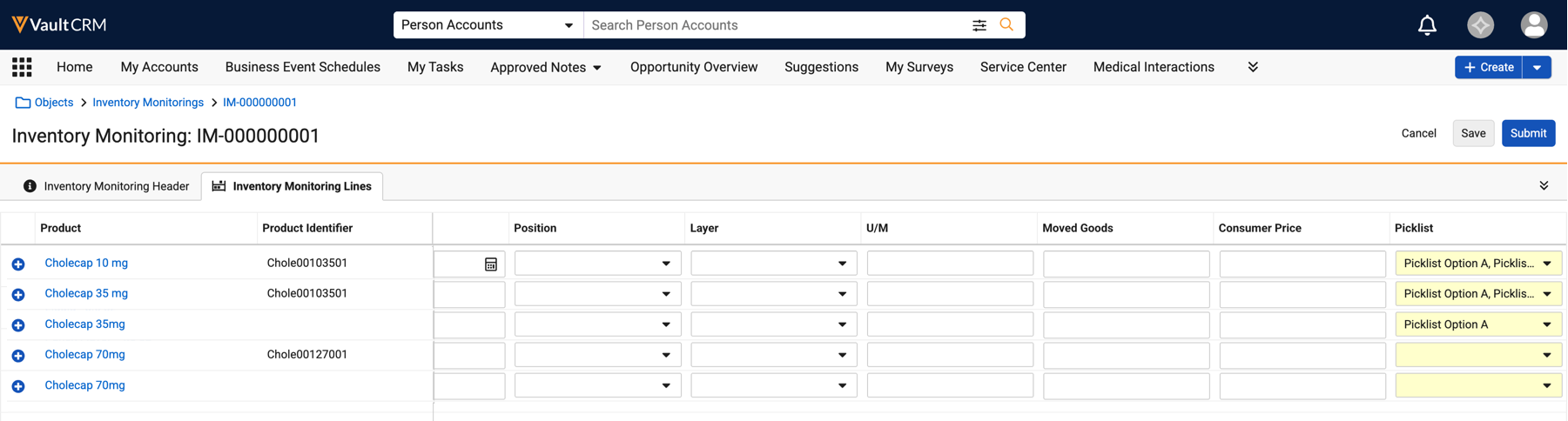
The Inventory Monitoring bulk edit grid displays picklist values only when selected, and no longer expands the row to display the picklist values. |
|
|
Medical
|
Platform |
Description |
Before |
After |
|---|---|---|---|
| Browser, iPad, iPhone, Windows | The list of available topics in the Documented Interest section of the call report is now multi-select. For Browser and Windows, the radio buttons are now checkboxes. | 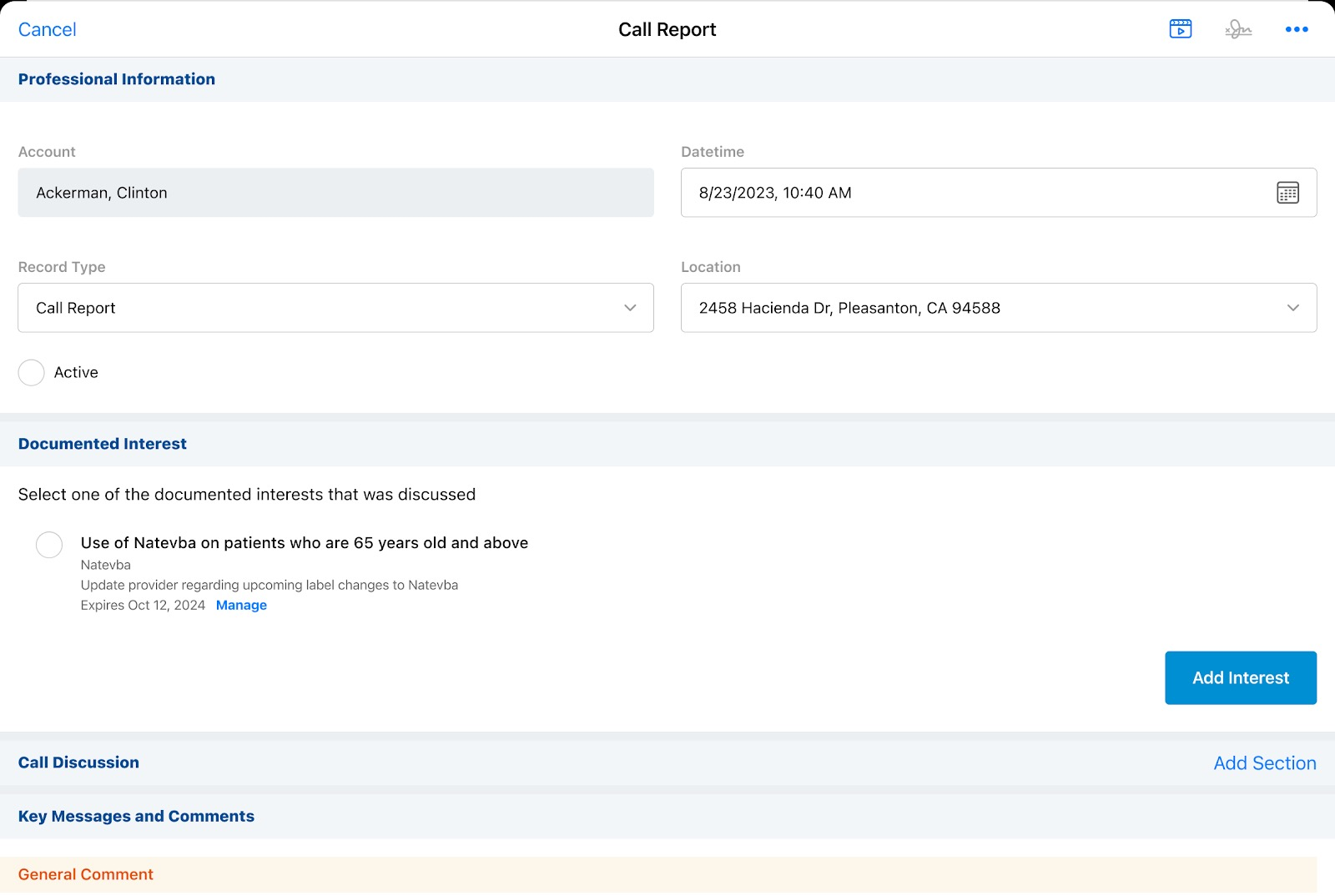
|
|
|
Windows |
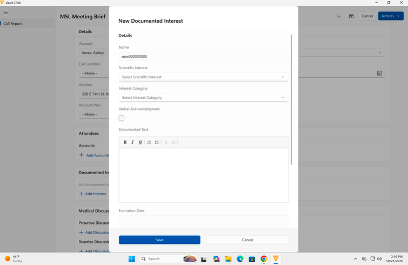
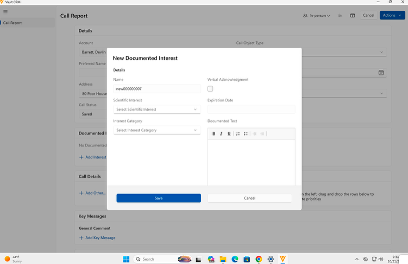
The Documented Interest UIs are updated to match the design of other available platforms while still adhering to the Windows design standards. |
|
|
|
Browser |
The Documented Interest section is refreshed if the call date or the call datetime changes. |
n/a |
n/a |
Order Management
|
Platform |
Description |
Before |
After |
|---|---|---|---|
| Browser, iPad | The Order Management bulk edit grid displays picklist values only when selected, and no longer expands the row to display the picklist values. | 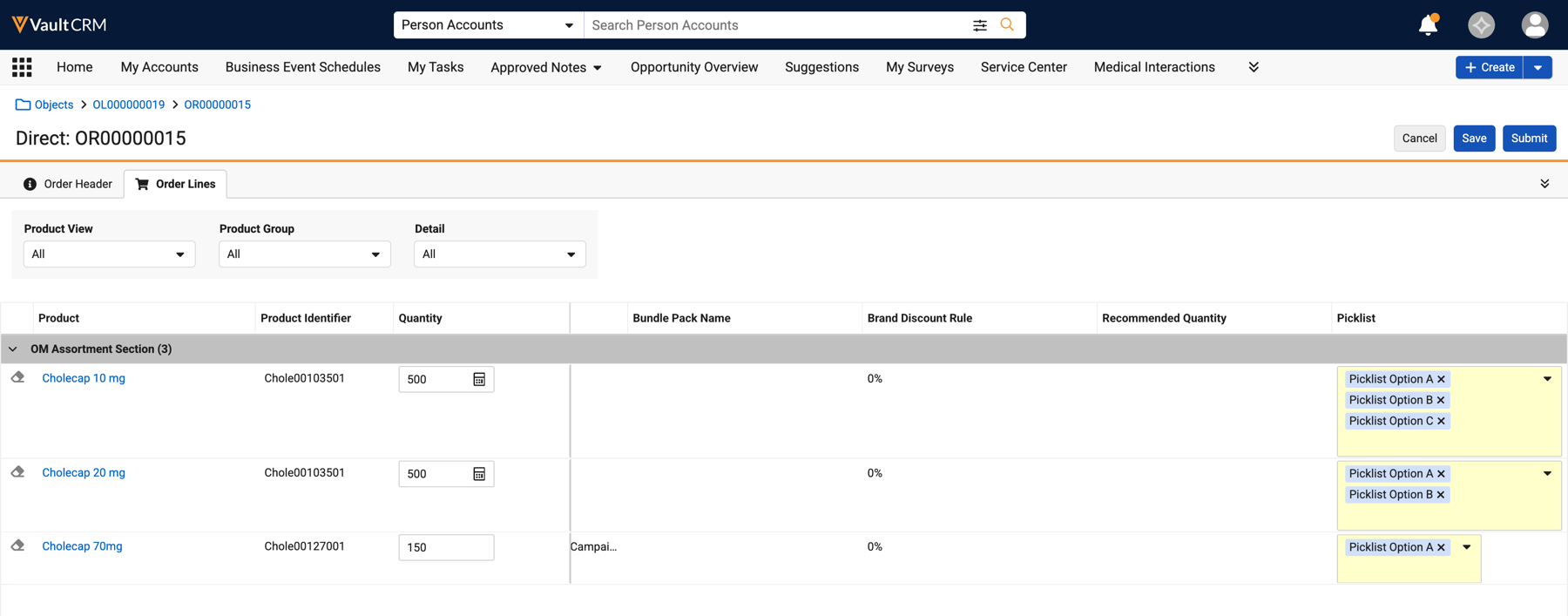
|
|
|
Browser, iPad |
Fields that violate delivery, product, or pricing rules are outlined and display a relevant error or warning message. |
n/a |
|
|
Browser, iPad |
Order Line fields required on the Field, Object, or Layout-level display a yellow background. |
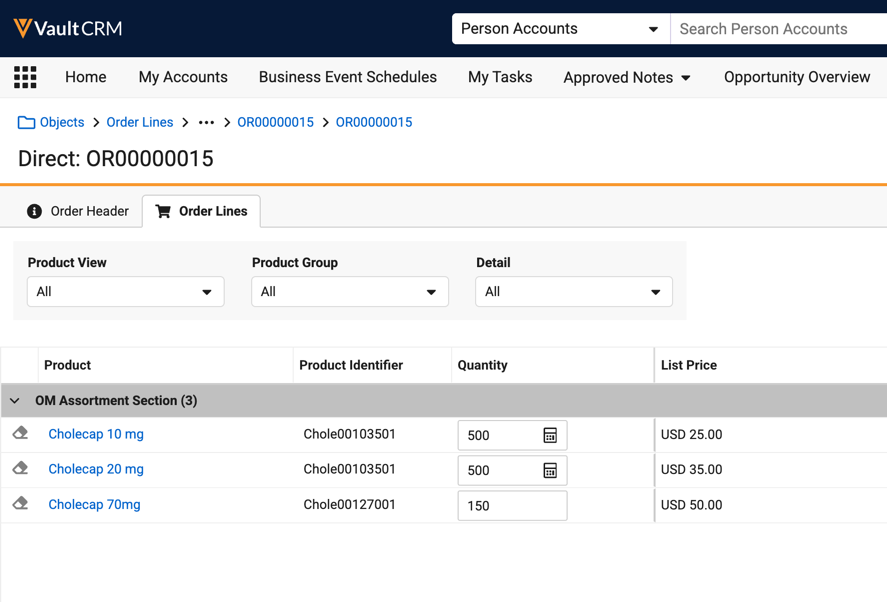
|
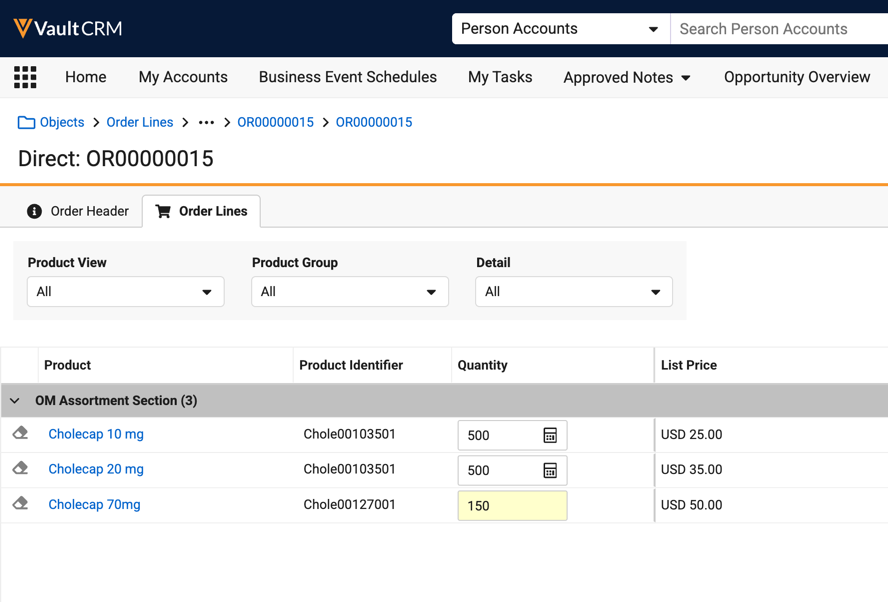
|
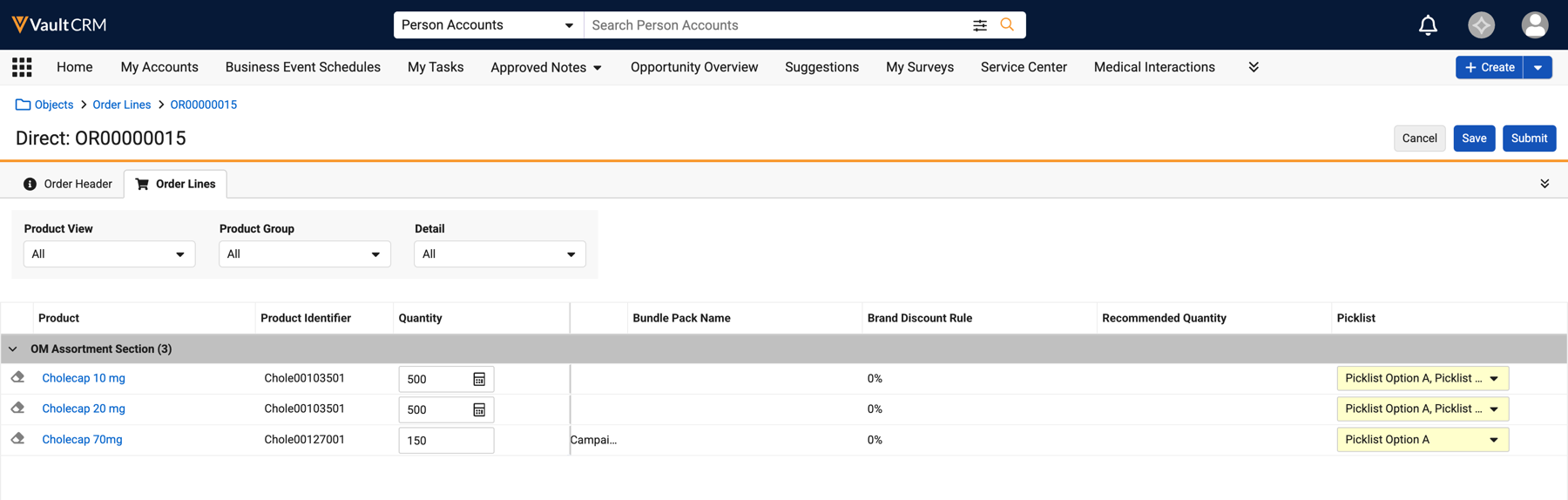
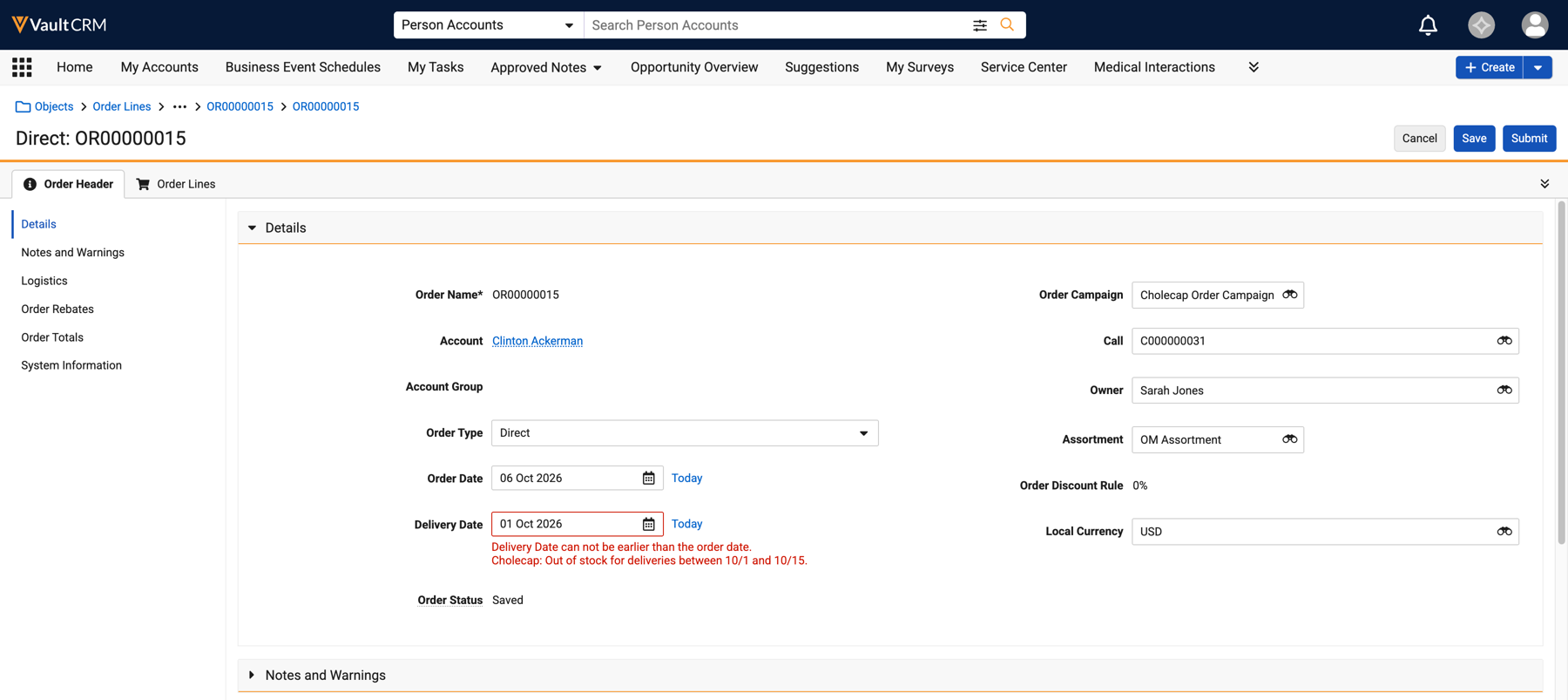
Territory Management
|
Platforms |
Description |
Before |
After |
|---|---|---|---|
|
Browser |
The assignment rules engine is improved to enforce a 300,000 limit for the amount of assignments for a singular territory. Prior to the change, the overall job would fail if a territory exceeded this limit. After the change, the following occurs if a territory exceeds this limit:
See Creating Territory Assignment Rules for more information. |
n/a |
n/a |
Timeline
|
Platform |
Description |
Before |
After |
|---|---|---|---|
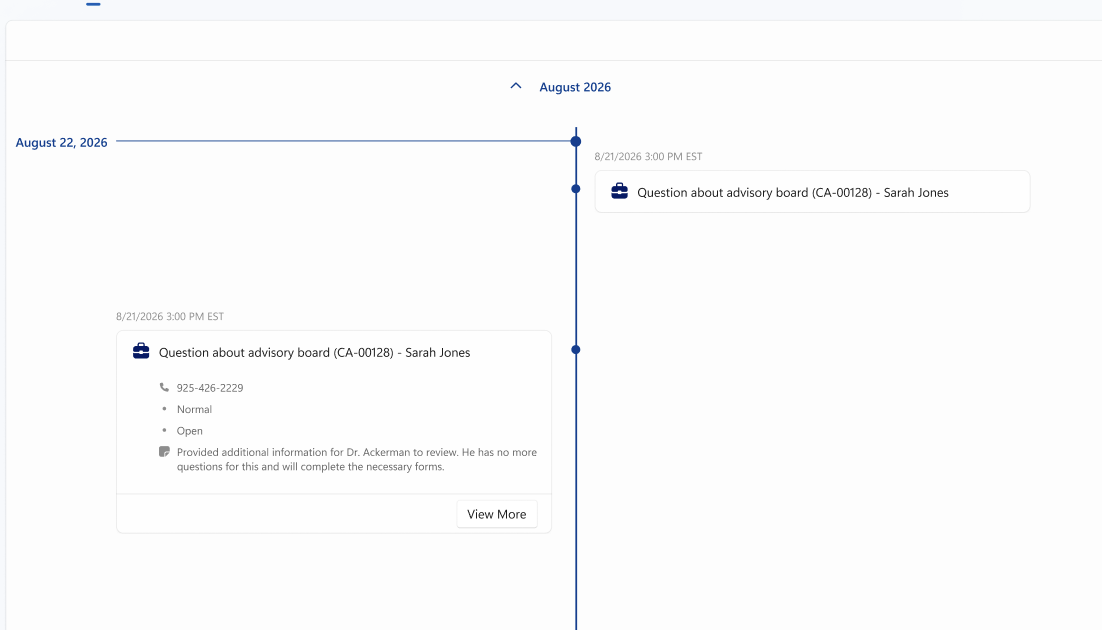
| Windows | The dropdown arrow next to the date now displays on the left side of the date, to align with other platforms. Previously the dropdown arrow displayed on the right side of the date. | 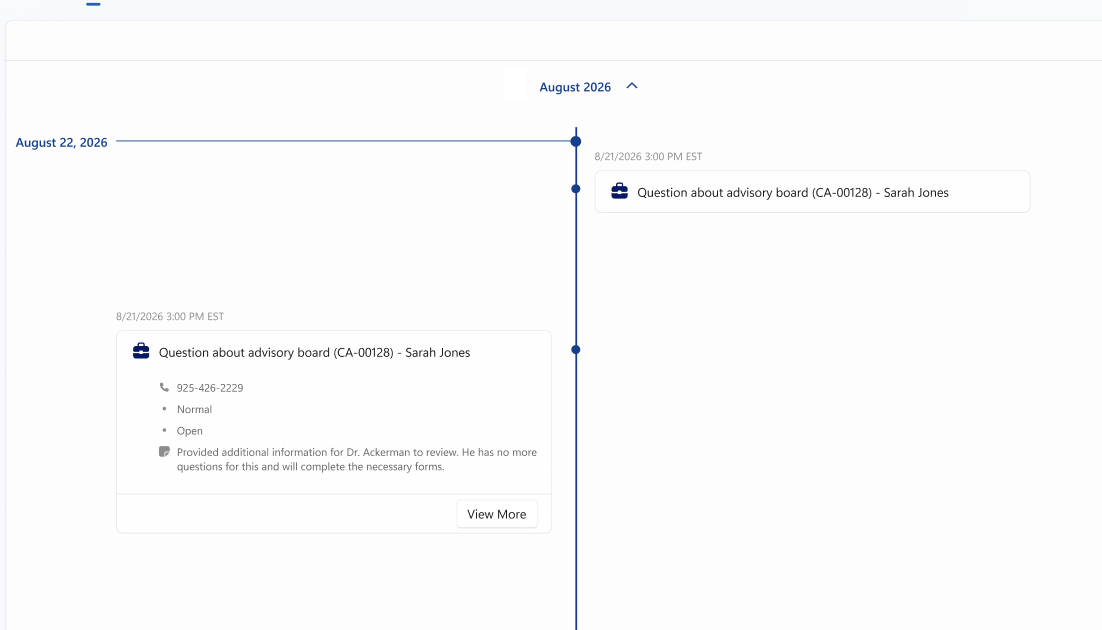
|
|
Vault AI in CRM
|
Platform |
Description |
Before |
After |
|---|---|---|---|
| Browser, iPad, iPhone, Windows |
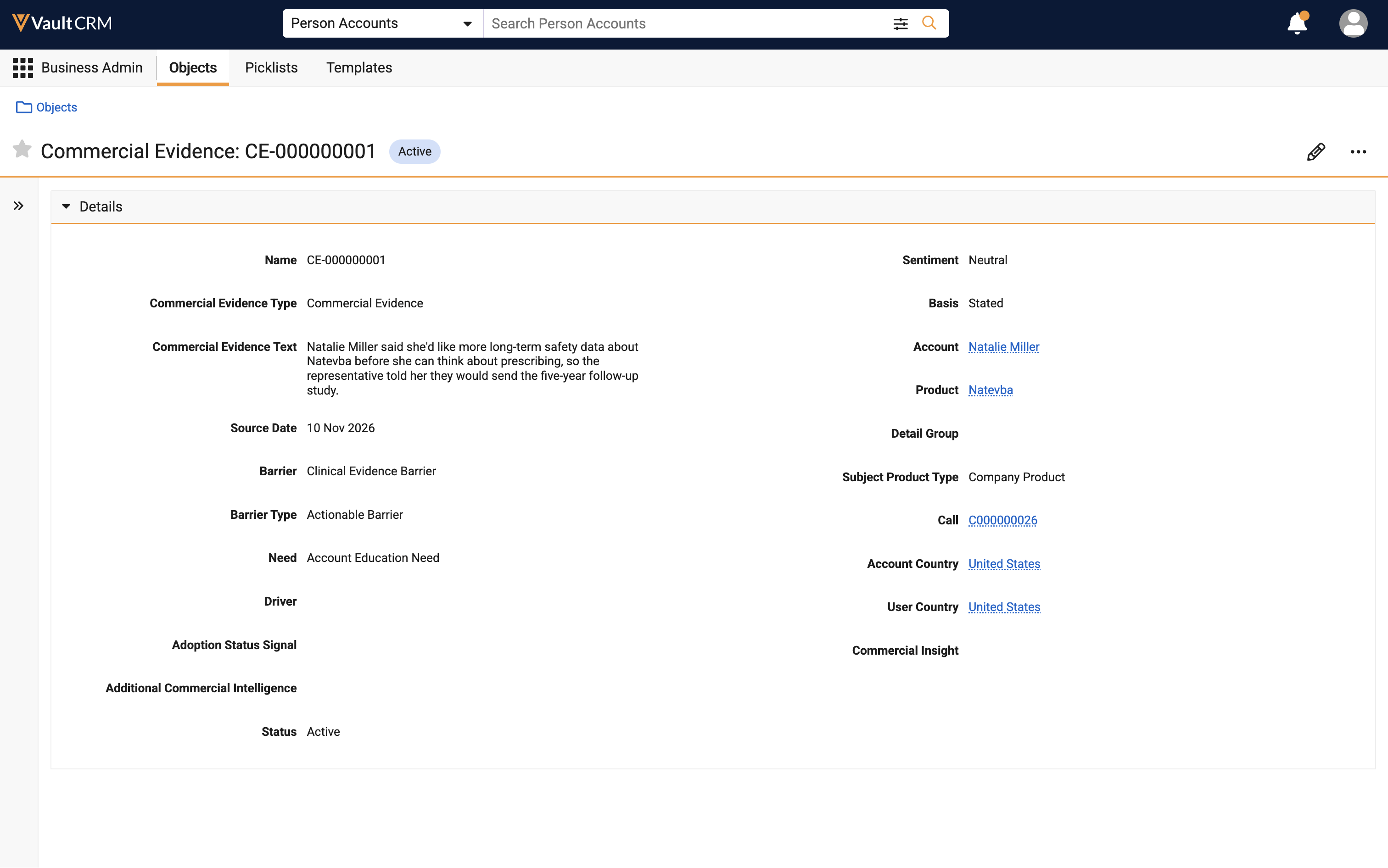
When an Agentic Call Report is submitted, the Commercial Evidence Agent analyzes the text for Call Notes and Commercial Insights, then creates a Commercial Evidence record with relevant details. With Agentic Call Report enabled, Commercial Insights created via Agentic Insight Capture are also evaluated for Commercial Evidence, whether as part of the call report or as an individual record. |
n/a |
|
|
iPad, iPhone |
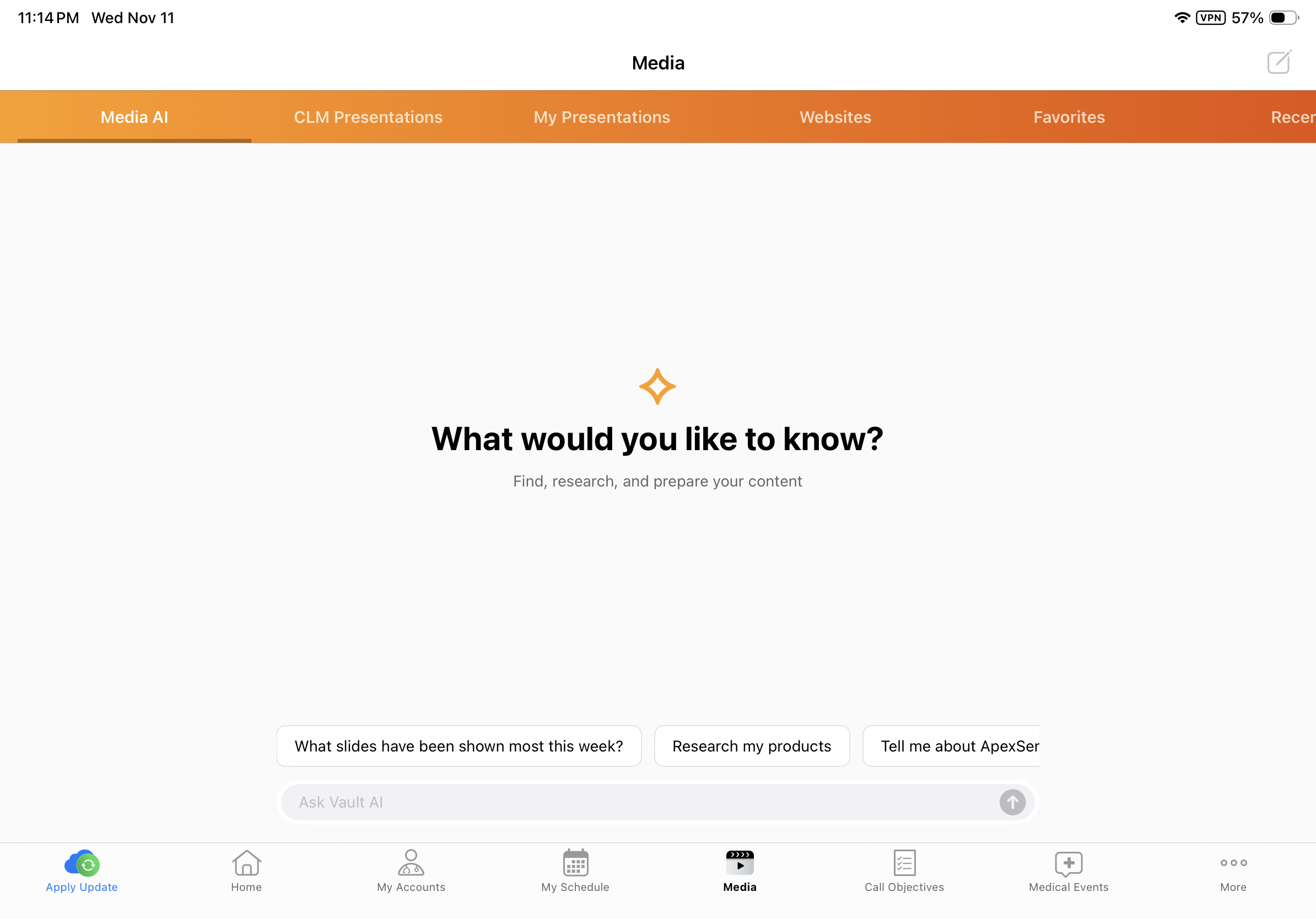
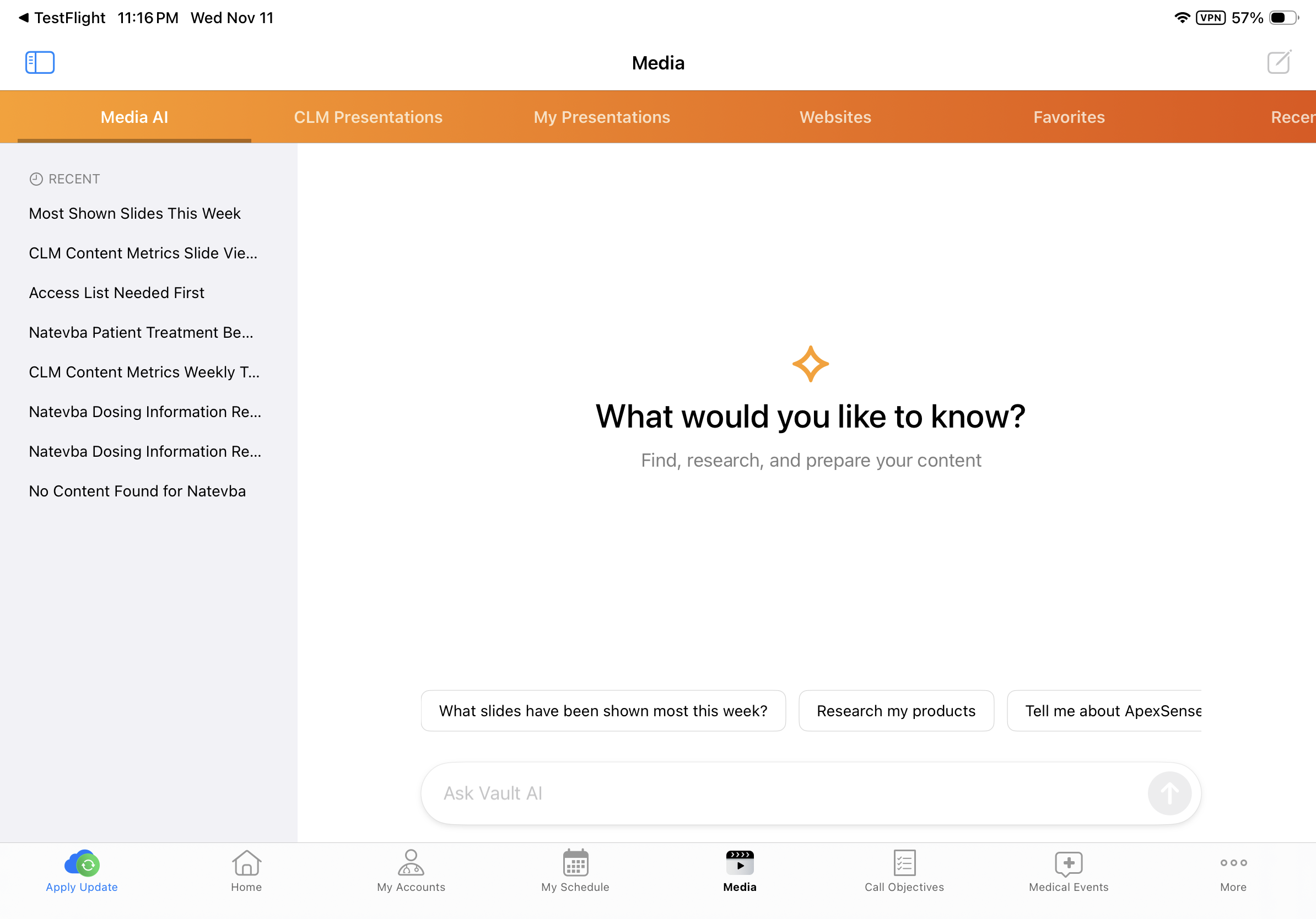
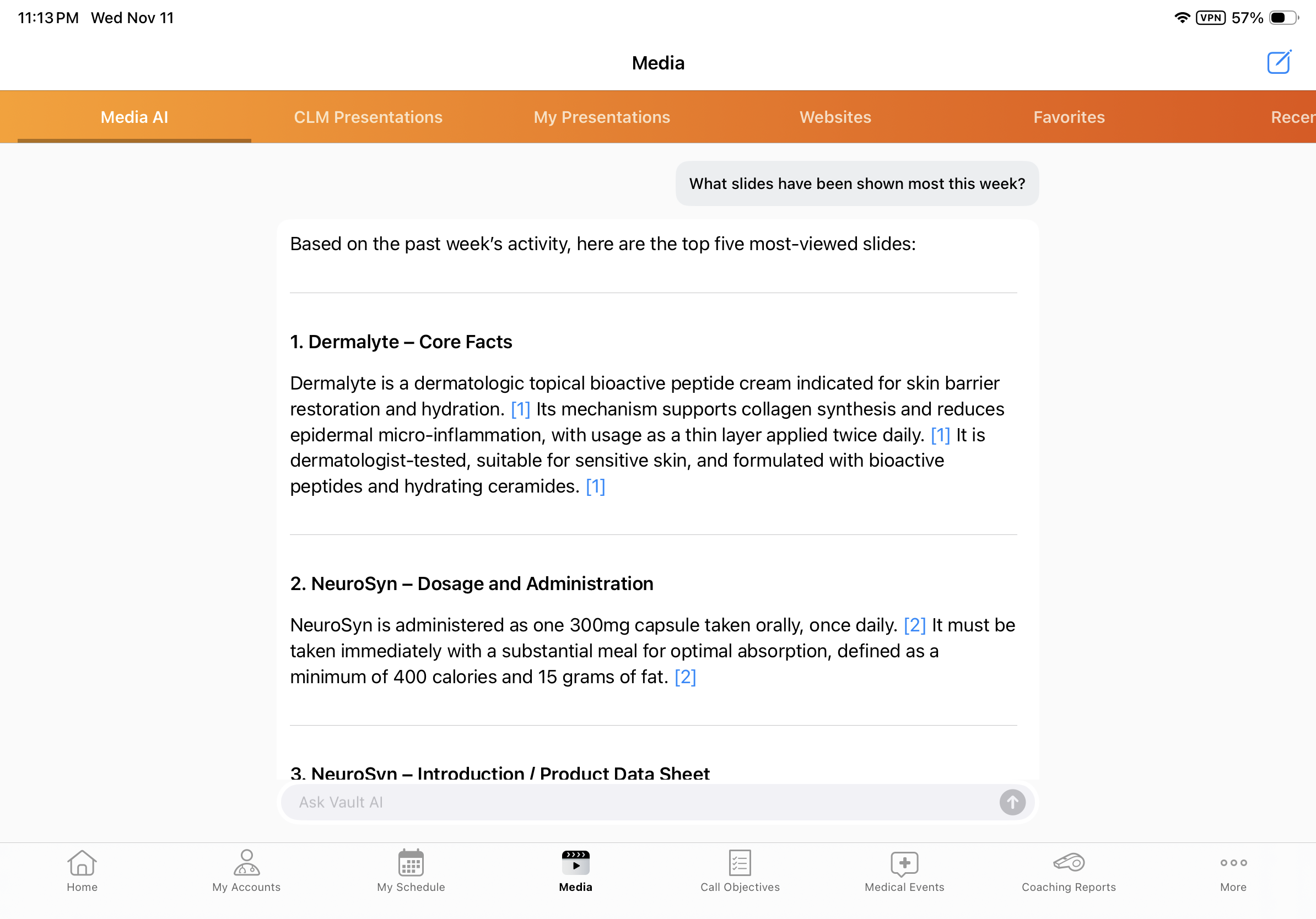
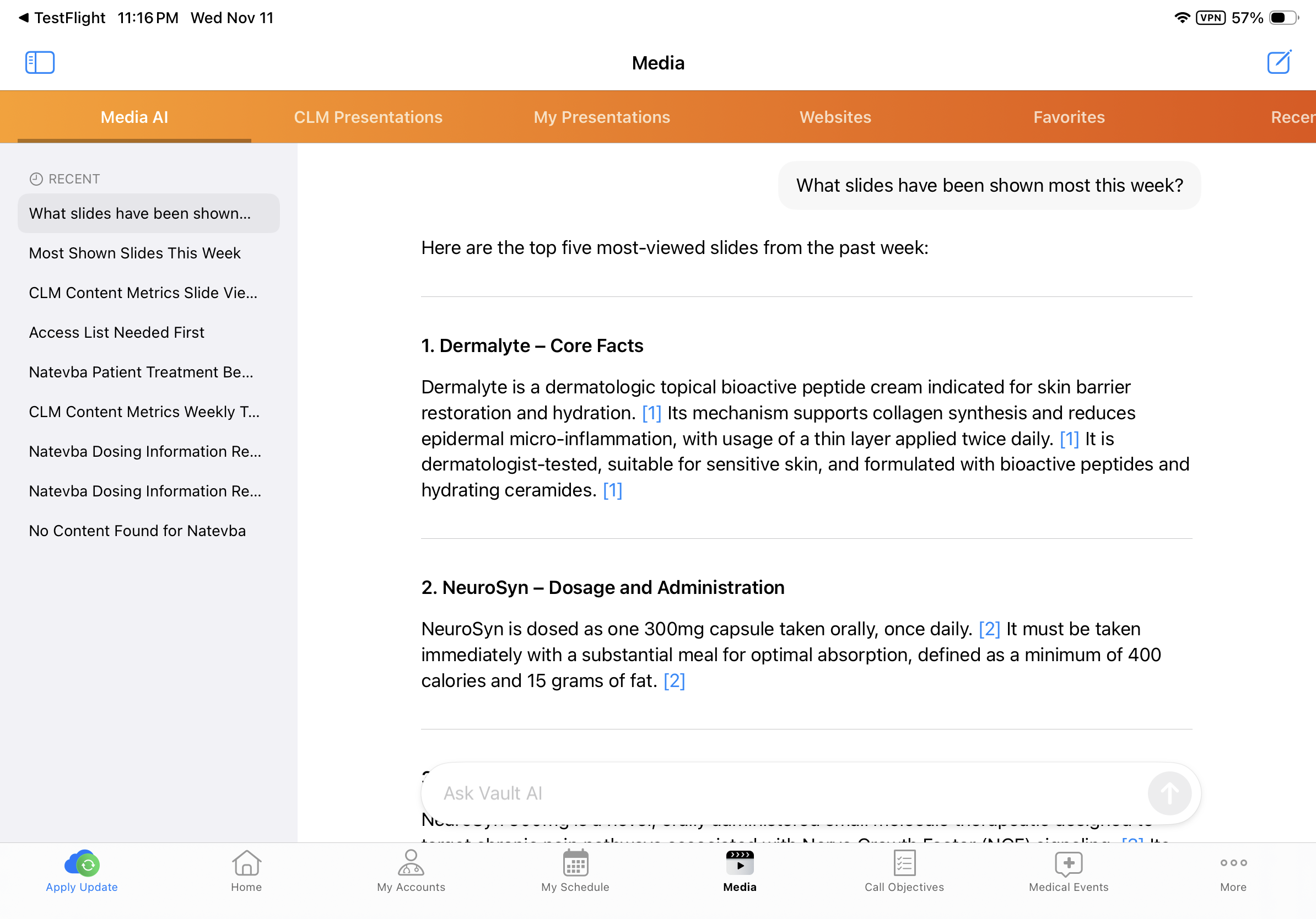
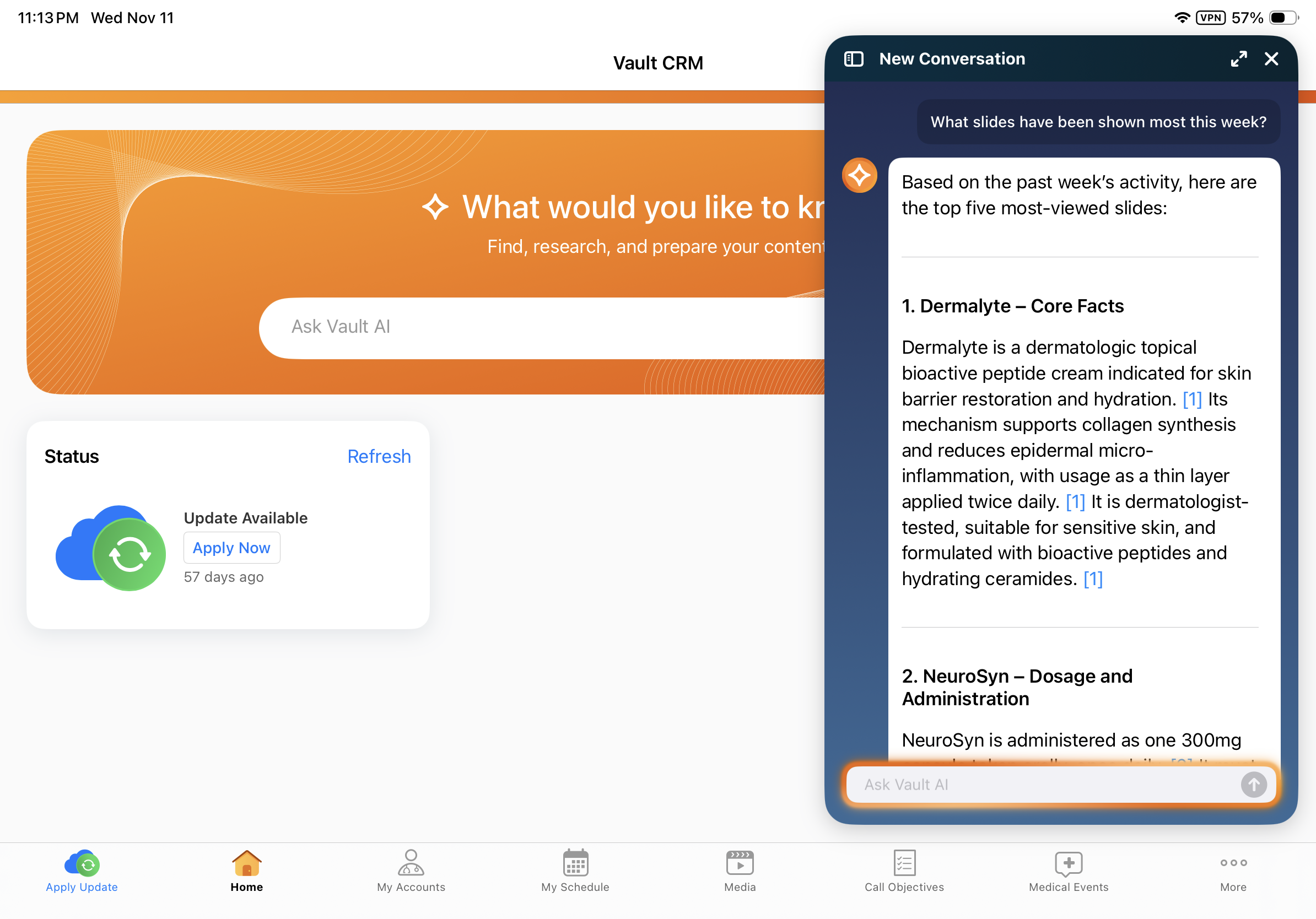
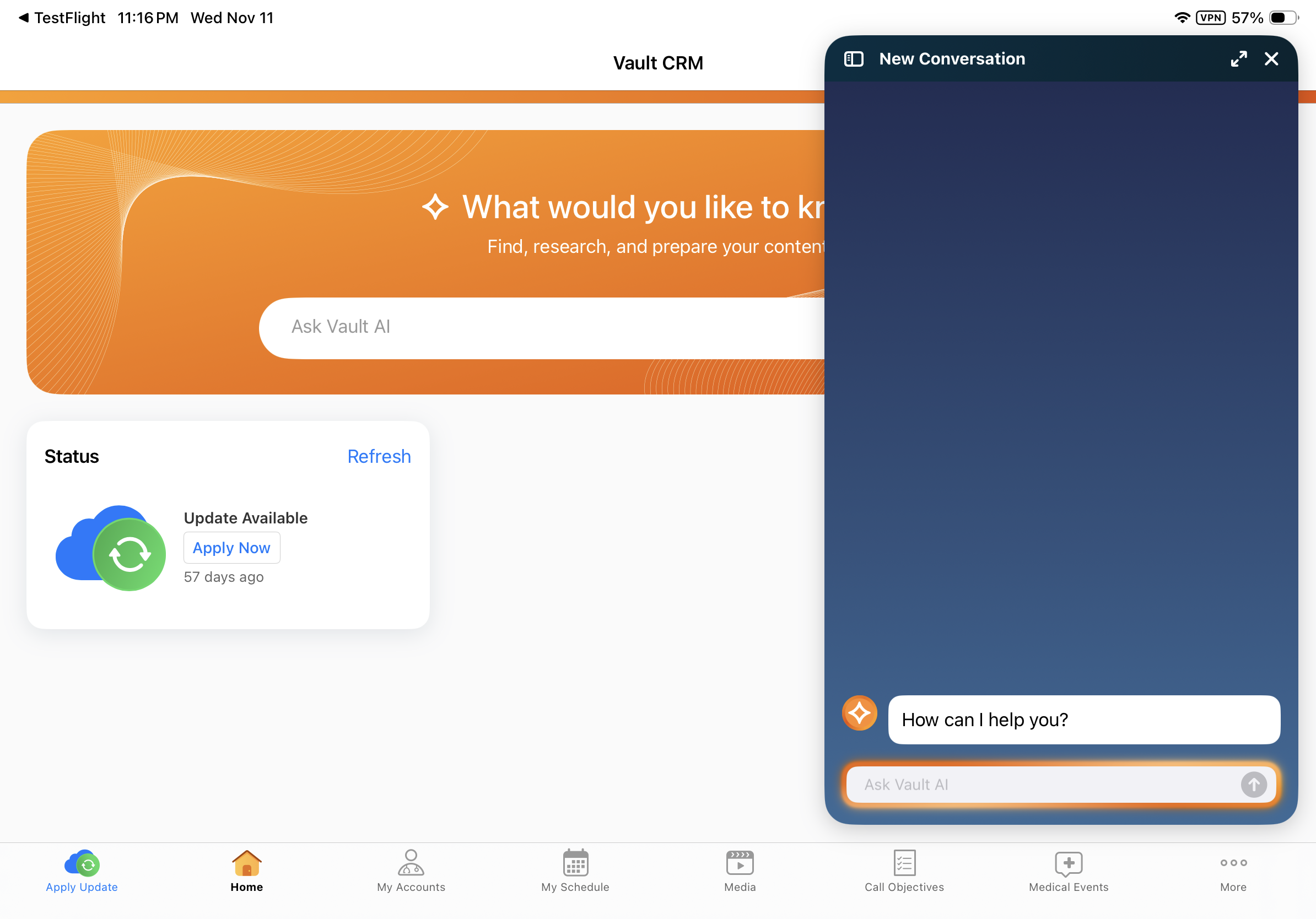
Users can access up to 50 recent conversations from the Media AI tab. An updated UI displays. |
|
|
|
iPad, iPhone |
The Media AI tab now operates independently from the AI chat window. Agentic Media conversations in the AI chat window are not synced back to Media AI, and vice versa. |
|
|
|
iPad, iPhone |
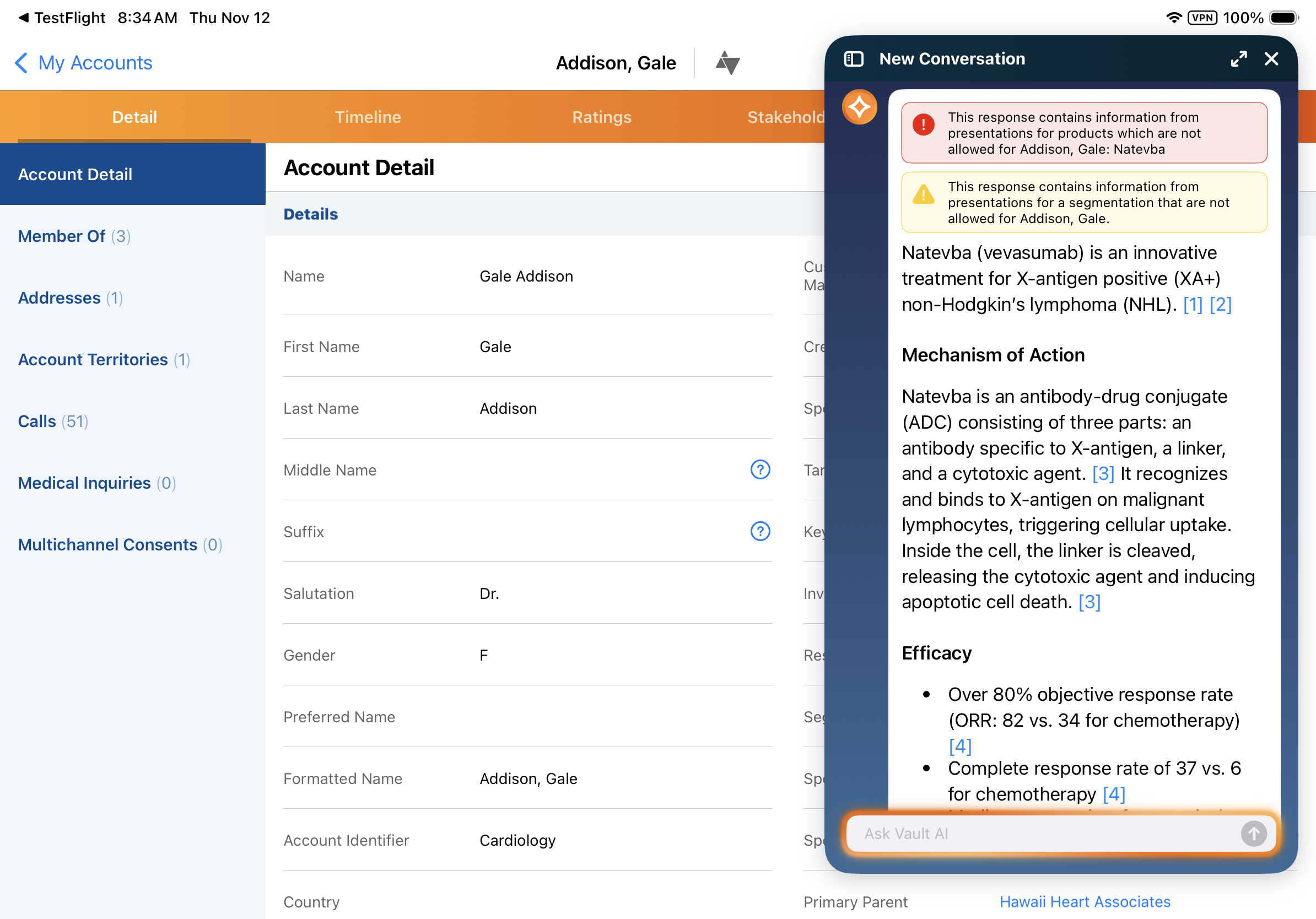
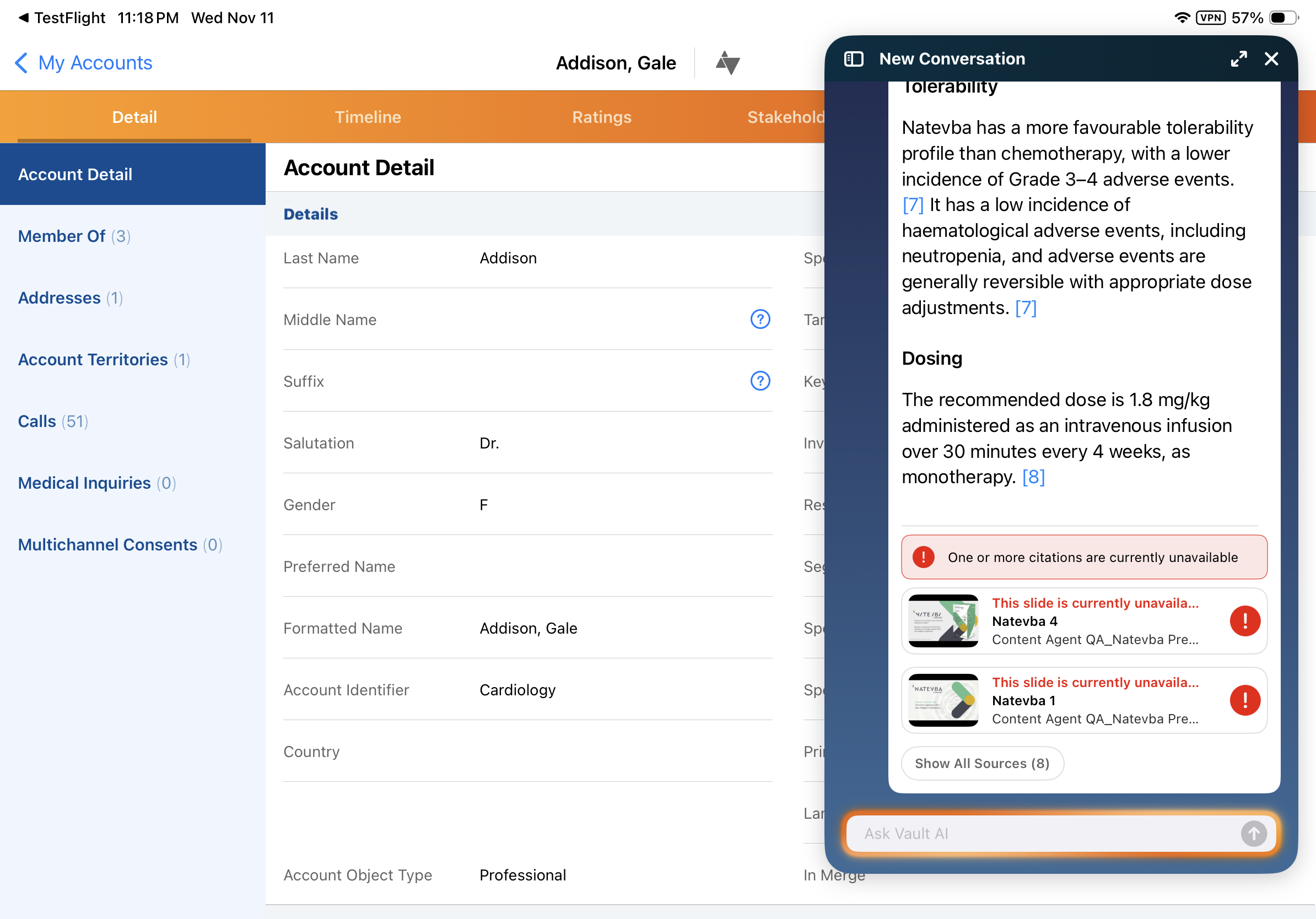
The following warning messages are used for all types of unavailable citations:
|
|
|
|
Browser |
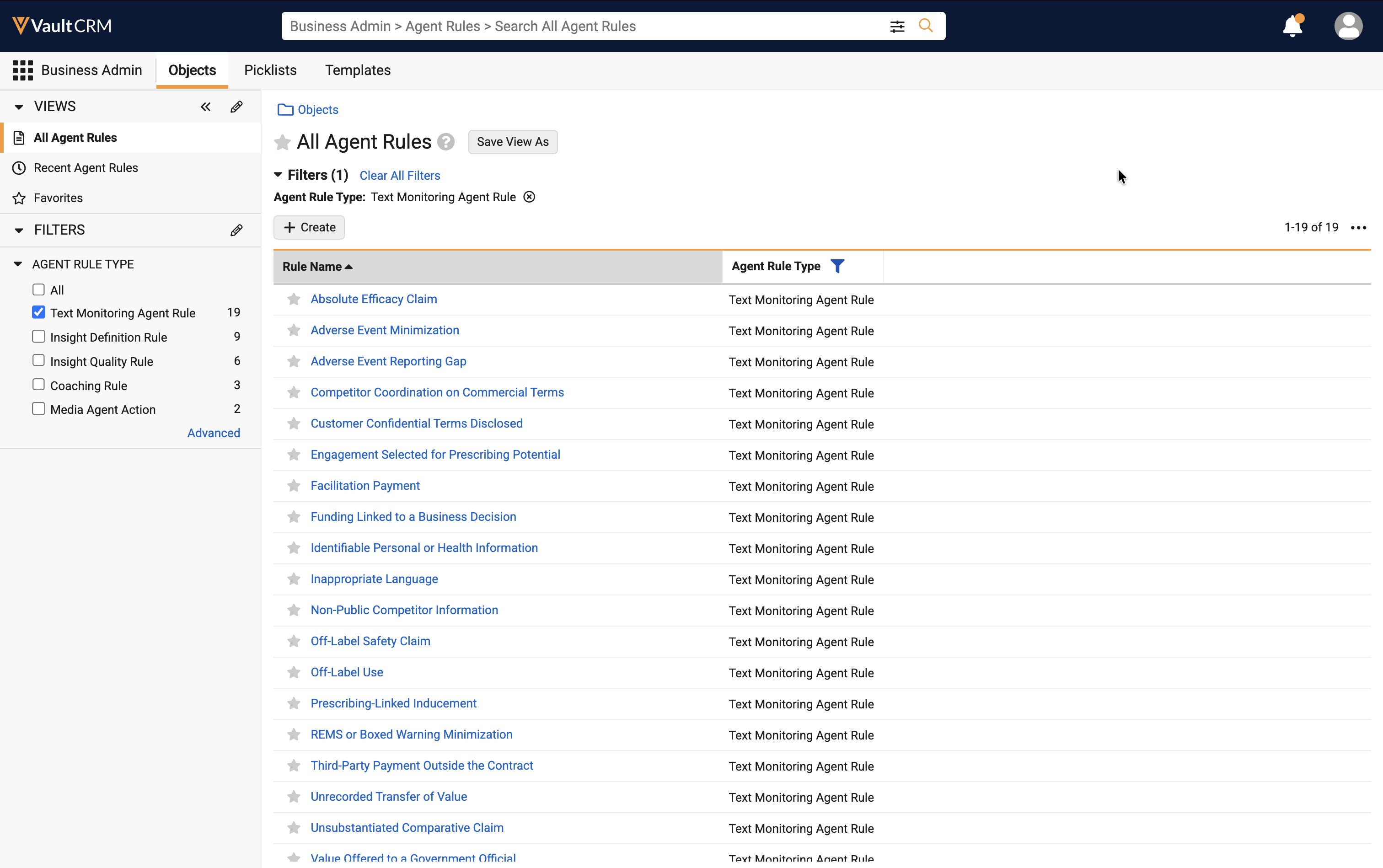
Standard Agent Rules for Agentic Text Monitoring for Home Office are added to all CRM Vaults. These rules are delivered inactive by default; admins can activate the rules to put them into effect. |
n/a |
|
|
Browser |
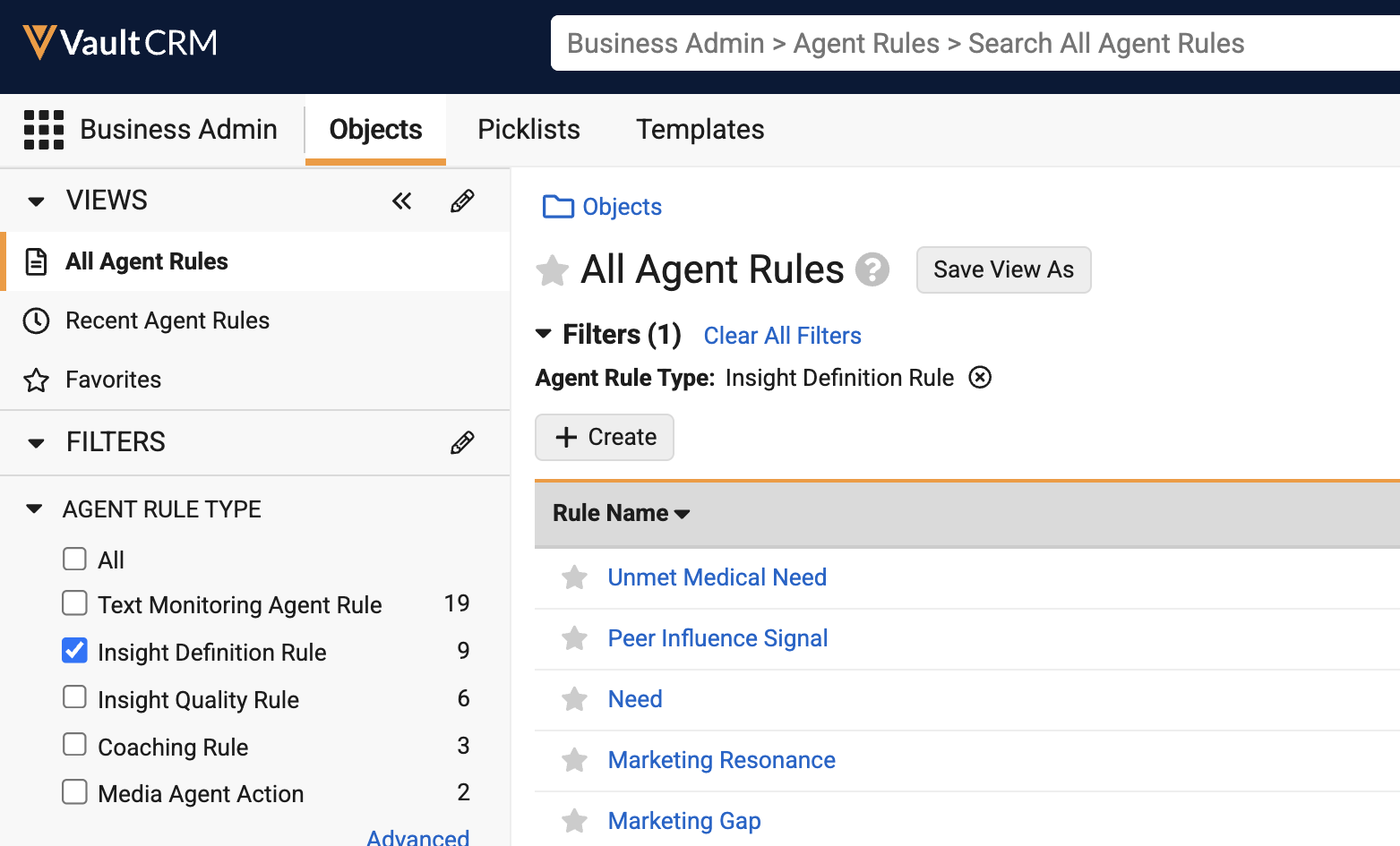
The Unmet Clinical Need Insight Definition Rule is renamed to Unmet Medical Need. The rule instructions are also updated to exclude mentions of individual patients' needs, instead focusing on the needs of a patient population. |
n/a |
|
Align
|
Platform |
Description |
Before |
After |
|---|---|---|---|
| Browser |
Account rules, account hierarchy rules, and targeting rules now evaluate quicker during assignment previews, for both production and model territories. Rule definitions, criteria, operators, logic filters, processing order, and the resulting assignment and targeting records are unchanged. |
n/a | n/a |
|
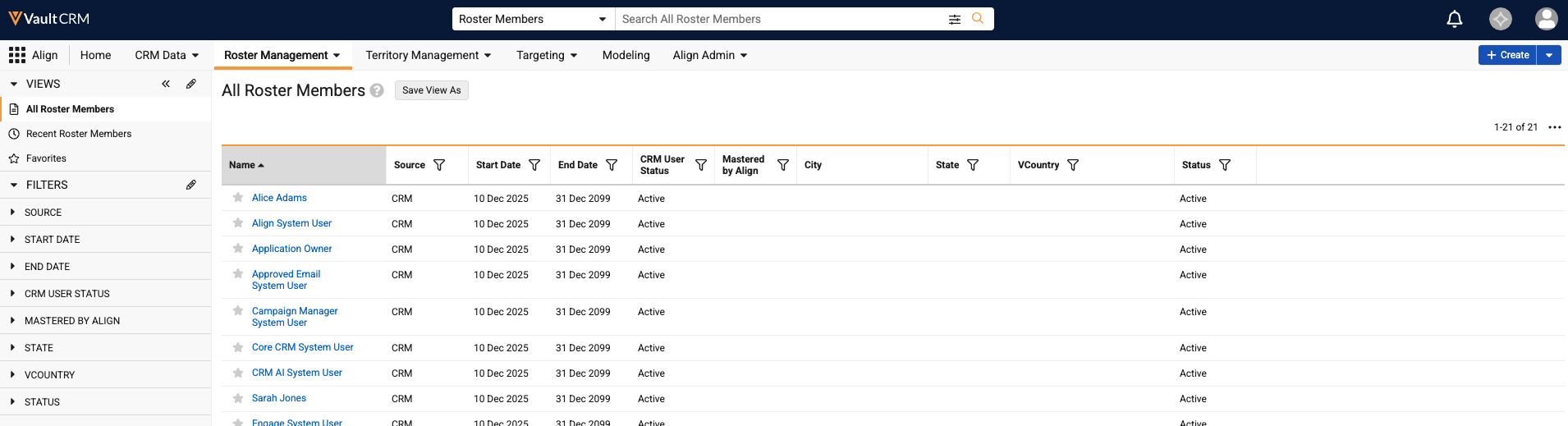
Browser |
The Roster Member page in Align is redesigned to be consistent with other pages in Vault CRM. |
n/a |
|
|
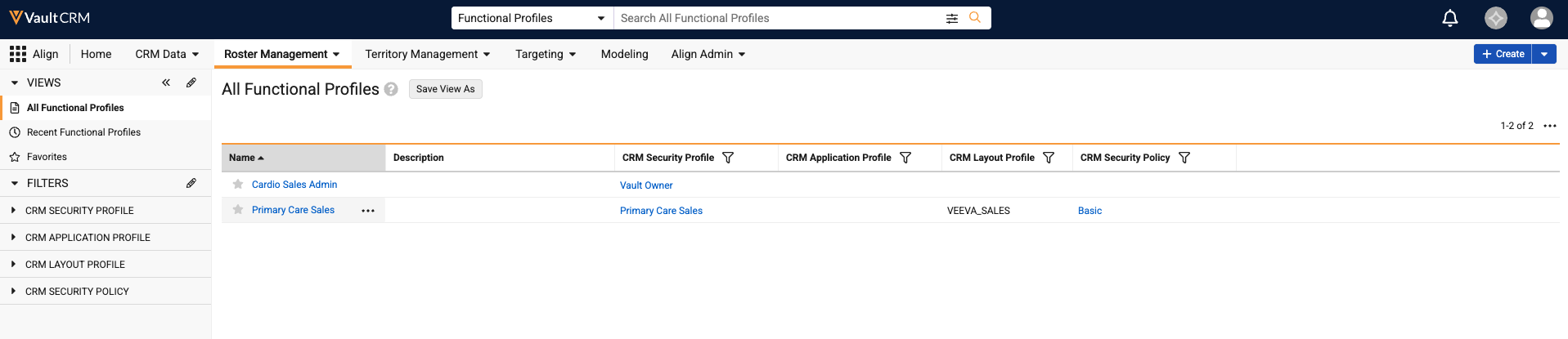
Browser |
The Functional Profile page in Align is redesigned to be consistent with other pages in Vault CRM. |
n/a |
|
Campaign Manager
|
Platform |
Description |
Before |
After |
|---|---|---|---|
|
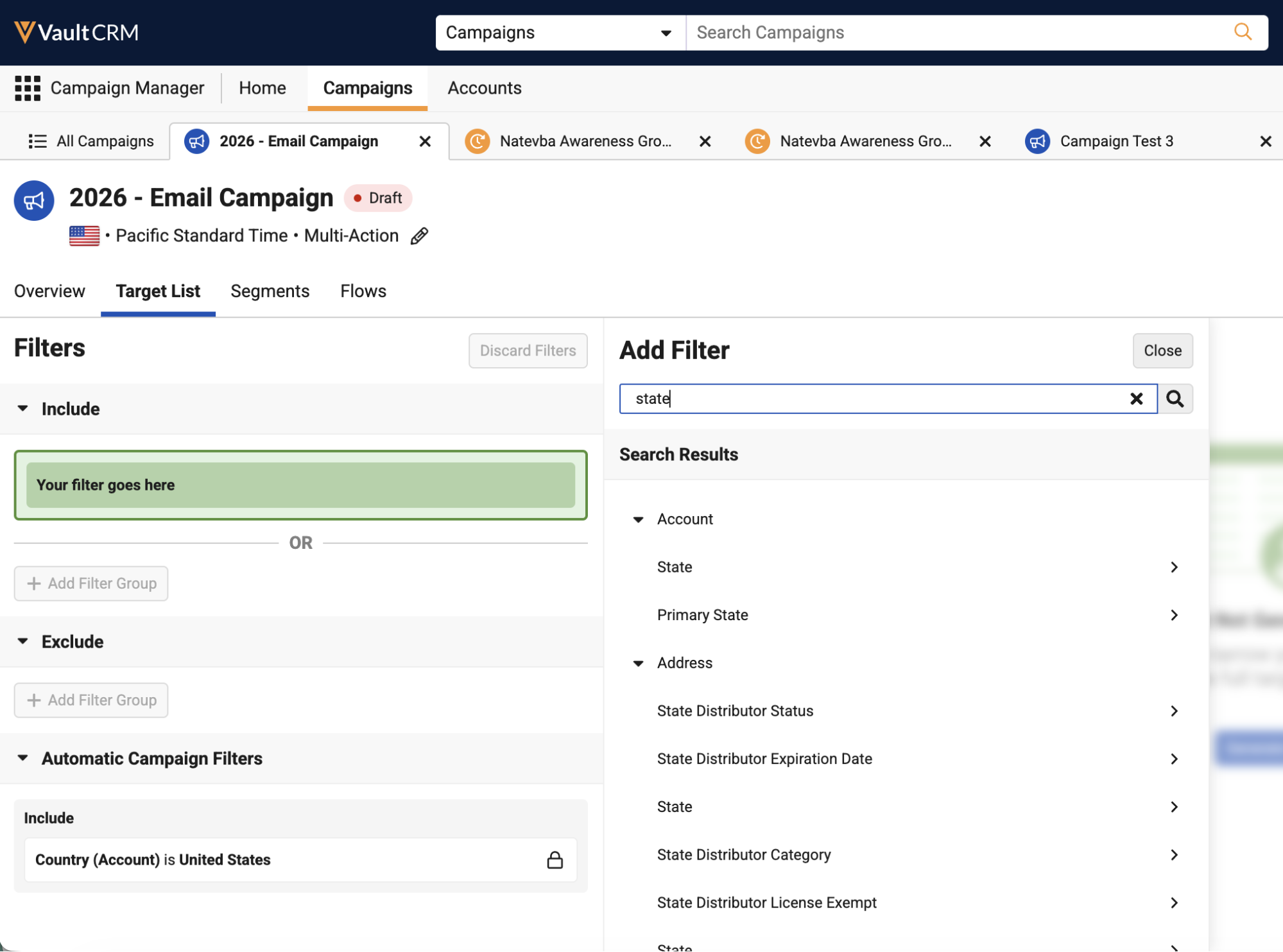
Browser |
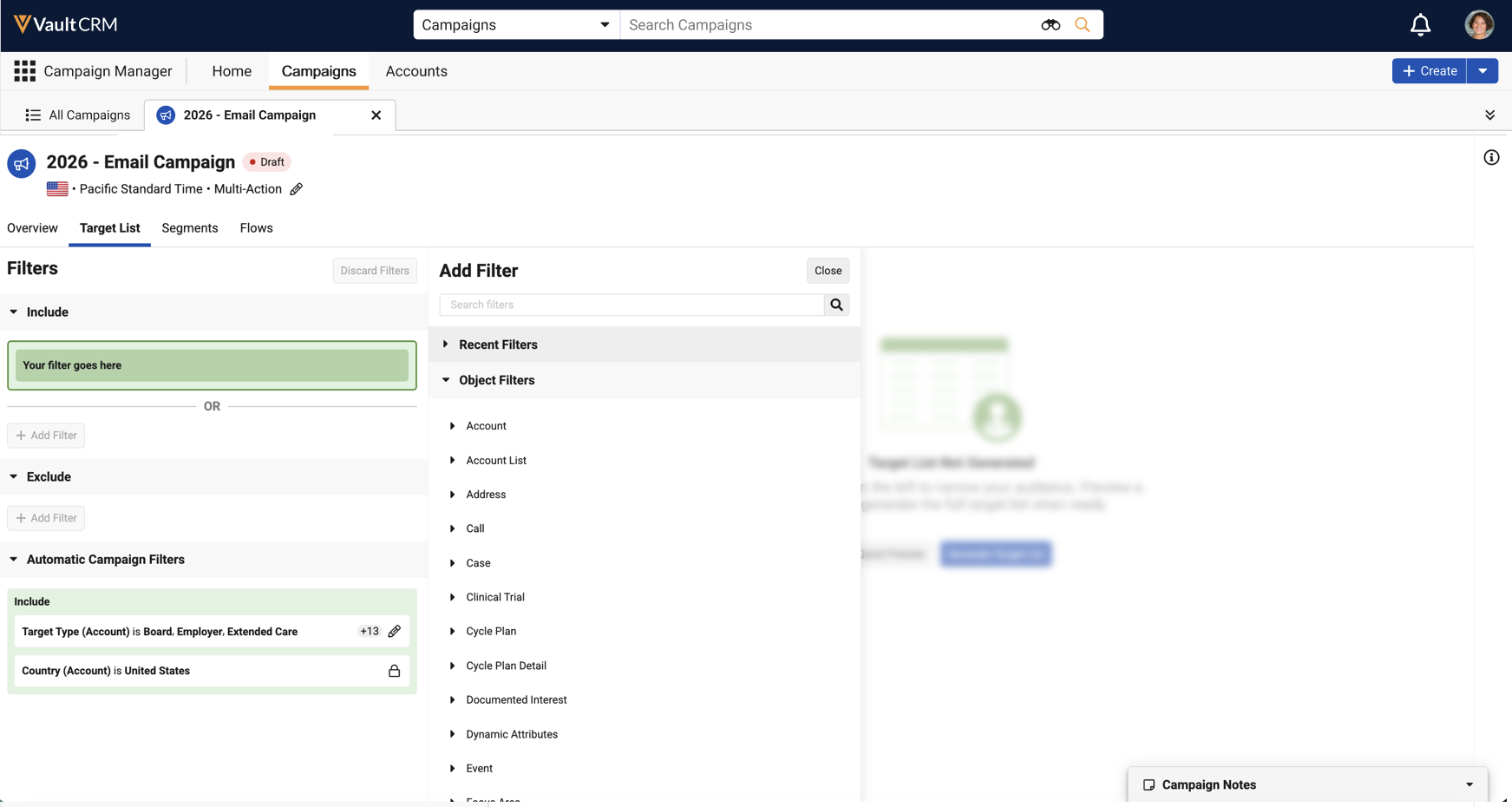
The Object Filters section of the Target List Builder now displays an expanded set of objects and field types. See Using the Target List Builder for more information. |
|
|
|
Browser |
The Add Filter Group button in the Includes and Excludes sections of the Target List Builder is relabeled Add Filter. |
|
|
|
Browser |
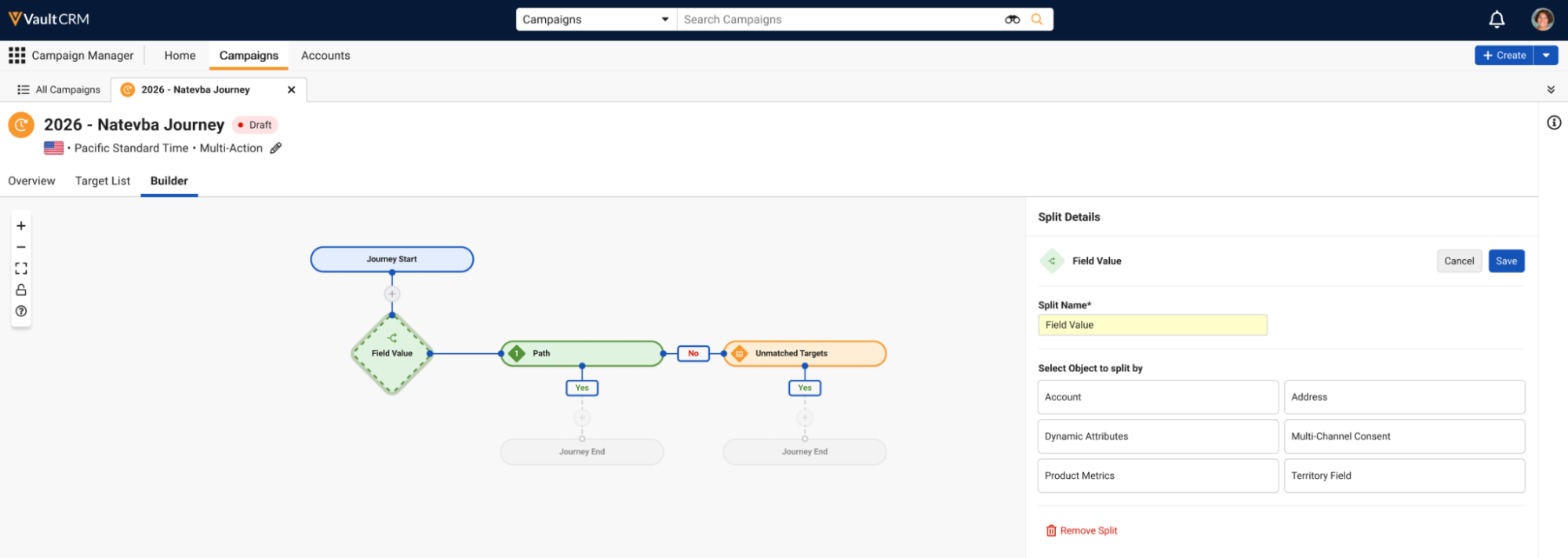
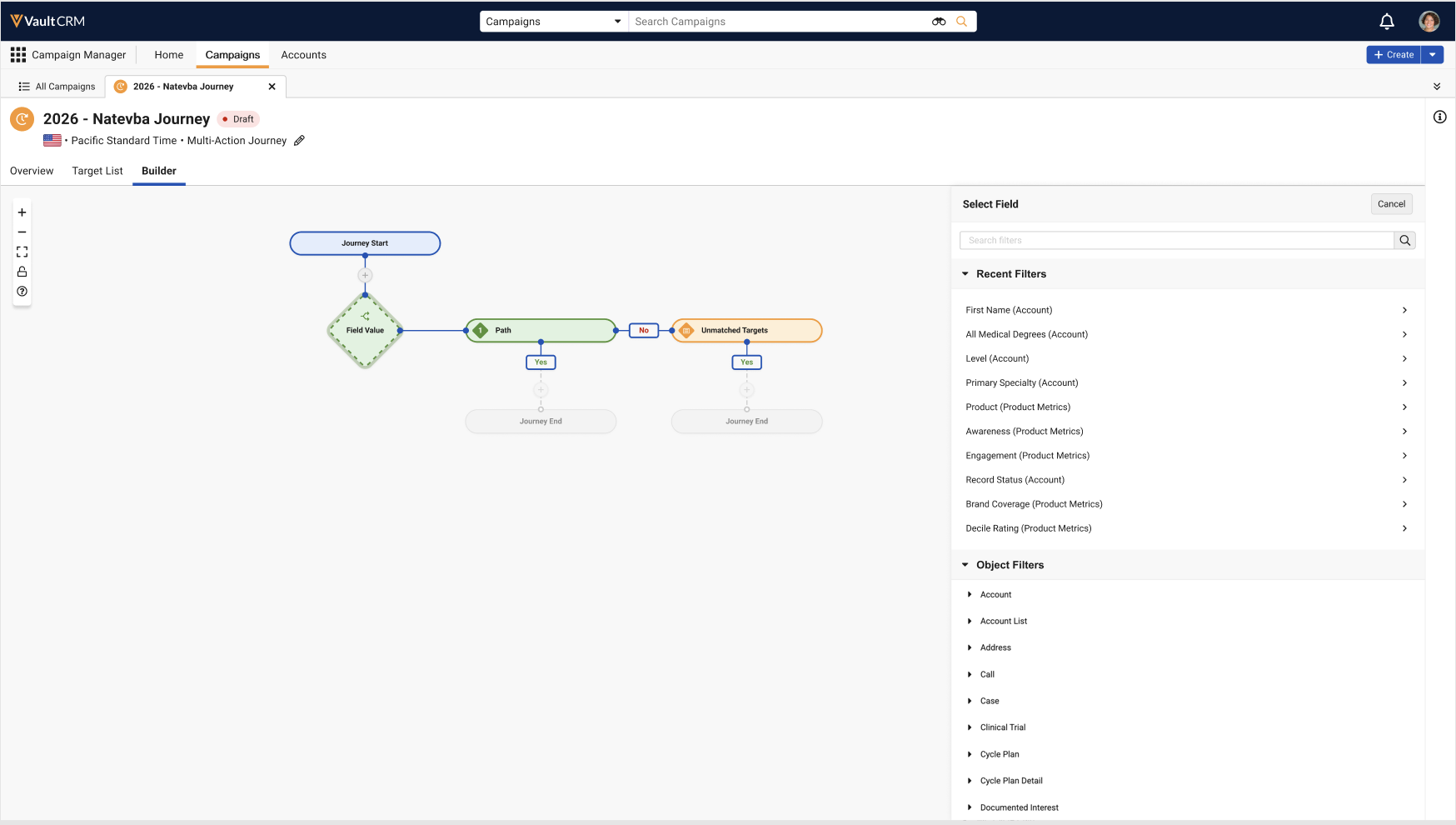
The Field Value side panel in the Journey Builder is updated to enable selecting objects and fields the same way as in the Target List Builder. |
|
|
|
Browser |
The target type filter now displays in the Automatic Campaign Filters section. See Adding Patient Targets to Campaigns and Journeys for more information. |
|
|
|
Browser |
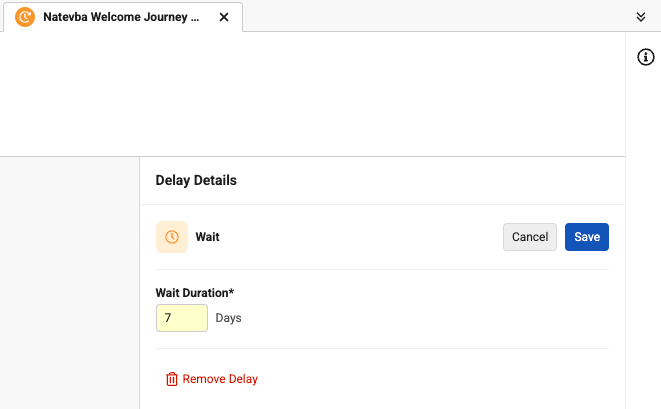
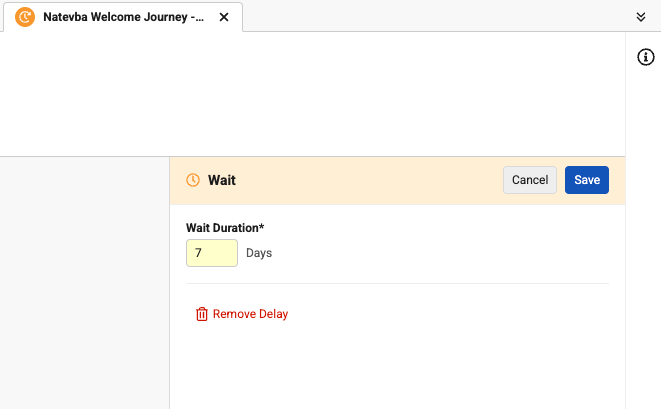
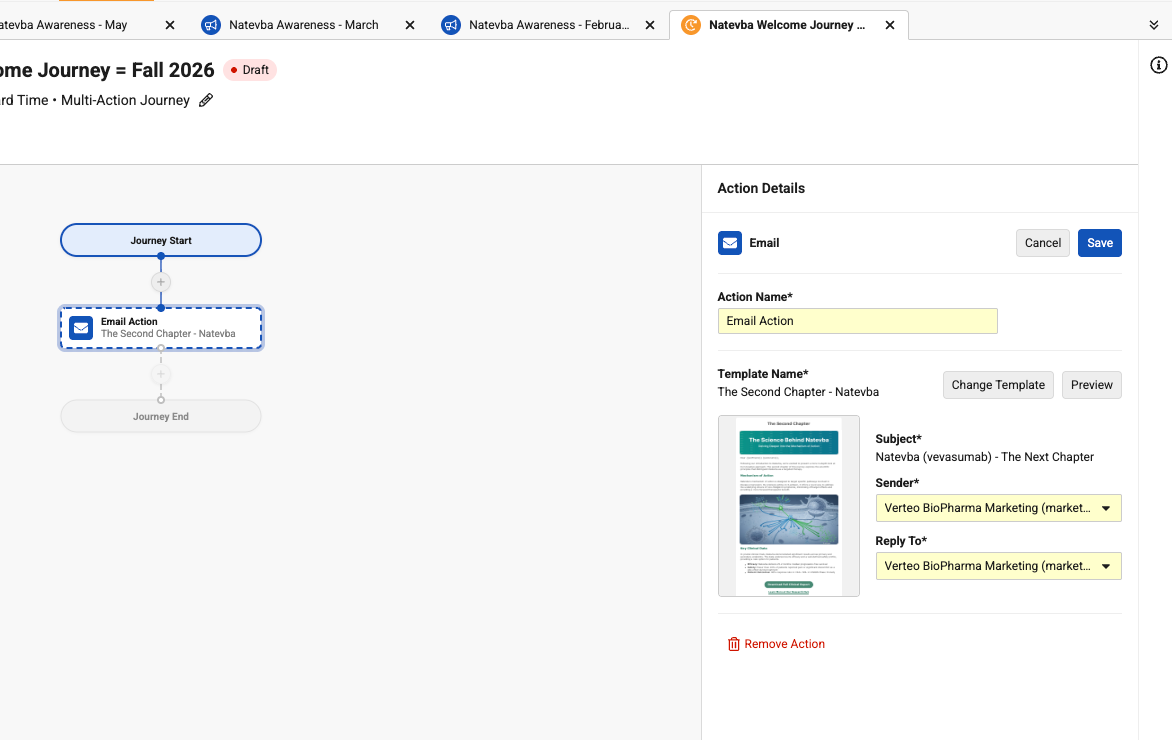
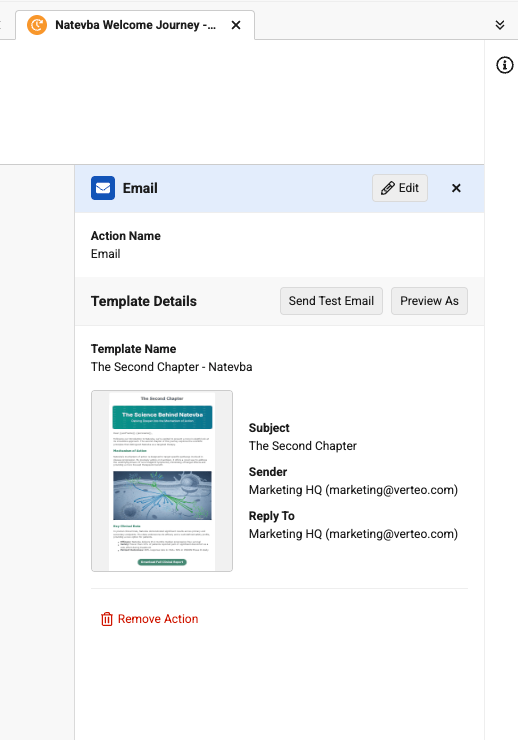
The styling on the Details panel on the Builder tab is updated for all node types. The header bar has been updated to display the node type and color. Sections are organized by function and action buttons now display in the header and sub-headers. |
|
|
|
Browser |
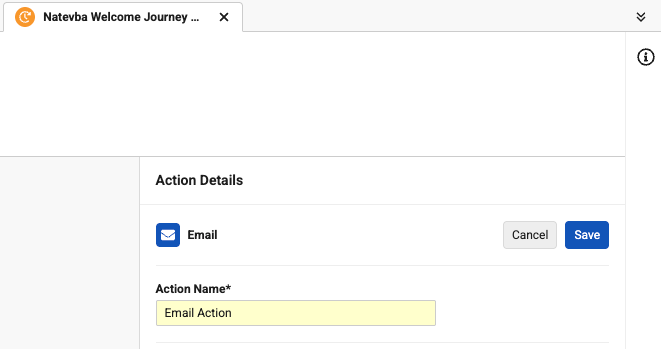
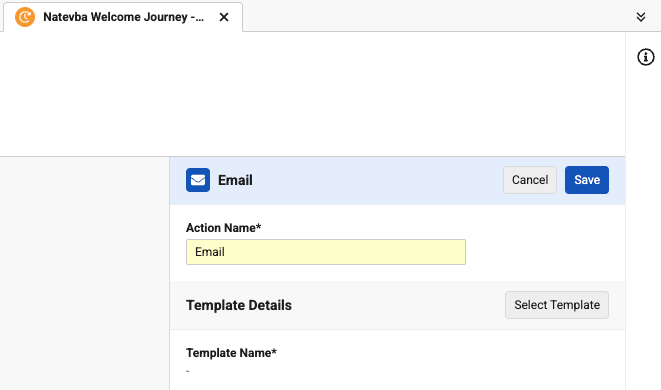
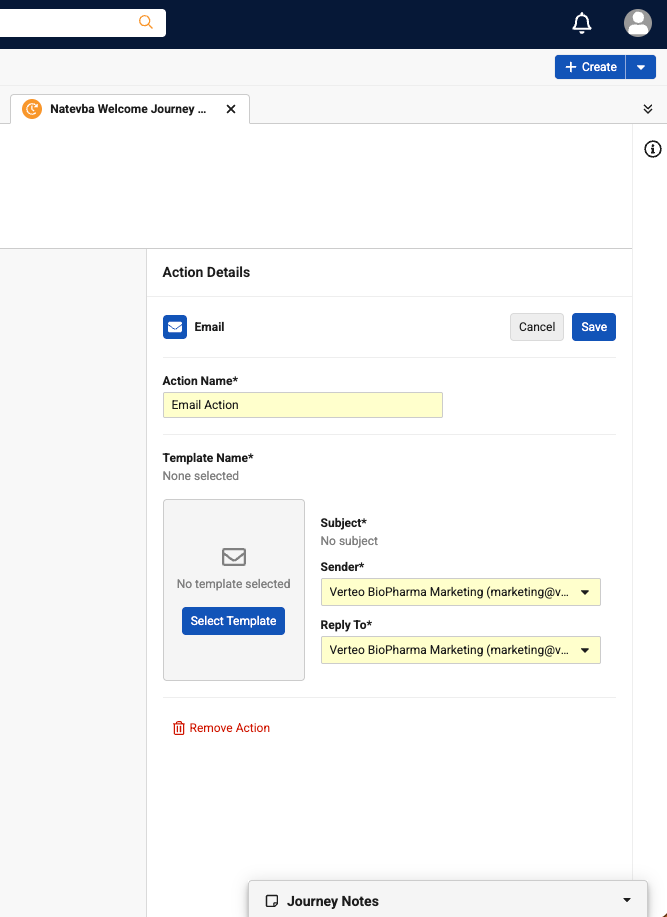
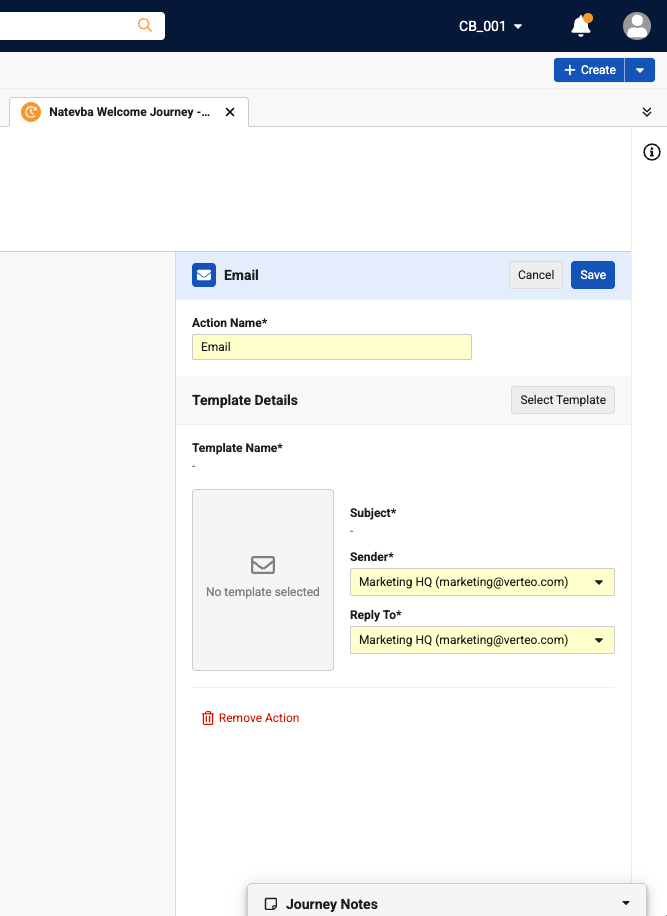
In the Email action Details panel on the Builder tab, the Select Template button is moved from the email template placeholder tile to the new sub-header for Email Template Details. If no Email template is selected, Template Name and Subject fields now display a dash. |
|
|
|
Browser |
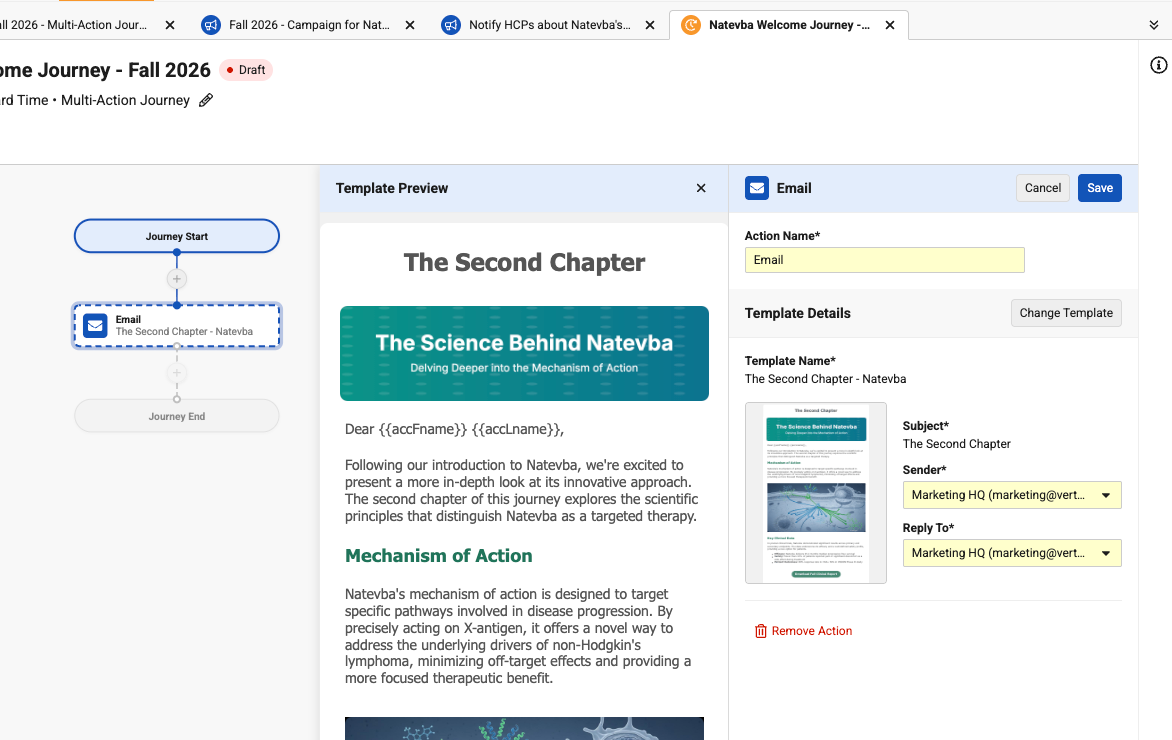
A Preview Template panel on the Builder tab now displays after selecting or changing the Email template. Users can also open the panel by selecting the Email template thumbnail when in Edit mode. |
|
|
|
Browser |
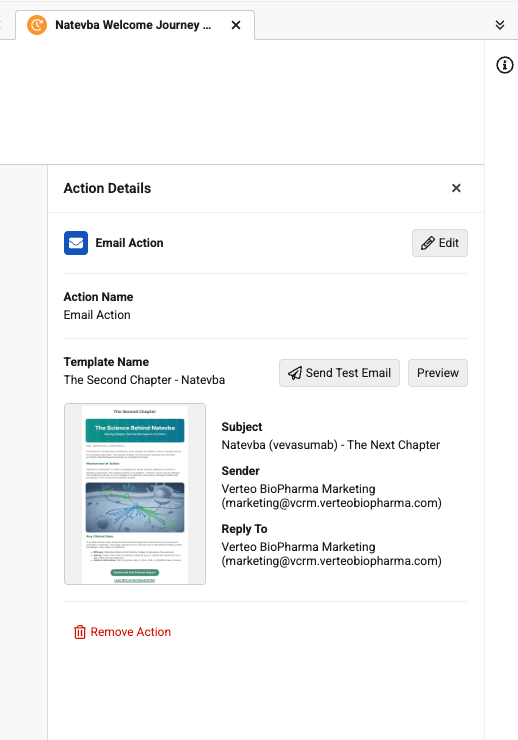
In the Email Details panel on the Builder tab, the Preview button is renamed Preview As. The airplane icon is removed from the Send Test Email button. |
|
|
|
Browser |
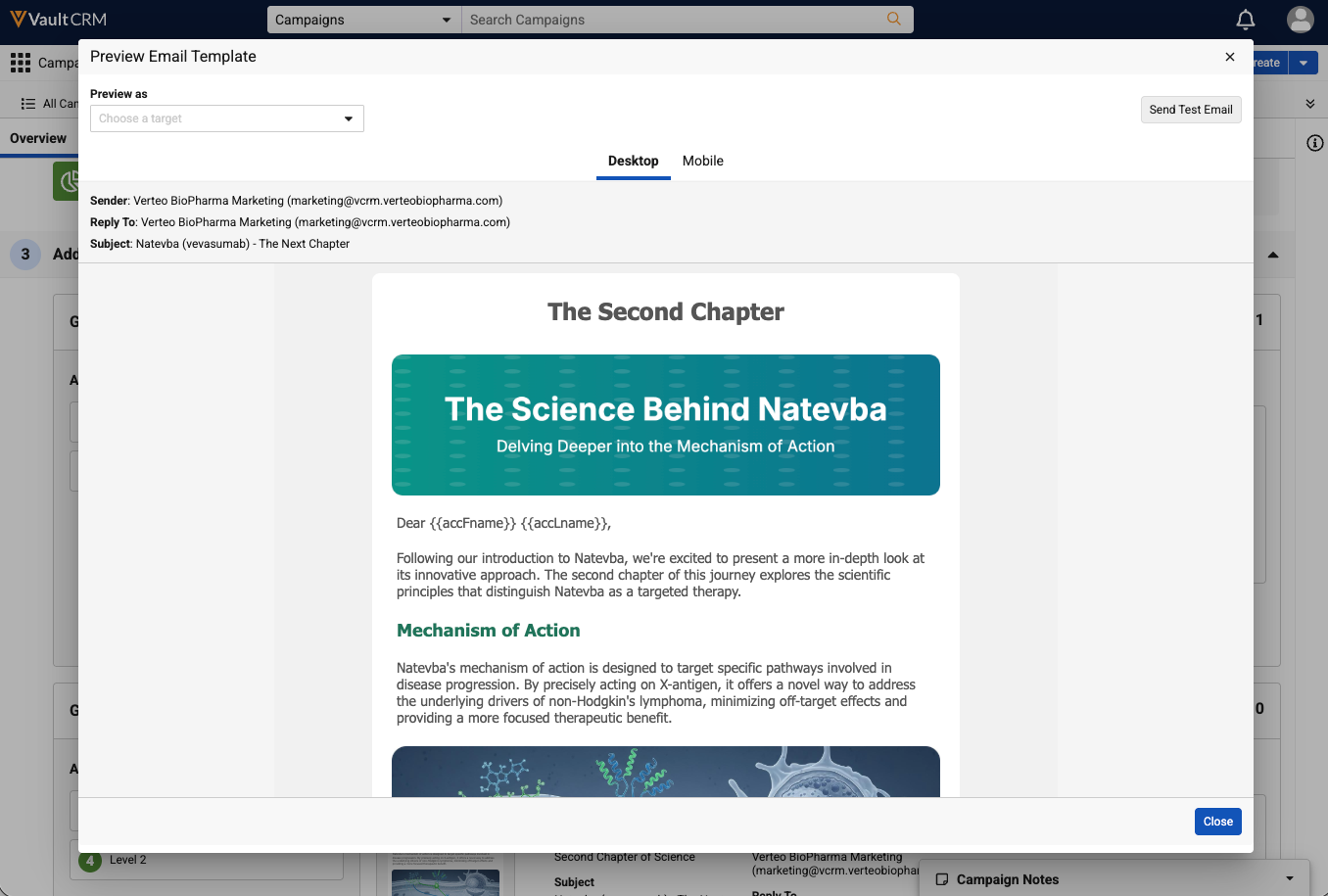
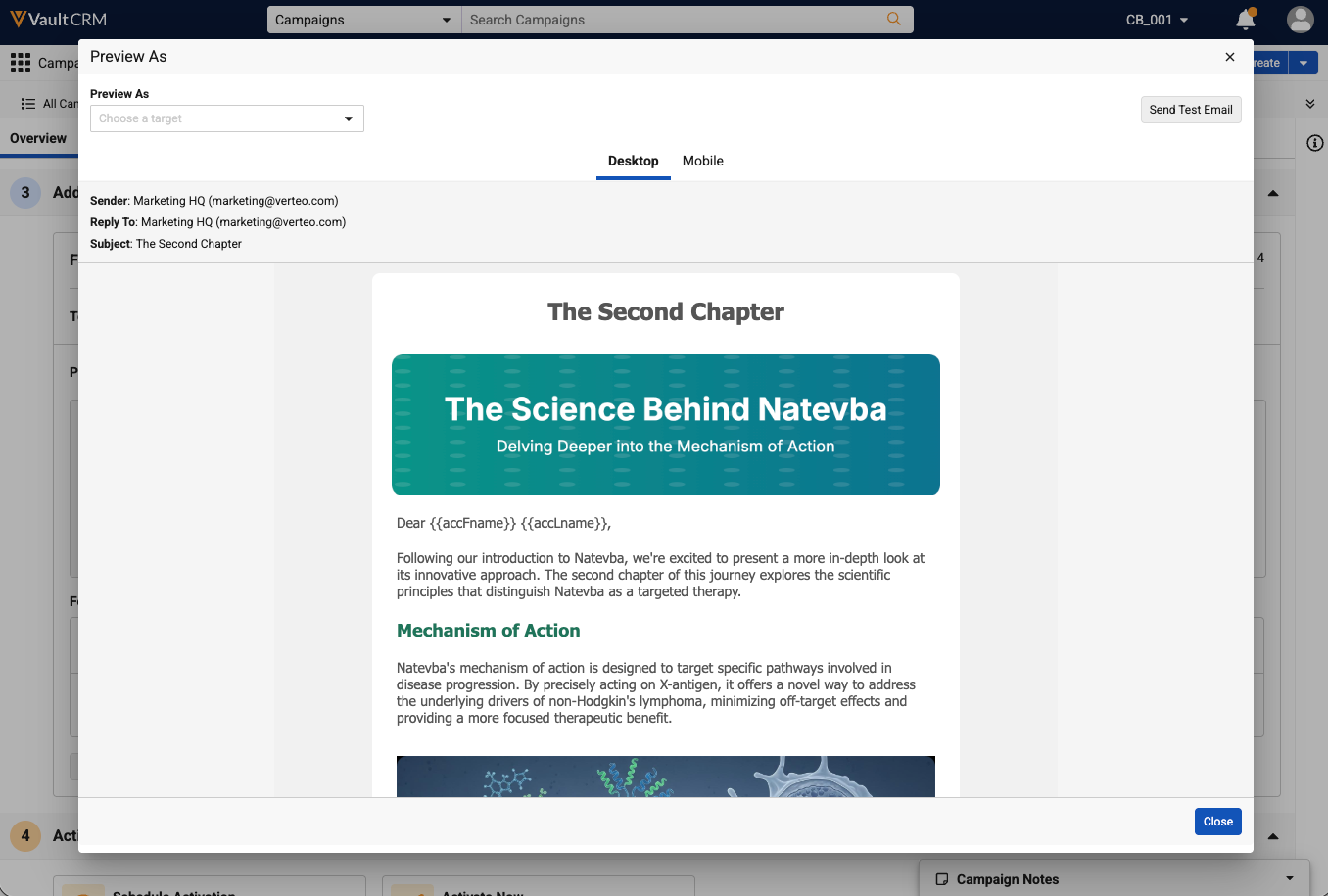
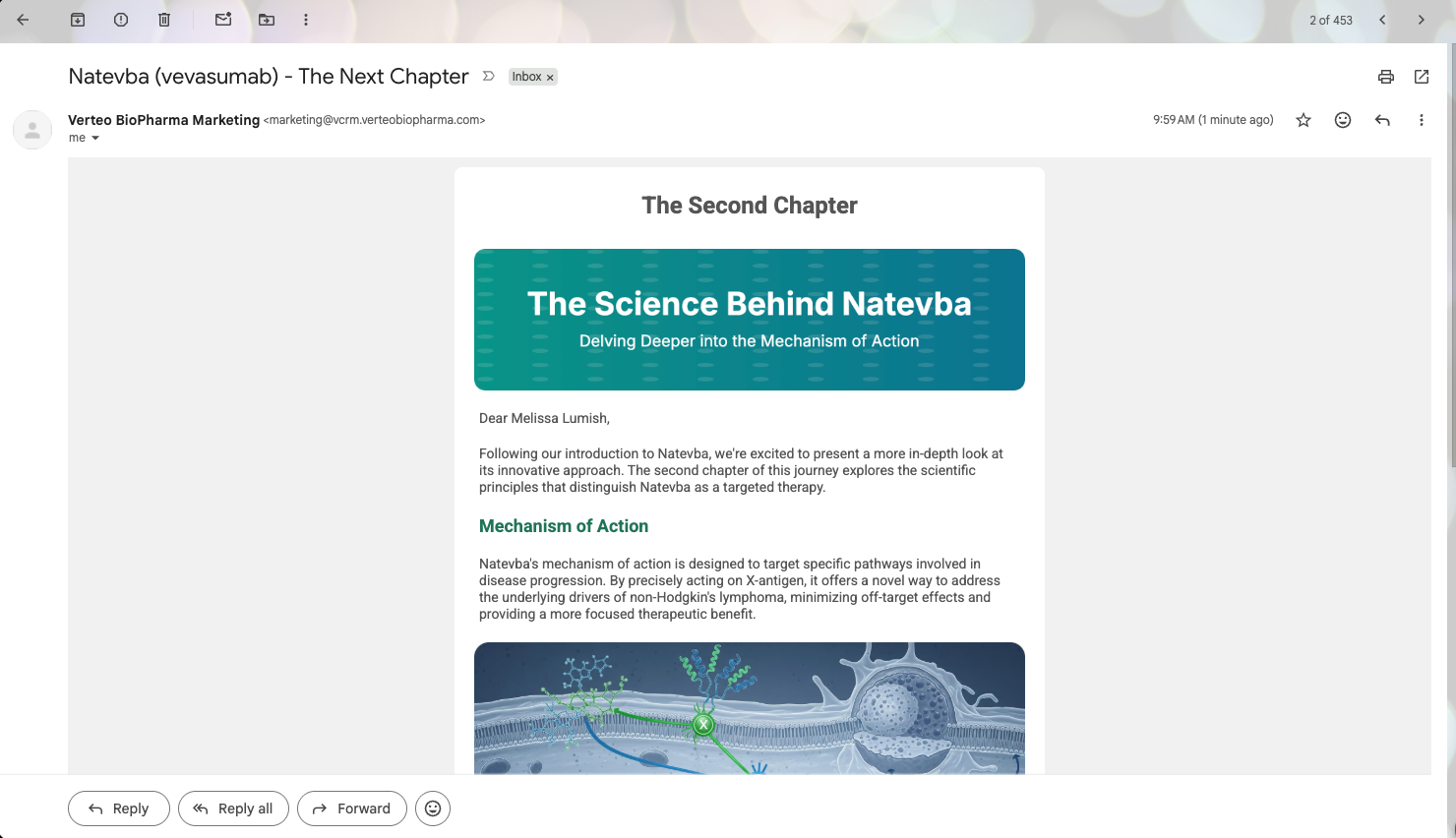
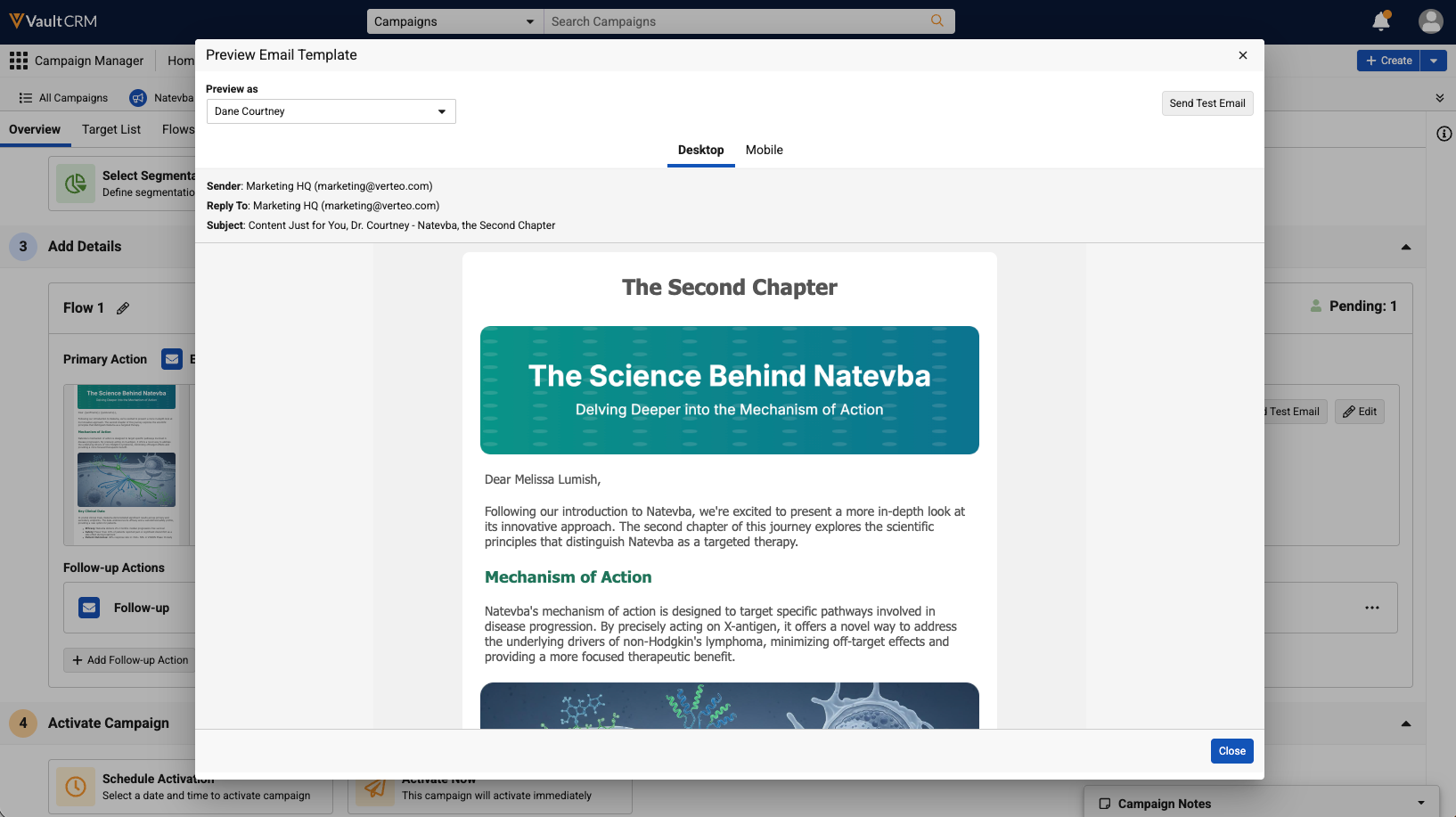
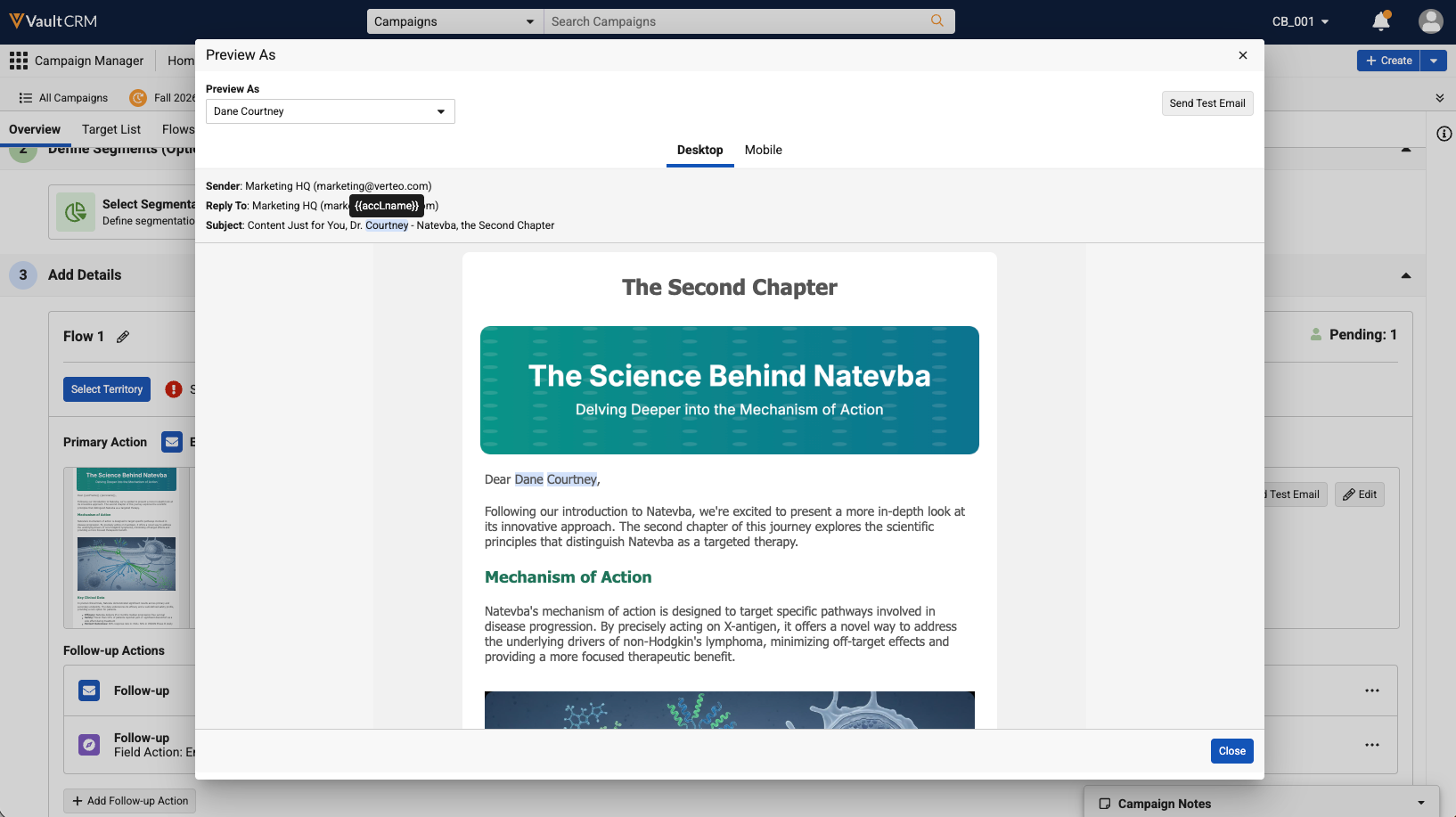
The Preview Email Template modal, accessed from the Overview and Builder tabs, is renamed Preview As. The Preview as field label on the modal is also renamed Preview As. |
|
|
|
Browser |
The Details panel on the Builder tab now has a min and max width, ensuring that the panel resizes properly when opened on different screen sizes. |
n/a |
n/a |
|
Browser |
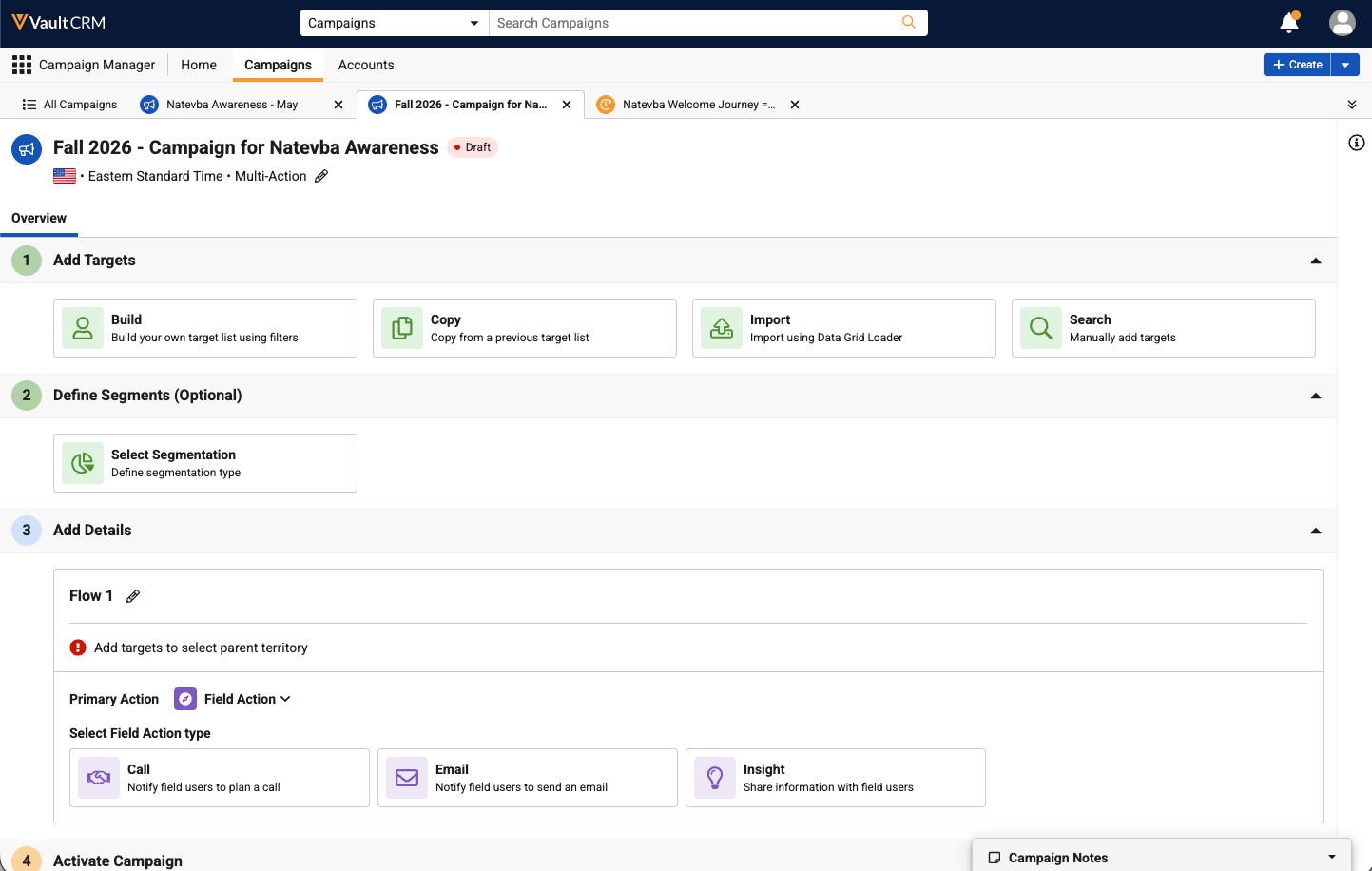
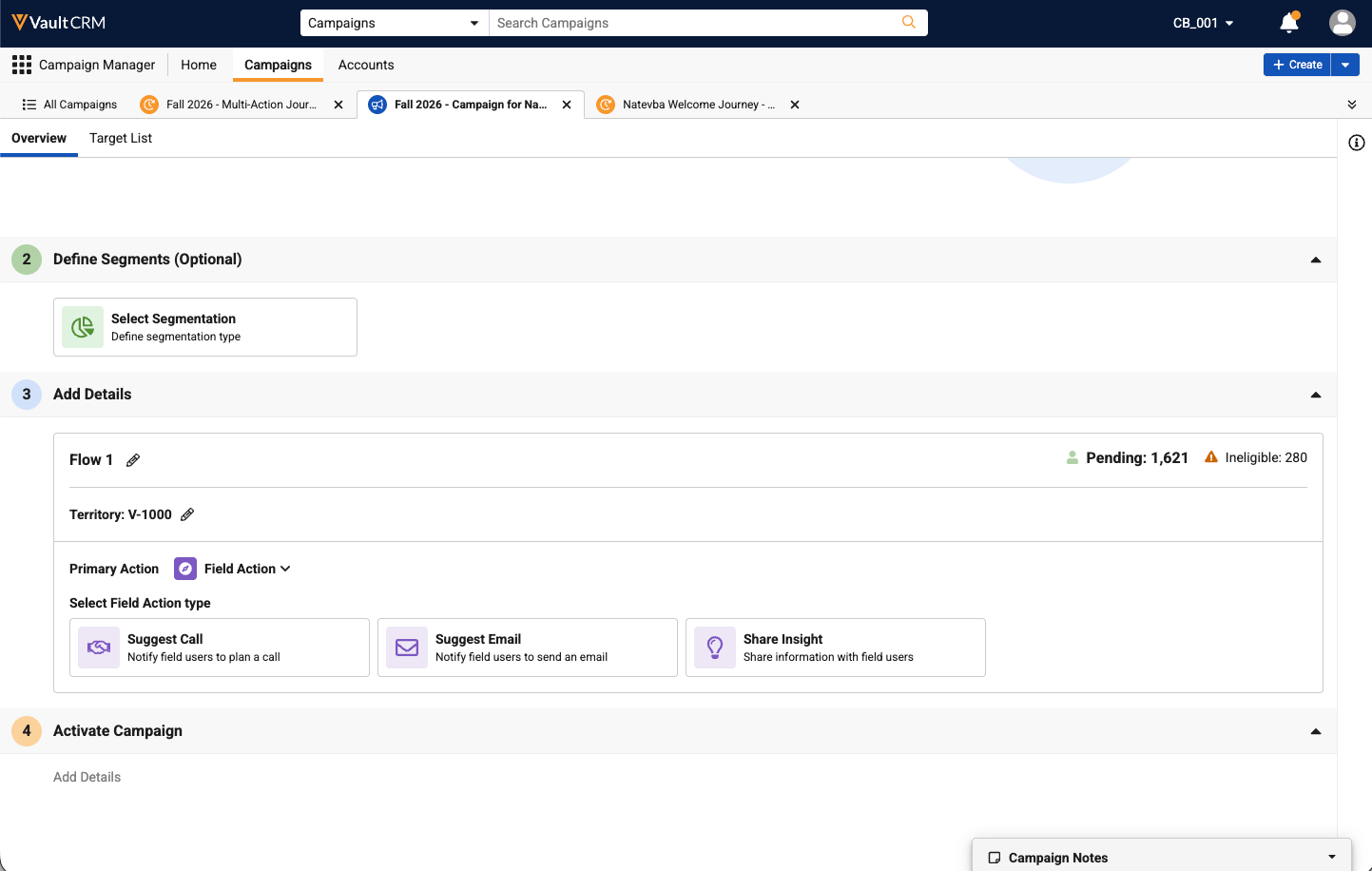
Labels for Field Action are updated from Call to Suggest Call, from Email to Suggest Email, and from Insight to Share Insight on both the Overview tab and the Builder tab. |
|
|
|
Browser |
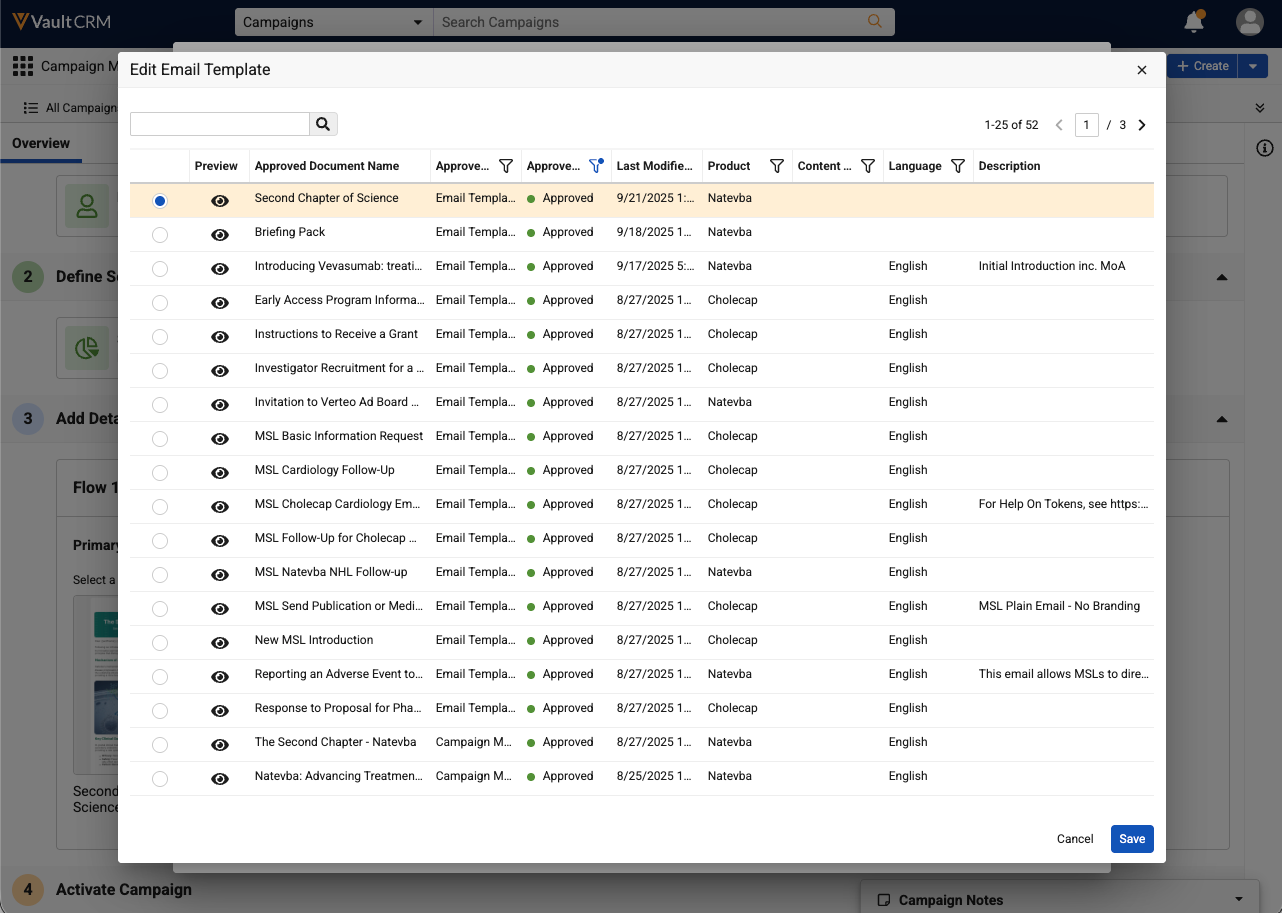
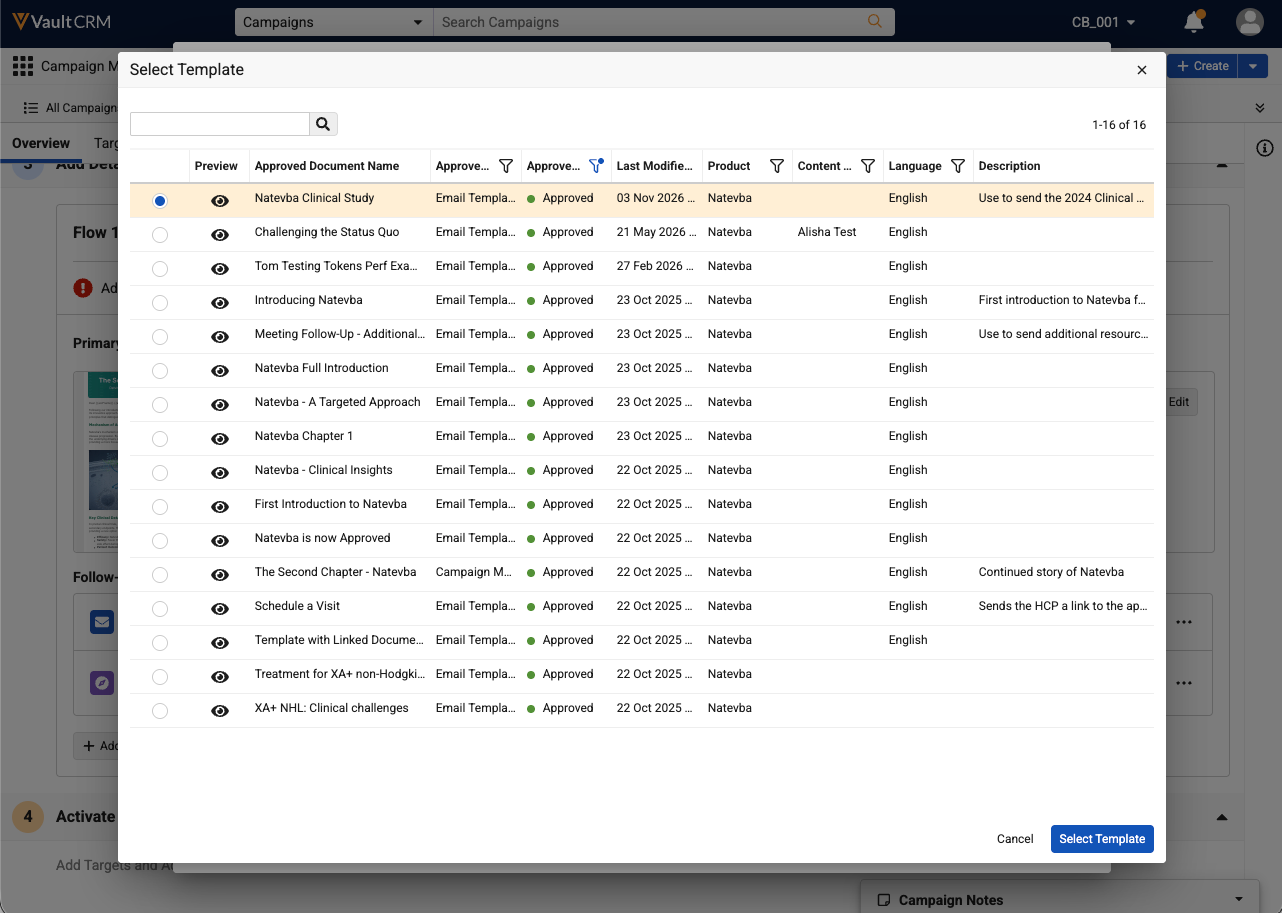
The Edit Email Template list modal and modal action are renamed to Select Template. This action is available when selecting the Change Template action on the Edit Email Template modal on the Overview tab. |
|
|
|
Browser |
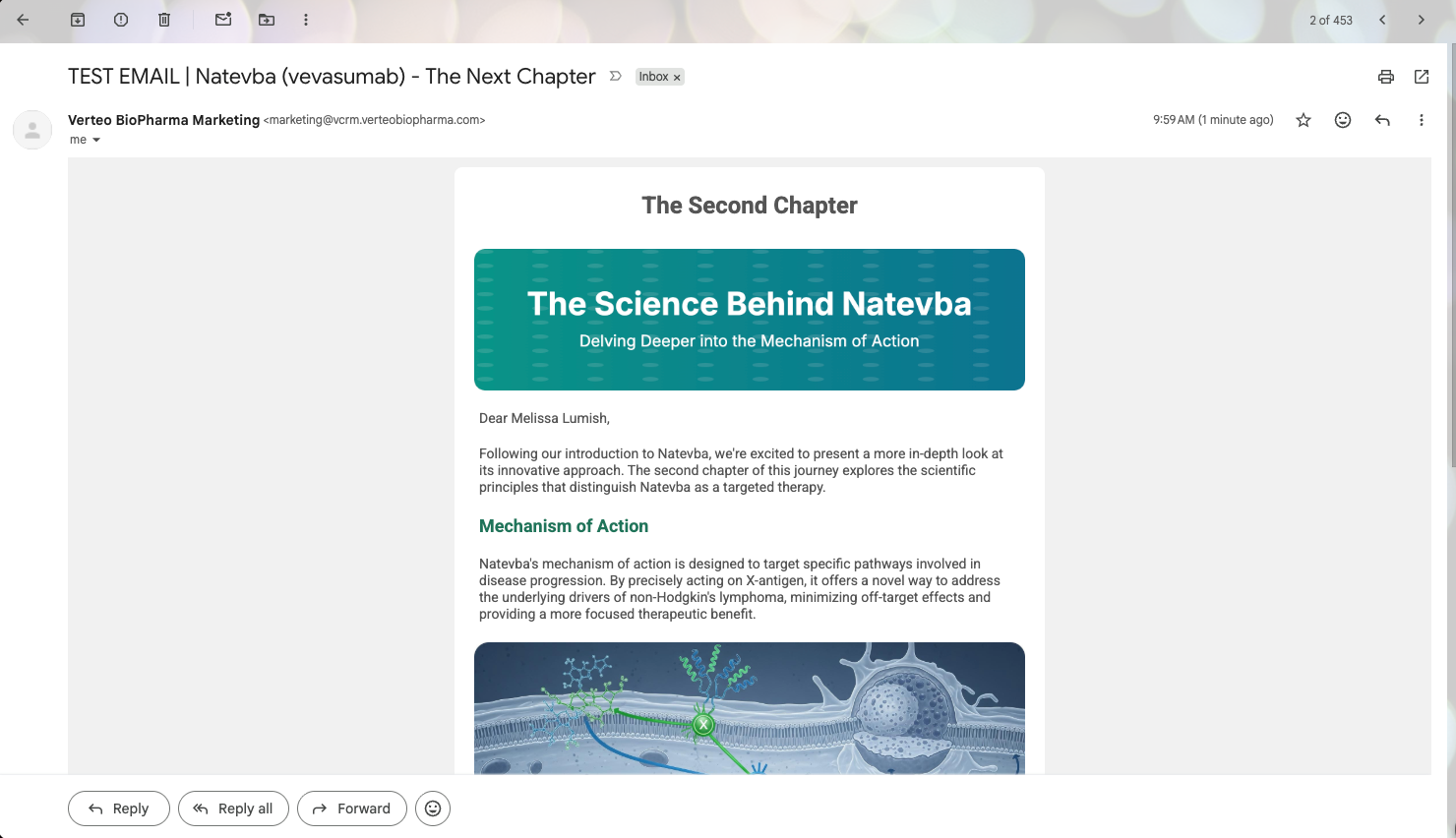
The default TEST EMAIL text is removed from the test email's email subject. |
|
|
|
Browser |
In the Preview As modal, tokens used in the Subject are now highlighted blue. Hovering over resolved tokens displays a tooltip with the token's field. |
|
|
|
Browser |
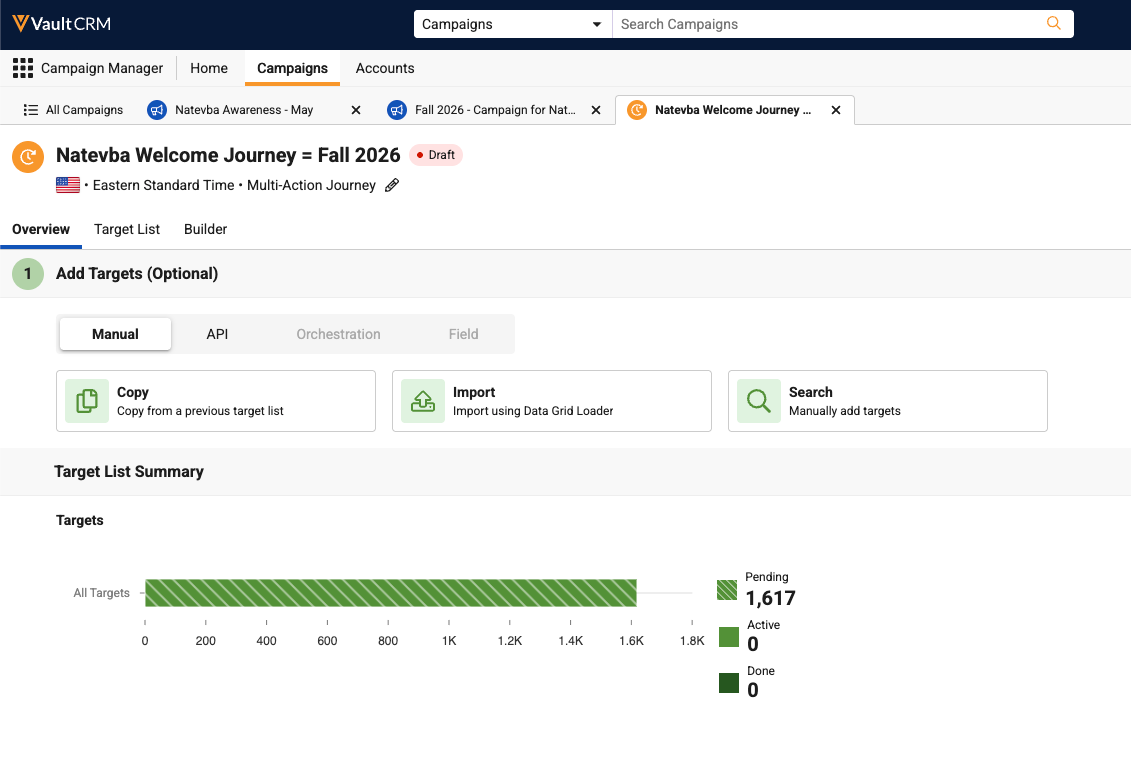
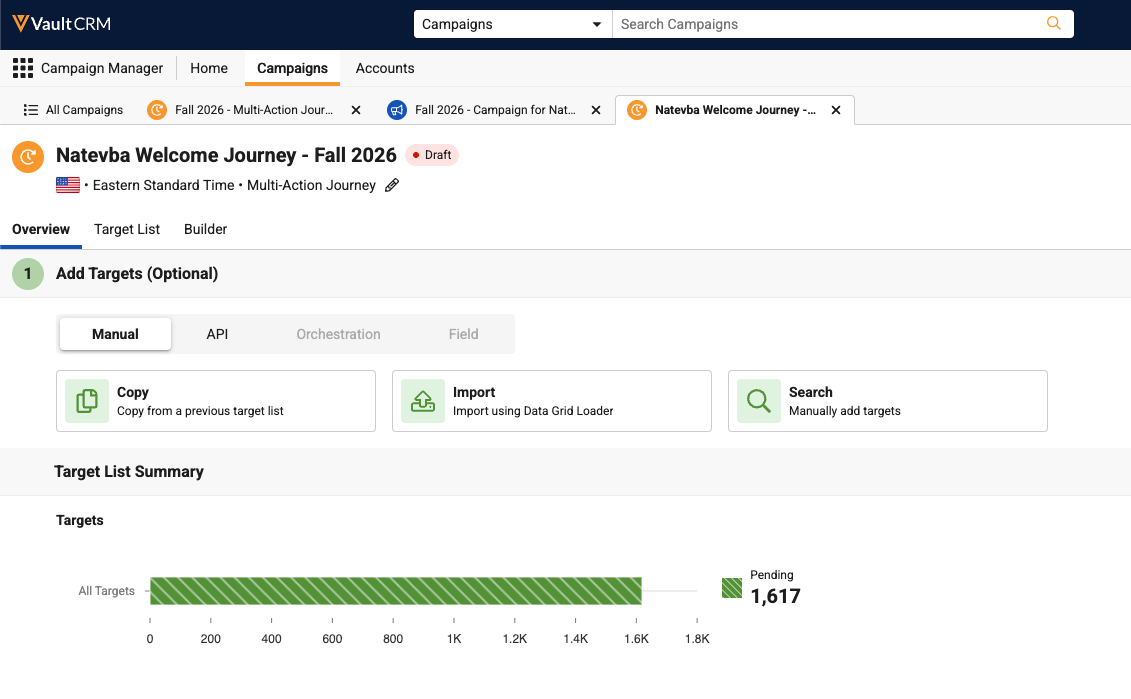
The Target List Summary's Target List bar chart is updated to exclude non-Pending target states from displaying when a Journey is Draft or Scheduled. Previously, only Active and Done were shown, even though the counts were 0 when in Draft or Scheduled. This update also applies to the Targets tab and Target counts on the Overview tab. |
|
|




Engage
|
Platform |
Description |
Before |
After |
|---|---|---|---|
| Browser | In the Admin panel, a Disconnect button displays in the top level account information card. | n/a |
n/a |
Service Center
|
Platform |
Description |
Before |
After |
|---|---|---|---|
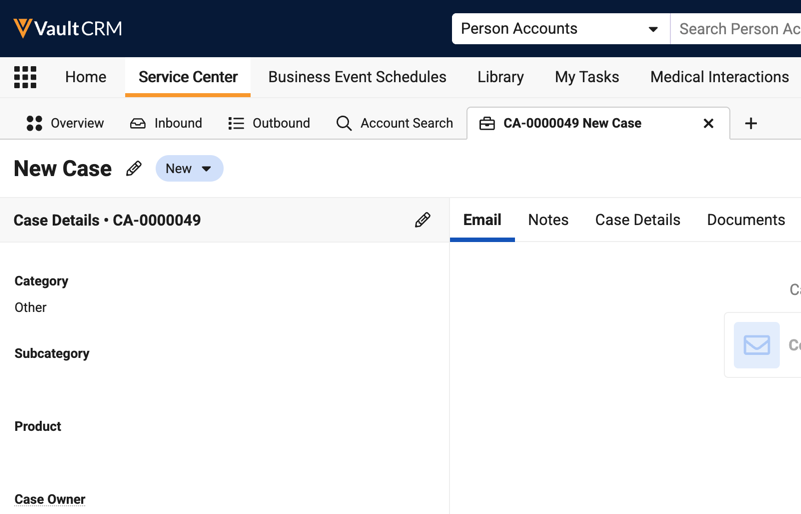
| Browser | The Case’s Messaging sub-tab is renamed to Email. | 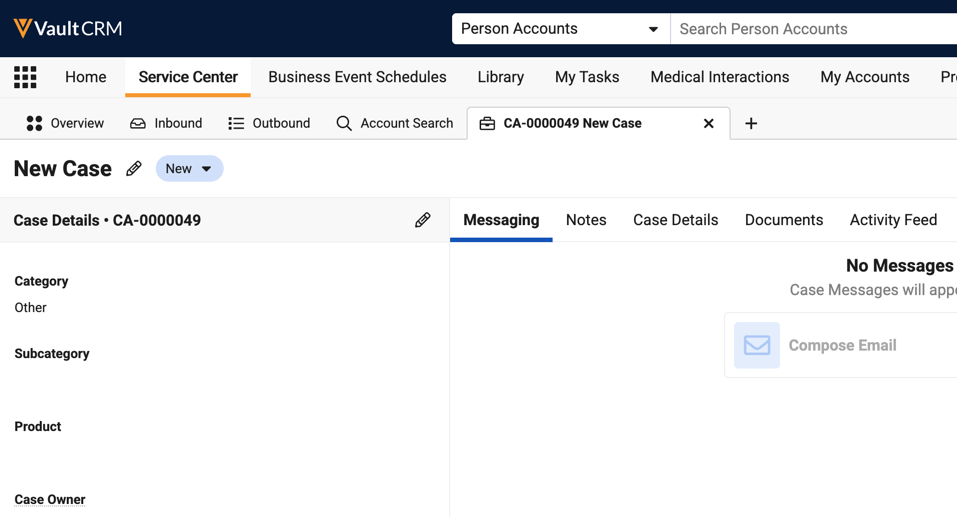
|
|
Additional Resources
The following resources are available for the 26R3.0 release:
- Flightpaths
- Videos
- Feature Enablement and Availability
- Data Model Changes:
- New Objects
- New Fields
- Removed Fields
Flightpath
Flightpath is an educational tool where you'll find overviews and examples to walk you through how to leverage Vault CRM features and functionality. Flightpaths for the following topics will be available with the 26R3.0 Production Release:
- Capturing Standing Requests for Medical Using Documented Interest
- Creating Personalized Content
- Migrating to CLM as Document Model
- Vault CRM Standard Metrics (updates to existing Flightpath)
Videos
The following videos will be available with the 26R3.0 Production Release:
- Agentic Sign-in Sheet for Events
- Adding Patient Targets to Campaigns and Journeys
- Hosting Virtual Events Using Zoom Meetings
- Hot Lists (updates to existing video)
26R3.0 Feature Enablement and Availability
The following table provides an explanation of feature enablement and user impact.


*Parity items do not typically require configuration if you are using this functionality on another platform. In some cases, VMOCs must be enabled for the added platform.
New Objects
The table below contains all new objects added in Vault CRM 26R3.0.
| Object | Label | Description |
|---|---|---|
| ai_coaching_evaluation__v | AI Coaching Evaluation | Stores AI Coaching Evaluation information. |
| ai_coaching_recommendation__v | AI Coaching Recommendation | Stores AI Coaching Recommendation information. |
| ai_coaching_report__v | AI Coaching Report | Stores AI Coaching Report information. |
| agent_product_group__v | Agent Product Group | Associates an Agent Product Group product-catalog record with the products included in the group. |
| commercial_evidence__v | Commercial Evidence | A commercially relevant signal stated, observed, or inferred about a stakeholder that describes their situation, behavior, disposition, or environment in a way that informs commercial strategy or execution. |
| contract_pricing_rule__v | Contract Pricing Rule | Holds list of pricing rules for products to be applied in contracts. It has defined quantities and timeframes. |
| contract_stakeholder__v | Contract Stakeholder | Object to store key stakeholders on a contract. |
| docusign_connection__v | Docusign Connection | Stores the details of the connection with Docusign. |
| em_docusign_integration_history__v | Docusign Integration History | Stores integration transaction history, including status, request/response details, and timestamps, for auditing and troubleshooting. |
| em_docusign_integration_pal_context__v | EM DocuSign Int Callback Context | Stores integration history relevant to Events Management. |
| html_report__v | HTML Report | Stores report files that can be displayed within the Veeva application. |
*Support for future functionality
New Fields
The table below contains all fields added in Vault CRM 26R3.0. The fields are organized by object.
| Object | Field | Field Label | Description | Type |
|---|---|---|---|---|
| agent_product_group__v | agent_product_group__v | Agent Product Group | Should only point to product catalog records of type Agent Product Group. | Object |
| agent_product_group__v | created_by__v | Created By | The user who created the record. | Object |
| agent_product_group__v | created_date__v | Created Date | The date the record was created. | DateTime |
| agent_product_group__v | description__v | Description | A short description of the product group or reason for adding the product to the group. | String |
| agent_product_group__v | external_id__v | External ID | External ID is used only for data loading. | String |
| agent_product_group__v | global_id__sys | Global ID | The record's global ID. | String |
| agent_product_group__v | id | ID | The record's ID. | ID |
| agent_product_group__v | last_initiated_by__sys | Last Initiated By | The user who last initiated the record. | Object |
| agent_product_group__v | modified_by__v | Last Modified By | The user who last modified the record. | Object |
| agent_product_group__v | modified_date__v | Last Modified Date | The date the record was last modified. | DateTime |
| agent_product_group__v | link__sys | Link | Stores the link information. | String |
| agent_product_group__v | name__v | Name | Name of the Agent Product Group. | String |
| agent_product_group__v | product__v | Product | The Detail Group, Detail Product, or Detail included in the Agent Product Group. | Object |
| agent_product_group__v | status__v | Status | The status of the Agent Product Group. | Picklist |
| ai_coaching_evaluation__v | object_type__v | AI Coaching Evaluation Type | The AI Coaching Report type. | Object |
| ai_coaching_evaluation__v | ai_coaching_report__v | AI Coaching Report | The AI Coaching Report the AI Coaching Evaluation is a part of. | Object |
| ai_coaching_evaluation__v | coaching_rule_name__v | Coaching Rule Name | The stamped name of the Coaching Rule used for the AI Coaching Evaluation. | String |
| ai_coaching_evaluation__v | created_by__v | Created By | The user who created the record. | Object |
| ai_coaching_evaluation__v | created_date__v | Created Date | The date the record was created. | DateTime |
| ai_coaching_evaluation__v | evaluation__v | Evaluation | The evaluation produced for the Coaching Rule by the Coaching Agent. | LongText |
| ai_coaching_evaluation__v | global_id__sys | Global ID | The record's global ID. | String |
| ai_coaching_evaluation__v | guideline__v | Guideline | The stamped guidelines of the Coaching Rule used for the AI Coaching Evaluation. | LongText |
| ai_coaching_evaluation__v | id | ID | The record's ID. | ID |
| ai_coaching_evaluation__v | instruction__v | Instruction | The stamped instructions of the Coaching Rule used for the AI Coaching Evaluation. | LongText |
| ai_coaching_evaluation__v | last_initiated_by__sys | Last Initiated By | The user who last initiated the record. | Object |
| ai_coaching_evaluation__v | modified_by__v | Last Modified By | The user who last modified the record. | Object |
| ai_coaching_evaluation__v | modified_date__v | Last Modified Date | The date the record was last modified. | DateTime |
| ai_coaching_evaluation__v | link__sys | Link | Stores the link information. | String |
| ai_coaching_evaluation__v | name__v | Name | Name of the AI Coaching Evaluation. | String |
| ai_coaching_evaluation__v | order__v | Order | The stamped order of the Coaching Rule used for the AI Coaching Evaluation. | String |
| ai_coaching_evaluation__v | score__v | Score | The score from 1-10 assigned to the AI Coaching Evaluation by the Coaching Agent. | Number |
| ai_coaching_evaluation__v | status__v | Status | Status of the AI Coaching Evaluation. | Picklist |
| ai_coaching_evaluation__v | weight__v | Weight | The stamped weight of the Coaching Rule used for the AI Coaching Evaluation. | Number |
| ai_coaching_recommendation__v | ai_coaching_evaluation__v | AI Coaching Evaluation | The AI Coaching Evaluation the AI Coaching Recommendation is a part of. | Object |
| ai_coaching_recommendation__v | object_type__v | AI Coaching Recommendation Type | The AI Coaching Evaluation type. | Object |
| ai_coaching_recommendation__v | ai_coaching_report__v | AI Coaching Report | The AI Coaching Report the AI Coaching Recommendation is a part of. | Object |
| ai_coaching_recommendation__v | created_by__v | Created By | The user who created the record. | Object |
| ai_coaching_recommendation__v | created_date__v | Created Date | The date the record was created. | DateTime |
| ai_coaching_recommendation__v | global_id__sys | Global ID | The record's global ID. | String |
| ai_coaching_recommendation__v | id | ID | The record's ID. | ID |
| ai_coaching_recommendation__v | last_initiated_by__sys | Last Initiated By | The user who last initiated the record. | Object |
| ai_coaching_recommendation__v | modified_by__v | Last Modified By | The user who last modified the record. | Object |
| ai_coaching_recommendation__v | modified_date__v | Last Modified Date | The date the record was last modified. | DateTime |
| ai_coaching_recommendation__v | link__sys | Link | Stores the link information. | String |
| ai_coaching_recommendation__v | name__v | Name | Name of the AI Coaching Recommendation. | String |
| ai_coaching_recommendation__v | order__v | Order | The display order of the AI Coaching Recommendation. | Number |
| ai_coaching_recommendation__v | recommendation__v | Recommendation | The recommendation produced for the AI Coaching Evaluation by the Coaching Agent. | LongText |
| ai_coaching_recommendation__v | status__v | Status | The status of the AI Coaching Recommendation. | Picklist |
| ai_coaching_report__v | account__v | Account | The account of the call the AI Coaching Report is evaluating. | Object |
| ai_coaching_report__v | ai_coaching_report_status__v | AI Coaching Report Status | The status of the AI Coaching Report. | Picklist |
| ai_coaching_report__v | object_type__v | AI Coaching Report Type | The type of the AI Coaching Report. | Object |
| ai_coaching_report__v | call2__v | Call | The Call the AI Coaching Report is evaluating. | Object |
| ai_coaching_report__v | call_date__v | Call Date | The date of the call the AI Coaching Report is evaluating. | Date |
| ai_coaching_report__v | call_datetime__v | Call Datetime | The datetime of the call the AI Coaching Report is evaluating. | DateTime |
| ai_coaching_report__v | coaching_date__v | Coaching Date | The date the AI Coaching Report was generated. | Date |
| ai_coaching_report__v | completed_date__v | Completed Date | The date the employee completed the AI Coaching Report. | Date |
| ai_coaching_report__v | created_by__v | Created By | The user who created the record. | Object |
| ai_coaching_report__v | created_date__v | Created Date | The date the record was created. | DateTime |
| ai_coaching_report__v | employee__v | Employee | The employee the AI Coaching Report is evaluating. | Object |
| ai_coaching_report__v | global_id__sys | Global ID | The record's global ID. | String |
| ai_coaching_report__v | id | ID | The record's ID. | ID |
| ai_coaching_report__v | last_initiated_by__sys | Last Initiated By | The user who last initiated the record. | Object |
| ai_coaching_report__v | modified_by__v | Last Modified By | The user who last modified the record. | Object |
| ai_coaching_report__v | modified_date__v | Last Modified Date | The date the record was last modified. | DateTime |
| ai_coaching_report__v | link__sys | Link | Stores the link information. | String |
| ai_coaching_report__v | manager__v | Manager | The manager of the employee the AI Coaching Report is evaluating. | Object |
| ai_coaching_report__v | name__v | Name | Name of the AI Coaching Report. | String |
| ai_coaching_report__v | overall_score__v | Overall Score | The overall score of the AI Coaching Report. | Number |
| ai_coaching_report__v | status__v | Status | The status of the AI Coaching Report. | Picklist |
| ai_coaching_report__v | summary__v | Summary | The summary of the AI Coaching Report. | LongText |
| ai_coaching_report__v | veeva_agent_generated__v | Veeva Agent Generated? | If True, indicates that the AI Coaching Report record was identified by the Coaching Agent. If False, indicates that the AI Coaching Report record was created through another source. | Boolean |
| commercial_evidence__v | account__v | Account | The account that is the subject of the Commercial Evidence. | Object |
| commercial_evidence__v | country_account__v | Account Country | Country from Account. List of countries driven by Global Value Set. | Object |
| commercial_evidence__v | additional_commercial_intelligence__v | Additional Commercial Intelligence | Commercially relevant observations that provides strategic context about the stakeholder, account, market, competitive landscape, or effectiveness of commercial activities, but does not describe a Barrier, Need, Driver, or Adoption Status Signal. | Picklist |
| commercial_evidence__v | adoption_status_signal__v | Adoption Status Signal | An observation that provides evidence about a stakeholder's position in the product adoption journey based on their expressed intent or observed behavior. Serves as an indicator of adoption status rather than a definitive determination. | Picklist |
| commercial_evidence__v | barrier__v | Barrier | An obstacle that limits or prevents the adoption or continued use of the product. | Picklist |
| commercial_evidence__v | barrier_type__v | Barrier Type | The type of barrier. | Picklist |
| commercial_evidence__v | basis__v | Basis | The source or foundation from which the Commercial Evidence was derived. | Picklist |
| commercial_evidence__v | call2__v | Call | The Call the Commercial Evidence was collected from. | Object |
| commercial_evidence__v | child_account__v | Child Account | The child account that was the subject of the Commercial Evidence. | Object |
| commercial_evidence__v | child_account_id__v | Child Account ID | The textual ID of the Child Account in the child_account__v field. | String |
| commercial_evidence__v | commercial_evidence_text__v | Commercial Evidence Text | The text of the Commercial Evidence. | LongText |
| commercial_evidence__v | object_type__v | Commercial Evidence Type | The type of the Commercial Evidence. | Object |
| commercial_evidence__v | commercial_insight__v | Commercial Insight | The Commercial Insight the Commercial Evidence was collected from. | Object |
| commercial_evidence__v | competitor_product__v | Competitor Product | The Competitor Product associated with the Commercial Evidence. | Object |
| commercial_evidence__v | created_by__v | Created By | The user who created the record. | Object |
| commercial_evidence__v | created_date__v | Created Date | The date the record was created. | DateTime |
| commercial_evidence__v | detail_group__v | Detail Group | The Detail Group associated with the Commercial Evidence. | Object |
| commercial_evidence__v | driver__v | Driver | The underlying reason behind a positive stakeholder behavior, such as adopting, prescribing, recommending, or advocating for a product. | Picklist |
| commercial_evidence__v | global_id__sys | Global ID | The record's global ID. | String |
| commercial_evidence__v | id | ID | The record's ID. | ID |
| commercial_evidence__v | last_initiated_by__sys | Last Initiated By | The user who last initiated the record. | Object |
| commercial_evidence__v | modified_by__v | Last Modified By | The user who last modified the record. | Object |
| commercial_evidence__v | modified_date__v | Last Modified Date | The date the record was last modified. | DateTime |
| commercial_evidence__v | link__sys | Link | Stores the link information. | String |
| commercial_evidence__v | location__v | Location | The business account that was the subject of the Commercial Evidence for records that are produced from child accounts. | Object |
| commercial_evidence__v | location_id__v | Location ID | The textual ID of the Location in the location__v field. | String |
| commercial_evidence__v | name__v | Name | Auto-generated name for Commercial Evidence records | String |
| commercial_evidence__v | need__v | Need | A stakeholder-expressed request for information, resources, services, capabilities, or changes that could improve decision-making, adoption, implementation, or patient care. | Picklist |
| commercial_evidence__v | product__v | Product | The Company Product associated with the Commercial Evidence. | Object |
| commercial_evidence__v | sentiment__v | Sentiment | The sentiment of the piece of Commercial Evidence. | Picklist |
| commercial_evidence__v | source_date__v | Source Date | The date from the source of the Commercial Evidence. | Date |
| commercial_evidence__v | source_hash__v | Source Hash | Hash used to identify if the source text of the Commercial Evidence has changed. | String |
| commercial_evidence__v | source_record_ownerid__v | Source Record Owner | The user the source record the Commercial Evidence was collected from belongs to. | Object |
| commercial_evidence__v | status__v | Status | The status of the Commercial Evidence. | Picklist |
| commercial_evidence__v | subject_product_type__v | Subject Product Type | Indicates if the Commercial Evidence subject is the Company Product or Competitor Product. | Picklist |
| commercial_evidence__v | country_user__v | User Country | Country from User. List of countries driven by Global Value Set. | Object |
| commercial_evidence__v | veeva_agent_generated__v | Veeva Agent Generated | If True, indicates that the Commercial Evidence record was identified by the Commercial Evidence Agent. If False, indicates that the Commercial Evidence record was created through another source. | Boolean |
| contract_pricing_rule__v | comparison_type__v | Comparison Type | This defines, if the field values in quantity_min__v and quantity_max__v are counted against the quantities or against the list or net values negotiated | Picklist |
| contract_pricing_rule__v | contract_pricing_rule_key__v | Contract Pricing Rule Key | Stores the concatenation of the key fields to verify the pricing rule validity | String |
| contract_pricing_rule__v | name__v | Contract Pricing Rule Name | Name identifying this contract pricing rule. | String |
| contract_pricing_rule__v | object_type__v | Contract Pricing Rule Type | Type of this contract pricing rule. | Object |
| contract_pricing_rule__v | created_by__v | Created By | The user who created the record. | Object |
| contract_pricing_rule__v | created_date__v | Created Date | The date the record was created. | DateTime |
| contract_pricing_rule__v | discount_override__v | Discount Override | Discount to be applied by the system, in percent (%) | Number |
| contract_pricing_rule__v | discount_override_max__v | Discount Override Max | Defines the upper boundary of manual discount override that the user can enter (in %). | Number |
| contract_pricing_rule__v | end_date__v | End Date | Defines, together with the start date, the validity period of the contract pricing rule | Date |
| contract_pricing_rule__v | external_id__v | External ID | Unique identifier for the pricing rule | String |
| contract_pricing_rule__v | global_id__sys | Global ID | The record's global ID. | String |
| contract_pricing_rule__v | id | ID | The record's ID. | ID |
| contract_pricing_rule__v | last_initiated_by__sys | Last Initiated By | The user who last initiated the record. | Object |
| contract_pricing_rule__v | modified_by__v | Last Modified By | The user who last modified the record. | Object |
| contract_pricing_rule__v | modified_date__v | Last Modified Date | The date the record was last modified. | DateTime |
| contract_pricing_rule__v | link__sys | Link | Stores the link information. | String |
| contract_pricing_rule__v | list_price__v | List Price | List price for the product of this contract pricing rule | Number |
| contract_pricing_rule__v | list_price_corpv__sys | List Price Corp | Corporate currency's list price for the product of this contract pricing rule | Number |
| contract_pricing_rule__v | local_currency__sys | Local Currency | The local currency. | Object |
| contract_pricing_rule__v | quantity_max__v | Maximum Quantity | Maximum number of items that can be negotiated such that a contract pricing rule is applicable. | Number |
| contract_pricing_rule__v | quantity_min__v | Minimum Quantity | Minimum number of items that can be negotiated such that a contract pricing rule is applicable | Number |
| contract_pricing_rule__v | net_price__v | Net Price | Net Price | Number |
| contract_pricing_rule__v | net_price_corpv__sys | Net Price Corp | Net Price in Corporate Currency. | Number |
| contract_pricing_rule__v | net_price_min__v | Net Price Minimum | This is the limit the user would be allowed to enter a discounted price on his own | Number |
| contract_pricing_rule__v | net_price_min_corpv__sys | Net Price Minimum Corp | This is the limit the user would be allowed to enter a discounted price on his own in the corporation currency. | Number |
| contract_pricing_rule__v | price_book__v | Price Book | Text field used to associate a contract pricing rule record to a price book | String |
| contract_pricing_rule__v | product__v | Product | The Product associated with the Contract Pricing Rule. | Object |
| contract_pricing_rule__v | rule_description__v | Rule Description | Textual description of the contract pricing rule. Will appear on the line item. | String |
| contract_pricing_rule__v | start_date__v | Start Date | Date the contract pricing rule becomes active | Date |
| contract_pricing_rule__v | status__v | Status | The status of the Contract Pricing Rule. | Picklist |
| contract_pricing_rule__v | suggestion_text__v | Suggestion Text | Suggestion text that is displayed to guide the user during the negotiation | String |
| contract_stakeholder__v | contract__v | Contract | The contract a contract stakeholder is related to | Object |
| contract_stakeholder__v | object_type__v | Contract Stakeholder Type | The type of the Contract Stakeholder. | Object |
| contract_stakeholder__v | created_by__v | Created By | The user who created the record. | Object |
| contract_stakeholder__v | created_date__v | Created Date | The date the record was created. | DateTime |
| contract_stakeholder__v | global_id__sys | Global ID | The record's global ID. | String |
| contract_stakeholder__v | id | ID | The record's ID. | ID |
| contract_stakeholder__v | last_initiated_by__sys | Last Initiated By | The user who last initiated the record. | Object |
| contract_stakeholder__v | modified_by__v | Last Modified By | The user who last modified the record. | Object |
| contract_stakeholder__v | modified_date__v | Last Modified Date | The date the record was last modified. | DateTime |
| contract_stakeholder__v | link__sys | Link | Stores the link information. | String |
| contract_stakeholder__v | name__v | Name | ID of the contract stakeholder record | String |
| contract_stakeholder__v | stakeholder__v | Stakeholder | Stakeholder on a contract | Object |
| contract_stakeholder__v | stakeholder_name__v | Stakeholder Name | Text value of the contract stakeholder's name. Used for stakeholders that are not in the CRM system. Stamped via trigger when the Stakeholder is populated | String |
| contract_stakeholder__v | status__v | Status | The status of the Contract Stakeholder. | Picklist |
| docusign_connection__v | account_id__v | Account ID | The account ID. | String |
| docusign_connection__v | created_by__v | Created By | The user who created the record. | Object |
| docusign_connection__v | created_date__v | Created Date | The date the record was created. | DateTime |
| docusign_connection__v | object_type__v | Docusign Connection Type | The connection type of the Docusign connection. | Object |
| docusign_connection__v | global_id__sys | Global ID | The record's global ID. | String |
| docusign_connection__v | id | ID | The record's ID. | ID |
| docusign_connection__v | integration_key__v | Integration Key | The Integration Key (Client ID) is obtained through the Docusign Web Interface | String |
| docusign_connection__v | last_initiated_by__sys | Last Initiated By | The user who last initiated the record. | Object |
| docusign_connection__v | modified_by__v | Last Modified By | The user who last modified the record. | Object |
| docusign_connection__v | modified_date__v | Last Modified Date | The date the record was last modified. | DateTime |
| docusign_connection__v | link__sys | Link | Stores the link information. | String |
| docusign_connection__v | name__v | Name | Name of the Docusign Connection. | String |
| docusign_connection__v | sandbox__v | Sandbox | The sandbox record for the Docusign Connection. | Boolean |
| docusign_connection__v | server_region__v | Server Region | The region the Docusign Connection. | String |
| docusign_connection__v | status__v | Status | The status of the Docusign Connection. | Picklist |
| docusign_connection__v | user_id__v | User ID | The user's ID. | String |
| docusign_connection__v | vexternal_id__v | Veeva External Id | External Id used by Veeva CRM | String |
| em_docusign_integration_history__v | action__v | Action | The API endpoint called or Webhook event received | String |
| em_docusign_integration_history__v | contract_partner_id__v | Contract Partner ID | The Vault CRM unique identifier for the signer associated with the transaction | String |
| em_docusign_integration_history__v | created_by__v | Created By | The user who created the record. | Object |
| em_docusign_integration_history__v | created_date__v | Created Date | The date the record was created. | DateTime |
| em_docusign_integration_history__v | docusign_id__v | Docusign ID | The Docusign Envelope ID. | String |
| em_docusign_integration_history__v | object_type__v | Docusign Integration History Type | The Docusign Integration History type. | Object |
| em_docusign_integration_history__v | error_code__v | Error Code | The specific programmatic error identifier | String |
| em_docusign_integration_history__v | global_id__sys | Global ID | The record's global ID. | String |
| em_docusign_integration_history__v | id | ID | The record's ID. | ID |
| em_docusign_integration_history__v | last_initiated_by__sys | Last Initiated By | The user who last initiated the record. | Object |
| em_docusign_integration_history__v | modified_by__v | Last Modified By | The user who last modified the record. | Object |
| em_docusign_integration_history__v | modified_date__v | Last Modified Date | The date the record was last modified. | DateTime |
| em_docusign_integration_history__v | link__sys | Link | Stores the link information. | String |
| em_docusign_integration_history__v | message__v | Message | The explanation of the status or error | String |
| em_docusign_integration_history__v | name__v | Name | Name of the Docusign Integration History. | String |
| em_docusign_integration_history__v | status__v | Status | The status of the record. | Picklist |
| em_docusign_integration_history__v | transaction_status__v | Status | The high-level outcome of the transaction | String |
| em_docusign_integration_history__v | status_code__v | Status Code | The HTTP response code | String |
| em_docusign_integration_history__v | timestamp__v | Transaction Timestamp | The date and time the system processed the message | DateTime |
| em_docusign_integration_pal_context__v | contract_id__v | Contract ID | The ID of the contract. | String |
| em_docusign_integration_pal_context__v | created_by__v | Created By | The user who created the record. | Object |
| em_docusign_integration_pal_context__v | created_date__v | Created Date | The date the record was created. | DateTime |
| em_docusign_integration_pal_context__v | global_id__sys | Global ID | The record's global ID. | String |
| em_docusign_integration_pal_context__v | id | ID | The record's ID. | ID |
| em_docusign_integration_pal_context__v | last_initiated_by__sys | Last Initiated By | The user who last initiated the record. | Object |
| em_docusign_integration_pal_context__v | modified_by__v | Last Modified By | The user who last modified the record. | Object |
| em_docusign_integration_pal_context__v | modified_date__v | Last Modified Date | The date the record was last modified. | DateTime |
| em_docusign_integration_pal_context__v | link__sys | Link | Stores the link information. | String |
| em_docusign_integration_pal_context__v | name__v | Name | Name of the EM Docusign Int Callback Context. | String |
| em_docusign_integration_pal_context__v | pal_expiration_date__sys | Public Access Link Expiration Date | The expiration date of the public access link. | DateTime |
| em_docusign_integration_pal_context__v | pal_last_accessed_date__sys | Public Access Link Last Accessed Date | The date the public access link was last accessed. | DateTime |
| em_docusign_integration_pal_context__v | pal_status__sys | Public Access Link Status | The status of the public access link. | Picklist |
| em_docusign_integration_pal_context__v | pal_type__sys | Public Access Link Type | The type of the public access link. | String |
| em_docusign_integration_pal_context__v | status__v | Status | The status of the EM Docusign Int Callback Context. | Picklist |
| html_report__v | application_profile__v | Application Profile | Used to indicate which Application Profile the report is applicable for. | Object |
| html_report__v | case_category_tab_visibility__v | Case Category Tab Visibility | Used to select case category values to control visibility of an X-Page in a case view when the matching category is selected for the case. | Picklist |
| html_report__v | target_platform__v | Content Target Platform | The target platform that the MyInsights page is written for. | Picklist |
| html_report__v | created_by__v | Created By | The user who created the record. | Object |
| html_report__v | created_date__v | Created Date | The date the record was created. | DateTime |
| html_report__v | description__v | Description | Text area that contains the report description. | String |
| html_report__v | review_before_submit__v | Enforce Report Review Before Submit | When enabled, the user will be forced to review the designated report before being able to submit the record | Boolean |
| html_report__v | external_id__v | External ID | External ID | String |
| html_report__v | global_id__sys | Global ID | The record's global ID. | String |
| html_report__v | html_report_status__v | HTML Report Status | The status of the HTML Report. | Picklist |
| html_report__v | object_type__v | HTML Report Type | The type of the HTML Report. | Object |
| html_report__v | id | ID | The record's ID. | ID |
| html_report__v | last_initiated_by__sys | Last Initiated By | The user who last initiated the record. | Object |
| html_report__v | modified_by__v | Last Modified By | The user who last modified the record. | Object |
| html_report__v | modified_date__v | Last Modified Date | The date the record was last modified. | DateTime |
| html_report__v | legacy_crm_id__v | Legacy CRM Id | The HTML Report's legacy CRM ID. | String |
| html_report__v | lifecycle__v | Lifecycle | The lifecycle of the HTML Report. | Component |
| html_report__v | stage__sys | Lifecycle Stage | The lifecycle status of the HTML Report. | Object |
| html_report__v | state__v | Lifecycle State | The lifecycle state of the HTML Report. | Component |
| html_report__v | state_stage_id__sys | Lifecycle State Stage ID | The lifecycle state stage's ID. | Object |
| html_report__v | link__sys | Link | Stores the link information. | String |
| html_report__v | logo__v | Logo | The logo to show for this X-Page. | Attachment |
| html_report__v | object_recordtype__v | Object Type | Used to indicate which Object Type the report is applicable for. | Object |
| html_report__v | ownerid__v | Owner | The owner of the HTML Report. | Object |
| html_report__v | page_url__v | Page URL | If populated, the X-Page will be loaded from this URL. Any attachments will be ignored. | LongText |
| html_report__v | platform__v | Platform | Indicates which platforms this MyInsights content can be viewed on | Picklist |
| html_report__v | profile__v | Profile | Used to indicate which User Security Profile the report is applicable for. | Object |
| html_report__v | prompt_context__v | Prompt Context | The context(s) in which this X-Page should be available. | Picklist |
| html_report__v | publish_process_timestamp__v | Published Date | The date the HTML Report was published. | DateTime |
| html_report__v | name__v | Report Name | The name of the HTML Report. | String |
| html_report__v | sharing_group__v | Sharing Group | Used for Sharing Rules | String |
| html_report__v | sort_order__c | Sort Order | Order in which the X-Page will appear in the entry point | String |
| html_report__v | sort_order__v | Sort Order | Order in which the X-Page will appear in the entry point | String |
| html_report__v | status__v | Status | The status of the HTML Report. | Picklist |
| html_report__v | publish_status_details__v | Status Details | The status details of the HTML Report. | String |
| html_report__v | studio_id__v | Studio Id | The content Id from Studio | String |
| html_report__v | studio_version__v | Studio Version | The version number of the content deployed by Studio | Number |
| html_report__v | visibility_criteria__v | Visibility Criteria | The criteria for record-level visibility control | String |
*Support for future functionality
Removed Fields
No fields were removed in Vault CRM 26R3.0.
Updated Fields for OpenData 2.0 Support
The following tables include all fields updated in Vault CRM 26R3.0 for OpenData 2.0 Support. The existing country dependency below is removed.
| Picklist Name | Picklist Value Name | Picklist Value Label | Country Dependencies |
|---|---|---|---|
| hcp_type_local__v | mrpea__v | Medical Radiation Practitioner | tw__v |
The mrpea__v and radio__v picklist values are considered different credentials in all other countries. Only in Taiwan are they considered duplicates because they both map to a single unified national license.
The English label for the following picklist value is updated.
| Picklist Name | Picklist Value Name | Previous Picklist Value Label | Updated Picklist Value Label |
|---|---|---|---|
| hcp_type_local__v | beino__v | Biomedical engineer | Biomedical Engineer |
The following picklist values are added or updated.
| New / Update | Picklist Name | Picklist Value Name | Picklist Value Label | Country Dependencies |
|---|---|---|---|---|
| New | hcp_type_local__v | nursp__v | Nurse Prescriber | au__v |
|
New |
hcp_type_local__v |
nurss__v |
Enrolled Nurse |
au__v, sg__v |
|
New |
hcp_type_local__v |
abopr__v |
Aboriginal and Torres Strait Islander Health Practitioner |
au__v |
|
New |
hcp_type_local__v |
nursr__v |
Registered Nurse Prescriber |
nz__v |
|
New |
hcp_type_local__v |
optdi__v |
Dispensing Optician |
nz__v |
|
Update |
hcp_type_local__v |
paxra__v |
Paramedic |
au__v |
|
Update |
hcp_type_local__v |
podia__v |
Podiatrist |
au__v, nz__v |
|
Update |
hcp_type_local__v |
rsecs__v |
Researcher / Scientist |
au__v, in__v, my__v, nz__v, ph__v, pk__v, sg__v, id__v, kr__v, th__v, tw__v, vn__v |
|
Update |
hcp_type_local__v |
asdtm__v |
Administrative Staff |
sg__v |
|
Update |
hcp_type_local__v |
hsxwo__v |
Healthcare Social Worker |
sg__v |
|
Update |
hcp_type_local__v |
mteee__v |
Medical Technologist |
sg__v |
|
Update |
hcp_type_local__v |
midwi__v |
Midwife |
sg__v, id__v |
|
Update |
hcp_type_local__v |
orthp__v |
Orthoptist |
sg__v |
|
Update |
hcp_type_local__v |
rtehs__v |
Respiratory Therapist |
sg__v |
|
Update |
hcp_type_local__v |
bpurs__v |
Business Professional |
tw__v |
|
New |
hco_type_local__v |
host__v |
Hospital Trust |
no__v |
|
Update |
hco_type_local__v |
madl__v |
Medical and Diagnostic Laboratory |
nz__v, au__v, in__v, my__v, ph__v, pk__v, sg__v, kr__v, th__v, tw__v, vn__v |
|
Update |
hco_type_local__v |
gppr__v |
GP Practice |
nz__v |
|
Update |
hco_type_local__v |
goor__v |
Government Organization |
pk__v, sg__v |
|
Update |
hco_type_local__v |
acel__v |
Aesthetic Clinic |
sg__v |
|
Update |
hco_type_local__v |
ocul__v |
Outpatient Clinic |
sg__v |
|
Update |
hco_type_local__v |
dcel__v |
Dental Clinic |
sg__v |
|
Update |
hco_type_local__v |
dort__v |
Drugstore (OTC) |
sg__v |
|
Update |
hco_type_local__v |
icvl__v |
IVF Clinic |
sg__v |
|
Update |
hco_type_local__v |
msec__v |
Medical School |
sg__v |
|
Update |
hco_type_local__v |
mseo__v |
Medical Society |
sg__v |
|
Update |
hco_type_local__v |
nhoo__v |
Non Healthcare Organization |
sg__v |
|
Update |
hco_type_local__v |
dwih__v |
Distributor / Wholesaler |
id__v |
|
Update |
hco_type_local__v |
clin__v |
Clinic |
kr__v, tw__v |
|
Update |
hco_type_local__v |
hmco__v |
Hospital / Medical Center Operator |
at__v |
|
Update |
hco_type_local__v |
eidn__v |
Educational Institution |
fi__v |
|
Update |
specialty_local__v |
phueb__v |
Public Health |
ph__v |